






























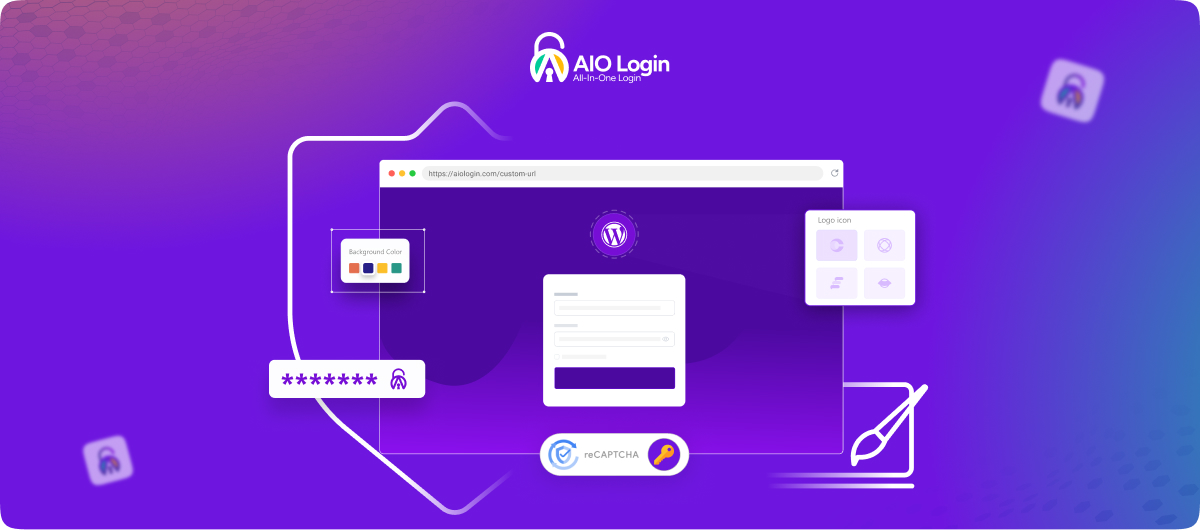
The Complete Solution to Secure and Customize Your WordPress Login Experience.
Looking for a complete WordPress login security plugin to protect and customize your WordPress login (wp-login.php) page? Secure your WordPress login against brute force attacks, unauthorized access, and bot traffic while creating a clean, branded login experience.
👉 Get All In One Login PRO– Secure and Customize Your Login Without Limits
All In One Login brings together advanced WordPress login security and powerful customization features in one lightweight plugin.
Add two-factor authentication (2FA), CAPTCHA protection, social login, custom login URL masking, and detailed activity tracking, while creating a fully branded login experience that matches your site.
Over 70,000 WordPress site owners trust All In One Login to protect their login access and simplify authentication management.
Whether you want to secure your wp-admin, replace the default login URL, enable social sign-in, or track login activity in real time, All In One Login gives you complete control, all from a single dashboard.
Key Features That Make All In One Login Stand Out
Here’s what you get the moment you install the plugin:
- Change WordPress Login URL (Hide WP-Admin): Hide your default /wp-login.php URL by creating a custom login URL. Block automated bots, reduce brute force attacks, and protect your login entry point from scanners.
- Limit Login Attempts: Prevent brute force attacks by limiting failed login attempts and automatically locking out suspicious users. Define lockout duration, customize messages, and monitor blocked login attempts in real time.
- Google reCAPTCHA: Add Google reCAPTCHA v2 or v3 to verify real users and block automated login attempts, credential stuffing attacks, and spam logins.
- hCaptcha: Use hCaptcha as a privacy-focused CAPTCHA alternative that protects your login page without relying on Google services.
- Cloudflare Turnstile: A modern, privacy-friendly alternative to traditional CAPTCHAs. It verifies real users without requiring interactive challenges.
- App-Based Two-Factor Authentication (TOTP): Enable two-factor authentication (TOTP) to add an extra verification layer beyond passwords. The plugin supports Google Authenticator, Authy, FreeOTP, and all leading TOTP applications.
- Temporary Access Links: Provide a temporary, one-time login link to necessary personnel. Assign expiration dates, usage limits, and 2FA required per link.
- Social Login: Allow users to log in using trusted platforms like Google, Facebook, Microsoft, LINE, Discord, Apple, and GitHub. Reduce login friction, speed up registration, and improve user experience.
- WooCommerce Integration: Add social login and CAPTCHA to WooCommerce account pages. No additional plugin needed.
- User Enumeration Protection: Prevent attackers from harvesting valid WordPress usernames with author archive pages and query string requests, sealing the beginning of any brute force attempt.
- Blacklist and Whitelist IPs & Users: Instantly block known threats or guarantee access for trusted users. Whitelist individual IP addresses, blacklist individual IPs or usernames, and all this without any technical expertise.
- Detailed Activity Logs: Keep a record of successful and unsuccessful logins, with full information about the usernames, IP addresses, times, and country/city details. Important in security audits and identifying suspicious trends.
- Password Strength Enforcement: Set minimum password requirements on all users – length, character mix, and prohibition of common or predictable passwords – to prevent weak passwords on the front line.
- Disable Common Usernames: Disable the ability to create usernames with the weak and predictable usernames such as admin or test, eliminating one of the most frequently used attack vectors on WordPress sites.
- Login Page Customizer: Make your login page match your brand. Change the logo, background, form layout, button styles, fonts, and more. Choose from pre-built themes, load any Google Font, or write custom CSS for a pixel-perfect result – including custom error messages and a styled password reset form.
10 Reasons to Prefer All In One Login for WordPress Security
Reason #1: Stronger Protection for Your WP-Admin
Your wp-admin dashboard is one of the most targeted entry points in WordPress. All In One Login helps you secure access points quickly with powerful, easy-to-manage controls.
- Change your WordPress login URL to hide it from unauthorized access
- Limit login attempts and automatically block repeated failures
- Block suspicious IPs and users instantly
- Whitelist trusted IP addresses so authorized users always get access
- Monitor all login activity through clear and detailed logs
Reason #2: Smart Multi-Layer Authentication
Passwords alone are no longer enough to protect your site. All In One Login adds additional verification layers to ensure only legitimate users can log in.
- Enable app-based two-factor authentication using any TOTP app
- Generate backup codes so users are never permanently locked out
- Add an extra verification step to strengthen login security
- Set up multi-layer authentication quickly without complexity
- Protect accounts even if passwords are compromised
Reason #3: Effective Brute Force Defense
Brute force attacks rely on repeated login attempts to break in. All In One Login blocks these attempts early and prevents attackers from gaining access.
- Set limits on failed login attempts to stop repeated retries
- Automatically lock out users after suspicious activity
- Customize lockout duration and attempt thresholds
- Disable commonly targeted usernames to reduce risk
- Track login attempts and identify threats in real time
Reason #4: Spam Prevention and Bot Control
Bots and automated scripts constantly target login pages. All In One Login filters out these threats and ensures only real users can access your site.
- Add Google reCAPTCHA v2 or v3 to your login page
- Use hCaptcha as a privacy-friendly alternative
- Integrate Cloudflare Turnstile as a traditional CAPTCHAs alternative
- Block automated bots from submitting login requests
- Verify real users before granting access
- Prevent username enumeration and data exposure
Reason #5: Seamless Social Login & WooCommerce Integration
A smoother login experience reduces friction and improves user engagement. All In One Login allows users to sign in quickly using familiar platforms while staying secure.
- Allow users to log in with Google, Facebook, Microsoft, LINE, Discord, Apple, or GitHub
- Enable social login on both WordPress and WooCommerce pages
- Reduce signup and login friction for faster access
- Improve conversions by minimizing login drop-offs
- Manage all social login providers from a single dashboard
Reason #6: Fully Customizable Login Experience
Your login page is often the first interaction users have with your site. All In One Login lets you design a branded, professional login experience that feels like a natural extension of your website.
- Choose from professionally designed login page templates
- Upload your own logo and background to match your brand
- Customize colors, layout, and visual elements with ease
- Apply custom CSS for complete design flexibility
- Create a consistent and polished login experience for users
Reason #7: Centralized Security Management
Managing multiple tools for login security can quickly become overwhelming. All In One Login brings everything into one place, giving you full control without the clutter.
- Control all login security settings from a single dashboard
- Enable or disable features instantly with simple toggles
- Reduce reliance on multiple plugins for security
- Get a clear overview of your entire login security setup
Reason #8: Real-Time Activity Insights
Understanding what’s happening on your login page helps you act before issues escalate. All In One Login gives you clear, real-time visibility into all login activity.
- Track login attempts in real time with live activity logs
- Identify IP addresses and monitor login sources easily
- Review login history to detect patterns or anomalies
- Spot suspicious behavior before it becomes a threat
- Take immediate action directly from your activity logs
Reason #9: Flexible Access Control
Not every user should have the same level of access. All In One Login allows you to define and control exactly how users can log in to your site.
- Restrict login access based on IP addresses
- Control which users are allowed to access your login page
- Grant temporary access when needed without permanent permissions
- Limit login entry points to approved users only
- Maintain full control over who can access your website
Reason #10: Easy Setup with Reliable Performance
Security shouldn’t be complicated or slow your site down. All In One Login is designed to be lightweight, fast, and easy to set up for any WordPress user.
- Set up and configure your login security in just a few minutes
- Use a simple, intuitive interface designed for all skill levels
- Keep your site fast with optimized and lightweight performance
- Run security features without affecting user experience
- Scale easily as your website grows and evolves
Real-World Use Cases for All In One Login
Use Case #1: Protecting a Multi-Author Blog or News Site
Large WordPress sites with multiple contributors are high-value targets. Use All In One Login to:
- Require two-factor authentication for all editor and admin accounts
- Set login attempt limits and lock out anyone who fails repeatedly
- Monitor login activity across all user accounts from a single log
- Block access from known malicious IP addresses in real time
- Hide your wp-admin URL from public discovery
Use Case #2: Securing a WooCommerce Store
Your WooCommerce store processes sensitive customer data and user accounts, making login security critical. Use All In One Login to secure customer authentication, prevent fake registrations, and protect admin access.
- Enable Google or Facebook social login
- Add Google reCAPTCHA or Cloudflare Turnstile to prevent bot account creation
- Enforce strong passwords and limit login attempts for admins
- Restrict unauthorized access with login controls
- Improve login reliability and user experience
Use Case #3: Granting Temporary Access to Clients or Contractors
Need to let a developer, auditor, or client log in without creating a permanent account? All In One Login’s temporary access link feature lets you:
- Generate a unique, time-limited login URL for any user or role
- Set an expiration date and maximum usage count
- Require 2FA on the temporary link for extra security
- Revoke access instantly when the job is done
- Keep your permanent credentials completely private
Use Case #4: Building a Membership or Subscription Site
For sites where login experience directly impacts retention, All In One Login helps you:
- Offer Google, Facebook, Microsoft, LINE, Discord, Apple, and GitHub social login for faster sign-in
- Customize the login page to match your brand and membership tiers
- Use detailed activity logs to detect suspicious access patterns
- Enforce strong password requirements at registration
Use Case #5: Agency Managing Multiple Client Sites
If you manage WordPress sites for clients, All In One Login gives you a consistent, scalable security baseline across all of them:
- Deploy a custom login URL on every client site to hide wp-admin
- Use temporary access links to log in during support sessions without sharing passwords
- Apply limit login attempts and lockout settings across all sites
- Generate activity log reports to show clients their security status
- Customize each client’s login page with their own branding
Requirements
- WordPress Version: 4.0 or higher
- PHP Version: 7.0 or higher
For the Pro version, the latest versions of WordPress and PHP are recommended.
Need Quick Assistance in Setting up All In One Login?
Need help setting up All In One Login?
Our support team can assist you with configuration, troubleshooting, and optimization. Open a support ticket, and our team will get back to you as quickly as possible.
For Technical Documentation, visit our website for step-by-step setup guides covering every feature.
Frequently Asked Questions
Can I use All In One Login for free?
Yes. All In One Login also has a fully functional free version, but with limited capabilities such as changing your WordPress login URL, limiting logins, enabling Google reCAPTCHA or Cloudflare Turnstile, customizing the login page, and preventing user enumeration.
Does All In One Login work with WooCommerce?
Yes. All In One Login has a social login feature compatible with WooCommerce, which allows the use of social login and CAPTCHA on WooCommerce account pages without extra settings.
How does changing the WordPress login URL improve security?
The default WordPress login URL (yourdomain.com/wp-login.php) is heavily targeted by bots. By replacing it with a custom login URL, you hide your authentication endpoint and reduce automated attacks, brute force attempts, and login abuse.
Can I give someone temporary access without sharing my password?
Yes. The temporary access link feature lets you generate a unique, time-limited login URL for any user or role. You control the expiration date, usage limit, and whether 2FA is required – and you can revoke it at any time.
Can I track failed login attempts and lockouts?
Yes. All In One Login records all login activity – including failed attempts, lockouts, IP addresses, and usernames – in detailed activity logs. You can use these logs to monitor threats and run WordPress login security audits.
What is user enumeration, and how does All In One Login prevent it?
User enumeration is a technique attackers use to discover valid WordPress usernames through author archive URLs and query string requests, before attempting a brute force attack. All In One Login blocks these requests entirely, preventing your usernames from being exposed.
Can I customize the login error messages?
Yes. All In One Login lets you replace the default WordPress login error messages with custom text.