



















































If you manage an e-commerce store that primarily caters to wholesale customers, in addition to retail customers, a well-designed and highly impactful WooCommerce bulk order form is essential.
A bulk order form helps customers, whether new or existing, order multiple products simultaneously. They do not need to visit the product pages or complete the cart process.

This blog post will guide you in designing a WooCommerce bulk order form for your online store.
Why Do You Need a WooCommerce Bulk Order Form?
Before designing a WooCommerce bulk order form, it is necessary to understand the various benefits of a highly customized WooCommerce bulk order form. These benefits include:
Streamlines Large Orders
A WooCommerce order form allows customers to easily select their preferred products. That’s because they can effortlessly include multiple products simultaneously. Moreover, the bulk order form streamlines the entire ordering process in the most efficient way possible.
Simplifies Wholesale Purchases
When streamlining wholesale purchase orders, a powerful WooCommerce bulk order form proves invaluable. As you may be aware, wholesale customers prefer to buy products in bulk, and in this case, the bulk order form helps simplify the whole process for them.
Enhances User Experience
A well-designed and engaging WooCommerce order form enhances the efficiency of the bulk order process by allowing both new and existing customers to purchase products in large quantities. This will enable WooCommerce store owners to enhance their customers’ experiences by streamlining the checkout process.
How to Design a WooCommerce Bulk Order Form
If you want to design a WooCommerce bulk order form, you can rely on a powerful plugin, Bulk Order Form for WooCommerce. When creating a WooCommerce bulk order form, follow the steps below:
- Navigate to WooCommerce > Product Table.
- Press Add New.
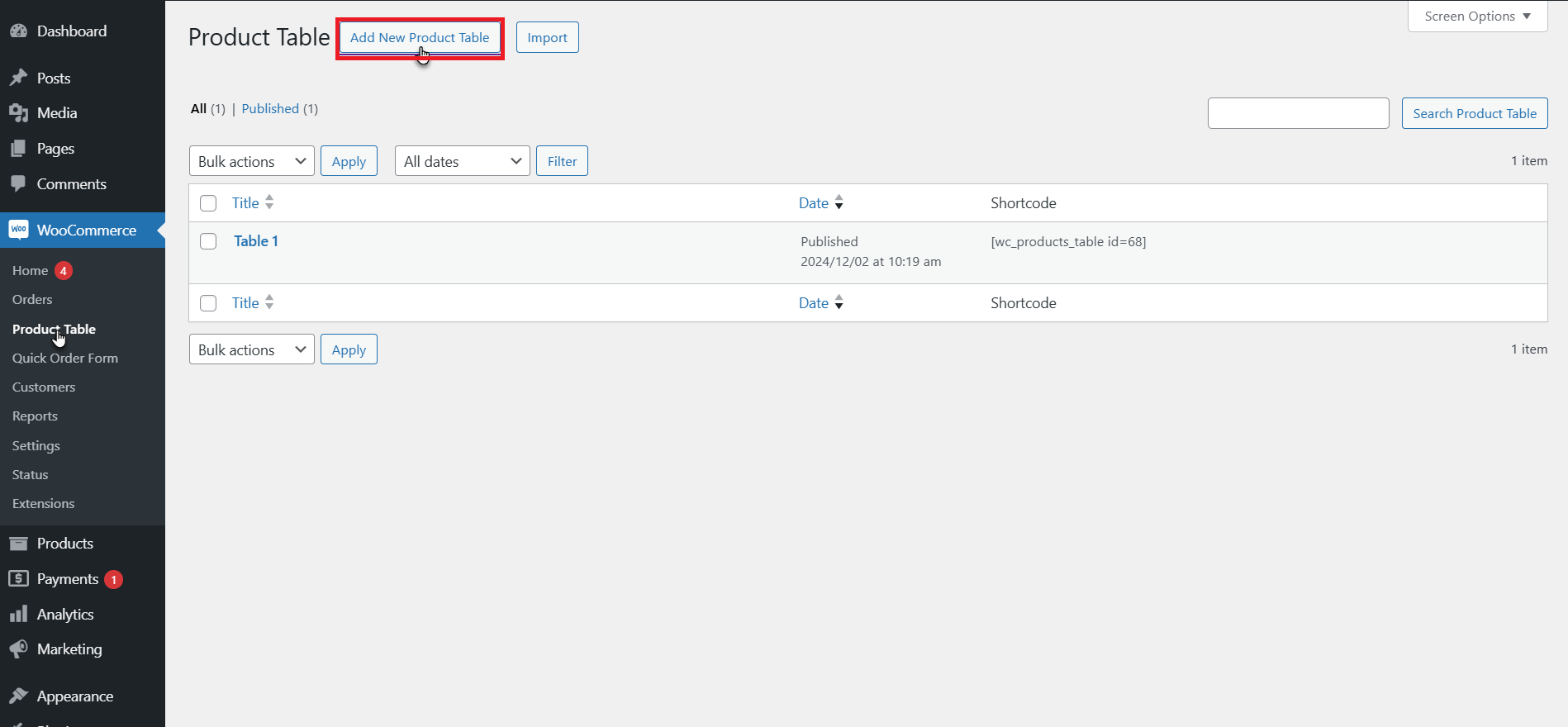
- Mention Table Title.
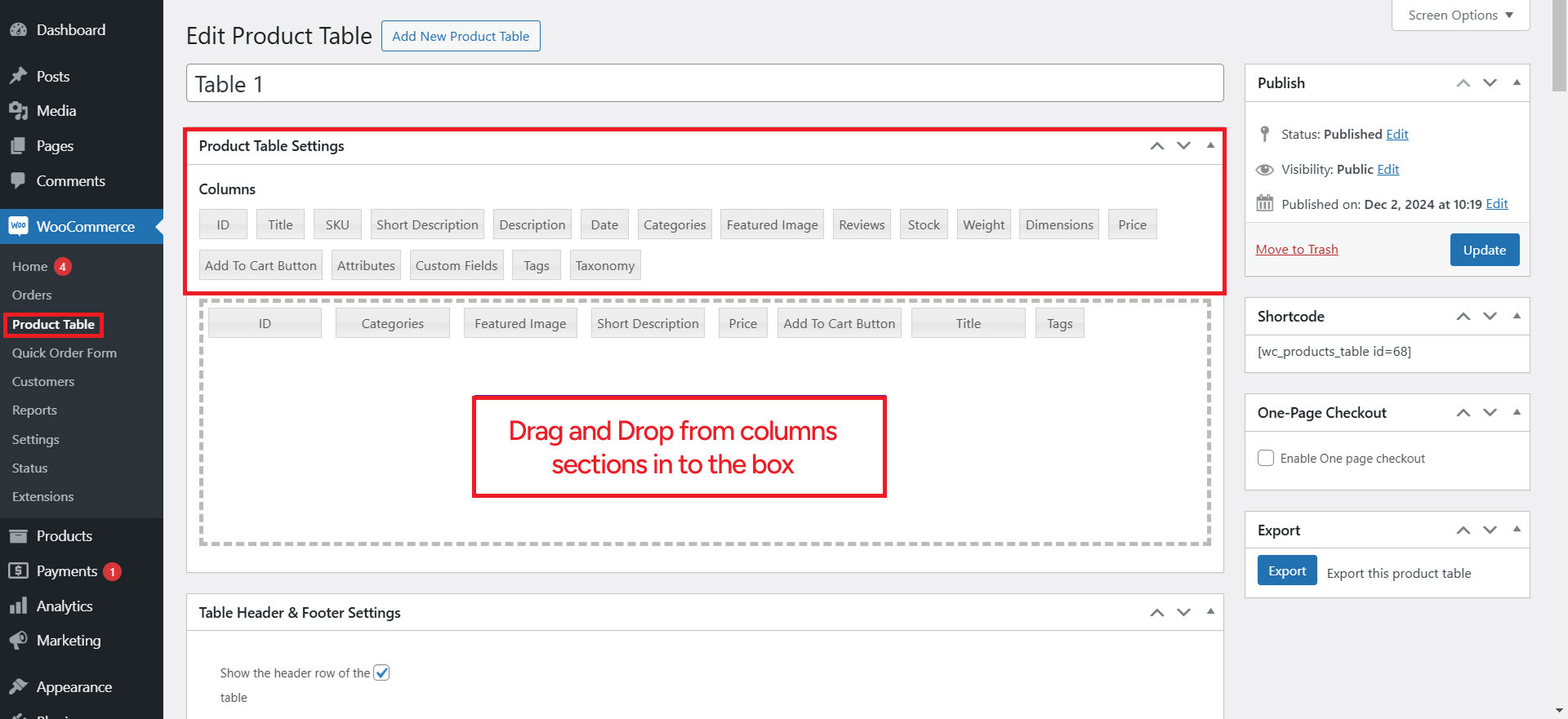
- Drag & Drop the Columns into the Dotted Box.
- Press the Columns to Edit.
The product table comprises these columns, which are dropped into the dotted area and will be displayed at the front end.
Columns Types
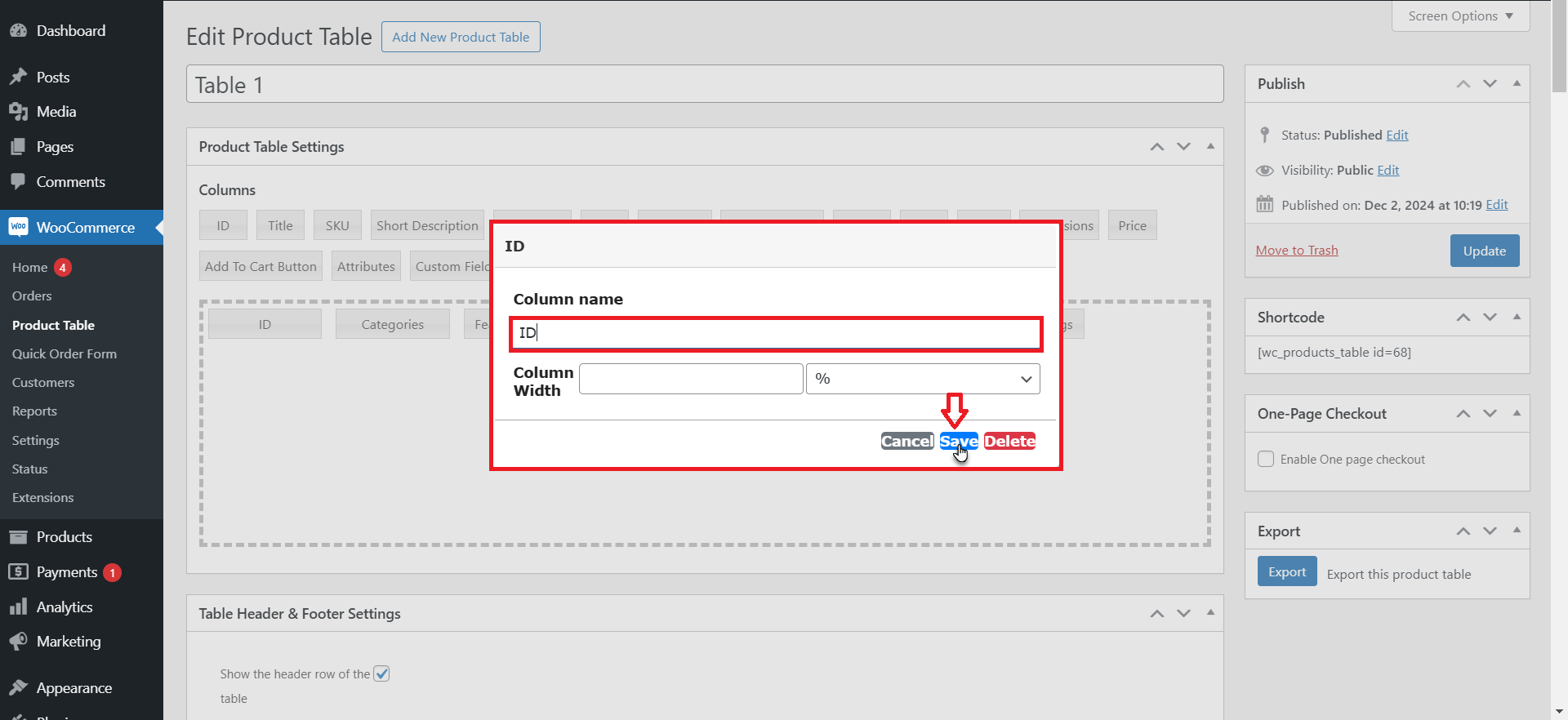
Product ID
- Enter column name and width (in percentage or in pixels). It is not mandatory to write the column width.
- Save Changes.
Product Title
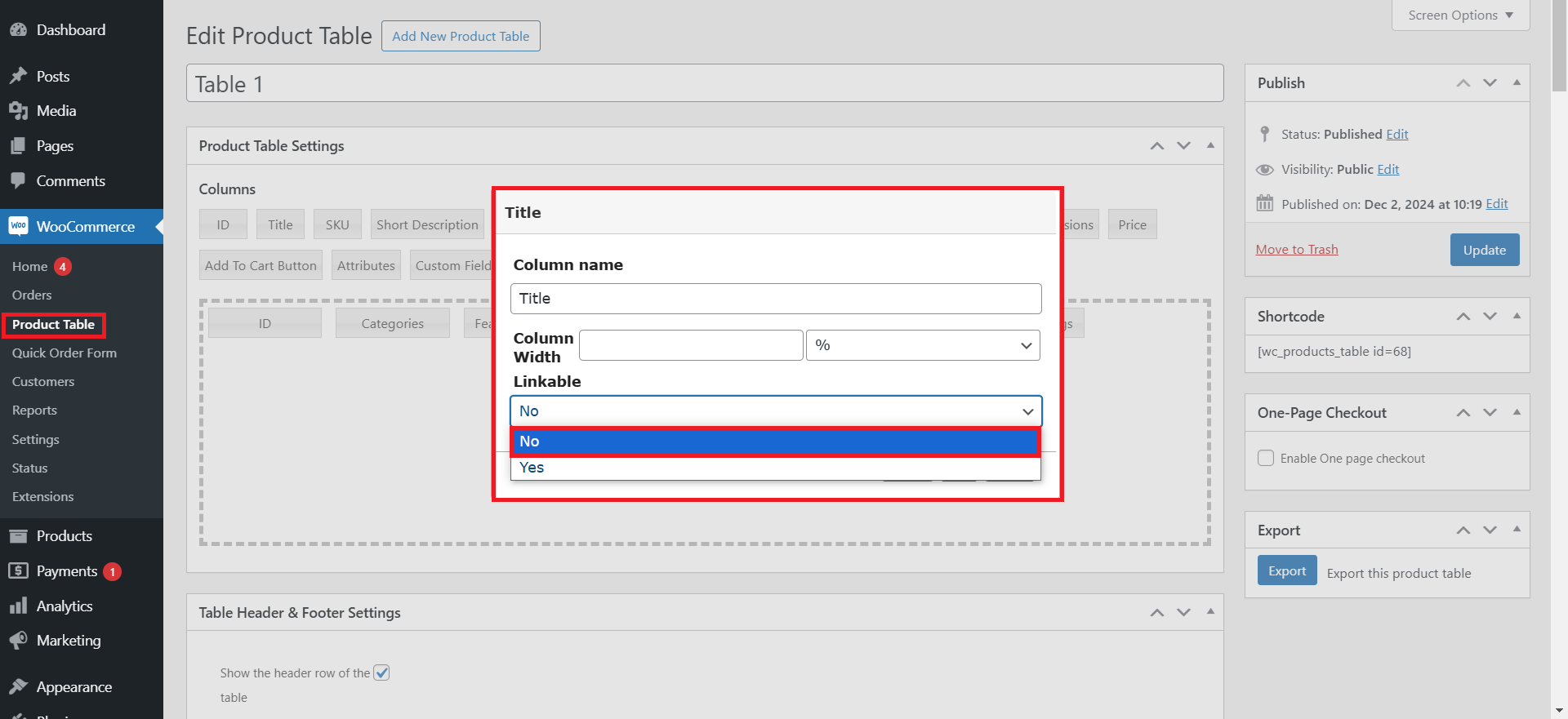
- Enter column name and width (in percentage or in pixels). It is not necessary to enter the column width.
- Select whether to link the product title to the product’s single page or not.
- Save changes.
Product SKU
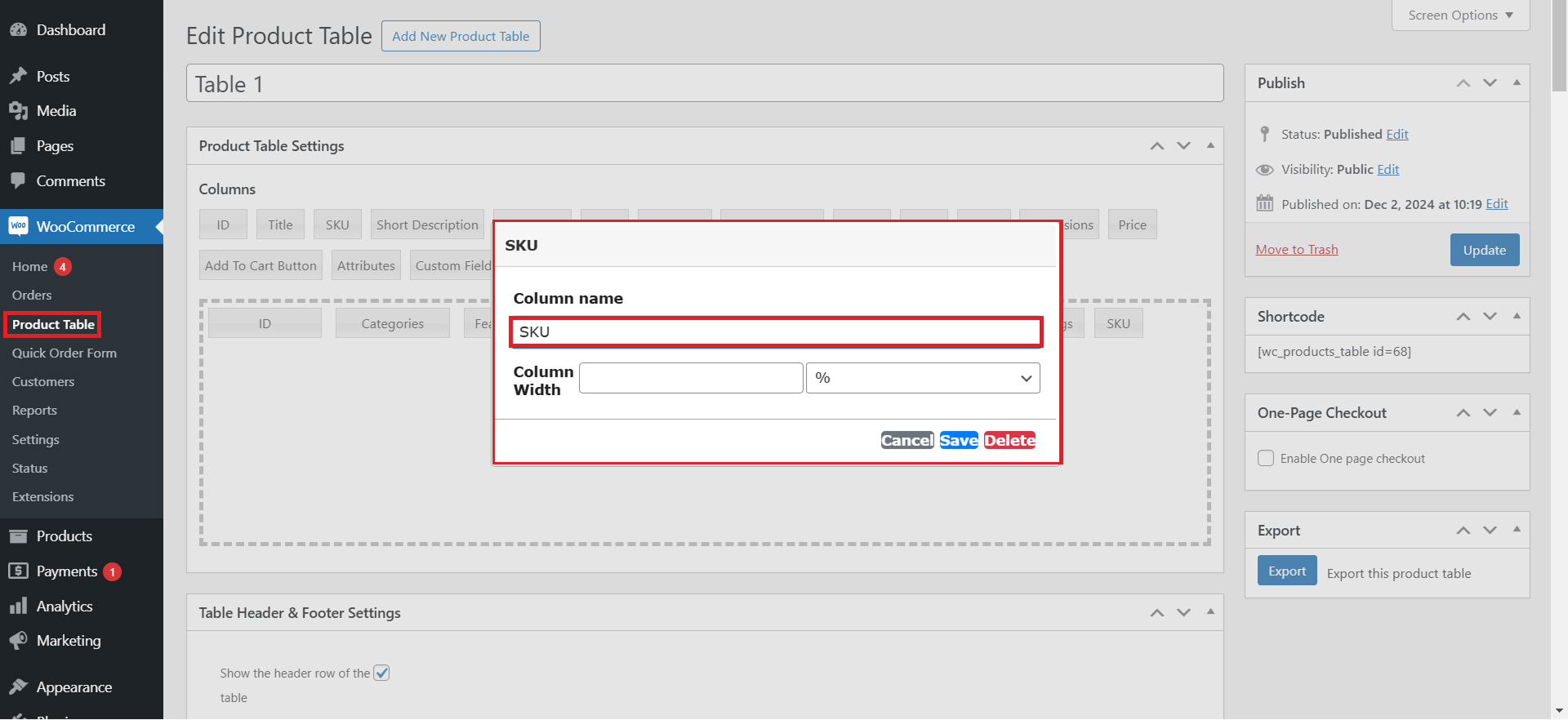
- Write column name and width (in percentage or in pixels). It is not obligatory to write the column width.
- Save Changes.
Short Description
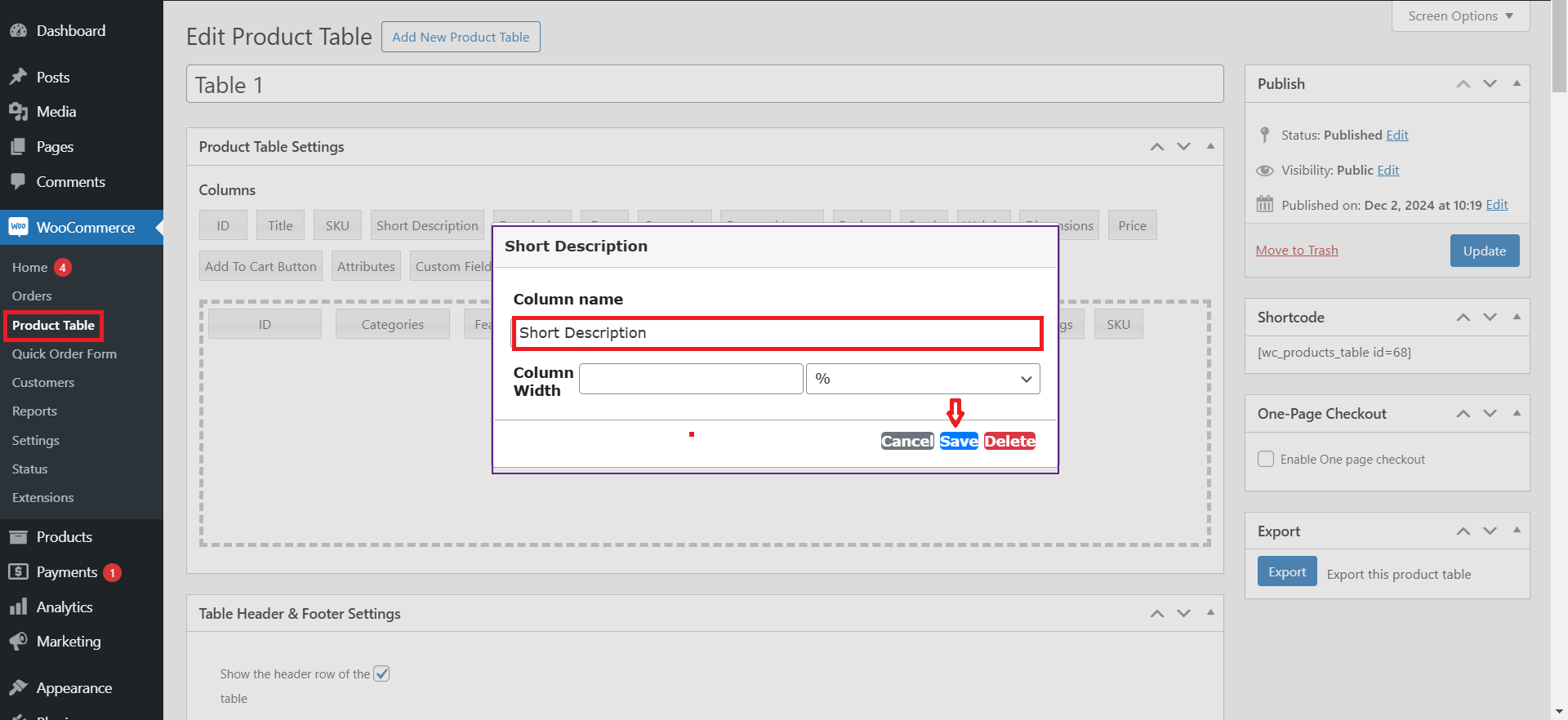
- Write the width (in percentage or in pixels) and the column name. It is not required to provide the column width.
- Save Changes.
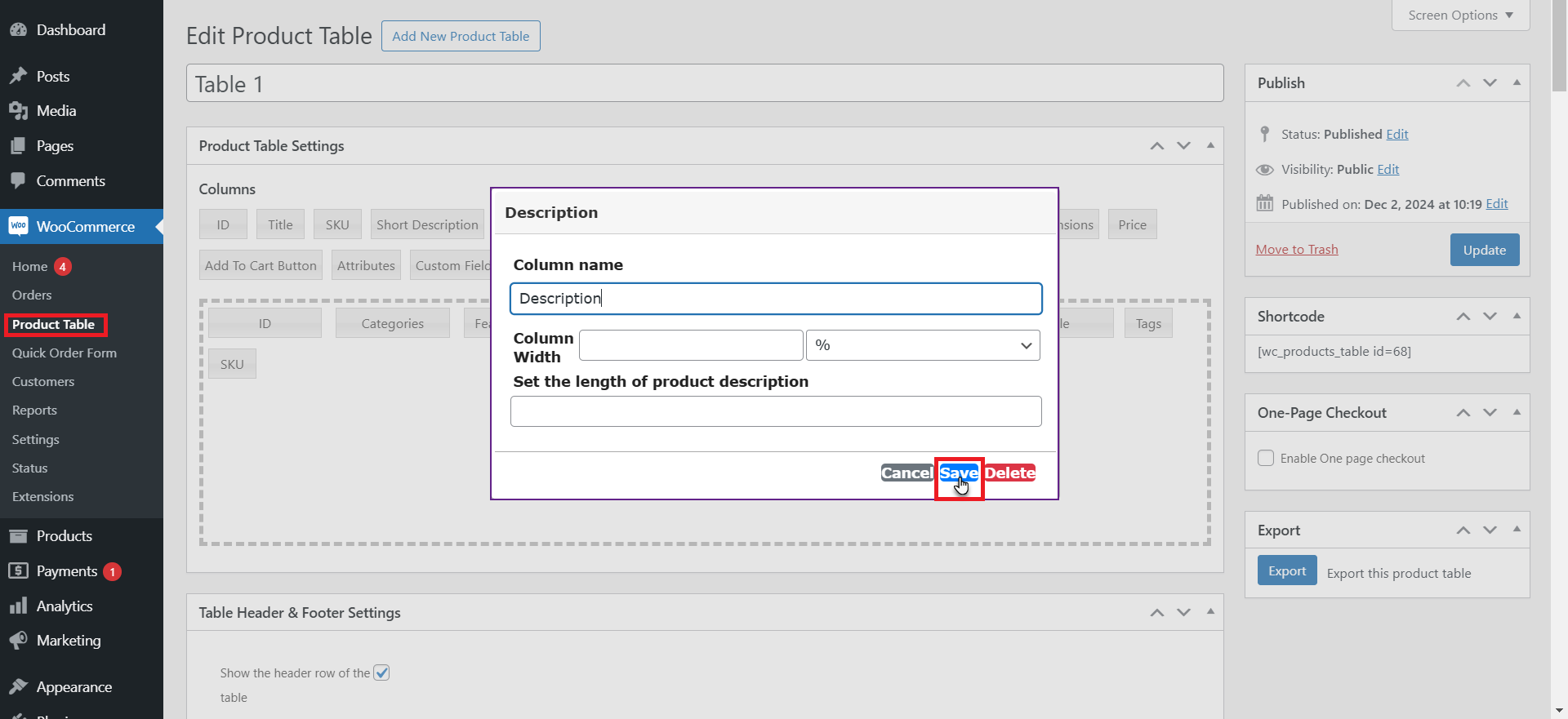
Product Description
- Mention column name and width (in percentage or in pixels). It is not compulsory to write the column width.
- Enter Description character length in numeric form, e.g, (10).
- Save Changes.
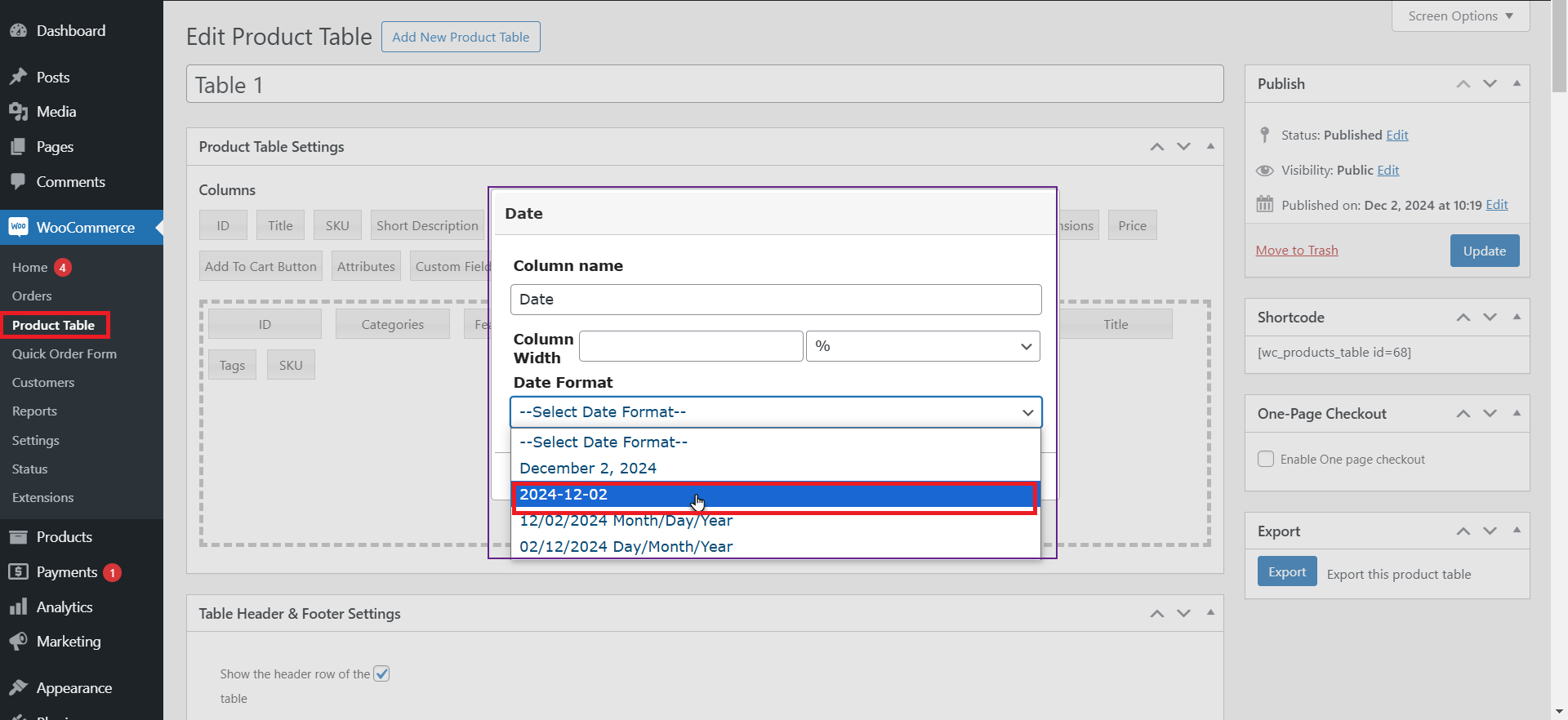
Product Published Date
- Enter column name and width (in percentage or in pixels). It is not necessary to enter the column width.
- Choose the Date Format to showcase.
- Save Changes.
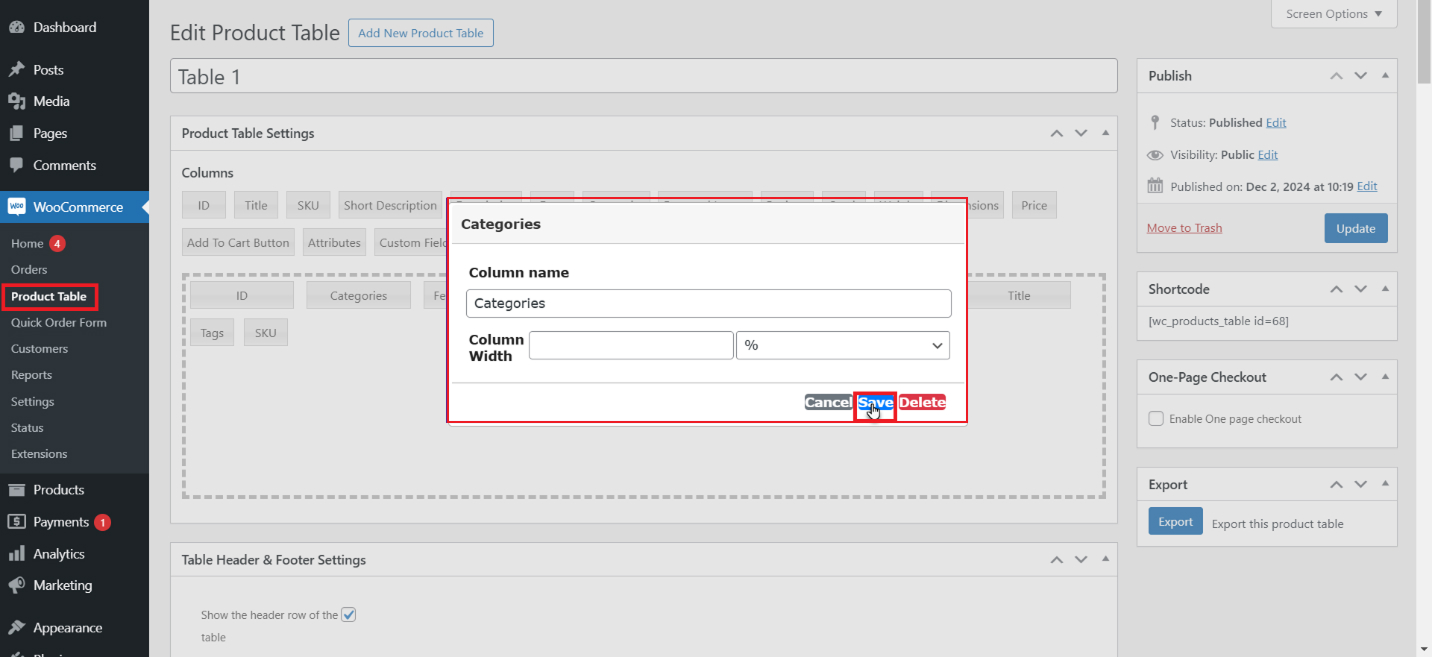
Product Category
- Enter column name and width (in percentage or in pixels). It is not necessary to enter the column width.
- Save Changes.
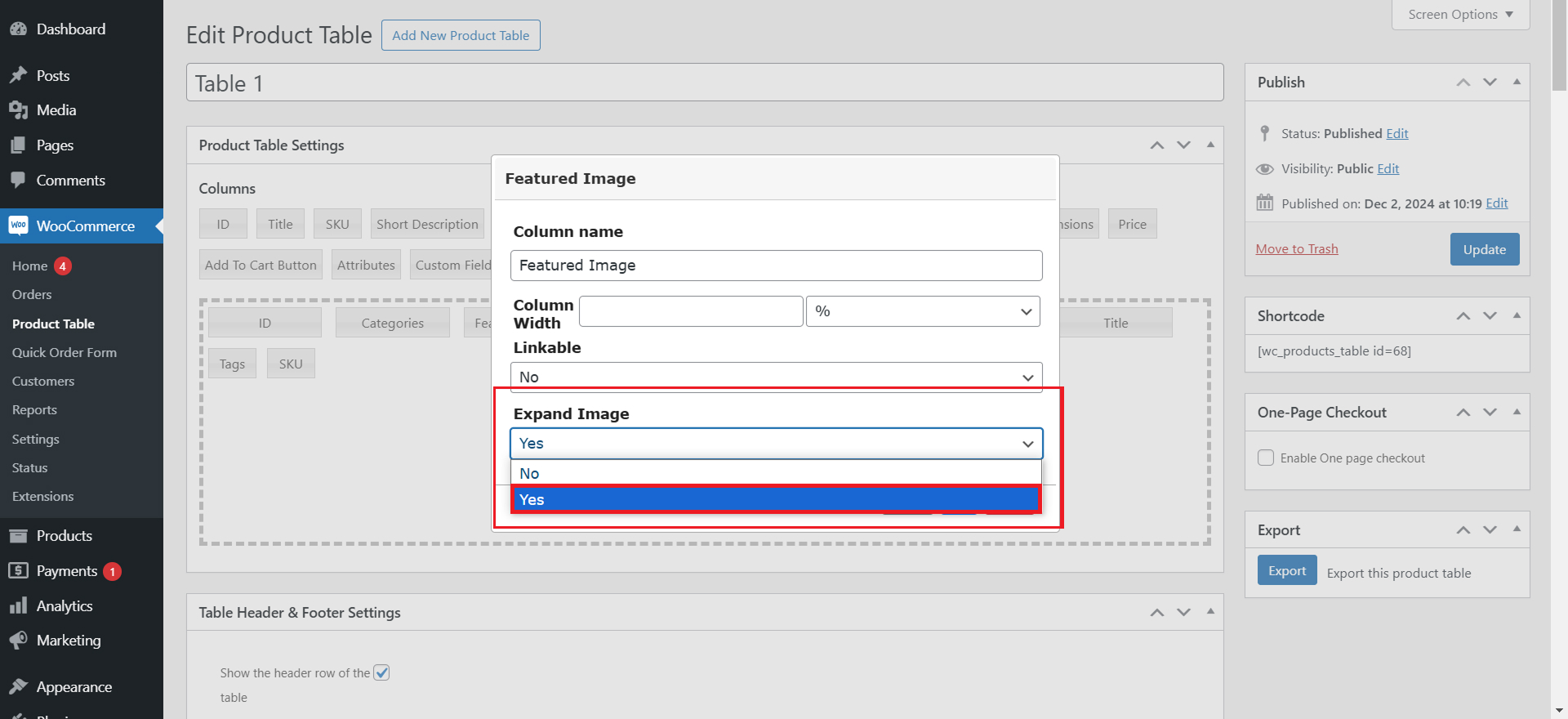
Featured Image
- Write column name and width (in percentage or in pixels). It is not necessary to enter the column width.
- Choose whether to link the product title to the product’s single page.
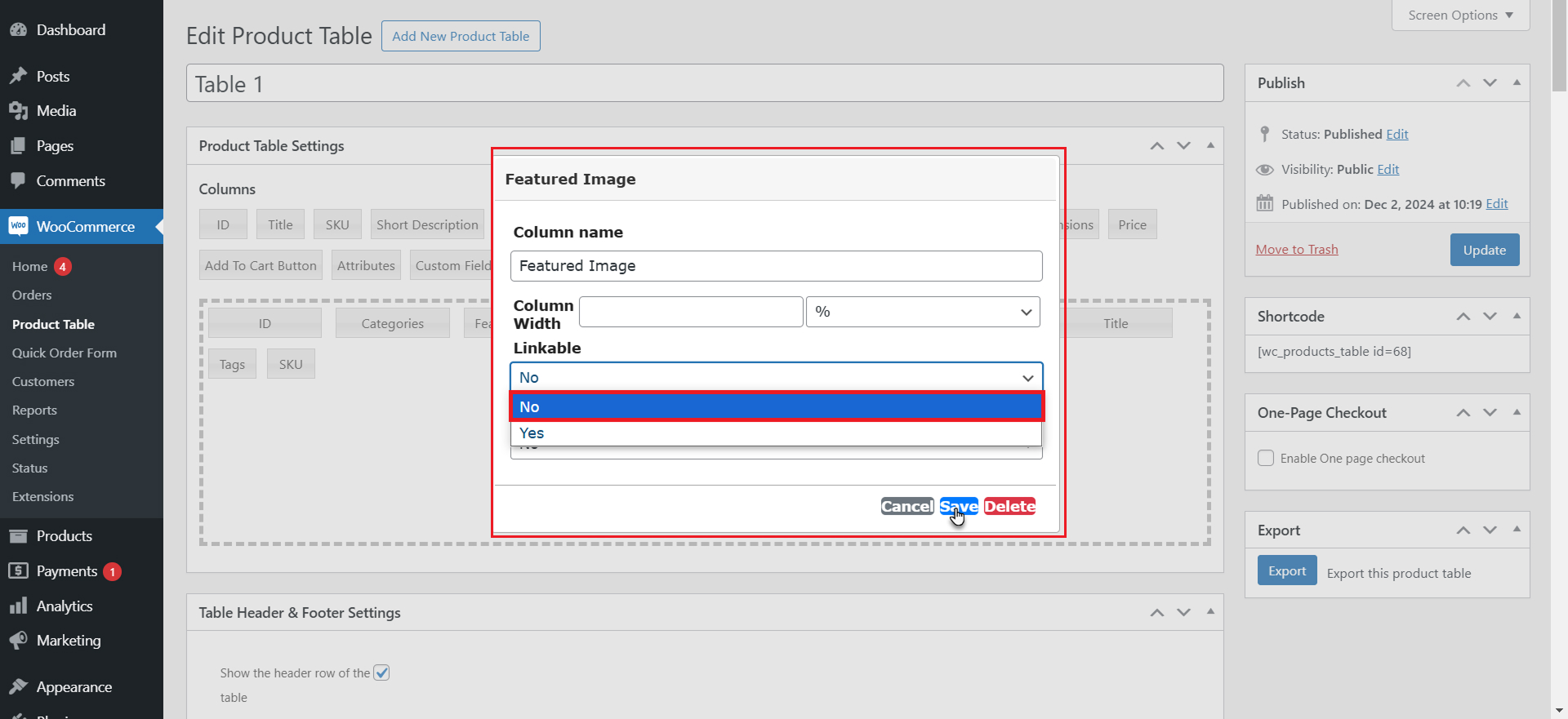
- When you are done, hit the Featured Image, and click the Expand Image dropdown option, choose Yes.
- Press the Save button.
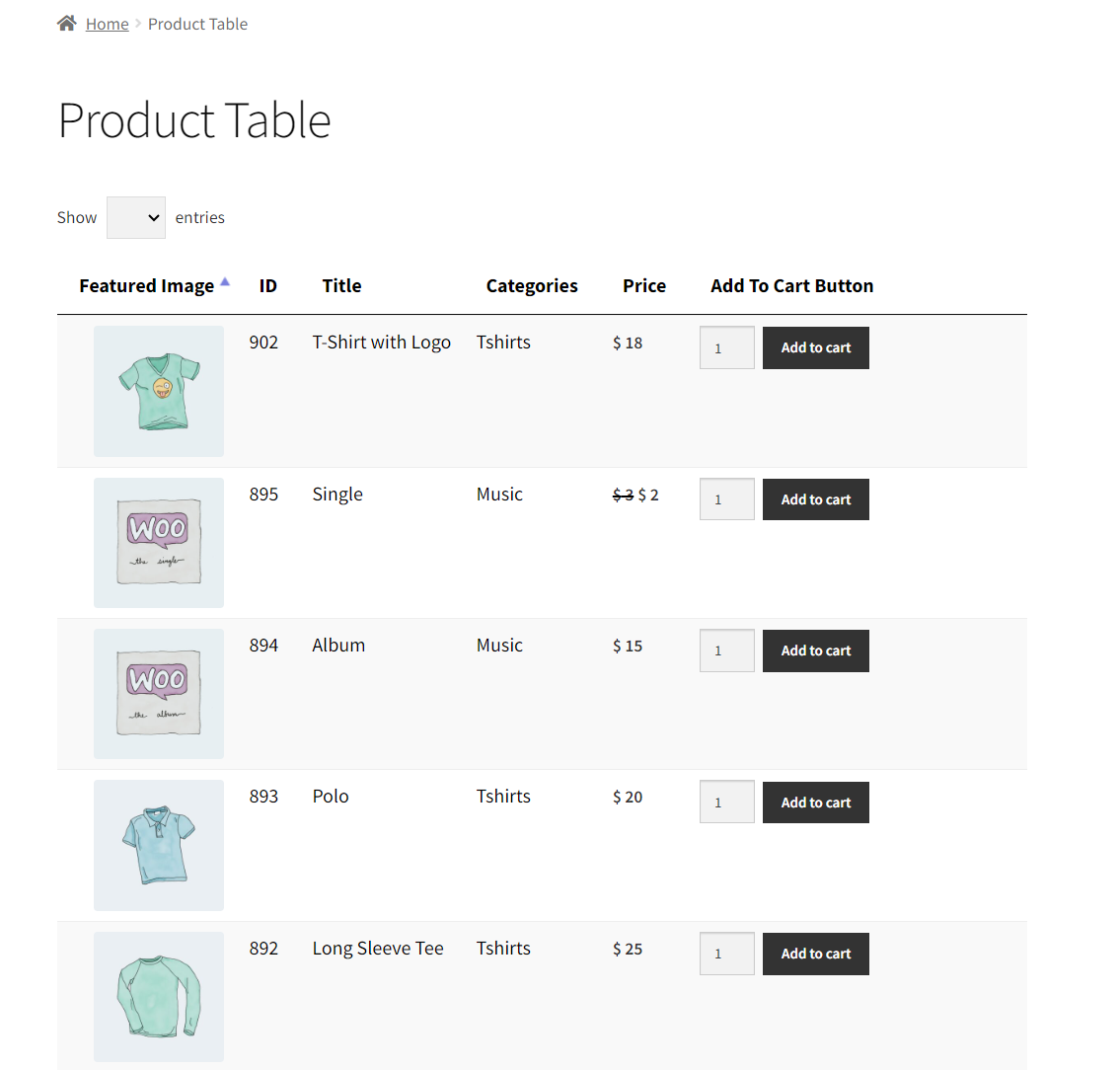
Front-End Impact
- Go to the website and then go to the Product Table page.
Wrapping Up
There is no denying that a well-designed WooCommerce bulk order form enhances the customers’ experience to a whole new level. Moreover, the WooCommerce bulk order form suits the requirements of wholesale customers.
Besides, a WooCommerce bulk order form helps simplify the order process, increasing conversions, enhancing customer engagement and satisfaction, and reducing cart abandonment.
The above process allows store managers or owners to design a WooCommerce order form from scratch, which is customizable and customer-centric.
Maximize the benefits of your WooCommerce Bulk Order Form to provide your customers with a seamless, efficient, and enjoyable shopping experience.





