




















































In the current competitive eCommerce marketplace, providing clear price visibility is the need of the day. In wholesale businesses, achieving this can be demanding because you do not need to display wholesale prices to everyone.
But what if there were a means by which you could display wholesale prices to potential customers without them having the chance to log in first! Well, you are at the right location. In this guide, we will show you how to make wholesale prices visible to non-logged-in customers, along with the benefits.

Why You Need To Show Guests The Wholesale Prices
Displaying your wholesale prices to visitors to your site without requiring them to log in first can be the difference between winning and losing for your online business. This will permit you to make them trust you, which can lead to potential sales. So, let’s dive into why this works so well.
It Encourages Trust and Transparency
People like transparency, especially in terms of pricing. It shows that you have nothing to hide from the very beginning, as you offer wholesale price transparency to your customers. By showing prices upfront to customers, they will have confidence in choosing to buy from you.
They will also get a clear picture of what they are saving, thus developing high trust in your company.
Promotes Instant Purchases
Non-logged-in users are often just browsing. They might have second thoughts about signing up, but seeing the wholesale prices firsthand will help them make the decision instantly. They do not have to log into their account in order to view the prices. They could simply purchase the product and get it instantaneously.
Attracts Potential Wholesale Customers
By hiding wholesale prices behind a login screen, you may lose potential wholesale buyers. If curious buyers want to see if your business has the correct prices for them, they won’t have to guess; they can see the wholesale prices and make an immediate decision.
Increases Conversion Rates
The customer can easily acquire a product if he or she is able to see the value for money. The inclusion of wholesale pricing on the website is an effective way to boost the customer’s confidence to acquire the product.
Improves User Experience
No one wants to be compelled to open an account just in order to look at some information. It is essential to showcase wholesale prices right from the beginning, and in this way, you ensure the process is as smooth as possible.
Step-by-Step Guide: Displaying Wholesale Pricing to Your Guests
Now you understand why showing non-logged-in guests your wholesale prices could be good for your online business. It’s time to see how this can be accomplished using the best wholesale add-on, Wholesale for WooCommerce. This is easier than you think.
Access your admin panel:
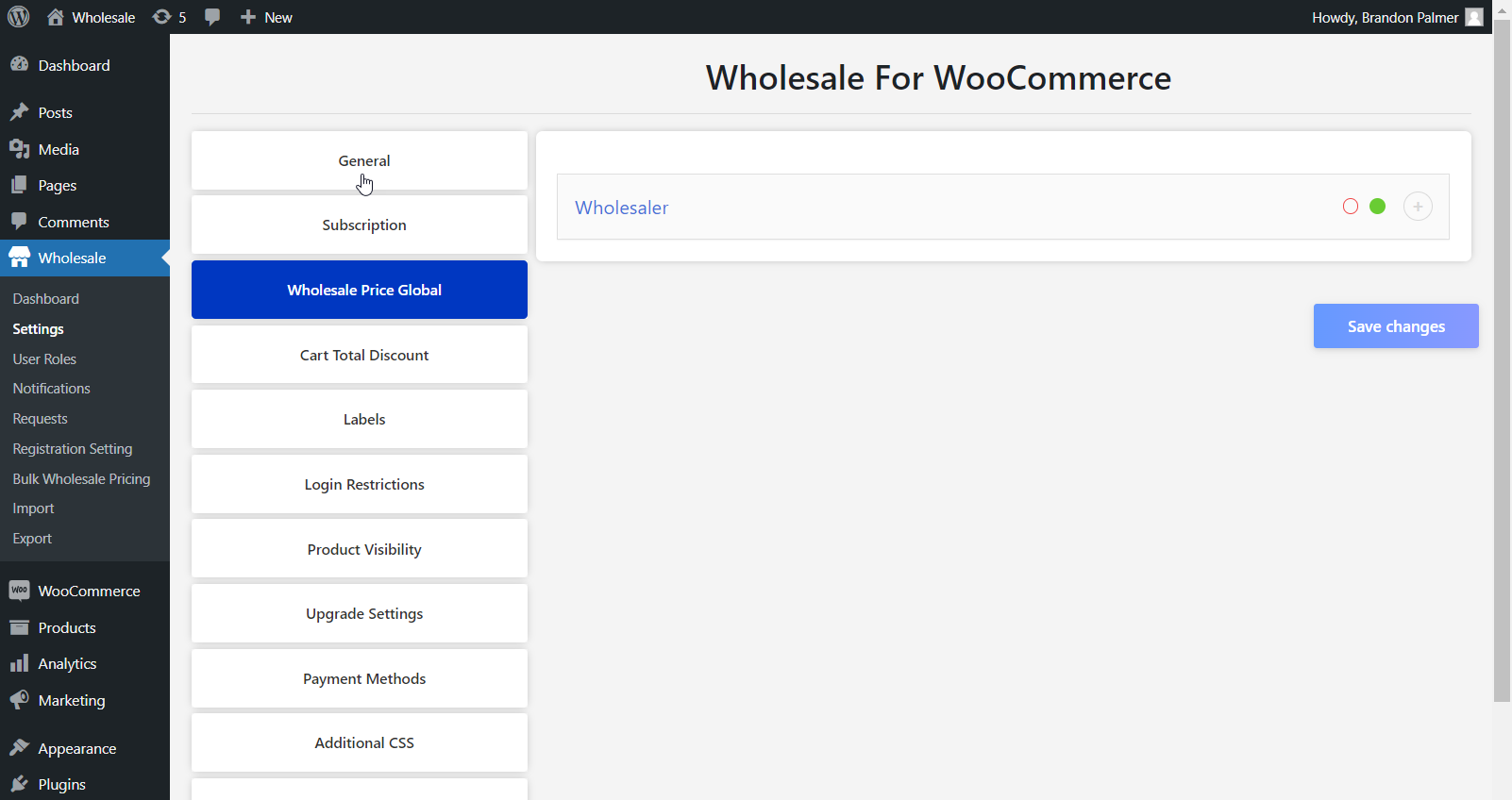
First, log in to your admin panel from your site. Next, proceed to Wholesale > Settings > General.
Finding the Non-Logged-In Settings:
In the General section, scroll down until you see the Non-Logged In Settings. In this area, you will find a box to check marked, “Display Wholesale Price for Non-Logged-in Users.’’
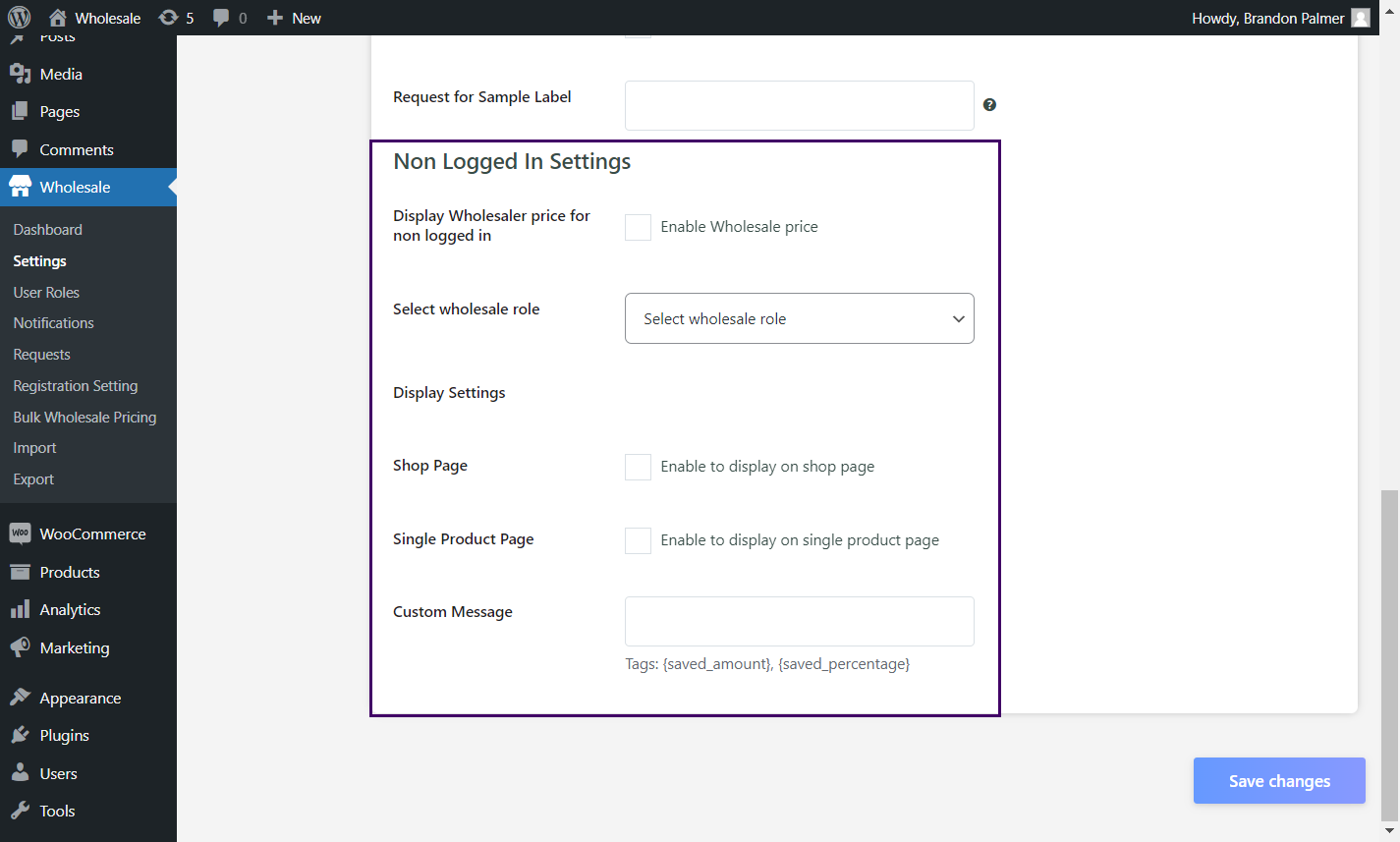
Check this box to turn on this feature. This will enable your wholesale price to be shown to anyone, regardless of whether they’re logged in or not. This is an easy but very effective way to ensure your pricing is accessible.
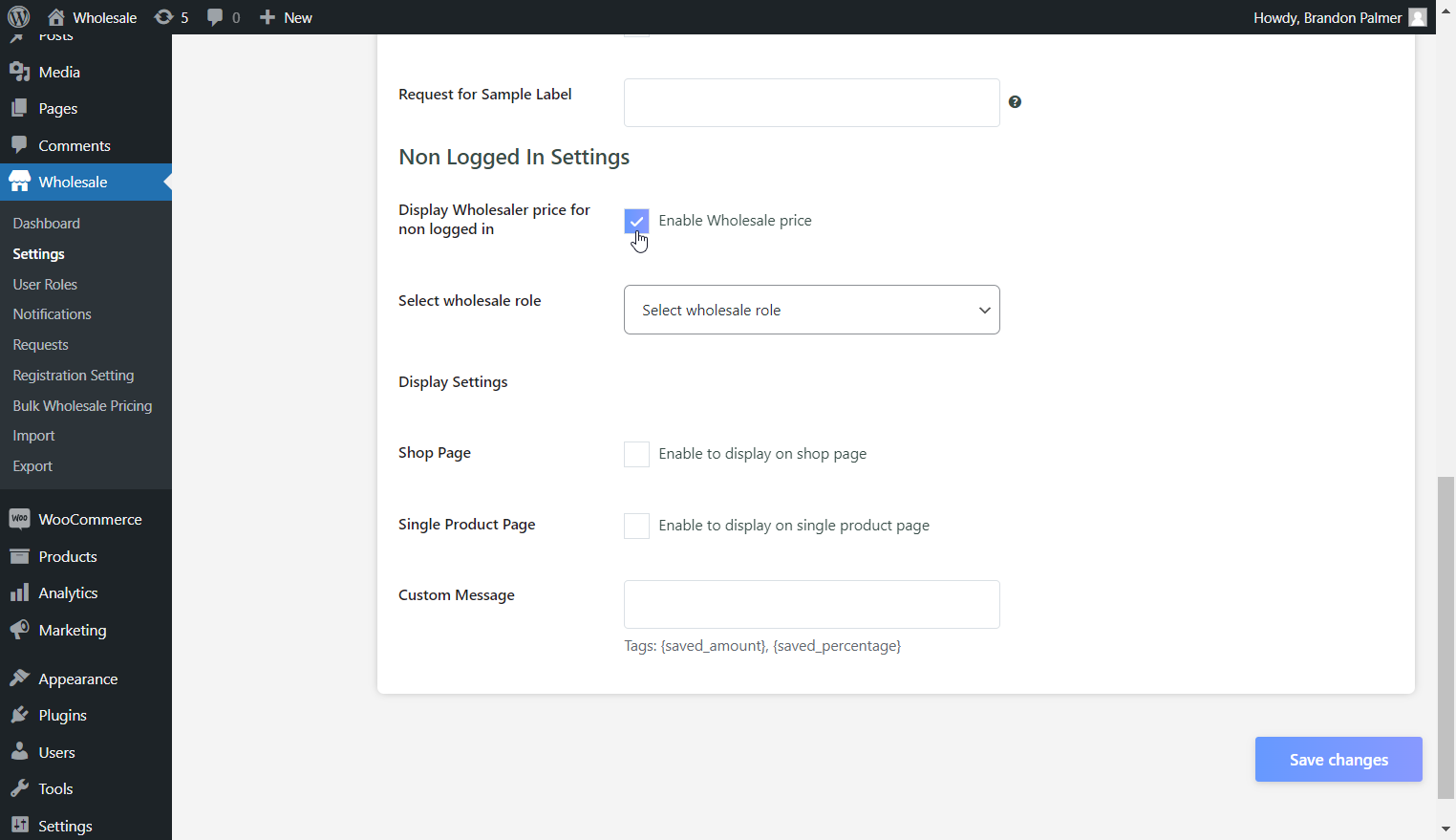
Choose Your Wholesale Role:
Under the “Select Wholesale Role,” you will choose the role that will be able to see the wholesale prices. It’s like making sure that only the right people are able to see the prices, like prospective wholesale buyers.
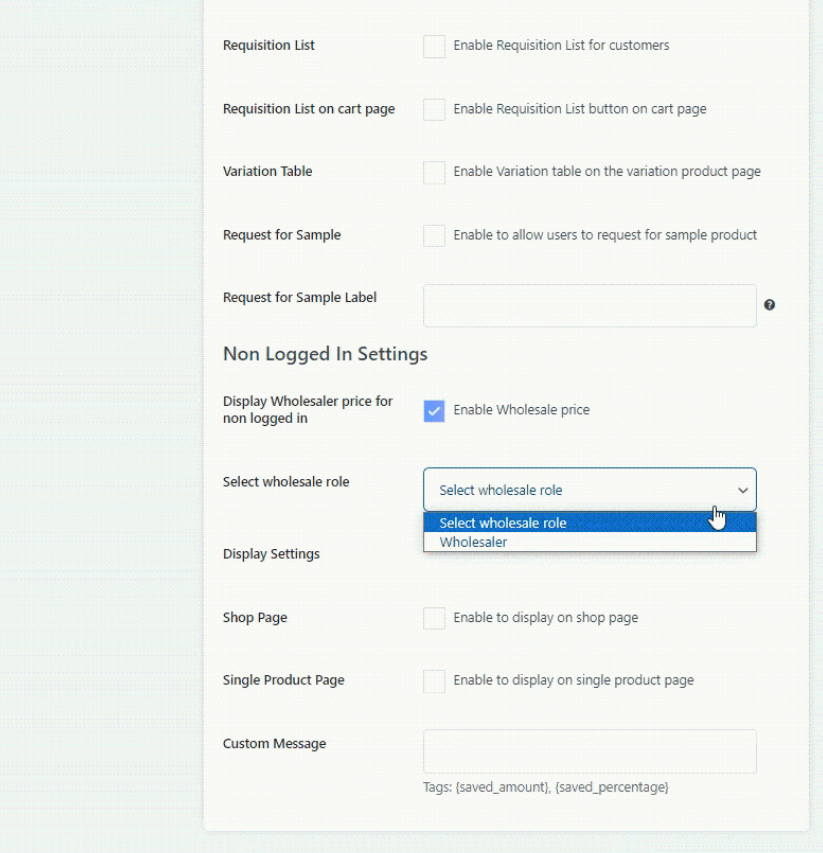
Now, it’s time for you to decide where you want to display the wholesale prices. There are two alternatives:
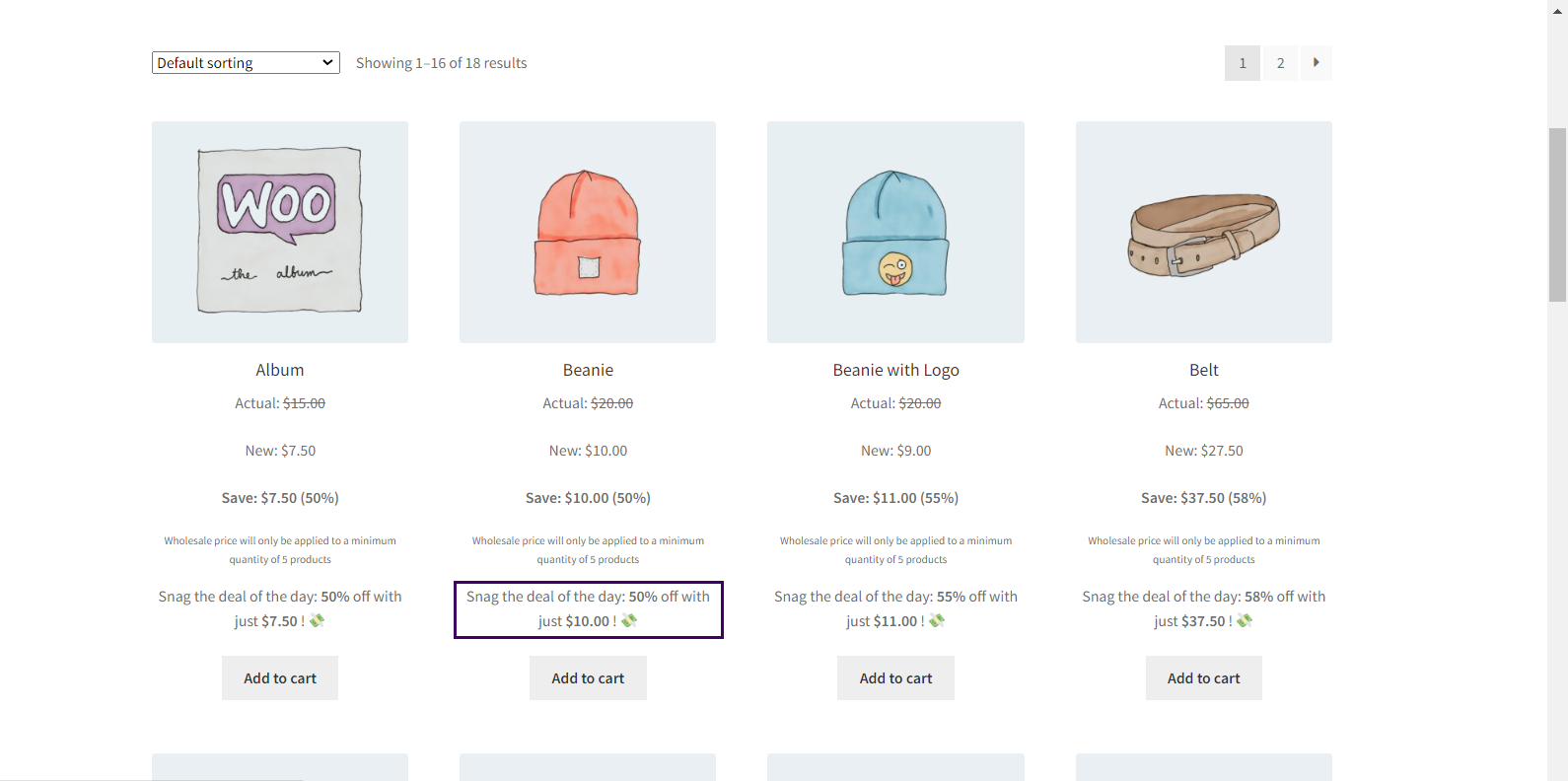
- Shop Page: This will show the prices on your shop page.
- Single Product Page: This displays the wholesale price on the single-product pages.
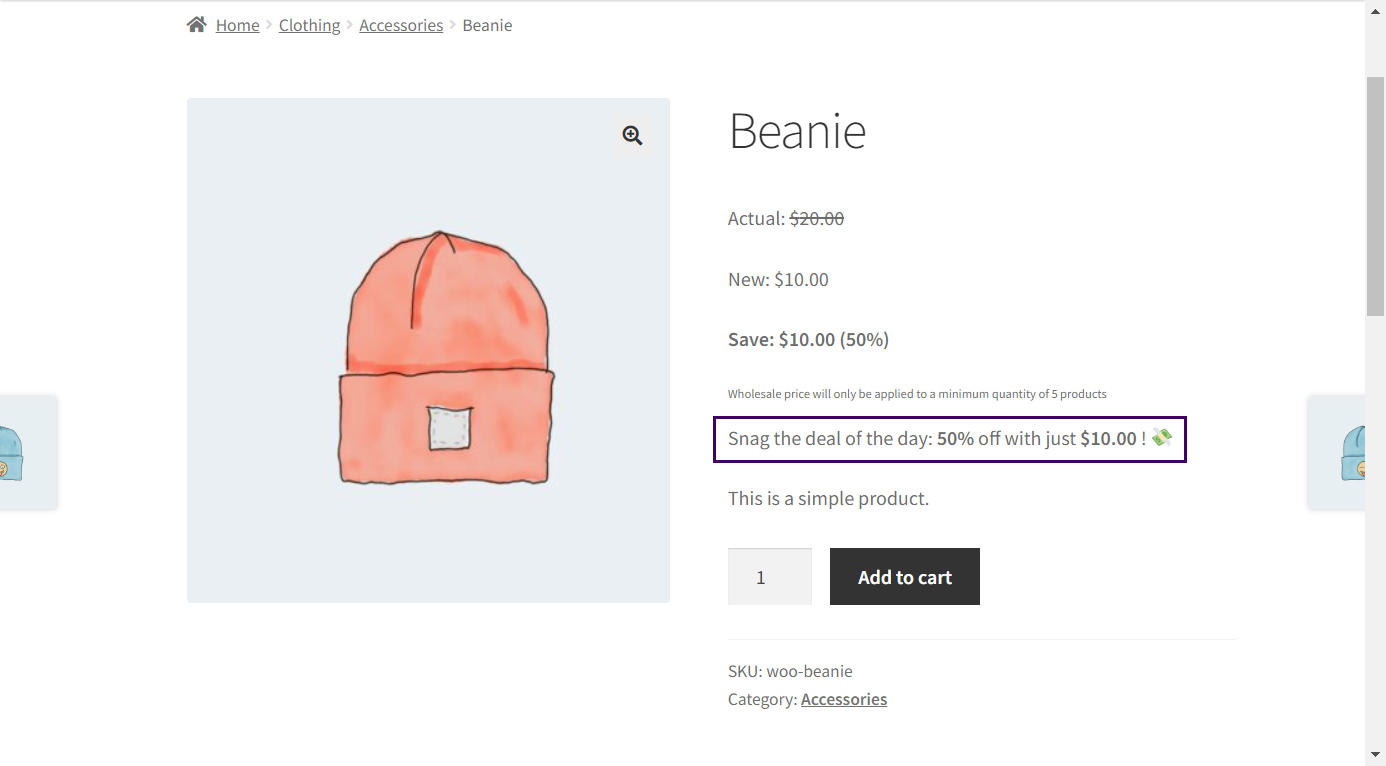
- The additional option is whether you would like the prices shown on both pages.
Add a Custom Message (Optional):
The Custom Message tab lets you create a message with the wholesale prices you provide. For instance, “Sign up now for even bigger discounts!” would encourage guests to create their account and invest more in your brand. Other helpful tags you would like to include may consider savings with {saved_amount} or {saved_percentage}.
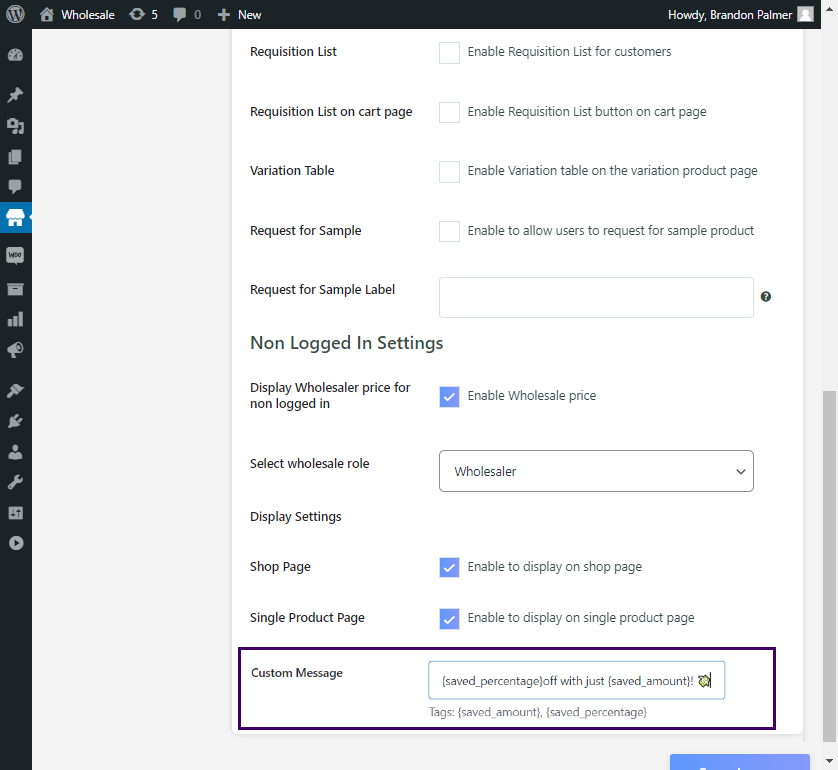
Save Your Changes:
After all is in order, click on the Save Changes button to save your changes.
What Actually Happens Before & After
Prior to turning on this feature, customers will not be able to view your wholesale prices at all. The website may simply look like an ordinary retail website, listing usual prices.
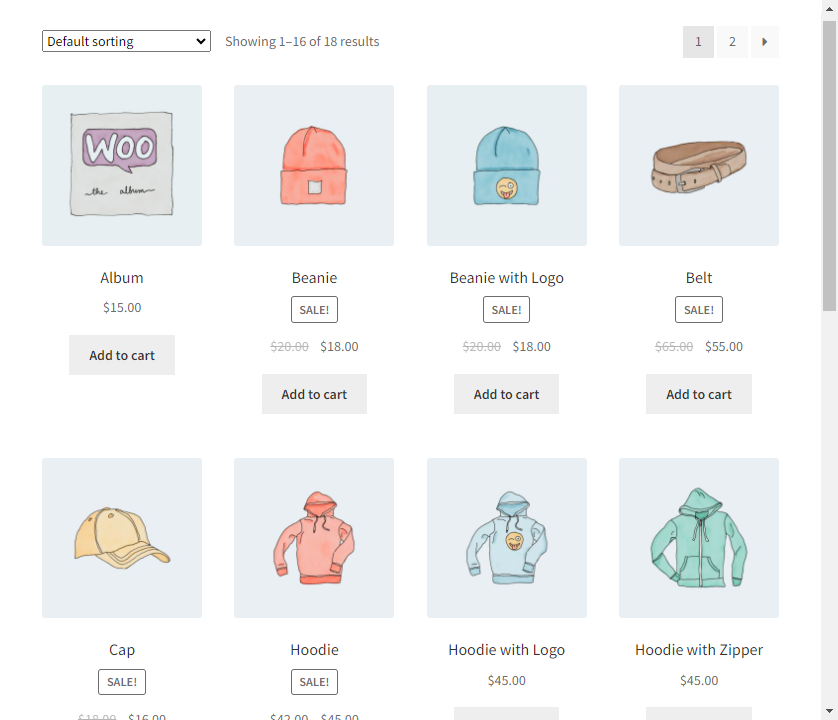
As soon as the feature is enabled, the prices for the wholesaler will be visible immediately on the shop or product page.
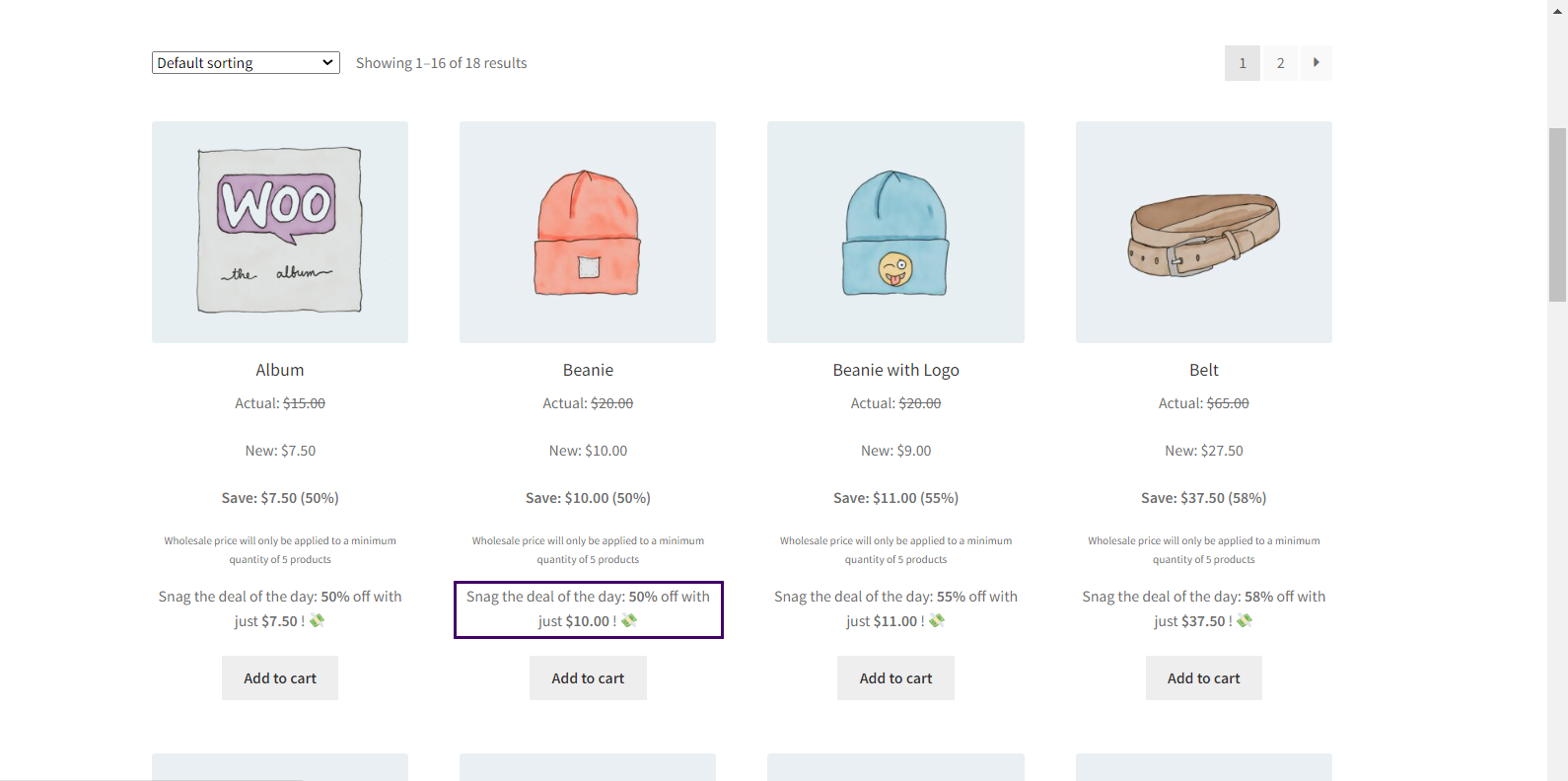
Such visibility has the power to change the visitor’s perception of the store, making them stay in the store for longer periods. They may purchase an item during their first visit to the store.
Additional Tips on the Effective Display of Wholesale Prices
Although providing wholesale prices is a move in the right direction when you’re just becoming a wholesaler. A couple of other things can be done to maximize its effectiveness:
Use an Effective Call-to-Action
Ensure the call-to-action has enough pull to prompt visitors to sign up for wholesale accounts. “Become a member and unlock exclusive deals!” might serve to get many people to sign up.
Highlight Savings
Use customized messages to point out the exact savings the customer gets by purchasing at the wholesale rate. It becomes more appealing to the customer that way.
Strategic Placement
Ensure that the wholesale pricing is prominently positioned where your customers will notice it. Apart from the Shop and Single Product pages, you could consider other heavily trafficked pages where placement will be more desirable.
Mobile Optimization
We all know that an increasing number of online shoppers are accessing their online purchases through their mobile devices. So, do not overlook ensuring your site is optimized for use on such devices. Your wholesale costs must be as easy to see on any device as they are on a desk-based computer.
Final Thoughts
Displaying wholesale prices on your site to visitors without logging in is an outstanding move. It ensures you showcase transparency, instill trust, and provide an easy shopping experience to visitors. The tactic helps visitors grasp the value of your merchandise without jumping through hoops, leading to conversions and satisfied clients.
If you just follow the easy steps we’ve outlined above, you will be able to start displaying wholesale prices to visitors in no time. It might not be that big of a deal. But believe it or not, it could have a massive impact on your sales and interactions with visitors.
So, take a moment to fine-tune your own settings and see how the benefits can play out for you. A bit of openness will go a long way to ensure you have a loyal and devoted customer base for your business.





