





















































It begins as any ordinary day. You turn on your computer intending to view your site stats, fulfill orders, or compose a post. But instead of your homepage loading, you receive an error message. Your inbox is filled with angry customer messages, your customer support is inundated, and your revenue is sinking each second.
Your website is at risk. But not a standard attack—a Distributed Denial-of-Service (DDoS) attack, the silent assassin of online companies.
They are designed to bring sites down, disrupt business, and cause massive financial harm. Whether a small company, an eCommerce giant, or a service-based business—nobody is safe. In 2024’s first quarter, DDoS attacks increased by 30% (The Hacker News), striking businesses of every size and stripe.
So, what’s a DDoS attack? Why do cybercrooks use them? And—most importantly—how do you recover from DDoS attacks (fix DDoS issue)? Or prevent them in the first place?
Let’s get deeply into this rising cyber threat and see if you have prepared before disaster strikes.
DDoS Service Attacks Completely Explained: How They Work & How Dangerous They Are
Distributed Denial of Service DDoS Definition
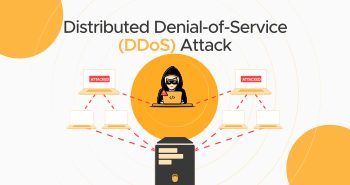
A Distributed Denial-of-Service (DDoS) is a malicious attack to flood a website, server, or network. Attackers try to jam the target with an inordinate amount of fake traffic, bringing it to a standstill or crashing down.

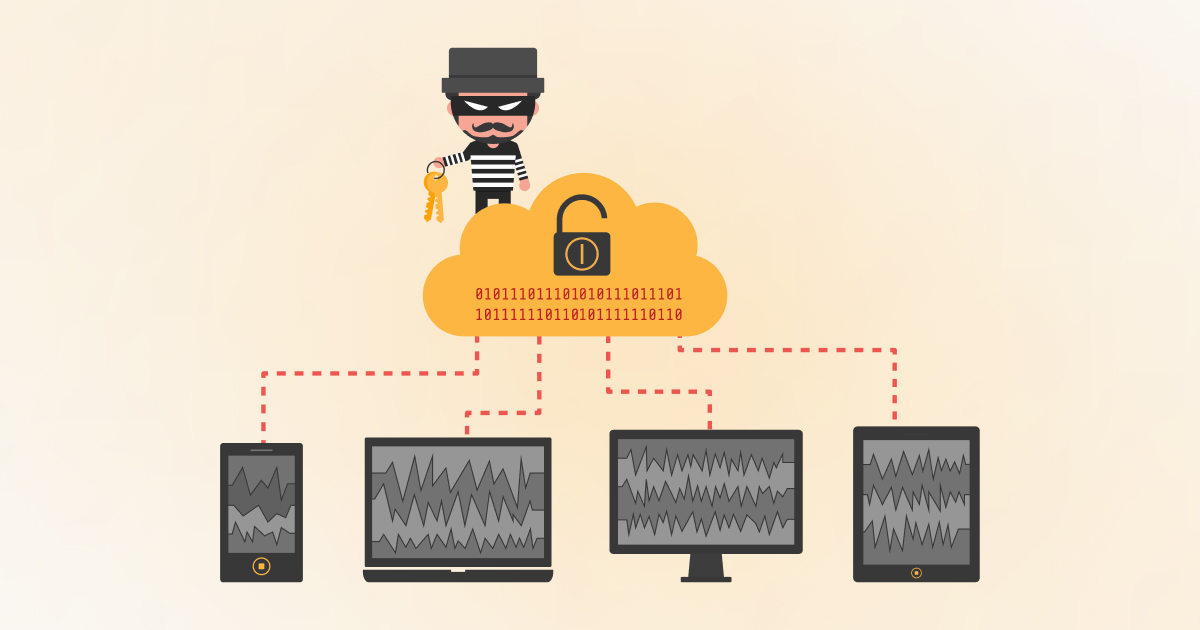
Unlike the attack just by one source, Denial-of-Service (DoS), a DDoS attack assaults using an army of hijacked computers. These infected machines—laptops, servers, routers, and Internet-of-Things devices—are unaware actors of a cyberthief behind them. These devices form a botnet, an army of digital soldiers that obey the hacker’s commands.
The Mechanics of a DDoS Attack
To realize what a DDoS attack is, imagine a highway. Cars travel nicely as usual. Now imagine there are millions of ghost cars that appear, taking up all lanes. Actual traffic comes to a halt, having nowhere to go.
That is what occurs when attackers send loads of meaningless traffic to a server. Real users attempting to reach the site can’t because the server is busy fending off the huge volume of requests.
These heavy traffic attacks can last for minutes, hours, or even weeks. But, if the victims are fully prepared to prevent the attack, they can avoid it ASAP.
What is the Need to Conduct DDoS Attacks?
Although DDoS attacks may appear to be mere destruction, they are provoked for some reasons in most situations.
- Ransom Attacks (Ransom DDoS or RDoS) – They bring down your site and charge you for stopping the assault. They threaten to launch an even more massive attack if you refuse to pay.
- Revenge and Hacktivism – Angry employees, rivals, or politically motivated cyber attackers bring down firms they dislike.
- Business Sabotage – Rogue competitors employ DDoS to drive out rival businesses, compelling customers to use their services.
- Cyber Warfare – Governments and organized groups of cyber attackers attack infrastructure such as banks, hospitals, and government websites.
- Vulnerability Testing – Attackers initially perform small DDoS attacks to probe defenses before carrying out more gargantuan and sophisticated cyberattacks.
One of the largest & most well-known DDoS attacks ever launched was a 2020 attack on Amazon Web Services (AWS), which reached a peak of 2.3 Tbps—the greatest-ever recorded DDoS attack (Security Affairs).
Types of DDoS Attacks: How Hackers Work to Take Down a Site
All DDoS attacks are not the same. There are different methods used by hackers based on the vulnerability they target. These are the three primary types of DDoS attacks:

1. Volumetric Attacks (Layer 3) – The Bandwidth Killers
They have been made to overwhelm networks with huge volumes of data, using up all the bandwidth and rendering the website totally inaccessible.
Example: DNS Amplification Attack
A hacker copies the IP address of a victim and initiates tiny DNS queries to an open DNS resolver. The resolver returns enormous amounts of data to the victim’s server, amplifying the attack size hundreds of times.
2. Protocol Attacks (Layer 4) – Draining Network Resources
These types of attacks target a site’s infrastructure, overloading firewalls, load balancers, and servers.
Example: SYN Flood
When someone logs onto a site, there is a TCP handshake procedure that occurs. With a SYN flood attack, the attacker will issue thousands of connection requests and won’t end them, holding the server hostage in a wait loop.
3. Application-Layer Attacks (Layer 7) – Bringing Sites Down
These attacks target the site itself, causing it to process an undue amount of spam user requests until it exhausts its processing ability and crashes.
Example: HTTP Flood
The hacker sends millions of requests to nonexistent web pages, causing traffic to crash the web server. This attack is complex to detect since it mimics regular traffic.
The DDoS attack activity of the last year was an ongoing threat. Almost 6 million DDoS attacks were blocked, a 55% increase from the previous year (Cloudflare’s Q3 2024 DDoS report).
How to Fix DDoS Attacks (DDoS Mitigation Strategies)
Halting a DDoS attack is a matter of urgency. The longer it continues, the greater the harm it can inflict—lost business, upset customers, and even irreparable reputational damage. If your server or site is under assault, take these actions to contain the damage and reclaim control.
1. Detect and Block Malicious Traffic
One of the initial steps while repairing a DDoS attack is to separate good traffic and bad traffic. Attackers tend to initiate a heavy amount of traffic, as much as regular user traffic, so detecting the attack in its early stage is hard.
This is where security services such as Cloudflare, AWS Shield, or Akamai are helpful. These security services employ machine learning and behavior analysis to identify traffic patterns. They filter out malicious requests before they reach your server.
Also, a traffic analysis tool will help you spot unusual spikes and determine the attack source. If most traffic originates from one area, device, or IP, it indicates your site is a victim of Distributed Denial-of-Service.
2. Have a Web Application Firewall (WAF) for Protection
A Web Application Firewall (WAF) is a firewall in-between your site and incoming traffic. It blocks malicious requests and denies known attack sources coming to your server.
WAFs work well in Application-Layer (Layer-7) DDoS attacks, in which attackers try to spam your site with bogus HTTP requests. A WAF can differentiate between good users and attack traffic with filtered and custom rules, leaving your site functional.
Features like Cloudflare WAF, Imperva, and Sucuri offer live protection, reducing the likelihood of extended downtime.
3. Utilize an Anycast Network to Disperse Traffic
Spreading incoming traffic to hundreds of irrelevant servers across multiple locations is the best solution to a massive DDoS attack. This is done by using Anycast routing, where incoming traffic is headed to the closest server in view.
Instead of overloading a single server, an Anycast network spreads attack traffic across multiple data centers, making it much harder for hackers to take down your site. The larger and more distributed your network, the more resilient you’ll be against DDoS attacks.
Major content delivery networks (CDNs) like Cloudflare, Akamai, and Fastly use Anycast networks to absorb and disperse attack traffic effectively.
4. Implement Rate Limiting to Reduce Request Overload
Rate limiting is a great method to limit user requests to your server within a given time. By limiting the requests, you stop the bots from sending hundreds of requests at once, causing your site to crash.
For instance, you can make your server, WAF, or CDN reject IP addresses that are making over a certain number of requests per second. This is very useful in the HTTP flood attack, where attackers saturate your site by repeatedly making page requests.
While rate limiting won’t prevent sophisticated DDoS attacks by itself, it is a worthwhile defense when combined with others.
5. Utilize Black Hole Routing (As a Last Resort)
Your web host/Internet Service Provider (ISP) should use black hole routing only in a worst-case scenario when an attack is too massive to contain. This is when all traffic, including good users, are routed to a null route (black hole), basically closing your site.
While this prevents the attack from having any further effect, it also totally blocks your site from accessing. So, it should be used only in the direst circumstances when all other defensive measures are inadequate.
Mass attacks like the recent record-breaking 5.6 Tbps assault in 2024 tend to leave companies with no choice. They had to use black hole routing as a temporary stopgap (Bleeping Computer).
Avoiding Future DDoS Attacks: Long-Term Defense Techniques
DDoS attacks are rising in frequency and intensity, so prevention is as significant as resolving DDoS.

Here are steps to maintain your site safe from further DDoS attacks:
1. Purchase DDoS Protection Services
Some security firms offer DDoS protection, such as live monitoring, automated attack detection, and traffic filtering.
For instance, companies like Gigamon & Fortra offer tailored security solutions. They identify and prevent malicious traffic from accessing your network. With a specialized security service, your site is always defended, including from rising threats.
2. Real-Time Traffic Monitoring
DDoS attacks need to be identified at an early stage before they become a full-scale attack. Through AI-driven monitoring tools, you can identify suspicious traffic patterns and respond before they get out of hand.
Real-time monitoring software such as Datadog, New Relic, and Nagios monitor network traffic, CPU load, and request patterns. These tools will assist you in catching threats before they can do major harm.
3. Harden Your Infrastructure
DDoS attacks target vulnerabilities in your infrastructure, so hardening your hosting environment can make your site more secure.
- Use scalable cloud hosting: Cloud-hosting platforms soak up traffic spikes and scale resources automatically to avoid downtime.
- Optimize server configuration: Proper firewalls, load balancers, and caching can reduce the effect of unexpected traffic spikes.
- Use a content delivery network: A CDN disperses your site to numerous servers across the globe, lessening direct traffic to your primary server.
Final Thoughts: Stay One Step Ahead
A DDoS attack is not a technical problem—it’s a business catastrophe. If exposed, your business will lose everything: money, customer trust, and its reputation forever.
Stopping a DDoS attack is a question of immediate importance, but prevention in the long run is also precious. By investing money in professional security solutions, keeping an eye on your traffic, and protecting your infrastructure, you can keep your site up, safe, and robust.
If you’re serious about fixing DDoS issues and preventing future attacks, hire the service providers mentioned in this blog. They offer enterprise-level security solutions tailored to businesses of all sizes.
Don’t wait until it’s too late, as this year can break all-time DDoS attack records!!! Fortify your defenses today and keep your business protected.





