



















































It is the worst nightmare for any WordPress website owner if hackers and other cyber terrorists have hacked their site. No WordPress site owner or even WordPress developer wants to hear such devastating news. Unfortunately, all sites on the web are prone to different security risks and attacks. Therefore, WordPress site owners and stakeholders must take all possible steps to tackle the WordPress hacked issue smartly.
This blog post will describe the signs and possible solutions to WordPress website hack issues.
Warning Signs Your WordPress Website Has Been Hacked
If your WordPress website gets hacked, you should search for blatant signs that suggest someone has hacked your site. Various signs indicate your website has been hacked; therefore, look out for them to see if someone has hacked your site. These signs include:
- You Cannot Log in to WordPress.
- Suspicious Links Have Been Added to Your Site.
- Your Site Becomes Unresponsive.
- Your Site’s Traffic Has Been Dropped.
You Cannot Log in to WordPress
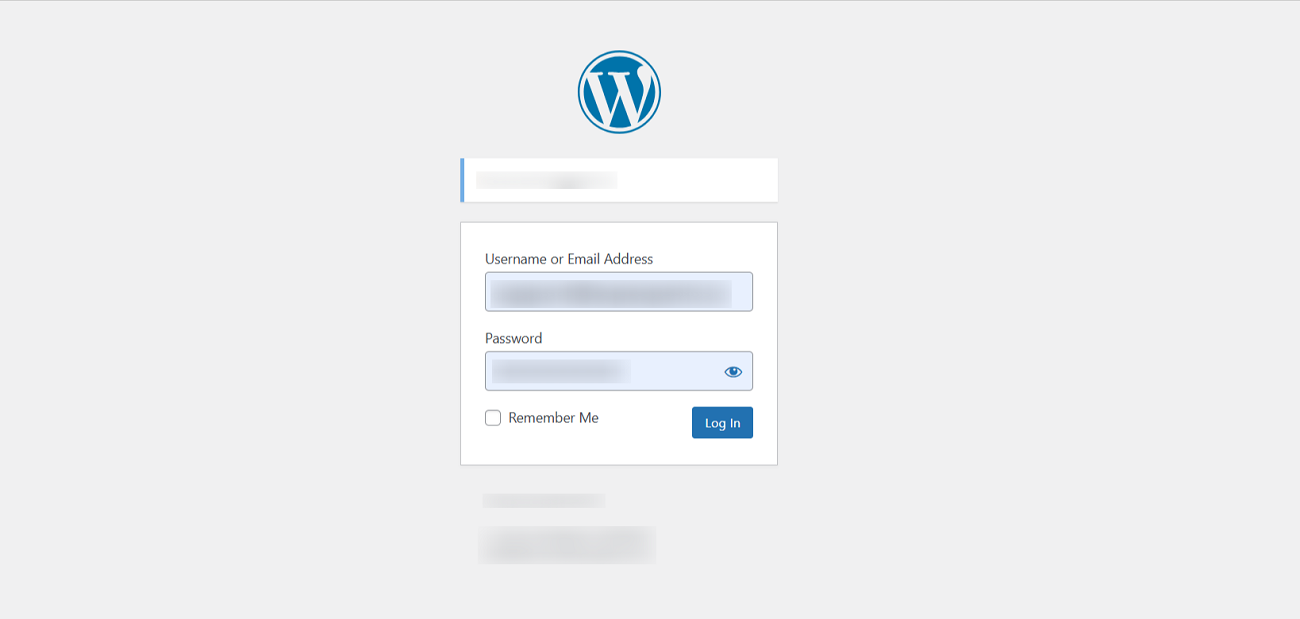
Hackers might have removed your WordPress admin account if you cannot log in to your WordPress website. If the account is not accessible, you cannot access the login page to reset the password.
Fortunately, you do not have to lose all your hopes since you can still incorporate an admin account using phpMyAdmin or FTP. You must secure your website and discover how hackers have entered it.
Suspicious Links Have Been Added to Your Site

Do you know data injections are an obvious sign suggesting your site has been hacked? Yes, it is correct. Hackers can change your WordPress database and files by creating a backdoor on your website. Likewise, these hacks may add links to suspicious sites.
These links are mostly incorporated into the website’s footer. That said, you must remove such spammy links from your site. To do this, you should detect and fix the backdoor to stop hackers from injecting this data into your site.
Your Site Becomes Unresponsive
Unfortunately, hackers can target all sites through DDoS (Distributed Denial of Service) attacks. Thus, they can hamper your site via a DDoS attack. In this situation, you must check your server logs to see the IP addresses that make too many requests. So, you should block them as early as possible as they can make your site unresponsive.
Your Site’s Traffic Has Been Dropped
There is a strong likelihood that your website’s traffic has dropped drastically. You should review your website analytics reports to confirm this in this scenario. If this is the case, your WordPress site has likely been hacked. Moreover, various factors can cause a drastic drop in website traffic. Thus, you must identify such factors as early as possible to restore your site’s performance.
Common Ways a WordPress Site May Get Hacked

As a WordPress site owner, you must know how hackers can negatively affect your website. They and other cyber terrorists can access your WordPress hacked site in multiple ways. For instance, they can access your site using outdated, poorly coded, or abandoned plugins. Apart from this, hackers can benefit from various ways when targeting your WordPress site, including:
- Improper Hosting
- File Permissions
- Password Theft
- Brute Force Attack
Improper Hosting
Your site must have an SSL certificate to be secure. Without an SSL certificate, your site is insecure. Secure hosting services utilize SSL (Secure Socket Layer) encryption to safeguard communication among users’ sites and browsers.
Shared hosting services can negatively affect a website’s security. If a site on your server is breached for any reason, your website could also be affected.
File Permissions
Usually, a site has permissions associated with it, granting several access levels. Unfortunately, hackers can access sensitive data and crucial files if your WordPress file permissions are incorrect. Therefore, you must ensure that your site file permissions are set properly.
Password Theft

Unsurprisingly, cyber goons steal millions of passwords every year. Therefore, you must keep changing your WordPress admin dashboards and hosting account passwords regularly to avoid facing password theft issues in the future.
Google regularly sends data breach notifications to users who store passwords in the Chrome browser. If you receive a data breach notification, change your password immediately. Otherwise, your compromised password may help hackers access your WordPress hacked site.
Brute Force Attack
Brute-force attacks can help hackers hack your WordPress site. They use software that experiments with various combinations of passwords and usernames until it finds the correct combination.
If your WordPress site comprises different insecurities, such as short and easy-to-guess passwords, unlimited login attempts, lack of two-factor authentication, unavailability of CAPTCHAs on login forms, and more. Cyber terrorists can target your site with brute-force attacks.
Therefore, WordPress site owners should work on removing these insecurities, which will help them significantly reduce the chance of brute-force attacks.
How Can We Fix and Restore Our Hacked WordPress Websites?

You can follow different quick and simple steps when fixing and restoring hacked WordPress sites. Doing so protects your WordPress site from future hacks and other security risks. For example, you can wait a few minutes and load a web page again to confirm if the site has been hacked.
Similarly, you should remove your cache and cookies before fixing and restoring your hacked WordPress site. Before finalizing that cyber goons have hacked your site, you can follow other helpful steps, such as flushing your DNS cache, restarting your device, restarting your browser, etc.
If these workarounds do not help you bypass the WordPress website hacked issue, you must do more investigation to achieve your objective, i.e., fix and restore your hacked WordPress site.
Here are a few methods that allow you to restore your site if someone has hacked it, including:
- Use a Website Scanner to Identify Malware and Repair Your Site.
- Delete All Suspicious User Accounts and Reset All Passwords.
- Update Plugins and Themes.
- Submit Your Site to Google Again.
- Contact Your Hosting Service Provider.
- Get Professional Assistance.
– Use a Website Scanner to Identify Malware and Repair Your Site
Luckily, WordPress site owners can utilize various site scanner plugins to check their sites for malware in detail. For instance, they should consider using leading WordPress security plugins like Sucuri and Wordfence. These plugins have results-driven malware scanners that enable them to detect security vulnerabilities, including viruses and malware. Through these plugins, WordPress site owners can improve the overall security of their sites to new heights.
– Delete All Suspicious User Accounts and Reset All Passwords
Deleting all suspicious user accounts and resetting all passwords may help you fix and restore your hacked site. If your activity log highlights any doubtful and unrecognizable login, remove it immediately. Likewise, delete the user accounts if they are found to be spammy or do not look legitimate or authentic.
When resetting passwords, hit the “suggested password” button on the WordPress profile page to change them. Moreover, you must ensure that the new passwords are long and complex, making the lives of hackers and other cyber terrorists difficult. You can benefit from 1Password or explore NordPass vs LastPass when remembering different password combinations easily.
– Update Plugins and Themes
WordPress hacks usually exploit weaknesses in outdated software. Therefore, update plugins and themes regularly to prevent hackers from exploiting their vulnerabilities. This means your plugins and themes must have the latest versions configured on your WordPress site. For the safe side, use the newest version of WordPress to keep your site up and running at all times. However, you must create a complete WordPress site backup before updating plugins and themes.
– Submit Your Site to Google Again
If Google has previously blocked your WordPress site, you can resubmit it to reinstate your lost reputation. If a warning appears in search results next to your site or you do not appear for searches you previously ranked for, it means Google has blocked your website.
Remember that other reasons may indicate why your WordPress site does not appear in search results. Users can opt for Google Search Console to remove the WordPress site from this list by initiating a review.
– Contact Your Hosting Service Provider
You can contact your hosting service provider to resolve the issue with the WordPress website being hacked. Different hosting services offer genuine help or support to customers whose sites have been hacked. For instance, Hostinger, SiteGator, etc., are a few trusted names in the website hosting industry. They will likely help you avoid site hacking problems in the proper manner.
For that reason, WPExperts is a good choice. The leading WordPress management firm provides businesses with reliable WordPress website maintenance services.
Is There Any Other Way to Recover a Hacked Site?
Yes, another way is available to recover a WordPress hacked site. You can restore the backup file to recover a hacked WordPress website. Once you successfully recover a site, you must update all your credentials, such as the WordPress admin panel, hosting, and database. In this situation, you should consider the significance of a website backup. Therefore, a site backup should be regularly created to tackle the WordPress website hacked issue in the future.
Besides, you can follow various security tips that help you safeguard your WordPress from the prying eyes of hackers.
Wrapping Up
We hope you have appreciated our blog post describing what you must do to fix and restore your hacked WordPress site and protect it from future hacks and security issues. All these possible solutions will help you correctly bypass the WordPress site hacked issue. However, you must know how to follow these workarounds when restoring your WordPress site.
That said, you should know different obvious signs indicating your WordPress site has been hacked. In addition, you must be aware of several common ways hackers can target your site when trying to hack it. Lastly, restoring and fixing any WordPress site requires proper evaluation and identification of the reasons behind the possible WordPress website hack problem.
Hopefully, you will likely restore your WordPress site by following the above signs and solutions related to the WordPress site hacking issues.





