

















































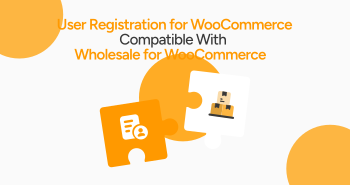
Do you want to experience an ideal scenario where you can smartly manage wholesale customers in one place? This scenario has become a reality. As you may be aware, User Registration for WooCommerce now supports Wholesale for WooCommerce.
This unique compatibility feature streamlines and revolutionizes your B2B wholesale user registration system, making it productive and viable.
This blog post will cover the compatibility of the User Registration for WooCommerce plugin with the Wholesale for WooCommerce plugin.
User Registration for WooCommerce Compatibility with Wholesale for WooCommerce
This incredible compatibility feature helps B2B store owners streamline their wholesale user registration processes. Similarly, they can take full advantage of the out-of-the-box advanced form builder of the User Registration for WooCommerce extension.

What Does this Integration Mean for B2B Wholesale Businesses?

As for B2B wholesale businesses, they can revolutionize their existing wholesale user registration process by yielding the following benefits:
- Integrated Registration Hub
This compatibility offers a win-win situation to customers and store admins alike. It helps store admins smartly manage all current and new user sign-ups using a single plugin: User Registration for WooCommerce.
Moreover, this entire process provides store admins and customers with an engaging experience overall.
- Customizable Wholesale Forms
Designing attractive multi-step registration forms has become a reality, and it is no longer a difficult task. This means you can easily incorporate numerous custom fields, such as tax ID, company name, and other relevant details.
- Smart Role Assignment
Once you set up the custom user registration form, you can effortlessly assign wholesale roles to particular users depending on your specific needs.
- Centralized Notifications
Smartly organize all wholesale email notifications under one roof. This ensures that your communication with current and new wholesale customers remains clear and consistent.
- Simplified Admin Review
Admins can easily view all new user requests, whether they comprise wholesale users or retail users, in the Requests section. This way, they can instantly review and approve new requests without any fuss.
Activating the User Registration for WooCommerce Compatibility with Wholesale for WooCommerce
To activate the User Registration for WooCommerce compatibility with Wholesale for WooCommerce, follow the steps described below:

- Download and install the plugin, then enable it.
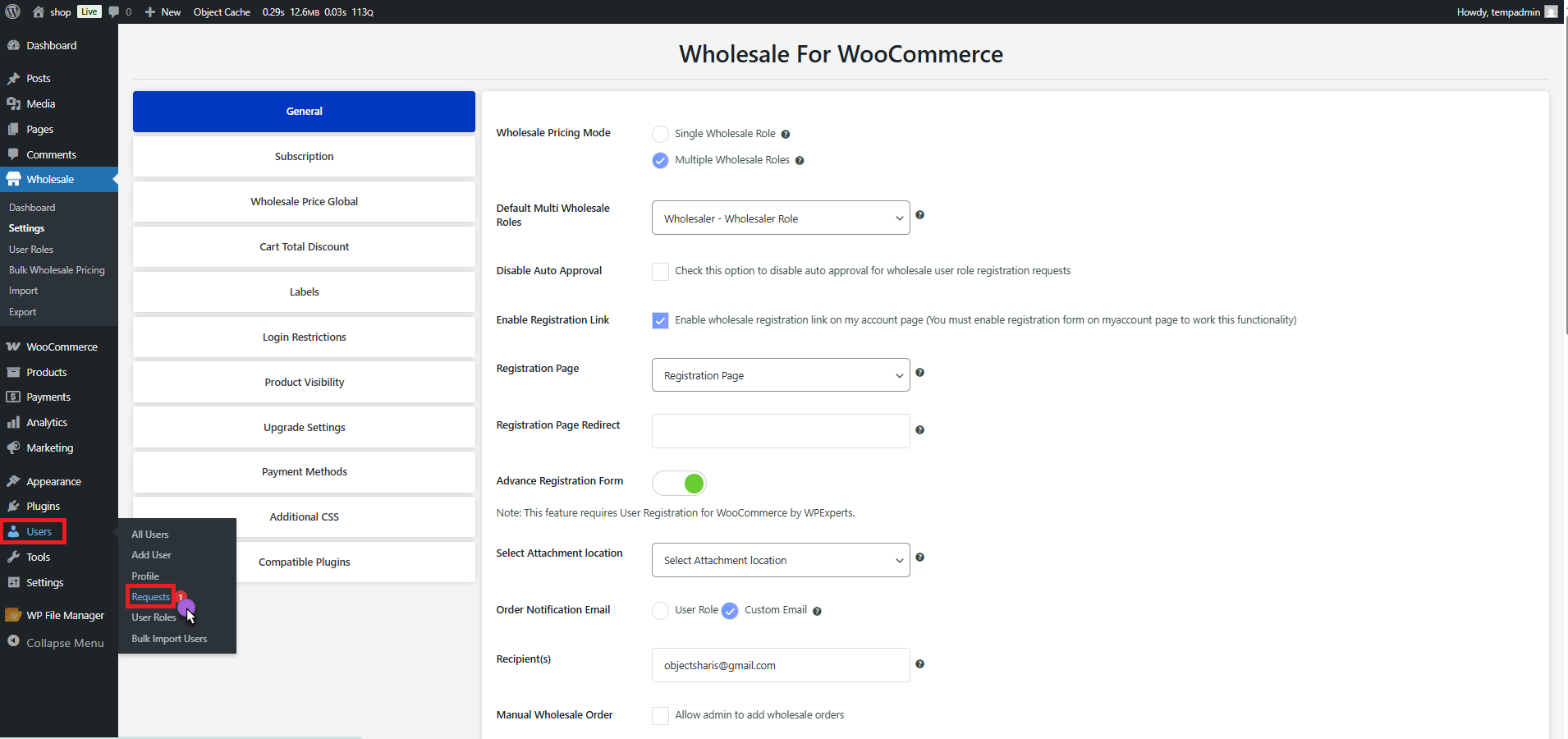
- Through Wholesale, go to Settings > General.
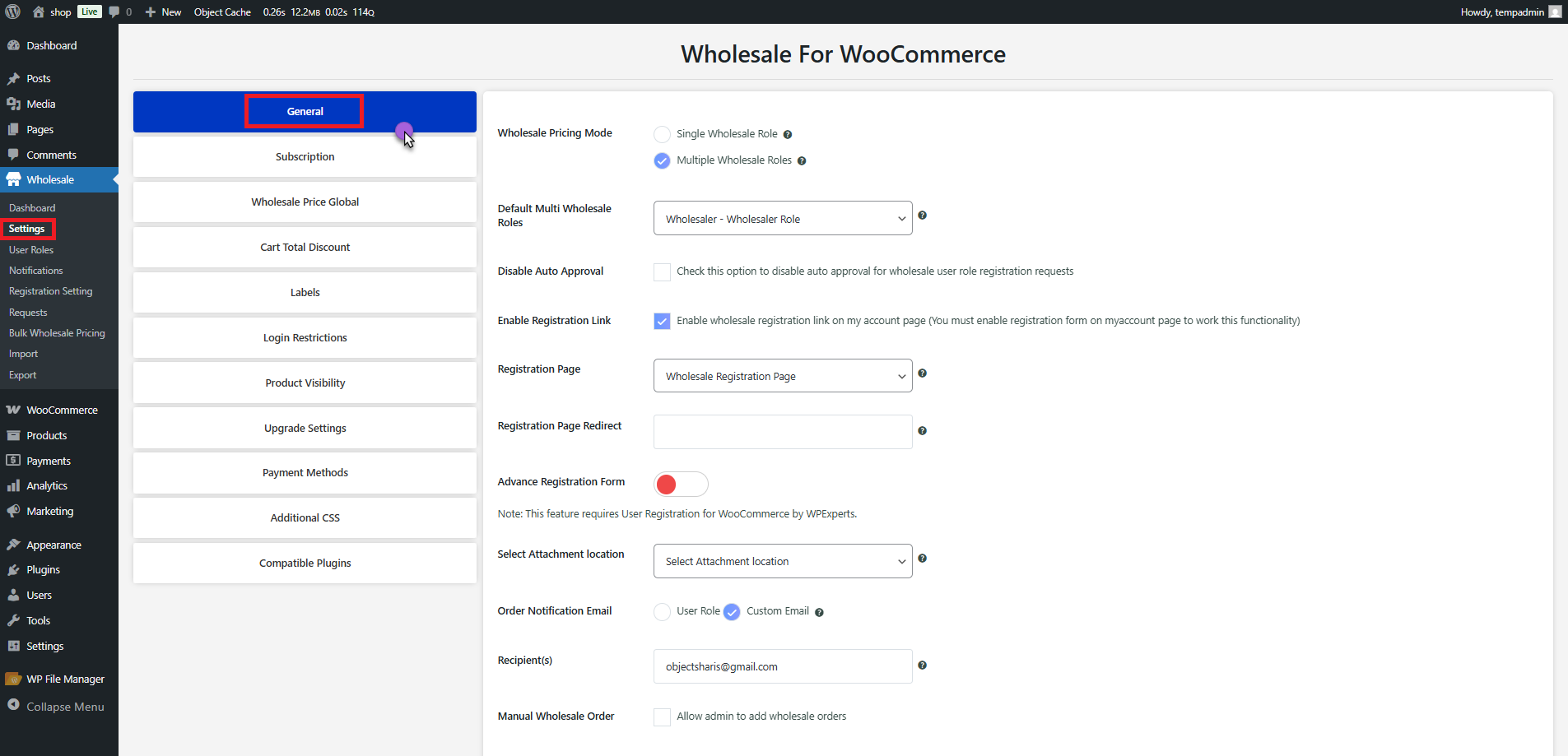
- Go to the Advanced Registration Form Toggle.
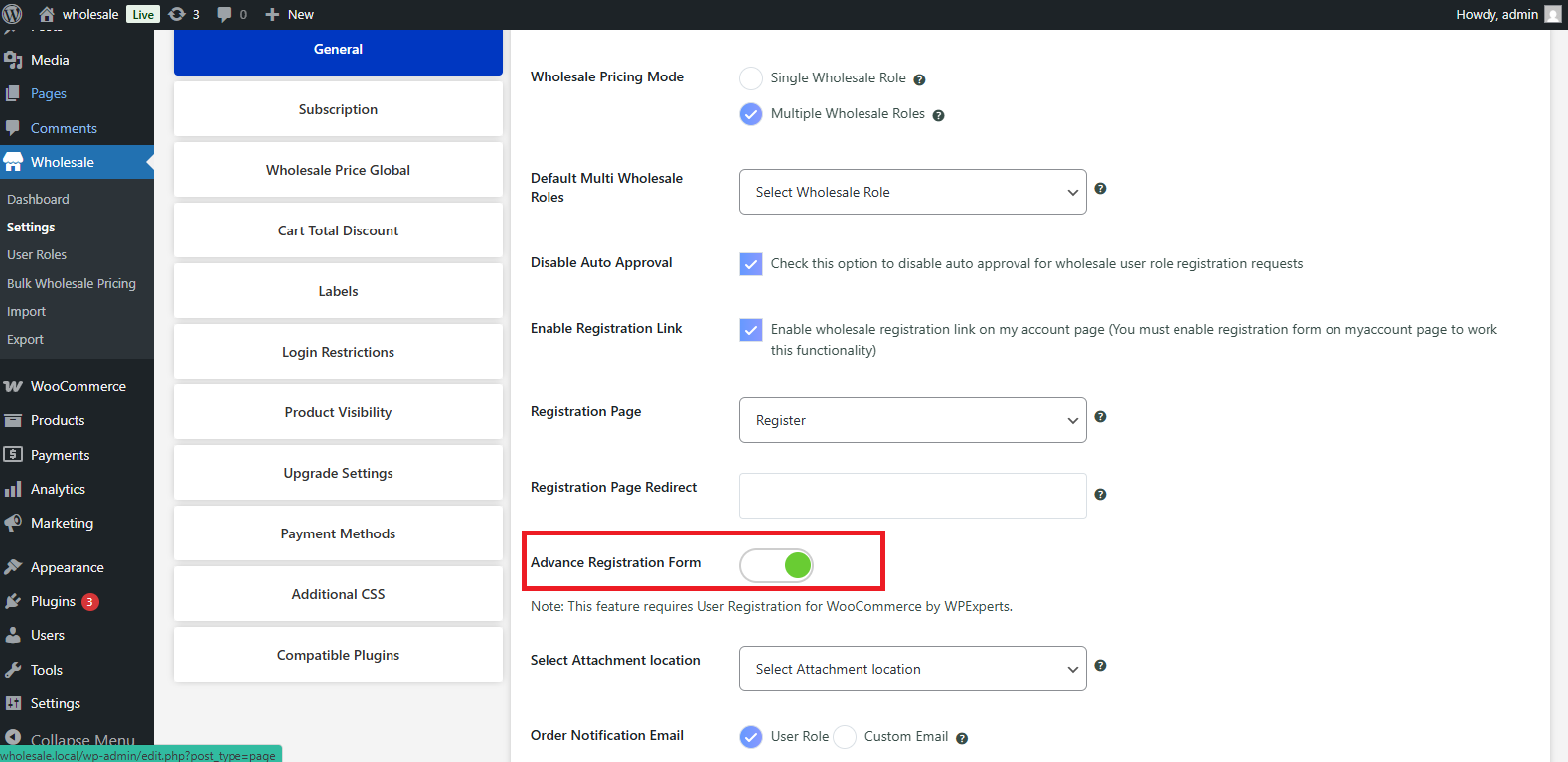
- Press the toggle to enable it and verify the action in the pop-up that appears.
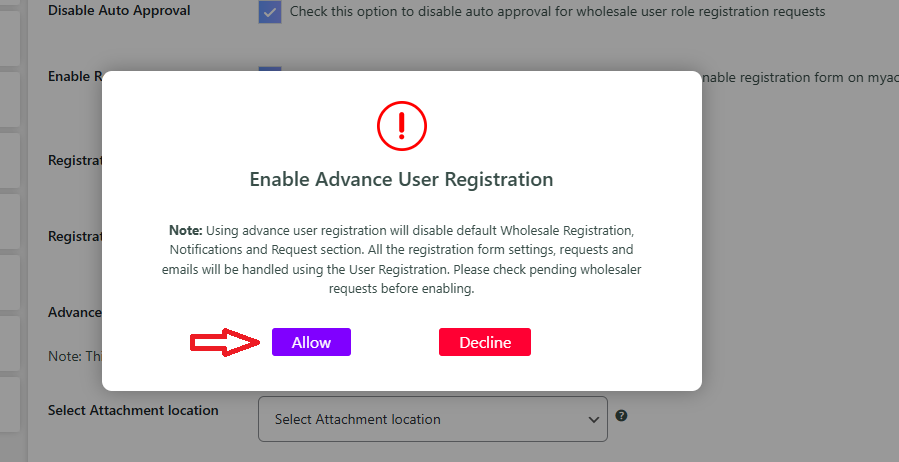
- Click Allow to proceed with the following changes:
Disable the Default Wholesale Registration Form
- This will deactivate the built-in registration form that the Wholesale for WooCommerce plugin offers. As a result, users can register themselves as wholesalers through that form. Moreover, the User Registration for WooCommerce plugin’s form will manage all the registrations.
Disable Wholesale Notifications
- All email notifications, like approvals, rejections, request submissions, etc., will be disabled. That’s because the system will utilize the User Registration plugin’s notification systems to manage such emails.
Deactivate Wholesale User Request Section
- The section in the Wholesale for WooCommerce plugin displaying pending user registration requests will be hidden. Store owners can view all new user requests, including wholesaler registrations, under the User Registration > Requests section for admin review and approval purposes.
Remember, once you activate the advanced registration form, User Registrations for WooCommerce will manage all wholesale user registrations.
Custom Registration Form
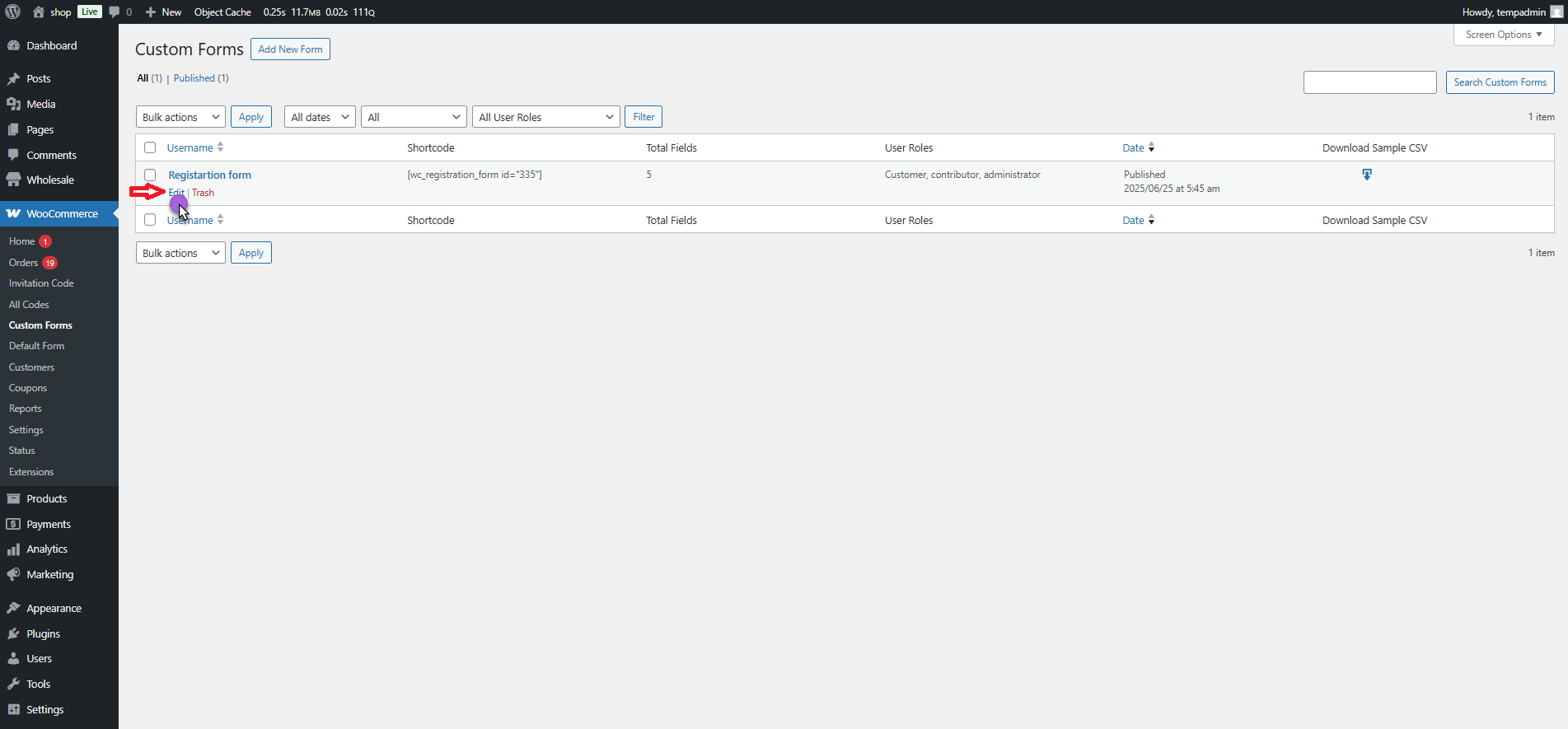
- Go to WooCommerce > Custom Forms.
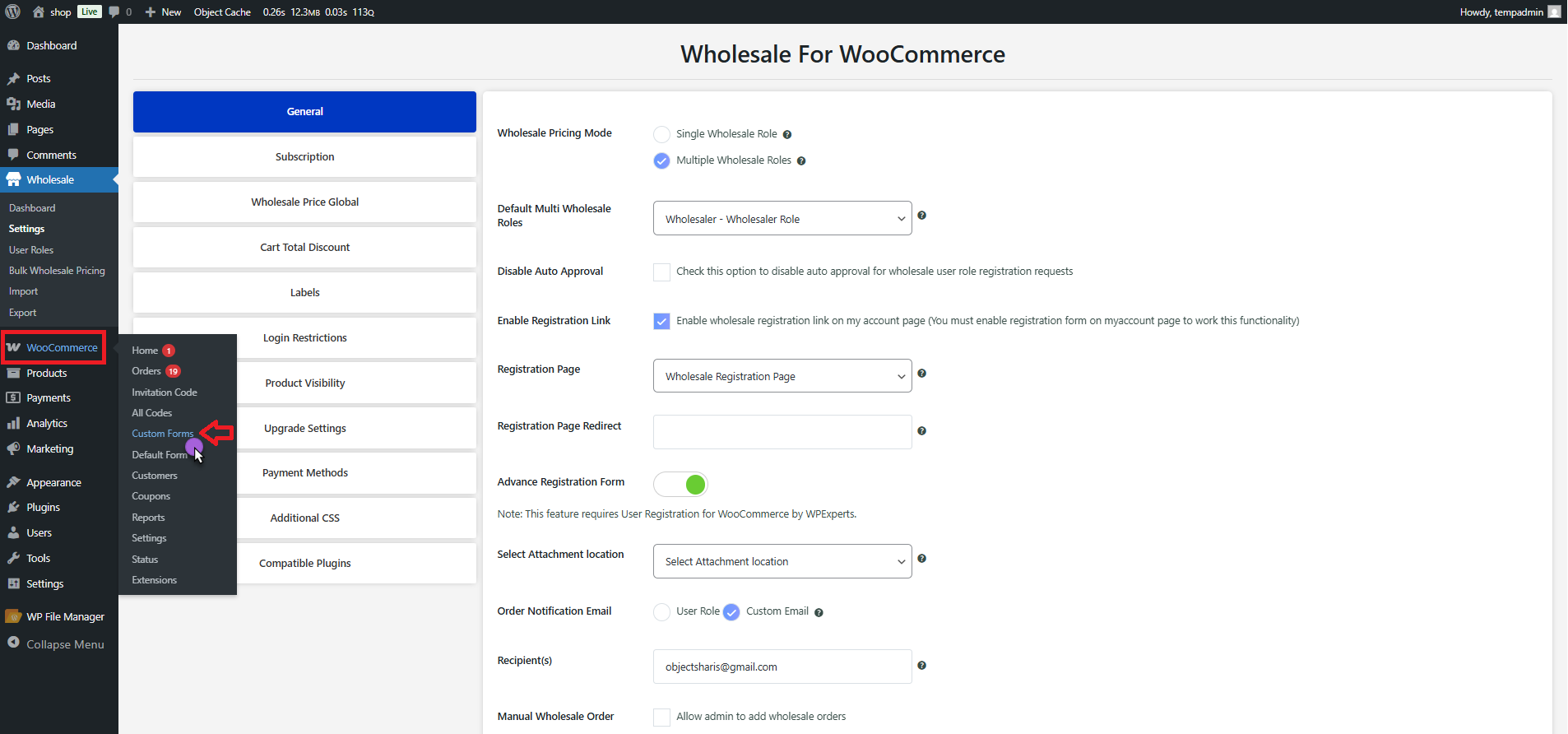
- Click a current form to edit, or click Add New Form to create a new custom registration form.
- Find the User Role settings panel using the right-hand side of the form editor.
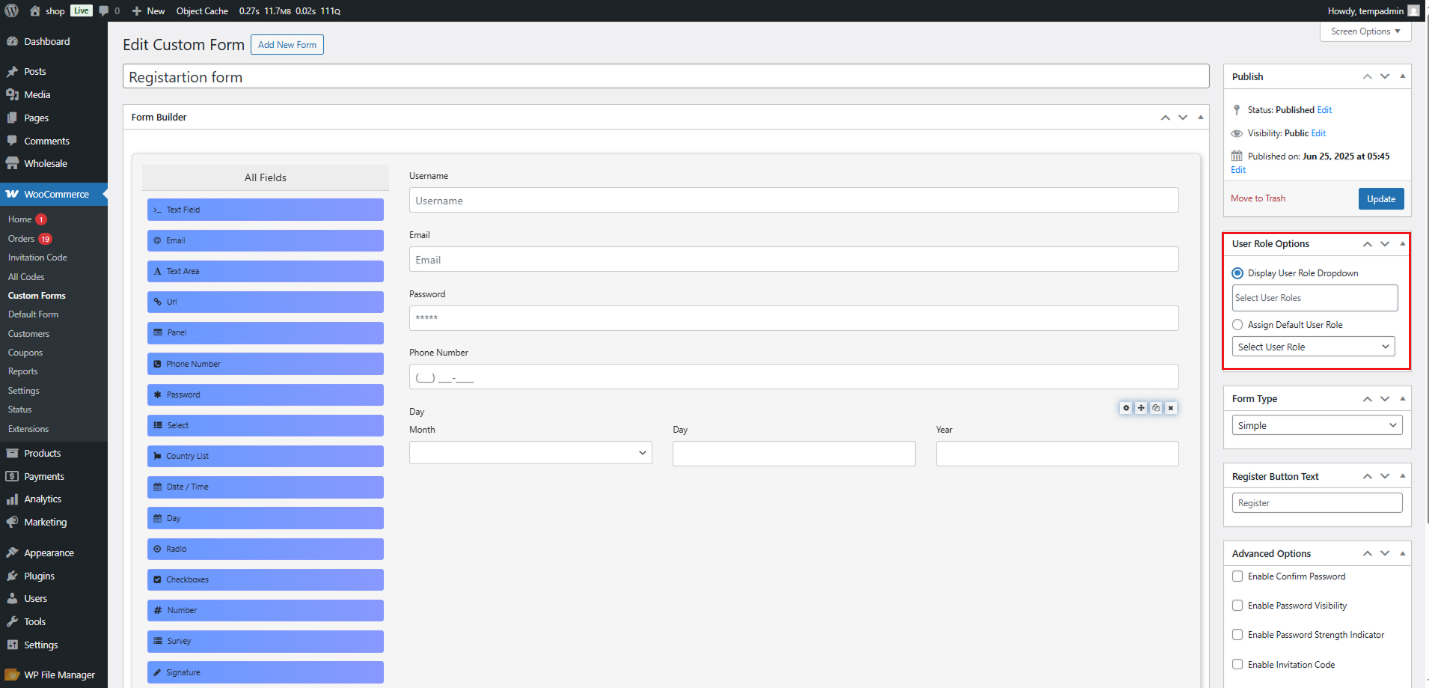
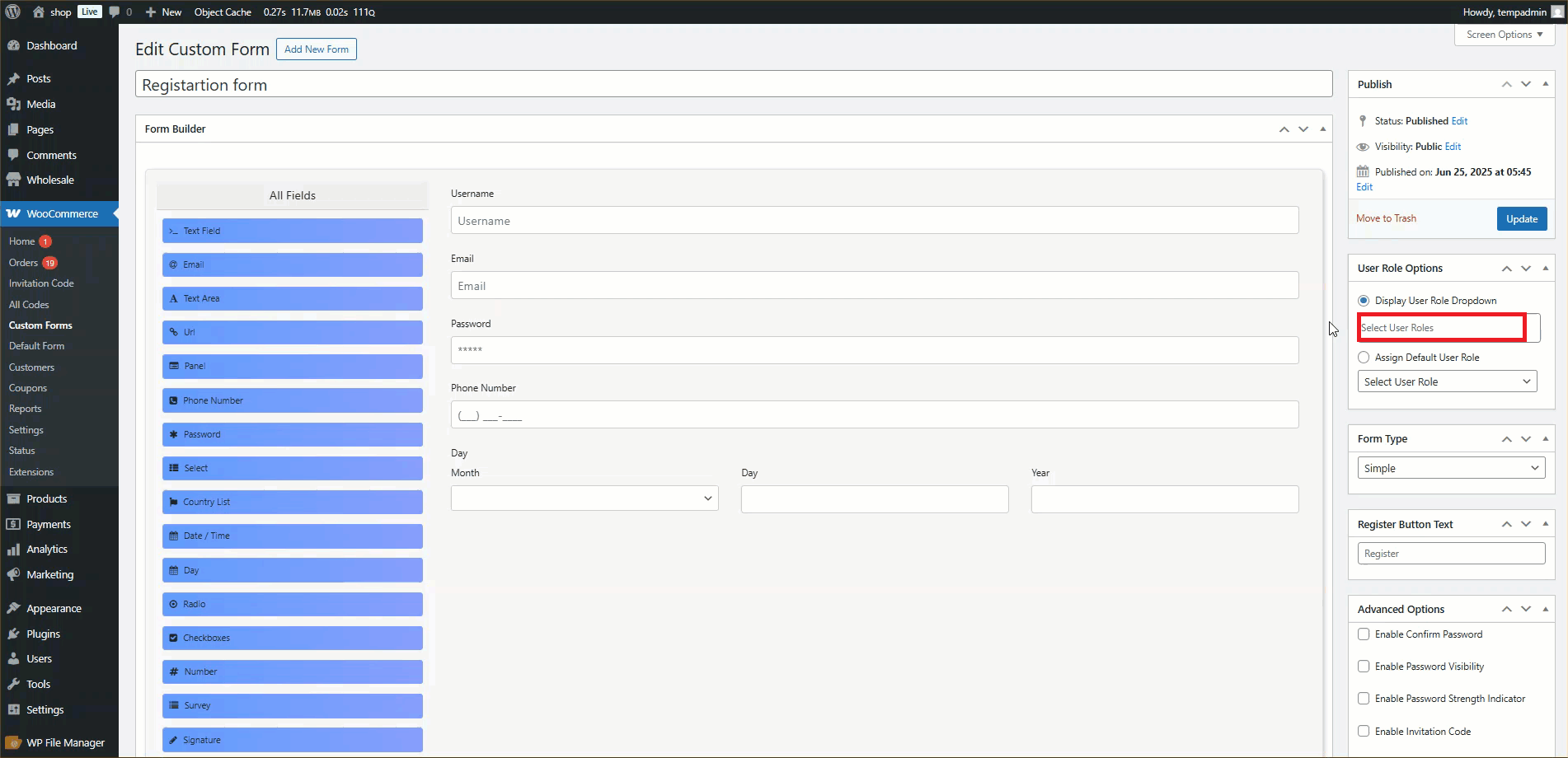
- The User Role dropdown lets you view a list of available user roles.
- Choose one or more Wholesale roles that you wish to assign to users registering via this form.
- Once the roles are chosen, save the form settings by clicking the Update button.
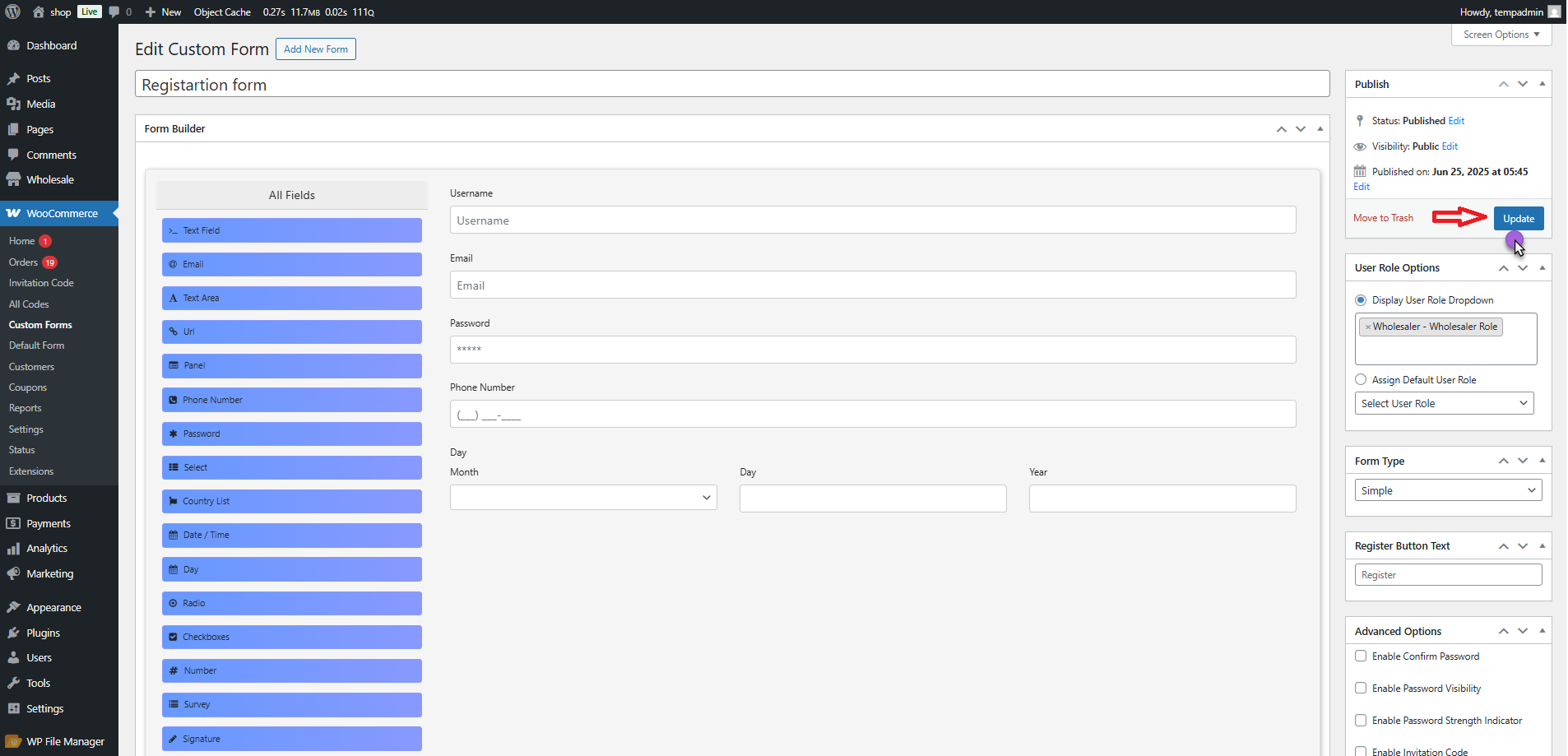
Note: Users who register using this custom form will automatically be assigned the selected Wholesale role(s), and the User Registration plugin will handle their registration.
Front-End Impact (Custom Registration Form)
- Go to the website and then visit the Custom Registration Form page where the form is displayed (using shortcode).
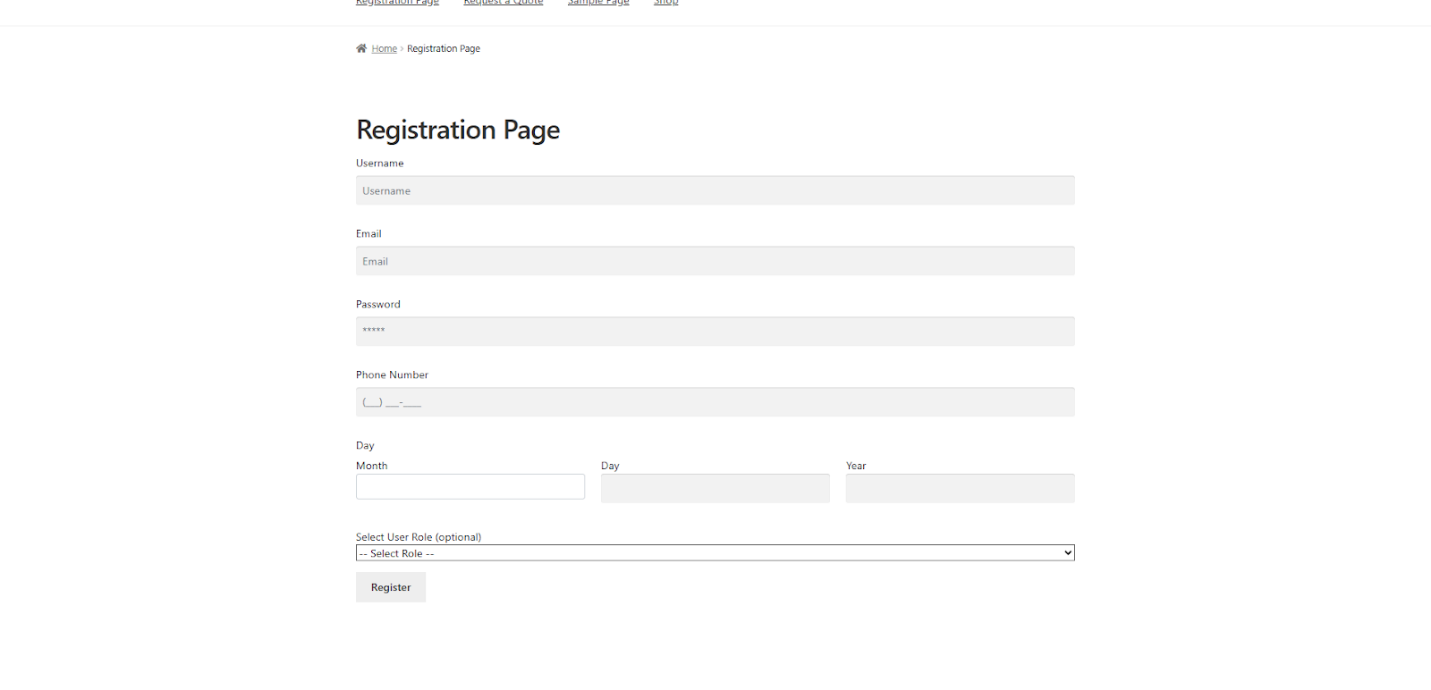
- You can see the User Role dropdown (labeled as Select User Role) on the form if it is enabled in the backend settings.
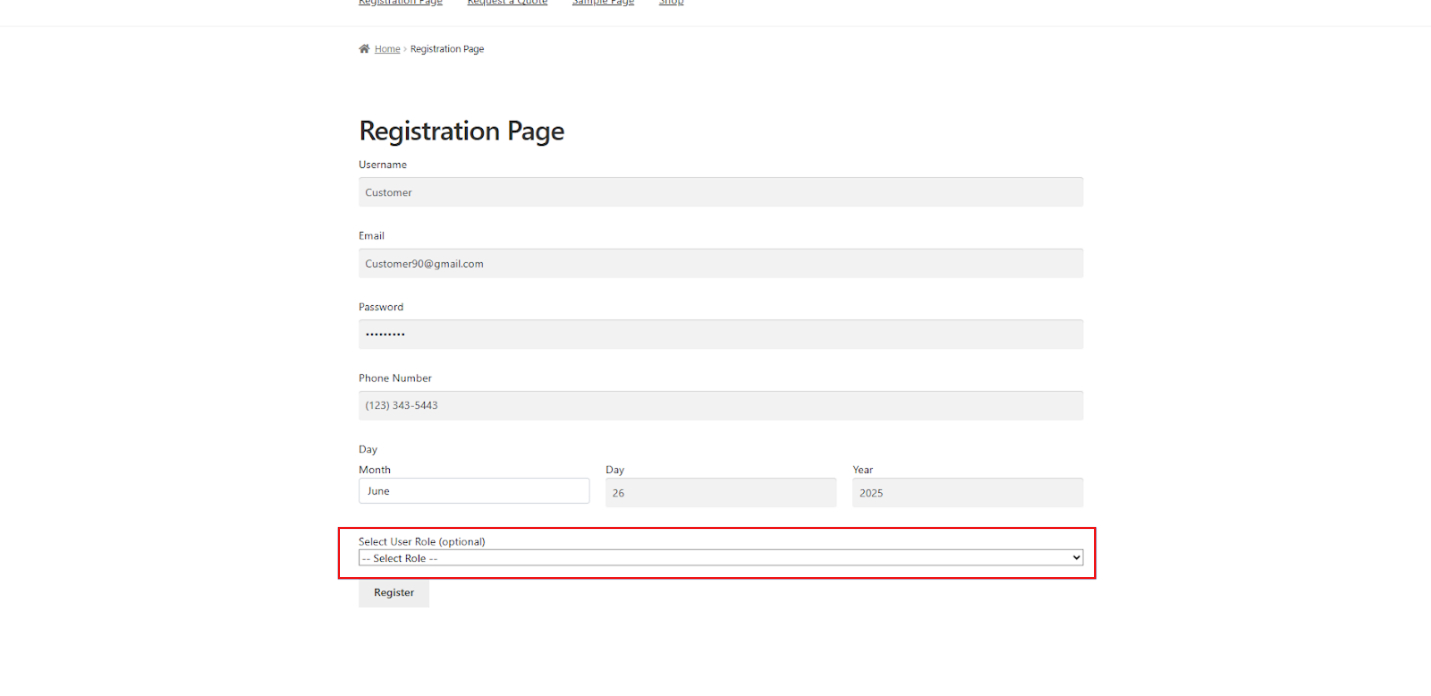
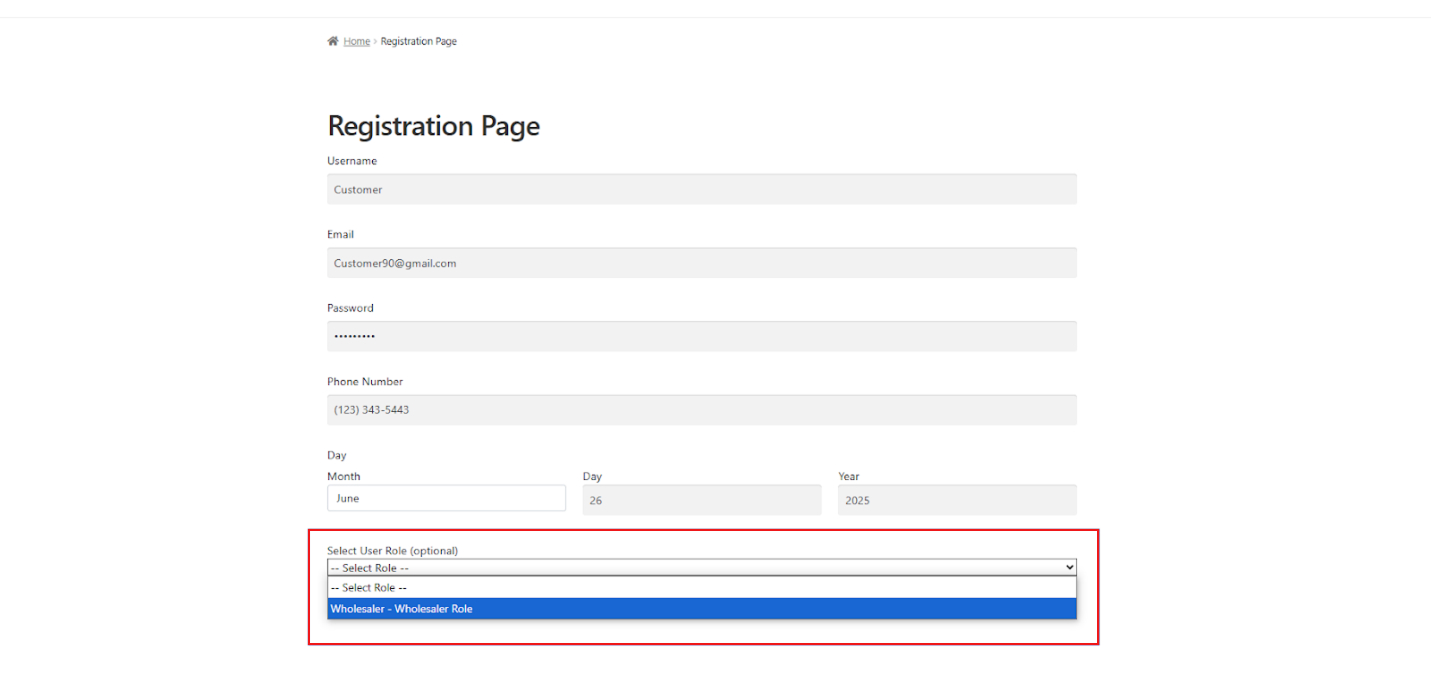
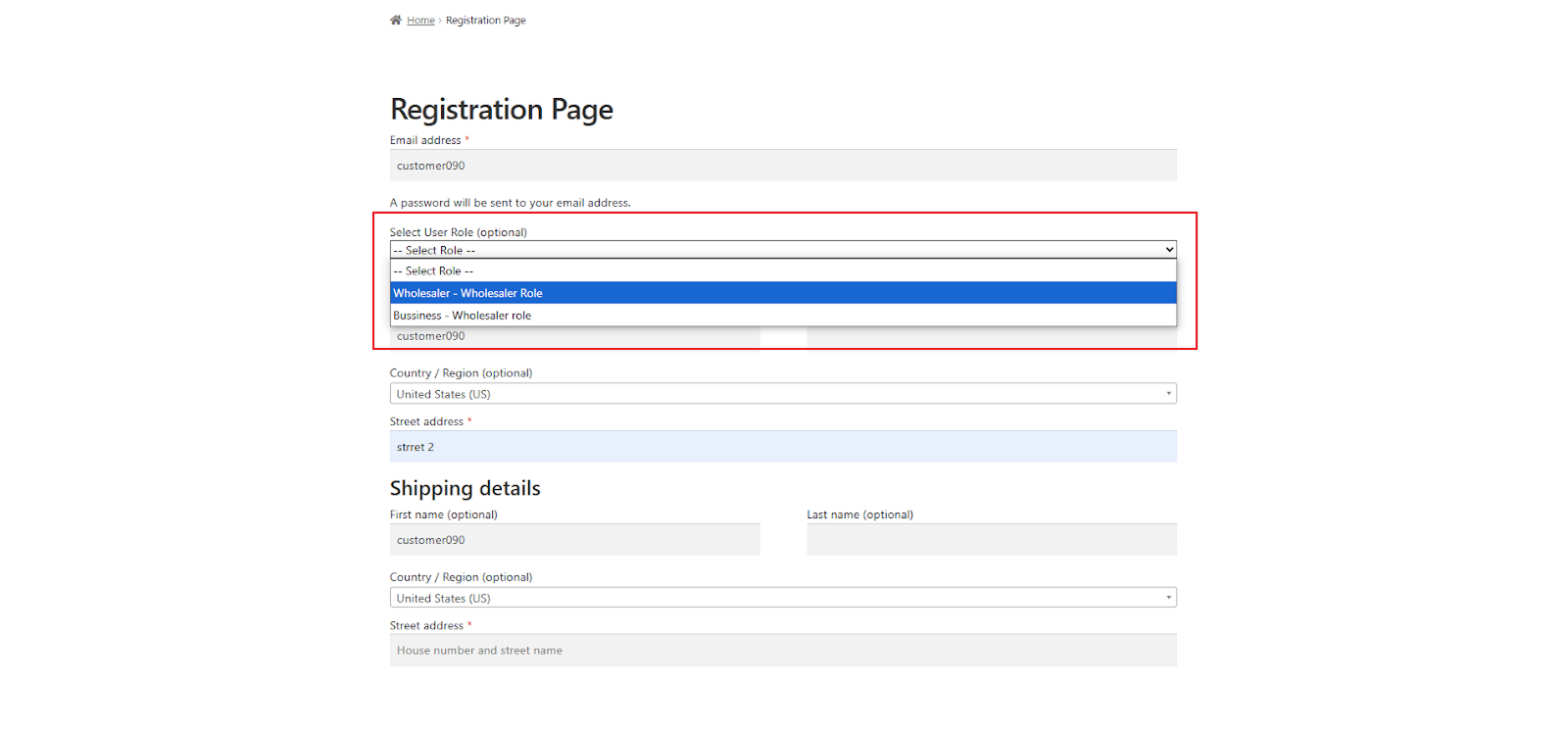
- The drop-down showcases all available roles, including any selected Wholesale roles set by the admin in the Custom Form settings.
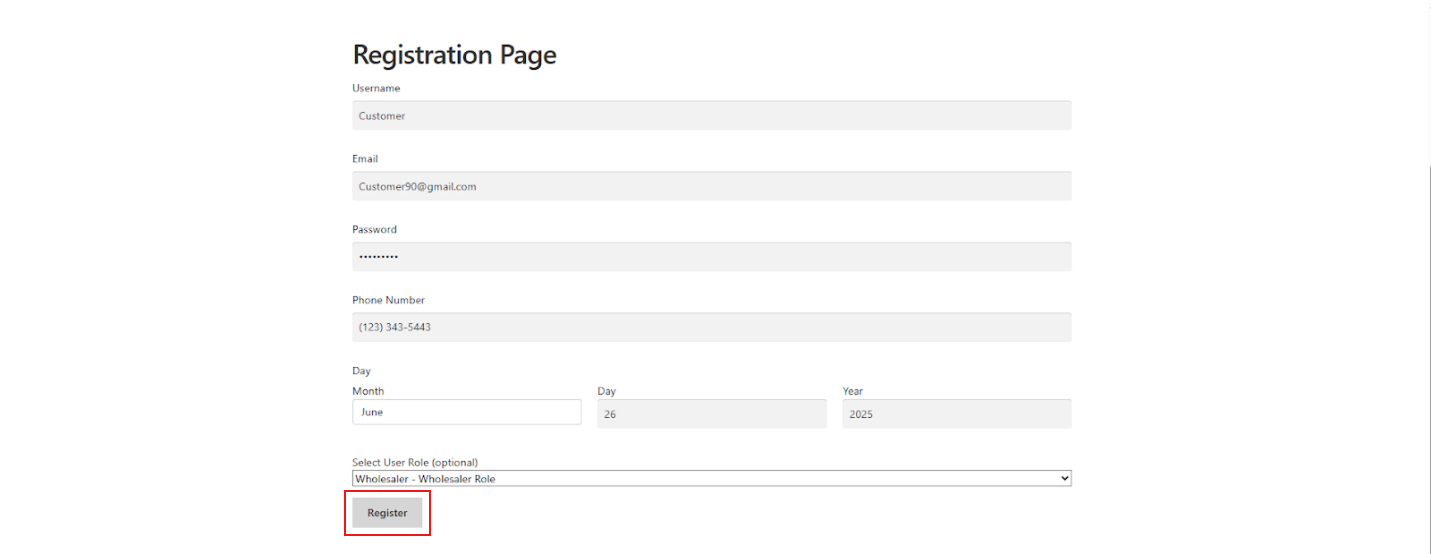
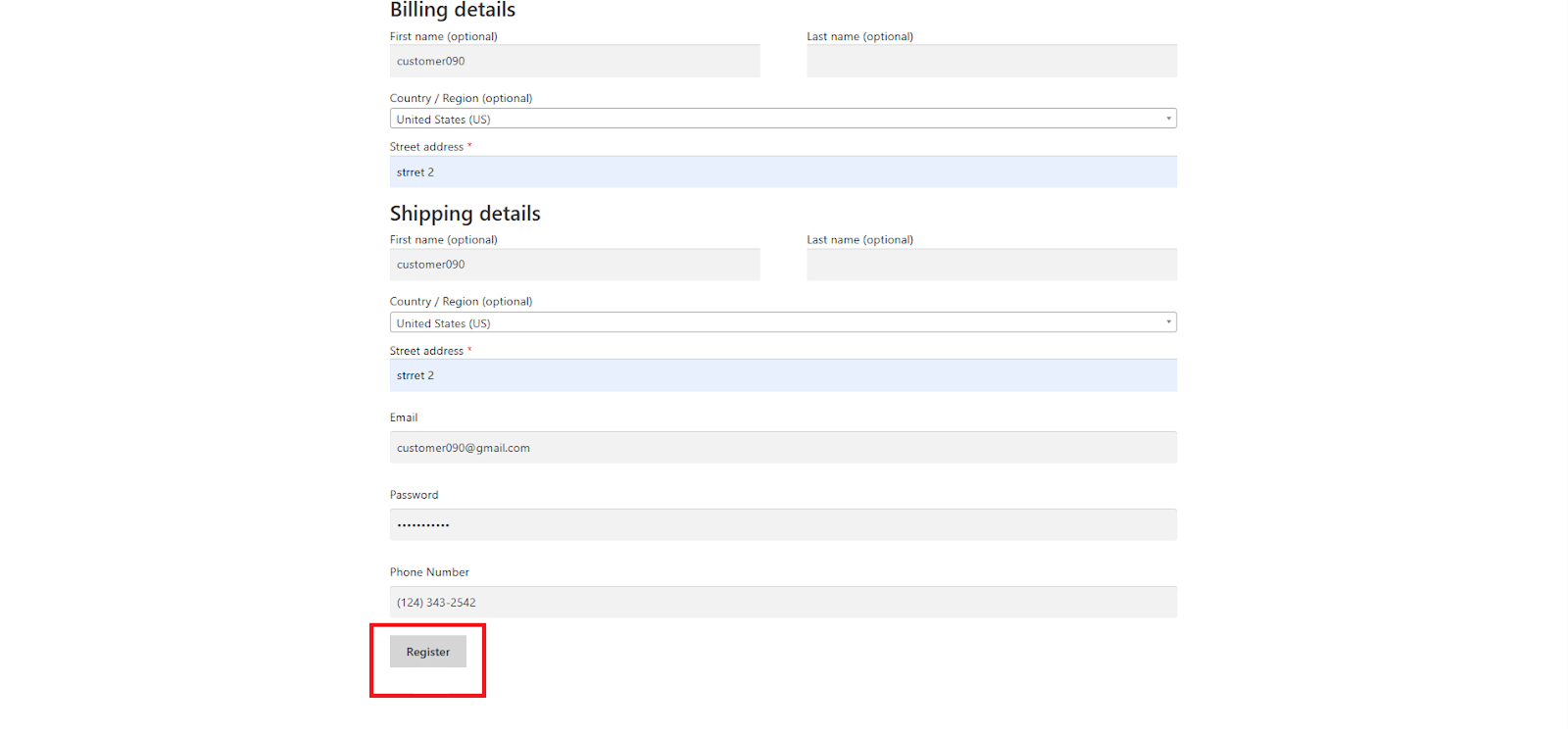
- Press the Registrar button.
Registration Requests
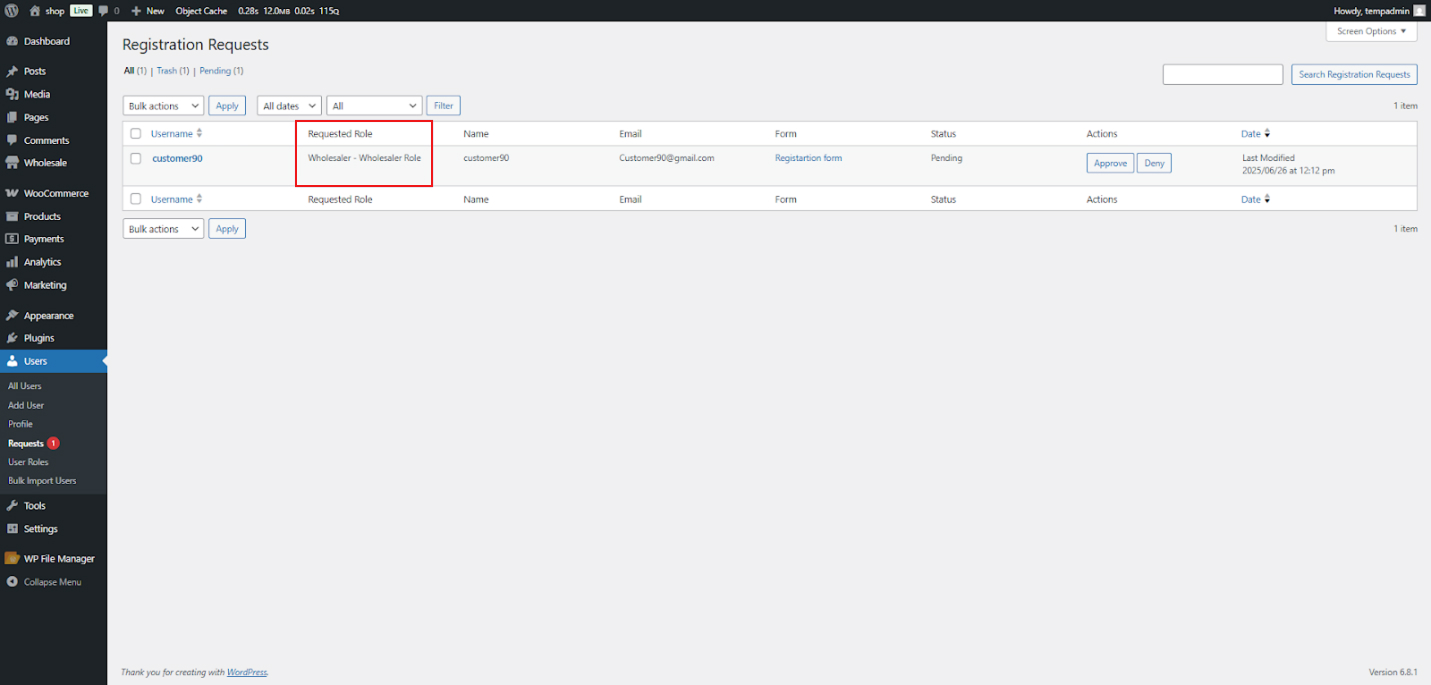
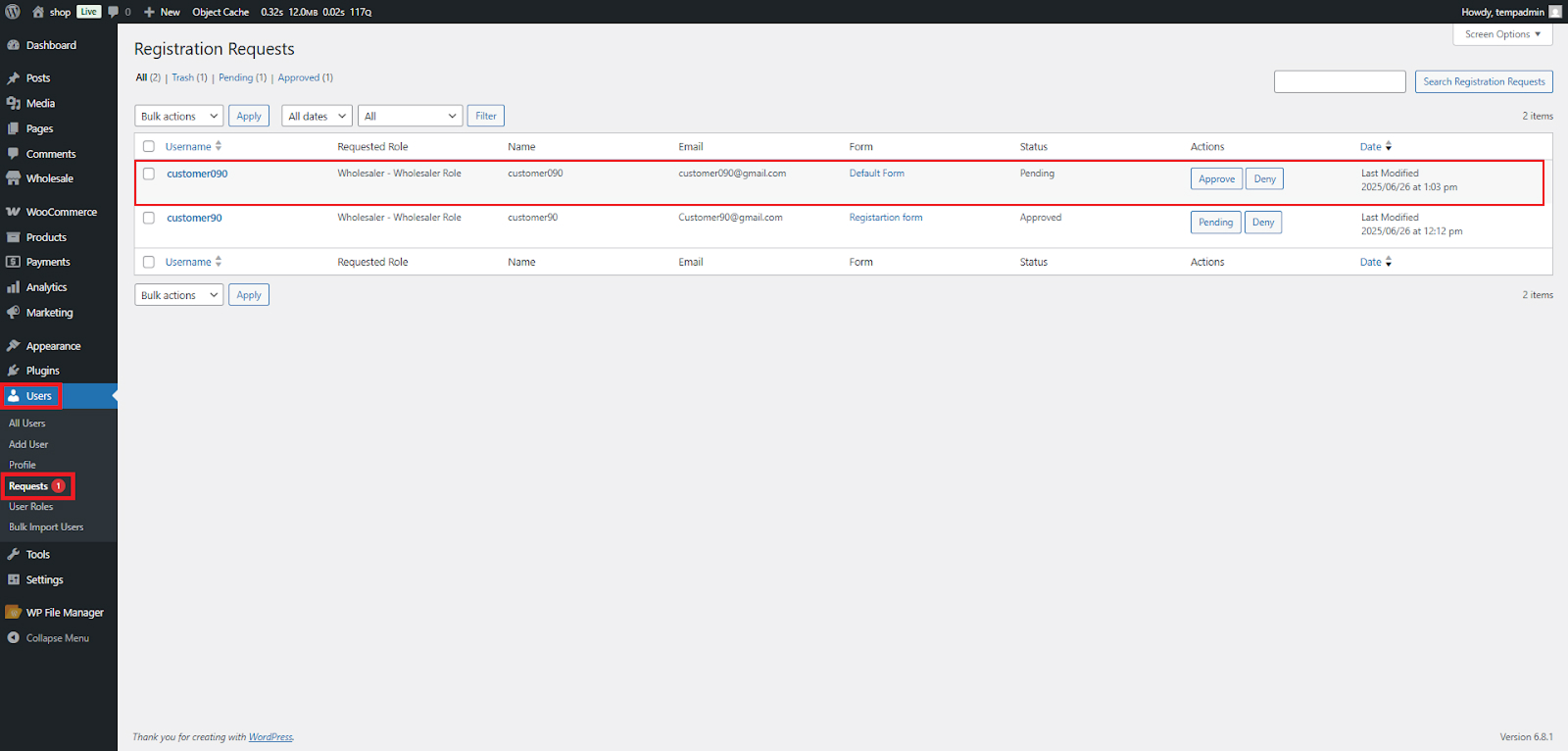
- Once a user finishes the registration form and chooses a Wholesale role, their request is submitted.
- To see the request, go to Admin Dashboard > Users > Requests.
- The User Role column on the Registration Requests page showcases the selected Wholesale role.
Default Registration Form
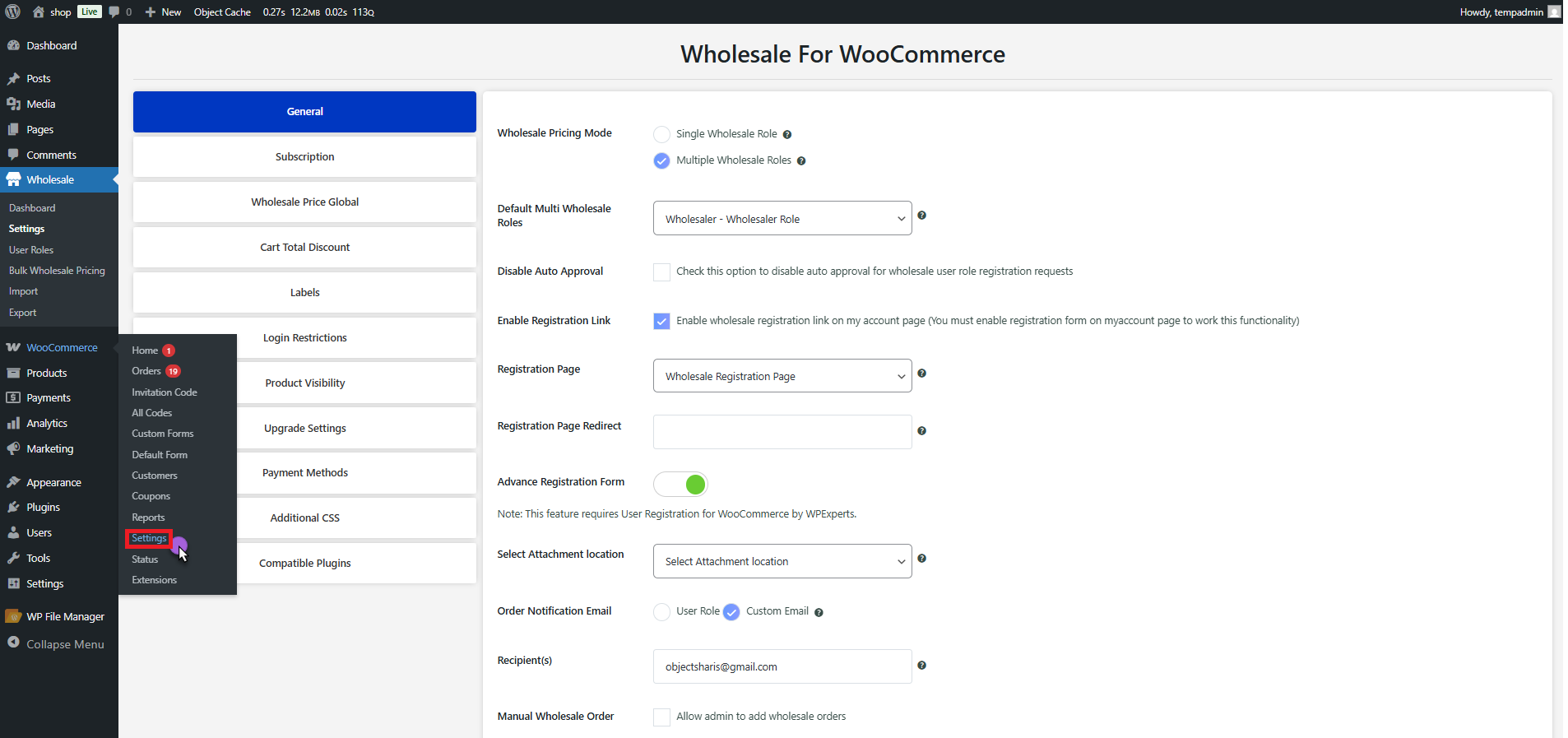
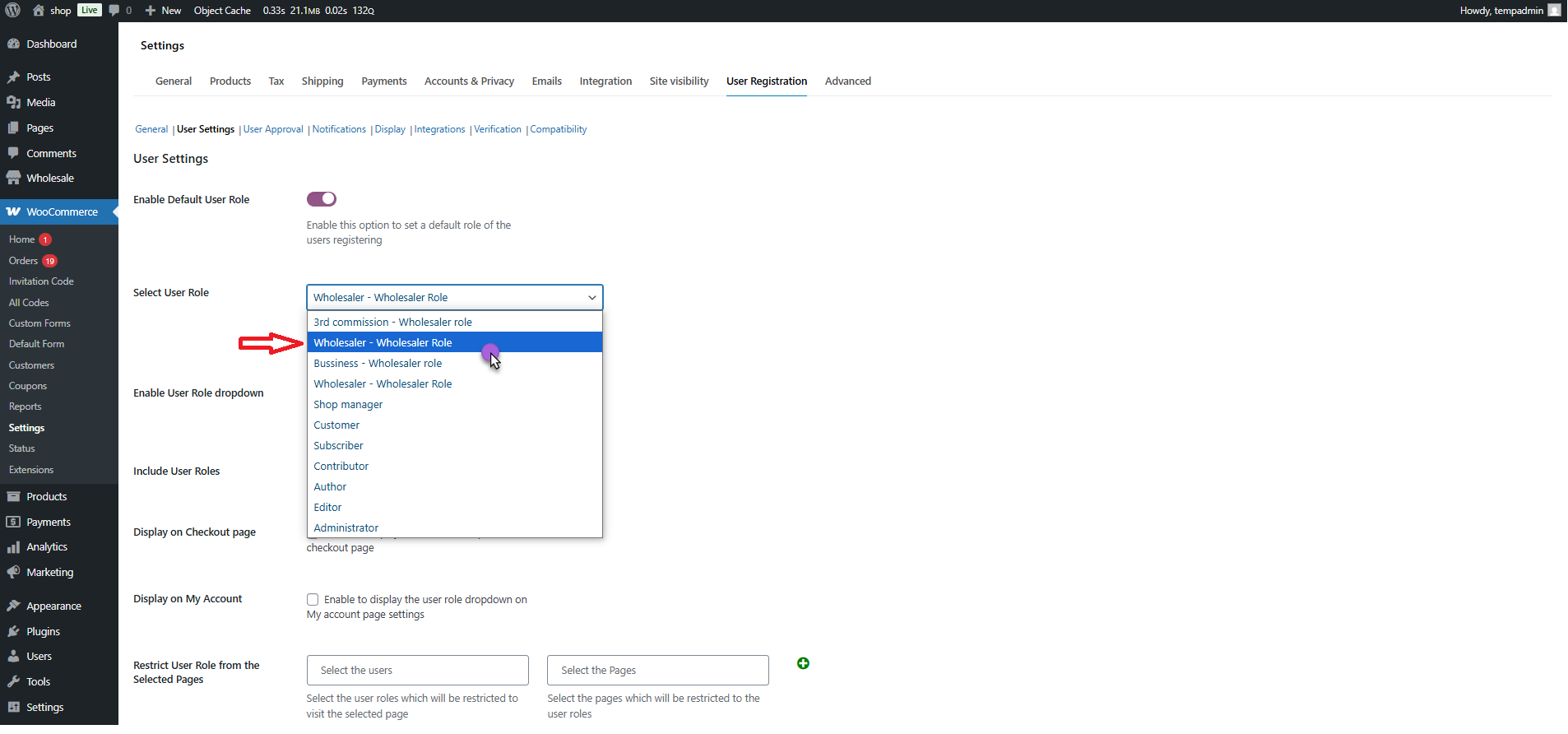
- Go to WooCommerce > Settings > User Registration > User Settings.
- Locate the setting: Default User Role and activate this option by toggling it.
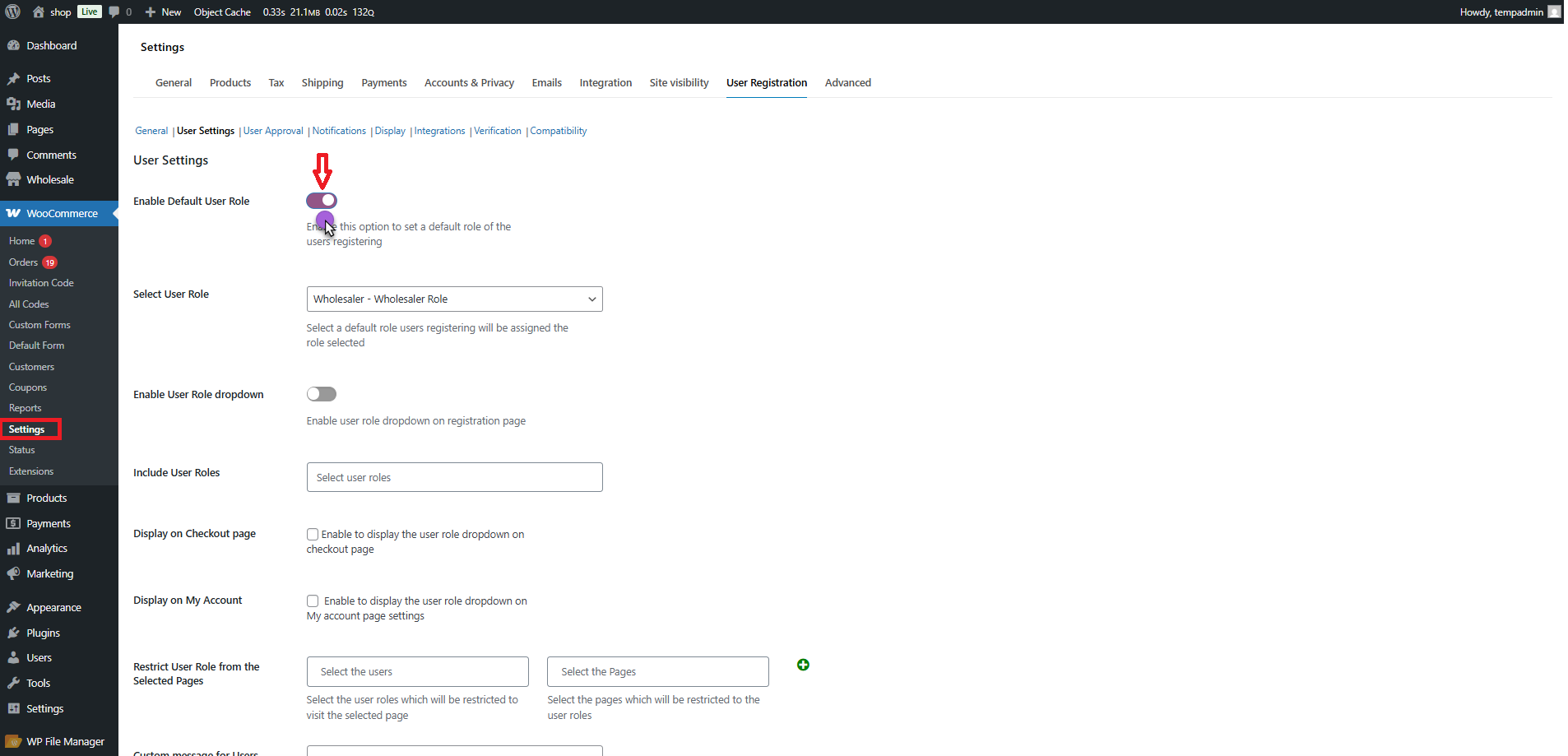
- Choose the preferred Wholesale role you want to assign by default to users who register via the form using the User Role dropdown.
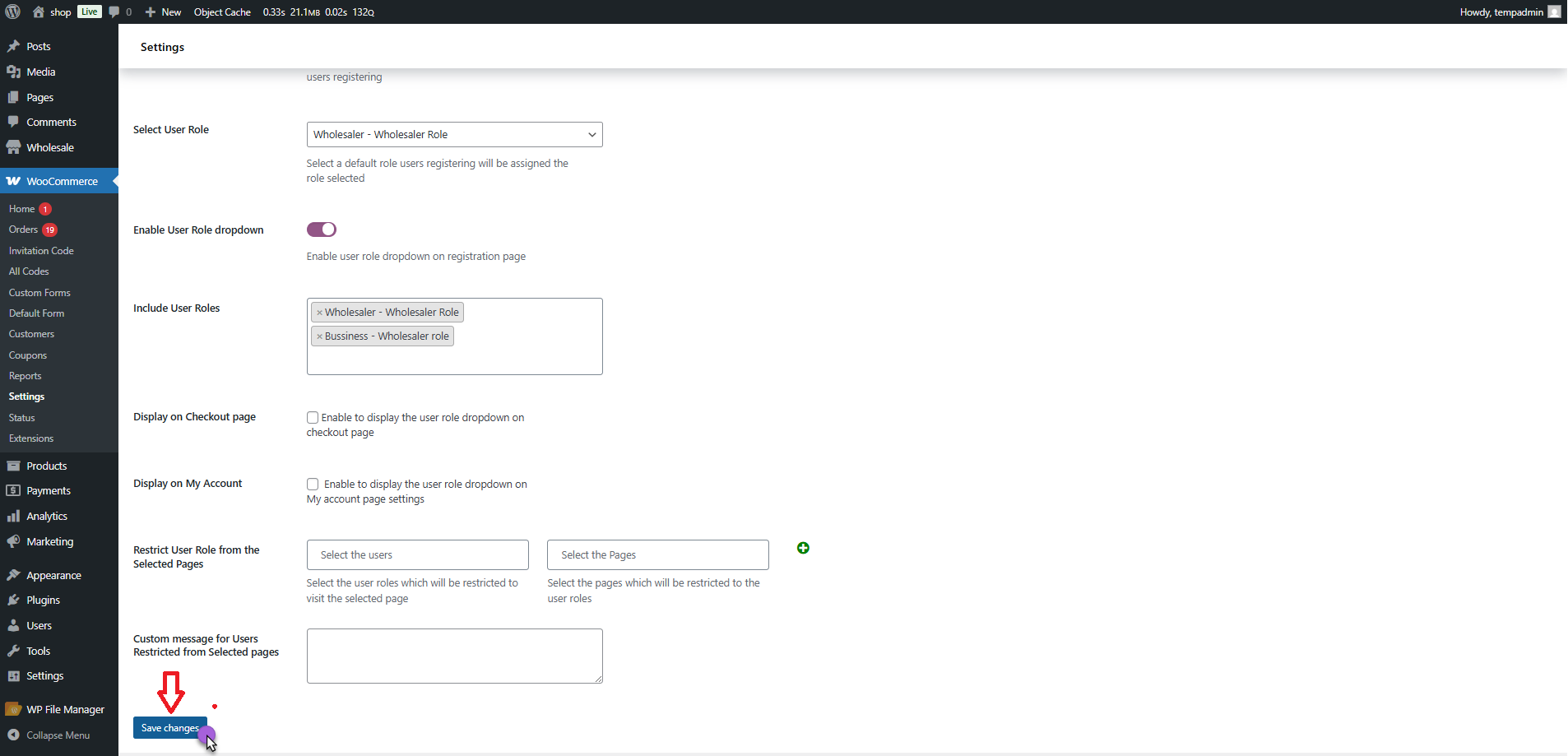
- Press Save Changes to activate the settings.
- Locate the setting: Activate User Role Dropdown and enable this option by toggling it.
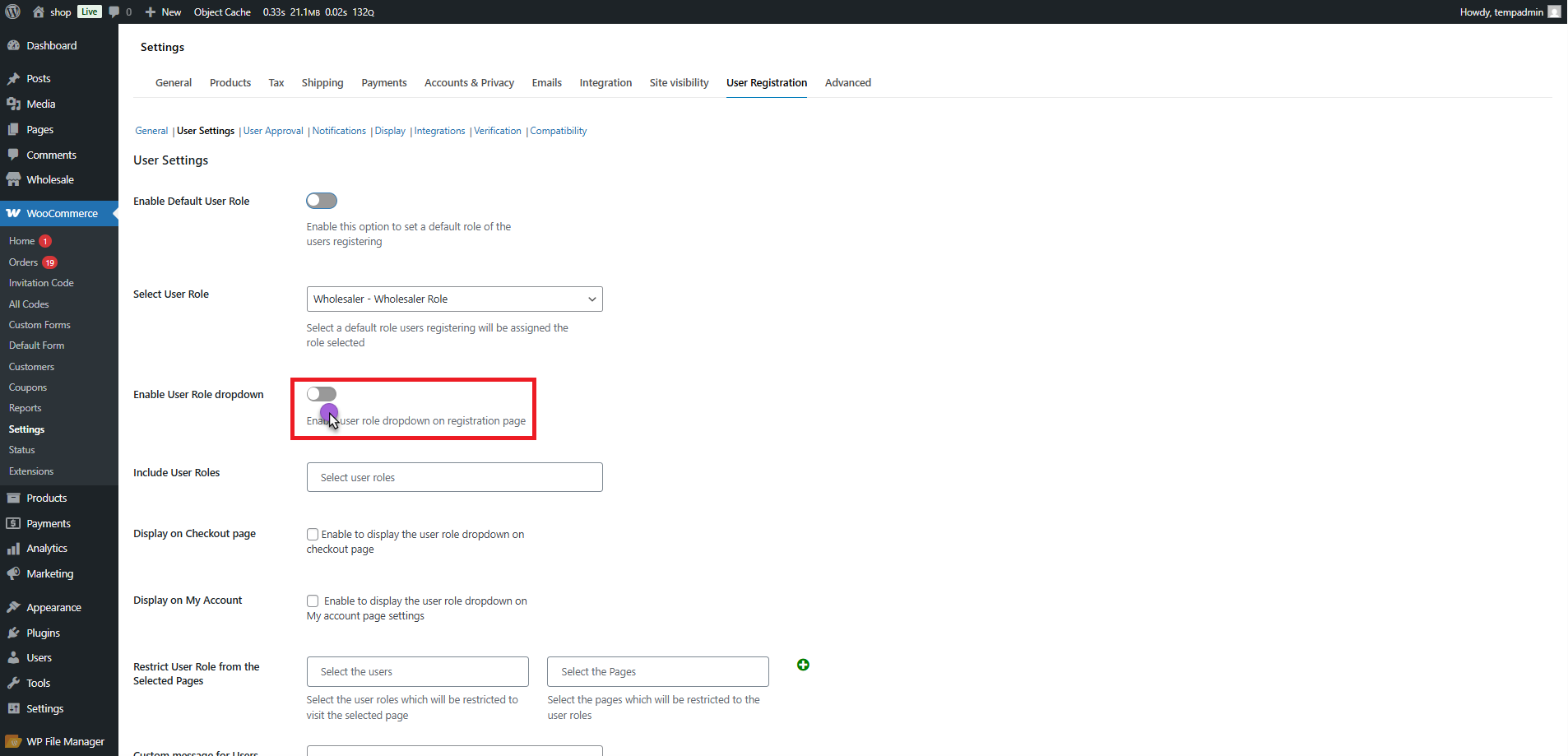
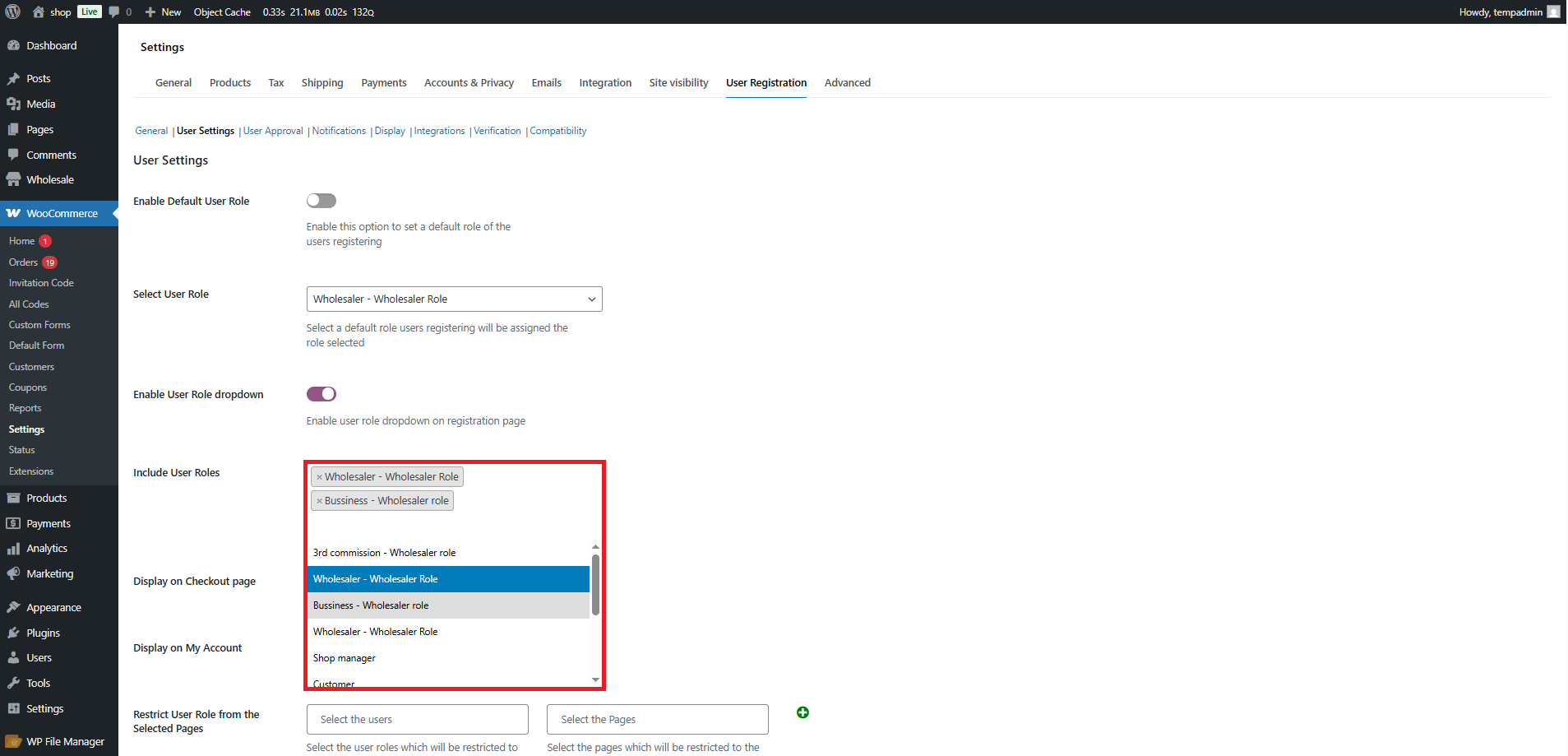
- The User Role dropdown allows you to see a list of available user roles.
- Choose one or more Wholesale roles that you wish to assign to users registering through the form.
- Press the Save Changes button once the roles are chosen to save the settings.
Front-End Impact (Default Registration Form)
- Go to the website and then visit the Default Registration Form page where the form is displayed (using shortcode).
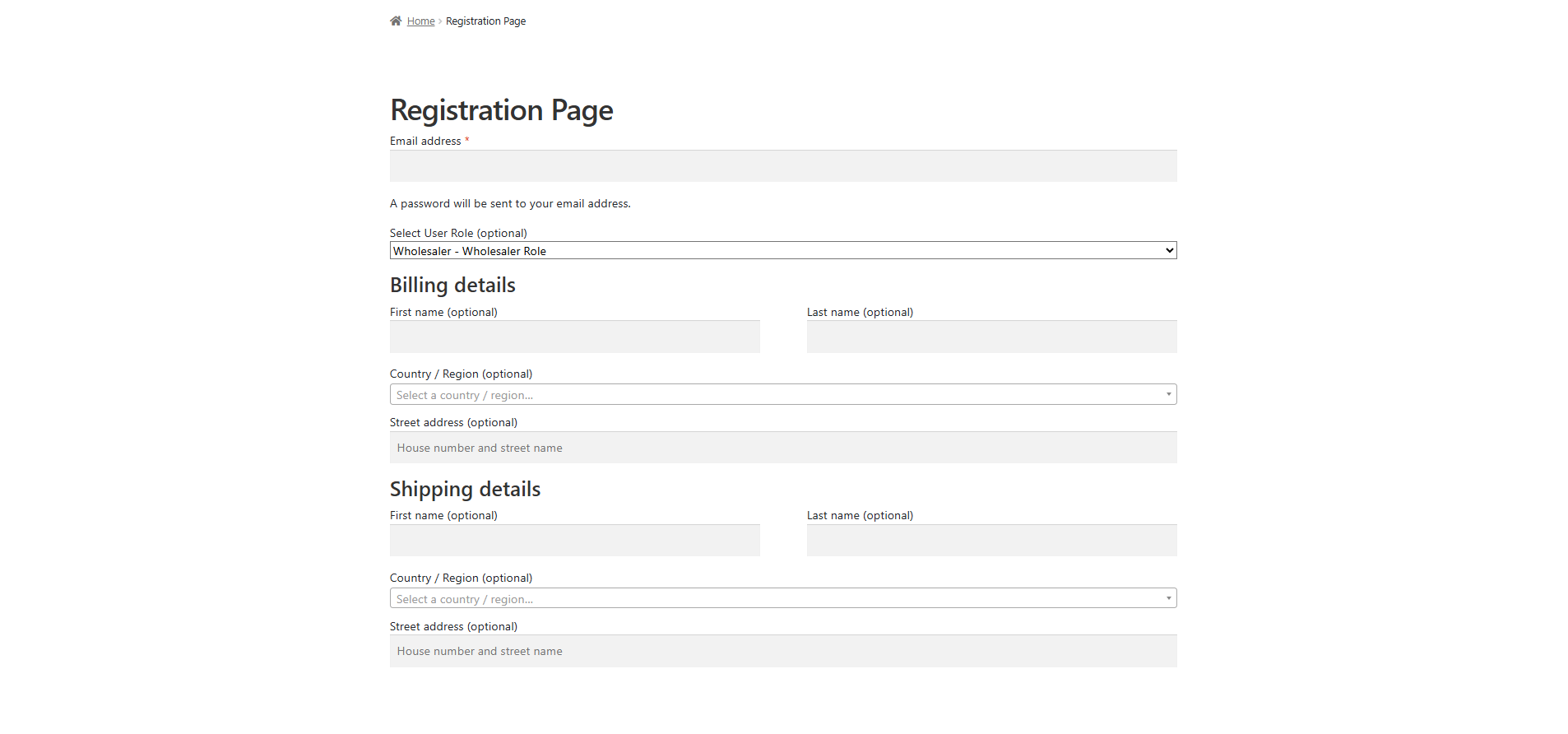
- You can view the User Role Dropdown on the form if it is activated in the backend settings.
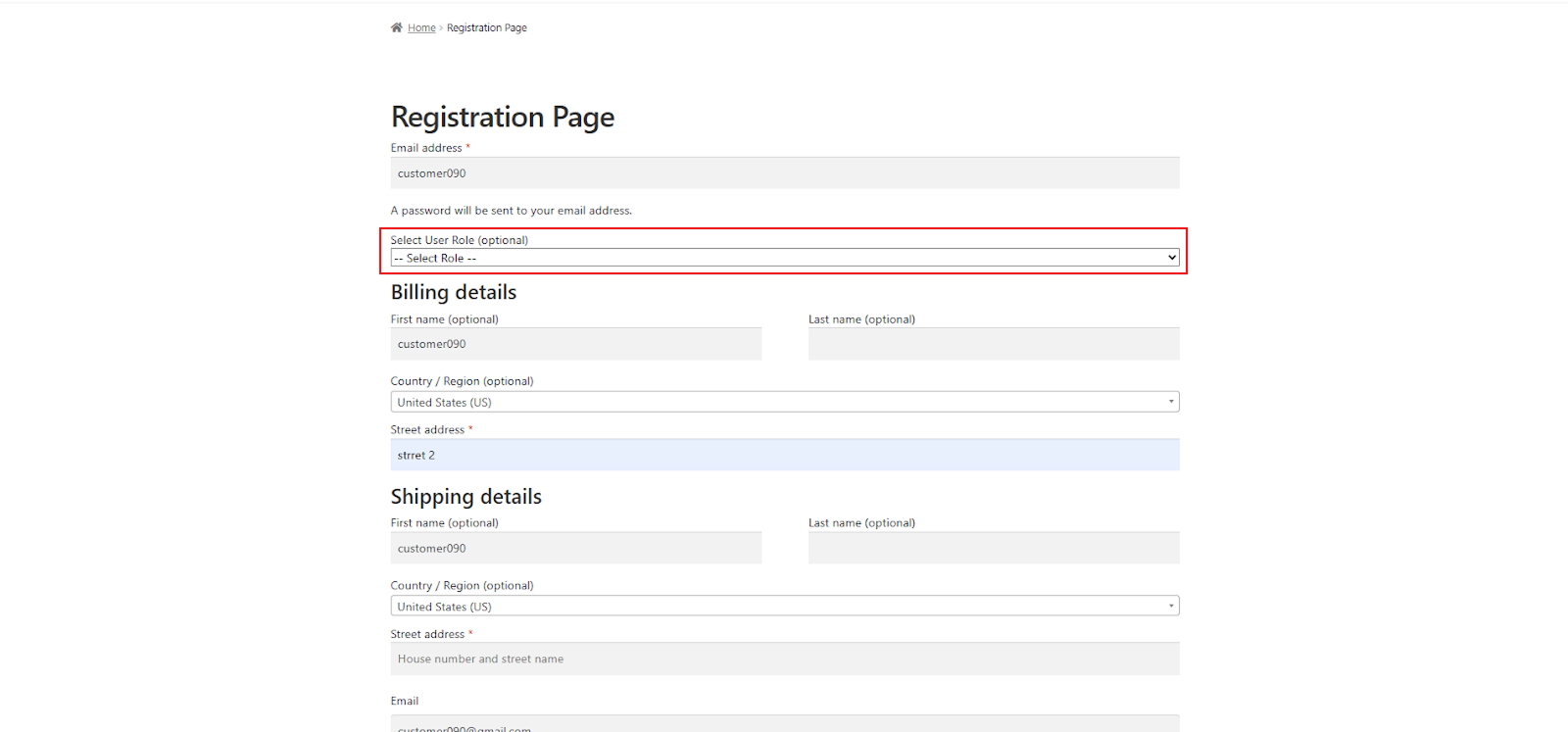
- The drop-down showcases all available roles, comprising any selected Wholesale set by the admin in the Custom Form settings.
- Press the Register button.
- Now, you will see that the selected Wholesale role is displayed under the User Role column on the Registration Requests page.
Wrapping Up
User Registration for WooCommerce compatibility with Wholesale for WooCommerce is a blessing in disguise for small and large B2B wholesale businesses. It is high time for them to integrate a powerful yet results-driven wholesale user registration system into their online stores.
Start managing your wholesale customer bases like a pro by leveraging the compatibility of User Registration for WooCommerce with Wholesale for WooCommerce.





