




















































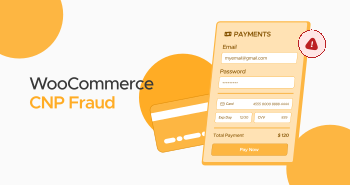
You might have heard about WooCommerce CNP Fraud, haven’t you? Don’t worry. This is one of the most common forms of online fraud that can badly affect your business’s growth, revenue, and reputation.
In short, WooCommerce CNP fraud can negatively impact your WooCommerce site and cause issues such as loss of customer trust, loss of sales and revenue, and more.
This blog post will discuss WooCommerce CNP fraud and how you can prevent your WooCommerce site from its consequences.
What Do You Mean By CNP Fraud?

CNP, or card-not-present fraud, occurs when a user transacts without physically using the payment card. Fraudsters benefit from stolen debit or credit card information when making unauthorized payments and purchases online.
You cannot easily identify this fraud. That’s because IDs and a chip-and-PIN system that help detect CNP fraud are inaccessible.
How Does CNP Fraud Affect WooCommerce Stores?
WooCommerce CNP fraud can significantly damage a store’s reputation and lead to further setbacks, including decreased sales and revenue, reduced customer trust, higher payment processing fees, or even bans.
Regarding decreased sales and revenues, fraudsters can request a chargeback once the product has been delivered. As a result, you will lose product and profit, reducing sales. CNP as a leading fraud incident can compel customers not to trust your site and products. If they don’t trust your website, they will not make purchases. A loss of customer trust can harm your store’s growth and success.
If WooCommerce CNP frauds occur frequently, payment processors will categorize your business as risky. Furthermore, payment processors can increase your payment processing fees. Likewise, they can ban your account. Therefore, you should not take WooCommerce CNP fraud lightly at any cost.
What Should We Do to Recognize WooCommerce CNP Fraud?
You need to follow a proactive approach when detecting WooCommerce CNP fraud. To detect suspicious transactions, you must remember the following indicators:
- If the shipping and billing addresses don’t match, hackers or other cyber thieves have used stolen card information.
- The same billing address can be used on multiple fake orders, but the shipping address may differ. Hence, you should closely follow this indicator when recognizing WooCommerce CNP fraud.
- Cyber goons sometimes use the same IP address to test card information. In this situation, you must monitor if the frequent orders have been placed with the same suspicious IP address.
- If a user orders late at night or at an unusual time of day, it suggests that fraudsters have likely placed the order. So, be mindful of this dubious activity.
How Can We Protect Our Site Against WooCommerce CNP Fraud?
Fortunately, you can try various solutions to protect your WooCommerce site from the WooCommerce CNP scam. These potential workarounds include:
- Secure Payment Gateways Are the Go-to Option.
- Deactivate Guest Checkouts.
- Install SSL Certificate.
- Evaluate Orders Manually.
- Compel Users to Enter Card Verification Value (CVV).
- Install Address Verification (AVS).
- Install a Security Plugin.
Secure Payment Gateways Are the Go-to Option

Secure payment gateways can help protect your WooCommerce site against WordPress CNP fraud. They primarily work as secure tunnels for sending and receiving payments. For instance, leading payment gateways like Stripe and PayPal benefit from machine learning when reducing fraud.
Through machine learning, they recognize and comprehend patterns regarding dubious activities. In addition, the same advanced approach allows them to scrutinize payments without fuss. Thus, WooCommerce store owners must consider using secure payment gateways.
Deactivate Guest Checkouts
Deactivating or disallowing guest checkout is another way of creating a line of defense against CNP fraud. For this purpose, you must create an account before checkout. This will help you decrease suspicious activities as it enables you to eradicate bot checkout activities.
You can activate this useful feature by going to WooCommerce Settings > Accounts & Privacy > Untick the Enable guest checkout box.

Install SSL Certificate
An SSL certificate comes in handy when protecting WooCommerce sites from CNP scams. Therefore, you must know how to install and activate an SSL certificate on WooCommerce sites or stores.
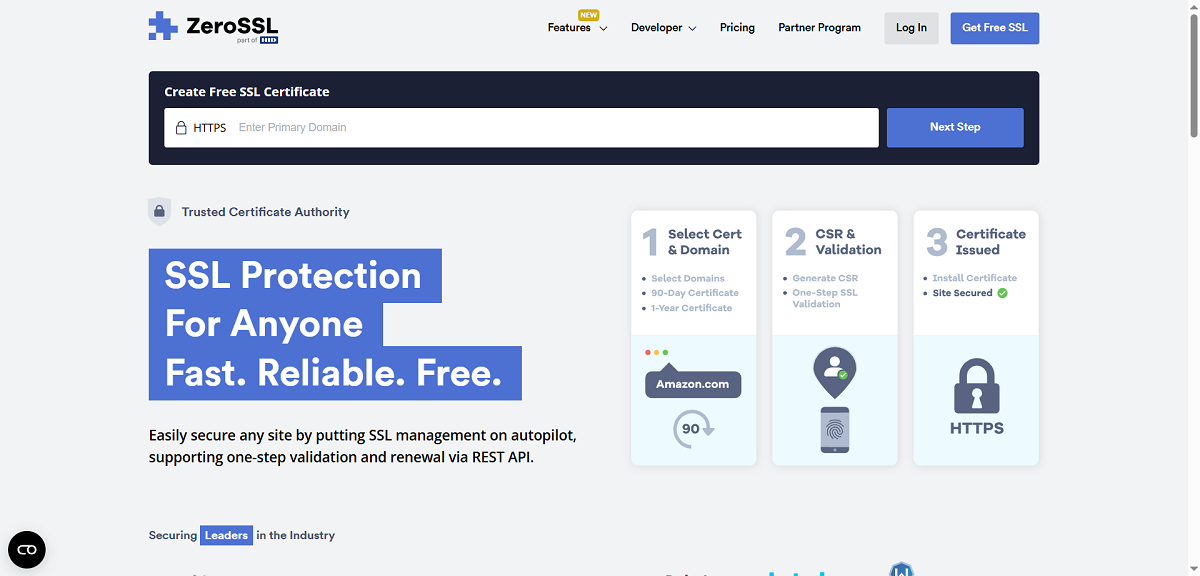
SSL certificates help encrypt all communication between customers and WooCommerce stores. This makes sensitive information undetectable and secure from the prying eyes of hackers and other cyber goons. You can use free SSL services like ZeroSSL, Let’s Encrypt, and more to attain an SSL certificate at no cost.
Furthermore, various hosting services offer free SSL certificates. You can subscribe to any of their plans and obtain an SSL certificate.
Evaluate Orders Manually

When you examine orders manually, it becomes easy to detect suspicious transactions. By following the above risk indicators, you can easily identify which orders have red flags from a security perspective.
If your store receives multiple orders from the same IP address, you must check if they are authentic. Manual order reviewing may help you tackle the WooCommerce CNP fraud.
Compel Users to Enter Card Verification Value (CVV)
You are likely familiar with CVV (Card Verification Value) if you have used a debit card. The Card Verification Value (CVV) is typically a three-digit number. Similarly, it can be a four-digit number, such as 8576 or 8478.
This number is on the back of your card. By requiring users to enter their CVV at checkout, you ensure they have a physical debit or credit card, thereby eliminating the risk of WordPress CNP fraud.
WooCommerce Stripe Payment Gateway is a notable plugin offering an impressive CVV feature. You can easily enable this feature to improve the authenticity of WooCommerce orders.
Install Address Verification System (AVS)
You should install an address verification plugin like Address Autocomplete for WooCommerce. This plugin enables customers to enter their addresses. In short, it helps enhance customer experience and safeguards against various risks, including WooCommerce CNP fraud. Hackers and other notorious thieves cannot use fake addresses.
Install a Security Plugin
A security plugin is a blessing in disguise as it can help safeguard your WooCommerce store from the WooCommerce CNP scam. You can utilize various security plugins, such as Sucuri, Wordfence, Jetpack, and MalCare, among others.
For example, the JetPack security plugin comes with powerful brute-force protection. This feature is also useful for protecting your site against cyberattacks.
Wrapping Up
WooCommerce CNP fraud poses significant risks from both financial and ethical perspectives. Unfortunately, they are one of the most common forms of online fraud experienced by WooCommerce websites throughout the year.
Therefore, you must follow the above preventive measures, such as installing a security plugin, configuring SSL certificates, and enforcing customers to enter their CVV when ordering, among other measures. This financial fraud is detectable and curable, provided you follow the desired methods when proactively tackling this issue.





