



















































Bulk Order – B2B Product Table for WooCommerce

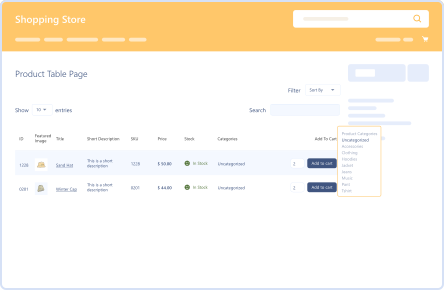
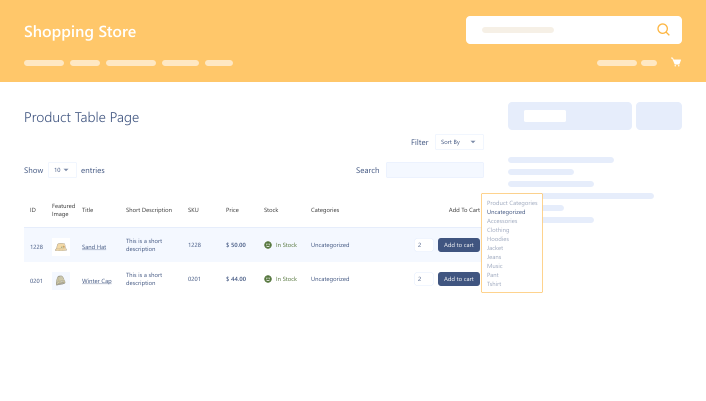
Benefit from search, pagination, sorting, and filtering features. Revolutionize product tables using Bulk Order Form for WooCommerce, facilitating customers and improving their shopping experiences.

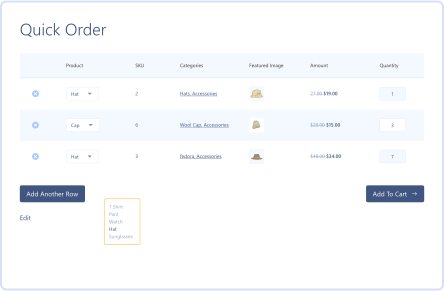
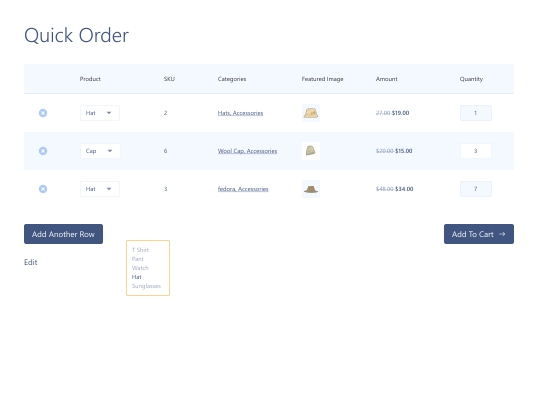
Quick Order Forms

Quick Order Forms

Shortcode Support

Shortcode Support

Advanced Search  Options & Filters

Advanced Search Options & Filters

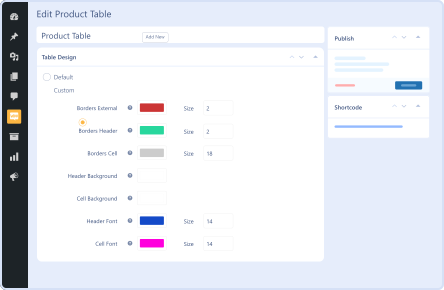
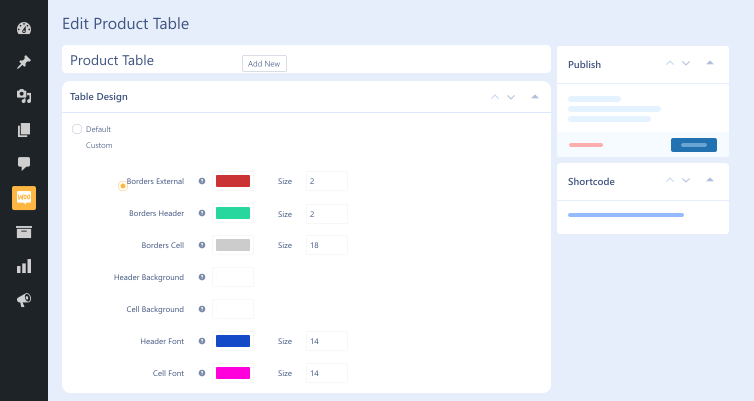
Customizable Table Layout

Customizable Table Layout

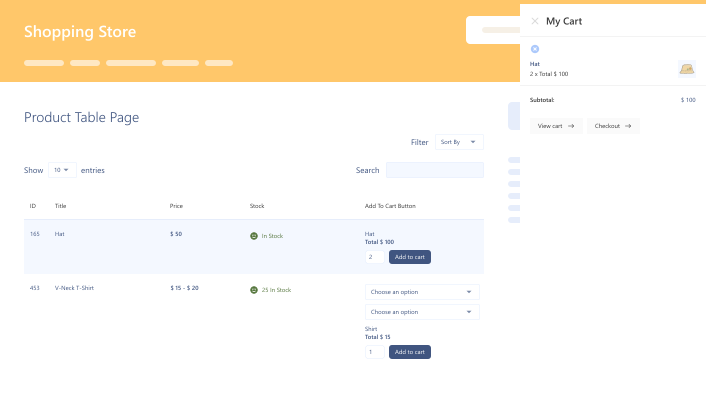
Mini Cart on Product  Table Page

Mini Cart on Product Table Page

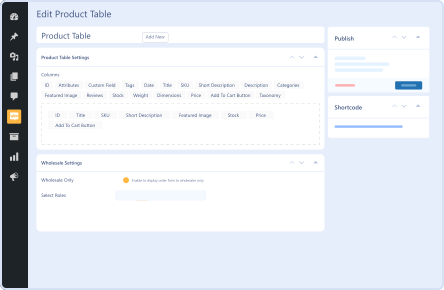
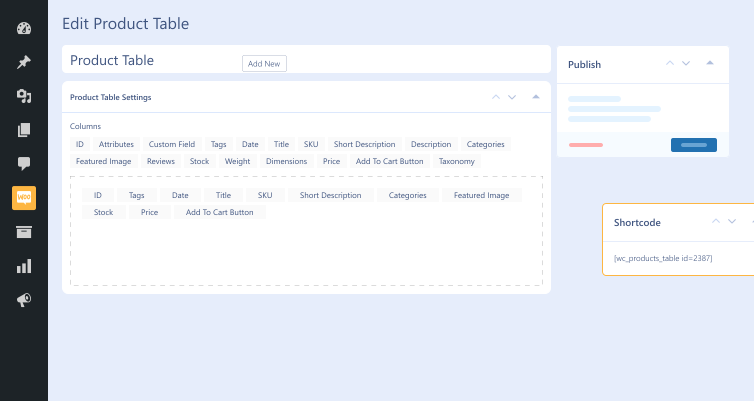
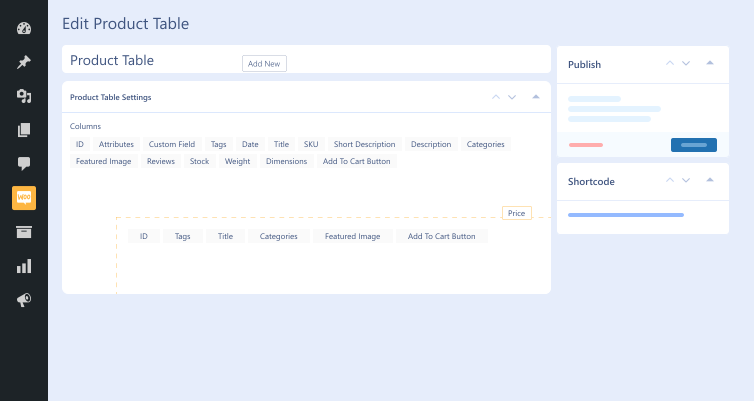
Create Tables with  Drag & Drop

Create Tables with Drag & Drop

14 Day Money Back Guarantee
Woo Pro Partner
Safe and Secure Checkout
80+ Clutch reviews

Enjoy Up to 80% OFF on Our All Access Pass Lifetime Plan — Limited-Time NEW YEAR Deal

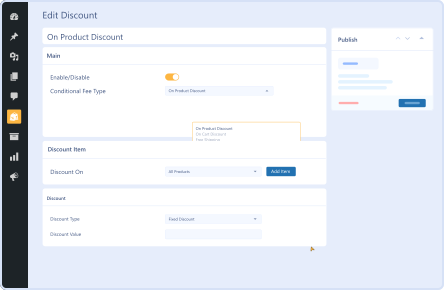
Multiple Discount Options Including BOGO (Buy One, Get One)
Quick Order Forms with Bulk Order Form for WooCommerce
Customize Product Tables
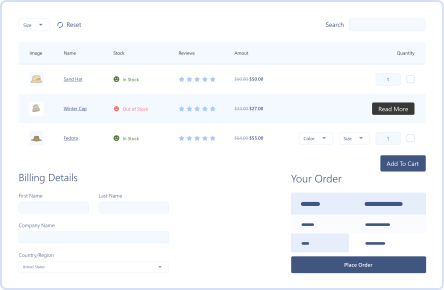
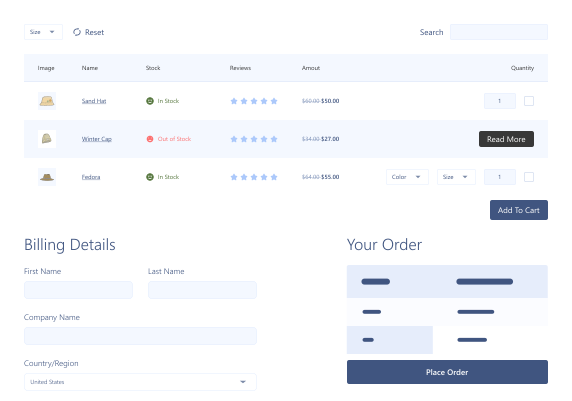
One-page Payment with Bulk Order Form for WooCommerce plugin Demo frame (4)
Advanced Search Options and Filters Demo frame (10)
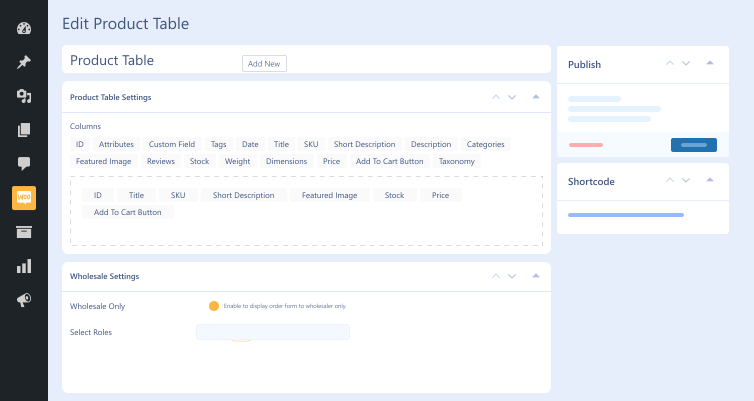
Hide Product Tables from Retail or Non-Wholesale User Roles
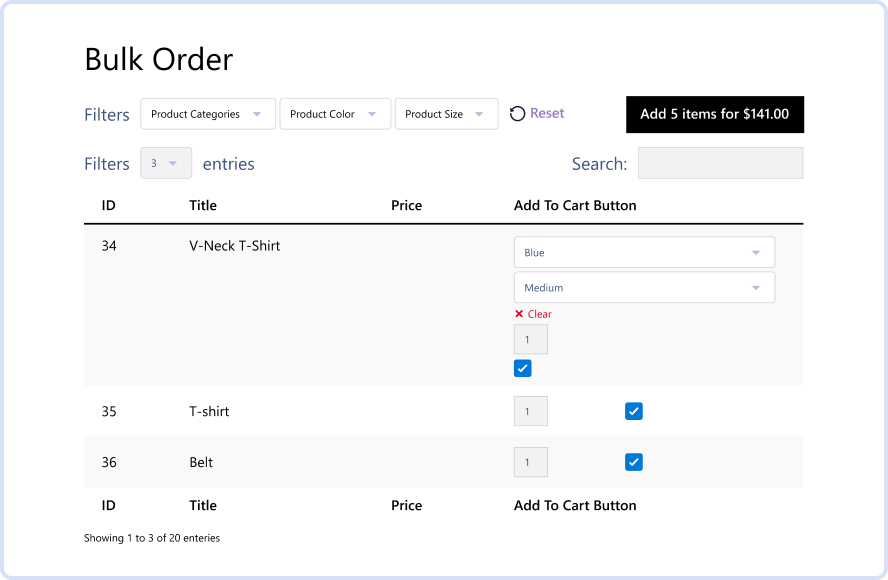
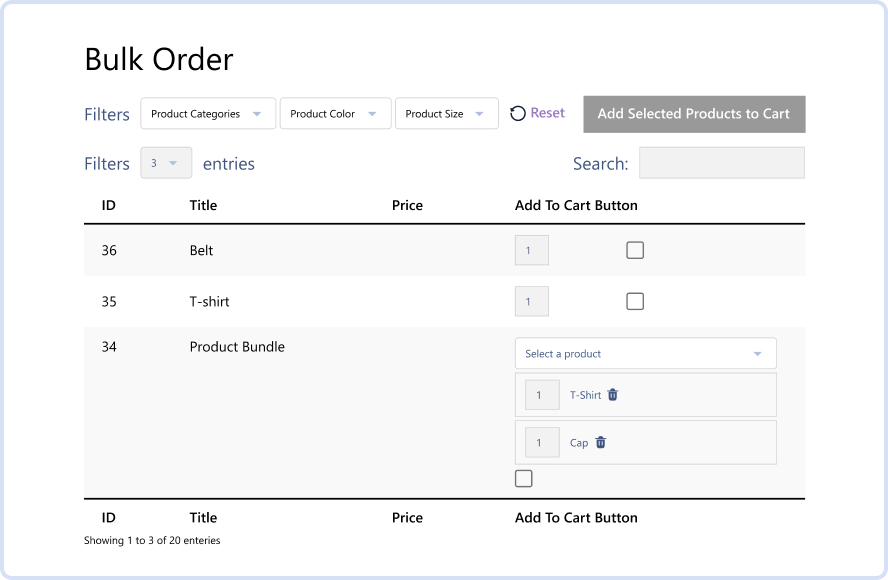
Optimized Bulk Selection for Smooth Add-to-Cart Functionality
Compatibility with Group Products

Pricing Plan

Basic

$79.99/Billed Annually

Single Site

Priority Support
Regular Plugin Updates
All Core Features Included
Auto-Renew Subscription
lightning bolt

POPULAR

46% Off

Pro

$239.97

$129.99/Billed Annually

3 Sites

Priority Support
Regular Plugin Updates
All Core Features Included
Auto-Renew Subscription

Agency

$7999

$189.99/Billed Annually

100 Sites

Priority Support
Regular Plugin Updates
All Core Features Included
Auto-Renew Subscription
14 days money back guarantee

14 Day Money-Back Guarantee

We are committed to your satisfaction that our products will elevate your online store’s performance, backed by our 14-day money-back guarantee. Please review our Refund Policy for more details.

Bulk Order – B2B Product Table for WooCommerce Features

Hide Product Table

Hide Product Table

Hide your product tables from non-wholesale and retail customers.

Mini Cart

Mini Cart

A mini cart helps customers view their cart without leaving the item page.

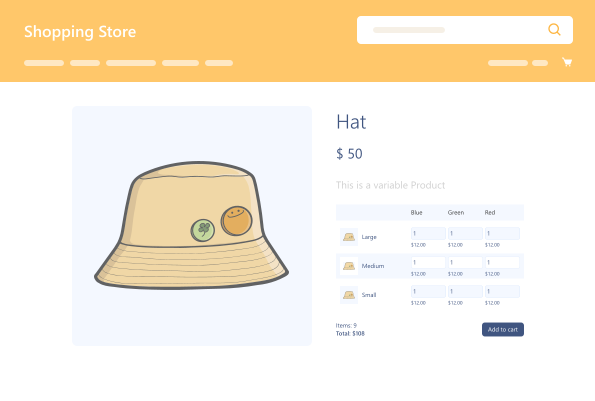
Variation for Batches

Variation for Batches

Showcase batch variations & streamline batch purchasing of numerous product variations.

Short code Support

Short code Support

Embed product tables on your WooCommerce website with shortcodes anywhere.

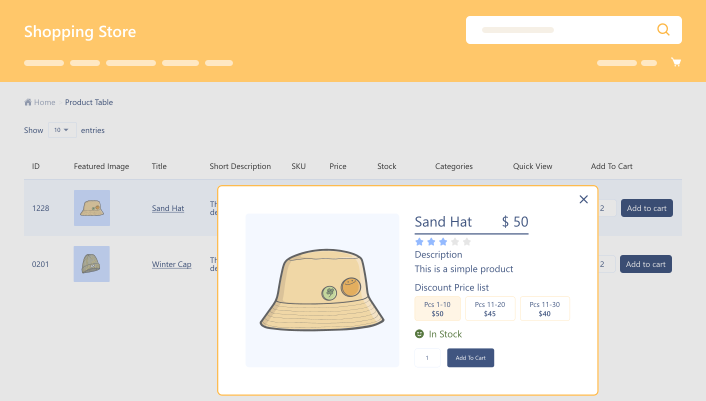
Compatible with Tiered Pricing for WooCommerce

Compatible with Tiered Pricing for WooCommerce

Tiered Pricing for WooCommerce helps customers get amazing discounts.

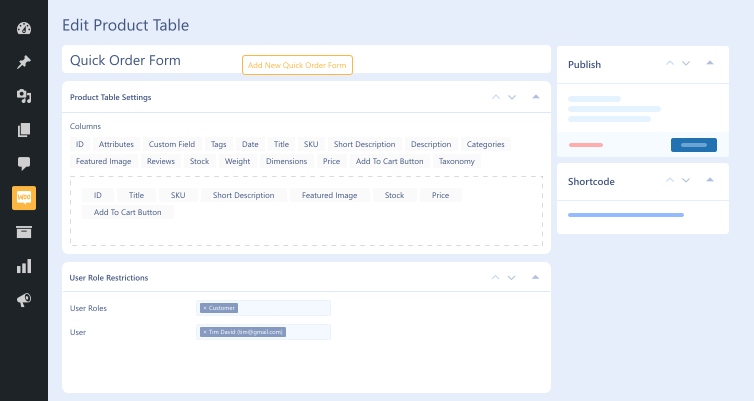
User Role Restriction  in Quick Order Form

User Role Restriction in Quick Order Form

Determine which users can see the quick order form.

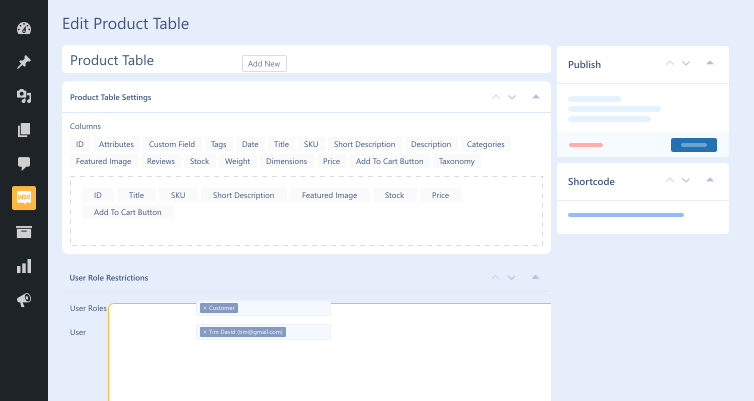
User Role Restriction in Product Table

User Role Restriction in Product Table

Determine which users can view specific products based on their roles.

Create Tables with Drag & Drop

Create Tables with Drag & Drop

Create & customize tables using drag and drop feature effortlessly.

Reset Button for  Filters

Reset Button for Filters

Deactivate filters and return to the default product view.

Mini-Cart One Page  Checkout

Mini-Cart One Page Checkout

Complete purchases from mini-cart using a one-page checkout process.

Bulk Order – B2B Product Table for WooCommerce

Version : 1.5

Version History :

Version History

N = new

U = update

D = dev

F = fix

R = remove

O = other

1.5 2025-09-09
  • N – mini-cart one page checkout.
  • N – reset button for filters.
  • N – bulk selection.
  • N – compatibility with group product.
  • N – compatibility with product quantity (wpexperts).
1.4.1 2025-05-09
  • F – support issues.
  • U – ui modifications.
1.4 2024-12-04
  • N – user role restriction on product table & quick order table.
  • N – quick view button.
  • N – add gutenburg block product table.
  • N – add gutenburg block quick order form.
  • N – compatibility with tiered pricing for woocommerce.
  • F – bugs & errors.
1.3 2024-02-12
  • N – import product table.
  • N – export product table.
  • N – add filter dropdown lists.
  • N – mini cart.
  • N – non login user settings.
1.2.1 2023-12-12
  • N – clickable thumbnail
  • N – compatibility with box office for woocommerce.
  • N – compatibility with smart product bundle woocommerce.
1.2 2023-11-13
  • N – display stock of each variation in bulk order.
  • F – load ajaxify table.
  • N – compatibility with min and max quantity for woocommerce.
  • N – compatibility with product bundle woocommerce.
1.1.9 2023-12-11
    1.1.8 2023-11-16
    • U – enhanced code optimization and strengthened security measures.
    1.1.7 2023-05-23
    • N – commptiblity with php 8.
    • N – commptiblity with smart product bundle for woocommerce.
    • N – table design customizations.
    • N – quick view on product table.
    • N – one page checkout
    1.1.6 2022-12-08
    • N – quick order form.
    • F – search issue in product table
    1.1.5 2022-02-15
    • N – compatibility with woocommerce product addons.
    • N – options to hide table from non wholesaler
    • N – bulk variations on single product page
    • O – search functionality through other fields
    1.1.4 2021-04-02
    • N – compatibility with quote for woocommerce.
    1.1.3 2021-04-02
    • F – stock filter with manage stock and quantity.
    • N – compatibility with woocommerce min/max quantity plugin.
    1.1.2 2020-09-23
    • N – fields label selected for desktop will show on mobile and tablet setting.
    • F – mobile & tablet setting issue.
    • F – title linking.
    1.1.1 2020-09-18
    • N – commptiblity with wholesale for woocommerce extension.
    • N – variation price display.
    • N – variation stock display.
    • U – only show publish product.
    1.1.0 2020-04-23
    • N – commptiblity with name your price extension
    • U – improved desktop and mobile view.
    1.0.0 2020-04-10
    • O – initial release.

    Last update : 2025-09-09

    still have a question

    Still have a question?

    Check the Documentation, and if you can't find an answer there, send us an email.

    FAQ's

    Can we create quick order forms for specific product categories?

    This remarkable bulk order form plugin lets you easily create quick order forms. Moreover, you can showcase specific product categories and improve them with SKUs, categories, drag-and-drop, and other features.

    Can we restrict access to the product for specific users?

    You can hide product tables from retailers and non-wholesale users using this impactful WooCommerce bulk order plugin. This will enable you to show product tables to authorized customers.

    Which businesses can benefit from the Bulk Order Form for WooCommerce plugin?

    This top-notch WooCommerce bulk order plugin equally suits wholesale stores and multi-product retailers that want to serve diversified customer bases. Restaurants, cafes, and superstores can also use it to increase sales and revenues considerably.

    What are the minimum requirements for using the Bulk Order Form for WooCommerce plugin?

    Here are the minimum requirements you must fulfill before you install the WooCommerce bulk order plugin on your site: WooCommerce 4.0+ WordPress 5.0+ PHP version 7.5+

    Second Thoughts? No Sweat!

    You’ve got 14 days to change your mind and get your money back!

    Copyright © 2025 WPExperts

    WPExperts Badges
    WPExperts Badges

    Copyright © 2025 WPExperts