

















































The process of approving user registrations in WooCommerce can help businesses find potential customers and bypass spam signup issues. Likewise, they can streamline and customize users’ onboarding processes. Once they activate user approval, they can review new user requests or allow the system to auto-approve users. This approach is beneficial for store owners seeking to enhance security, trust, and convenience for both their customers and themselves.
By enabling user approval, you can review new accounts before granting access or let the system auto-approve users. This approach balances security, trust, and convenience for both admins and customers.
This blog post will explain how to approve user registrations in WooCommerce using user approval methods, including request approval and auto approval.
Why Should We Approve User Registrations in WooCommerce?
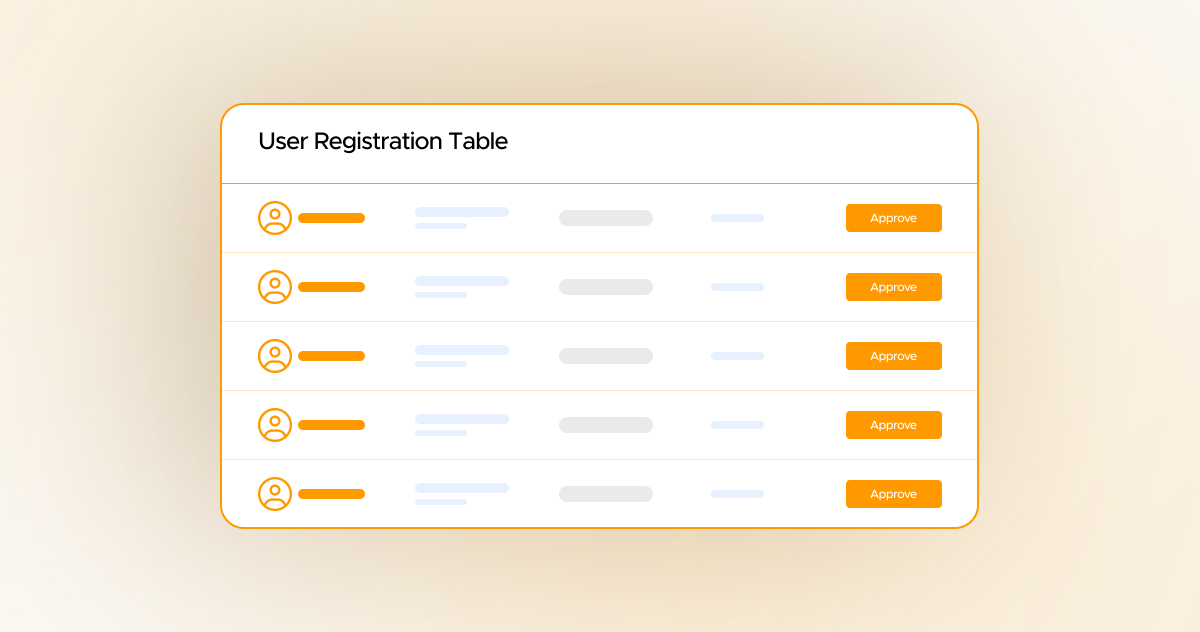
Approving user registrations in WooCommerce allows store owners to maximize their stores’ security. Apart from this, they can proactively stop bots or fake accounts from entering their online WooCommerce stores.
Moreover, the user approval method in WooCommerce helps authenticate wholesale customers. This will enable them to permit only qualified B2B customers to enter their stores. User approval is also crucial when online stores sell age-restricted products to customers. In this situation, manual approval proves beneficial as it enables them to adhere to compliance.
More importantly, approving user registrations enables store owners to verify user information and gather valuable data. In short, user registration approval is crucial for store owners seeking to secure their online stores and effectively manage diverse customer bases.
Approving User Registrations in WooCommerce (Two Methods)
Store owners or managers can benefit from two simple methods when approving user registrations in WooCommerce. These methods are Request Approval and Auto-Approval.
However, they must install and activate the User Registration for WooCommerce plugin on their online stores. This will allow them to apply both of the methods depending on their specific needs.
These methods are explained below:
1. Request Approval
In this method, an admin will approve the user request manually. To do this, go to Settings > User Settings and click the “User Approval” sub-tab.
Now, activate the “Enable Approve New User” Toggle button. This way, you can manually approve new user requests as an admin.
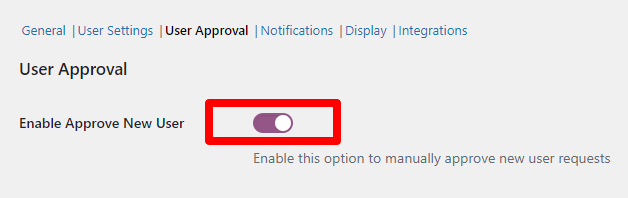
Once you have activated this option, admins will manually approve new user requests. Otherwise, they cannot log into their accounts.
2. Auto Approval
In this method, all new user registrations will be automatically approved unless the “Enable Approve New User” option is activated by admins. As a result, users can instantly access their accounts once activated without needing manual approval or admin review.
Role-Based Auto Approval
There is another way that allows users to create and activate their accounts without depending on manual approval.
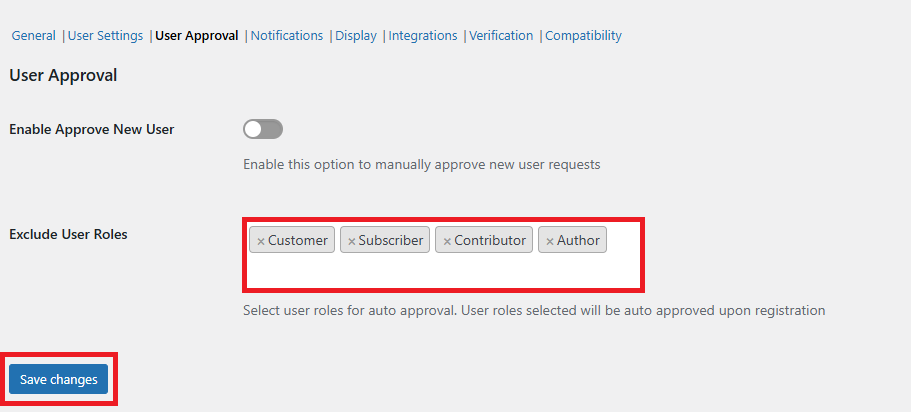
Using the User Approval settings, if admins choose specific roles under the Exclude Roles option, new user requests will be automatically approved when registering with such roles.
Remember, admins must display the User Role dropdown on the registration form, allowing users to choose their roles when registering. After selecting an excluded role, their accounts will be instantly approved.
Request Approval Use Cases
Various businesses can take advantage of the request approval method, such as wholesale stores, membership sites, and B2B businesses. For instance, wholesale store owners can verify whether users are legitimate wholesale users before granting special pricing.
Likewise, membership sites can also smartly utilize the request approval method and approve members after confirming payment or eligibility. B2B businesses can manage who joins their customer base, ensuring only qualified B2B users can access their premium services.
Auto Approval Use Cases
Luckily, different businesses can use the auto approval method and supercharge their B2B operations. For example, retail stores can implement the user auto approval method, allowing customers to make purchases instantly.
Furthermore, subscription websites can easily increase their customer bases by enabling free customers to join them. As for paid customers, subscription services can verify them through payment.
The lead generation sites can apply the user auto-approval method and take lead generation activities to the next level by regularly capturing new leads.
Wrapping Up
Approving users’ registrations in WooCommerce allows store owners to enhance trust, control, and security. As an admin, you can take advantage of both methods, including Request Approval and Auto Approval.
As a result, you can offer customers a smooth and engaging experience, appropriately increasing and managing your customer base.





