








































 Usman Hayat
Undoubtedly, the e-commerce sphere is becoming increasingly global day by day. This scenario has helped customers choose their desired currencies when buying different products or services online.
Whether your customer base is local or global, configuring a reliable plugin like Currency Switcher for WooCommerce can enhance their shopping experience and improve conversions.
[product_banner index=’1′]
This blog post explains how customers can select their preferred currencies and boost sales by making purchases in local currency.
How Does a Currency Switcher Increase Conversions?

Currency Switcher for WooCommerce, a prominent plugin, helps e-commerce businesses improve conversions, sales, and revenues ultimately. The following reasons highlight how a currency switcher is a game-changer for businesses in terms of conversions:
Decreases Cart Abandonment
Customers are typically hesitant to purchase if the product’s price is unavailable in their own currency. As a result, WooCommerce store owners may experience issues such as cart abandonment.
The role of a currency switcher in this situation becomes crucial as it helps store admins display products’ prices in local currencies, allowing customers to shop and make payments in their preferred currencies.
Enhances User Experience
As an online store owner, your top priority is to increase conversions. For that reason, you must offer your customers an engaging yet results-driven user experience. To do this, you can rely on Currency Switcher for WooCommerce, which lets store owners offer customers a remarkable shopping experience by allowing them to explore their desired products and make frequent purchases.
Building Credibility and Trust
When you showcase prices in local currencies on your WooCommerce store, you build trust and gain customers’ confidence.
That’s because customers assume that you can smartly fulfill their demands or expectations. They will likely make purchases from your store because they can pay in local currencies.
[product_banner index=’1′]
How Can Customers Select Their Desired Currency?
As mentioned, you can use Currency Switcher for WooCommerce, which allows your customers to select their preferred currency when making purchases. To offer such a facility to your customers, follow the steps below:
- Install and activate the plugin using your WordPress admin dashboard.
- To configure the plugin, navigate to the WooCommerce tab.
- Go to the ‘WCCS Settings’ tab.
- Choose from multiple currencies based on your needs using the dropdown menu.
- After selecting the currency, it appears in the list.
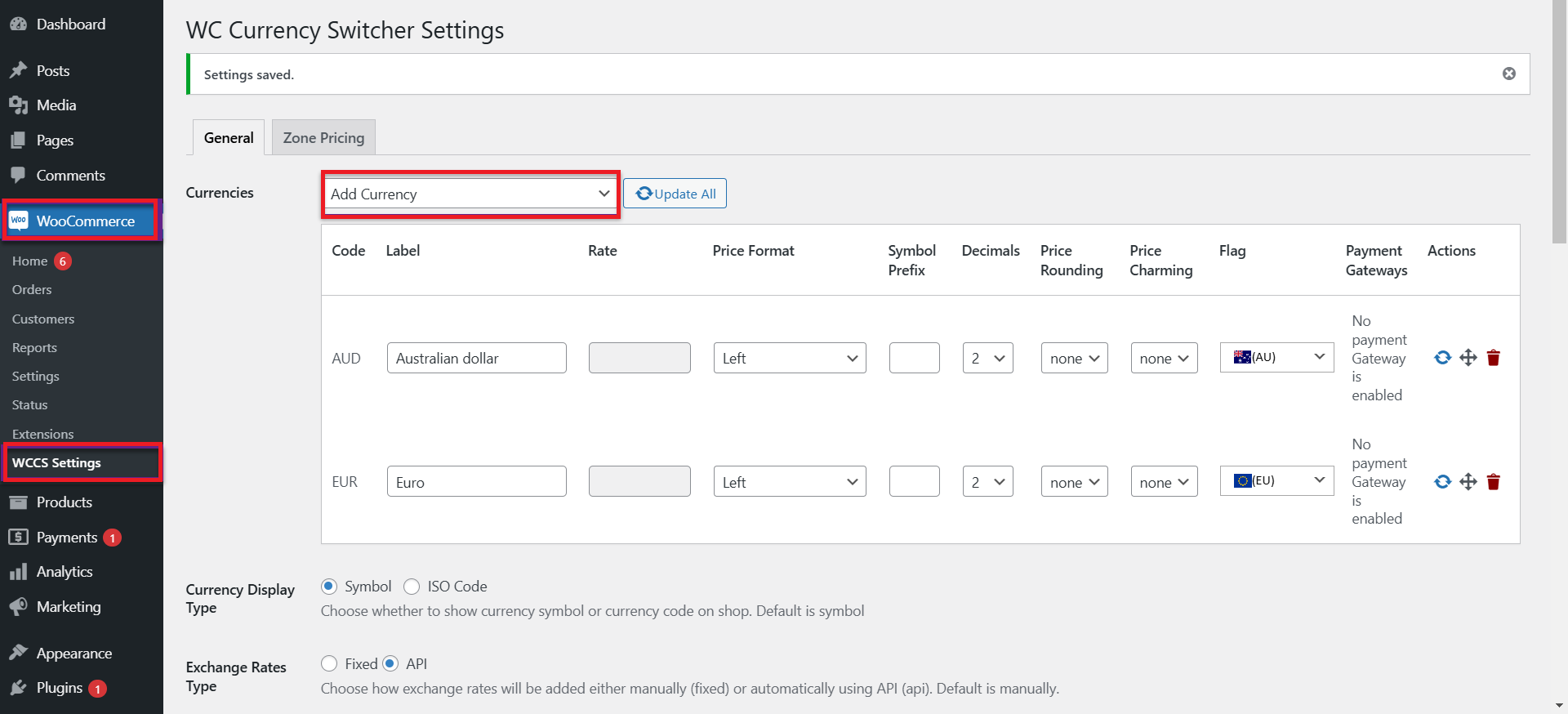
- You can also write the ‘Label Name’ for the chosen currency.
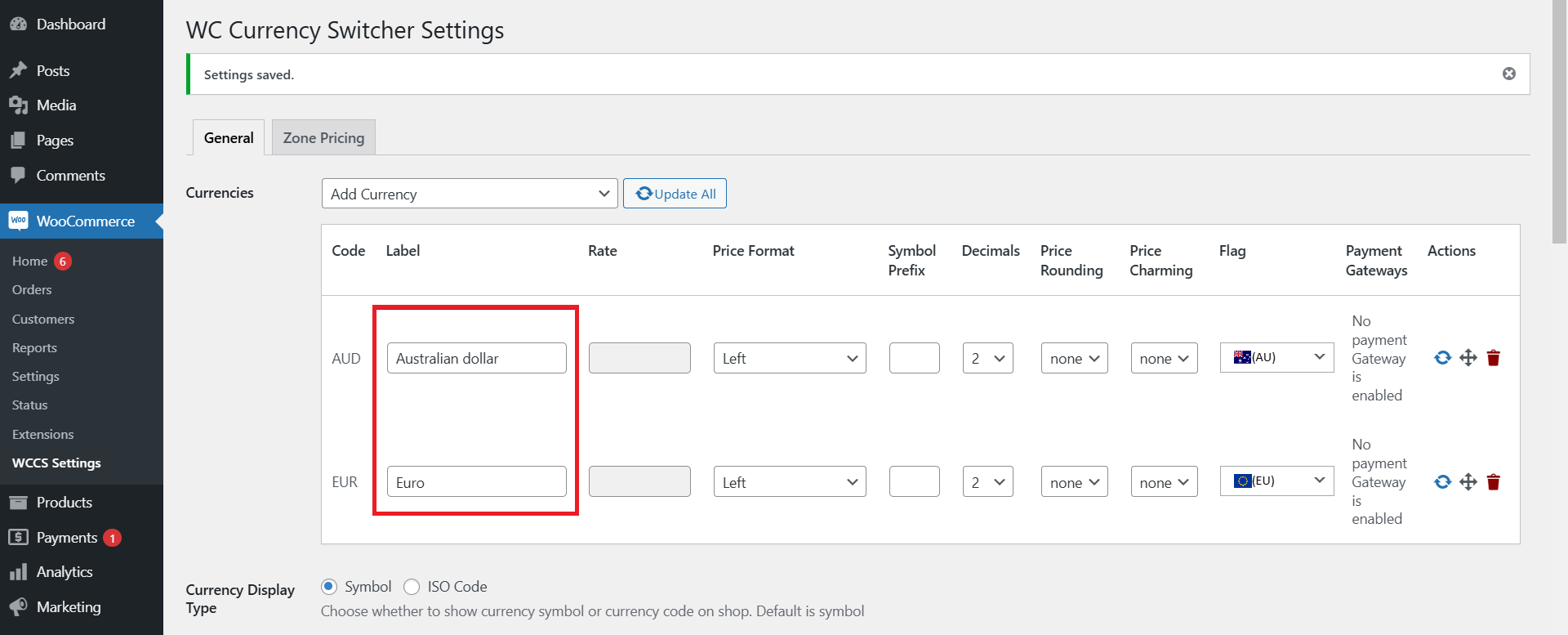
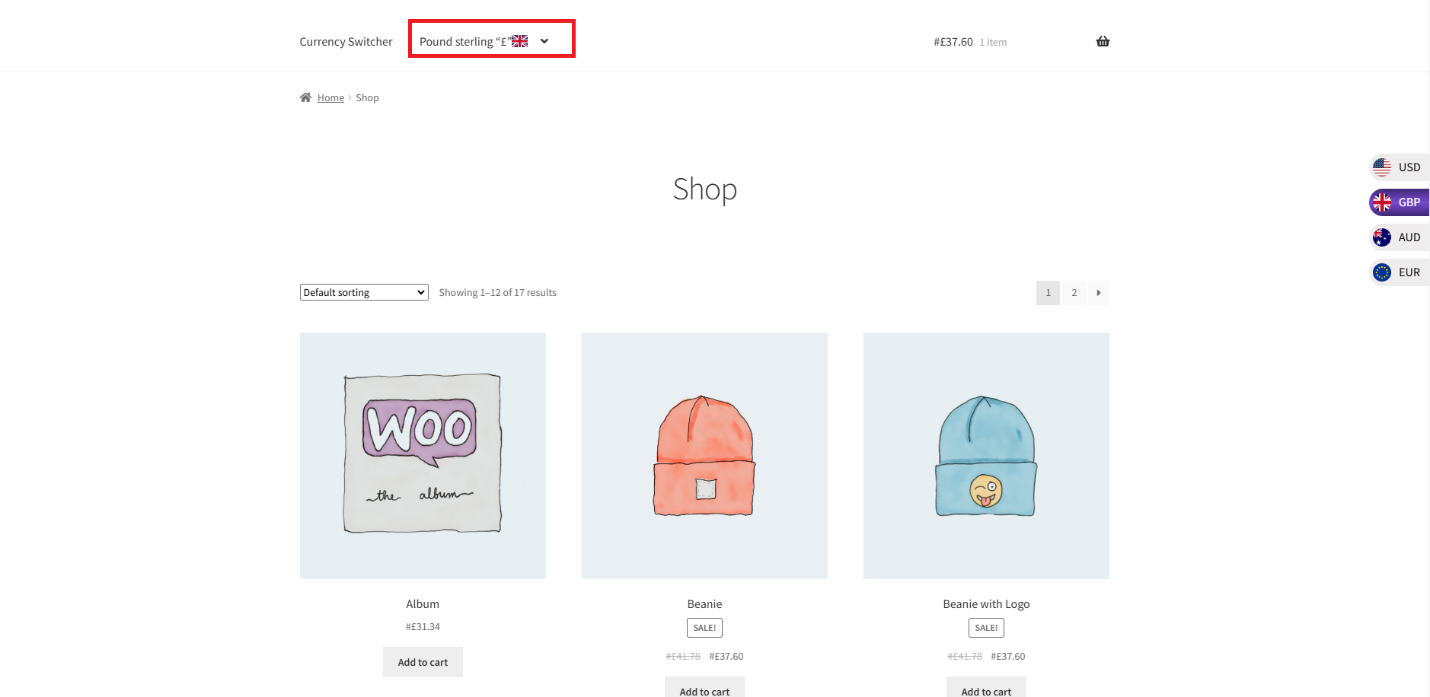
If you want to see the impact from the front-end, it will look like this:
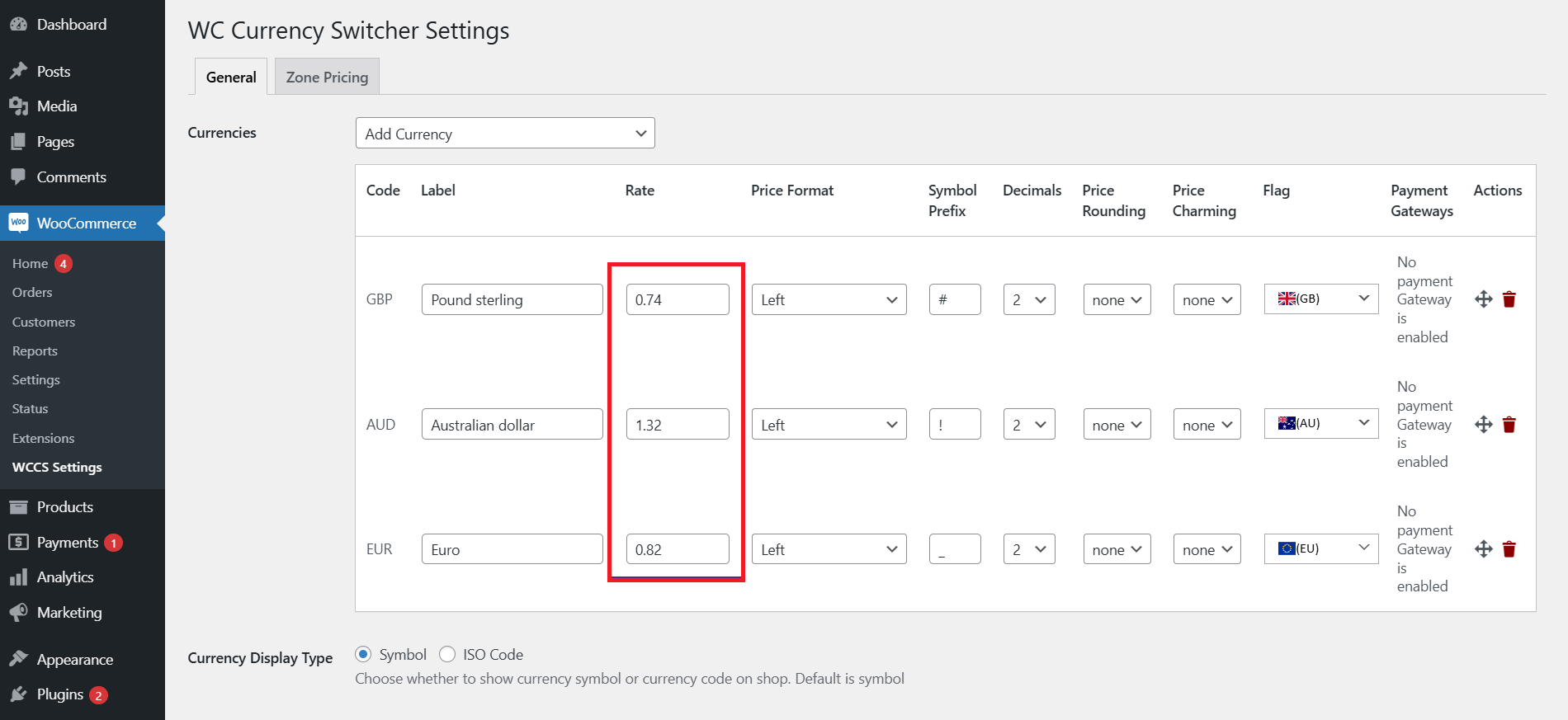
- You can also set the ‘Exchange Rate’ of each currency manually. The Exchange Rate will be compared to the value ‘1’ of the default currency in your WordPress environment. If the exchange rate is fetched from the API, it will be automatically displayed.
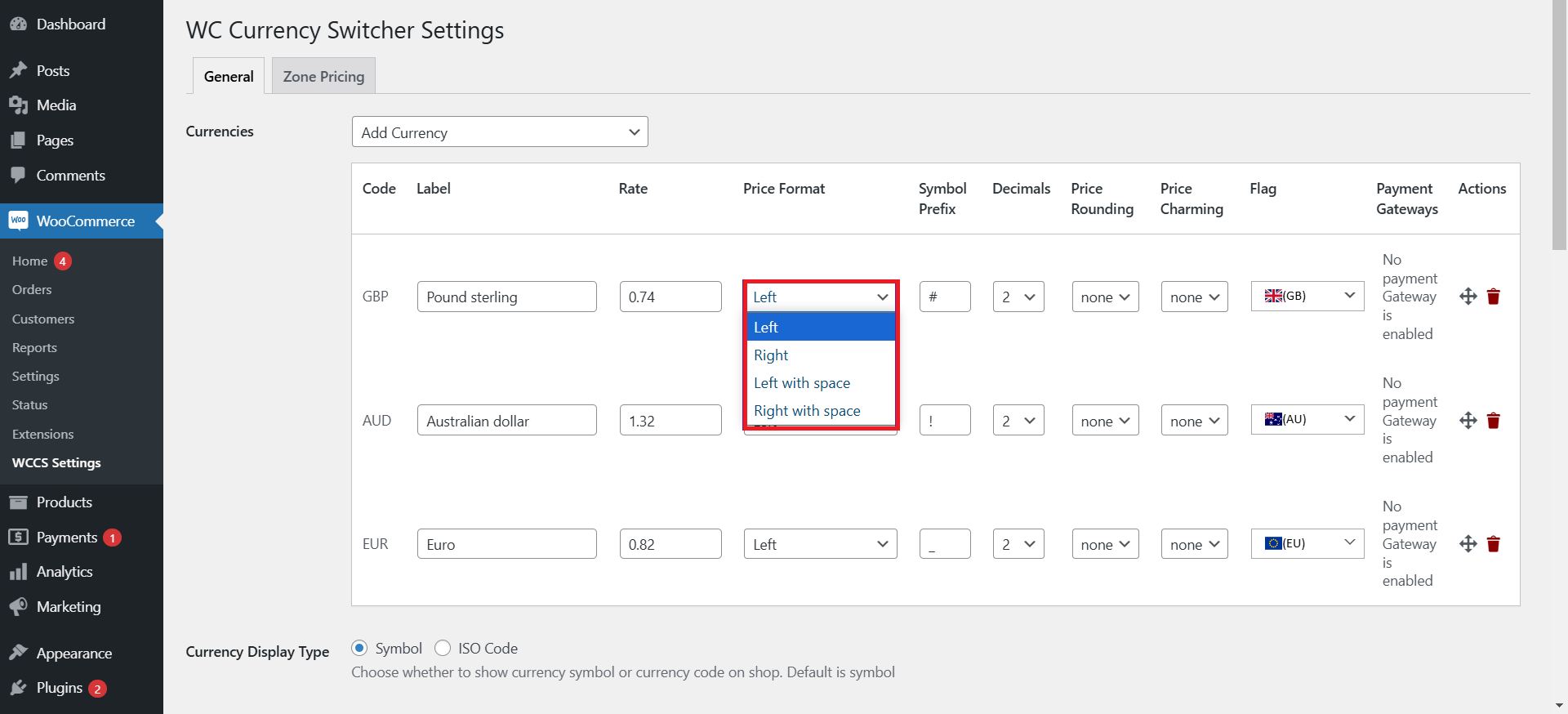
- Set the currency alignment using the dropdown option given in the ‘Price’ format.
- The following front-end impact suggests that the currency value has been placed on the left side after the currency symbol.
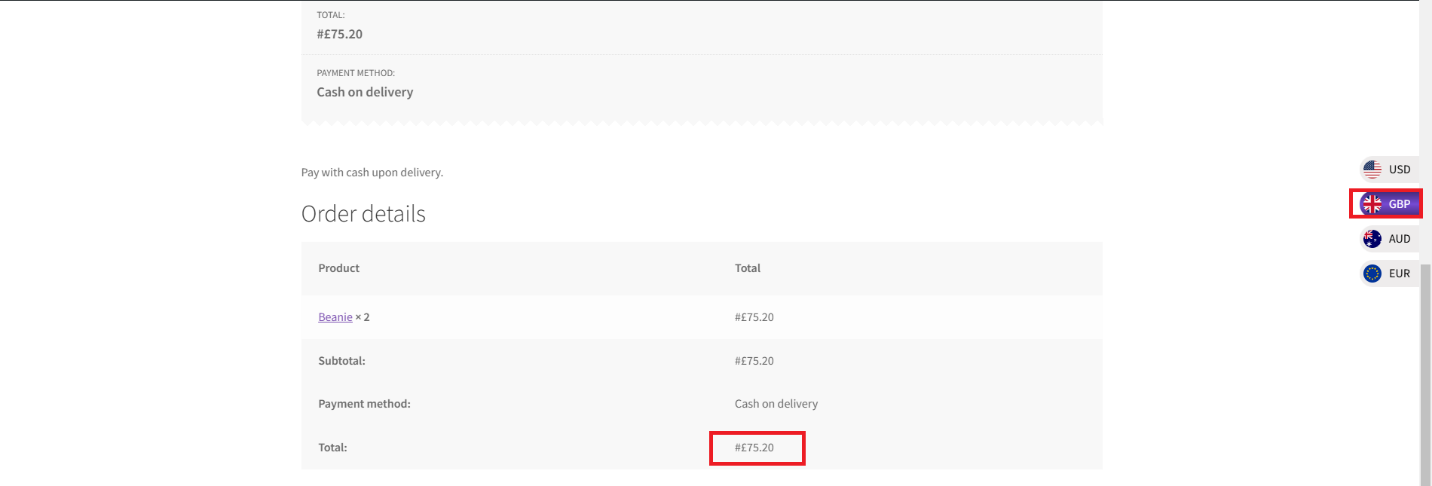
- Choose the ‘Decimals’ option using the dropdown option to specify how many decimal points you want to show against the exchanged currency.
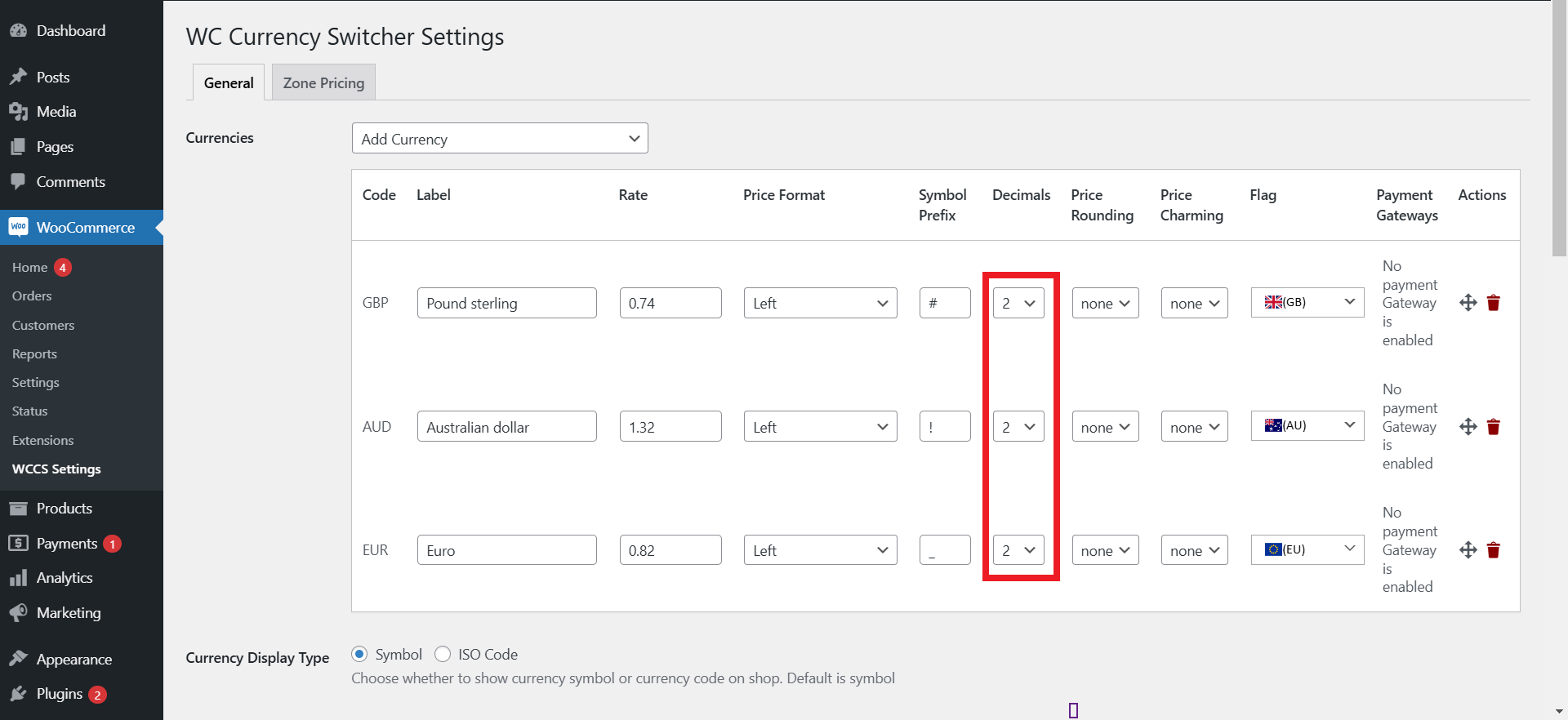
- The front-end impact indicates that all exchanged values are displayed to 2 decimal places.
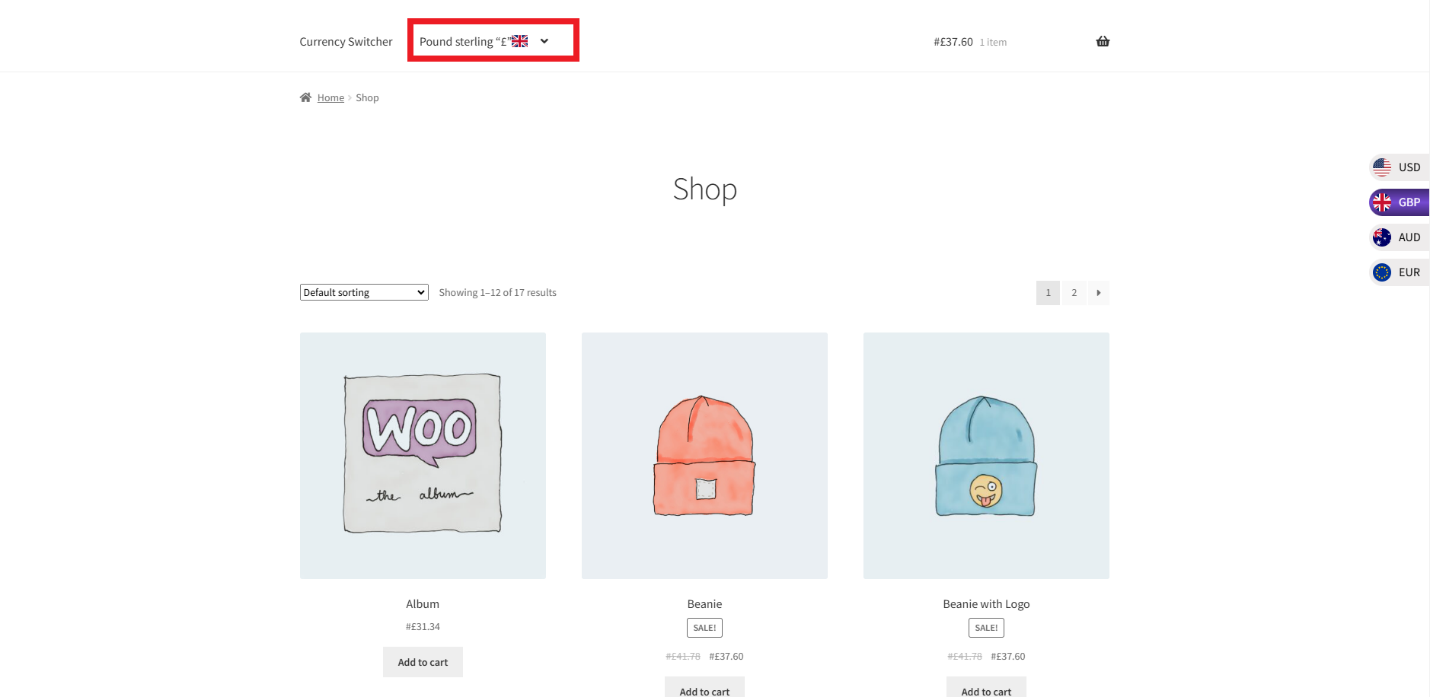
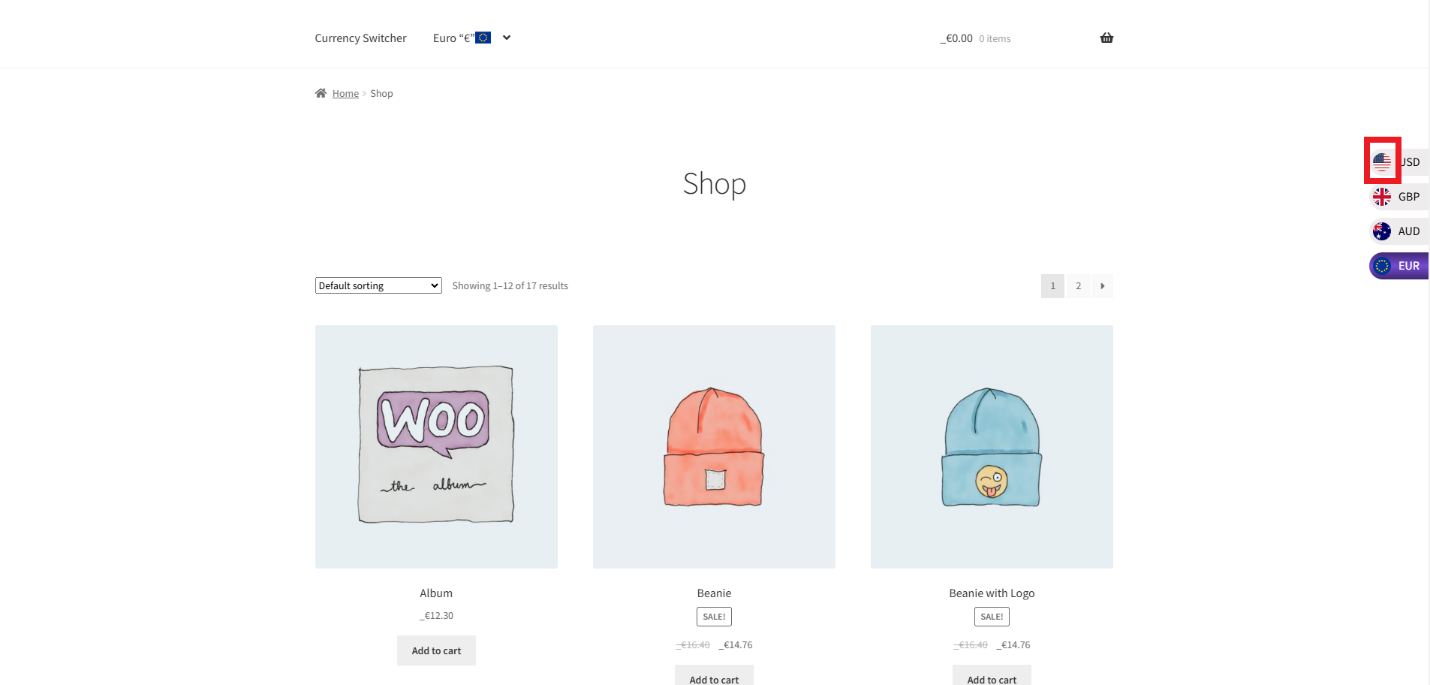
- Determine the ‘Flag’ of the currency from the dropdown list.
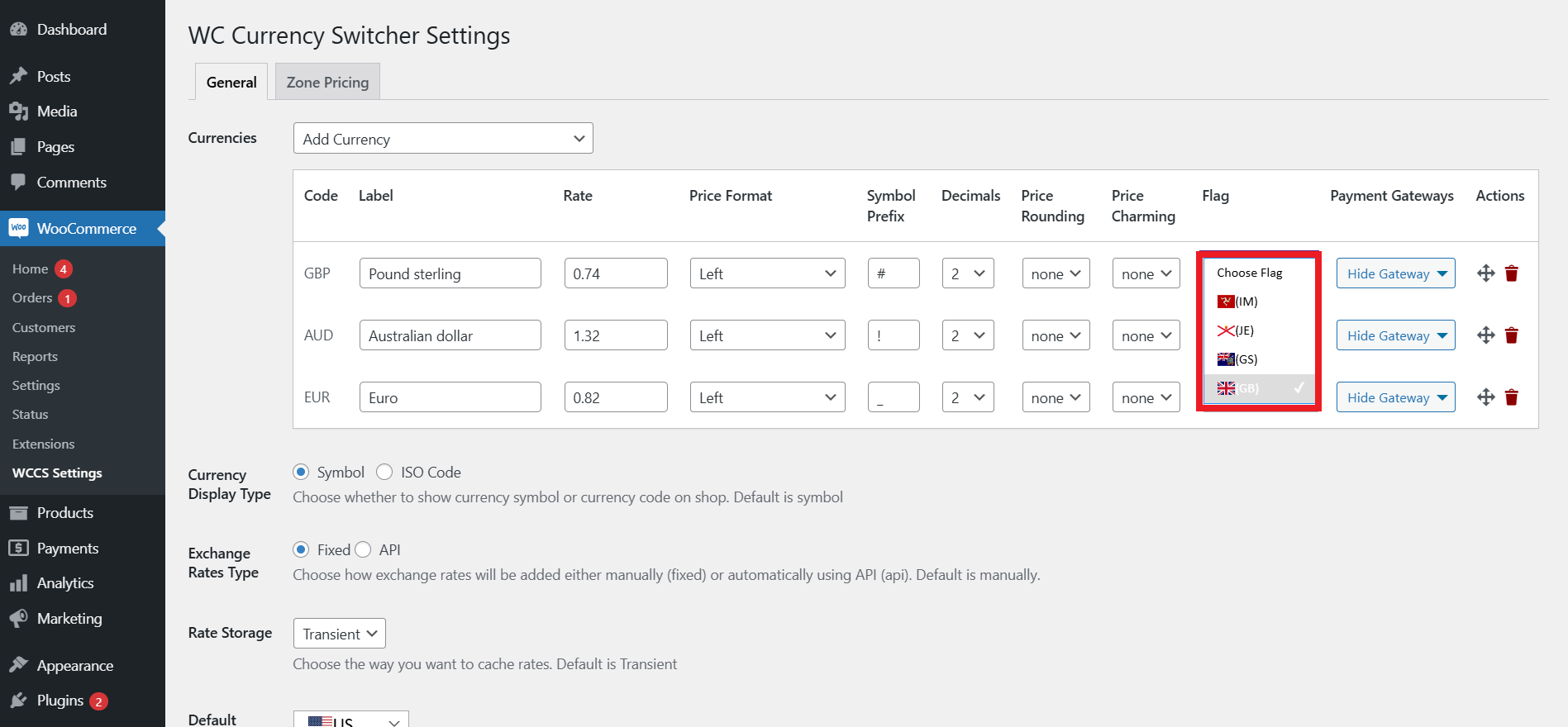
- The front-end impact will look like this:
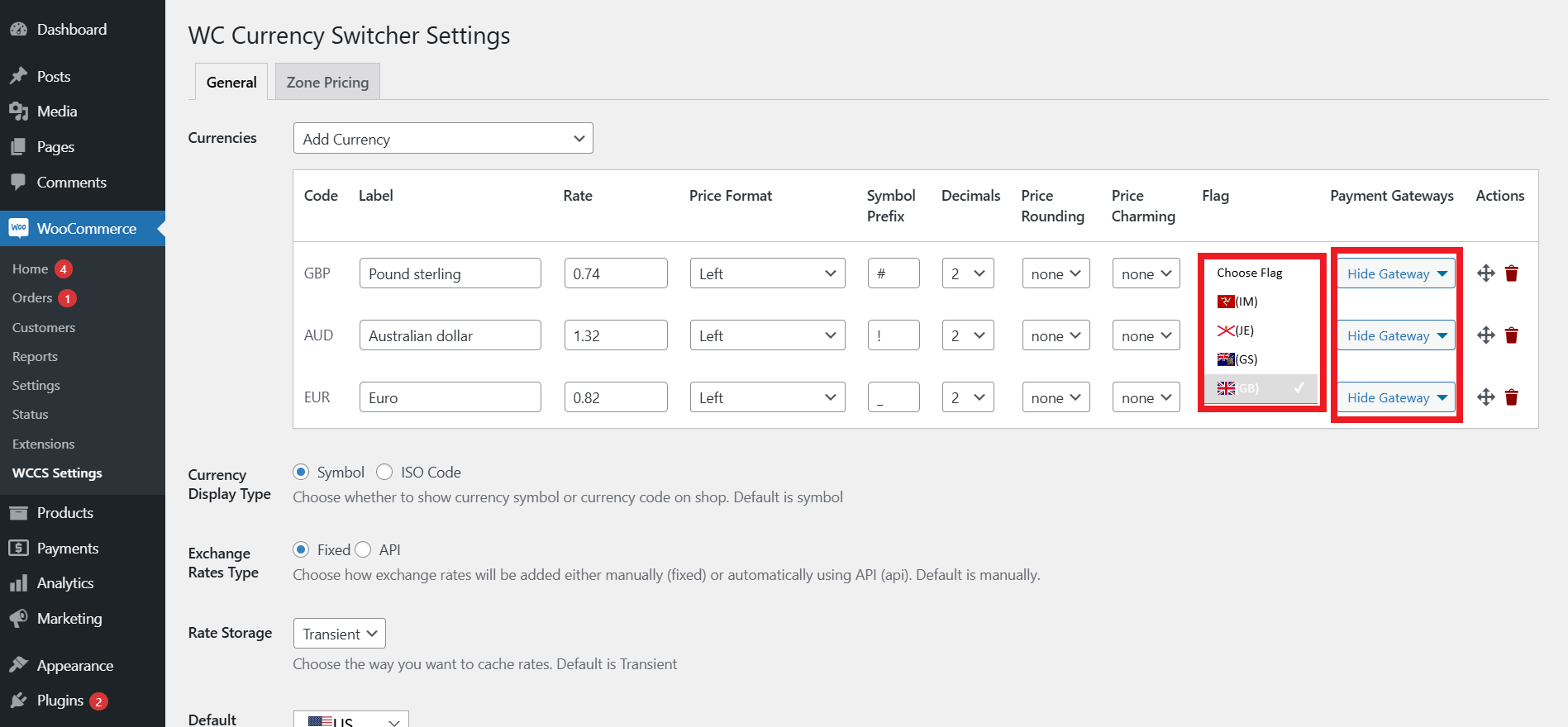
- In the dropdown, you will get the options for installed payment gateways. Check the box for the options you want to hide for each currency. This way, you can easily configure the Payment Gateway option.
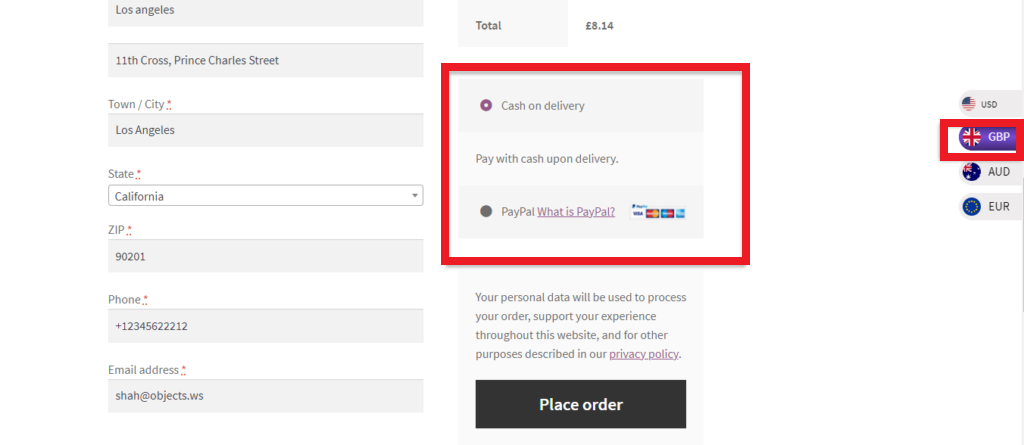
- When switching to GBP, there is no option for Direct Bank Transfer at checkout.
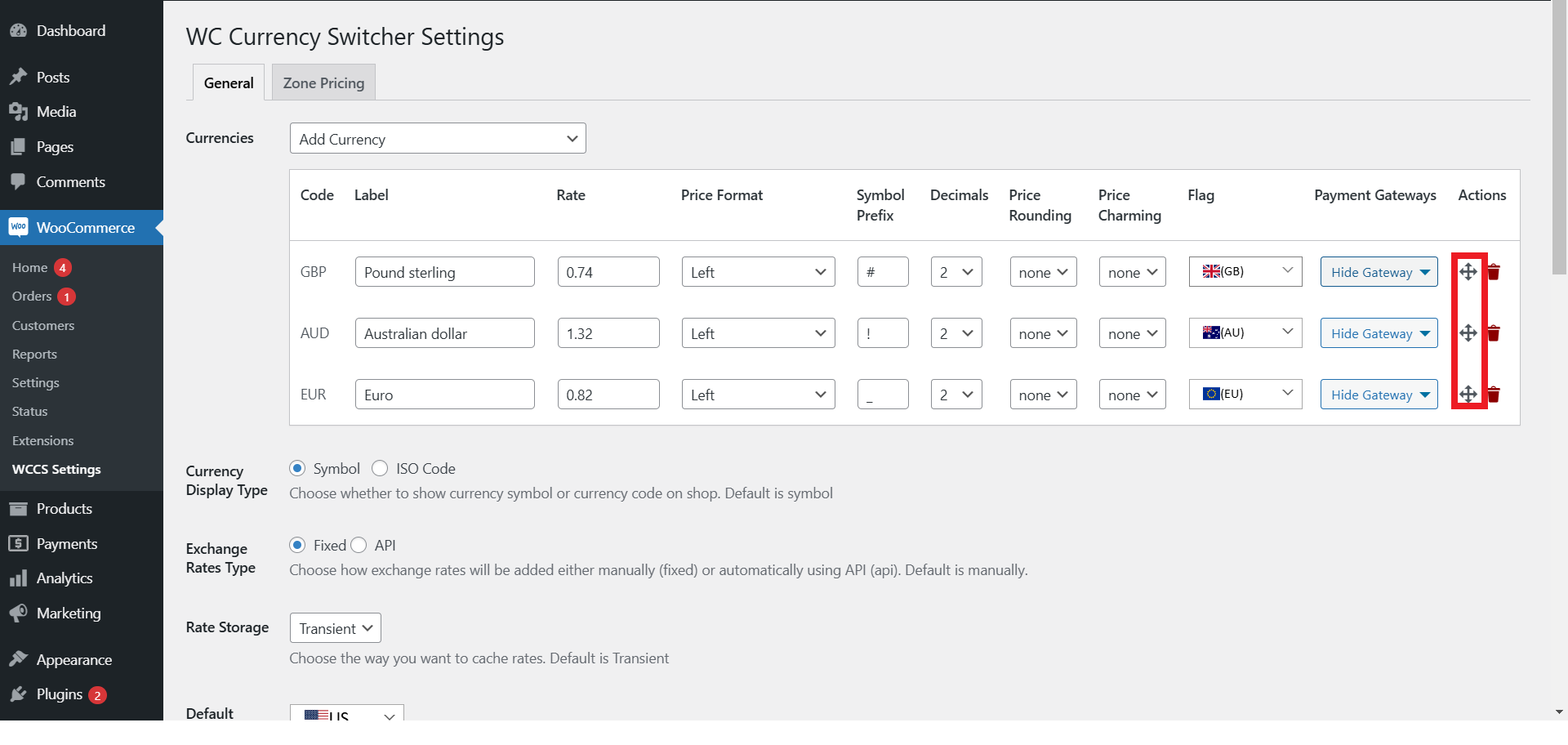
- You can shuffle the currencies. At the frontend, currencies will be displayed in the same order after the default currency.
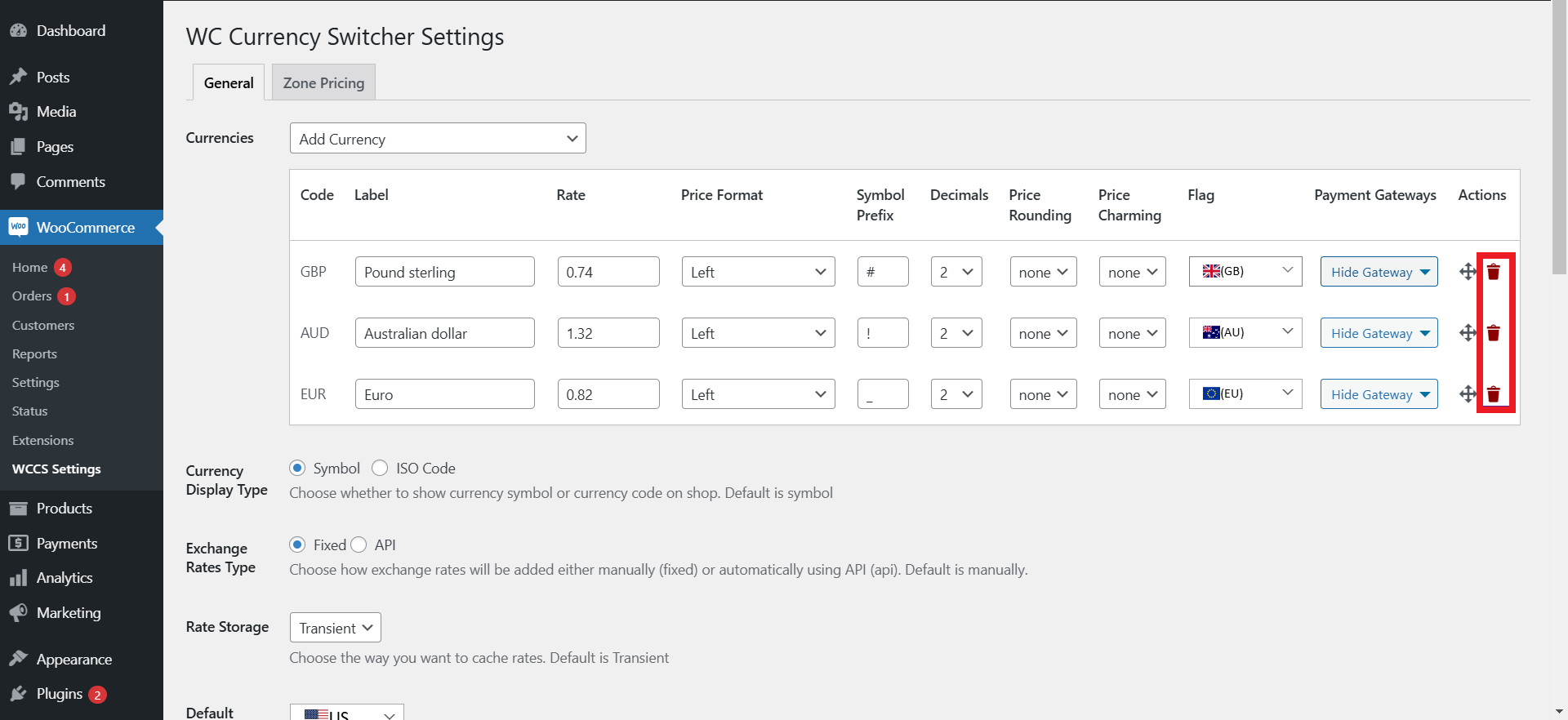
- You can also remove a particular currency.
That’s how you can easily let your current and potential customers select their preferred currencies, ensuring they can make payments hassle-free.
Wrapping Up
When you use the Currency Switcher for WooCommerce plugin, you can let your new and current customers make purchases in their preferred currencies from anywhere.
Doing so will help you increase conversions, enhance the user experience, and meet the varying needs of your target customers.
[product_banner index=’1′]


