
































 Usman Hayat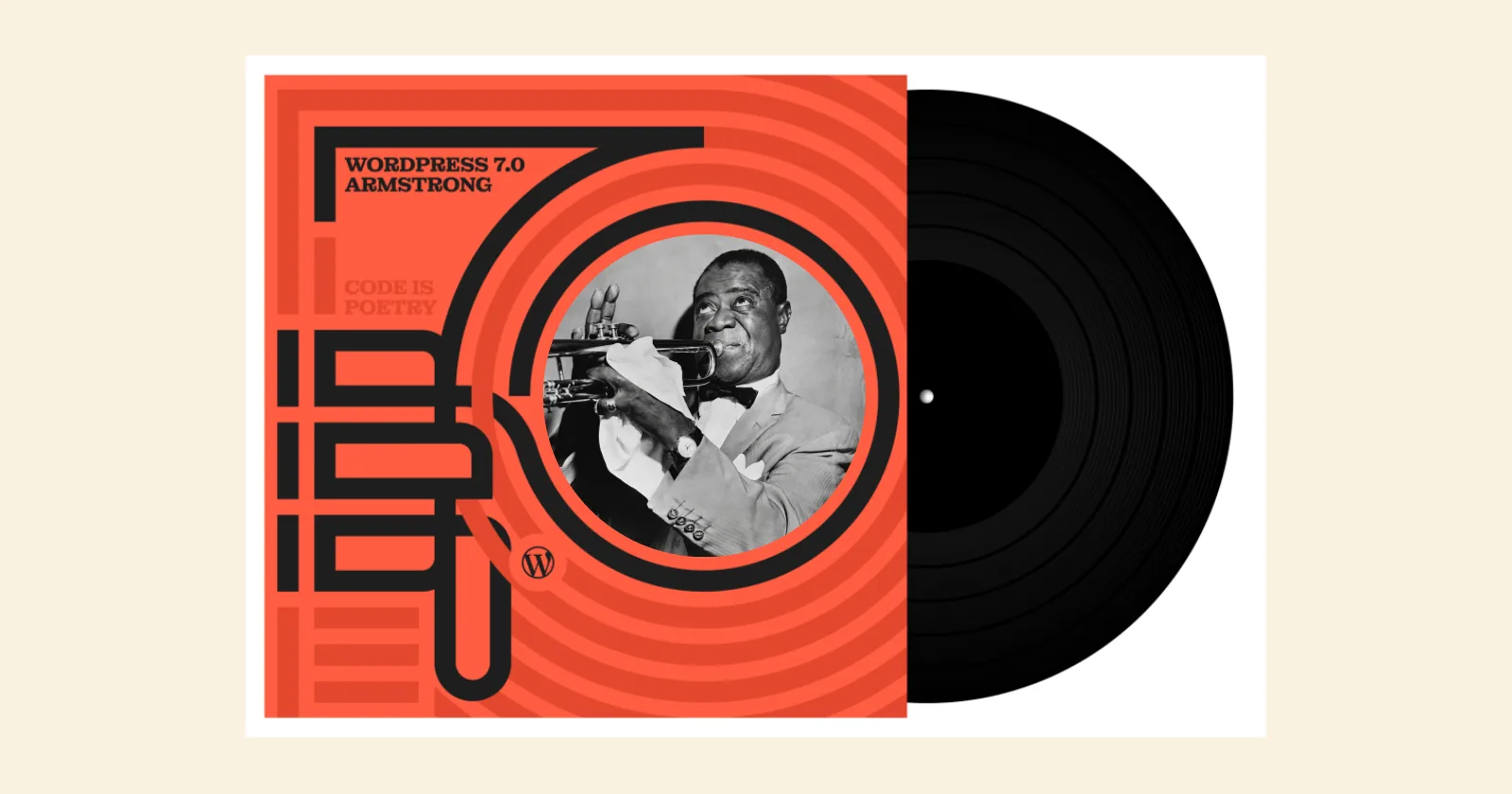
The latest WordPress 7.0 release is surely a huge milestone in the platform’s rapid scalability. WordPress 7.0 “Armstrong” has been named after the popular Jazz musician Louis Armstrong.
The much-anticipated real-time collaboration (RTC) feature has been delayed because of technical issues. That said, it will likely be launched in a future release.
WordPress 7.0 “Armstrong” provides users with multiple features and improvements, such as AI integration, advanced block editor tools, and more.
If your small or large business relies heavily on WordPress, it’s important to understand these advancements and improvements so your product or service stands out.
Four Building Blocks Behind The Foundation Of WordPress AI
WordPress 7.0 has introduced four decisive building blocks to back its native AI architecture. WordPress has ensured the infrastructure for a future in which AI becomes part of how the CMS operates.
These four WordPress 7.0 AI building blocks include:
- WP AI Client
- Client-Side Abilities API
- AI Connectors Screen
- Connectors API
All the above features support a radical transformation in how information is published and are handy for designing sites regardless of their niche. The huge global developer community works tirelessly to build themes, explore new ways to craft websites, evaluate data, and make it easier to build a digital business.
Release Schedule of WordPress 7.0
| November 12, 2025 | Alpha Begins. Trunk is open for business (Slack archive). |
| 19 February 2026 | Beta 1. From this point on, core contributors will focus on testing and fixing bugs discovered during beta testing. Begin writing Dev Notes and the About page. |
| 26 February 2026 | Beta 2. Test the beta release, fix bugs discovered during beta testing, and continue writing Dev Notes and the About page. |
| 5 March 2026 | Beta 3. Test the beta release, fix bugs discovered during beta testing, and continue writing Dev Notes and the About page |
| 12 March 2026 | Beta 4. Test the beta release, fix bugs discovered during beta testing, and continue writing Dev Notes and the About page. |
| 19 March 2026 | Publish the Field Guide with Dev Notes, commit the About page, begin drafting the release post, hard string freeze, and branch for the release. Begin to collect nominations for the 7.1 release squad. |
| 2 April 2026 (Delayed) | Release Candidate 3. Update the images on the About page and continue drafting the release post. |
| 8 April 2026 (Delayed) | Dry run for release of WordPress 7.0 and 24-hour code freeze (Slack archive). |
| 9 April 2026 (Delayed) | WordPress 7.0 has been released |
| 8 May 2026 | Release Candidate 3. (in name, but test as a “new Beta 1”) |
| 14 May 2026 | Release Candidate 4. (in name, but acting as a “new RC1”) |
| 19 May 2026 | Release Candidate 5. |
| 19 May 2026 | Dry run for release of WordPress 7.0 and 24-hour code freeze. |
| 20 May 2026 | WordPress 7.0 has been released. |
Source: WordPress 7.0 Development Cycle
What is New in WordPress Version 7.0?
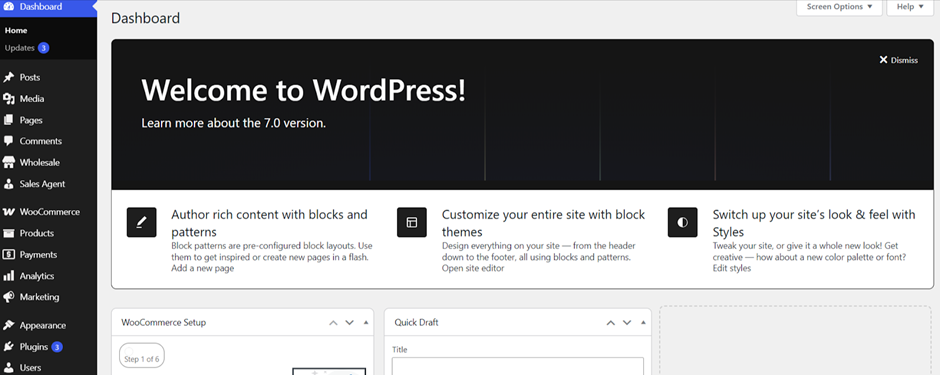
WordPress 7.0 has specifically focused on “Workflows.” That’s because the upcoming release strives to onboard designers, writers, and editors under one roof. WordPress 7.0 focuses on integrating third-party collaboration tools such as Slack, Trello, and Google Docs into the dashboard.
Enhanced Notes
Users can experience a comprehensive commenting system while using the editor. As a result, they can leave comments or notes on particular blocks. You must open any Post or Page using the block editor and then click the Paragraph block to choose it.
Now, click Add Note, select the user, and add your note. Once you have saved the post, you will see the note. This way, you can use this incredible feature.
Responsive Editing Mode
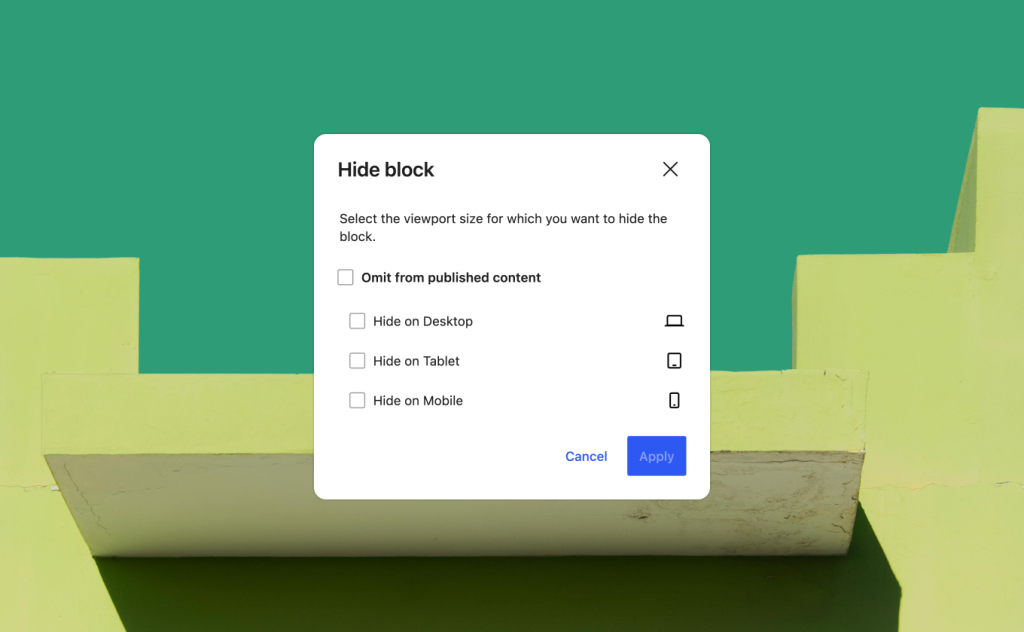
You can easily hide or show blocks based on screen size using the editor. For this reason, you can take advantage of a “Responsive Editing Mode” that allows you to show or hide a specific block on mobile or desktop.
Pattern Editing, Spotlight, and Isolated Editor Mode
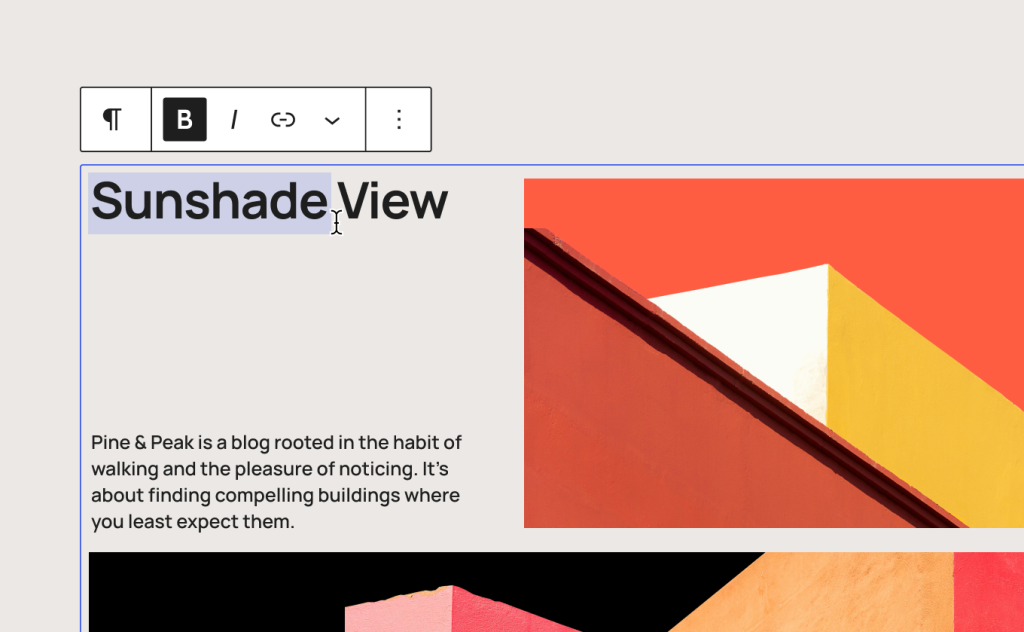
In WordPress 7.0, users can benefit from patterns that include a Spotlight mode to highlight a single piece of content. Likewise, the Isolated Editor mode helps users edit template parts and synced patterns more effectively.
Block Design Tools
WordPress 7.0 empowers users to use a wide range of block design tools, including text column support, text line indent, and aspect ratio controls for full images. Similarly, they can consider using dimension presets for spacing purposes.
Heading Block as Block Variations
WordPress 7.0 has transformed heading levels (H1-H6) into comprehensive Block Variations. This means users can add “Heading 2” directly via the block inserter, with its own style, icon, and default attributes.
Real-Time Collaboration
This feature was considered a game-changer for WordPress 7.0. That said, it has been removed from the latest release. However, the real-time collaboration feature will be enhanced and released in a future WordPress release.
Craft and Customize Menu Overlay
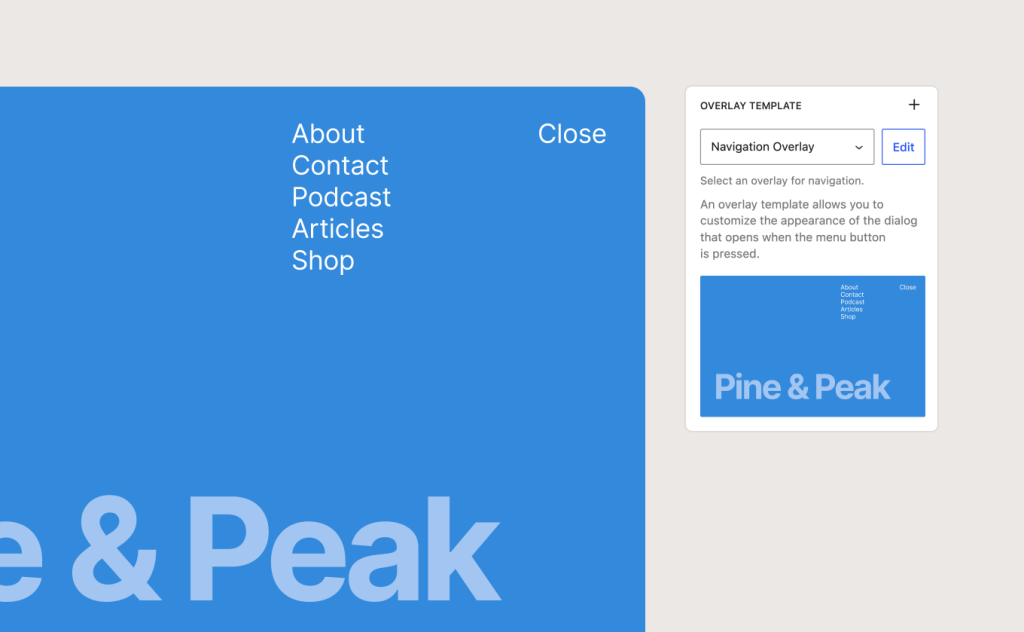
Luckily, crafting and optimizing a menu overlay using patterns and blocks is a possibility. Furthermore, you can incorporate stylized typography and columns. You can also close your own button in the overlay. Thus, you can create your own menu or follow a template.
Customize Your Content with Block-Level CSS

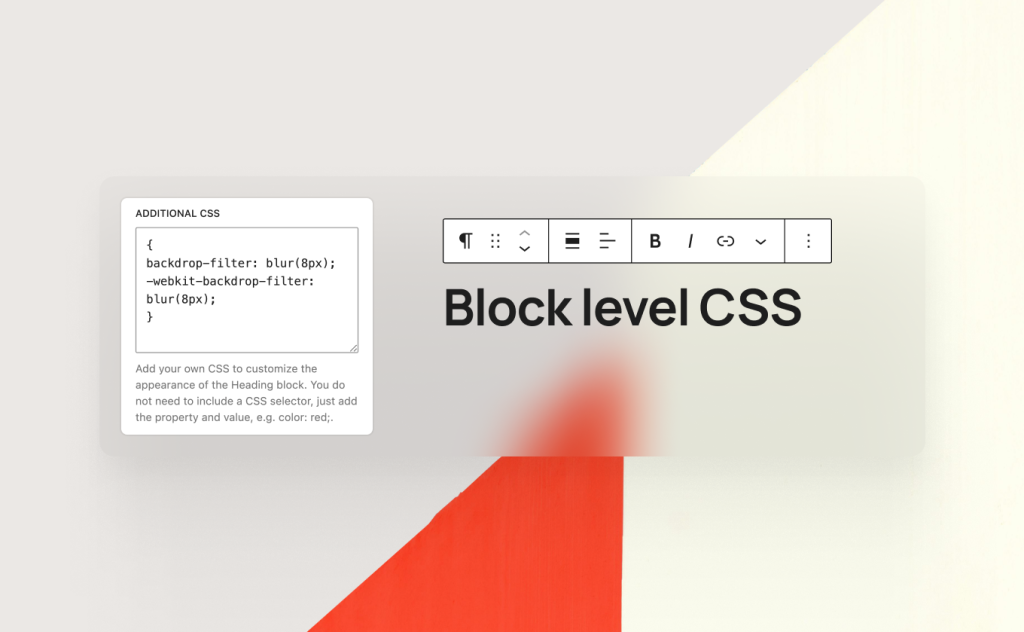
You can customize every content detail with block-level custom CSS in your post or page.
Modern Admin Redesign (DataViews)
The WordPress admin dashboard has not changed in over a decade. However, WordPress 7.0 powers the new yet engaging dashboard redesign. Through DataViews, users can smartly replace conventional WP List Tables with an advanced app-like interface.
DataViews offers clear perks, such as consistent spacing, inline filtering without page reloads, and, more importantly, visual alignment between classic admin panels and the block editor.
Default Theme Remains the Same
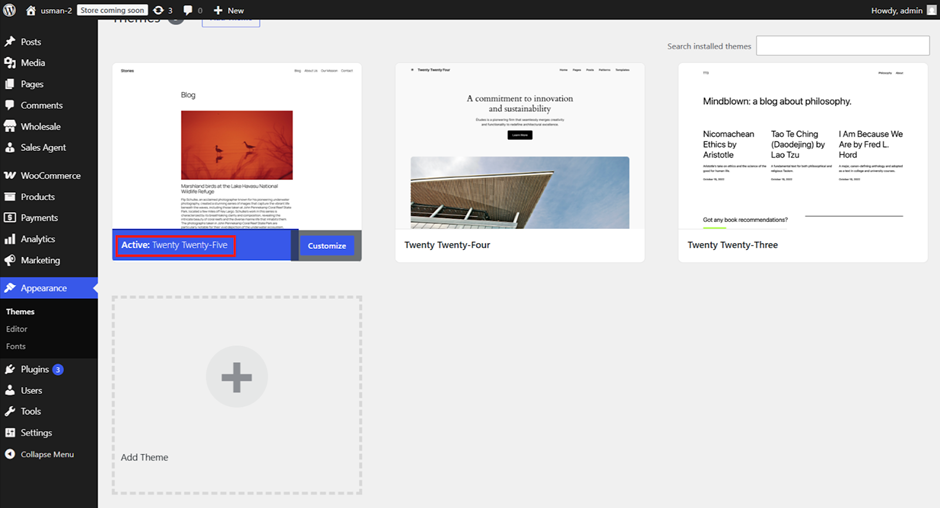
In WordPress 7.0, users will not experience a “Twenty Twenty-Six” theme. The latest release has deviated from the practice of launching a new theme for each major version. The good thing is that the main motive is to make the current WordPress block themes more impactful and appealing to users.
The Abilities API and AI Client
WordPress 7.0 has built an infrastructure that enables AI to work more effectively within the CMS. The advanced Abilities API primarily serves as a bridge, helping AI services understand what a particular WordPress website can do. So, plugin developers can create AI features that remain consistent across the whole platform.
Regardless of whether you use AI to recommend SEO improvements, produce alt text for images, or streamline content workflows, these tools can securely and effectively communicate with WordPress core.
Media Processing in the Browser
WordPress 7.0 launches Client-side media processing. This feature lets users extend the browser’s capabilities to handle tasks such as image resizing and compression, enabling seamless image processing.
Thus, users can benefit from compression techniques and contemporary image formats, thereby reducing the load on the web server.
This allows users to make the media-handling process more effective for both existing and new content, resulting in smoother media workflows.
What WordPress 7.0 Brings for Developers
WordPress 7.0 has made development more impactful for plugin and theme developers. For instance, they can benefit from advanced infrastructure and the Abilities API by registering their plugins’ capabilities, enabling AI assistants to identify and use them.
As for theme developers, they can use block theme patterns rather than create new themes. In addition, they can make full use of the expanded Style Variations system for customization purposes.
WordPress 7.0.4 is Now Available
WordPress 7.0.4 is now available and offers a crucial security fix. Therefore, you must update your sites as early as possible.
Security Updates Included in WordPress 7.0.4
The security team thanks the team at pwn.ai for responsibly reporting the following vulnerability and getting it fixed in this release:
- Authenticated Author+ remote code execution via malicious file upload on sites that use Imagick and Ghostscript.
WordPress 7.0.3 is Now Available
WordPress 7.0.3 is now available and includes numerous security fixes. As this is a security release, update your websites immediately.
Security Updates Included in WordPress 7.0.3
The security team of WordPress appreciates the efforts of the following individuals for responsibly reporting vulnerabilities and getting them fixed in this release:
- Pre-auth reflected cross-site scripting (XSS) on the login screen, with the potential to lead to PHP code execution, reported by the team.
- Contributor+ stored cross-site scripting (XSS) in posts through the emoji settings element, reported by Asaf Mozes.
- Contributor+ stored cross-site scripting (XSS) in the Post Content block, reported by N05ec@LZU.
- Contributor+ stored cross-site scripting (XSS) in Quick Edit on sites with a large number of users, reported by Naveen S and Ajmal Moochingal.
- Contributor+ stored cross-site scripting (XSS) in the Post Date block, reported by Alex Concha of the WordPress Security Team.
- A privilege escalation issue on multisite networks with user registration enabled, helping a user create a new site, reported by Aikido Security.
- An information disclosure issue in the Latest Comments block that exposes comments on password-protected posts, reported by Ehtisham Siddiqui of the WordPress Security Team.
- Enumeration of post slugs reported by HDWSec.
- Disclosure of notes in comment feeds reported by Elio Gubser.
- Author+ CSS injection via a bypass of the safe CSS attribute filter reported by Anthropic.
- Bypass of the email address confirmation flow reported by Omar Hasan.
- A server-side request forgery (SSRF) issue in URL validation allowing requests to link-local ranges reported by Andrew Mohawk and multiple independent reporters.
WordPress 7.0 RC 4
For technical issues that have been addressed since RC3, you can go through the following links:
- Closed 7.0 WordPress Core Trac tickets since May 8, 2026
- 7.0 Gutenberg commits since May 8, 2026
WordPress 7.0 RC 3
RC2 comprises more than 140 issues since the RC1 release. For technical information that relates to such issues, browse the link below:
- Closed 7.0 WordPress Core Trac tickets since March 26, 2026
- 7.0 Gutenberg commits since March 26, 2026
WordPress 7.0 RC 2
For technical details that relate to problems discussed since RC 1, you can browse the following links:
- GitHub commits since March 24, 2026
- Closed Trac tickets since March 24, 2026
WordPress 7.0 RC 1
WordPress 7.0 RC 1 comprises over 134 updates and fixes since the Beta 5 release.
WordPress 7.0 Beta 5
WordPress 7.0 Beta 5 comprises over 101 updates and fixes since the Beta 3 release.
WordPress 7.0 Beta 5 New Feature (Command Palette Shortcut)
Instantly access all the tools you need with a single click using the new Command Palette shortcut in the Omnibar. In WordPress version 7.0 Beta 5, logged-in editors can view a field in the upper admin bar with a ⌘K (on Mac) or Ctrl+K (on Windows) symbol that, when clicked, opens the command palette.
The new command palette entry point streamlines navigation and customization, offering users full control from anywhere on their websites – whether they’re editing, designing, or browsing plugins.
WordPress 7.0 Beta 4
WordPress 7.0 Beta 4 comprises 10 security patches with over 49 updates and fixes since the Beta 3 release. There are 14 updates in the Editor and 14 in Core.
WordPress 7.0 Beta 3
WordPress 7.0 Beta 3 includes 148 updates and fixes since Beta 2, including 70 in the Editor and 78 in Core.
WordPress 7.0 Beta 2
WordPress 7.0 Beta 2 comprises over 70 updates and fixes throughout the Editor and Core since the Beta 1 release.
Connectors UI
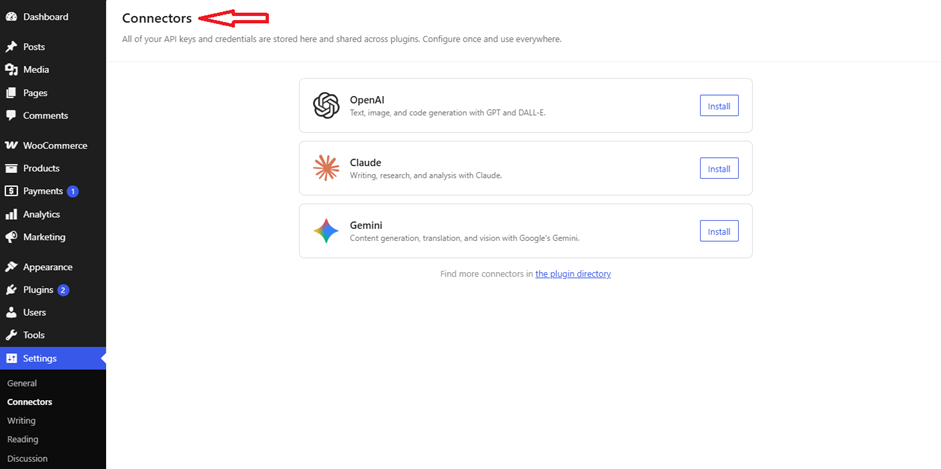
WordPress 7.0 Beta 2 introduces a new Connectors UI dashboard that lets users manage external AI connections in one place.
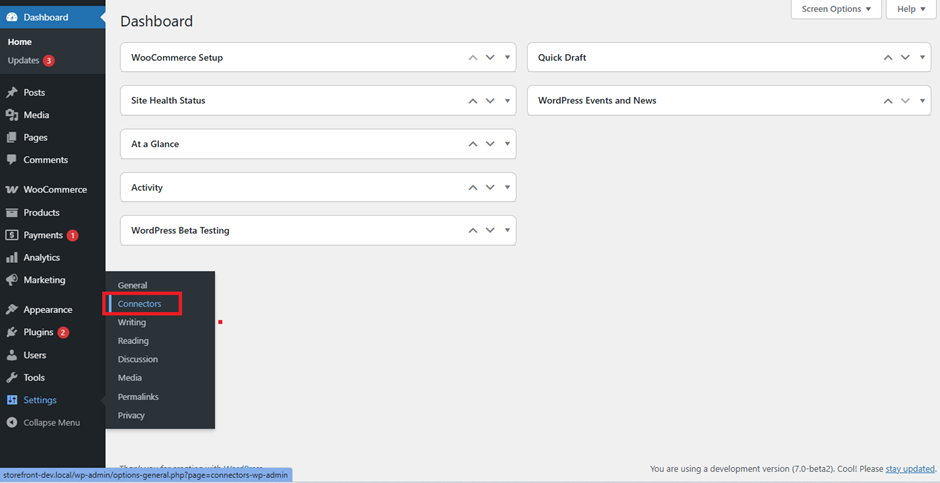
They can check this new UI in WP-Admin under Settings > Connectors. This way, users can add, remove, and update outside connections.
WordPress 7.0 Beta 1
Users can download and test WordPress 7.0 Beta 1.
How to Test WordPress 7.0 Beta 1?
If you want to test WordPress 7.0 Beta 1, you can use several methods. For instance, you can install and activate the WordPress Beta Tester plugin on your WordPress website. You can select the “Bleeding edge” channel and “Beta/RC Only” stream.
Besides, you can download the Beta 1 version (zip) and install it on the WordPress site. In addition, you can use the WP-CLI command: wp core update –version=7.0-beta1. Lastly, the WordPress 7.0 Beta 1 WordPress Playground instance is available for you to use to test the software in your browser.
Wrapping Up
WordPress 7.0, named after the Jazz musician Louis Armstrong, was released on May 20, 2026. As you may be aware, WordPress has transferred its focus to collaboration and infrastructure in WordPress 7.0.
Hence, the world’s leading content management system can smartly compete with contemporary CMSs or platforms on its own terms.
All the latest enhancements in WordPress 7.0 “Armstrong” help developers’ workflows, making them more powerful and results-driven.


