









































 Abdullah Ashraf
Quizzes are more than just fun—they’re powerful tools for engaging your audience, generating leads, and even boosting conversions on your WordPress site. Whether you’re running a blog, an e-commerce store, or an online course, interactive quizzes can turn casual visitors into loyal readers or customers.
WordPress makes it easy to integrate quizzes thanks to a variety of plugins that cater to different needs. Some are perfect for creating simple personality quizzes, while others support complex assessments with logic branching, grading, and analytics. With the right quiz plugin, you can collect valuable insights about your audience, personalize experiences, and grow your email list—all without writing a single line of code.
In this guide, we’ll walk you through the 5 best WordPress quiz plugins available today, highlighting their features, pricing, pros and cons, and the type of websites they’re best suited for. By the end, you’ll know exactly which plugin fits your site’s goals.
What to Look for in a WordPress Quiz Plugin
Not all quiz plugins are created equal. Before choosing one, it’s important to consider what matters most for your website and audience. Here are the key factors to keep in mind:
Ease of Use
A good quiz plugin should be intuitive, even if you have no coding experience. Drag-and-drop builders, pre-designed templates, and simple configuration options can save you time and frustration.
Quiz Types
Different plugins support different kinds of quizzes:
- Graded quizzes to test knowledge and provide scores
- Personality quizzes to engage users with fun outcomes
- Weighted quizzes for complex scoring systems
- Interactive assessments for courses or learning management systems
Lead Generation & Analytics
If your goal is to grow your email list or understand your audience better, look for plugins that integrate with popular email marketing platforms and provide detailed analytics. Some plugins allow you to gate quiz results behind an email submission form or track completion statistics in real time.
Compatibility
Ensure the plugin works with your WordPress theme, page builder (like Gutenberg or Elementor), and other essential plugins. Compatibility prevents conflicts and ensures a smooth user experience.
Pricing
WordPress quiz plugins range from free solutions with basic features to premium tools with advanced functionalities. It’s important to weigh your budget against the features you need. Some plugins, like WPForms, include the quiz add-on in their Pro plan at $199/year, while others may offer standalone premium solutions for different price points.
5 Best WordPress Quiz Plugins in 2026
Comparison Table
| Quiz Plugin | Pricing | Quiz Types | Best For | Pros | Cons |
|---|---|---|---|---|---|
| WPForms | $199/year | Graded, Personality, Weighted | Bloggers, Small Business | Easy-to-use, Lead capture | Requires Pro plan |
| Thrive Quiz Builder | $299/year | Personality, Scored | Marketers, Lead gen | Conditional logic, Analytics | Higher price, learning curve |
| Formidable Forms | $399/year | Graded, Personality, Weighted | Educators, Businesses | Advanced scoring, Analytics | Premium pricing, learning curve |
| MemberPress | $179/year | Course quizzes | LMS, Membership sites | Integrated with courses | Limited marketing use |
| Interact | $29/month | Personality, Scored | Marketers, Engagement | Attractive, Shareable | External subscription |
WPForms Quiz Addon
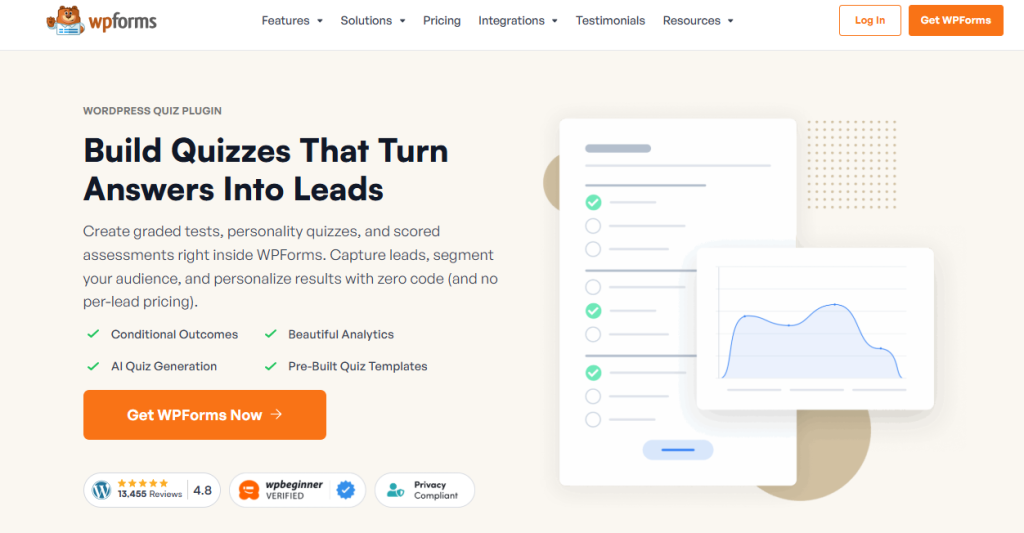
When it comes to combining simplicity with powerful features, WPForms stands out as a top choice for WordPress users. Known primarily for its versatile form-building capabilities, WPForms also offers a Quiz and Survey Addon that turns your site into an interactive playground for users.
Core Features
WPForms lets you create a variety of quizzes, including:
- Graded quizzes – perfect for testing knowledge and providing instant scores
- Personality quizzes – engage your audience with fun, customized outcomes
- Weighted quizzes – assign points to answers and calculate results based on user responses
- Lead capture integration – collect emails before showing results, seamlessly connecting with services like Mailchimp, AWeber, or ActiveCampaign
The plugin is fully drag-and-drop, meaning even beginners can build professional-looking quizzes without touching any code. You can also use smart conditional logic to show different questions based on previous answers, making quizzes more interactive and personalized.
Pricing
The WPForms Quiz Addon is available in the Pro plan, priced at $199 per year. This plan includes all essential addons like Surveys, Payments, and Form Abandonment, making it a comprehensive solution for websites that need more than just quizzes.
Pros
- Easy-to-use drag-and-drop interface
- Supports multiple quiz types
- Excellent email marketing integrations
- Detailed analytics and reporting
Cons
- Quiz functionality requires the Pro plan, so it’s not available in the free version.
- Less advanced design customization compared to specialized quiz builders
Ideal Use Case
WPForms is perfect for bloggers, small businesses, and educators who want a reliable all-in-one form and quiz solution. If you’re looking to engage visitors, capture leads, and track quiz performance without juggling multiple plugins, WPForms is an excellent choice.
Thrive Quiz Builder
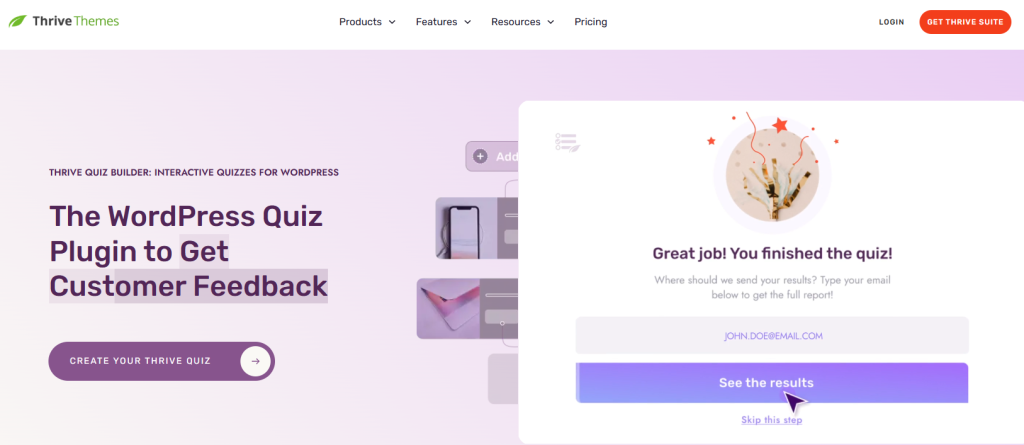
For marketers and businesses focused on lead generation and audience insights, Thrive Quiz Builder is a standout option. Unlike general-purpose form plugins, this tool is specifically designed to create high-converting quizzes that capture emails, segment users, and provide actionable analytics.
Core Features
Thrive Quiz Builder offers a range of advanced capabilities, including:
- Multiple quiz types: personality quizzes, multiple-choice quizzes, and scored quizzes
- Conditional logic & branching: tailor questions based on previous answers for a personalized experience
- Built-in analytics: track completion rates, top answers, and user engagement
- Email integration: connect with popular email marketing tools to automatically add participants to your lists
- Templates & design flexibility: pre-built quiz templates make it easy to launch quickly while maintaining a professional look
This plugin is particularly known for its marketing-focused features, such as rewarding users with a lead magnet after completing a quiz, which helps maximize conversions and email list growth.
Pricing
Thrive Quiz Builder is part of the Thrive Suite, priced at $299/year for all Thrive tools. There isn’t a standalone purchase for just the quiz builder. Still, the suite includes other powerful marketing plugins, which make it ideal for content creators or small businesses seeking a comprehensive marketing toolkit.
Pros
- Advanced conditional logic and branching
- Strong analytics for tracking engagement
- Built-in marketing and lead generation features
- Attractive templates for quick setup
Cons
- Higher price point compared to standalone quiz plugins
- Slight learning curve due to advanced features
Ideal Use Case
If your goal is lead generation, email list growth, and audience segmentation, Thrive Quiz Builder is an excellent choice. It’s perfect for bloggers, digital marketers, and businesses that want to turn quizzes into powerful marketing tools rather than just engagement content.
Formidable Forms Quiz Maker

For those who need advanced logic and detailed assessments, Formidable Forms offers a powerful Quiz Maker addon. This plugin is ideal for websites that require data-rich quizzes or educational assessments, making it a strong choice for instructors, trainers, and business owners who want more than just simple quizzes.
Core Features
Formidable Forms Quiz Maker comes with a robust set of tools, including:
- Multiple quiz types: graded quizzes, personality quizzes, and surveys
- Advanced scoring and weighted answers: calculate results based on points or assign different weights to each answer
- Conditional logic: show or hide questions based on previous responses for personalized user experiences
- Detailed analytics: track performance, completion rates, and top-scoring questions
- Integration with email marketing platforms: capture leads directly from quizzes and send automated follow-ups
Formidable Forms is a drag-and-drop form builder, so creating quizzes is intuitive, but the depth of its logic features sets it apart from simpler quiz plugins.
Pricing
The Quiz Maker add-on is available with the Formidable Forms Business plan, priced at $399/year. This plan includes all advanced addons, making it suitable for businesses or educators who want full access to the plugin’s advanced capabilities.
Pros
- Powerful scoring and conditional logic
- Excellent for complex or multi-step quizzes
- Advanced analytics for insights and reporting
- Flexible integration with WordPress and email services
Cons
- Higher learning curve for beginners
- Premium pricing may be too steep for casual users
Ideal Use Case
Formidable Forms Quiz Maker is best for educators, trainers, and businesses that need robust quizzes with complex logic, scoring, and detailed reporting. If your quizzes are more than just fun interactions—like assessments or exams—this plugin provides the tools you need to deliver professional results.
MemberPress (Course-Based Quizzes)
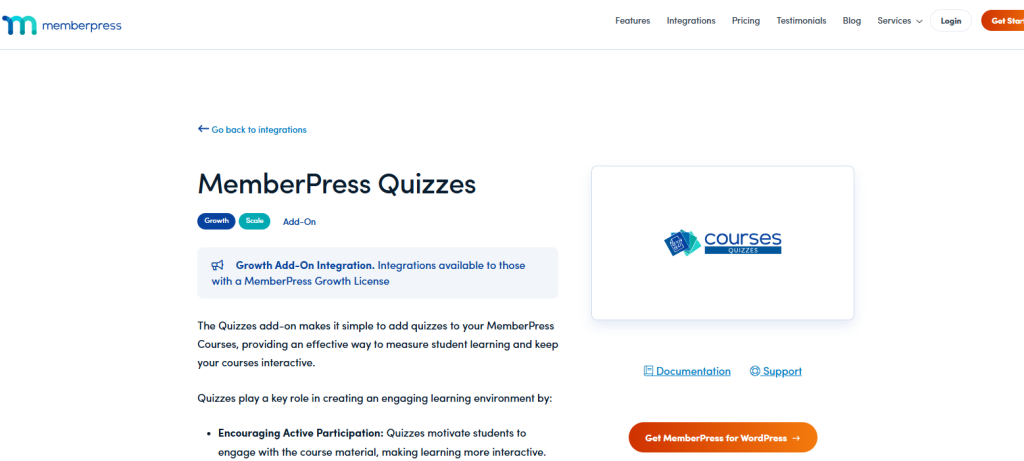
For sites that offer online courses or memberships, MemberPress is a unique option. While it’s not a dedicated quiz plugin, MemberPress includes quiz and assessment tools as part of its course management features, making it ideal for educators and trainers.
Core Features
- Quiz creation within courses: integrate quizzes directly into your lessons
- Grading and scoring: track student progress and results
- Conditional logic: unlock content based on quiz completion
- Membership integration: restrict access to course quizzes for members only
- Reporting and analytics: monitor student performance and engagement
MemberPress is a full membership and course management solution, so its quiz capabilities are especially valuable for learning management systems (LMS).
Pricing
MemberPress starts at $179/year, which includes the full membership plugin and basic course features. Additional addons or premium tools may raise the price depending on the functionalities you need.
Pros
- Seamless integration with courses and memberships
- Tracks student performance effectively
- Good for LMS-style websites
- Supports grading and course completion logic
Cons
- Not as flexible for general-purpose or marketing quizzes
- Requires a membership setup for full functionality
Ideal Use Case
If your WordPress site includes online courses or membership content, MemberPress is ideal for creating quizzes that assess student learning while keeping content restricted to enrolled members.
Interact Quiz Maker

For marketers looking to create visually engaging, shareable quizzes, Interact Quiz Maker is an excellent choice. Unlike WordPress-native plugins, Interact is a web-based tool that can be embedded into WordPress posts or pages.
Core Features
- Personality and scored quizzes: perfect for engagement and lead capture
- Custom styling: match your brand with colors, fonts, and images
- Lead generation: integrate with email marketing tools to collect subscribers
- Analytics dashboard: track completion rates, popular results, and conversions
Interact is particularly popular for marketing campaigns because of its ease of use and visual appeal.
Pricing
Interact starts at $29/month for the Starter plan, which allows unlimited quizzes and lead collection. Higher-tier plans unlock additional features, such as advanced analytics, integrations, and team accounts.
Pros
- Easy to embed and share
- Attractive, professional quiz designs
- Effective for lead generation and marketing
- Analytics for performance insights
Cons
- Requires an external subscription
- Slightly less native WordPress integration compared to plugin-based solutions
Ideal Use Case
If your goal is marketing-driven quizzes, like personality tests or viral lead-generation quizzes, Interact Quiz Maker provides the tools to engage your audience and capture leads with minimal setup.
Wrap Up
Quizzes aren’t just fun—they’re a powerful tool to engage your audience, generate leads, and even boost conversions on your WordPress site. The right plugin can help you create quizzes that are visually appealing, interactive, and aligned with your website’s goals.
No matter your choice, adding quizzes to your site can boost user engagement, make your content more interactive, and provide valuable insights about your audience. It’s a small investment that can deliver big results.
FAQs About WordPress Quiz Plugins
1. Can I create a quiz on WordPress for free?
Yes! Many WP quiz plugins, such as WPForms and Formidable Forms, offer free versions with basic quiz features. You can create simple quizzes for free, but premium plans unlock advanced features like conditional logic, scoring, and lead capture.
2. Which quiz plugin for WordPress is best for creating personality quizzes?
For personality quizzes, Thrive Quiz Builder and Interact Quiz Maker are top picks. They offer pre-designed templates, branching logic, and engaging visuals, making it easy to create quizzes that users enjoy and share.
3. Can I integrate quizzes with my email marketing tools?
Absolutely. Most premium quiz plugins, including WPForms, Thrive, and Interact, integrate with popular email platforms such as Mailchimp, ActiveCampaign, and ConvertKit. This lets you automatically collect emails and segment audiences based on quiz results.
4. Are these quiz plugins for WordPress mobile-friendly?
Yes. All the plugins listed are responsive and mobile-optimized, ensuring that quizzes look great and function smoothly on smartphones, tablets, and desktops. Mobile-friendly quizzes can improve completion rates and engagement.
5. Which WordPress quiz plugin is best for educational assessments?
For teachers, trainers, and course creators, Formidable Forms Quiz Maker or MemberPress are ideal. They offer graded quizzes, detailed reporting, and integration with course content, helping you assess knowledge effectively and track learner progress.


