





















































Giving Tuesday has become one of the most important days of the year for anyone who believes in giving back. It’s the time of year when people are in an open-handed state of mind, and even modest donations can lead to real change. If you own a WooCommerce store, this is a great opportunity to make an impact on your customers and the world at large.

One of the simplest ways to accomplish that is with Round-Up Donations, a straightforward (but incredibly useful) feature within the Donation for WooCommerce plugin. In this guide, we’re going to explain what Round-Up Donations are and how you can get donations for your nonprofit. We’ll tell you ways to use our platform and why this feature can help you make an even bigger impact this #GivingTuesday.
What Are Round-Up Donations?
Round-Up Donations are exactly what they sound like. At checkout, a customer can round their order total to the nearest whole number or any custom amount you choose. He’ll then donate the extra cents.
Think of it as the digital version of the old “spare change jar” at the cash counter. But smarter, automated, and much more effective.
Example:
If an individual has $27.35 in their cart:
- The platform rounds it up to $28
- The extra $0.65 becomes a donation to your selected campaign
Why Does this Work So Well?
Because it’s a small distinction, customers barely notice. It’s “spare change,” and it happens at a moment when donating already feels done — the checkout page. That quick moment can easily generate thousands of dollars in Giving Tuesday donations.
The Power of Round-Up Donations
Round-Up Donations are surprisingly impactful. A few cents here and there might seem insignificant. But multiplied across hundreds or thousands of orders, it becomes a steady stream of Giving Tuesday contributions.
Customers also love it because it’s effortless. They don’t need to choose an amount or think too hard; they simply click once, round up their order, and support a cause.
Quick Example:
- 1,000 customers round up
- At an average of $0.50
You’ve just raised $500 extra, and no one feels any financial burden. That’s the beauty of Round-Up Donations: Small, simple, and extremely easy to say “yes” to.
How to Create a Round-Up for Charity Donations With WooCommerce
Setting up round-up donations in WooCommerce is simple with the Donation for WooCommerce plugin. Here’s a quick guide after you’ve successfully installed the add-on from our must-have WooCommerce extensions store:
1. Enable the Round-Off Donation Feature
Within your plugin settings:
- Turn Round-Off Donations ON
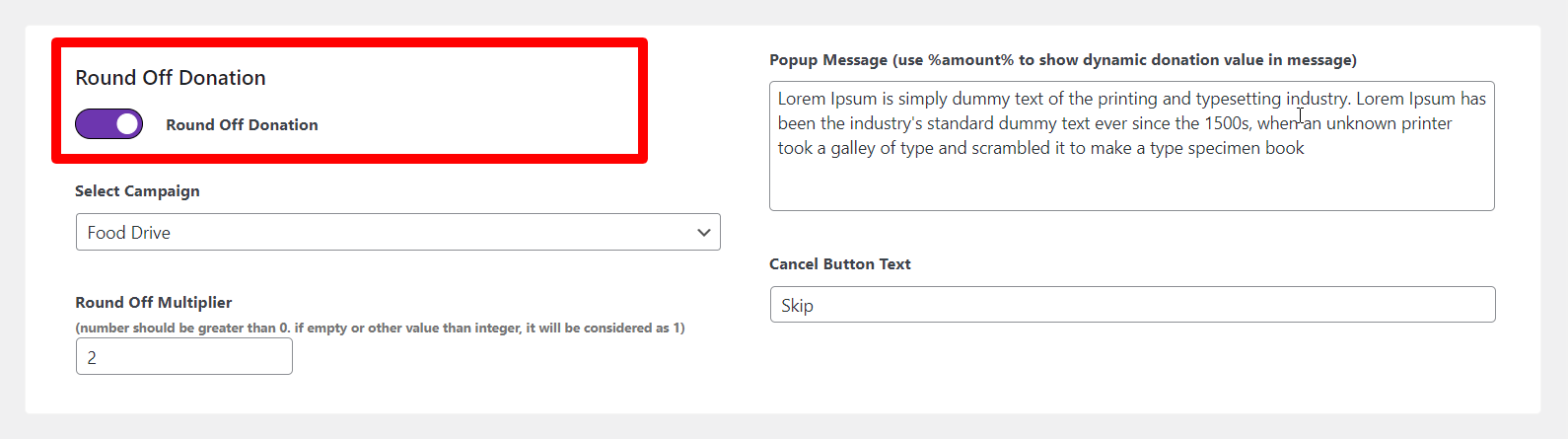
- This activates the feature across your store so customers can round up at checkout
2. Select Your Campaigns
Choose the donation campaigns you want customers to support. You can include:
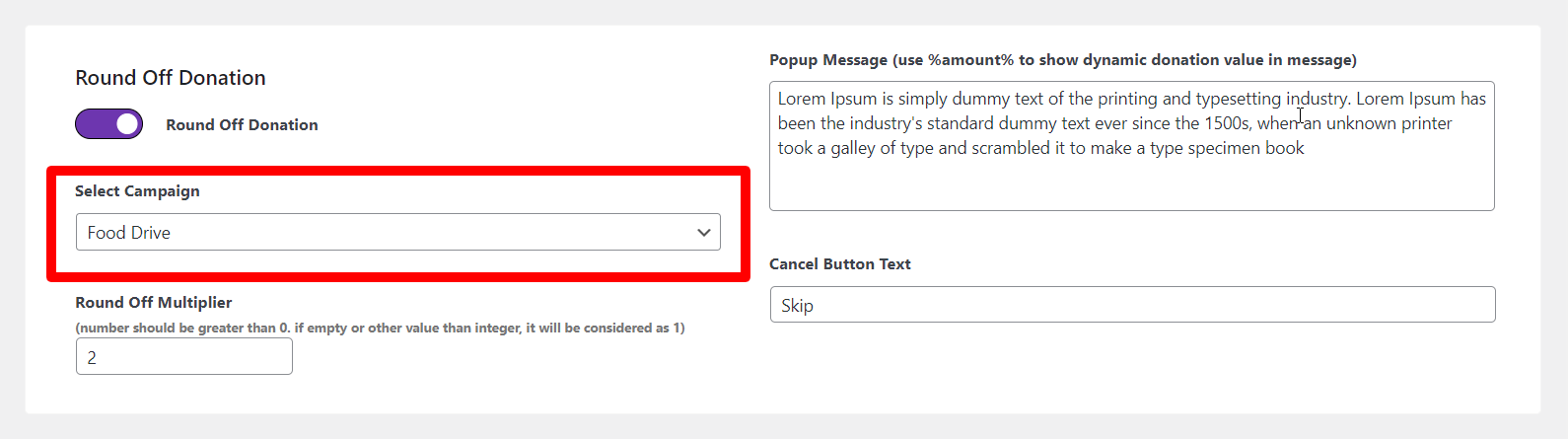
- A single campaign
- Multiple Giving Tuesday campaigns
- Any cause your organization is focusing on
3. Adjust the Round-Off Multiplier
This setting controls how the donation amount is calculated.
Example:
- If someone’s total is $27.35,
- And your multiplier is 8,
- The next multiple of 8 for someone’s total is 32.
So, the donation becomes:
32 - 27.35 = $4.65
This allows you some flexibility to determine how generous the round-up can be.
4. Customize the Popup Message
Modify the checkout prompt to match your campaign. Use %amount% to automatically display the donation value.
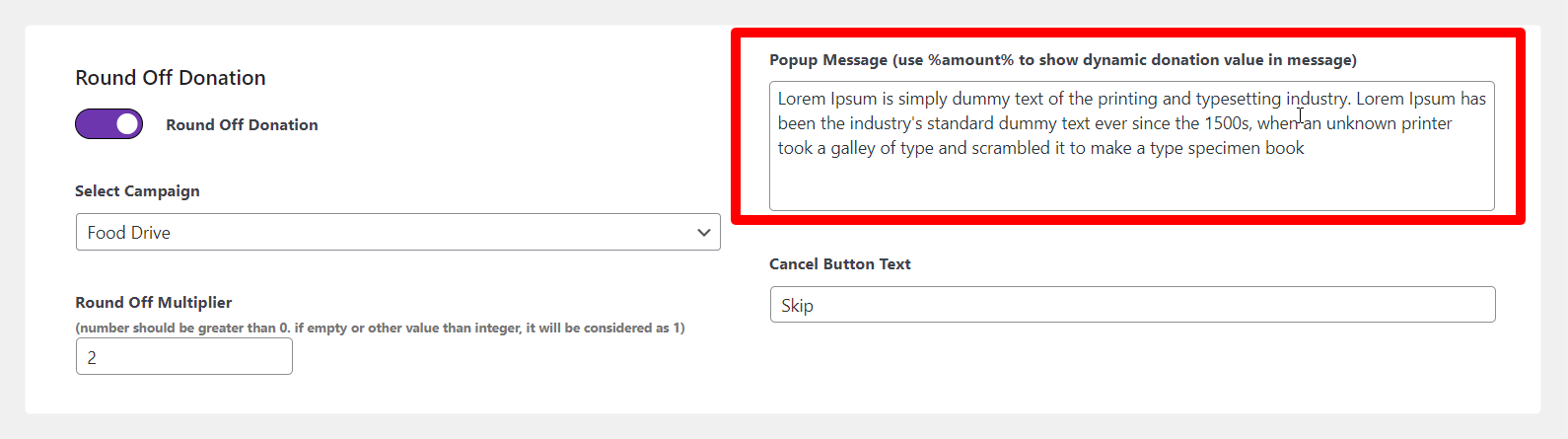
Example message:
“Do you want to give %amount% towards our Giving Tuesday campaign?”
5. Front-End Experience
Here’s what your customers see:
- They add a product to the cart
- Proceed to checkout
- See the round-up popup
- Choose Donate or Skip
- If they donate, the total updates instantly
It’s sleek, simple, and fast, exactly what it should be.
How to Use the Round-Up Donation Feature to Maximize Funds Collection on Giving Tuesday
For boosting your Round-Up Donations this Giving Tuesday, you need to follow these quick tips:
Start an Exclusive Giving Tuesday Campaign
Giving Tuesday is the perfect moment to launch a campaign focused on:
- Urgency
- Community impact
- Emotional connection
Customers appreciate knowing their spare change is helping something meaningful right now.
Promote Donation Giving Participation
Here are some easy ways you can get the attention of your users and motivate them to donate more.
- Place the cause at the top of the checkout page
- Add a short explanation of where the donations go
- Share a real story or impact metric
- Post updates on social media
The more emotionally affiliated your shoppers will feel, the more likely they are to donate by rounding up.
Showcase the Consequences/Results
After your Giving Tuesday campaign is successful, you can publish:
- Total amount raised
- Who benefitted
- Milestones or achievements
- Any success stories
Transparency builds trust and motivates future donors.
Advantages of Using Round-Up Donations for Your WooCommerce Store
Round-Up Donations aren’t just about loose change. They also offer real benefits for your store.
Higher Customer Engagement
People like contributing to a cause while shopping. This leads to:
- Improved brand loyalty
- Stronger emotional connection
- More repeat purchases
Better Conversions
Round-Up Donations happen at checkout, a moment when customers are already committed. It doesn’t interrupt their flow; instead, it often enhances the shopping experience.
Supports Your CSR Goals
Today’s shoppers want brands that care. Whether through Giving Tuesday gift amounts or Round-Up Donations, you show your store is:
- Socially conscious
- Community-oriented
- Generous and transparent
Easy Setup & Clear Process
The Donation for WooCommerce plugin handles everything:
- You select campaigns
- You write the message
- You choose the multiplier
- Customers stay in full control
No confusion, no long forms; just a clean checkout prompt that feels natural.
Conclusion
Giving Tuesday is a powerful reminder of how small gestures can make a big impact on society. With the necessary Round-Up Donations feature, your WooCommerce store can convert simple checkout moments into noteworthy gifts. And the best part? It’s quick and effortless to set up.
If you’re ready to help customers give back with ease this year, activate Round-Up Donations using Donation for WooCommerce today. It’s a small feature with a big impact; perfect for a day built around generosity.





