













































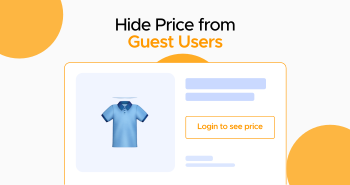
When managing an online e-commerce store, showing prices to new or guest users is not always the right approach. In this situation, preventing guest users from viewing prices can help you control pricing visibility effectively and motivate them to create accounts.
This blog post will help you learn how to hide prices from guest users with ease.

How to Hide Price from Guest Users Using Bulk Order Form for WooCommerce?
If you want to hide the price from guest users, use the Bulk Order Form for WooCommerce plugin. For this purpose, navigate to the product table controls tab, then select the control table content settings option to showcase content created with shortcodes in the product table. This will help you begin the process of appropriately hiding the price from guest users.
To perform this task, follow the steps given below:
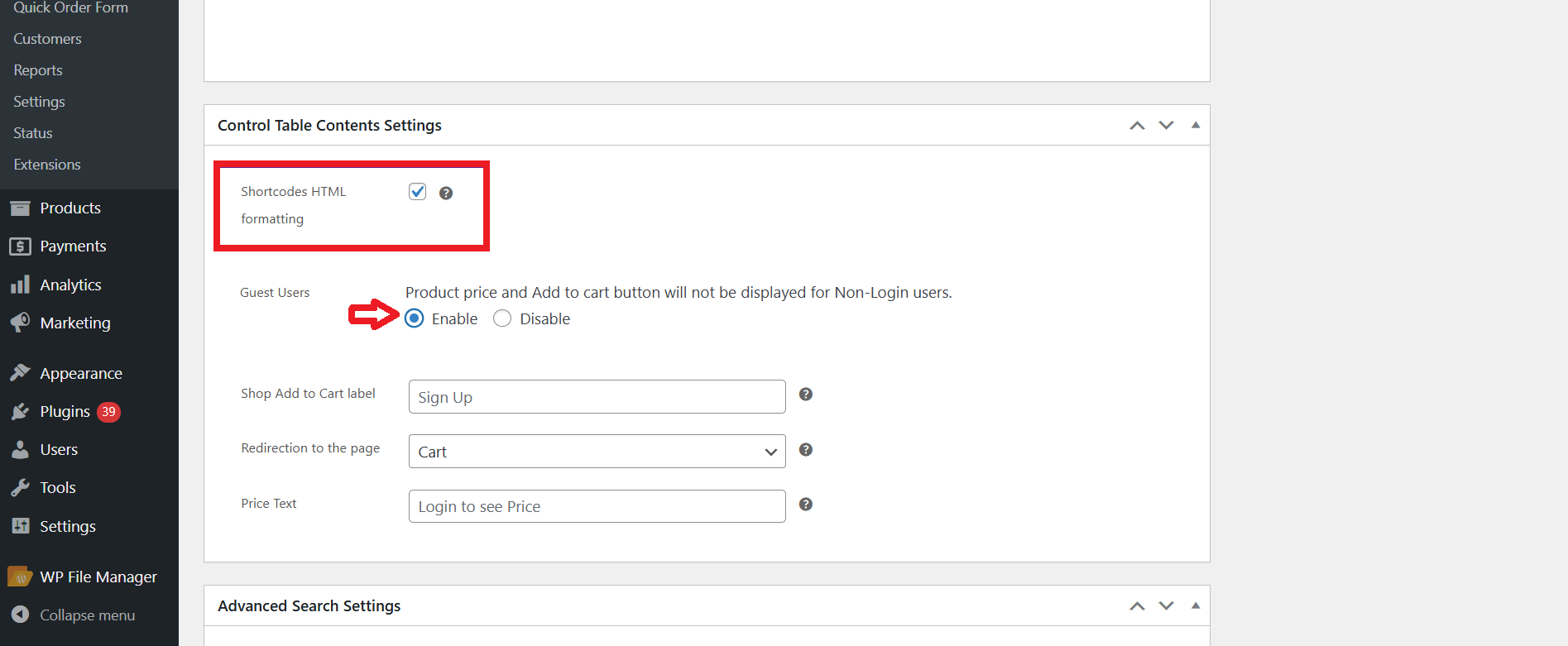
- Through the control table content settings, activate the “guest users” option that says product price and add to cart button will not be displayed for non-login users.
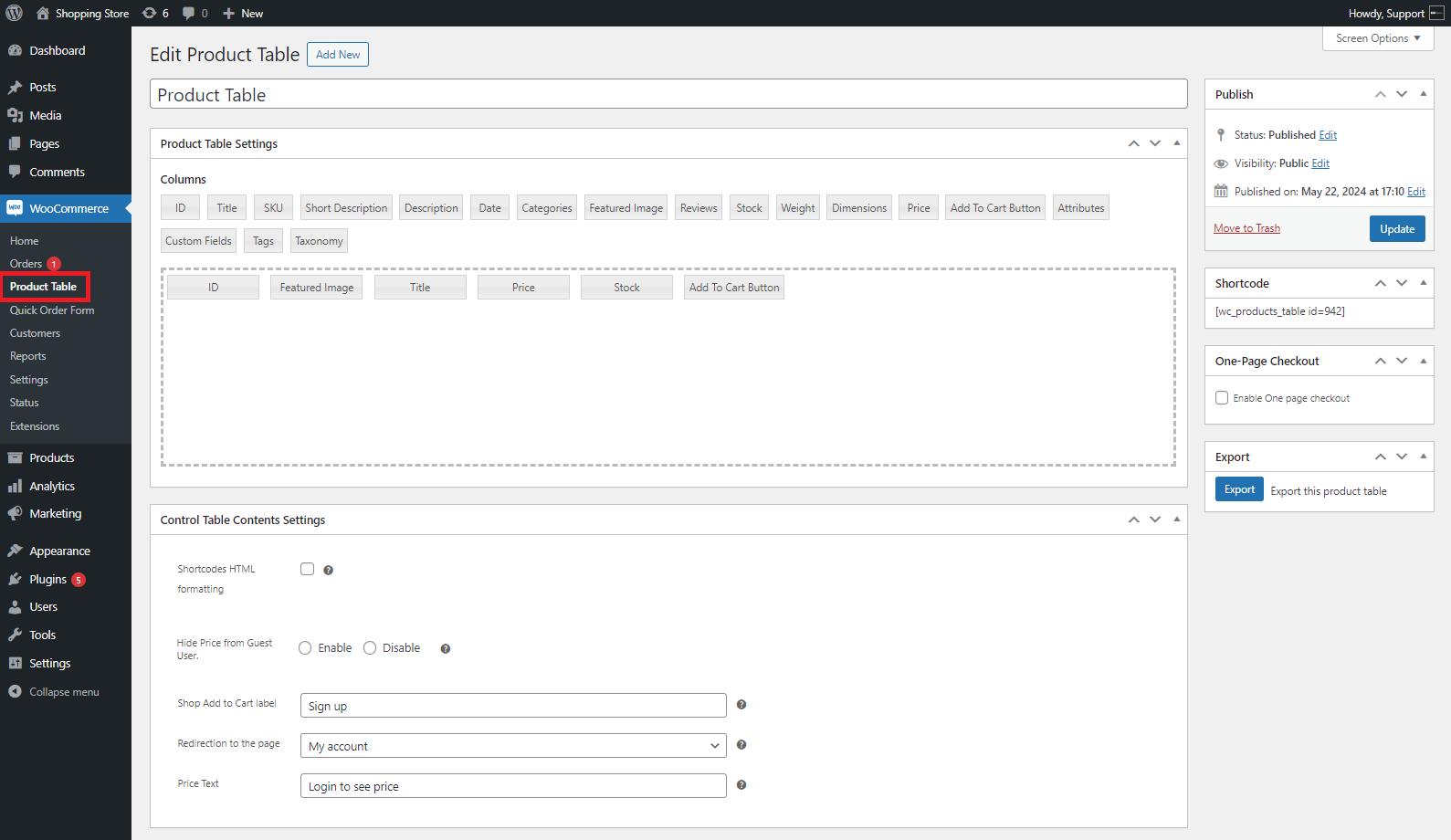
- Navigate to WordPress Admin Dashboard > WooCommerce > Product Table.
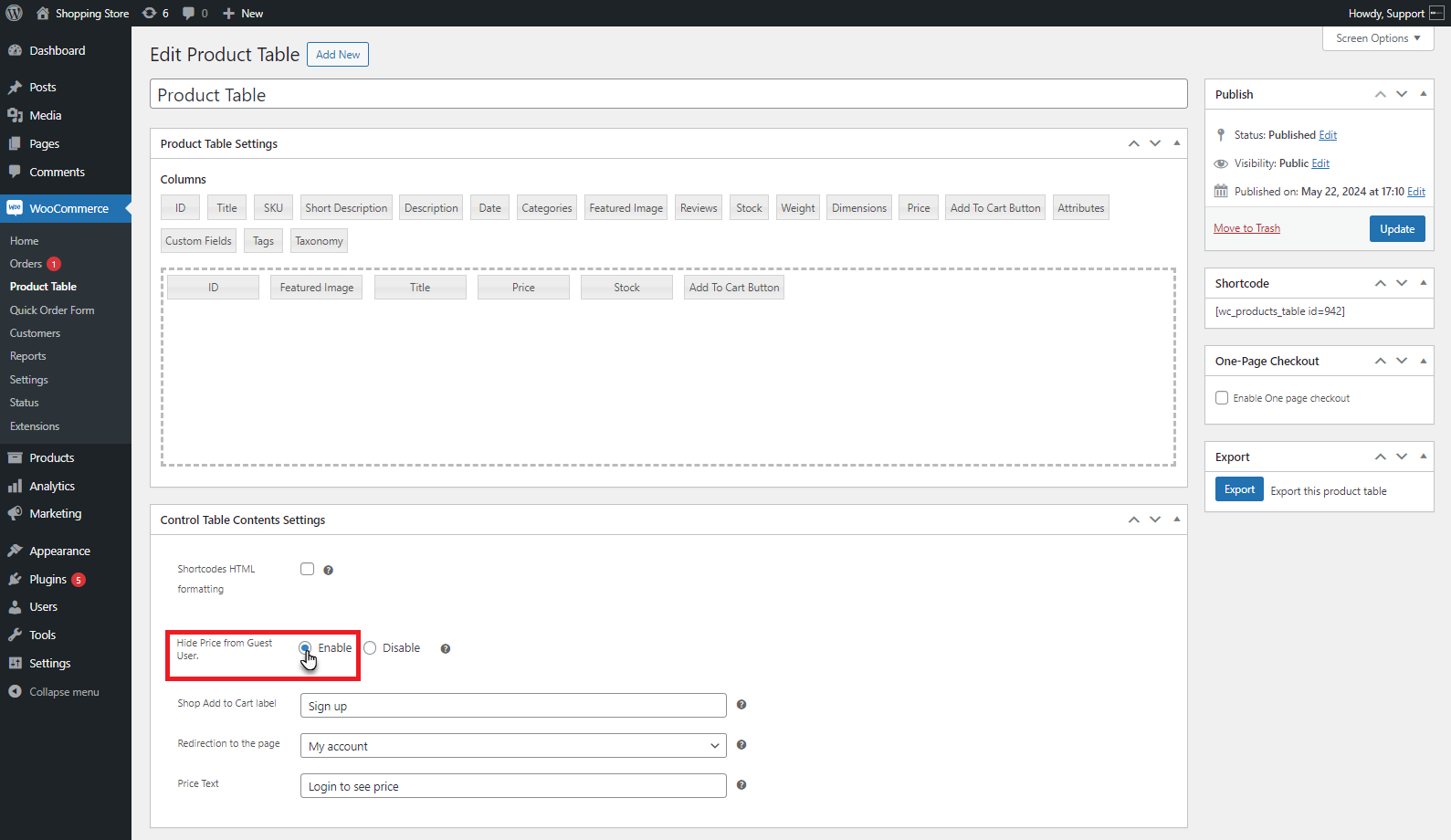
- Through the control table content settings, activate the hide price guest user option to hide the product price and add to cart buttons from guest or new users.
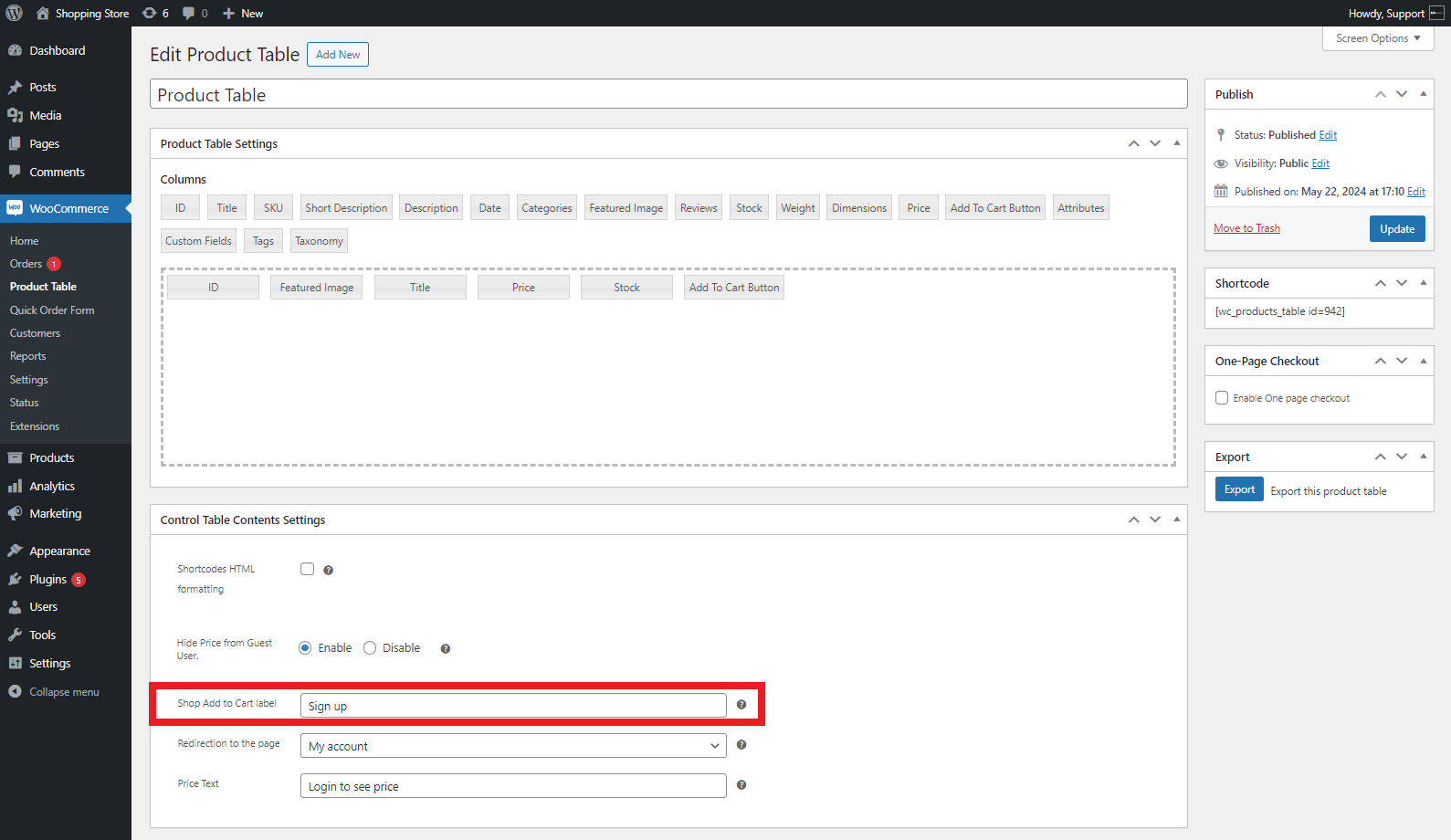
- You can change the add to cart label from the shop page.
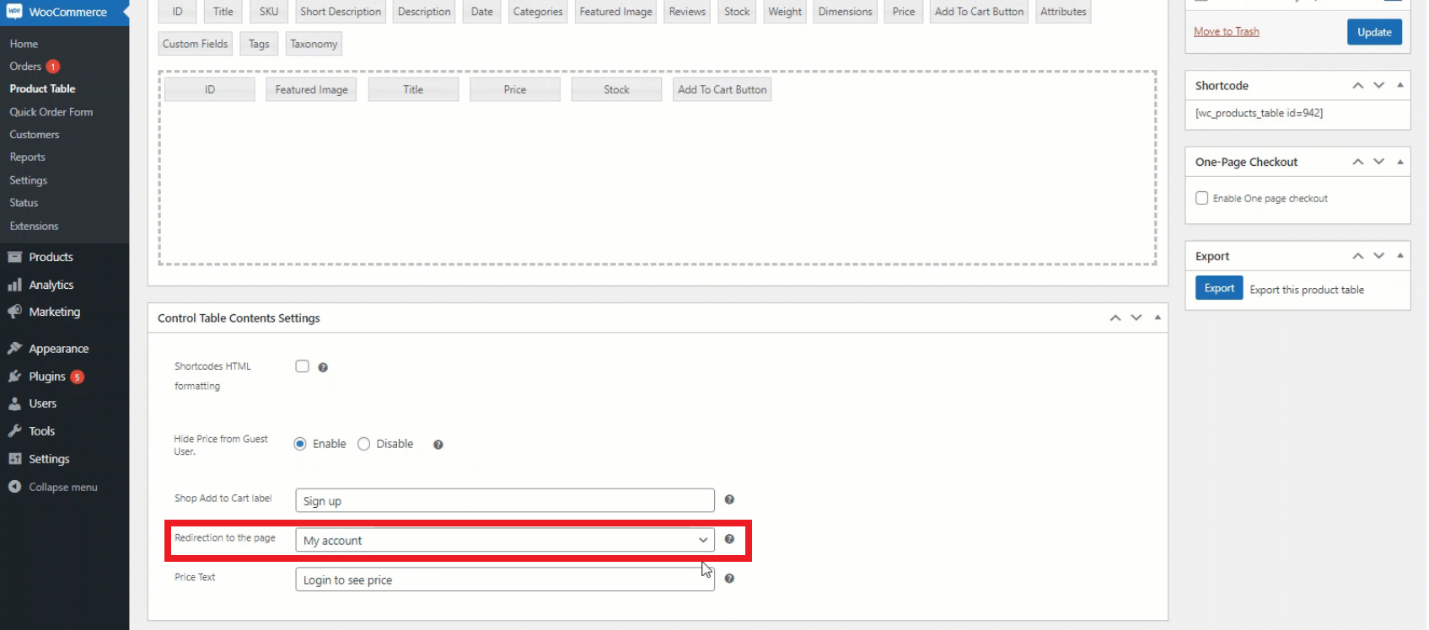
- You can redirect the guest user to a particular page when a user clicks the button.
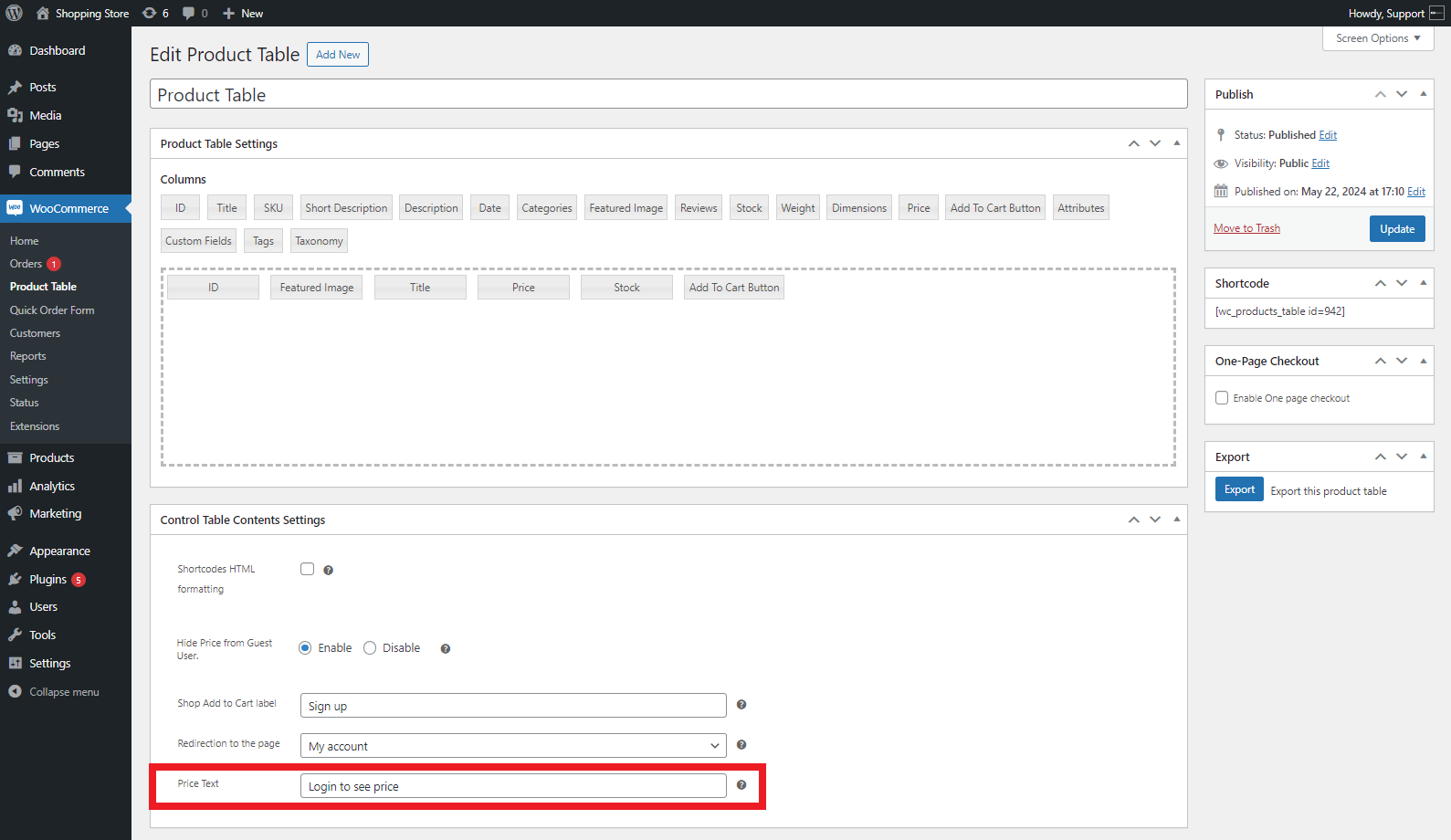
- You can change the product price text on the shop and product pages.
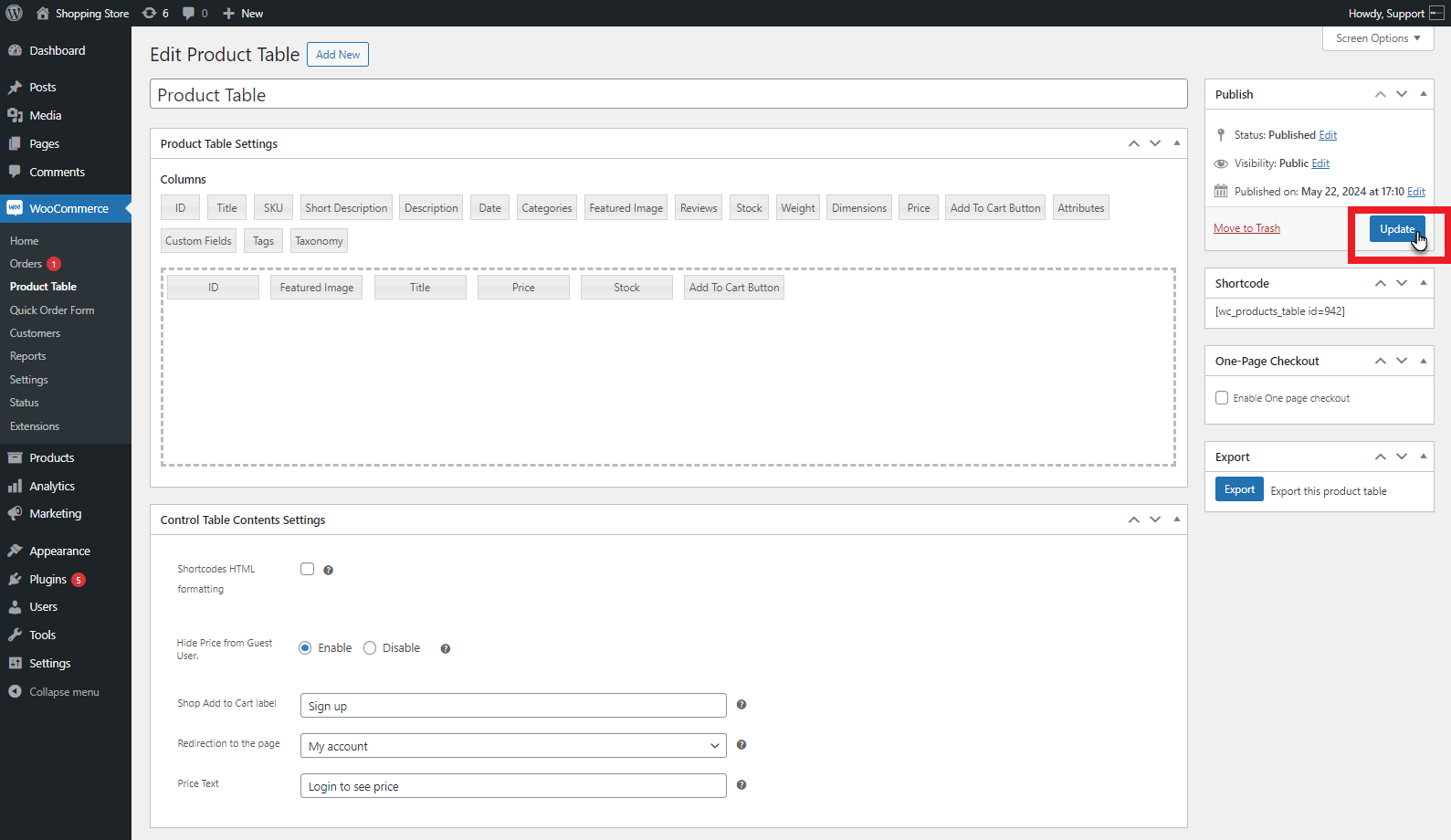
- Hit the update button to enable the changes.
At this point, the front-end impact will look like this:
- Visit the shop page, and you will realize that the add to cart button text has been changed.
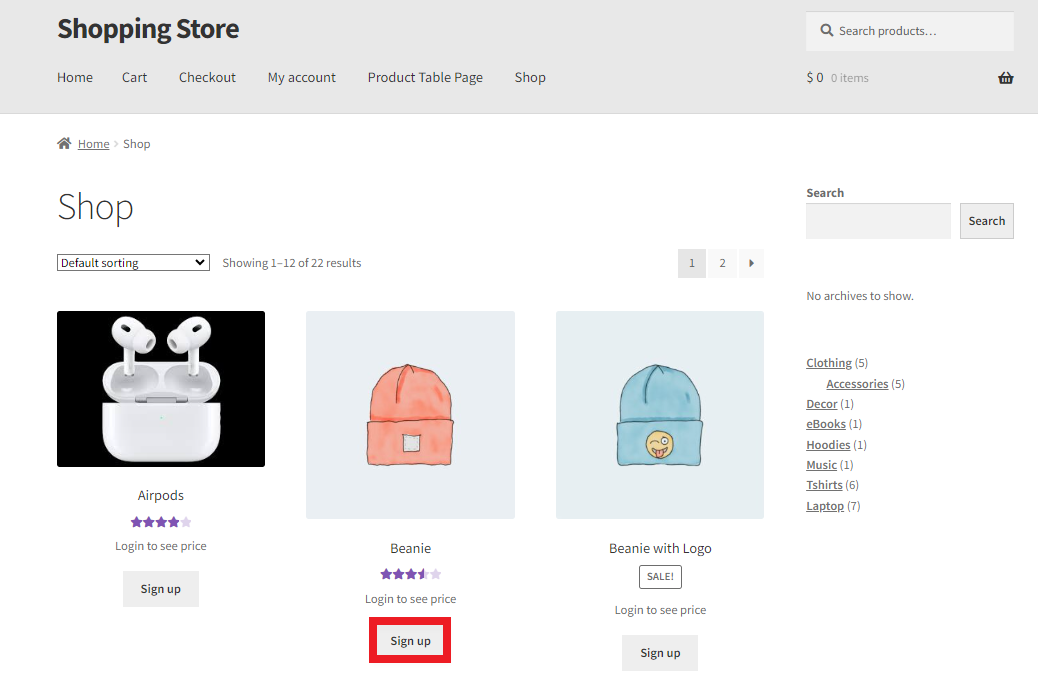
- Go to the product table, and you will see that the product’s price is now hidden from the guest user. In other words, a new or guest user cannot see the product’s price.
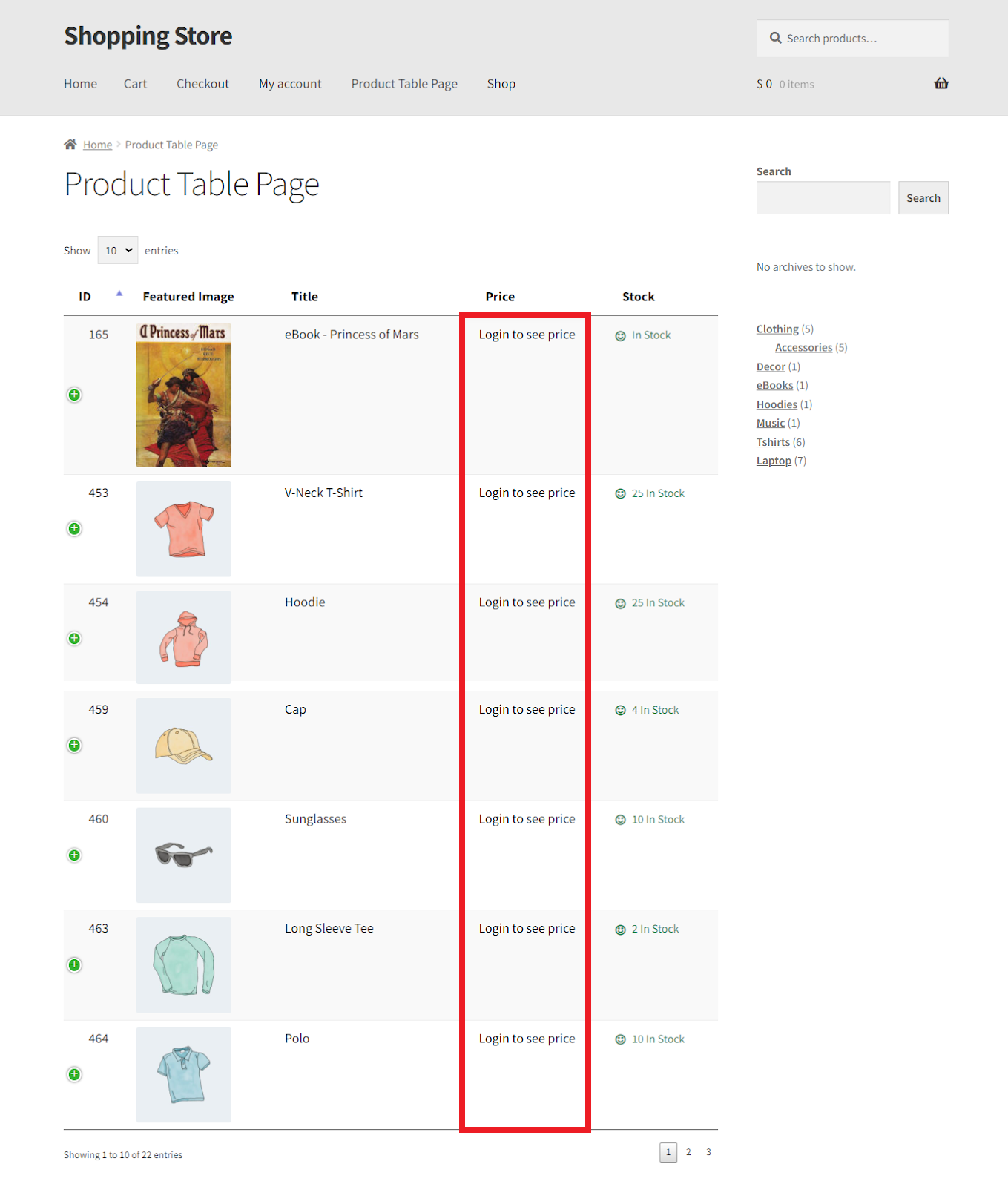
The above process allows store owners to hide products’ prices from new or guest users.
Use Cases for Hiding Prices from Guest Users
Different use cases highlight the importance of hiding prices from guest users and the multiple benefits it offers to online e-commerce stores. These use cases include:
Wholesale or B2B Stores
As a wholesale store owner, you can easily showcase discounted prices to logged-in or wholesale-registered users only. This will help them make purchases at discounted prices. For new or guest users, you can display retail prices and hide discounted prices.
Membership or Subscription-Based Stores
If your business follows a membership or a subscription-based model, hiding product prices from non-members or potential subscribers can encourage them to subscribe.
Made-to-Order Products
Suppose you manage a WooCommerce store where the products rely heavily on customization; hiding prices from guest users is a great idea. For this reason, you can display the “Request a Quote” button to guest users in your store.
Wrapping Up
WooCommerce store owners don’t have to follow the cumbersome process that prevents guests or new users from seeing product prices on product pages. Luckily, Bulk Order Form for WooCommerce, a renowned plugin, has solved this problem in the best possible way.
This means that they can easily hide prices from guest users by configuring this results-driven plugin on their online e-commerce stores. It allows them to enhance user registration and control pricing visibility simultaneously, offering guest users highly customized shopping experiences.





