















































The reality of running a wholesale business is that you work with the same customers month after month, purchasing the same products. But if you still process these subscription orders manually, then you are wasting time and missing out on predictable income. This is where the magic of Wholesale for WooCommerce and WooCommerce Subscriptions comes into play.
Your wholesale customers receive their products on a regular basis at their wholesale prices, and you receive your predictable income without having to lift a finger. It’s not rocket science. It’s all about making your wholesale business more efficient and keeping your customers happy.
How the Wholesale Subscriptions System Transforms Your Business
When your wholesale customers can subscribe to regular deliveries with their special pricing automatically applied, everything changes. You’re not just saving time, you’re building a more stable, profitable business that practically runs itself.
Save Hours Every Single Week
Manually processing wholesale orders is a time thief. Your customer emails their order, you create an invoice, send it for approval, chase payment, and then fulfill it. Do this 20 times a month, and you’ve lost entire days.
With subscriptions, the system charges their card, generates the order, and sends it to fulfillment while you sleep. One food distributor reported saving 12 hours weekly after moving just 30% of customers to subscriptions.
Lock in Predictable Monthly Revenue
When wholesale customers subscribe, you can actually forecast revenue with real numbers instead of guessing. A coffee shop ordering 50 pounds a month at $9 a pound means $450 a month in steady income for you. And with 20 accounts, you’re looking at $9,000 a month that comes in like clockwork.
This means that inventory management, staffing, and expansion are all much easier because you know what’s coming in.
Keep Customers Longer Without Trying
Customers who pay for subscriptions tend to stick around 70% longer than customers who make a single purchase. The hassle of reordering is gone, so they don’t go shopping elsewhere as much. When a restaurant knows that its produce comes in every Tuesday without having to lift a finger, it’s less likely to go elsewhere for a slightly better deal.
Eliminate Pricing Errors Completely
Your tiered pricing and minimum quantities apply automatically to every renewal. Set it once, and the system handles it forever. A customer who subscribes to 100 units per month at your tier-three pricing gets that rate every time, without you manually adjusting invoices.
Plan Inventory Like a Pro
Knowing exactly what 50 customers will order next month changes everything. You order the right stock, reduce waste from overordering, and avoid stockouts that damage relationships. A beauty wholesale supply company running on WooCommerce reduced excess inventory by 35% within three months of implementing subscriptions.
How to Configure Wholesale Subscription Pricing Step by Step
Getting wholesale pricing to work with subscriptions requires specific settings in both plugins. Here’s the complete setup process that takes less than about 10 minutes from start to finish.
Get Your Plugins Ready First
- Download and install WooCommerce Subscriptions from your WooCommerce account
- Install and activate the best Wholesale extension for WooCommerce
- Follow the WooCommerce Subscriptions documentation to complete basic configuration
- Verify both plugins are active and updated to the latest versions
Setting Up Simple Subscription Products
- Navigate to Products > Add New in your WordPress dashboard
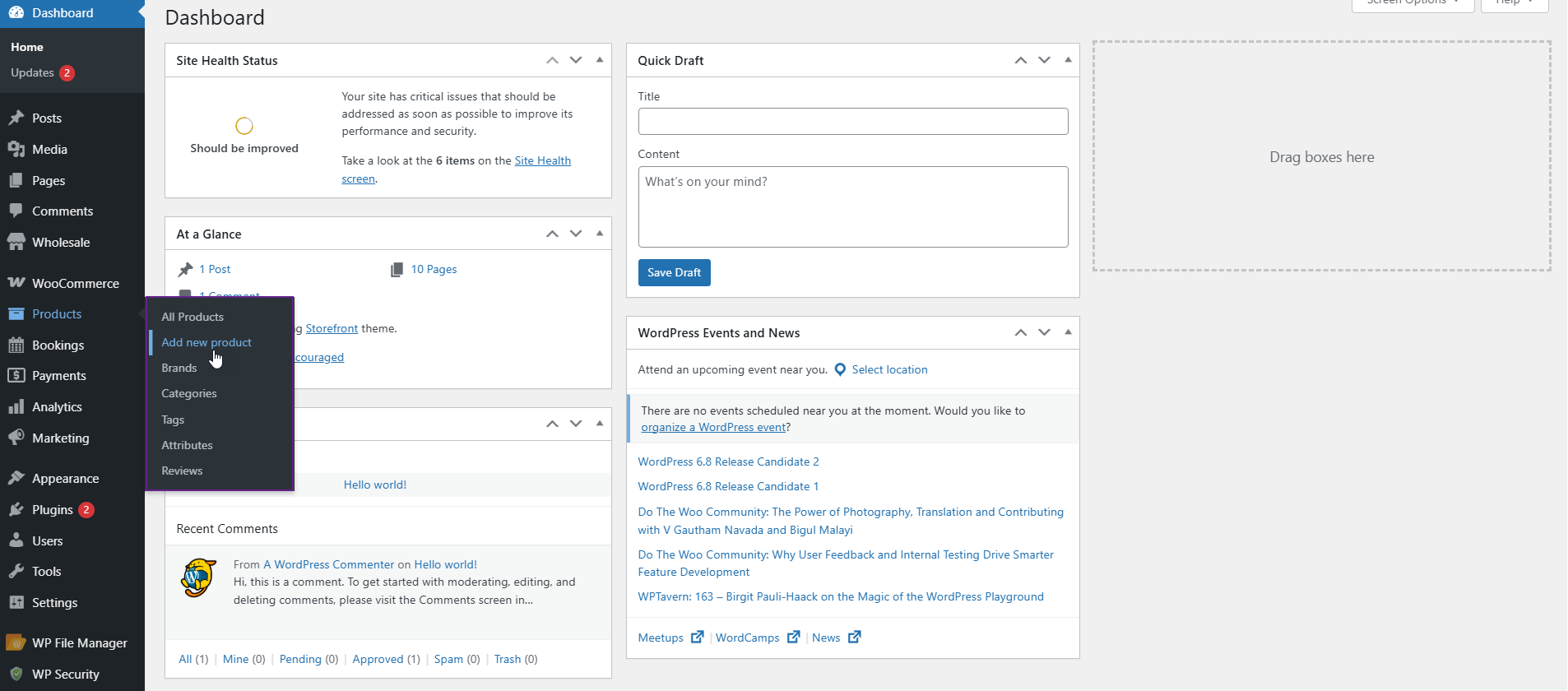
- In the Product Data dropdown, select Simple Subscription instead of Simple Product
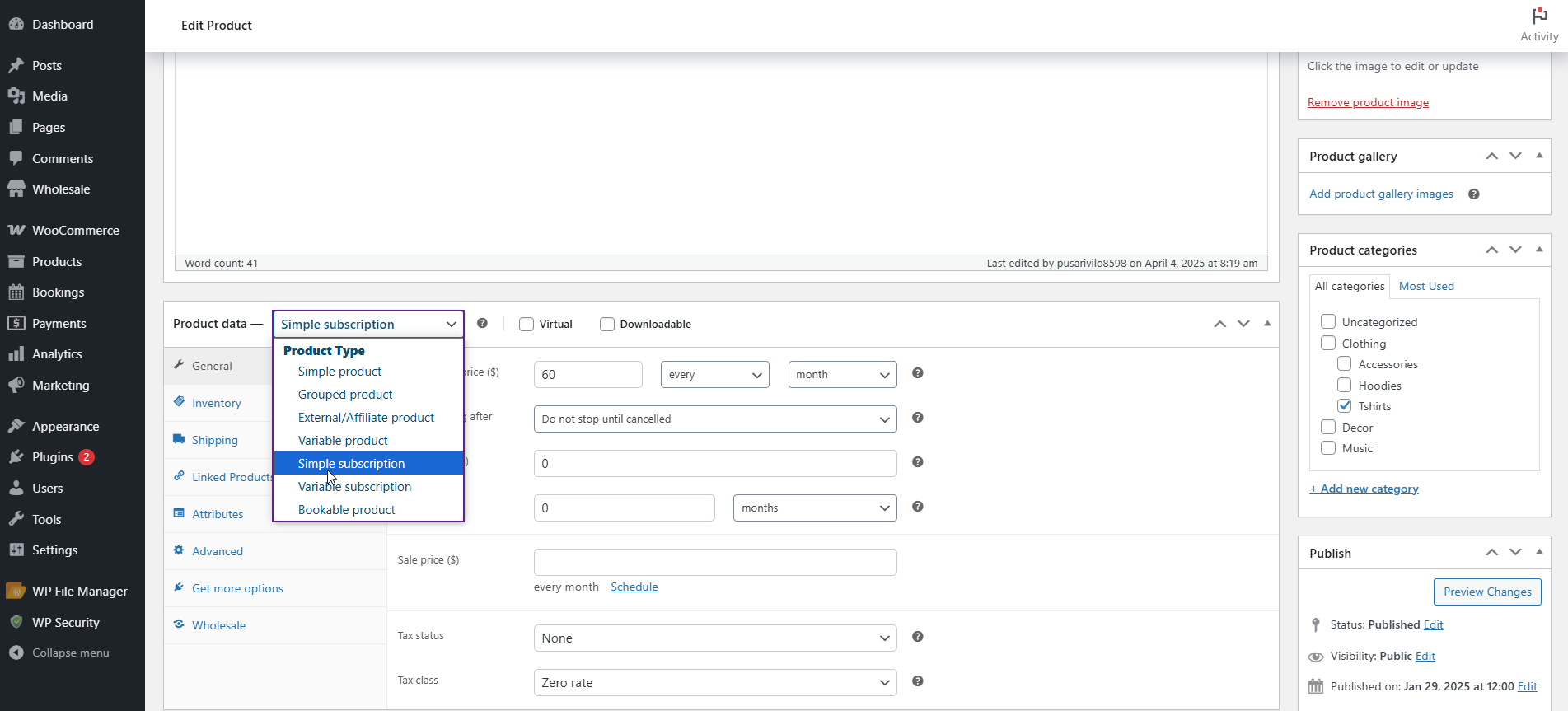
- Configure your subscription parameters (including the Subscription Price, Stop Renewing After, Sign-up Fee, and Free Trial period if you’re offering one)
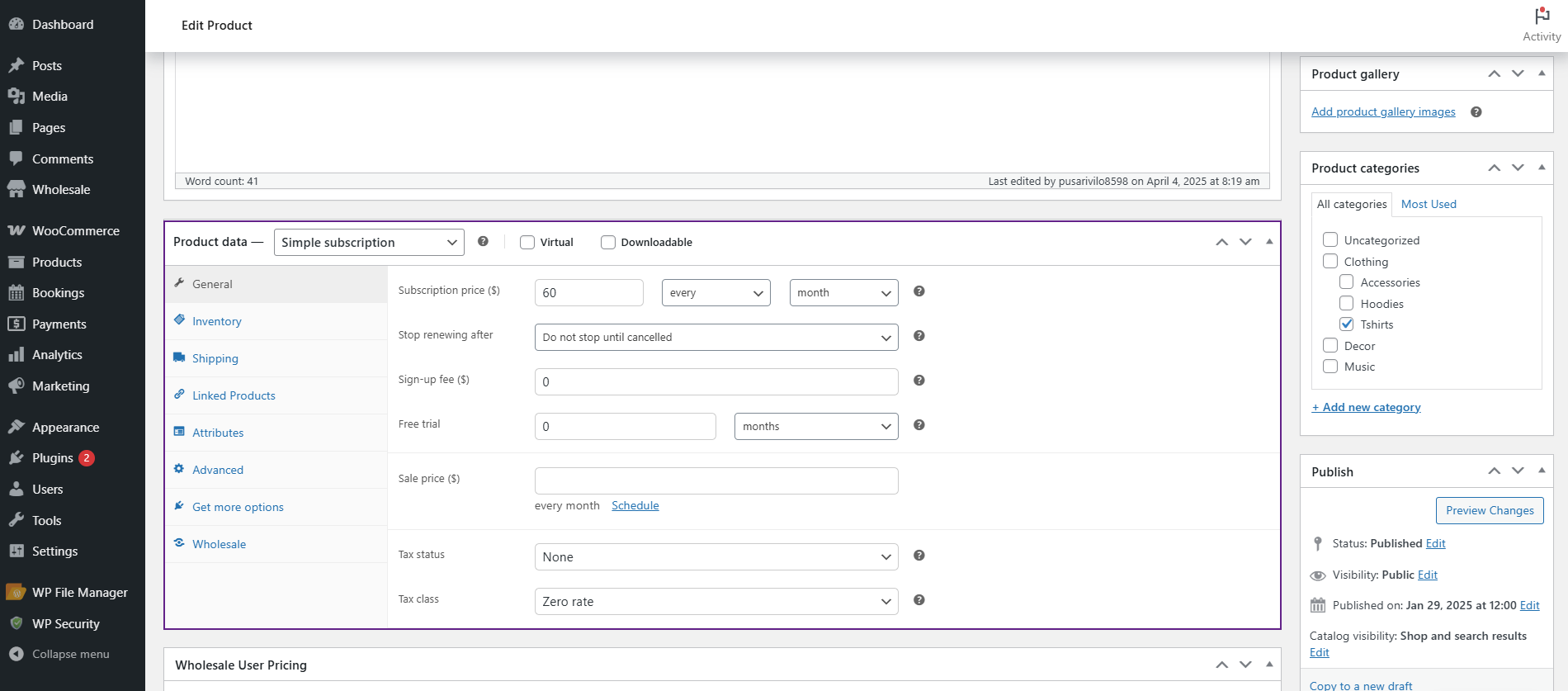
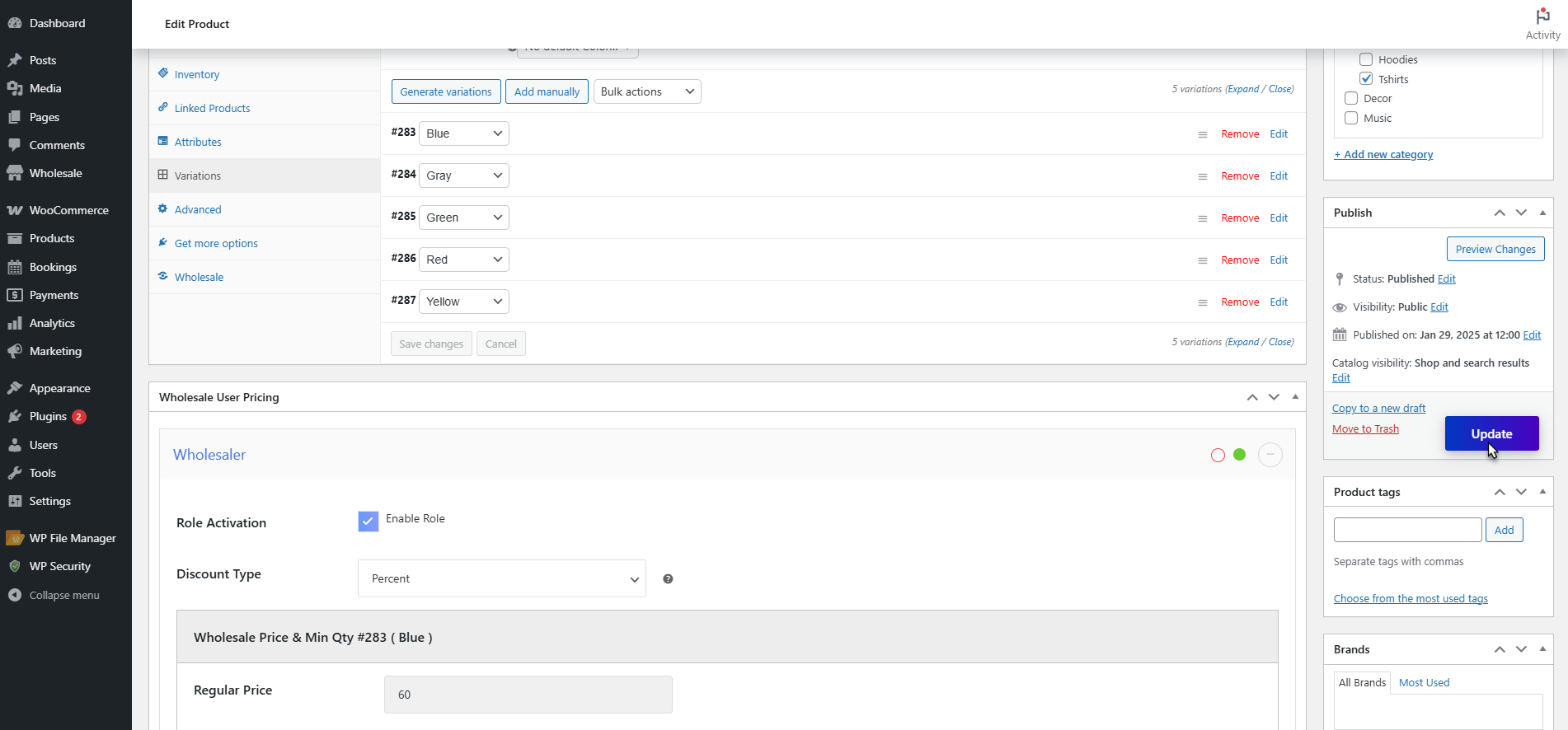
- Now, click on the Wholesale User Pricing tab within the product editor and check the box to Enable Role Activation
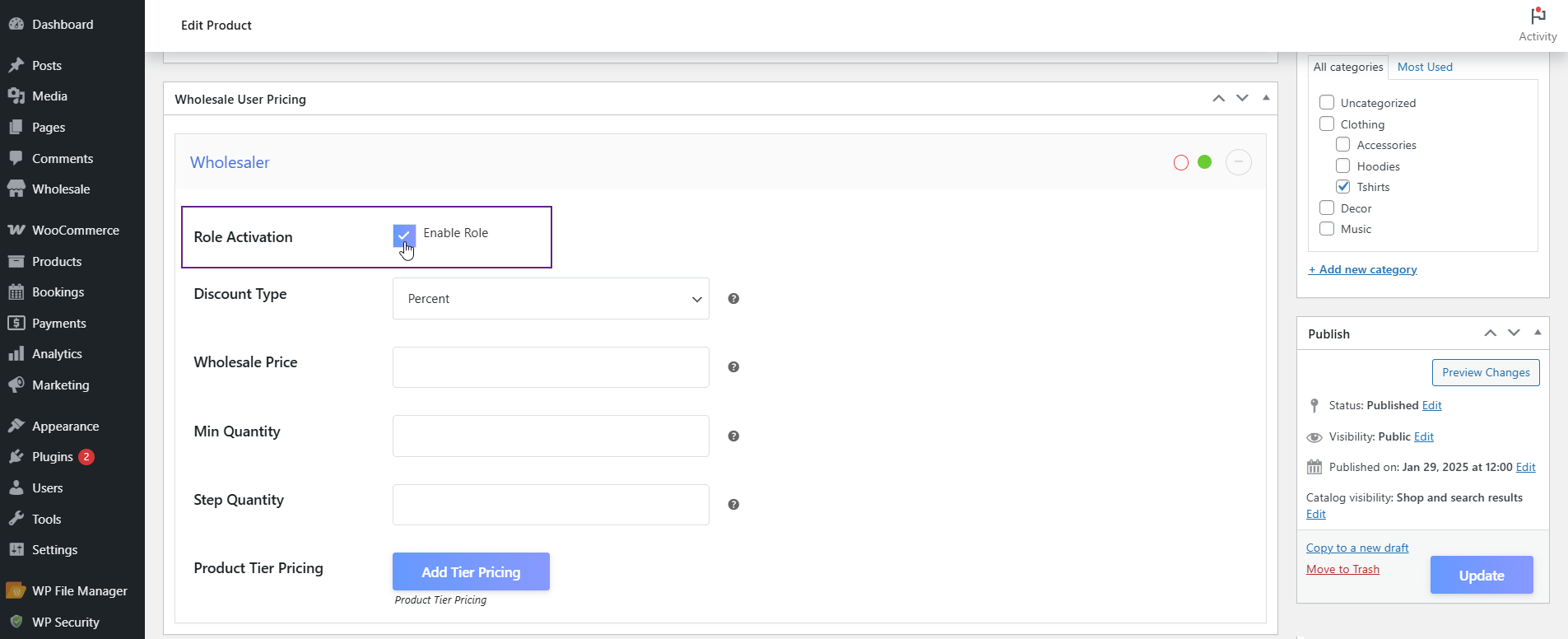
Now, configure these wholesale settings:
- Discount Type: Choose between a fixed amount off or a percentage discount
- Wholesale Price: The actual price wholesale customers pay per billing cycle
- Min Quantity: Minimum units required for wholesale pricing to apply
- Step Quantity: Purchase increments, useful for products sold in cases
- Product Tier Pricing: Different price points based on quantity ranges
Click Update to save your product. A wholesale customer logging in will now see their special pricing automatically applied.
Configuring Variable Subscription Products
- For products with options like size or plan duration, select Variable Subscription in the Product Data dropdown.
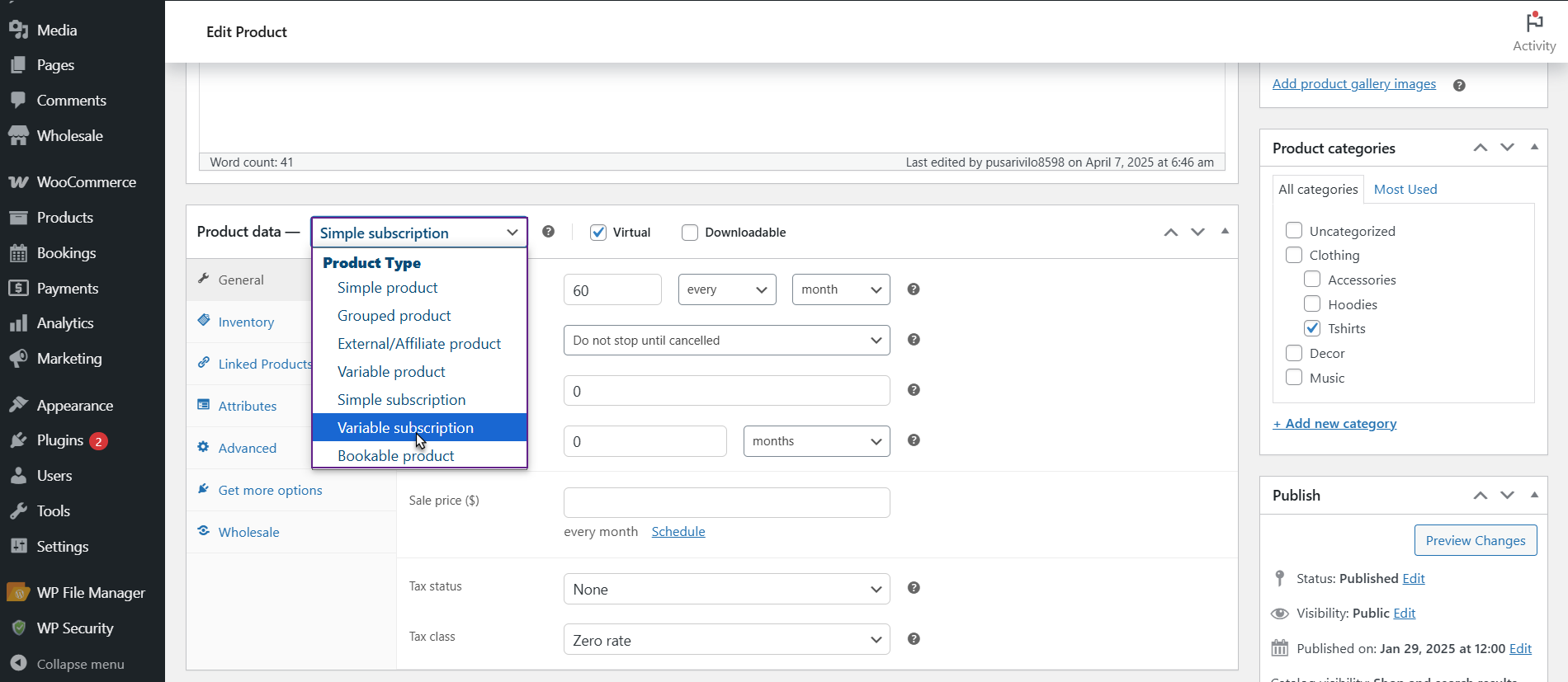
- Configure the base subscription settings, then click the Variations tab on the right side of the Product Data panel.
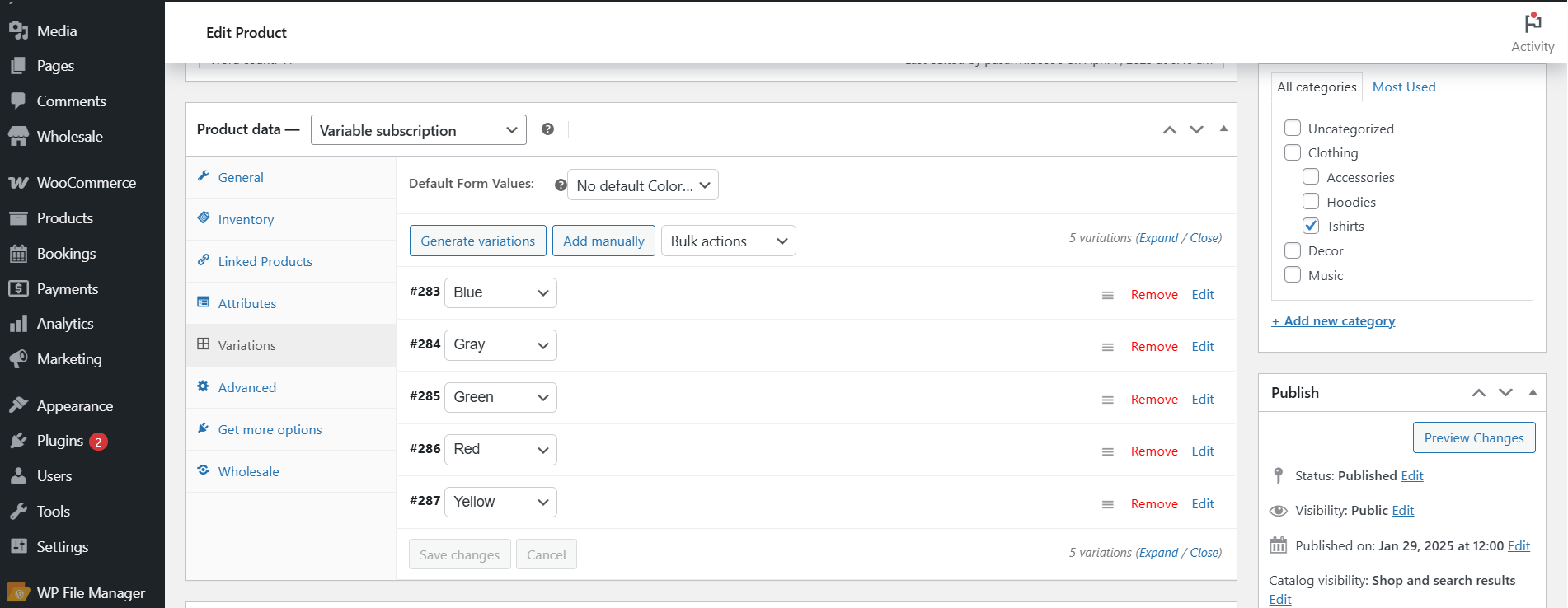
- Add your variations and set pricing for each option, then navigate to the Wholesale User Pricing tab and enable role activation.
Using Global Wholesale Pricing
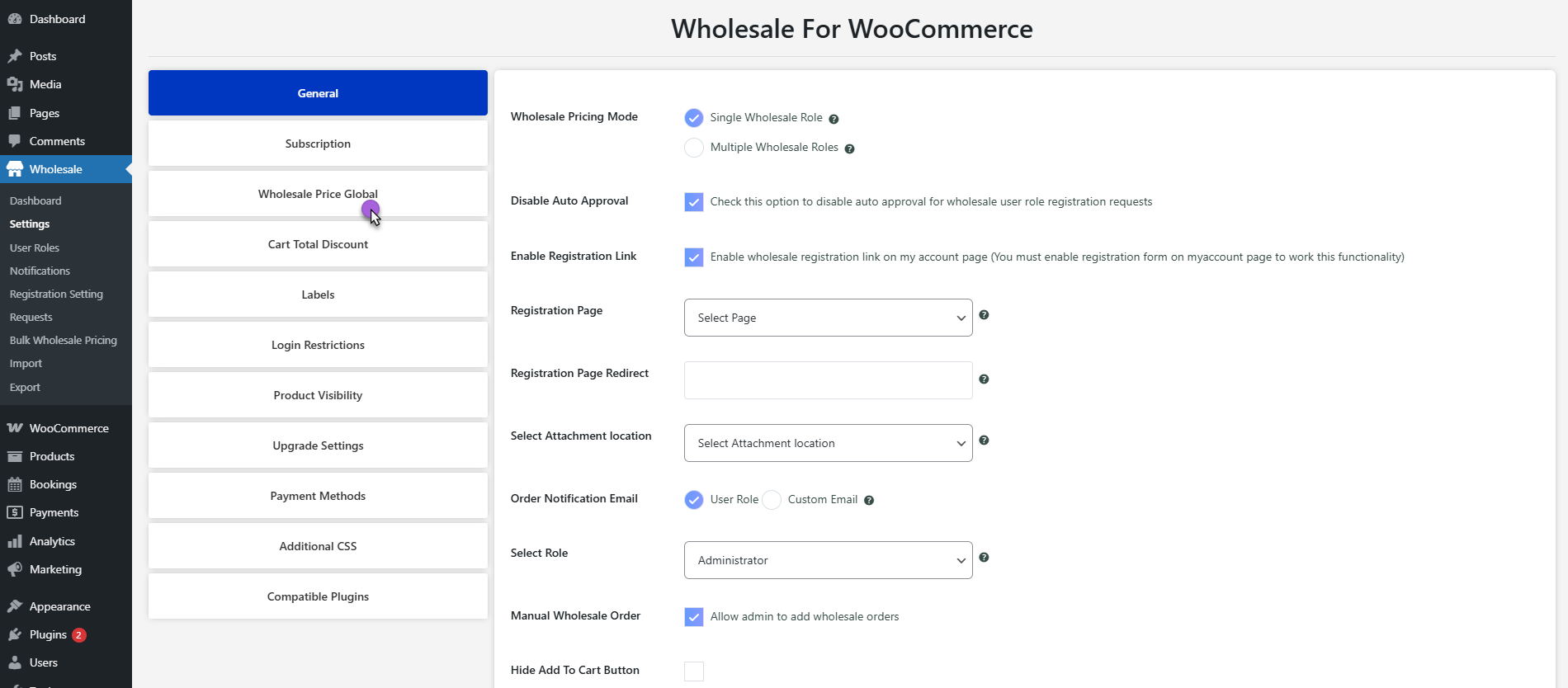
- If you wish to apply the same wholesale discount to multiple subscription products, you can go to Wholesale > Settings > Wholesale Price Global.
- Here, you can enable Role Activation for your wholesale user role, then set your discount type, wholesale price, minimum quantity, and tier pricing.
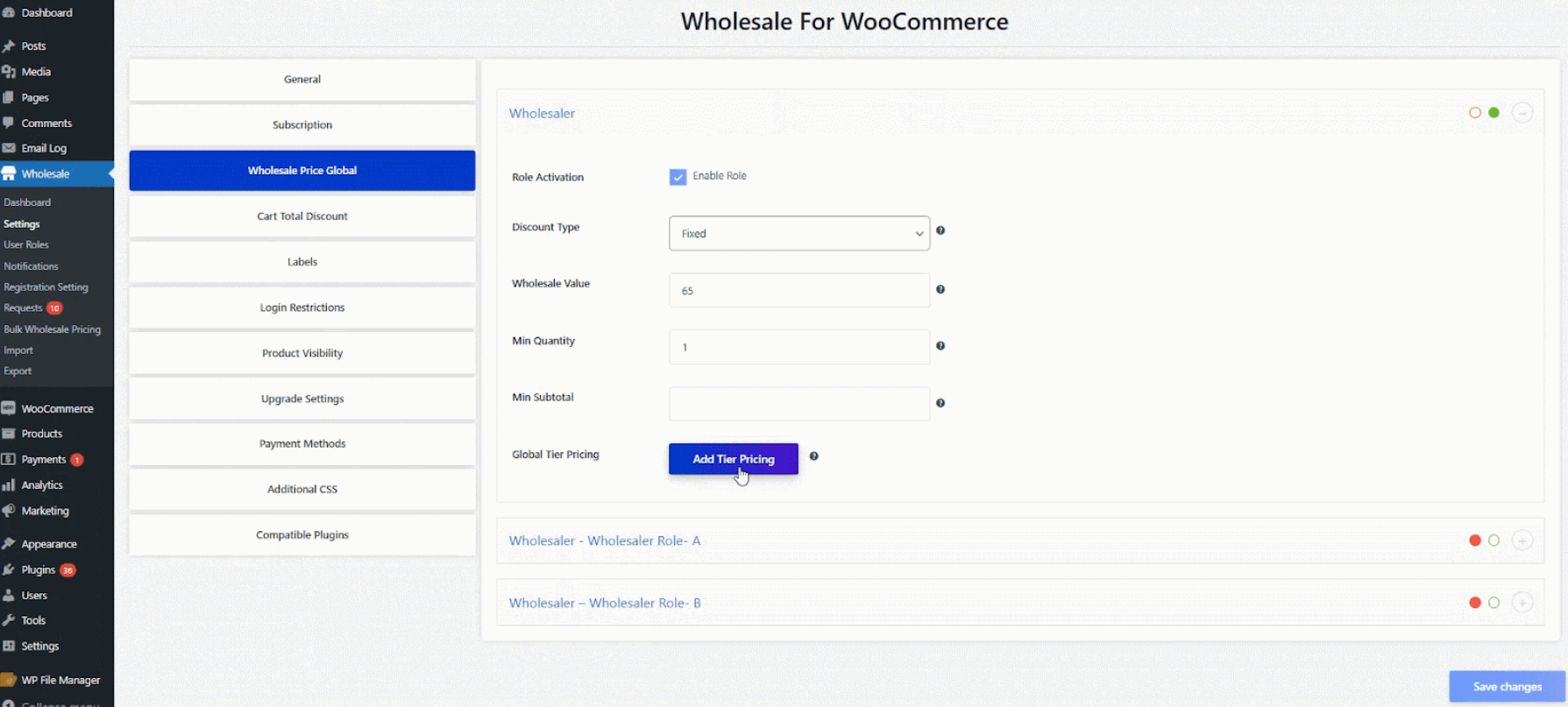
- These will automatically apply to all subscription products without having to set each one up individually.
What Your Wholesale Customers Actually See
Understanding the customer experience helps you support your wholesale buyers and troubleshoot any confusion that pops up during ordering.
The Shopping Experience
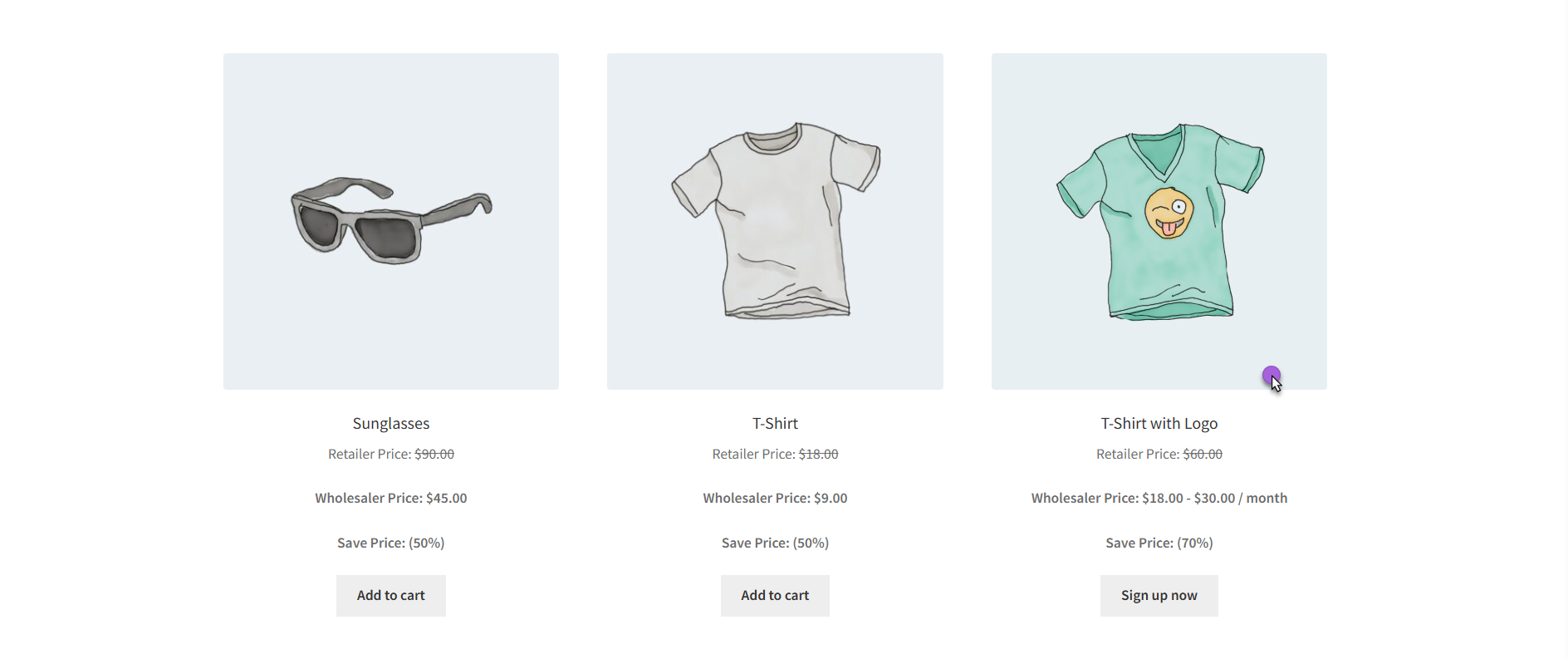
When a wholesale customer logs into your store and visits the shop page, they immediately see wholesale pricing displayed on subscription products.
Clicking on a subscription product shows the recurring price, billing frequency, and any applicable wholesale discounts based on the user role.
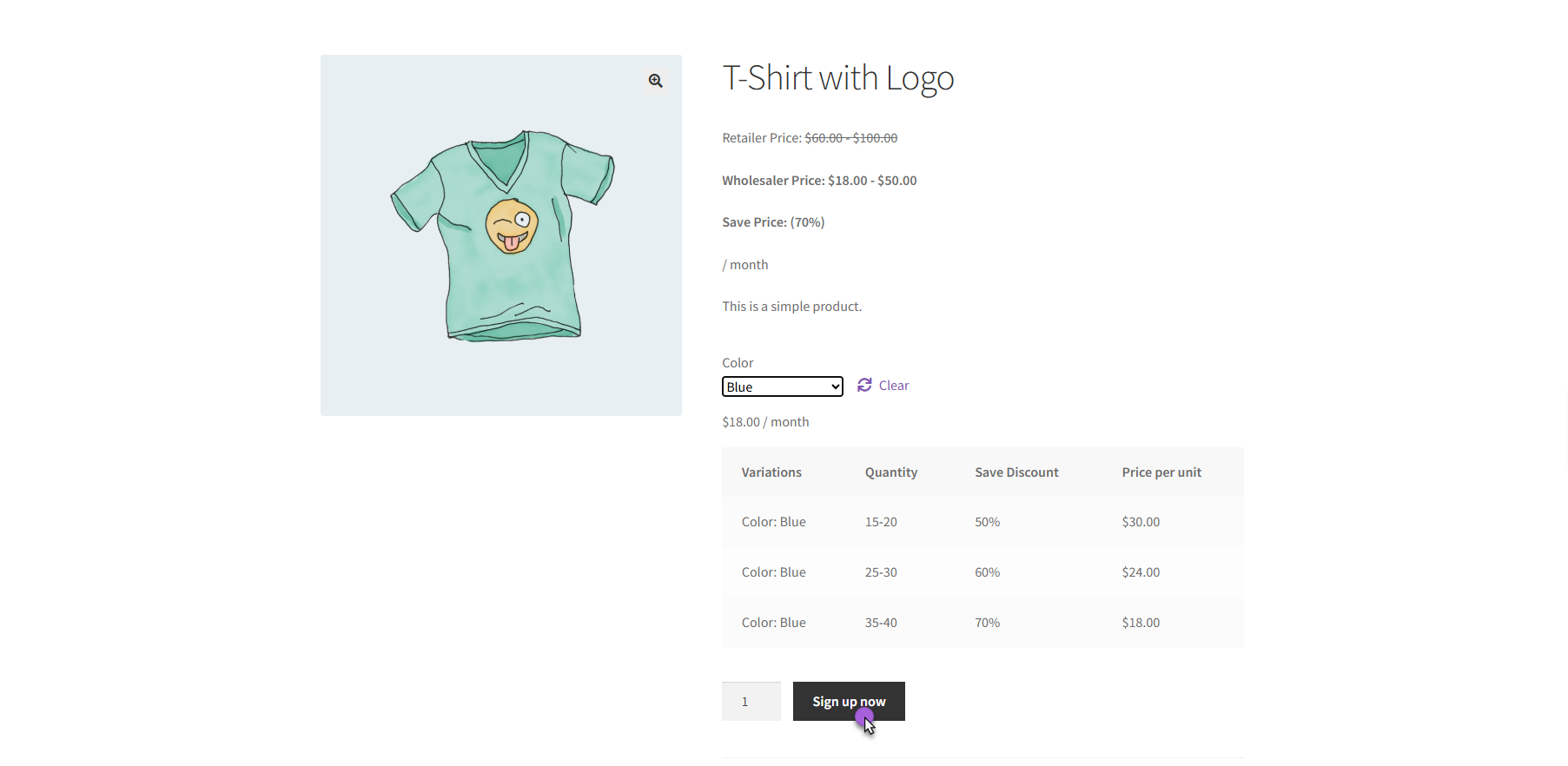
The customer selects their desired variation from the dropdown menu if it’s a variable subscription product. Once they choose a size or plan duration, the price updates to reflect their wholesale rate. They click the “Sign up now” button, which adds the subscription to their cart with the correct recurring pricing applied.
The Cart and Checkout Process
On the cart page, the Cart Totals section displays the Monthly Recurring Total, making it clear what they will be charged each month.
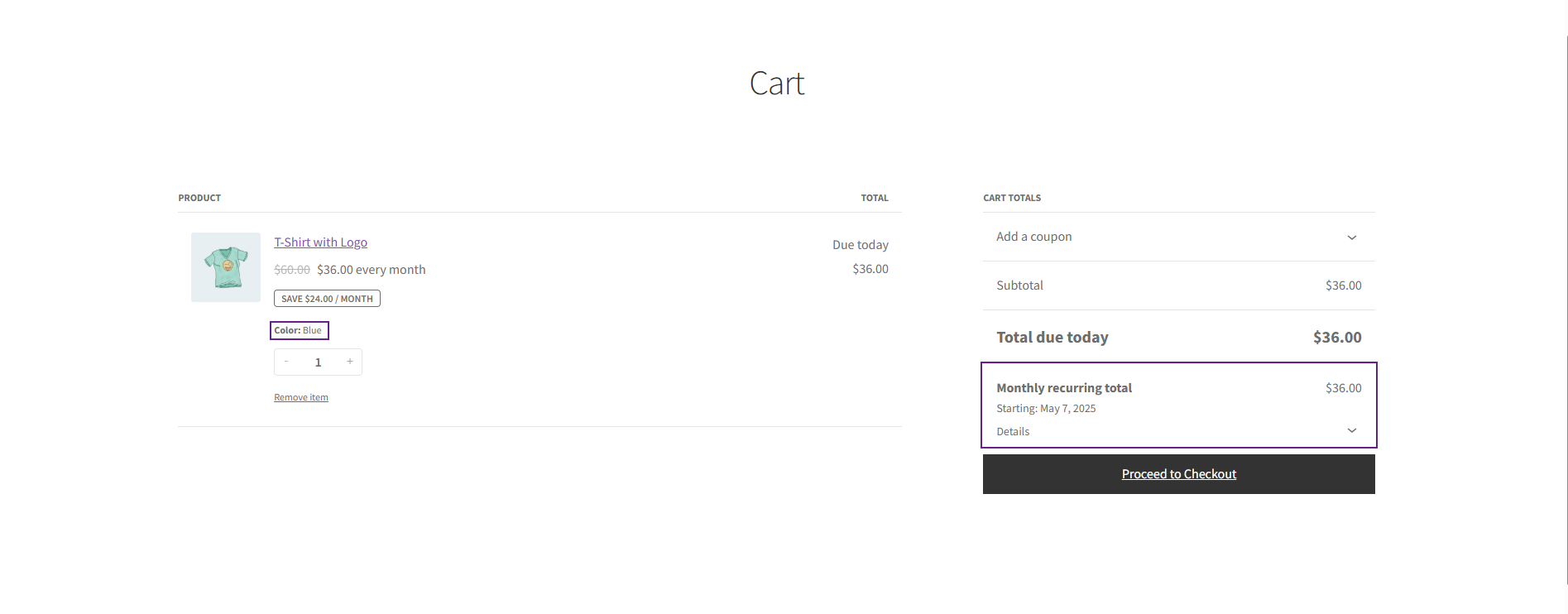
The Subscription Start Date displays when their recurring billing will start. If they have a free trial period, this is also displayed, so there is no confusion about when the charges will start.
Once they have completed the checkout process, the subscription will be live in their account, where they can manage it themselves, such as adjusting quantities, pausing deliveries, or updating shipping addresses without having to contact you.
Automatic Renewal Process
The system will automatically renew the subscription on the designated date, with the proper wholesale pricing and any tier discounts based on their quantity. The payment will automatically be charged through their saved payment method, and the order will go directly into your fulfillment process.
Your customer will receive a confirmation email for each renewal, and you will receive a notification to fulfill the order. This will continue until the customer cancels or the subscription has reached its predetermined end date.
Final Words
Having the ability to set up wholesale pricing for subscription orders is not only a great thing; it is actually how a modern wholesale business runs. It may take you 15 minutes to set it up. But once you have it up and running, you will process more orders in less time and offer better service.
Your wholesale customers will have automatic reordering with their special pricing, and you will have predictable income with minimal hassle. Install Wholesale for WooCommerce now and sell subscription/recurring orders with Woo Subscription.




