














































Starting a website is exciting. Your mind holds a vision together with an idea possibly supported by business planning. Things take a negative turn when you reach this point. Your confusion sets in when you discover that WordPress exists in two versions, WordPress.com vs WordPress.org, and then you become tangled in a challenging decision.
Short Summary: Users who prefer managed hosting platforms combined with WordPress.com’s ease of use should consider it. Self-hosting through WordPress.org presents the advantage of flexible control, while WordPress.com provides managed hosting convenience.
The decision between WordPress.com and WordPress.org significantly impacts your website potential since selecting an inappropriate option might prevent growth. The wrong decision can force you to incur additional expenses and possibly require platform migration after your initial choice. No one wants to face a situation that we can describe as a bad dream.
But don’t worry. At the end of this guide, you will determine the best version to begin a blog, online store, or business website.
What is the Major Difference between WordPress.com and WordPress.org?
The essential aspects of WordPress.com and WordPress.org share the same WordPress software; the platforms vary in hosting and management services.
– WordPress.com
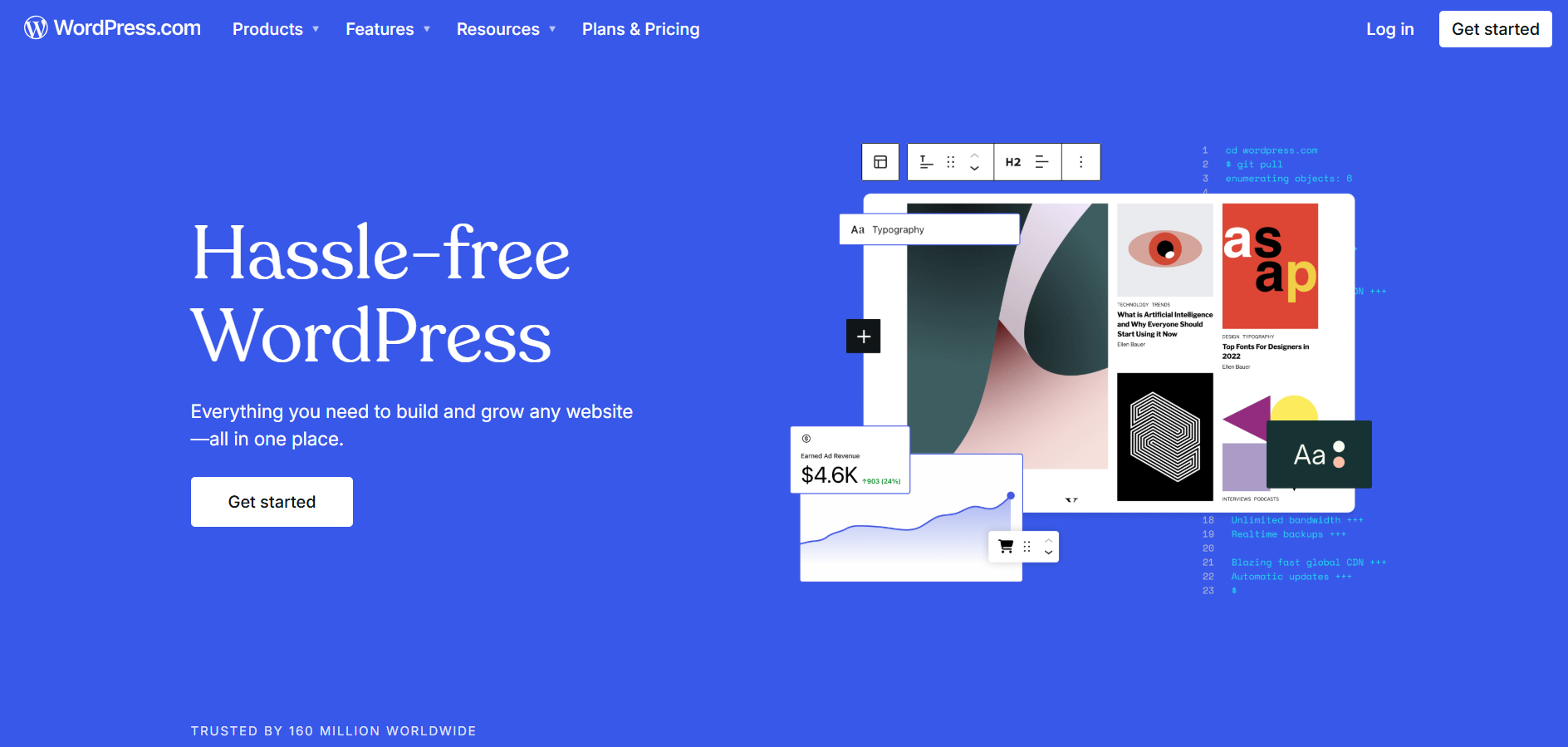
Users of WordPress.com benefit from an all-in-one hosted system that operates similarly to renting an apartment. With this setup, users obtain preconfigured protected and supported space with certain restrictions.
– WordPress.org
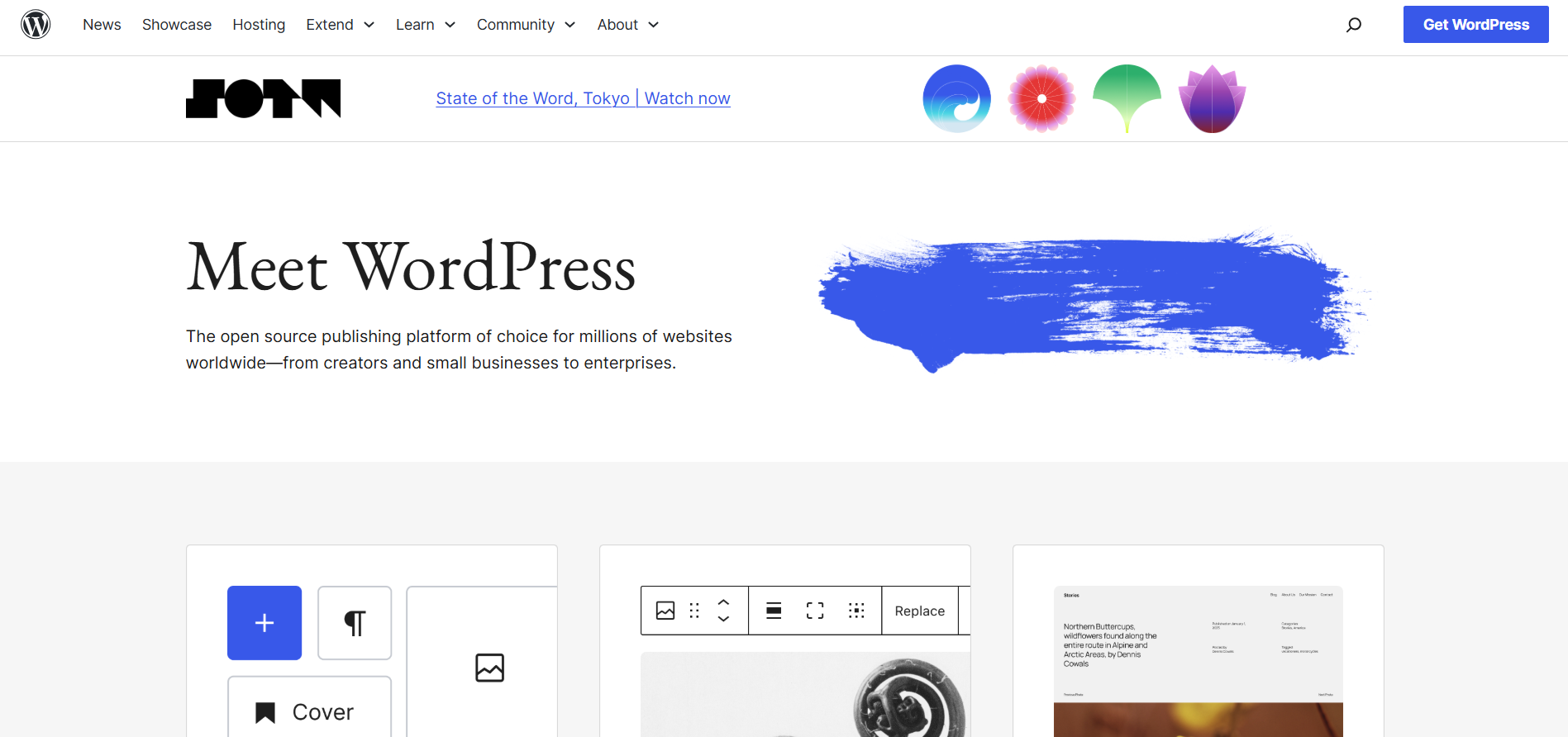
When you select WordPress.org you obtain a self-hosted open-source CMS platform that presents a model similar to home ownership. Total management control exists, but you shoulder full responsibility for everything, including security maintenance and hosting aspects.
Let’s break it down further.
WordPress.org vs WordPress.com: Features & Perks
– Website Hosting & Maintenance: Hands-Free vs. Self-Managed
Perhaps the fatal extremes of WordPress.com and WordPress.org are just simply the hosting itself.
Host everything else on a WordPress.com site. It includes backups, security updates, and performance optimizations. WordPress.com is a fantastic choice for beginners or anyone who prefers not to handle the tech stuff in running a website.
Unlike these, for WordPress.org, you will be doing self-hosting. You must buy a hosting plan from WordPress hosting providers like Hostinger, Cloudways, Kinsta, or any local provider. Even though it takes that extra effort, the control over server performance, site speed, and security settings is complete.
If your idea of a perfect website is one done with minimal technical hassle, WordPress.com is a no-brainer. WordPress.org offers the complete answer; however, it is vital to know if control over performance and the flexibility of hosting are crucial.
– Customization & Plugins: Limited vs. Unlimited Freedom
Customization is where WordPress.org hands down beats WordPress.com.
WordPress.com has a restriction on customizations, especially on free and lower-tier plans. You cannot install any third-party plugin or custom theme unless you are on a Business ($25/month) or higher plan. This means you are limited to the built-in features and cannot flexibly extend functionality with custom add-ons.
WordPress.org, on the other hand, allows you absolutely any customization. You can install any core file modification and use any theme or WordPress plugins to create a complete website customized to your specifications. WordPress.org allows you to do it all, whether you need advanced SEO tools, WooCommerce integration, or a membership site capability.
WordPress.com is helpful for basic web without too much customization. However, WordPress.org is a better investment if you need complete creative control.
– Monetizing & Ads – Your Revenue, Your Rules: WordPress.org vs WordPress.com
Monetization is a turn-off for most who wish to have a website. However, due to their differences in this regard, choosing the better one between WordPress.com and WordPress.org is easy.
You cannot block ads if you are on a free WordPress.com plan. WordPress.com ad-serves its ads to your site and does not give you a single cent for those. To run your ads, you must pay for a paid plan, such as WordPress.com Business ($25/month). Even with that, limited ad networks maximize what you get more brutally.
With WordPress.org, you can monetize however you like. You can:
- Run ads with Google AdSense, Media.net, or other ad networks
- Sell products using WooCommerce services
- Offer memberships or gated content
- Use affiliate marketing and sponsored posts
WordPress.org is the better choice if you aim to make money from your website.
– Support & Community: Official Help vs. Community Expertise
Support can be a lifesaver when you run into technical issues. WordPress.com and WordPress.org handle support differently.
With WordPress.com, support depends on your subscription plan. Free users only have access to community forums, while paid users can contact WordPress.com’s support team via email or live chat. Higher-tier plans get priority support, but response times can still vary.
With WordPress.org, there is no official customer support team, but the WordPress community is massive. You can find help through:
- Official WordPress.org forums
- YouTube tutorials and WordPress blogs
- Third-party WordPress specialists offering custom development, WooCommerce plugins, and advanced support
WordPress.com’s paid plans offer direct customer service. However, if you prefer to find solutions yourself or hire a third-party expert, WordPress.org offers more flexibility but no customer support.
– Performance & Speed Comparison: WordPress.com vs WordPress.org
Website speed optimization is one key factor determining user experience and SEO rankings. WordPress.com manages its platform with performance improvements of built-in caching, CDN (Content Delivery Network), and updates. This ensures that it loads fast without owners having to deal with performance settings.
On the contrary, WordPress.org depends on a hosting provider and how a website is optimized. A poorly configured, self-hosted site could be even slower than WordPress.com. Still, it could also potentially have much better speed and flexibility than WordPress.com by having the most appropriate tools: CDN service (Cloudflare), caching plugins (WP Rocket, W3 Total Cache), and a high-speed host (Kinsta, SiteGround, WP Engine).
Now, if speed optimization becomes an important thing, WordPress.org does offer advanced control but requires manual setup. For the automatic optimization of performance, WordPress.com is much simpler; however, it does not have specialized tuning for high-traffic websites.
– SEO Differences: WordPress.com vs WordPress.org
SEO (Search Engine Optimization) means how well your website ranks. There are lots of limitations on the free WordPress.com plan: no installing SEO plugins, limited metadata control, and restricted customization of sitemaps and schema markup. While paid plans generally allow some of these flexibilities, they still limit you compared to WordPress.org.
With WordPress.org, you have full control over SEO. You can install all these plugins, Yoast SEO or AIOSEO, for content optimization, structured data adding, and ranking improvement. You may also edit robots.txt, .htaccess, canonical tags, and XML sitemaps, wherein total control of technical SEO can be achieved.
For serious bloggers, businesses, or marketers, WordPress.org is the best choice for SEO. It allows unlimited optimization strategies without platform restrictions. WordPress.com is initially more user-friendly, but it restricts access to advanced levels of SEO.
– Security & Backup Features – Which One is Safer: WordPress.com or WordPress.org?
Security is one of the most fundamental needs for any website, and both platforms have different methods of addressing it. WordPress.com has all of the security features built-in: automatic SSL certificates, malware protection, and backup functionalities, which make it a good option for novices. Because WordPress.com doesn’t allow any custom code modifications, there is a chance of a lower risk for its exploits.
But with WordPress.org, people have to do everything regarding security independently. This also means SSL certificates, malware scanners, and firewalls. Common threats are hacking attacks, DDoS attacks, and malware injections, but you have WordPress security services or plugins (such as Wordfence, Sucuri, and Solid Security) to prevent a compromise.
WordPress.com is the more secure alternative for you if you want an utterly hands-off type of security. Otherwise, WordPress.org is recommended for flexibility and control over security settings in a company with highly sensitive information or traffic.
– Hidden Costs of WordPress.com vs. WordPress.org
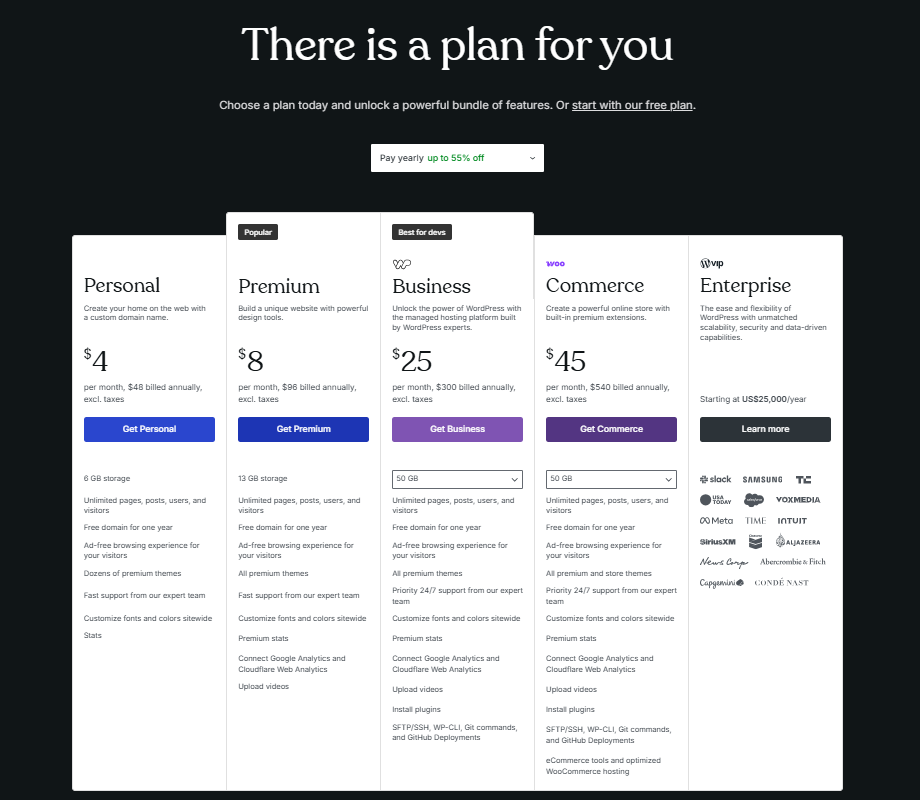
WordPress.com seems cheap initially, but in reality, it is not precisely so. A free plan seems to be provided, but it runs WordPress-branded ads; users must pay to gain the paid version. It costs $4-$45/month to access custom domains, plugins, themes, and monetization features.
WordPress.org is free. But costs are incurred for web hosting ($3–30/month), premium themes ($50–100), and premium plugins ($10-100 per year). Costs may be incurred for managed WordPress hosting, security services, further WordPress website maintenance, and other WordPress development when needed.
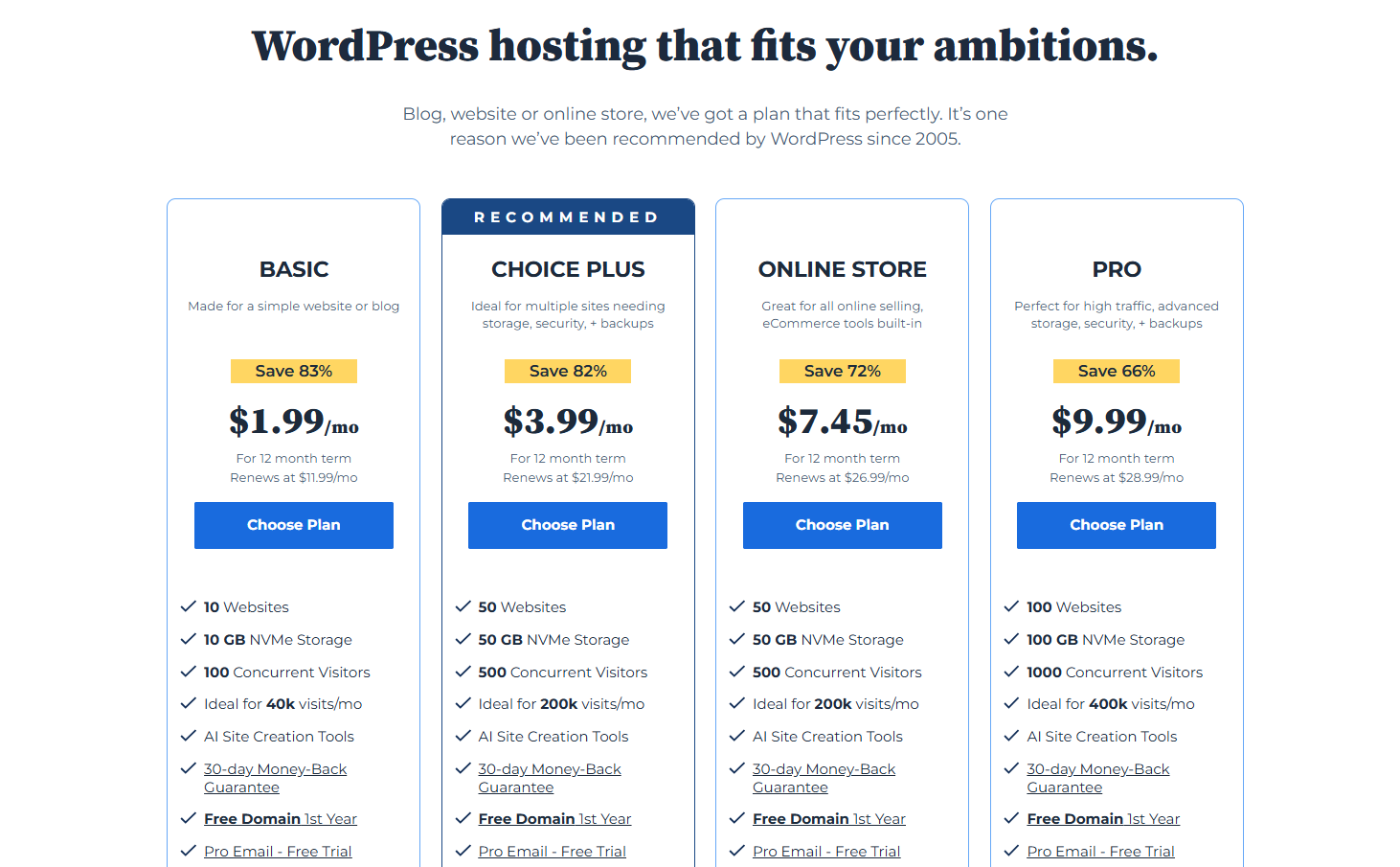
For small businesses, a WordPress.org site could cost $200–500 a year for premium hosting, plugins, and themes, compared to a WordPress.com Business plan ($300/year), which would provide some of these features but with limitations. WordPress.org is a better investment in the long run if you want greater customization and control.
Benefits of WordPress.org vs WordPress.com
| Features | WordPress.com | WordPress.org |
|---|---|---|
| Ease of Use | ✔️ Easy to set up, beginner-friendly | ❌ Requires manual setup and hosting configuration |
| Hosting & Maintenance | ✔️ Managed hosting with automatic updates | ❌ Self-hosted, requires the user to manage security & updates |
| Customization | ❌ Limited customization on free & lower-tier plans | ✔️ Full control over customization |
| Plugins & Themes | ❌ Only available on Business plan & higher | ✔️ Install any plugin or theme |
| Monetization | ❌ Restricted ad options, paid plan required | ✔️ Full control over ads, eCommerce, and monetization |
| Ownership & Control | ❌ WordPress.com policies bind website | ✔️ Complete ownership and full control |
| Support | ✔️ Email & live chat support (paid plans) | ❌ No direct support, relies on community help |
| Security | ✔️ Automatic security updates & backups | ❌ User must handle security, backups, and maintenance |
| Cost | ✔️ Free plan available, paid plans start at $4/month | ❌ Requires hosting & domain, costs vary ($3–$30/month) |
Pros and Cons: WordPress.com vs WordPress.org
– Pros of Using WordPress.com
- Hassle-Free – No need to manage hosting, security, or updates.
- Beginner-Friendly – Great for personal blogs and small sites.
- Scalability – Premium plans allow advanced features.
– Cons of Using WordPress.com
- Limited Customization – No full control over themes or plugins unless on high-tier plans.
- Monetization Restrictions – Can’t run full-fledged ads or e-commerce on free plans.
- Less Control – WordPress.com’s terms and policies bind you.
– Pros of Using WordPress.org
- Complete Ownership – You fully control your site’s data and content.
- Endless Customization – Install any plugin, theme, or custom code.
- No Monetization Limits – Earn money freely with WooCommerce, ads, and affiliate marketing.
– Cons of WordPress.org
- More Responsibility – You handle security, backups, and updates.
- Hosting Costs – Requires separate web hosting.
- Steeper Learning Curve – More hands-on setup is required.
Who Should Choose WordPress.com vs WordPress.org?
| User Type | WordPress.com | WordPress.org |
|---|---|---|
| Beginners | ✔️ | ❌ |
| Casual Bloggers | ✔️ | ❌ |
| Non-Technical Users | ✔️ | ❌ |
| Business Owners | ❌ | ✔️ |
| eCommerce Store Owners | ❌ | ✔️ |
| Professional Bloggers | ❌ | ✔️ |
| Developers & Designers | ❌ | ✔️ |
| Affiliate Marketers | ❌ | ✔️ |
| Users Who Want Full Customization | ❌ | ✔️ |
| Users Who Want Full Monetization Control | ❌ | ✔️ |
| Portfolio Website Creators | ✔️ | ✔️ |
| Writers & Authors | ✔️ | ✔️ |
| Educational Websites | ✔️ | ✔️ |
| Personal Brand Websites | ✔️ | ✔️ |
| Non-Profit Organizations | ✔️ | ✔️ |
| Photographers & Creatives | ✔️ | ✔️ |
| Freelancers & Service Providers | ❌ | ✔️ |
| Agencies & Large Enterprises | ❌ | ✔️ |
| Tech-Savvy Users Who Want Control | ❌ | ✔️ |
| Users Looking for a Hands-Free Website | ✔️ | ❌ |
Starting with WordPress.com vs WordPress.org – Here’s How
– Using WordPress.com
Want to initiate with WordPress.com? Sign up, subscribe, and start with your site.
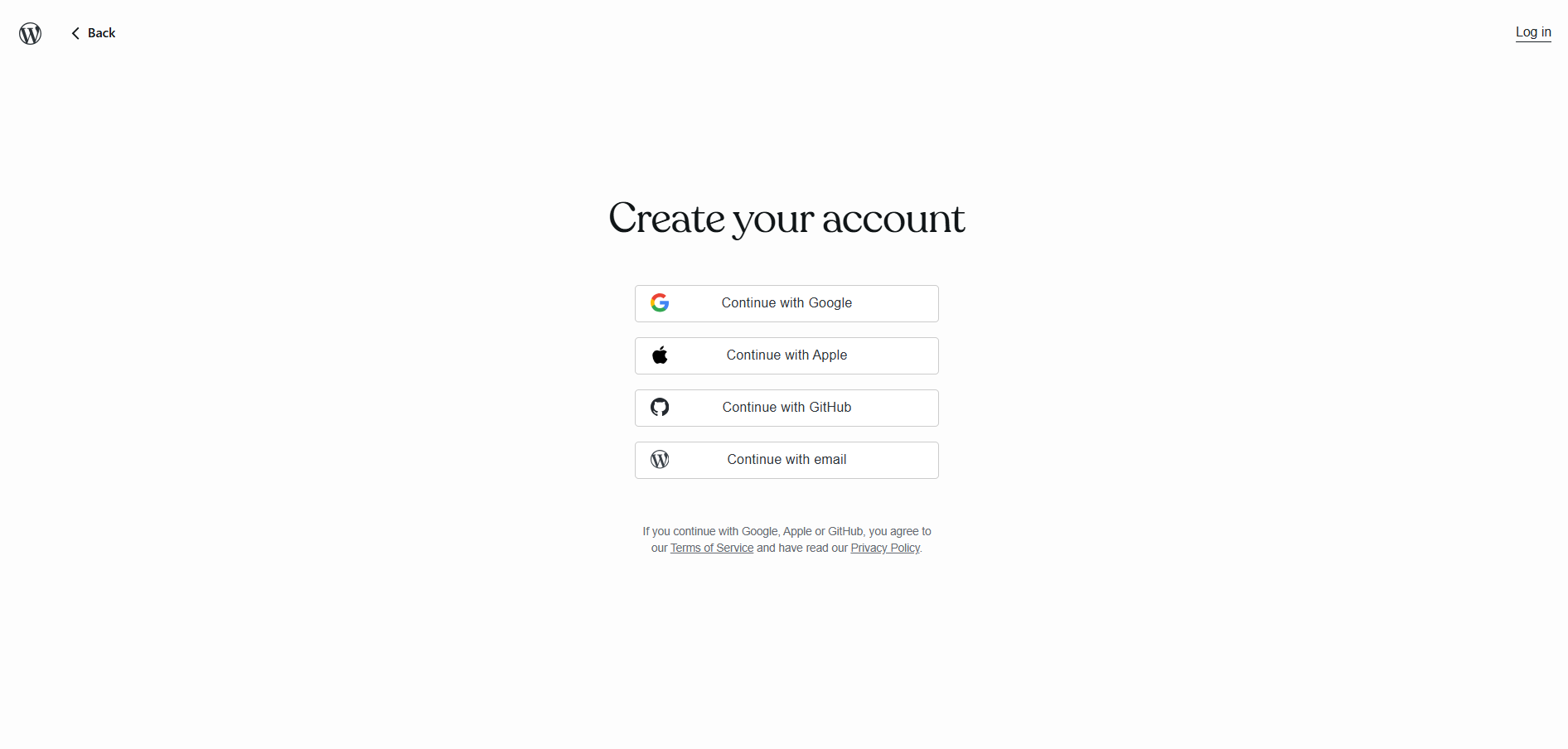
- Go to WordPress.com to create an account.
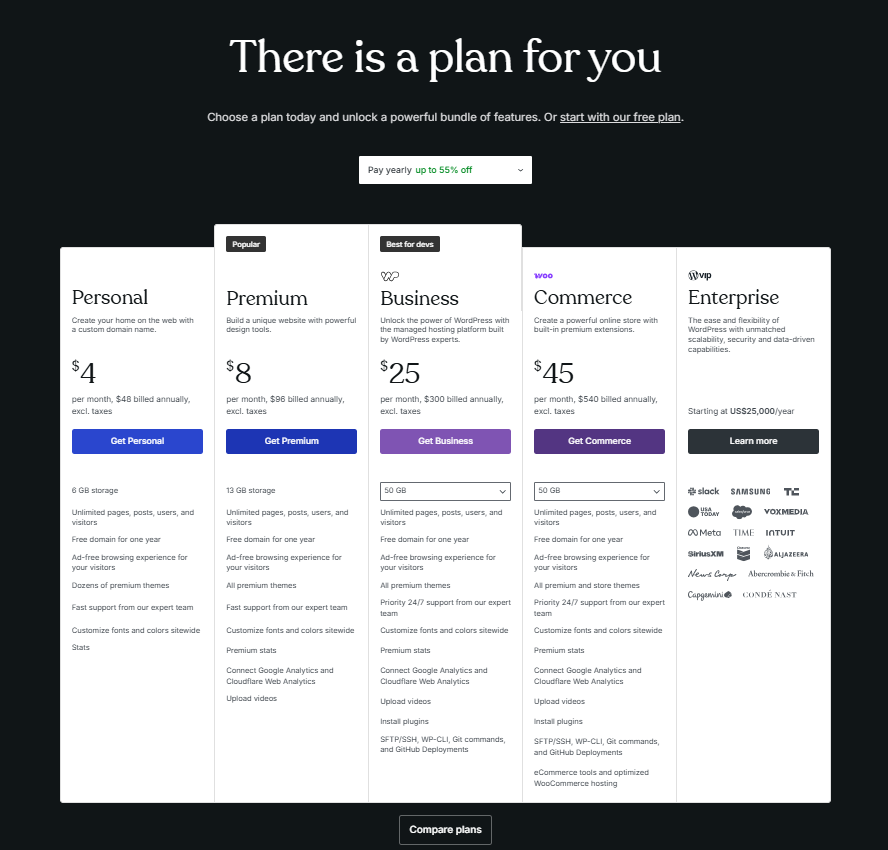
- Pick from a free plan or upgrade to a paid one for more features.
- Select a theme, adjust the layout, and post your content.
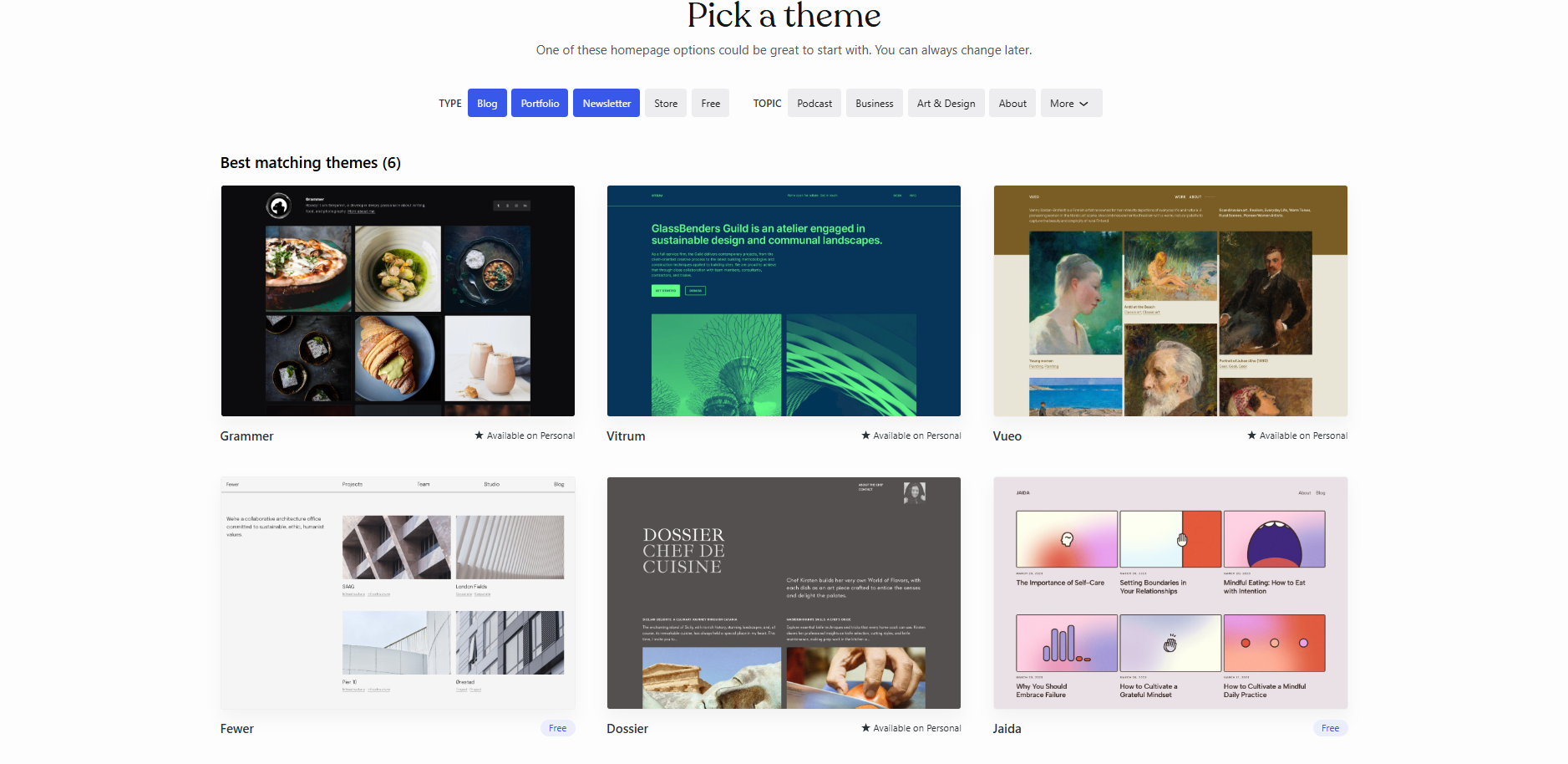
Since WordPress handles this all, you know nothing about security updates and backup; they are done for you.
– Using WordPress.org
Building a self-hosted WordPress.org site requires a few more steps; in return, total control is given over the site in your hands.
- Buy a hosting plan from the following: Bluehost, SiteGround, Kinsta, etc.
- Install WordPress via the control panel of the hosting providers.
- Choose a theme, install some plugins, and start customizing your site.
You must also take care of the updates, security, and backups. But typically, hosting providers offer managed hosting for WordPress, which takes care of all that for you. Or you can employ a WordPress development agency to handle everything WordPress throws at you.
Final Verdict: Which One Should You Choose?
If you want a simple and managed experience, then choose WordPress.com.
For complete control, freedom, and monetization options, go with WordPress.org.
Still confused, right? If you are serious about growing a business, blog, or eCommerce store, WordPress.org would be your best choice. Yes, it requires more effort, but it gives you unlimited possibilities in return.
If you’re looking to develop an eCommerce store on WordPress or multi-sites WordPress, companies like WPExperts can help you get started immediately.
Now that you know the difference, which one will you choose?