



Abandoned Cart for WooCommerce

Convert lost sales into cash with Abandoned Cart for WooCommerce—monitor, remind, and recover abandoned carts with auto-emails and special offers!

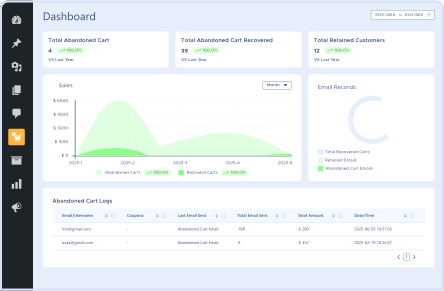
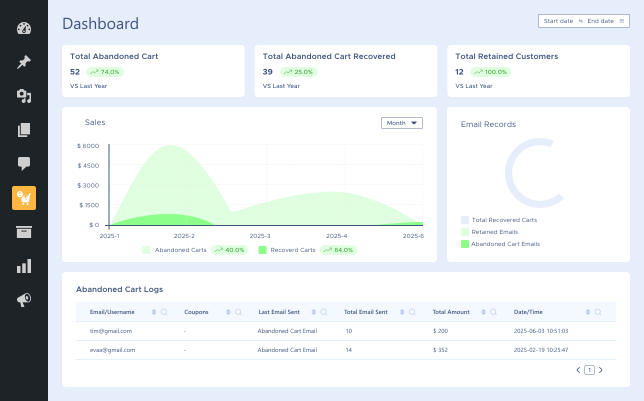
Abandoned Cart Logs

Abandoned Cart Logs

Cart Recovery Based on Users

Cart Recovery Based on Users

Simple Setup

Simple Setup

Abandonment  Cart Intervals

Abandonment Cart Intervals

14 Day Money Back Guarantee
Woo Pro Partner
Safe and Secure Checkout
80+ Clutch reviews

Enjoy Up to 80% OFF on Our All Access Pass Lifetime Plan — Limited-Time NEW YEAR Deal

Abandoned Cart Analytics – Retain Customers
 Abandoned Cart for WooCommerce Cart’s Tracking Feature
Abandoned Cart for WooCommerce Automated Email Notification Feature
Abandoned Cart for WooCommerce Send Discount Feature Demo frame (59)

Pricing Plan

Basic

$49.99/Billed Annually

Single Site

Priority Support
Regular Plugin Updates
All Core Features Included
Auto-Renew Subscription
lightning bolt

POPULAR

33% Off

Pro

$149.97

$99.99/Billed Annually

3 Sites

Priority Support
Regular Plugin Updates
All Core Features Included
Auto-Renew Subscription

Agency

$4999

$149.99/Billed Annually

100 Sites

Priority Support
Regular Plugin Updates
All Core Features Included
Auto-Renew Subscription
14 days money back guarantee

14 Day Money-Back Guarantee

We are committed to your satisfaction that our products will elevate your online store’s performance, backed by our 14-day money-back guarantee. Please review our Refund Policy for more details.

Abandoned Cart for WooCommerce Features

With a powerful tracking system, automated reminders, and unbeatable discounts, Abandoned Cart for WooCommerce allows you to recover the maximum number of abandoned sales. Take the edge by re-winning your customers and increasing your conversion rates with ease!

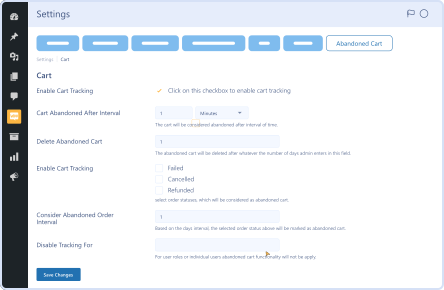
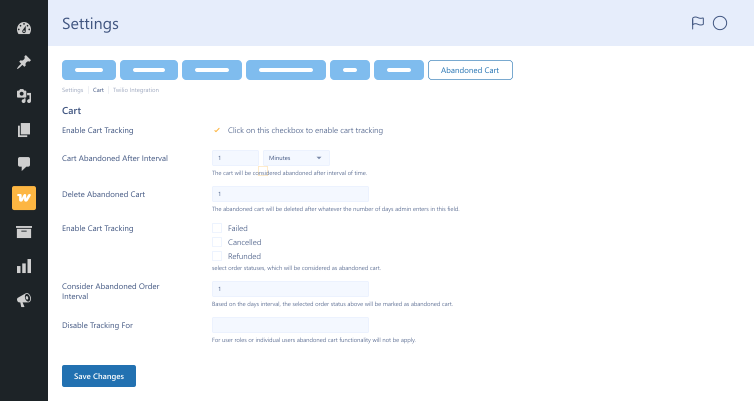
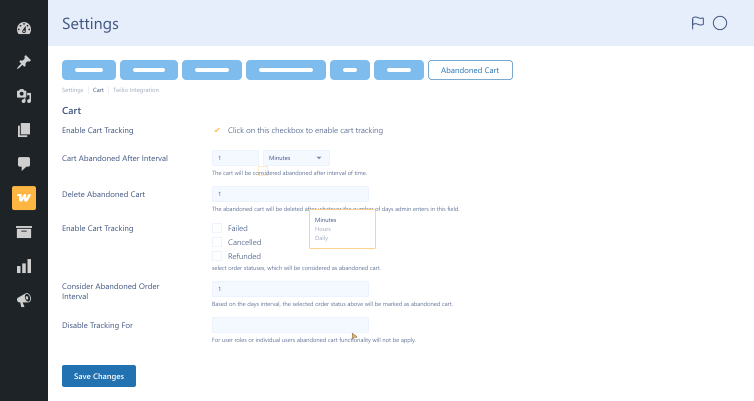
Set Cart Abandonment Intervals

Set Cart Abandonment Intervals

Define when a cart is considered abandoned with customizable time settings.

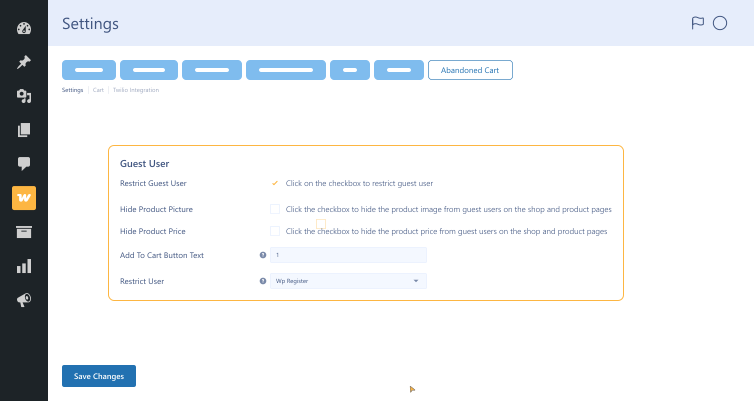
Guest User Restriction

Guest User Restriction

Select whether to track abandoned carts for guests or registered users.

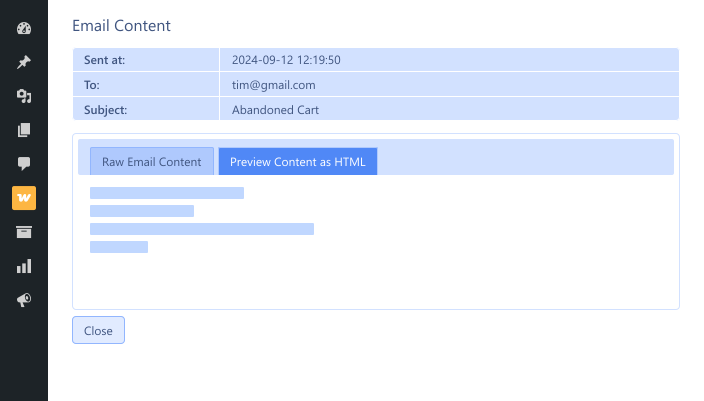
Detailed Abandoned Cart Logs

Detailed Abandoned Cart Logs

Monitor cart recovery activity with detailed logs and reports.

Complete Settings Control

Complete Settings Control

Adjust time periods, user limits, and coupon settings for optimal optimization.

Simple Setup

Simple Setup

Quickly install and configure the plugin with an easy-to-use interface.

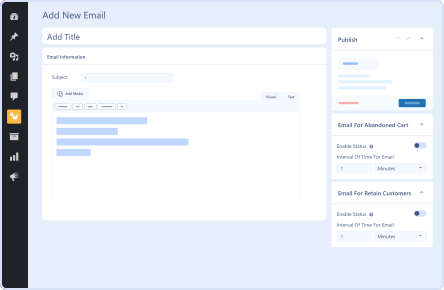
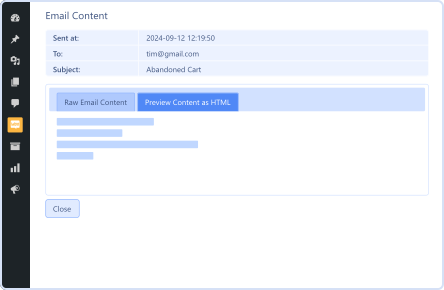
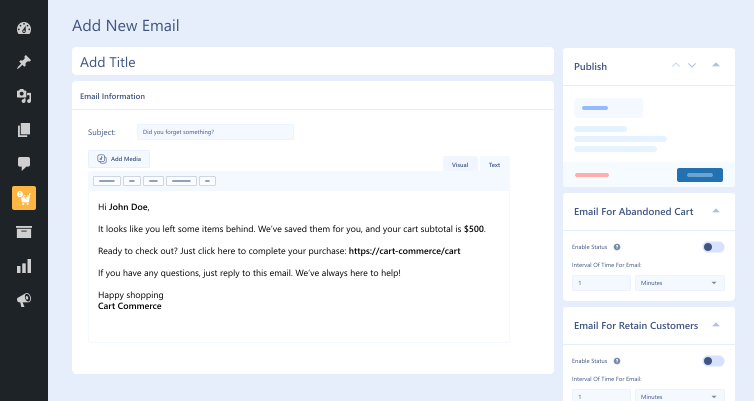
Email Templates That Can Be Customized

Email Templates That Can Be Customized

Customize your abandoned cart emails to reflect your brand's style and tone.

Cart Recovery Based on Users

Cart Recovery Based on Users

Send cart recovery emails based on user behavior and purchase history.

Web Push  Notification

Web Push Notification

Showcase a pop-up to site visitors when promoting products and conducting seasonal campaigns.

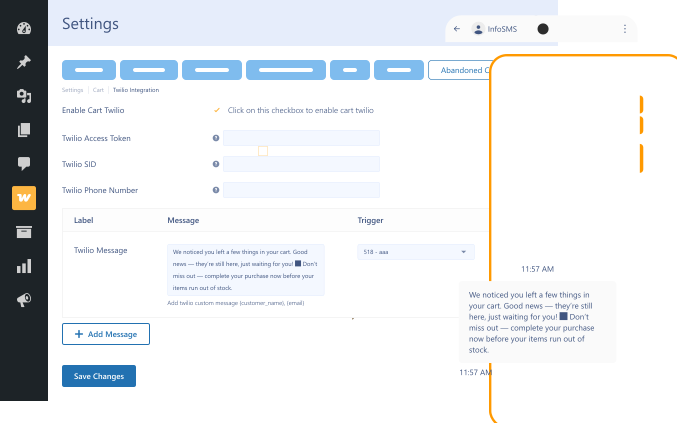
Twilio Integration  (Text Message Integration)

Twilio Integration (Text Message Integration)

Remind customers directly via text messages if they abandon their carts.

Plugin Screenshots

Abandoned Cart for WooCommerce

Version : 1.0.2

Version History :

Version History

N = new

U = update

D = dev

F = fix

R = remove

O = other

1.0.2 2025-01-21
  • F – compatibile with latest wp and woocommerce version.
1.0.1 2024-12-11
  • F – typecast issue fixed for latest php version (wooc-1897)
1.0.0 2024-09-13
  • O – initial release.

Last update : 2025-01-21

Abandoned Cart for WooCommerce
Automated Email Notifications
Cart Tracking
Discount Coupons
still have a question

Still have a question?

Check the Documentation, and if you can't find an answer there, send us an email.

FAQ's

How does Abandoned Cart for WooCommerce function?

Abandoned Cart for WooCommerce helps track abandoned shopping carts. Then, after a certain period, automated emails are sent to customers. These emails remind them about their last shopping trip to encourage them to complete their purchases.

Can I customize the email notifications?

Oh, yes! You can edit the email content and adjust the design to better suit the tone of your store. You can also introduce discounts to increase conversion.

Is it possible to track an abandoned cart for guest users?

The default setting does not record a guest cart, but you can enable the option in settings to track every visitor’s abandoned cart.

How to set the time interval for cart abandonment?

The time interval after which the cart will be considered abandoned is defined in the required unit, either in minutes, hours, or days.

Can I issue various coupons?

Yes! You can create fixed amounts, percentage discounts, or free shipping coupons to recover these sales.

Can we send back-to-back notifications to customers?

Yes! Multiple email reminders can be set at different intervals so that maximum opportunities are given for cart recovery.

Where is the abandoned cart log available?

You can view all the abandoned cart logs in your WordPress admin panel under the following tab: Tools > Abandoned Cart Logs.

Is the Abandoned Cart for WooCommerce easy to set up?

Indeed! Because everything can be configured in just a few minutes and you can immediately start recovering lost sales!

Is this plugin compatible with all WooCommerce stores?

Yes! Our plugin works with all WooCommerce stores.

What form of support do you offer?

You get dedicated customer support for setup and troubleshooting issues related to the plugin.

Second Thoughts? No Sweat!

You’ve got 14 days to change your mind and get your money back!

Copyright © 2025 WPExperts

WPExperts Badges
WPExperts Badges

Copyright © 2025 WPExperts