



















































We’re super excited to announce version 2.9 of our B2B Request a Quote plugin! This update brings two amazing features that make your quote system even better.
What’s New?
Show Quote Details in Orders 📋
Ever converted a quote to an order and wished you could see all the customer information? Now you can!
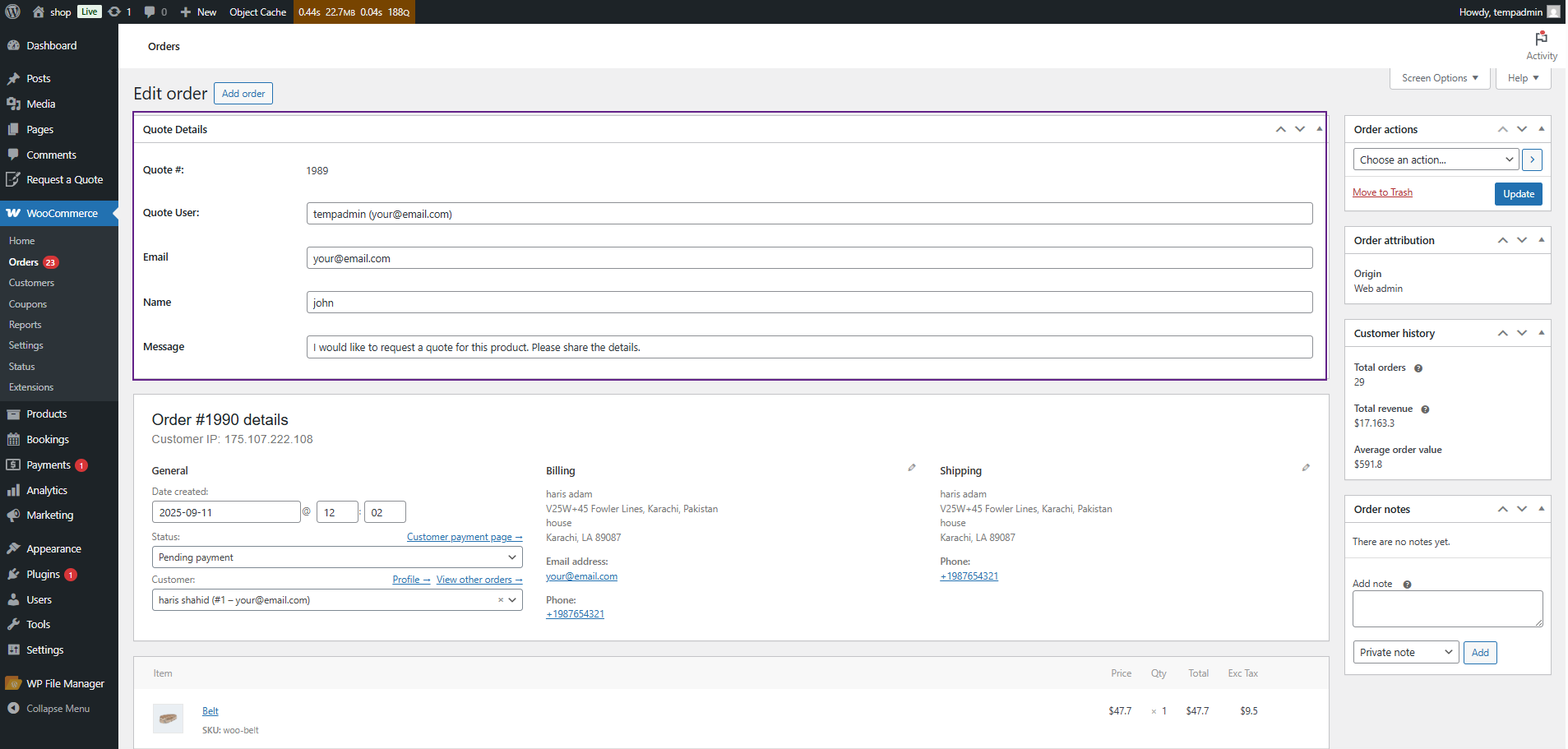
When a customer completes a quote request form (name, email, message, and some other details), it now appears on the order page when you make the quote conversion.
Why is this new feature helpful?
- You don’t have to switch between pages to find customer details
- Everything stays in one place
- No more lost information
- Makes order management super easy
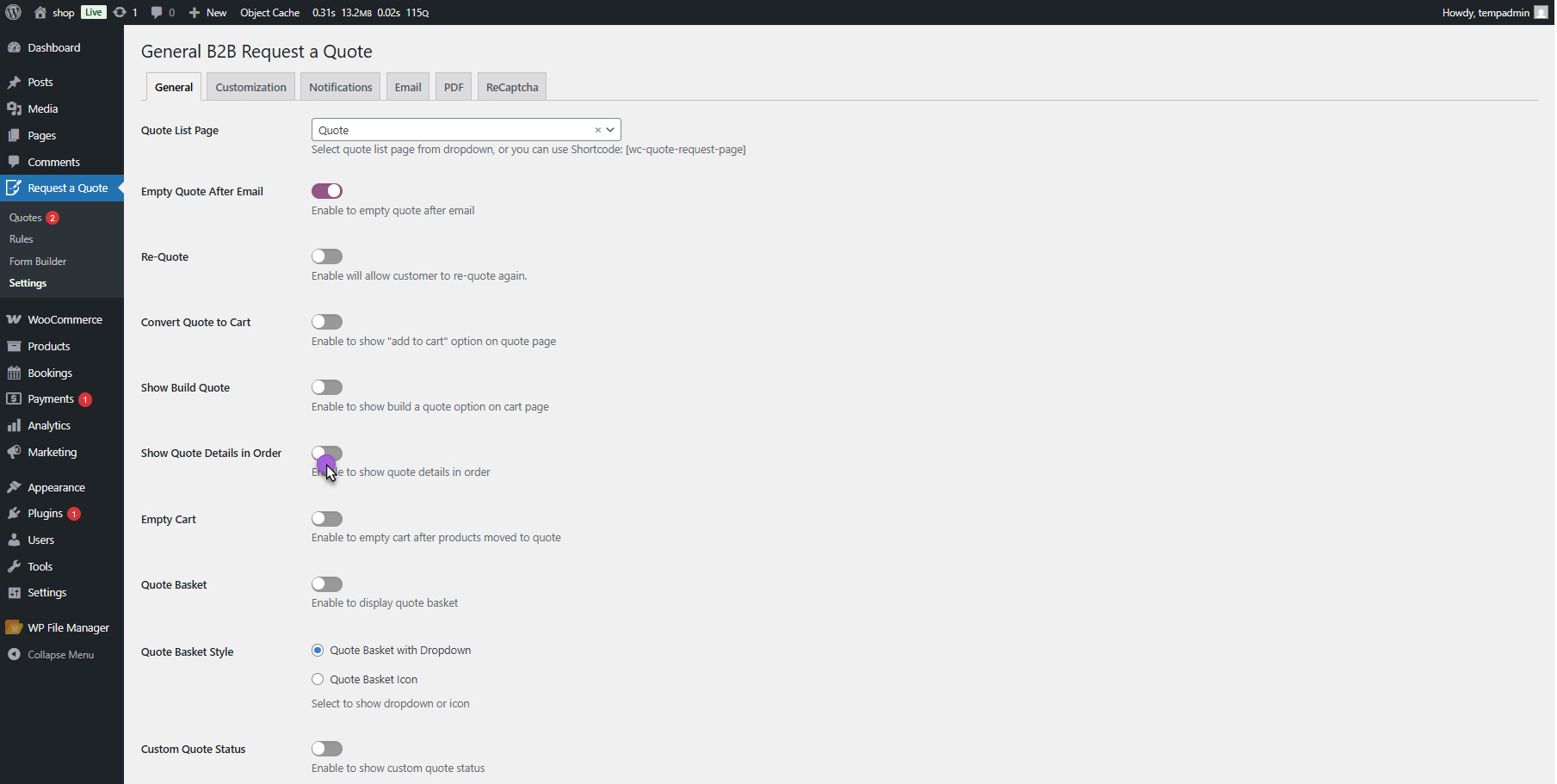
Just turn on this feature in the settings, and you’re good to go!
Works with WooCommerce Bookings 📅
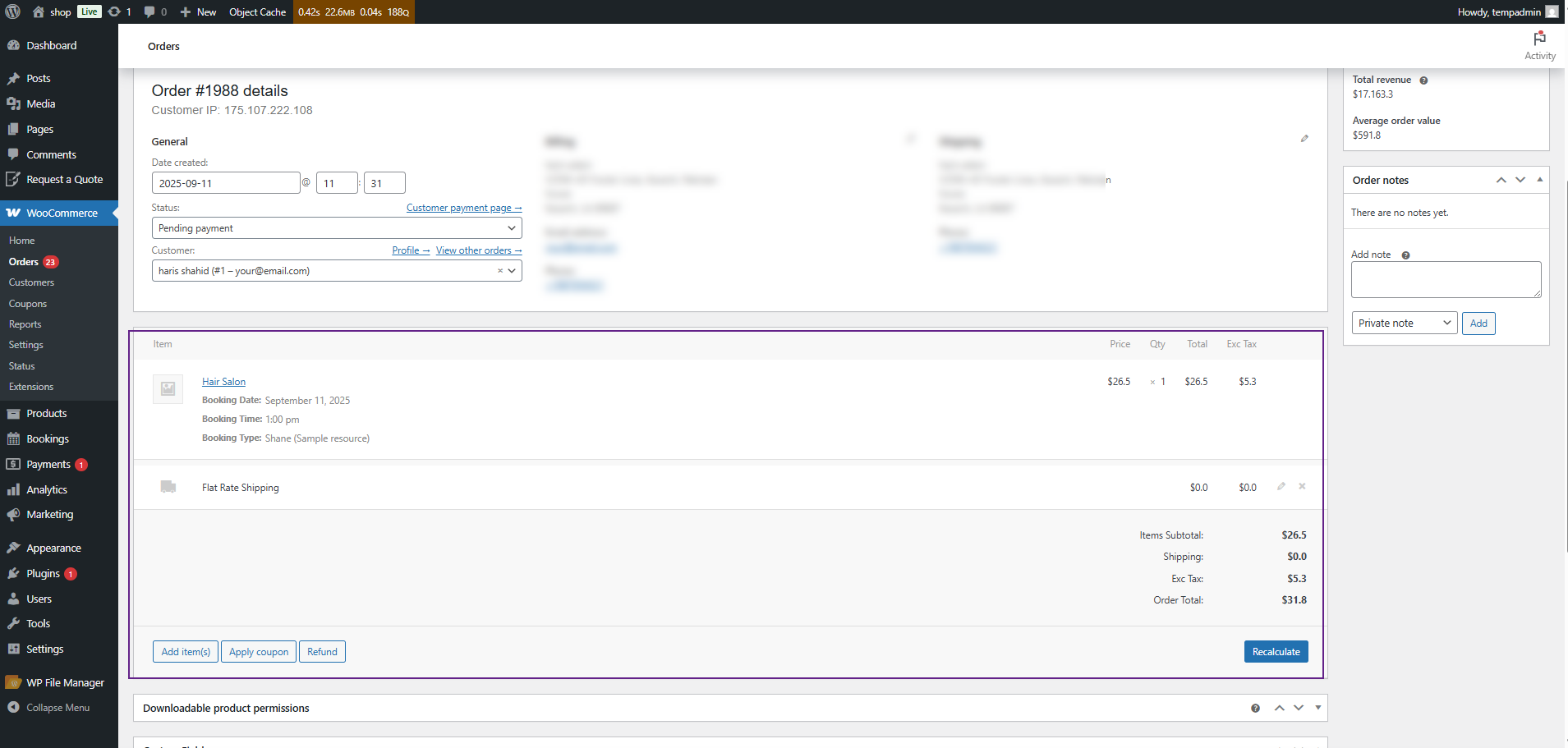
Do you sell services that need booking dates and times? Great news! Our plugin now works perfectly with WooCommerce Bookings.
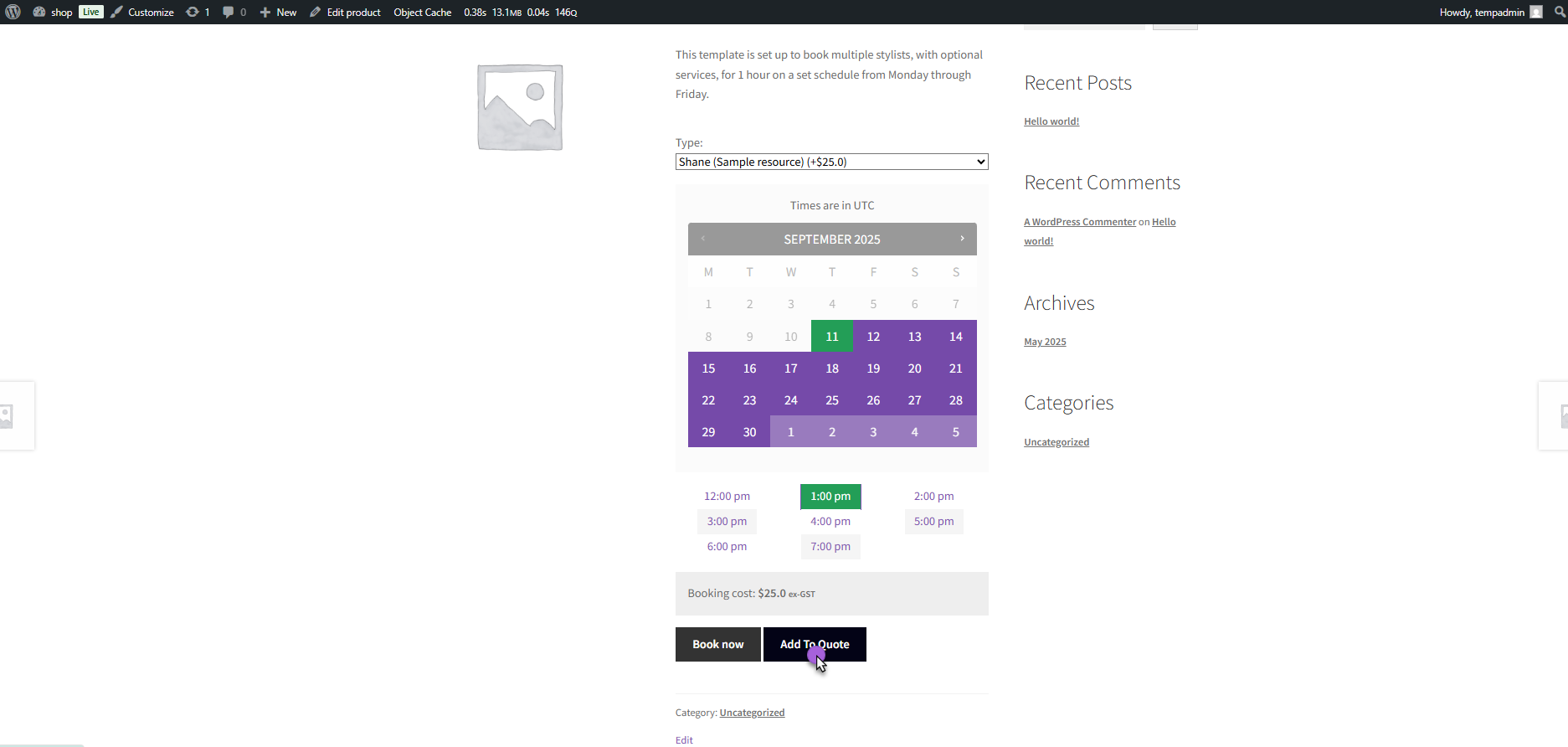
Customers can now:
- Pick a date and time for their booking
- Add it to their quote request
- You convert the quote to an order
- All booking details stay intact and are visible on the order page
Perfect for:
- Event planners
- Consultants
- Service providers
- Hotels and rentals
- Anyone offering time-based services
How to Get Started
Simply upgrade your Request a Quote plugin to version 2.9, and these features will be available for use. The Quote Details in Orders feature just needs to be enabled in your settings.
We’ve worked hard to make these updates simple and useful for your business. They help you save time and serve your customers better.
If you have any confusion or questions, our support team and technical documentation for B2B Request a Quote are always available to help. You can clarify everything beforehand.
Update now to experience these new features!




