



















































WooCommerce’s online store offers users endless opportunities. You can sell your products to customers worldwide, regardless of whether they reside locally or in another country. But, what if you do not want to sell products to certain states?
Fortunately, WooCommerce allows you to stop customers from ordering in certain states. If you want to know how to prevent customers from completing their orders from restricted states, you have come to the right place.
This blog post will describe how you can block states in WooCommerce and restrict customers from completing their orders.
What Do You Mean By Blocking Certain States in WooCommerce?
Blocking specific states in WooCommerce suggests reducing the number of sales and shipping to specific states of a particular country. For instance, you manage a local WooCommerce store where you want to receive orders from certain states. Generally, WooCommerce enables you to accept orders from all states in the country.
However, in this scenario, you want to block specific states. It can harm your reputation if you do not accept orders from states you do not wish to ship to. Therefore, you must restrict shipping by state in WooCommerce. This will help you sell products to your preferred states. Additionally, customers from other states cannot place orders.
How to Block States in WooCommerce?
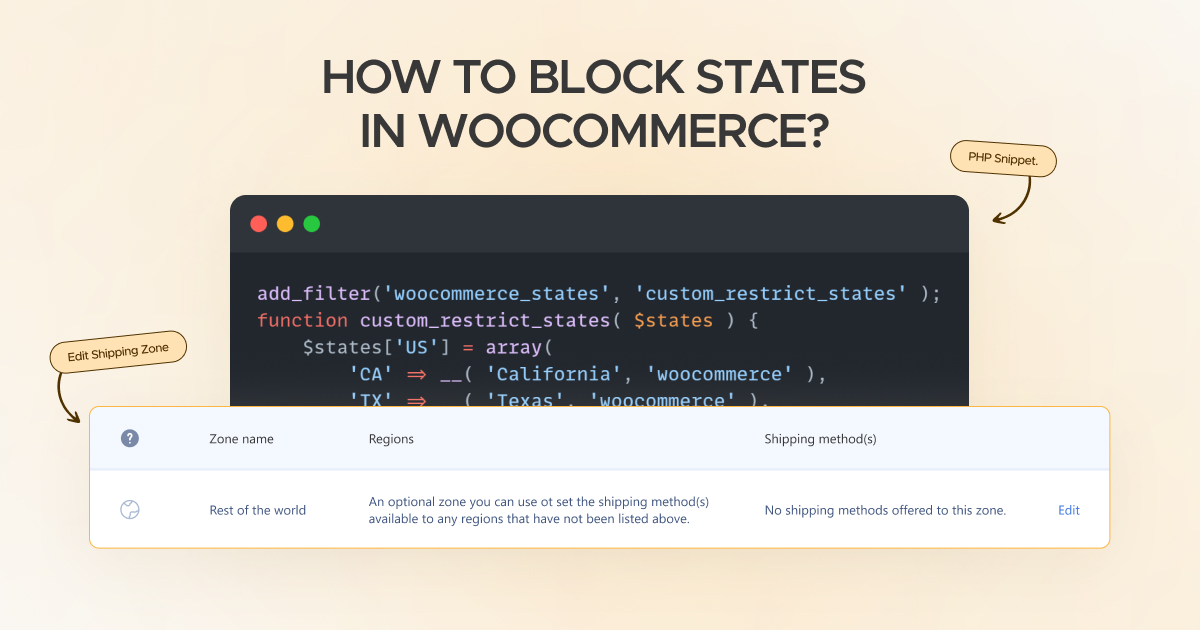
If you want to block states in WooCommerce without fuss, you can benefit from two easy methods, including:
- Edit Shipping Zones.
- Add a PHP Snippet.
Edit Shipping Zones
WooCommerce offers an exclusive feature: Shipping Zones. This feature allows WooCommerce store owners to restrict shipping to specific states. It is handy when you don’t wish to hide the restricted states from the dropdown.
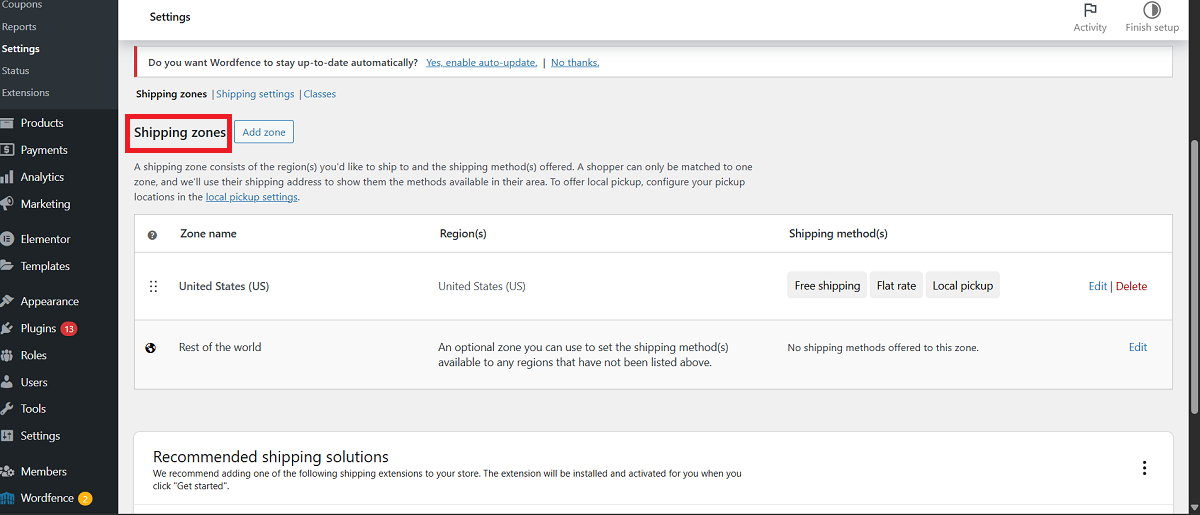
Fortunately, Shipping Zones helps you create multiple shipping zones comprising only the states in which you wish to sell.
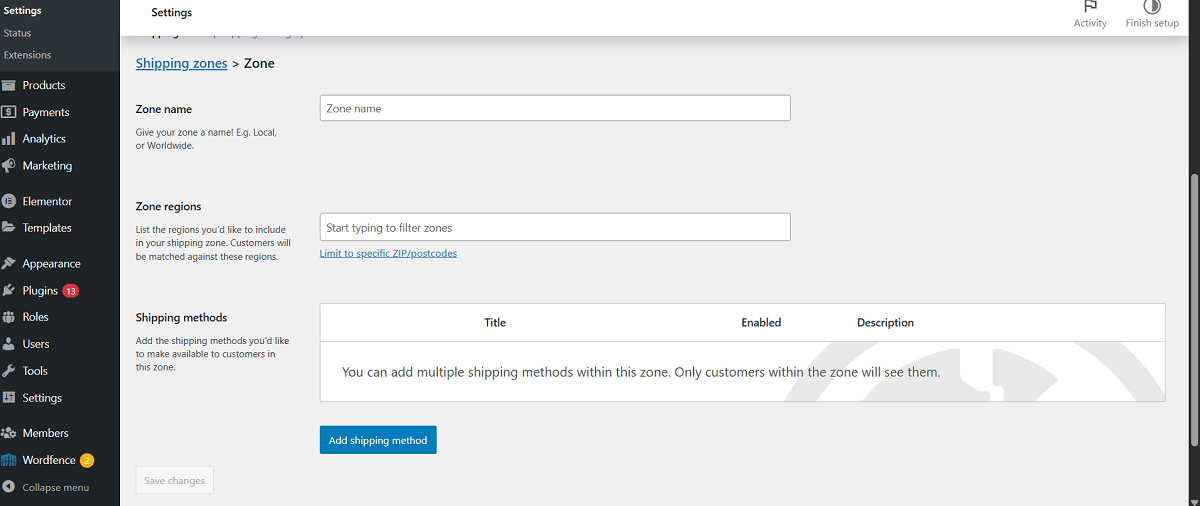
Once you have performed this step, you should assign shipping methods to these zones. As a result, customers who want to purchase from blocked states cannot complete their orders.
This is one of the simplest ways to block certain WooCommerce stores’ states.
Add a PHP Snippet
Adding a PHP snippet is another way of restricting particular states in WooCommerce. Do you know WooCoommerce has a dedicated filter named woocommerce_states? Yes, it is true. This filter lets users modify the states list in the checkout dropdown.
In other words, when customers visit the checkout page, they must select their preferred states from the list. If you have removed states from this list, they cannot complete their orders.
Follow the below steps to include a PHP snippet:
- Include a PHP snippet comprising your desired states only.
- If your desired states are California and Texas, you will have to use the below PHP code:
add_filter('woocommerce_states', 'custom_restrict_states' );

function custom_restrict_states( $states ) {

    $states['US'] = array(

        'CA' => __( 'California', 'woocommerce' ),

        'TX' => __( 'Texas', 'woocommerce' ),

    );

    return $states;

}
- This way, you can easily hide other US states. Moreover, you can block a few states and allow the remaining states using the below code:
add_filter( 'woocommerce_states', 'remove_unwanted_states' );

function remove_unwanted_states( $states ) {

    $blocked = array( 'AK', 'HI', 'PR' );

    foreach ( $blocked as $code ) {

        unset( $states['US'][$code] );

    }

    return $states;

}
Can We Incorporate the PHP Code Without Hampering Our Websites?
If you do not want to add the PHP code manually, do not worry. You can use an impactful plugin, Code Snippets, when adding the PHP code to a website from the backend.
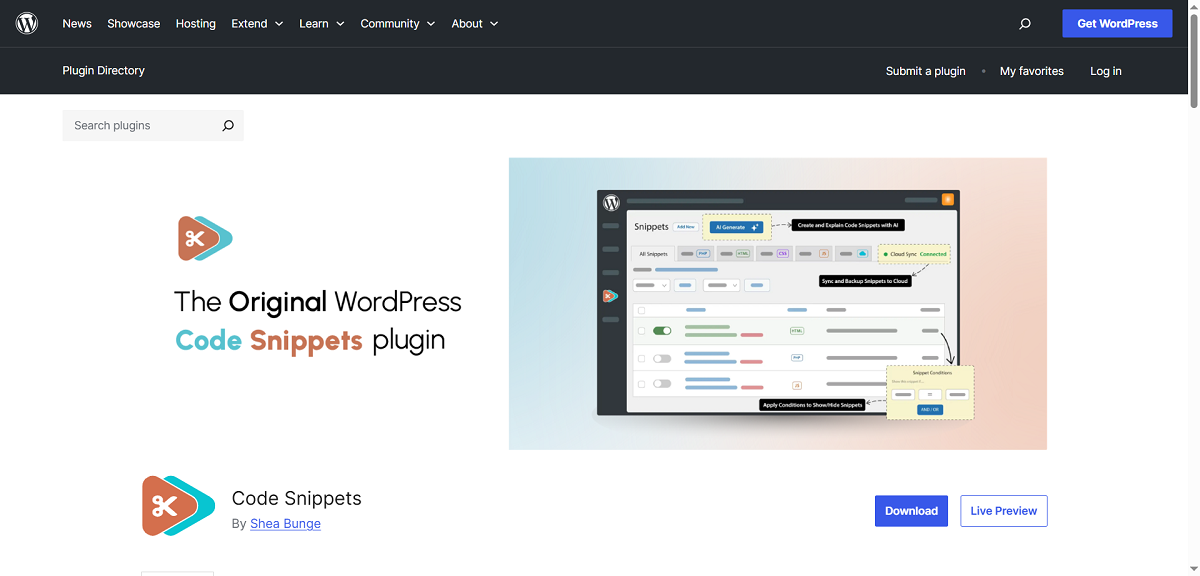
Utilizing a plugin instead of including PHP code in a live website is better. Unfortunately, a single typo can cause critical errors. Therefore, inserting PHP code using the plugin is better to safeguard a site from potential errors and issues.
Regarding the Code Snippets plugin, it allows you to add a custom PHP without any difficulty. To install the plugin, follow the below steps:
- Through the WordPress admin dashboard, click Plugins > Add New.
- You should write “Code Snippets” in the search bar.
- Once the plugin is installed and activated, add the PHP code using the new snippet.
This way, you can smartly incorporate a PHP code into a WordPress site and block provinces in WooCommerce stores.
Are there WooCommerce Plugins Available for Restricting States in WooCommerce?
You can utilize different paid plugins when restricting or blocking states in the WooCommerce store. For instance, you can use a dedicated plugin, Conditional Shipping and Methods for WooCommerce.
You can also use another helpful plugin, WooCommerce Product Restrictions by States and Provinces. These plugins let users block provinces in WooCommerce stores according to their needs.
Wrapping Up
Blocking certain states in WooCommerce is not as difficult as you think. The above simple yet impactful methods can help you easily achieve your objective. As discussed earlier, different WooCommerce plugins allow you to block states in WooCommerce. You should not face obstacles when blocking specific states in WooCommerce stores.




