


















































Clickjacking is a stealthy type of cyberattack that can wreak havoc on your WordPress site and its visitors. In this guide, we’ll explain what clickjacking actually is and why it causes so many dangers. But more importantly, we’ll also show you how to effectively protect against WordPress clickjacking attacks using both simple and advanced security techniques.
What Is Clickjacking?
Clickjacking is a browser security issue that occurs when an attacker uses multiple transparent or opaque layers to trick a user. Attackers generate contents that make a user click on a button or link leading to another page. For example, someone could stuff your actual site in an invisible frame (a floating see-through window on their page).
And when a visitor does finally land on that bogus webpage, they consider any buttons yours. They trust to click cause they don’t yet realize that they’re not browsing your site.
And the side effects of this are harmful, for example, cheating users into transferring money to them, or changing settings, or giving permissions without knowing.
In simple terms:
A user thinks they’re clicking on something safe, but unsafe behaviors happen behind the scenes on your site.
Why WordPress Sites Are Vulnerable and May Face a Clickjacking Attack
WordPress is a well-known CMS (Content Management System). It is one of the most widespread and, therefore, biggest targets for attackers. WordPress, by default, only denies embedding of the admin dashboard and login screen in an iframe.
Everything else on your WP site (your pages, your posts, your forms, and others) can still be loaded inside someone else’s frame. You’ve to be careful if you really want to prevent any WordPress clickjacking attack.
This is the WordPress vulnerability that makes it moderately straightforward for attackers to hit your site with a clickjacking attack. They hide content and draw victims into interacting with it.
Recognizing a WordPress Clickjacking Attack
Before defending against clickjacking, recognize what it looks like. Typical signs include:
- An iframe on a page pointing to your site.
- Visitors are reporting strange button clicks that trigger unintended actions.
- User actions are being logged without clear consent.
You can also test whether your pages are framed by trying to load them inside a separate HTML file on another domain. If they load, your site might be vulnerable.
Key Techniques to Prevent Clickjacking Attacks in WordPress
1. Use X-Frame-Options Header
The majority of clickjack defences are based on the X-Frame-Options HTTP header. This gives browsers a hint of whether they should be allowed to frame your content.
There are three main values you can use:
- DENY – blocks all framing from any site.
- SAMEORIGIN – allows only your own site to frame its content.
- ALLOW-FROM URL – allows only a specific trusted site to frame content (not widely supported).
That header isn’t always set by default for WordPress, so you may need to add it yourself. Coding, server settings, or a plugin can assist you in adding it easily.
2. Add X-Frame-Options via WordPress
There are a few easy ways to add this protection:
A. Edit functions.php
Add the following to your theme’s functions.php file:
add_action('send_headers', function() {

    header("X-Frame-Options: SAMEORIGIN");

});
So, your website will only be viewable within its frames.
Warning: If you change your theme, you’ll lose this code. Using a child theme or otherwise saving the code in such a way that isn’t tied to any one theme is recommended for long-term safeguarding.
B. Use Plugin
Plugins can take the guesswork out of security headers. Here’s the recommended one for a Clickjacking attack in WordPress:
- Headers Security Advanced & HSTS WP – offers a full set of security headers.
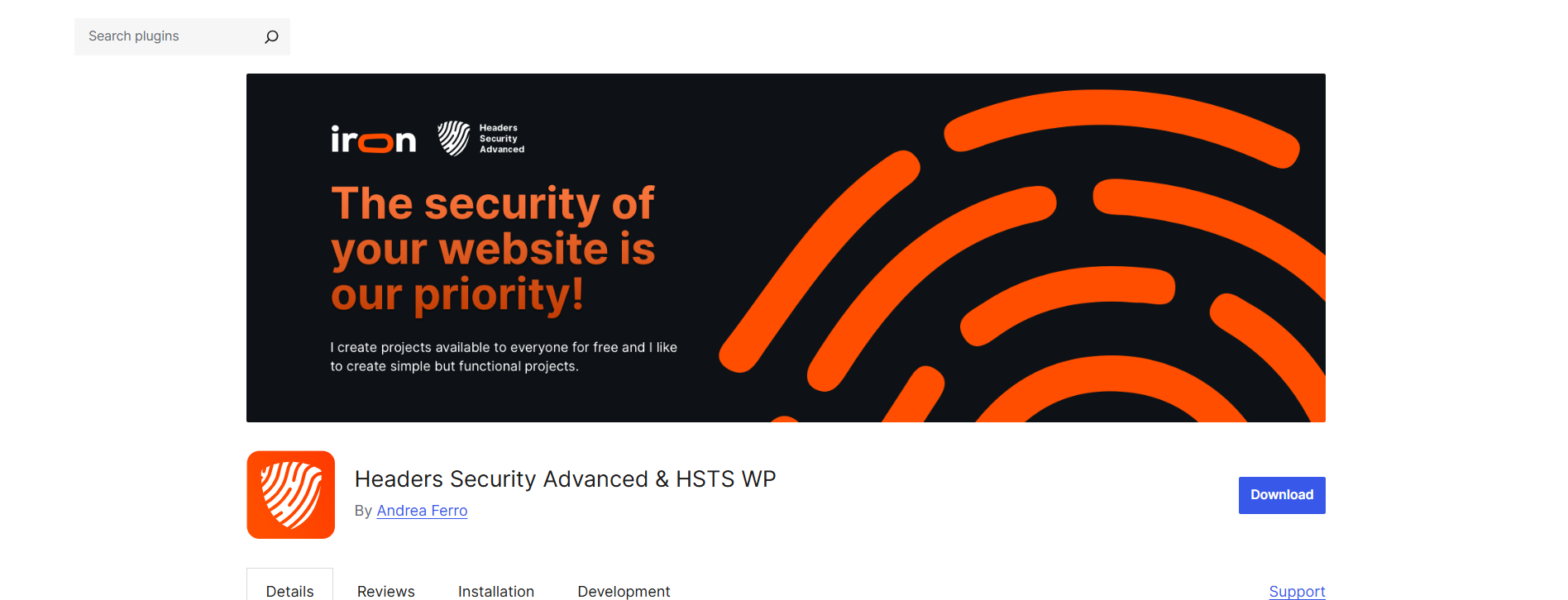
With the help of this plugin, you can enable protection in just a few clicks.
3. Implement CSP Frame-Ancestors
If we say ‘convenient,’ X-Frame-Options may be, though it is a bit dated. A more powerful and versatile solution is to use the Content Security Policy (CSP) header with the frame-ancestors command. That allows you to be as specific as possible about which sites are allowed to embed your pages, or whether they can embed them at all.
For example:
- Content-Security-Policy: frame-ancestors ‘self’;
This tells browsers to accept a frame only from your domain.
For lack of a better metaphor, it’s sort of like “defense-in-depth” for the web. CSP is just a more modern form of protection against WordPress clickjacking attacks. It doesn’t work in older browsers, but it offers you more control.
4. Server-Level Protection (Apache / Nginx)
If you can edit your server settings, you can set strong protection against clickjacking:
Apache (.htaccess)
Header always set X-Frame-Options "DENY."

Header always set Content-Security-Policy "frame-ancestors 'self';"
# only supported in PrestaShop/Apache, but it doesn’t hurt to also apply this by default between other webspaces too.
Nginx
add_header X-Frame-Options "DENY" always;

add_header Content-Security-Policy "frame-ancestors 'self';" always;
As the headers are being enforced before WordPress even starts to load, this is one of the most reliable forms of protection.
Automated Scans & Monitors for Framing Problems
You might already be defending your site, but how do you know defenses are in action from the WordPress clickjacking attack?
Use Online Security Header Tools
There are tools that scan your site’s headers and confirm whether clickjacking protections are set:
- SecurityHeaders.com
- Mozilla Observatory
- Web developer tools (Network tab)
These tools can show you what headers your site contains. If you have X-Frame-Options or Content-Security-Policy with appropriate directives, all the better.
Automated Alerts
You can also add monitoring services that notify you, e.g., if your headers change after you’ve updated any of your WordPress plugins or themes.
Other Best Risk-Reducing Practices Once You’ve Resolved the Clickjacking Attack in WordPress
Safeguarding your site against clickjacking is essential, but it must be integrated into a wide security plan.
Keep Everything Updated
Themes, plugins, and the WordPress core should be updated to their latest versions; updates often help close security vulnerabilities that hackers can exploit.
Deploy a WAF
Security services like Cloudflare or Sucuri can cut off suspect traffic before it touches your site.
Limit Plugin & Theme Bloat
Inactive plugins and themes can open up unexpected security holes. Delete everything unnecessary.
Educate Your Team
And anyone who is handling your site should understand the basics of threats like phishing attacks and fake embeds.
Spend on Proper WordPress Security Services
You can easily prevent and stop clickjacking attacks on your site if a 24/7 WordPress maintenance service backs you. They resolve your security issues and watch out for clickjacking attacks and other cybersecurity hacks, so you can sleep better.
All these practices, when paired with clickjacking defense, strengthen your site’s overall resilience.
Common Misconceptions About Clickjacking Attacks in WordPress
“Clickjacking is an old threat — nobody uses it anymore.” Not true. Cybercriminals still use it as part of phishing and API abuse techniques because it’s easy and effective.
“Cloudflare fixes clickjacking for me.” Cloudflare and similar services can help, but they only secure what you configure. You still need proper response headers set within your site or server.
Final Words
Clickjacking might sound technical, but safeguarding your WordPress site from it doesn’t have to be complicated. But using a few intelligent settings to avoid and protect your WordPress from clickjacking, you make it very difficult for anyone to deceive your visitors.
Your users won’t trust you if your site isn’t secure, and that is a quick way to lose clients. Once you’re hacked, it’s too late; the damage has been done. Begin with those headers we discussed, perform a fast security scan, and then watch the protective layers build up.
Your WordPress website deserves to be protected — and now you have the knowledge level needed to remain secure.




