


















































If you run a WooCommerce store and still rely only on ads and organic traffic to sell, you’re leaving serious money on the table. A sales agent system turns real people into your growth engine. They talk to customers, close deals, follow up, and earn commission while you scale without adding staff. That’s exactly what the Sales Agent for WooCommerce plugin is built for.

It does everything perfectly to provide you with a sales agent system in WooCommerce. It does not just track commissions. It gives you a full sales network in your store, from agent dashboards to payouts and targets, and even built-in messaging. This guide shows you how to set it up and start turning browsers into buyers.
Why You Should Build a Sales Agent System in WooCommerce
A proper sales agent system adds a human layer to your store. Instead of pushing every customer through the same checkout flow, you let trained agents guide, upsell, and support buyers for a commission. It’s simple, powerful, and built to grow with you.
Higher Conversion Rates Through Real Conversations
People trust people more than product pages. When an agent chats with a customer, answers questions, and helps them choose, the chance of a sale jumps. The plugin’s built-in messaging and customer switching features make this feel natural, not forced.
Automated Commission Tracking Without Spreadsheets
You don’t need to calculate anything manually. Every order is tracked, every commission is logged, and every payout is ready to export. You spend less time on admin work and more time growing your store.
Flexible Commission Models for Any Business Style
Some stores pay per product. Others pay per category or based on sales targets. This system handles all of it. You can mix and match commission rules depending on how you motivate your agents.
Total Transparency for You & Your Agents
Your virtual sales agents will be able to view their stats, targets, and commissions on their respective dashboards. You can view every detail in your admin panel. There is no confusion, no conflict, and no embarrassing conversations regarding payments.
Built-In Affiliate Growth & Cart Sharing Features
Your agents don’t just sell. They share links, fill pre-built carts, and attract new customers for you automatically. It makes each and every one of your agents a mini marketing channel for your brand.
Step-by-Step Guide to Creating Your Sales Agent System Using WooCommerce
Installing and Activating the Plugin
First, you will need to get the Sales Agent for WooCommerce add-on from WPExperts and upload it via your WordPress dashboard. Once installed and activated, the plugin will give you a new “Sales Agent” option under the menu of your dashboard. This will be your control center where everything will be.
Create Your First Commission Category
Navigate to Sales Agent > Commission Category.
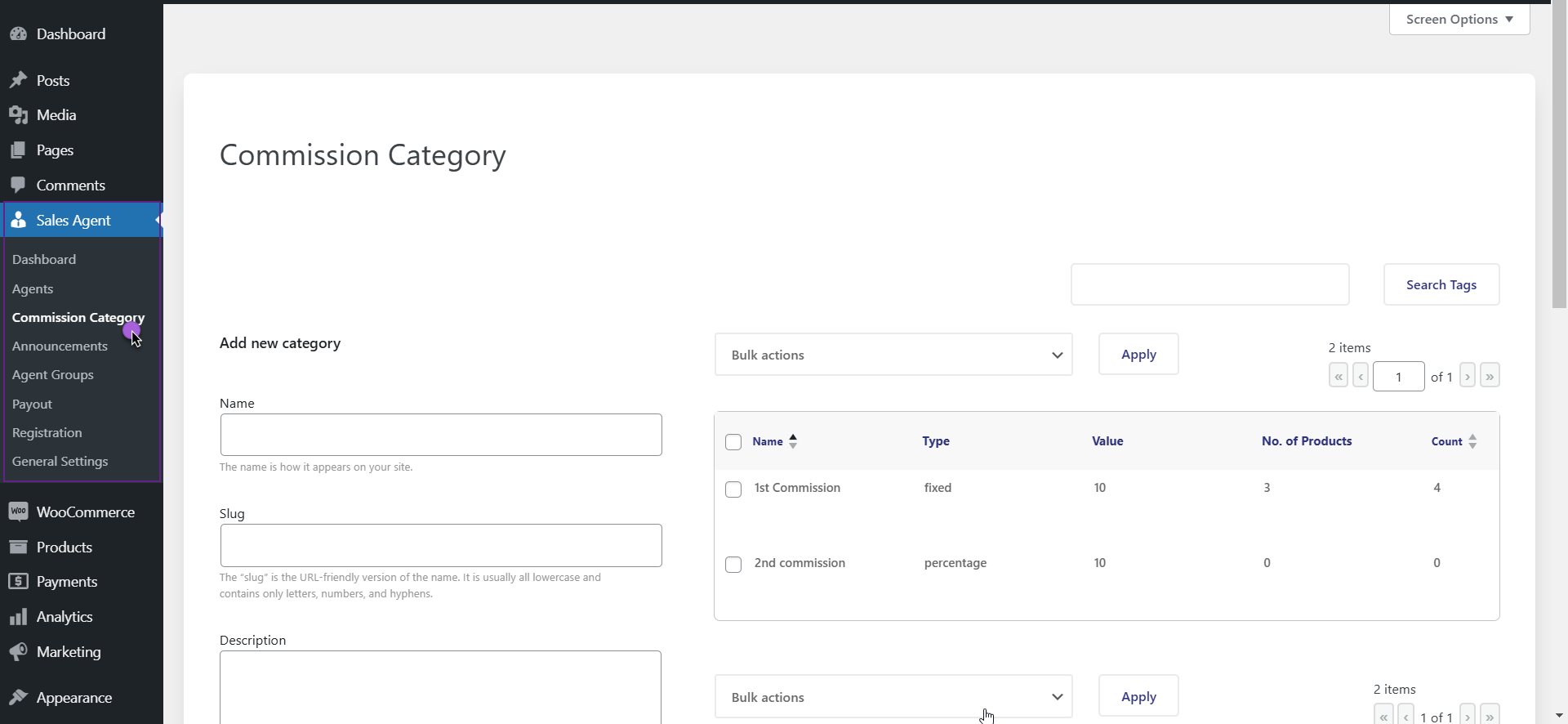
Here, a category can be created or edited to prescribe how commission is earned. Decide if a fixed rate or a percentage rate is required. Products or categories that qualify for this condition can also then be added. Essentially, this is the starting point for the entire sales structure.
- Give a name and description so you remember what this is for
- Set a percentage for flexible payments or a certain amount for predictable payments
- Assign products or categories that matter most to your growth
Add Your Sales Agents
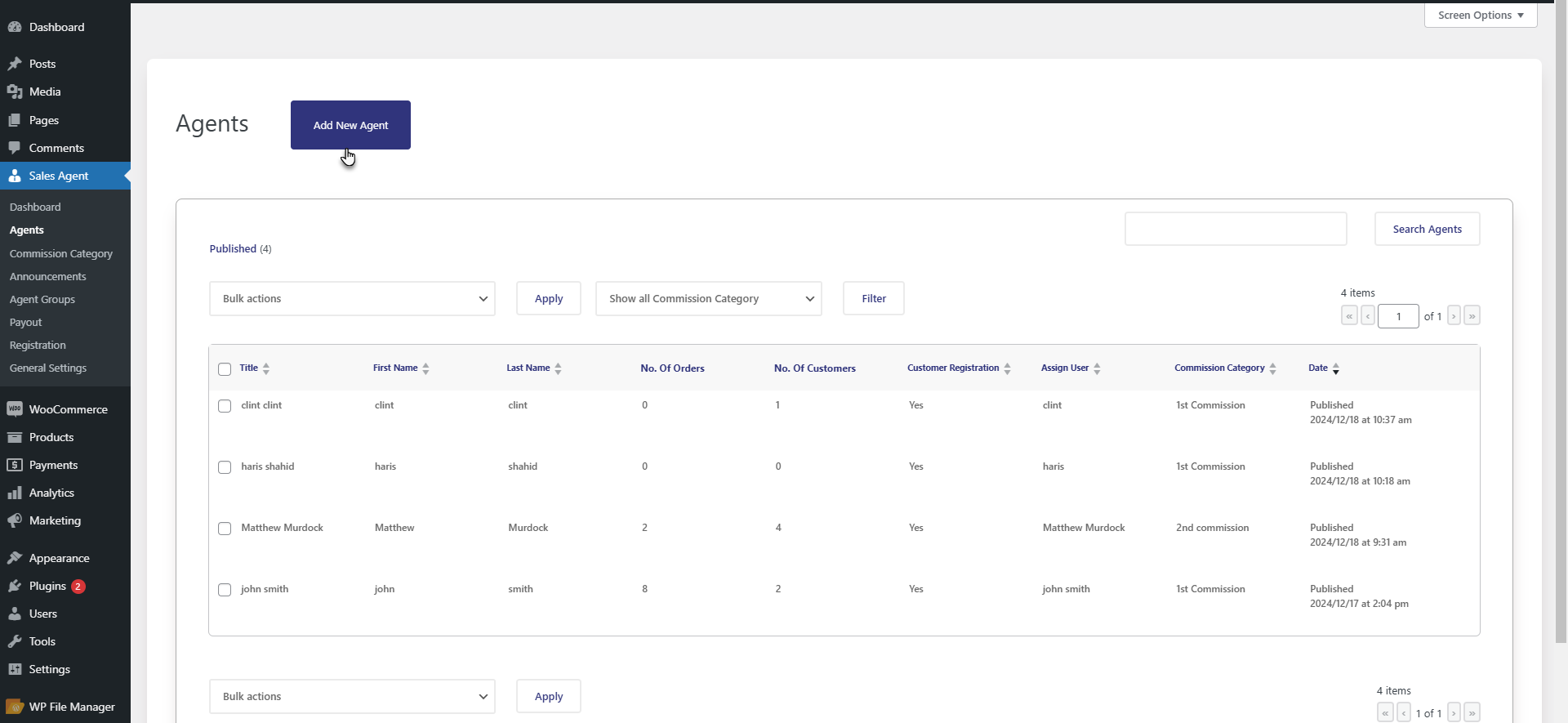
Click on Sales Agent > Agents and select “Add New”.
You will enter the name of the person, assign them a user account, and also link them to a commission type.
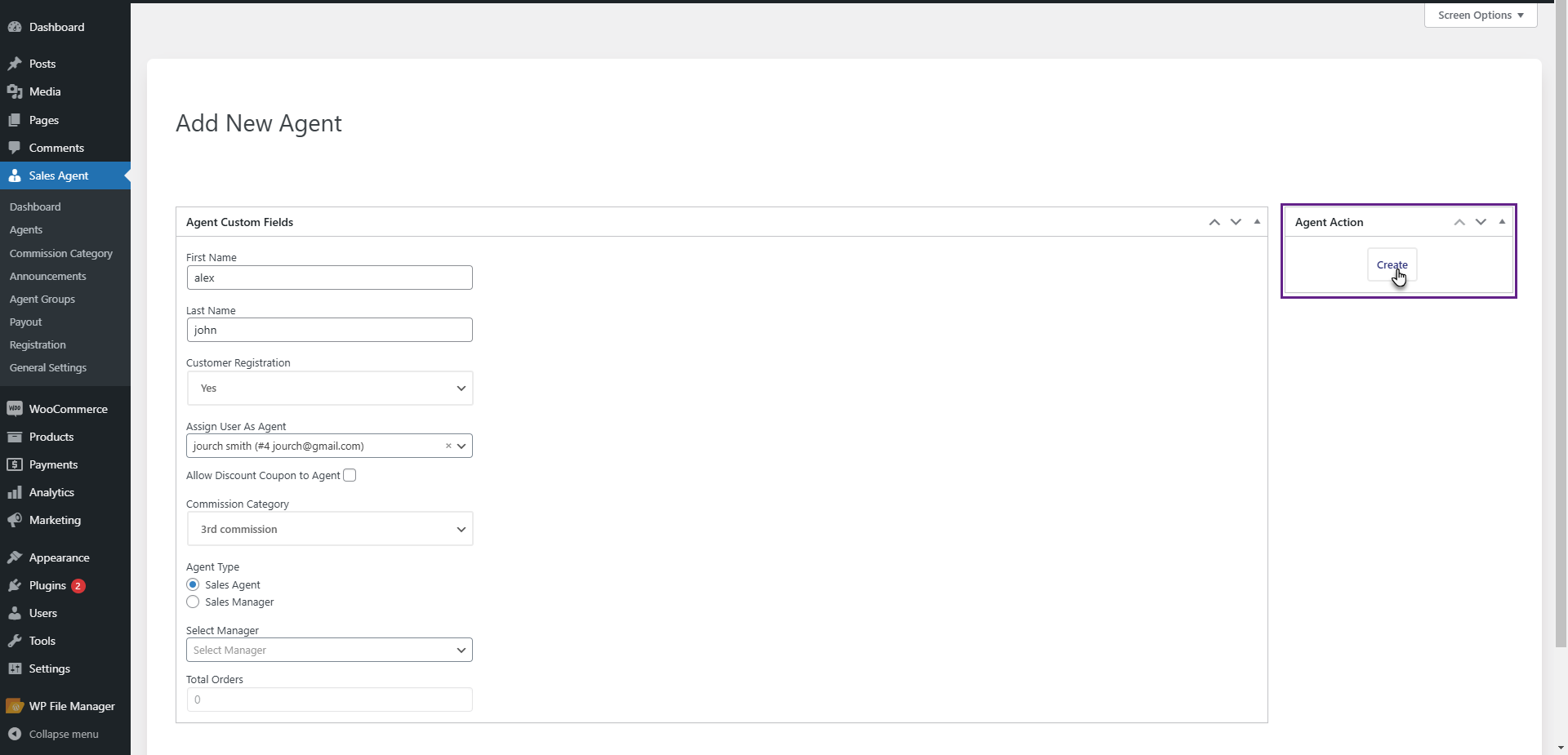
You can even offer them the option of adding a new customer right from their dashboard. This will save time and also keep all of your information well-organized.
Agent Dashboards Enablement
When they log in, they will be able to see the availability of tabs such as Agent Customers, Agent Orders, and Agent Statistics.
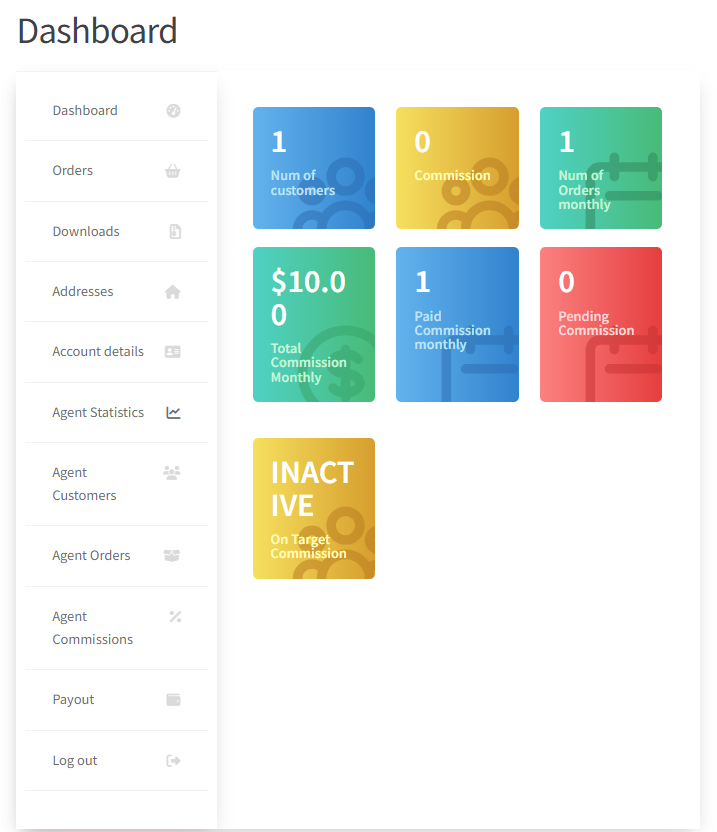
This would help them understand how much they have already accomplished and how much more they have to do. They would be able to monitor their commissions, monitor new orders, and understand how much they have to do to reach their next milestone.
Configuration of Commission Programs Via Goals
For results-oriented sales, the commission type should be set to “On Earning Basis.”
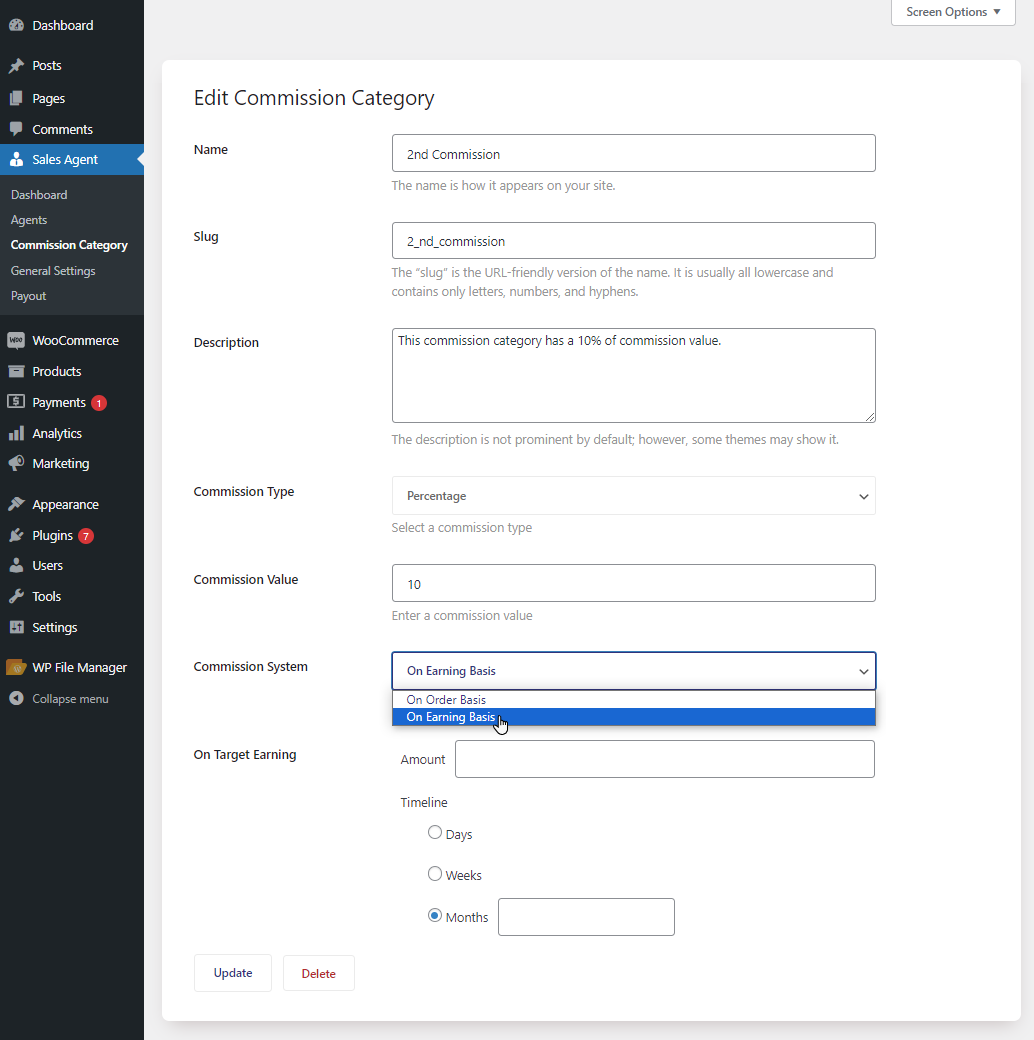
A goal amount and time frame are to be set. The agents earn money only when the goal amount is reached. It is a healthy pressure and makes selling a challenge rather than an assignment.
Enable Messaging Function between You and Agents
Now, go to General Settings and enable the Messages feature.
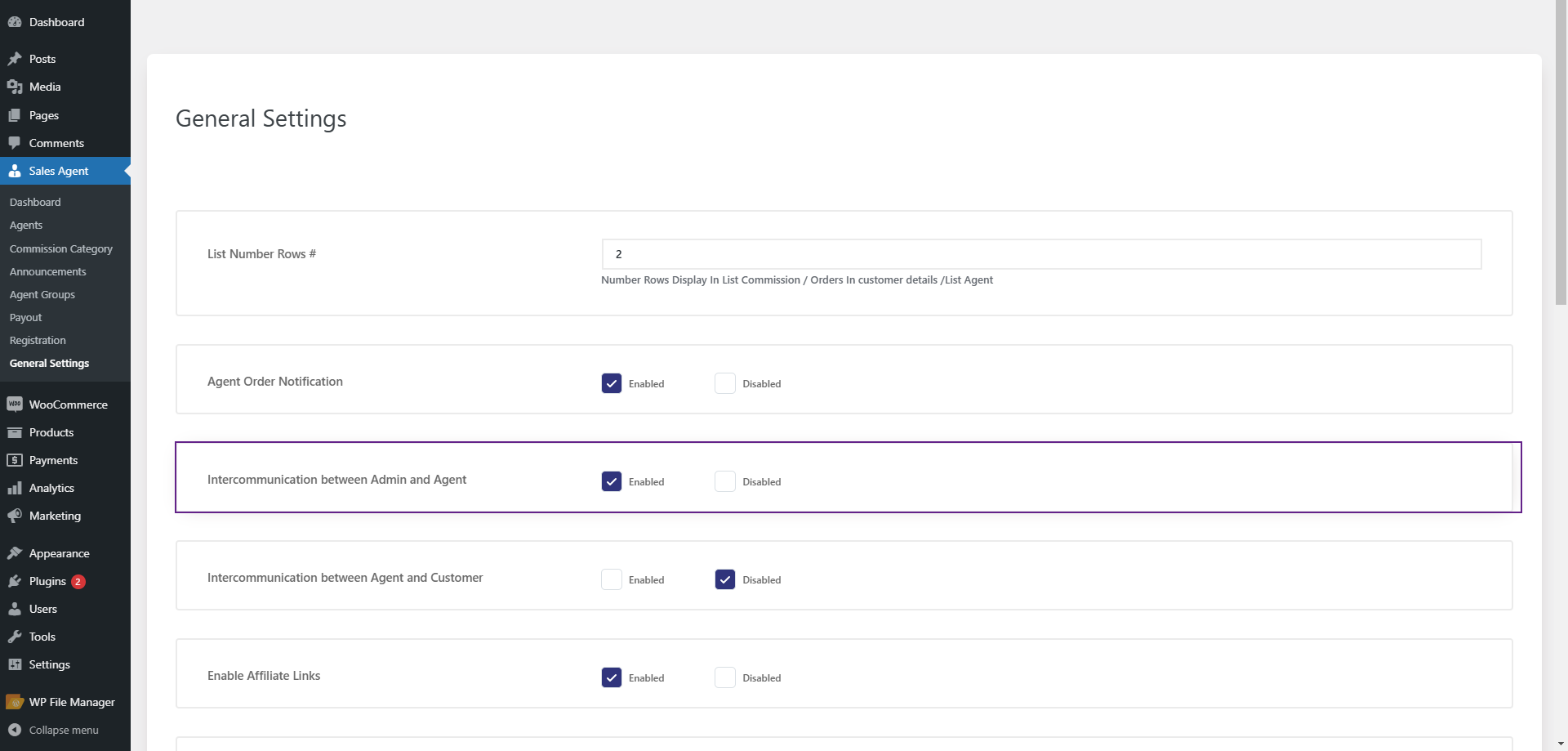
This allows you and your teammates to communicate in the same platform that you use for your WooCommerce site. You can send messages or updates, ask and answer questions, and even post product announcements. Here’s why you should enable the messaging feature between you and your agents.
- Agents view new messages in their dashboard
- Conversations can be filtered based on status
- Everything is kept inside the system
Affiliate and Shopping Links
Make sure Affiliate Links are enabled so agents can post custom URLs. These will also be enabled from the general settings.
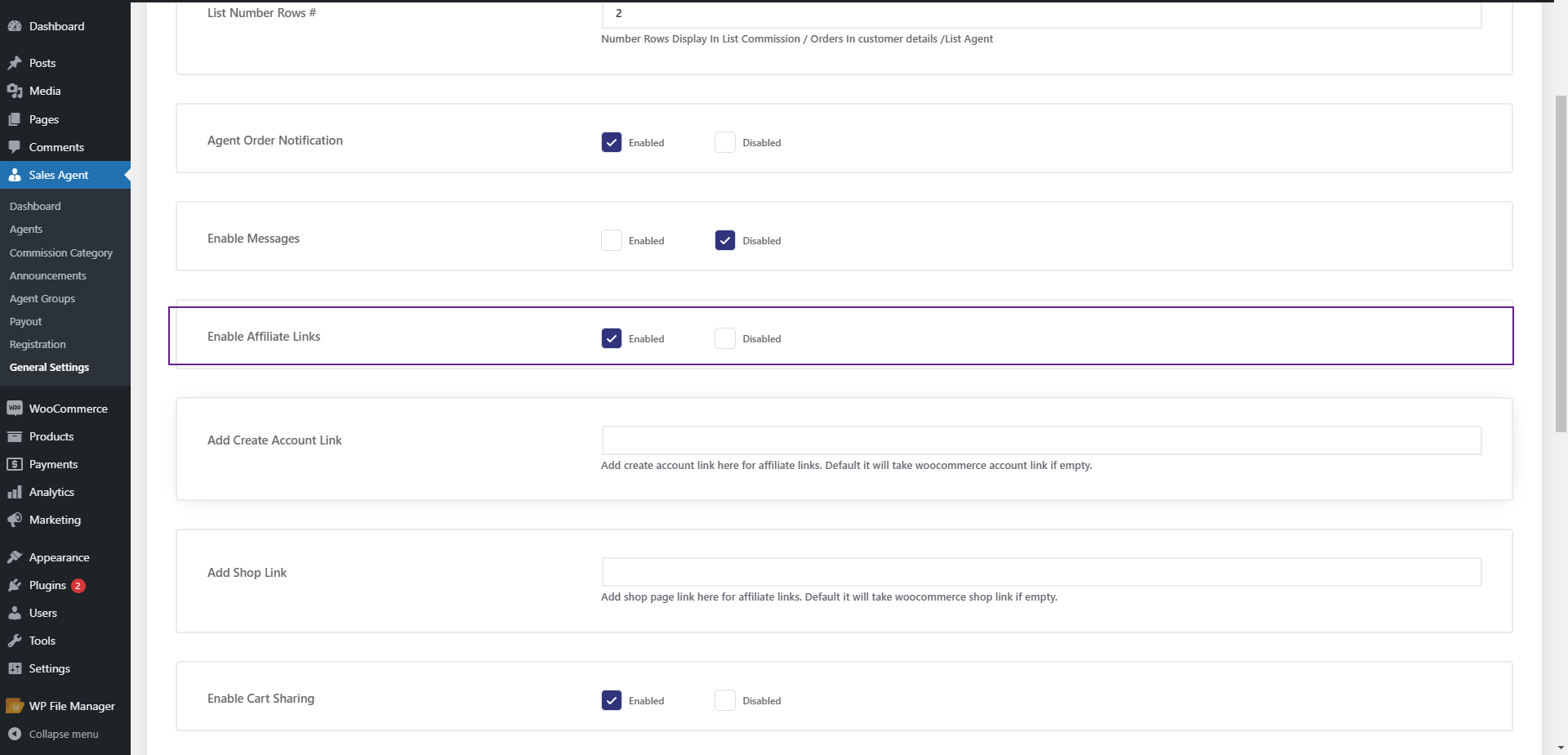
These URLs automatically route customers to the correct agent after they make a purchase or sign up for services. This is especially useful when sharing content through social media or direct messages.
Enable Cart Sharing for Fast Checkouts
Cart sharing allows the agents to prepare a cart and share it with the customer. How to enable cart sharing? Same way: Sales Agent > General Settings.
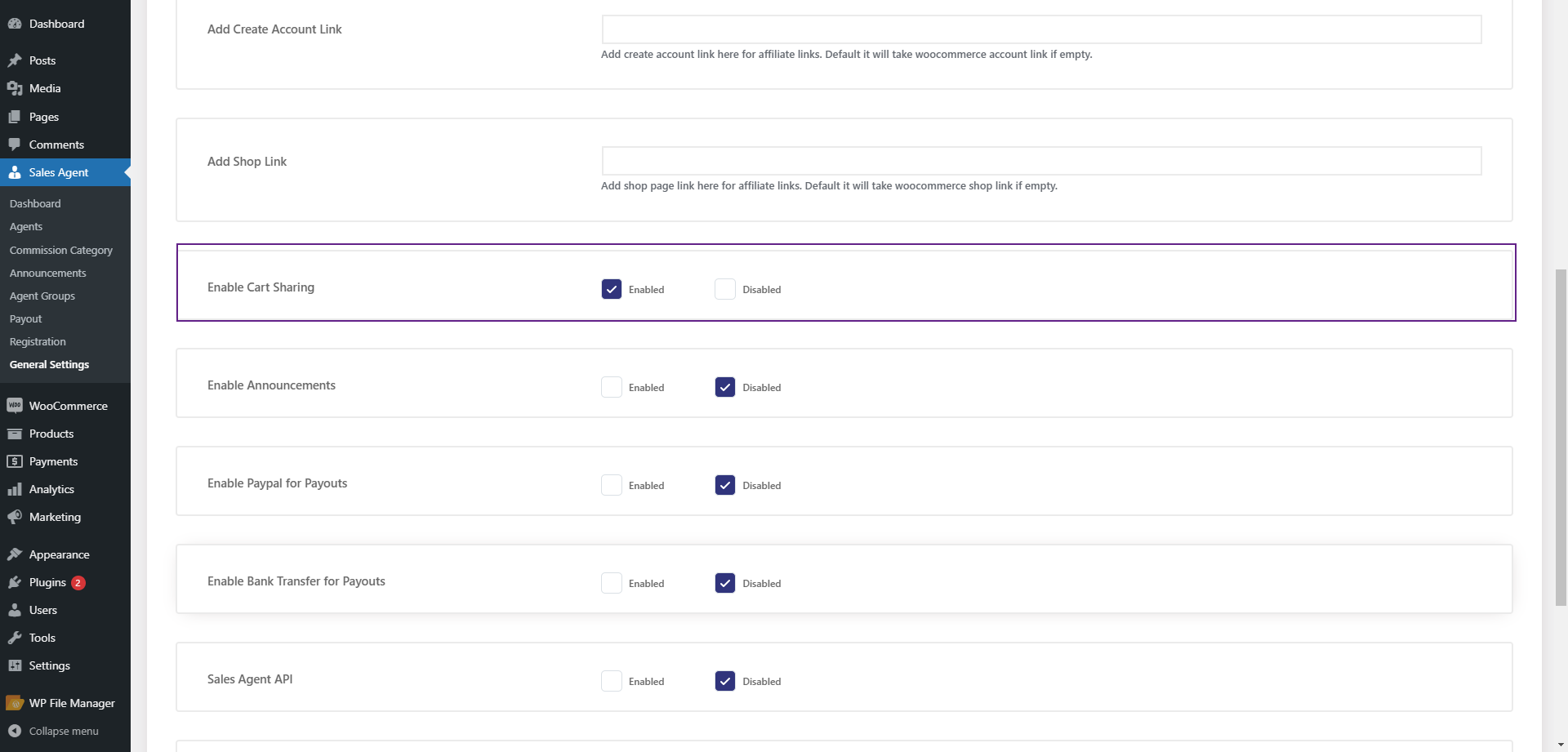
The customer can then use the link to view all items ready for purchase.
Establish Payment Options
Enable PayPal Payment/ Bank Transfer payout options.
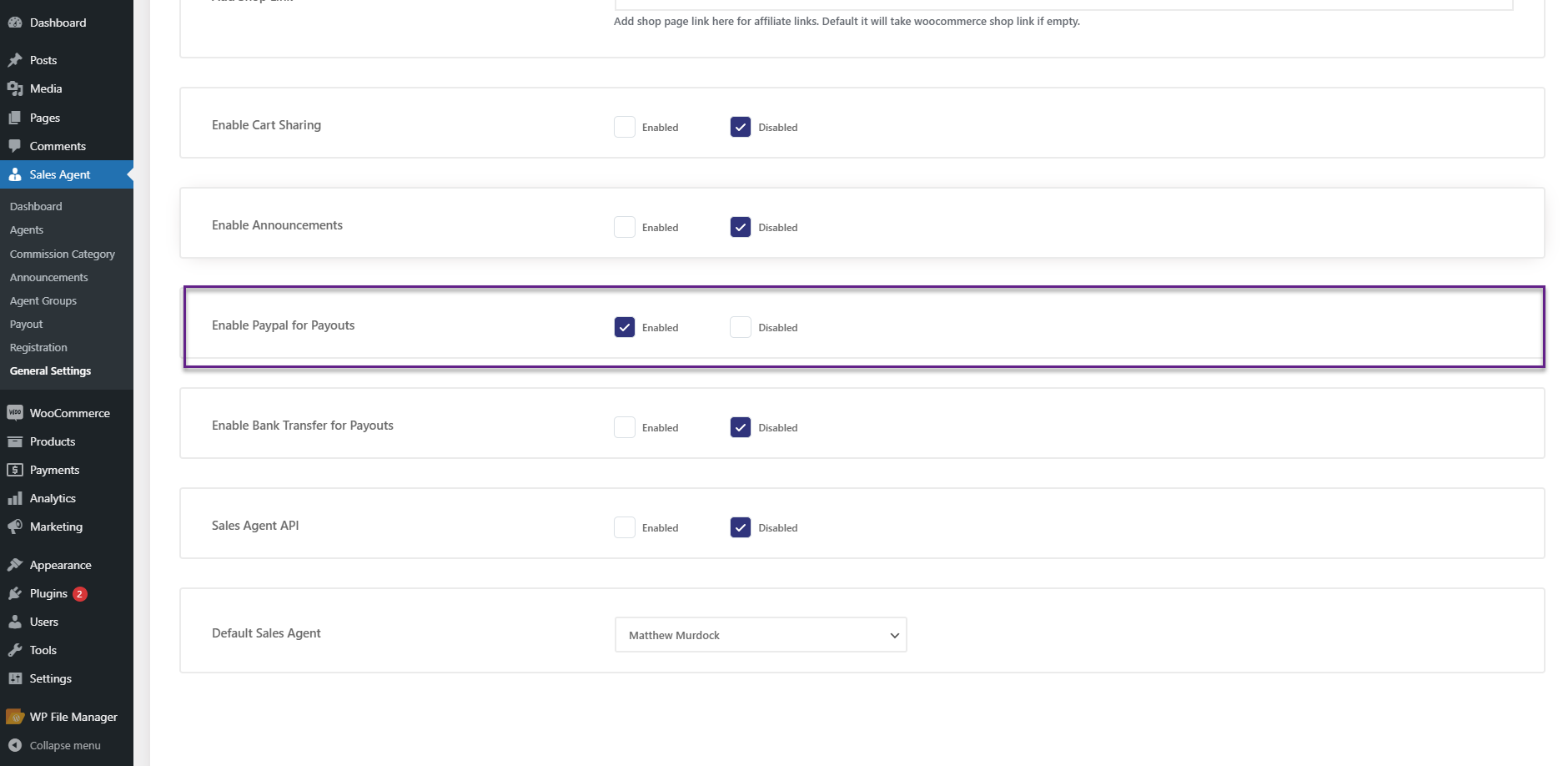
Add your payment information to the agents, and you can handle all your commissions in one place. Filter, export, and mark payments as paid with ease.
Disclaimer:
This WooCommerce Sales Agent extension offers numerous advanced features such as agent levels, sales managers, customer-specific commissions, and discount management. We have highlighted the key features here, but for a comprehensive setup guide and detailed feature list, refer to the complete technical documentation.
Scaling Your Sales Teams: Methods to Maintain Control
With your system up and running, the real strength comes into play as you start growing. You can create agent groups, set global commission rates, and assign sales managers who earn money from their sub-agents. This is an important feature because, at some point, you would not want to handle every single agent on your team personally.
- Apply agent levels to reward high-performing agents with improved commission rates.
- Establish groups for regional teams, product, and related teams.
- Advancing strong agents to sales managers with sub-commissions
You can also choose the default agents for new customers so that no lead is left unassigned at any time. Every visitor also becomes a part of somebody’s pipeline. You can add announcements so that the new campaign launch and your product launches are pushed to your entire team at once. There’s less software and more management, like a genuine sales office, online.
Final Words
A WooCommerce store doesn’t have to be a quiet online presence waiting for consumers to click ‘Buy.’ With a sales agent system, it becomes a breathing sales floor on which people discuss, direct, and close sales on your behalf. The Sales Agent for WooCommerce plugin provides you with an infrastructure that helps you build such an interface without any complications.
Commission to communication, goals to payments – all will be in one place. This is an upgrade to scale past ads and discounts if you are serious about turning your store into a real sales machine. Install the Sales Agent for WooCommerce by WPExperts now.




