




















































Managing various customer types in your WooCommerce store can sometimes trip you up. That’s why we will show you how to create multiple registration forms for different customer types using the User Registration for WooCommerce extension.
It will help you solve your problem by allowing each customer type to have its own registration details. If you are running a wholesale business, a membership site, or even a WooCommerce store, you need to register customers with different details.
Reasons for Having Several Registration Forms on Your Site
Before we get into the ‘how to’ solutions, let’s examine the importance of having multiple registration forms:
Customized User Experience
Customers have different requirements for fields. While wholesale customers need to provide tax IDs and business licenses, retail customers need to provide shipping addresses. This kind of form ensures that each customer type is offered a field that best suits them.
Smarter Data Gathering
Collect the right information from the right users without overwhelming anyone. B2B clients provide business credentials, members share their preferences, and retail customers enter their shipping details-each via role-specific forms to increase completion rates.
Smooth Administration
Segment users by type from the moment they sign up. Wholesale partners, retail customers, and members are sorted into groups automatically, so you can manage permissions with ease, apply custom pricing, and grant access to special content in a snap.
Professional Outlook
Only show the customer what is important to them: it lets you create clean, focused forms that deliver a professional experience. A user will appreciate not having to answer irrelevant questions when engaging with your brand for the first time.
The Solution: User Registration for WooCommerce Plugin
The User Registration for WooCommerce plugin enables the following functionality for the owners of stores:
- Create unlimited registration forms
- Assign specific user roles per form
- Display forms on different pages using shortcodes
- Manage default and custom registration forms
- Filter users by the form they registered with

By doing this, you can easily serve different customer types without custom development. Let’s dive deep into a step-by-step process for creating registration forms for user and customer types using User Registration for WooCommerce.
Step 1: Understand Default vs Custom Registration Forms
The plugin supports two main types of forms:
1. Default Registration Form
This is the standard WooCommerce registration form. It comes with extra fields, role selection, approval workflows, and redirection rules. It’s useful for general customers or when you want one common entry point.
2. Custom Registration Forms
Custom forms are where multiple customer-type registrations truly come to life. Each custom form:
- Has its own fields
- Assign specific user roles
- Require invitation codes
- Follow separate approval rules
Step 2: Create a Custom Registration Form for a Customer Type
To create a custom form:
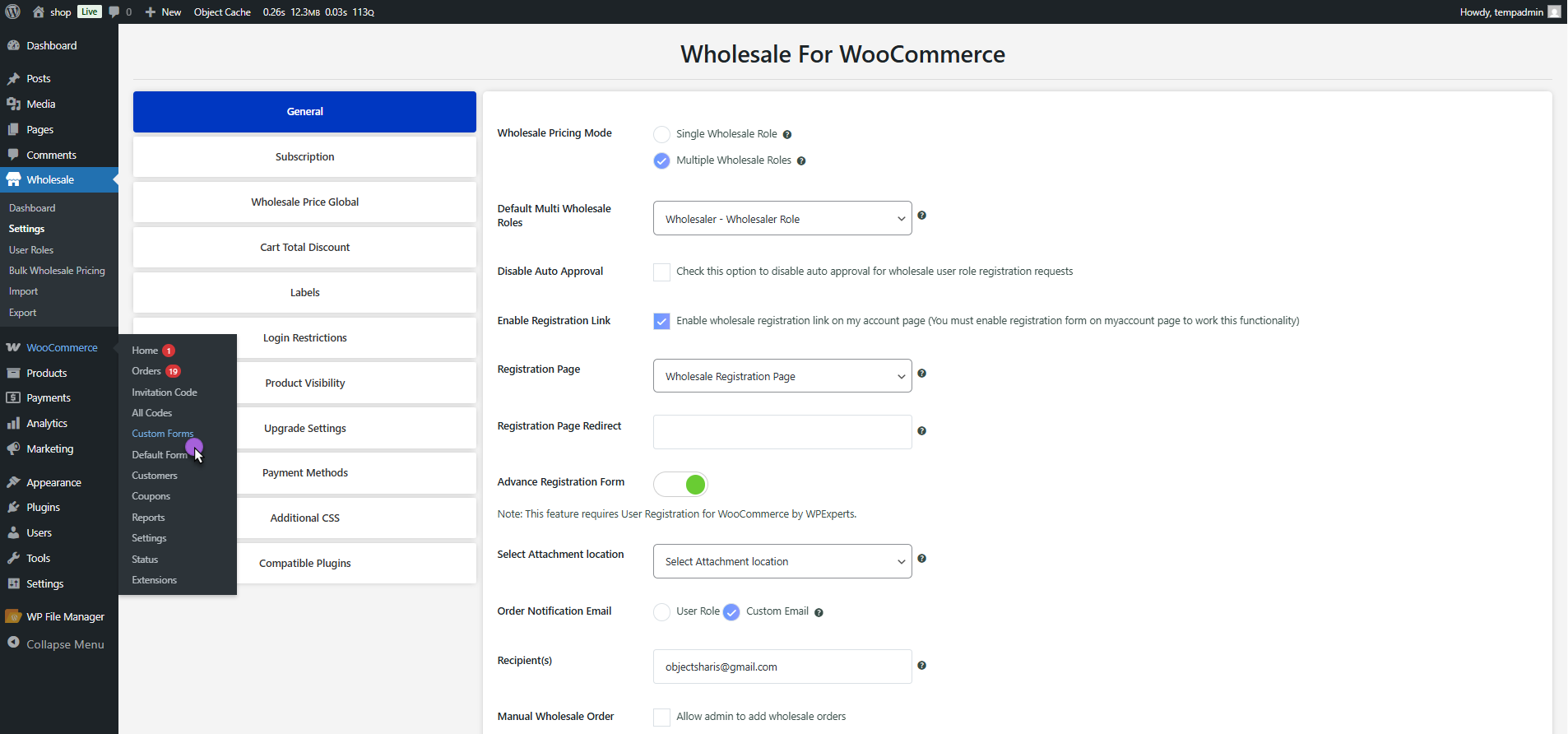
- Go to WordPress Admin → WooCommerce → Custom Forms
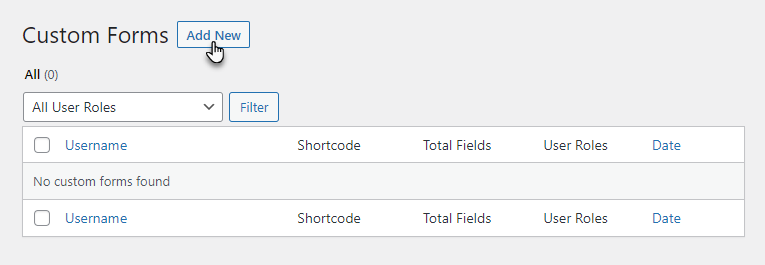
- Click Add New
- The form builder opens with some default fields:
- Username
- Password
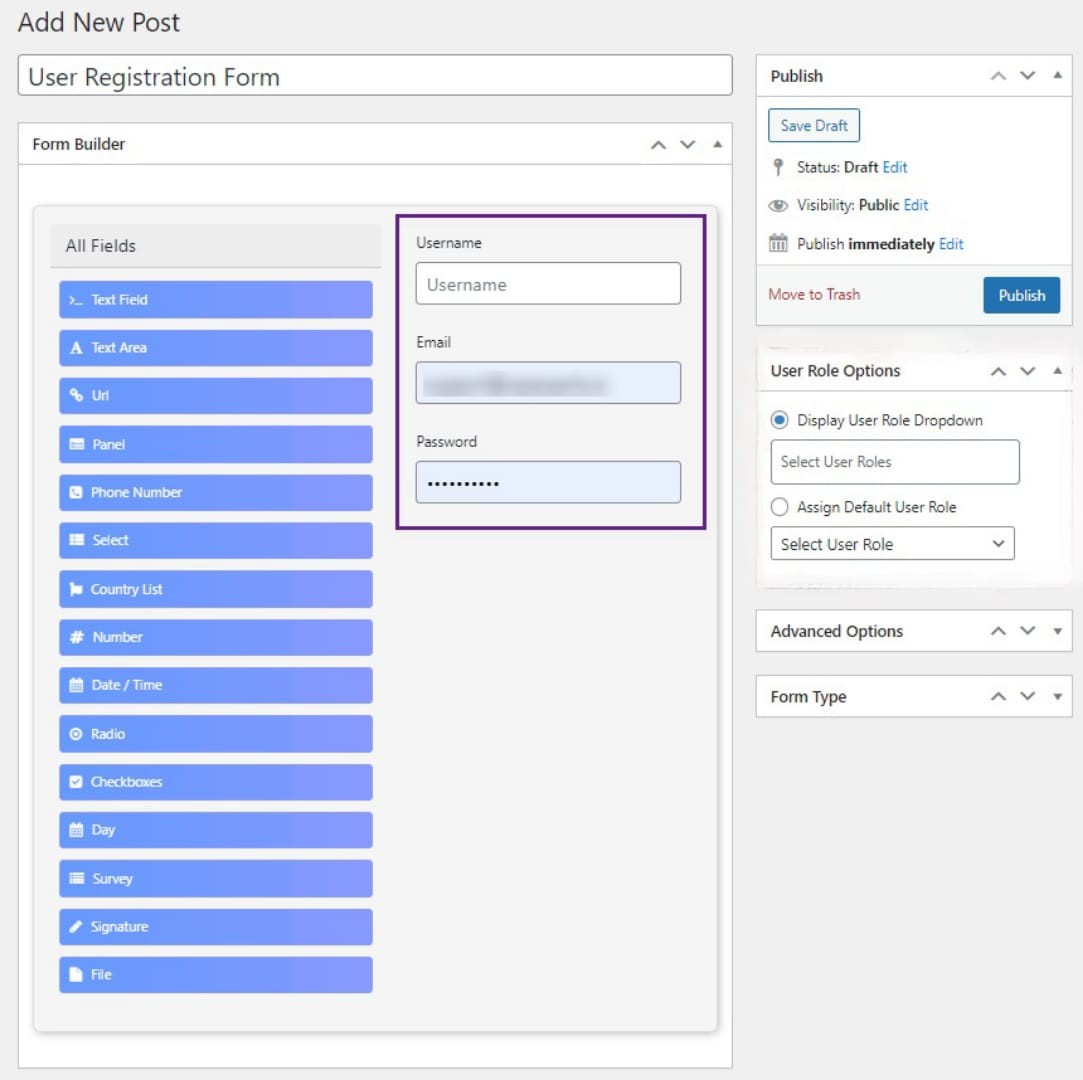
Now you can personalize the form for any customer type.
Step 3: Assign User Roles Per Registration Form
This is the crucial aspect for forms across various customer types. In the User Role Options of a Custom Form:
You are able to:
- Show User Role Dropdown: Enable users to choose allowed roles (Customer, Subscriber, etc.)
- Receive Default User Role: Automatically receive a role (e.g., Wholesale Customer, Member)
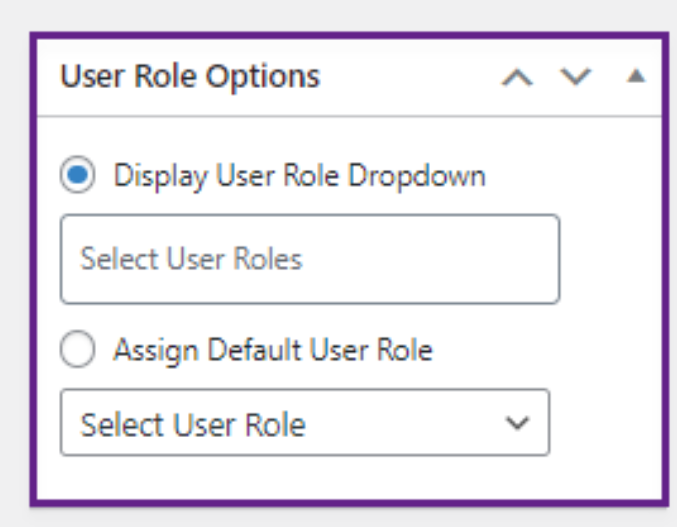
Example:
- Retail Registration Form → Assign Customer
- Wholesale Registration Form → Assign Wholesale Customer
- Partner Registration Form → Assign Vendor
Each form can have its own role logic, completely independent of other forms.
Step 4: Customize Fields for Each Customer Type
Using the drag-and-drop form builder to customize multiple registration forms.
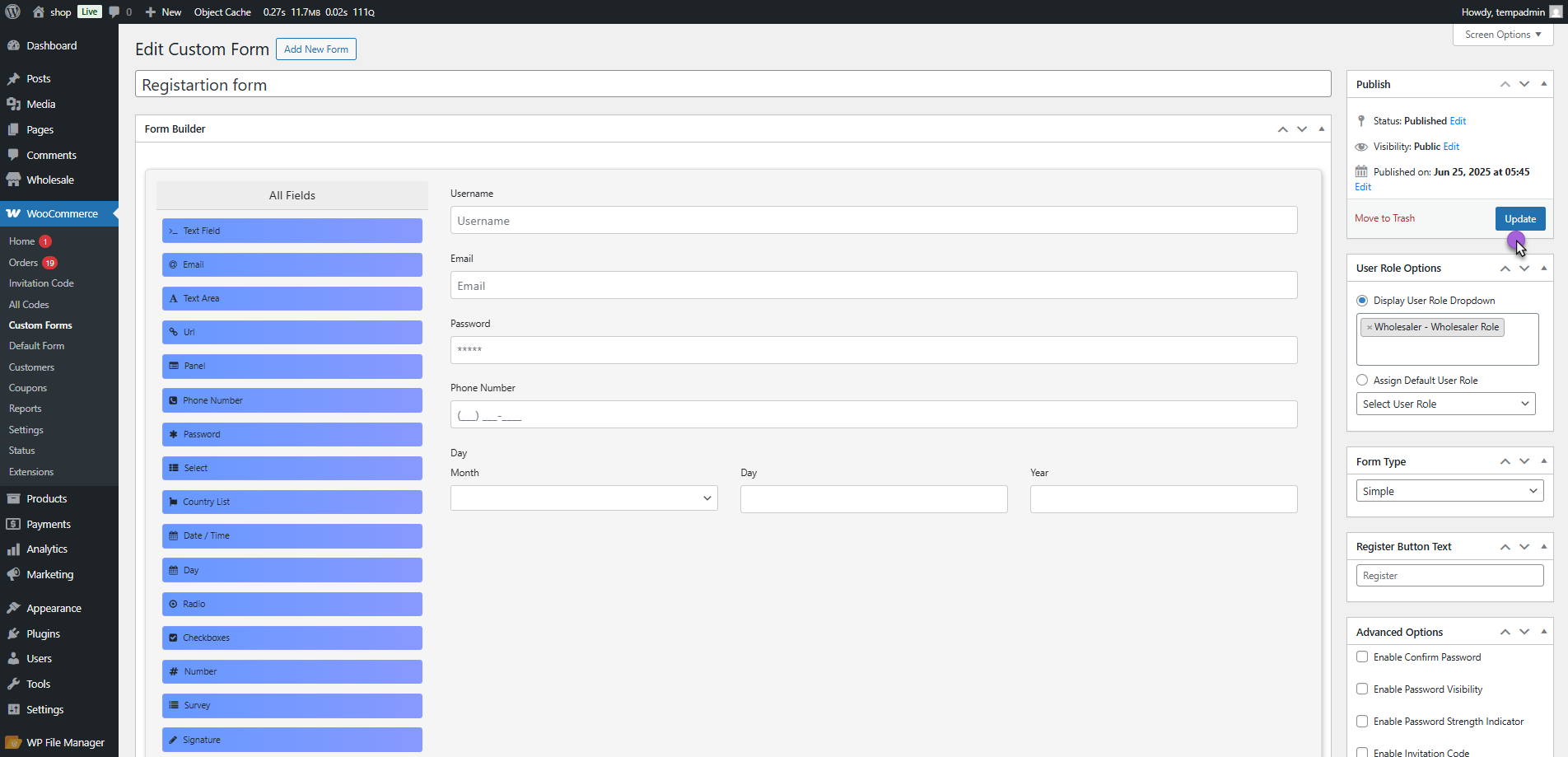
You can add these fields to your form:
- Company Name
- VAT Number
- Country List
- File Uploads (documents, licenses)
- Survey or custom questions
- Signature fields
This gives you complete flexibility and ensures your retail users see a simple form and your B2B users see a detailed business form. And it also enables you to show your members restricted or invitation-only forms.
Step 5: Display Each Form on a Separate Page
Every custom registration form generates a unique shortcode. To display a form:
- Go to Pages → Add New
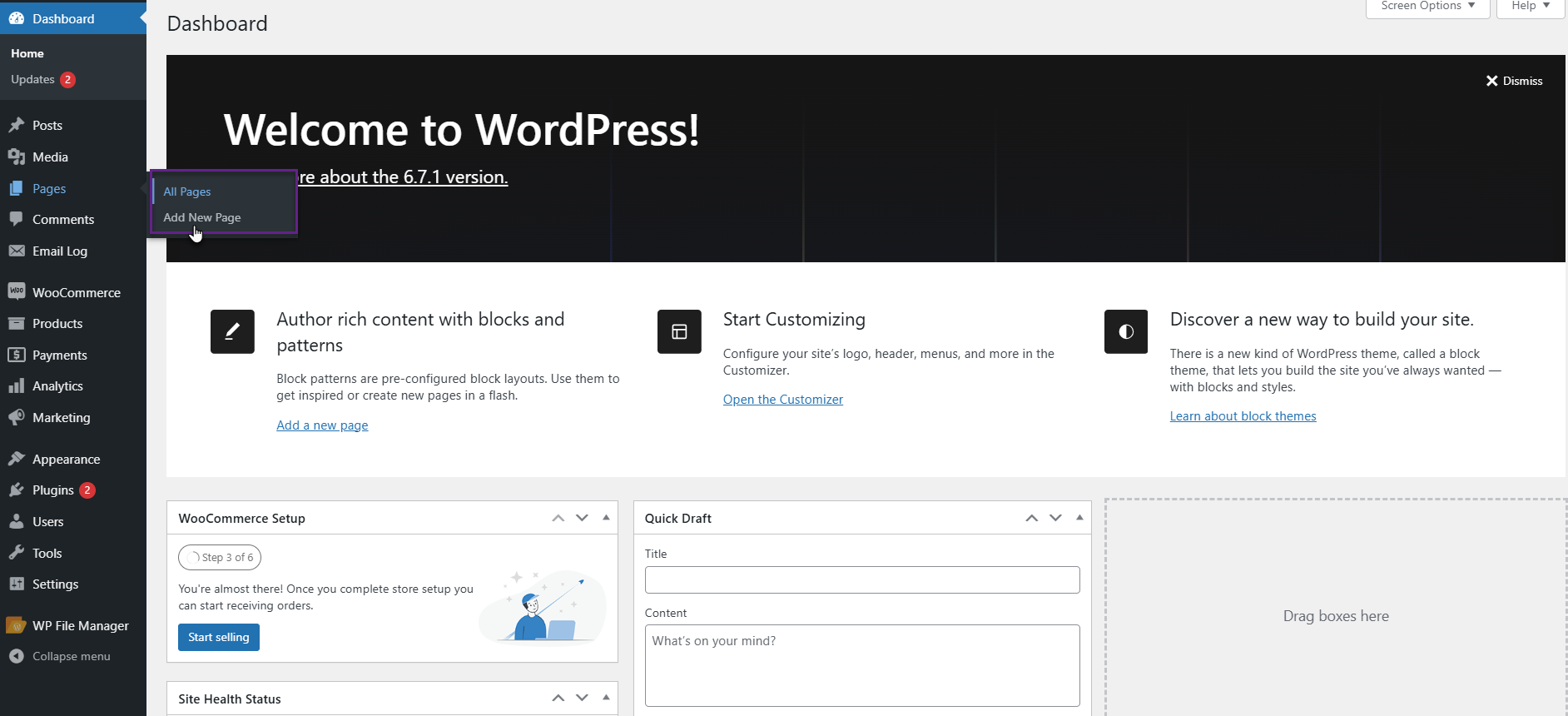
- Insert a Shortcode block
- Paste the form’s shortcode and publish the page

Now you can have:
/register-customer
/register-wholesale
/register-partner
Each page serves a different customer type.
Step 6: Control Approval & Registration Flow Per Form
Different customer types often require different approval rules. With this plugin, you can:
- Enable manual approval for certain forms
- Auto-approve others
- Send custom email notifications
- Restrict access until approval
For example, you can set customers to auto-approved, your wholesale users to admin approval required, and invitation-based users to auto-approved via code.
Best Practices to Follow When You’re Creating Custom Registration Forms in Your WooCommerce Store
Focus Form Fields
Collect only the data that is important for each type of customer. A minimal, to-the-point form is less terrifying and helps you get subscribers effortlessly, without any reservations.
Test Fully Before Hand
Please test all registration forms. These will help identify deficiencies or issues with roles or approvals before live customers become aware of them.
Clear Labeling
Registration pages must have clear names so that customers know which one is for them as soon as they open the page. This prevents confusion and ensures customers don’t register their business incorrectly.
Mobile Optimization
A lot of people register on their mobile devices. Ensure that all registration forms appear clean, load quickly, and are easy to complete on smaller screens.
Privacy Compliance
Make sure opt-in checkboxes are visible, along with links to your privacy policy. This helps establish trust while keeping you in line if any big data laws change.
Conclusion
The fact that there will be numerous registration forms for various customer types is not a complex process. This is made easy by the User Registration for WooCommerce plugin, which lets you create custom registration forms to collect the data you need from customers.
Having wholesale partners, retail customers, members, or any other user types in your system lets you control them effectively through custom registration forms. Start by making a list of the different customer types you have and the information you want from each. Create a form that will make it easy for them to register.





