















































Before you begin managing an e-commerce online store, remember that you need to interact with your current or potential customers. For this purpose, you can benefit from a registration form to effortlessly onboard them.
A WooCommerce registration form helps enhance customer experience to the next level. Therefore, both the default and custom WooCommerce registration forms are significant, as they suit various types of online e-commerce stores.
This blog post will describe the default and custom WooCommerce registration forms. To simplify for users, it will explain various use cases related to these types of registration forms.

What Do You Mean by a Default WooCommerce Registration Form?
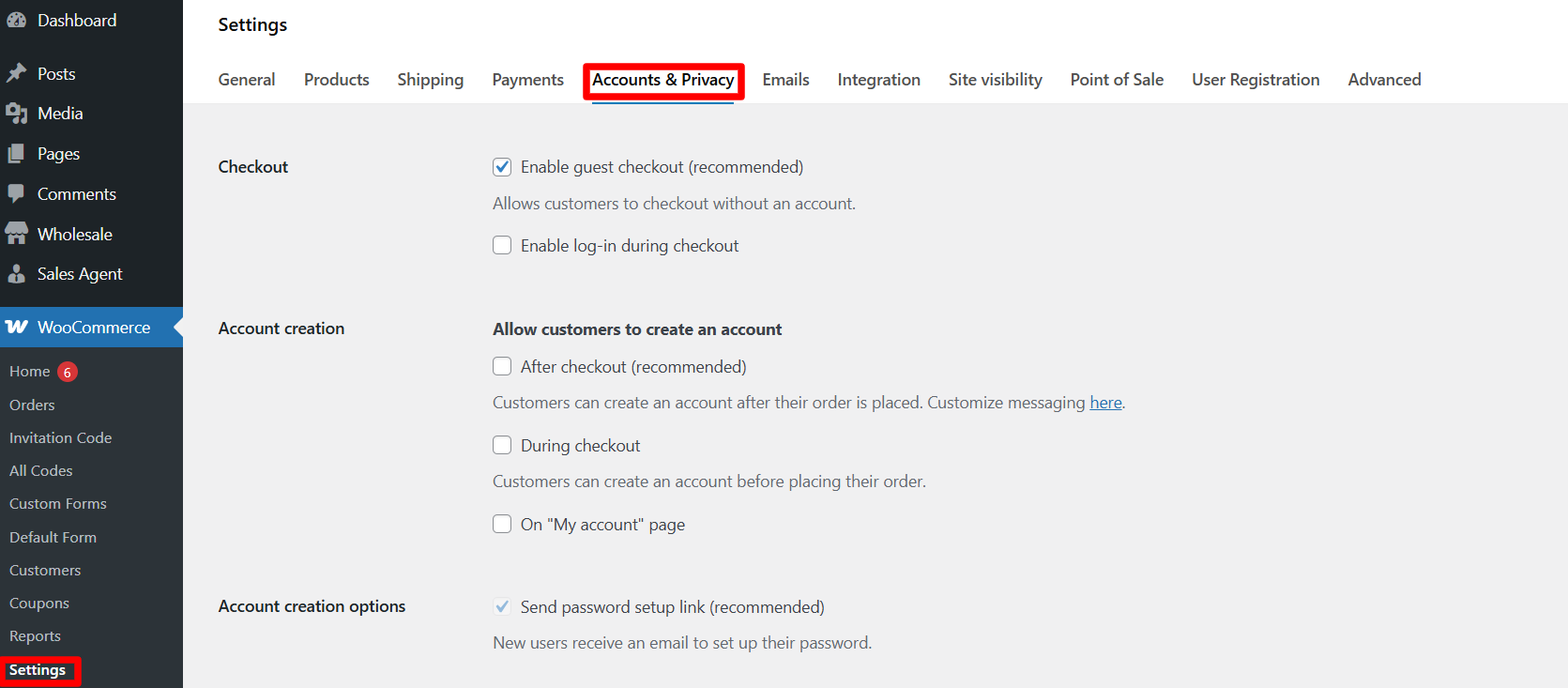
As far as the default WooCommerce registration form goes, it needs a handful of information, such as email address and a username. That said, store owners can enhance it by adding billing and shipping fields using plugins like the User Registration for WooCommerce.
WooCommerce’s standard or default registration form helps store owners streamline the registration process by requiring users to enter only their email addresses when signing up.
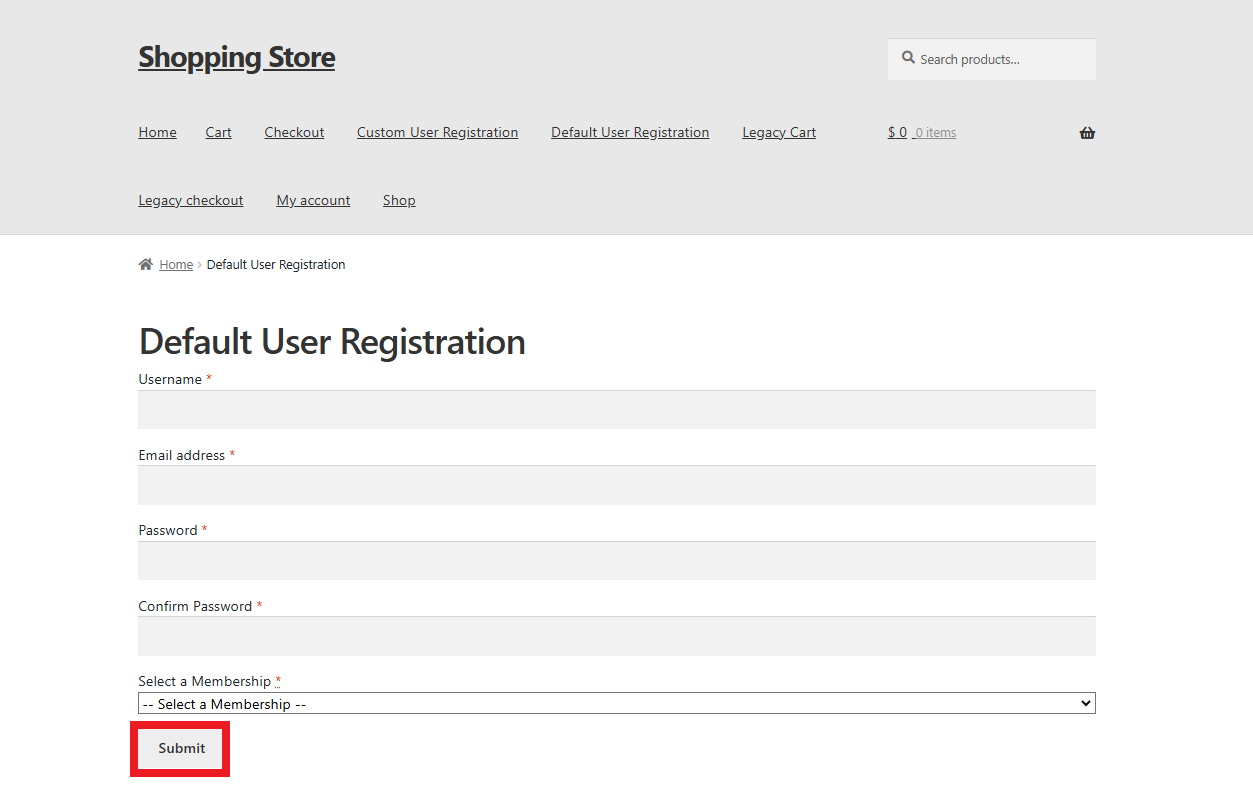
A default WooCommerce registration page looks like this from the front-end:
Use Cases for Default WooCommerce Registration Forms

As you may be aware, default registration forms in WooCommerce are easy to create. However, they don’t suit every type of e-commerce business. Still, there are a few scenarios where they can benefit, including:
New or Small Businesses
If you plan to manage a small online store that comprises a few products, the default registration form is the right option. This will allow you to offer convenience and simplicity to your customers.
A business that doesn’t need a lot of Customization
If your business does not need customization because you provide customers with a simple product catalogue, you should consider incorporating the default WooCommerce registration form.
Minimal Requirement of Customer Information
If you can smartly manage your business without collecting so much customer information, use the default WooCommerce registration form. As a result, you can easily gather basic customer details.
What Do You Mean by a Custom WooCommerce Registration Form?
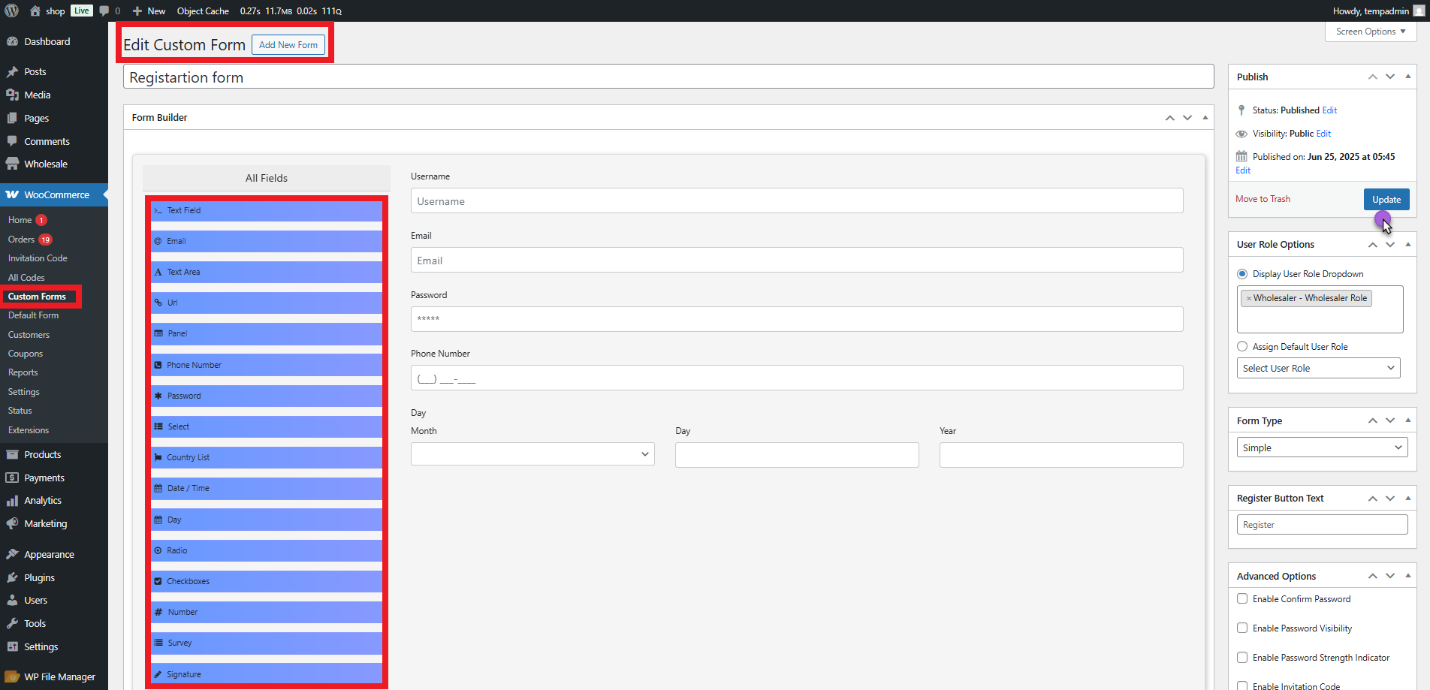
A custom WooCommerce registration form is an optimized registration page that allows store owners to replace the default registration form to obtain additional customer information besides the typical username, email, and password.
It helps store owners incorporate custom fields, such as billing/shipping details, file uploads, user roles, etc. However, they will need to use plugins or extensions that enable them to cater to distinct customer types (e.g., B2B wholesalers).
This way, they can offer customers a more simplified experience and collect valuable data. In this context, we will use User Registration for WooCommerce as an example —a powerful user registration plugin that automates user registration.
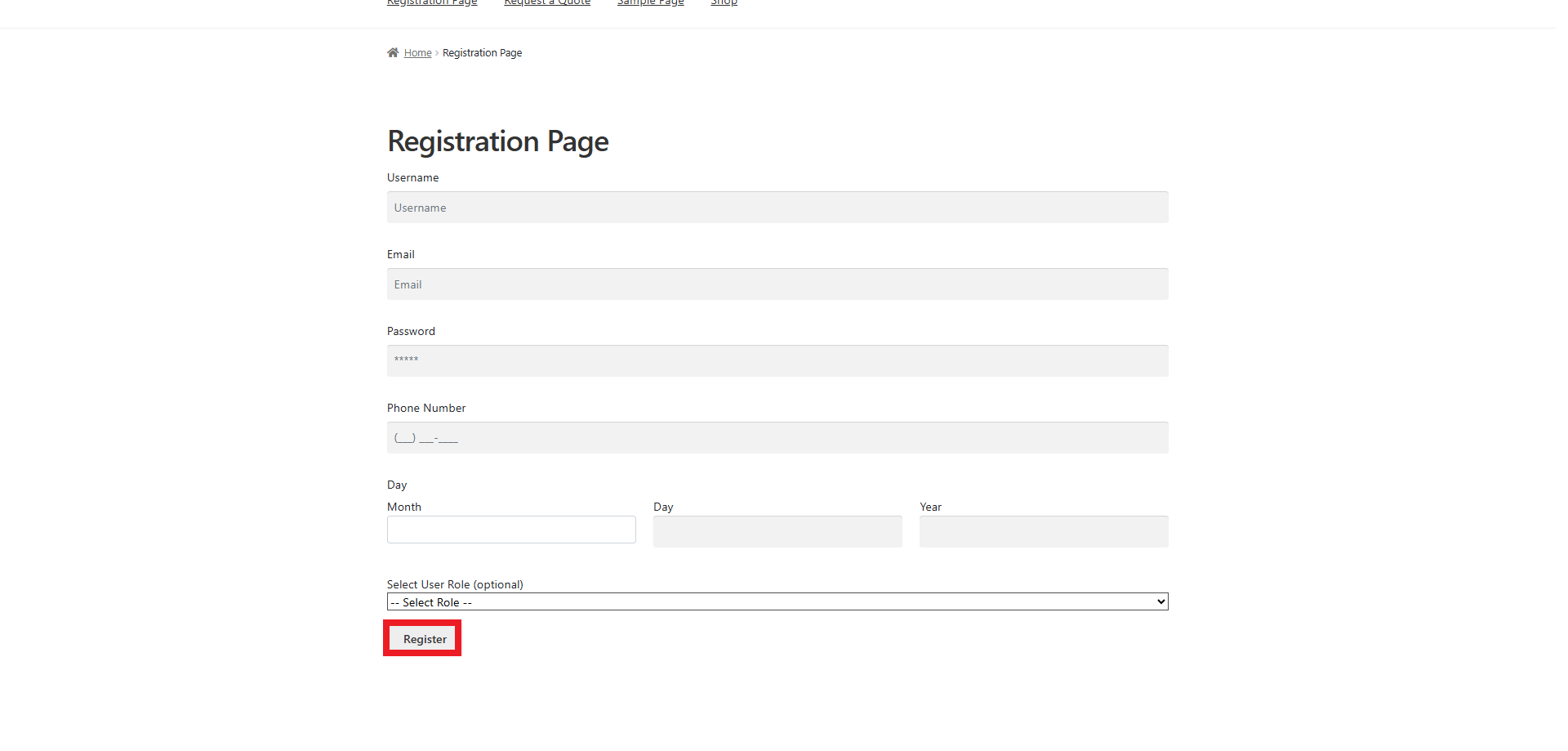
The advanced form builder lets e-commerce store owners create an engaging custom registration form using 25+ custom form fields.
A custom WooCommerce registration page looks like this from the front-end:
Use Cases for Custom WooCommerce Registration Forms

Compared to the default registration forms, custom registration forms are more impactful and sustainable. Store owners can benefit from customizable registration forms by using them in different scenarios, such as:
Membership-Based Stores
If you manage an online store offering a membership model to customers, such as access to exclusive services or products, utilize custom WooCommerce registration forms. That’s because you can include membership type, subscription preferences, or other custom fields.
Wholesale or B2B Stores
A customizable registration form can do wonders for wholesale or B2B stores that cater to wholesale customers. They can help them gather valuable data, including business details and tax identification numbers, among other information.
Advanced Customer Segmentation
If your business heavily relies on additional customer information for customized recommendations, a custom registration form would be a great option.
Course or Event-Based Stores
If you manage a business that covers events, provides multiple courses, or offers services, a custom registration form can allow you to obtain data related to locations, dates, or other attributes.
Wrapping Up
Default WooCommerce and custom WooCommerce registrations support e-commerce businesses of different sizes. That said, you have to utilize them according to your business’s niche and customers’ preferences.
If you can apply the desired registration form, you can enhance your store’s productivity and customers’ shopping experiences.