




















































Are you also looking for ways to get more donations by sending custom donation emails? Hold on, we will tell you in detail how to create custom donation emails for your funders. Because it’s about building relationships, and those connections mature every time you express in a personalized way with your donors.
Custom donation emails matter so much. A simple thank-you note—sent right after someone donates—can do more than confirm a payment. It can build trust. It reminds funders why their gift, even small ones, matter. And it can enable them to return and, once again, give in to your mission.
The good news? You don’t need complicated software to do any of this. Donation for WooCommerce gives you all the tools you need to create meaningful, automated donation emails and heartfelt e-cards that go out instantly after every donation.
How Custom Donation Emails Help You Raise More Funds
Custom donation emails may seem small, but they have a big impact. Here’s why:
Emotional Connection that Leads to Higher Donor Retention
When donors feel noticed and admired, they’re more likely to share donations again. A personalized message reminds them that genuine people and real lives have benefited because of their charity.
Professional Communication Leads to More Recurring Donations
A clean, well-crafted email builds credibility. It shows donors that you’re organized and trustworthy, which makes them more comfortable giving consistently.
Instant Acknowledgment Leads to Stronger Loyalty
An instantaneous “thank you” email lets your donors know that their gift counted the instant it arrived. Instant praise is one of the most powerful ways to encourage long-term loyalty.

Automate Thank-You Emails Using the Donation Email Templates Feature
What Are Donation Email Templates?
Donation Email Templates in Donation for WooCommerce let you send automated thank-you emails to donors after every contribution. You can write your email as you like, use dynamic tags, and personalize it for a specific campaign. Each message feels thoughtful and relevant, without needing to send anything manually.
Benefits of Using Donation Email Templates
- Automatic alerts after every donation: No more regrets after forgetting to send a proper thank-you for your donation email. The plugin manages it for you.
- Custom subject lines & personalized placeholders: With DFW (donation for WooCommerce) Fields tags, you can insert donor names, campaign names, and other details.
- Campaign-explicit triggers: You can create different templates for each fundraising campaign, giving you the option to own the tone and message.
How to Create a Donation Email Template in WooCommerce (Step-by-Step)
Setting up a donation email template in WooCommerce is simple using the best donation collection plugin (Donation for WooCommerce):
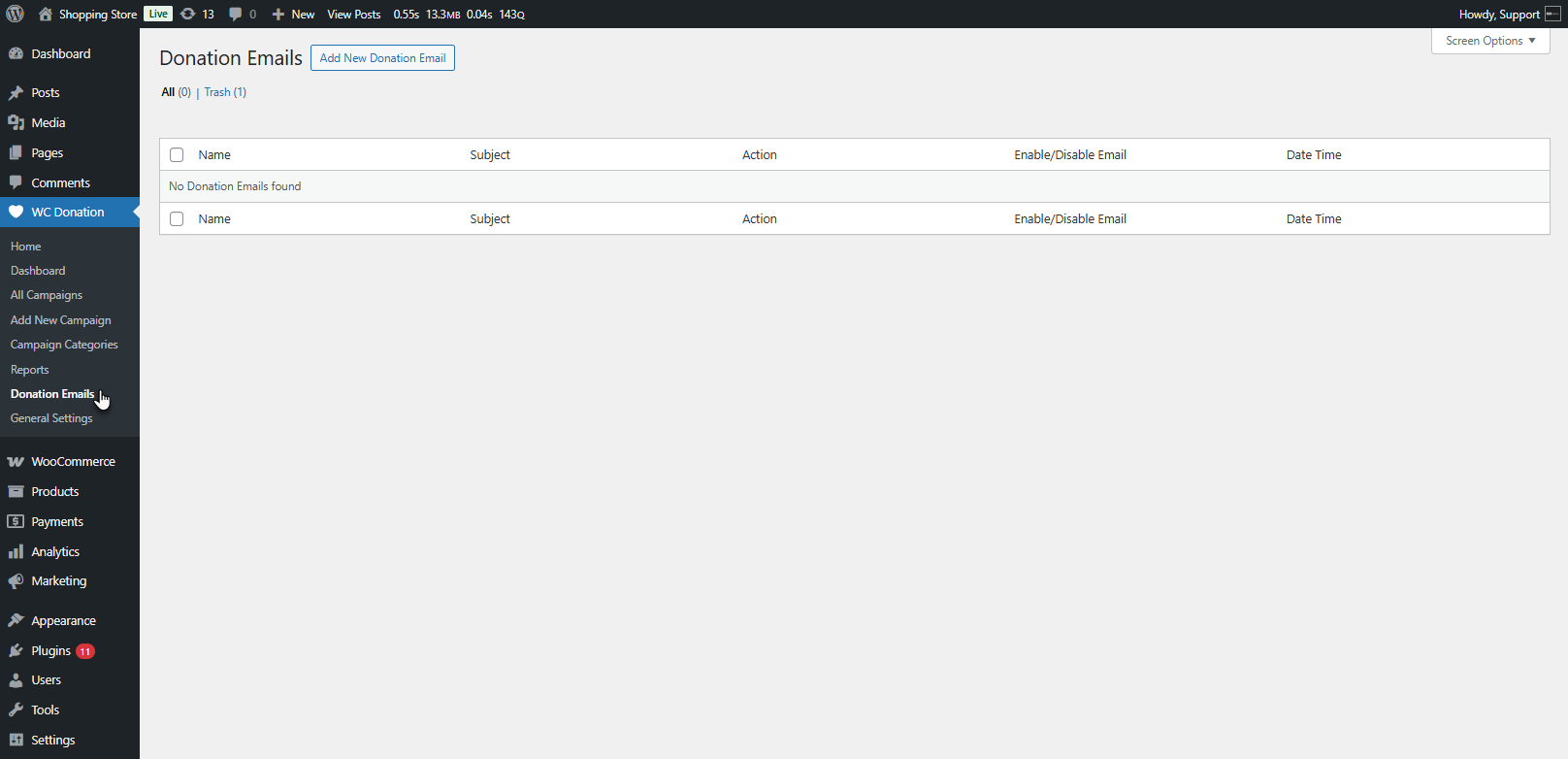
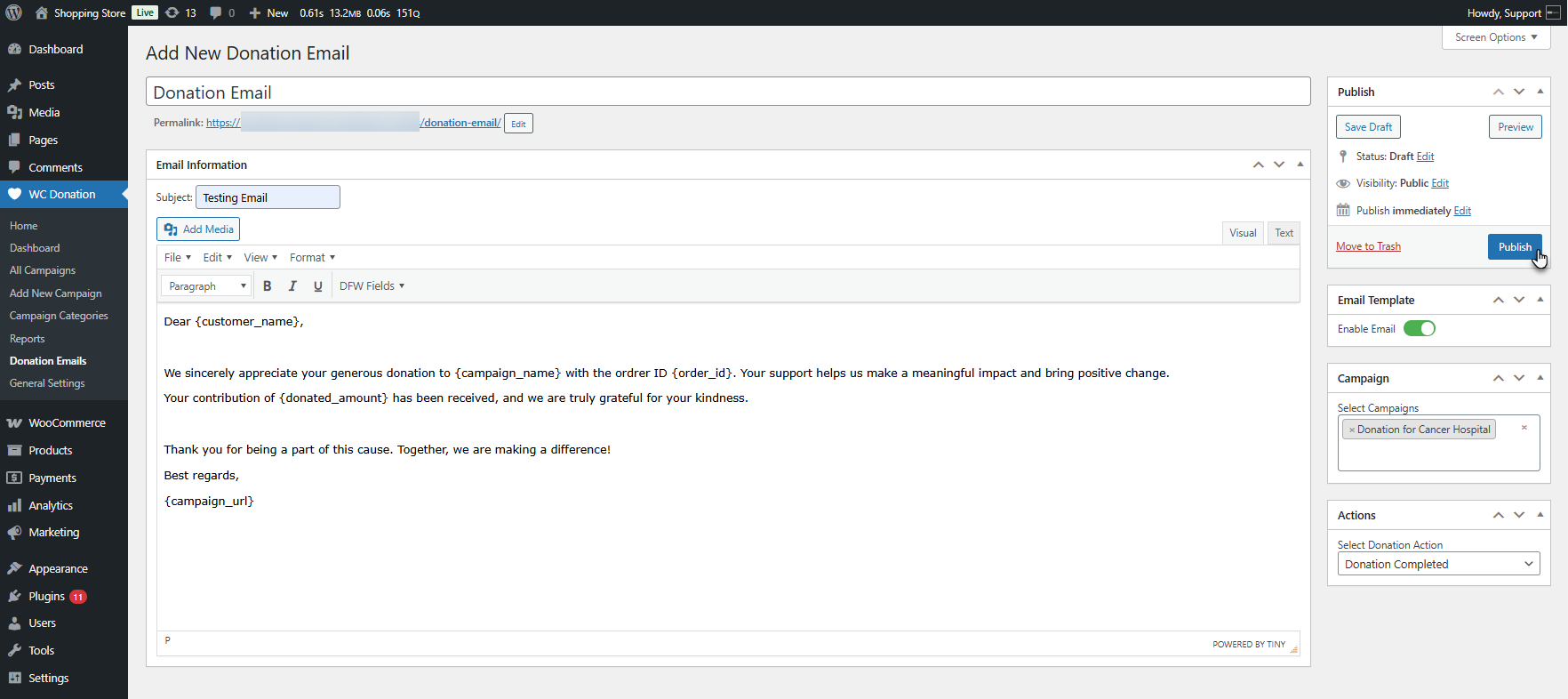
- Go to WordPress Dashboard → WC Donation → Donation Emails
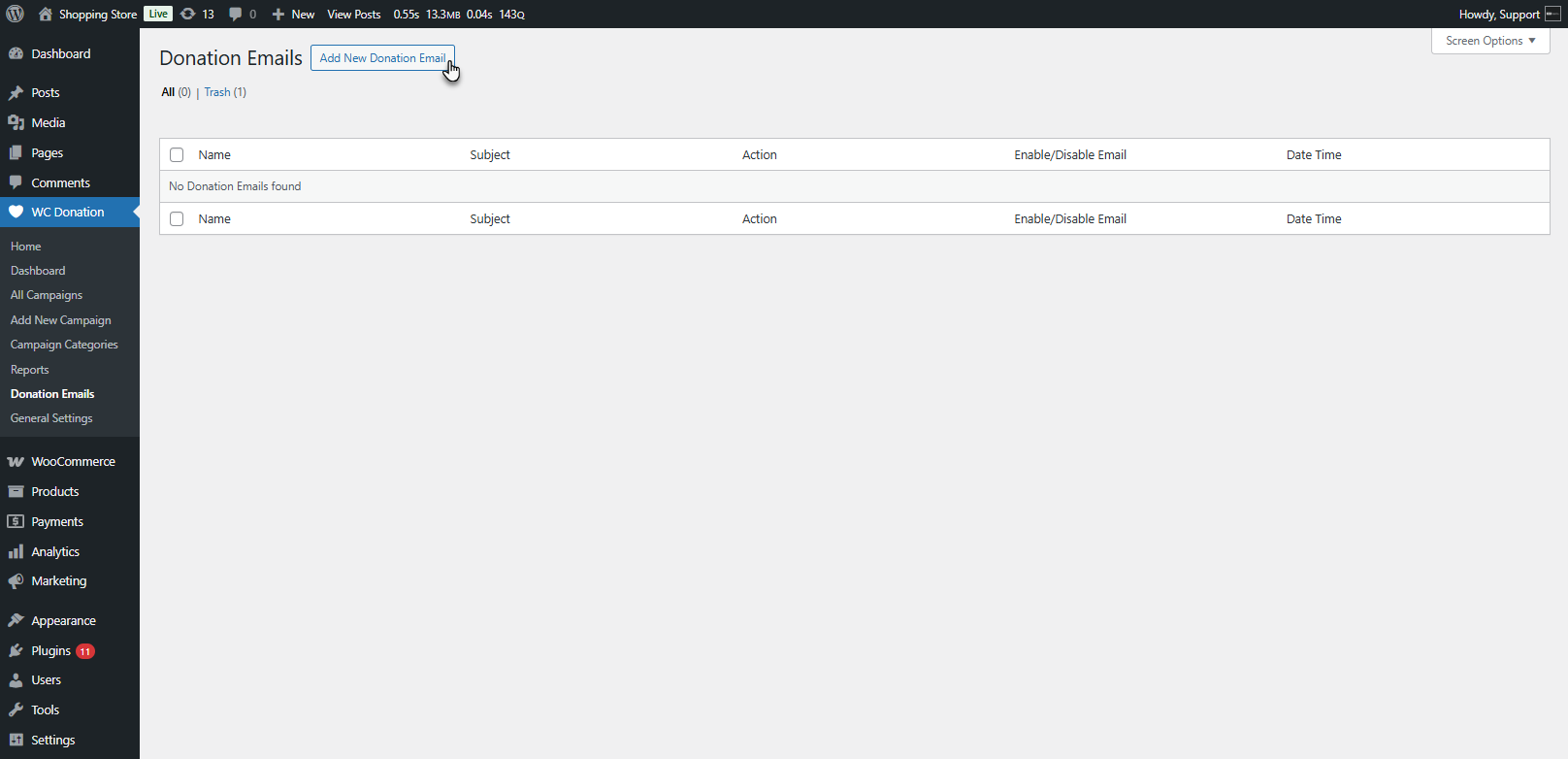
- Click Add New Donation Email
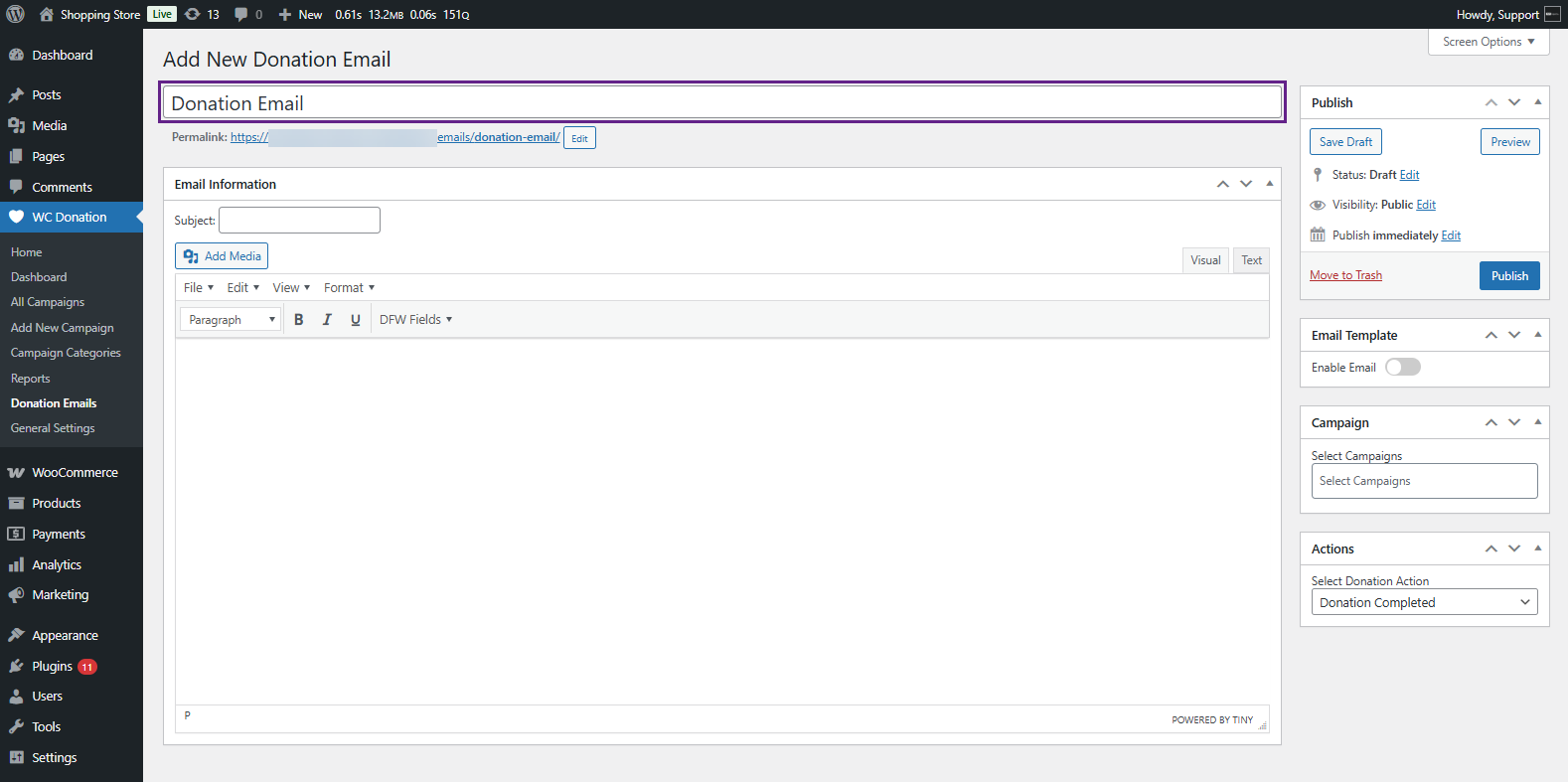
- Enter your title
- Enter your email subject and your message in the body
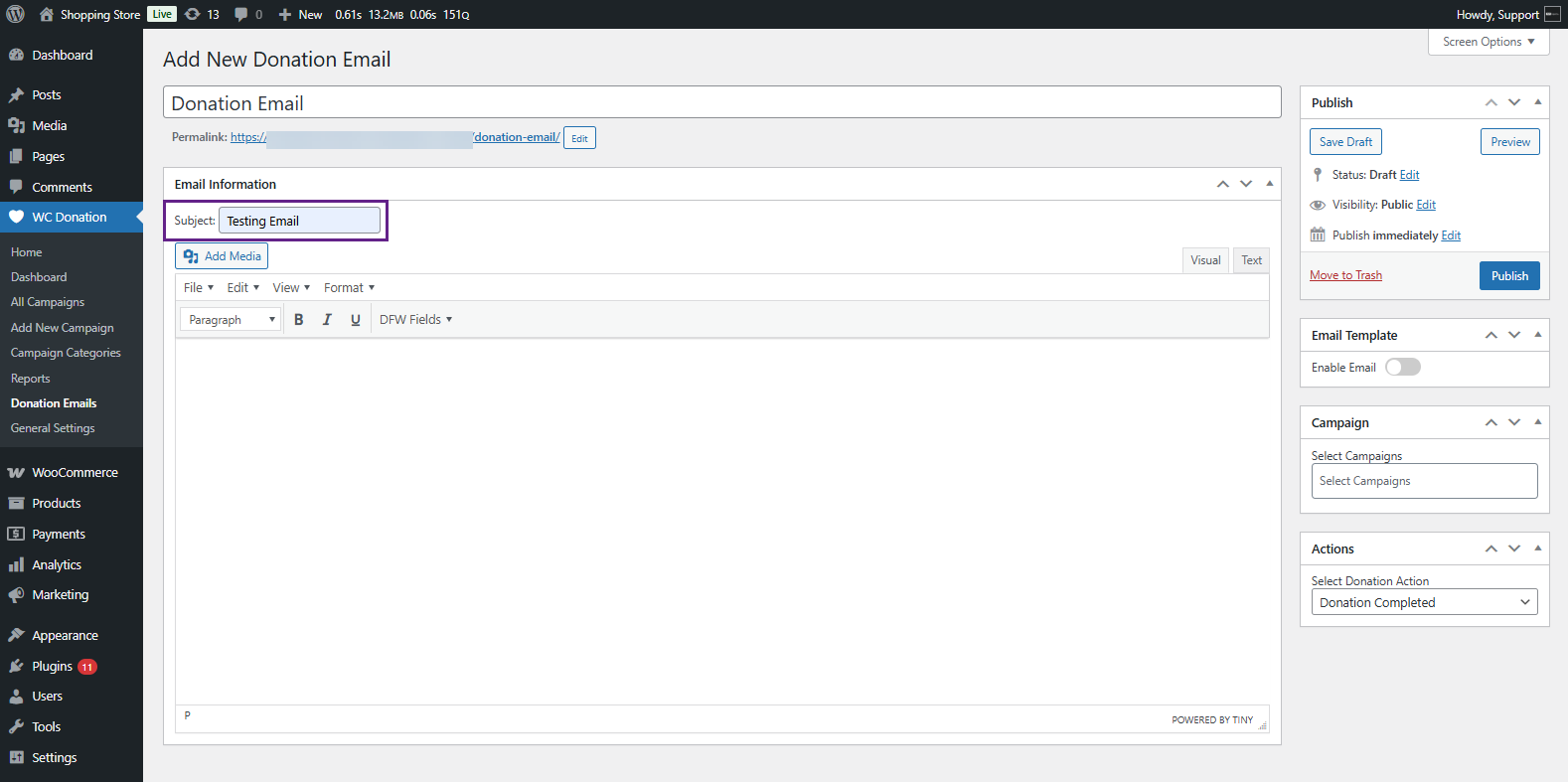
- Use DFW Fields to insert tags like donor name, campaign name, donation amount, and more
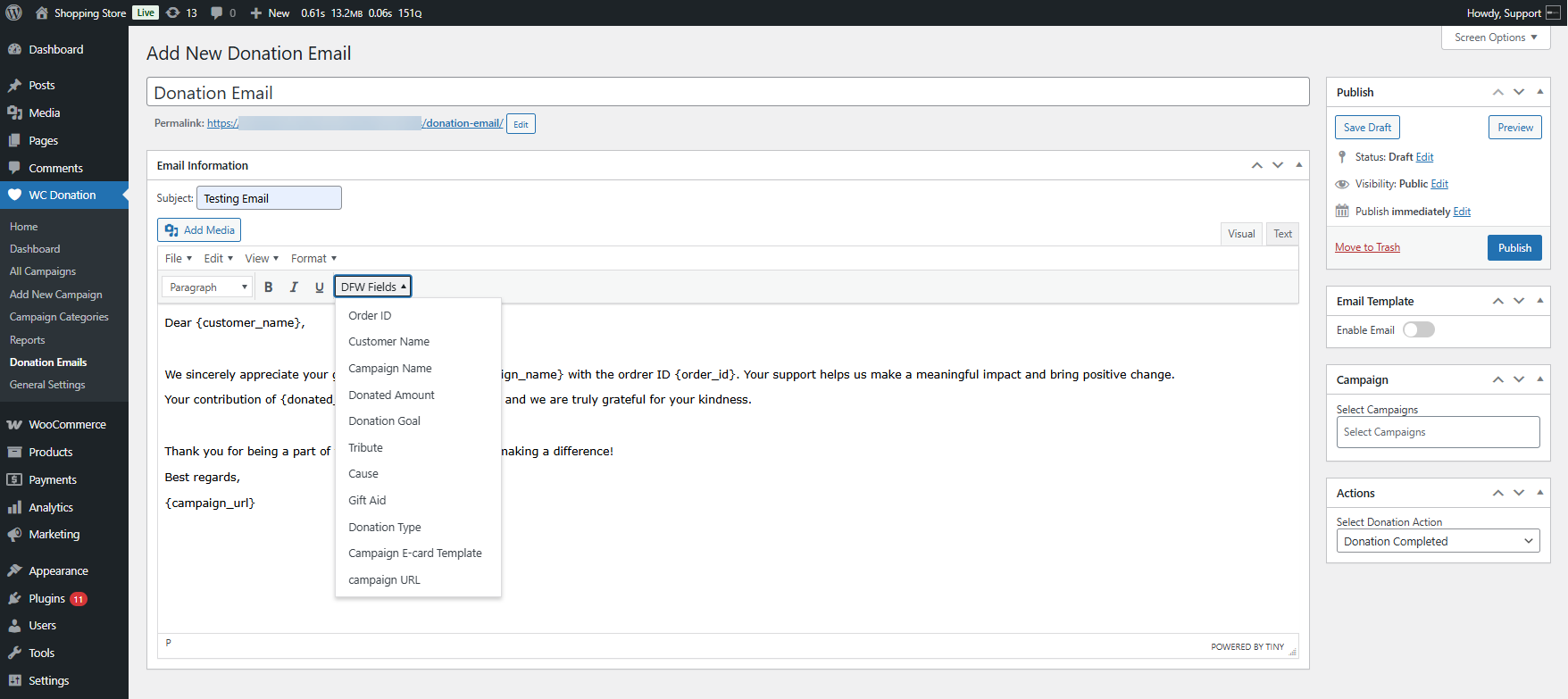
- Select the campaigns you want to connect this template to
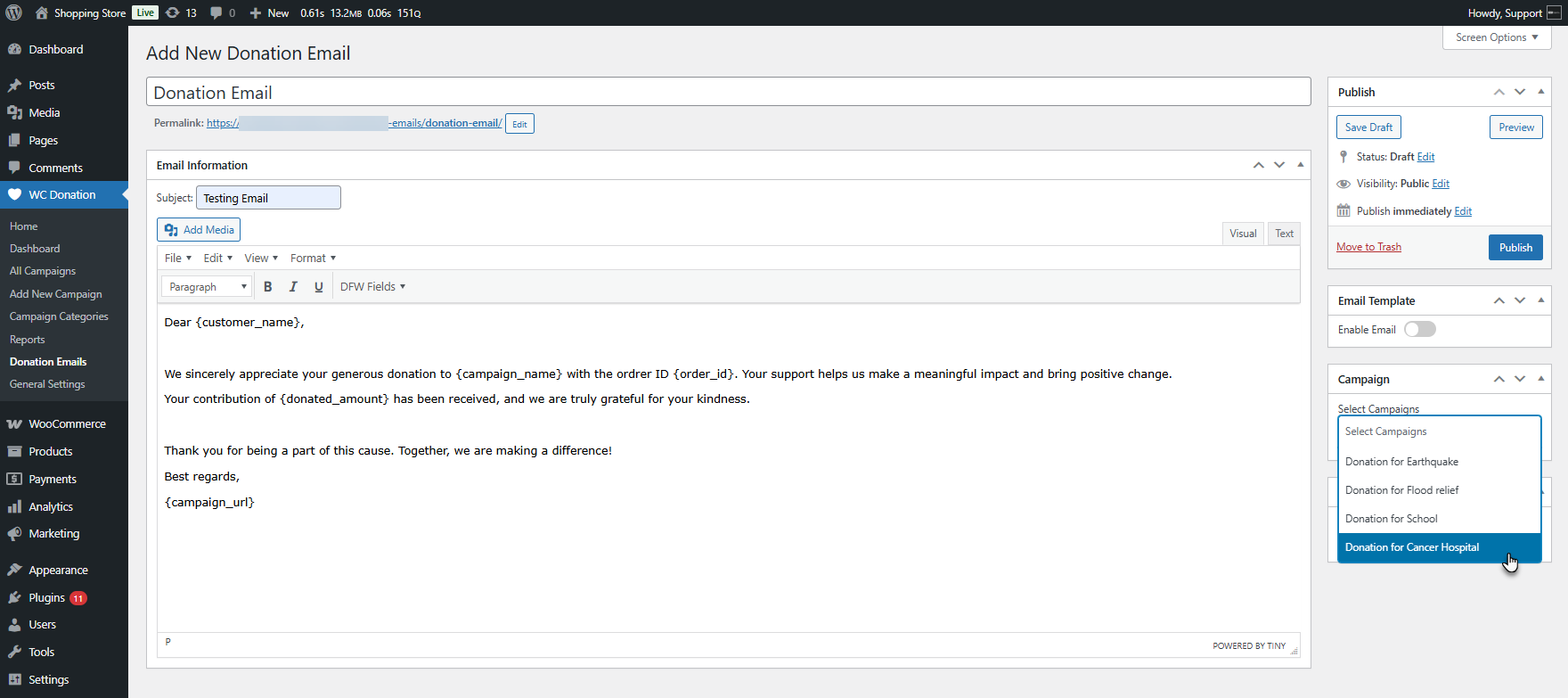
- In the Actions area, choose when the email should be sent
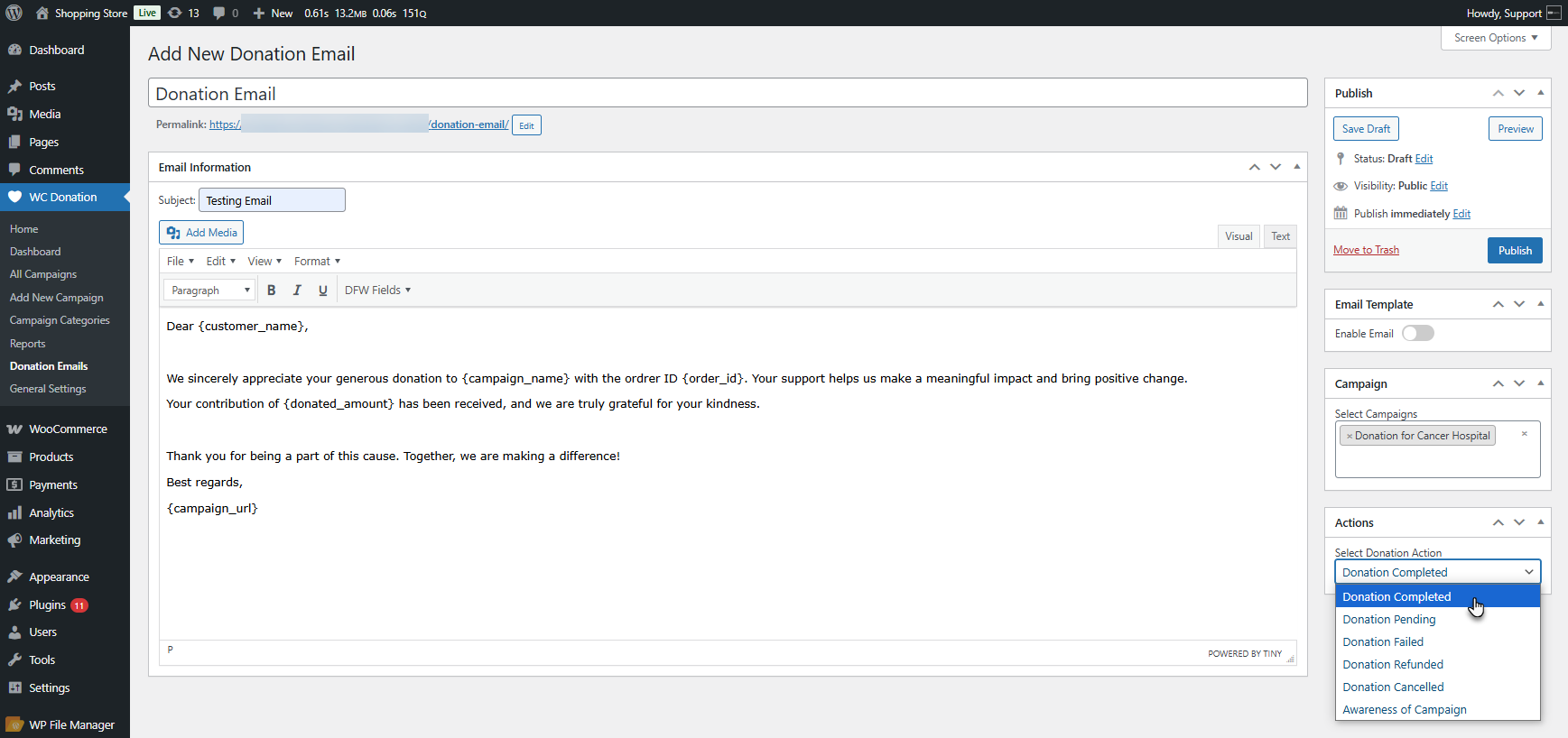
- Turn on Enable Template
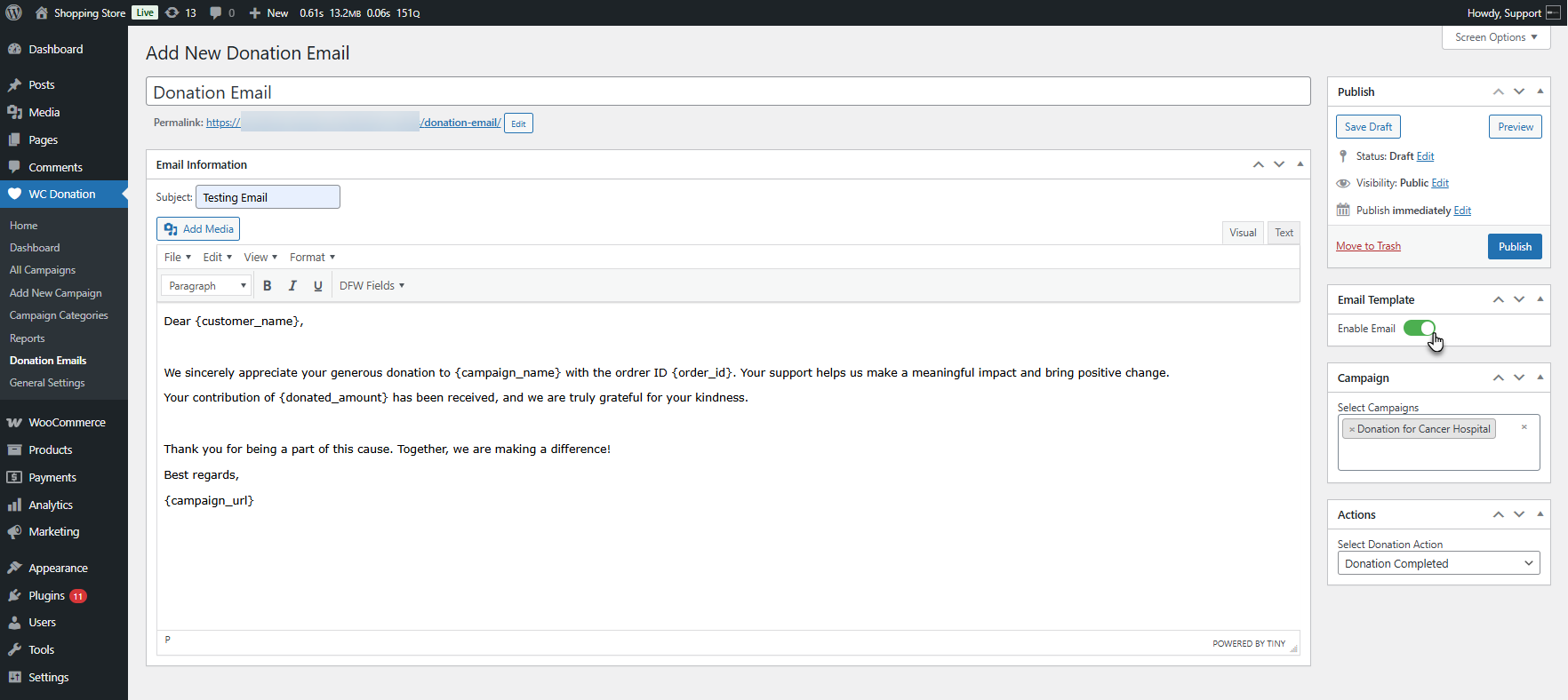
- Click Publish
Add Visual Impact in Your Emails with Custom E-Cards
What Are Donation E-Cards?
Sometimes sending a standard thank-you email to your donors may not be enough. And you want something warmer and kinder—something that feels like a memorial. That’s where Donation E-Cards come in.
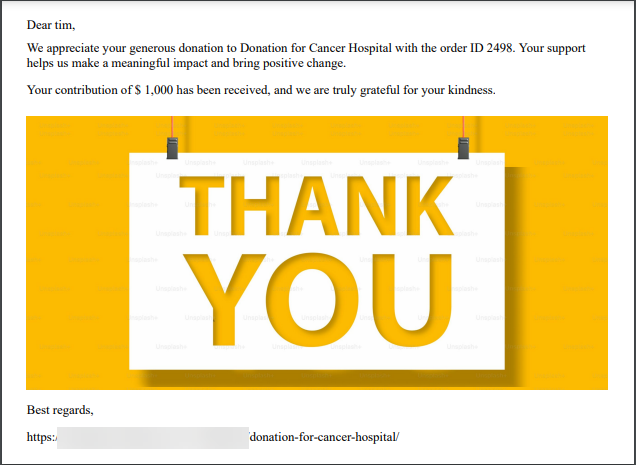
E-cards give donors a warm, visual acknowledgment of their gift. They work exceptionally well for holiday drives like Giving Tuesday donation campaigns, birthday gift donations, and any campaign where emotion is the heart of the message. A simple image that appreciates the donors can drive and inspire them to give again.
Benefits of Donation E-Cards
- Custom PNG/JPEG designs: Create any style you like—festive, elegant, playful, or mission-focused.
- Works seamlessly inside donation emails: Add the e-card to your custom email template in seconds.
- Adds a personal touch: Donors love receiving something special, not just a standard receipt.
How to Add E-Cards to Your Donation Emails (Very Easy Step-by-Step Process)
Adding donation e-cards using the donation for WooCommerce add-on is fast and easy for beginners:
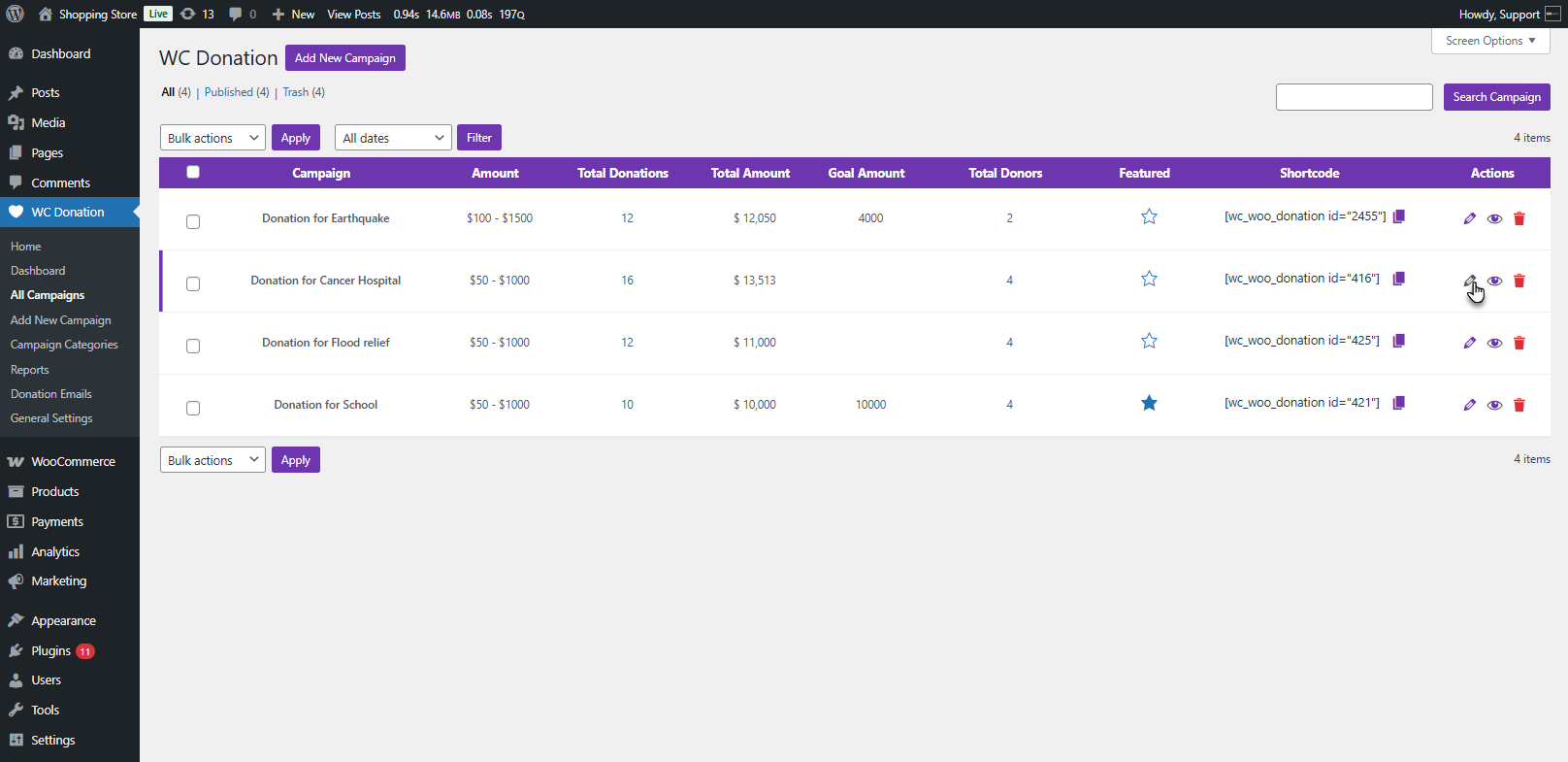
- Go to WC Donation → All Campaigns → Edit Campaign
- Open the E-Card Templates section
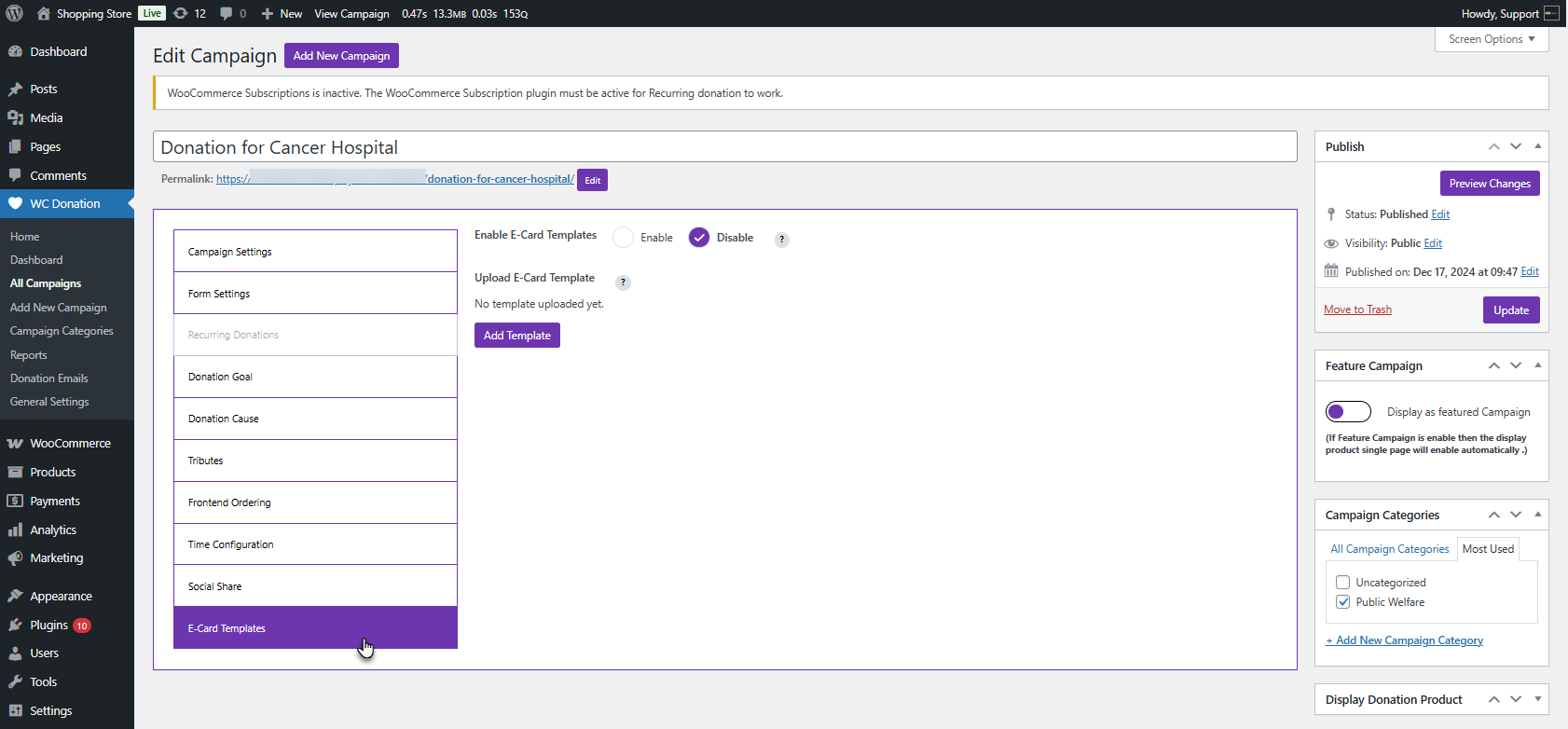
- Turn on Enable E-Card Templates
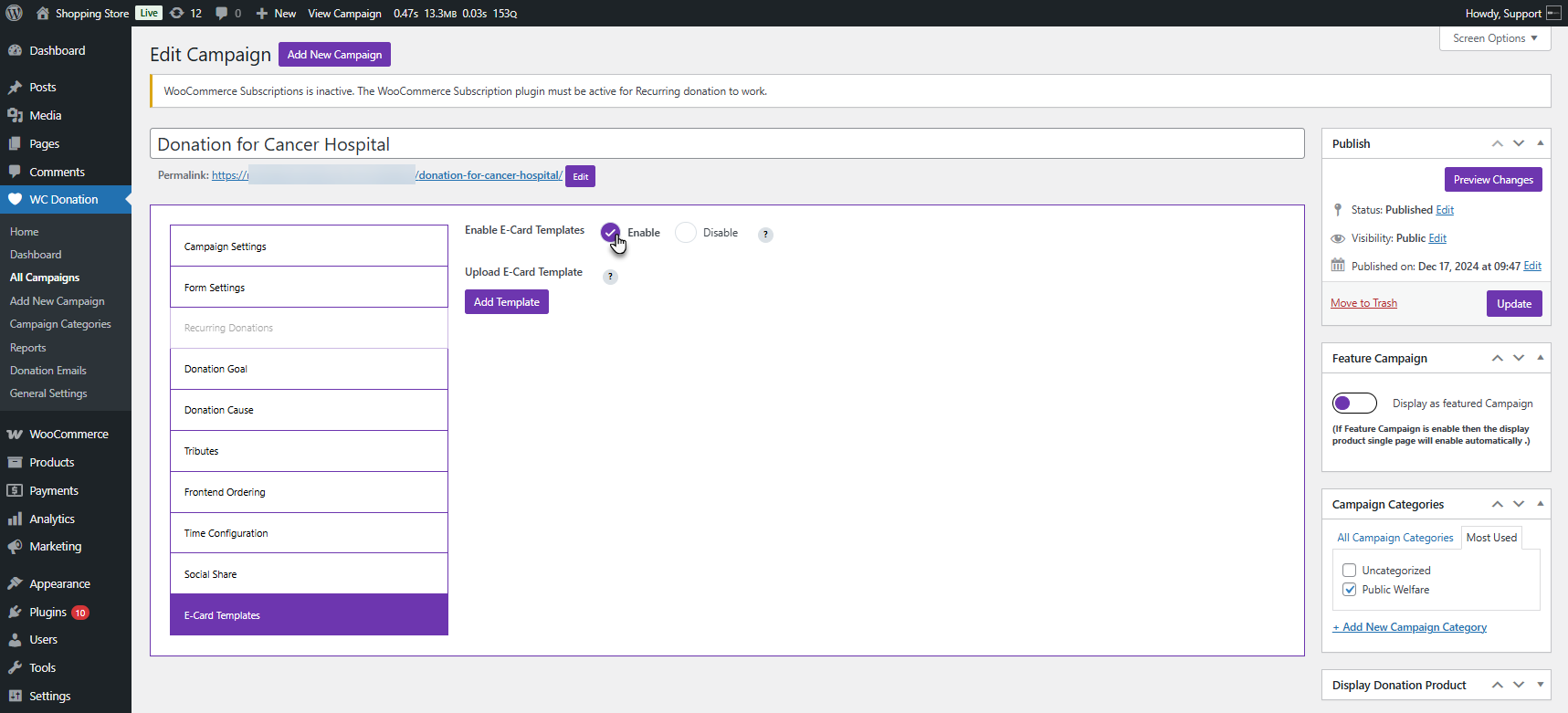
- Click Add Template and upload a PNG or JPEG
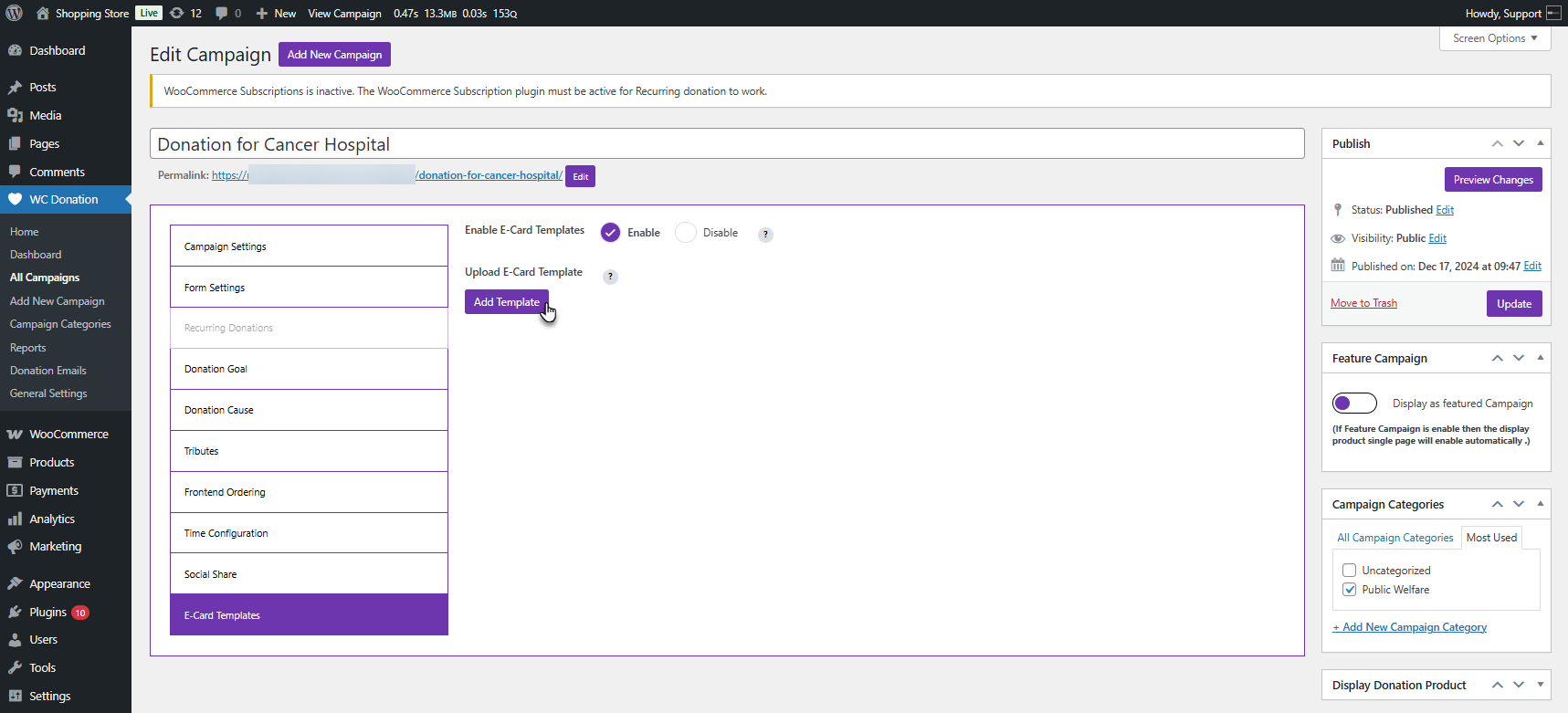
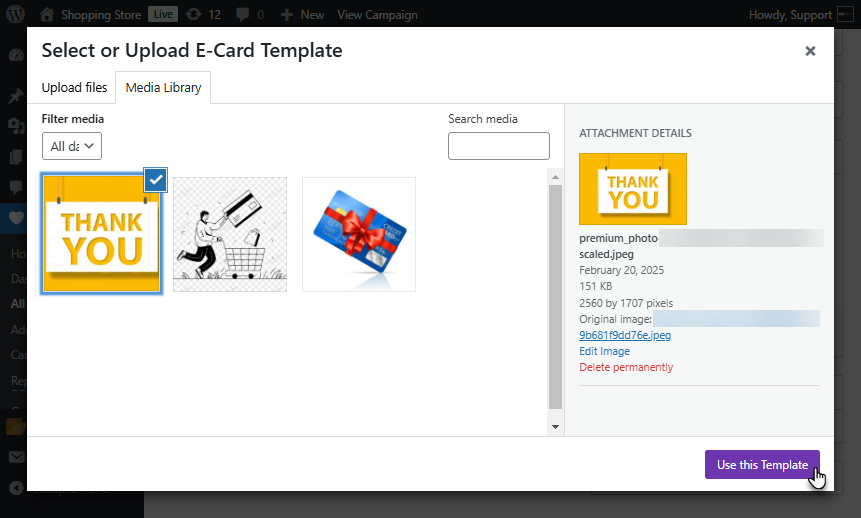
- Once uploaded, click Use this Template
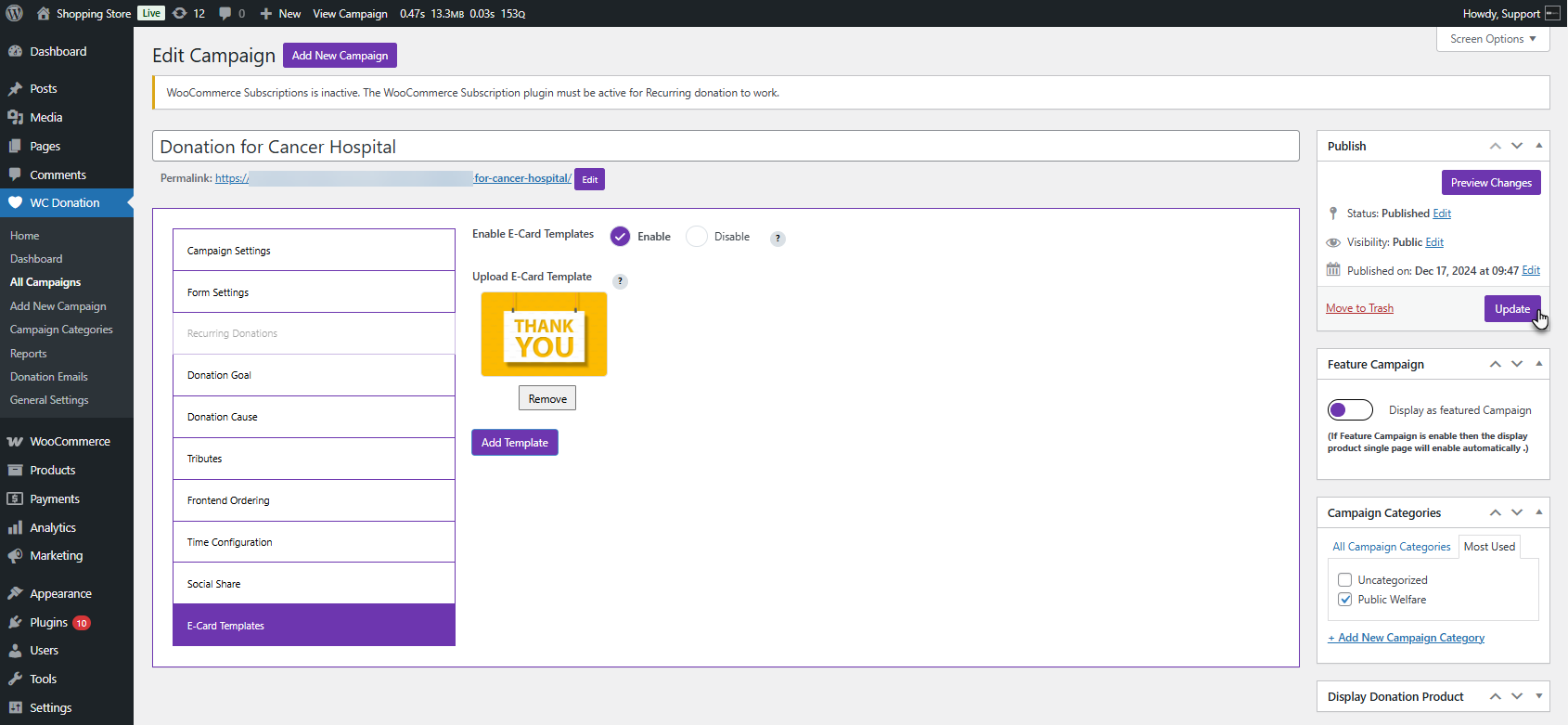
- Save your campaign
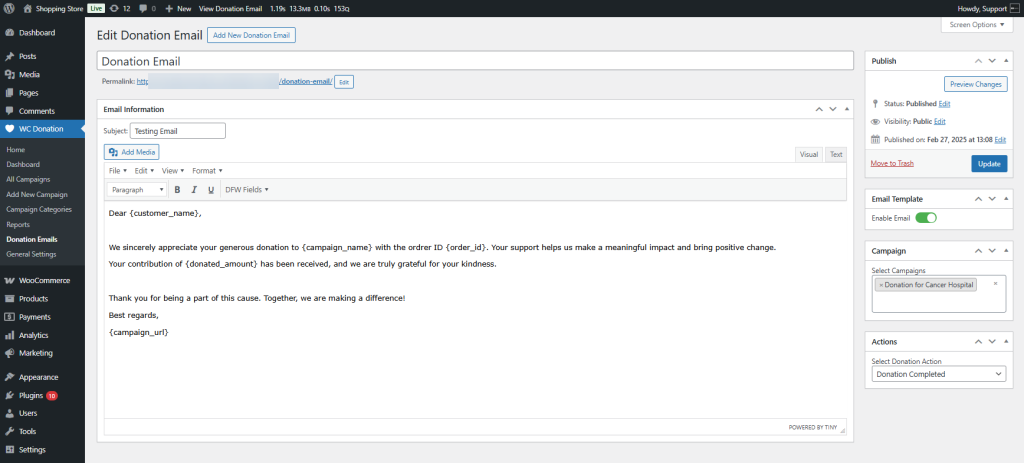
- Then go to WC Donation → Donation Emails → Edit Email
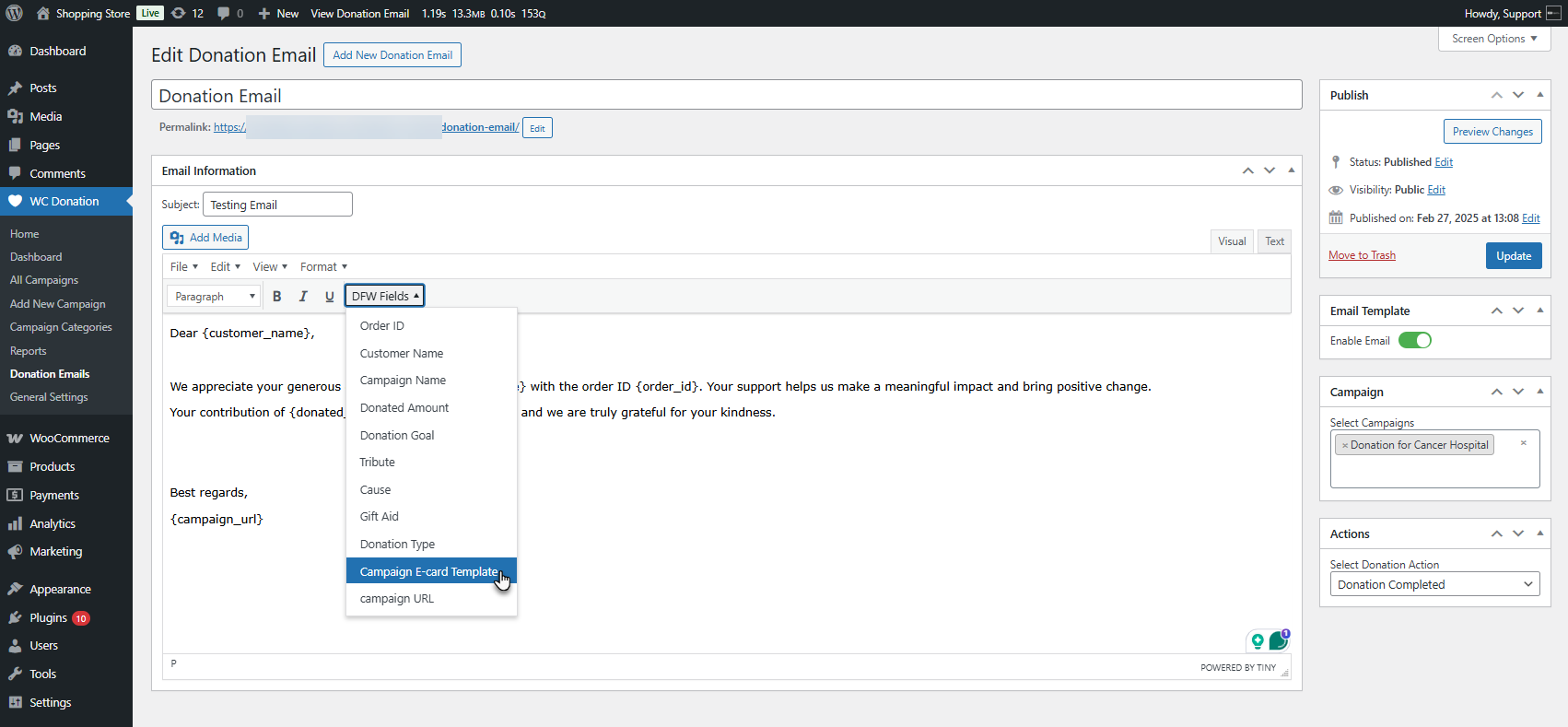
- Insert the E-Card Template tag using the DFW Fields dropdown
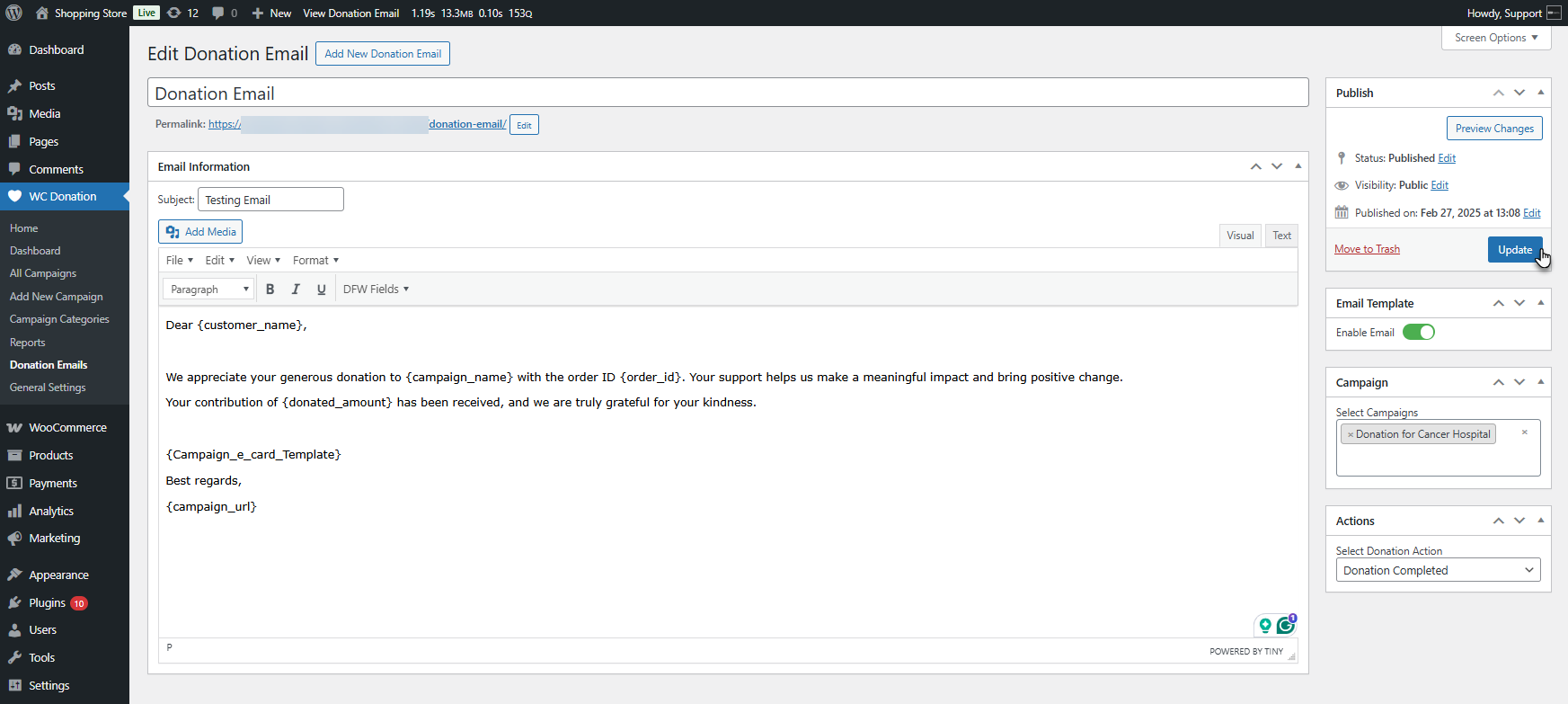
- Click Update
Why Personalized Emails + E-Cards Increase Donation Success
|
Element |
Psychological Impact |
Result |
| Personalized Emails | Gratitude & recognition | 3x higher donor retention |
| Visual E-Cards | Emotional connection | 40% more recurring gifts |
| Instant Thank-Yous | Valued & appreciated | Stronger long-term loyalty |
| Campaign-Specific Messages | Purpose & belonging | Increased donation frequency |
Best Practices for Crafting High-Converting Donation Emails
|
Best Practice |
How It Helps |
| Use warm, human language | Makes donors feel appreciated, not automated. |
| Thank donors by name (use tags) | Adds genuine personalization that strengthens the connection. |
| Include emotional storytelling | Reminds donors why their gift matters. |
| Use campaign-specific templates | Makes each email relevant and meaningful. |
| Add a gentle “give again” link | Encourages repeat donations without sounding pushy. |
Conclusion: Start Using Custom Emails to Boost Your Donation Revenue
With Donation for WooCommerce by WPExperts, investing in fancy fundraising software is no longer necessary. Its customized email and e-card features let you build better relationships with your donors instantly. You make your donors feel valued, and they assume they’re a part of something bigger.
If you want to raise more funds, boost donor engagement, and build unforgettable connections with donors, use the Donation Emails and Donation E-Cards features of Donation for WooCommerce.




