














































When a user accesses a site, the web browser requests a server. The server, in response, shows an HTTP status code 200. The 200 OK response code suggests that everything went smoothly. Website developers and owners must comprehend the concept of status code 200 when enhancing their sites’ productivity.
This blog post will thoroughly describe the HTTP status code 200 and its impact on website performance, user experience, and SEO.
What Do You Mean by HTTP Status Code 200?

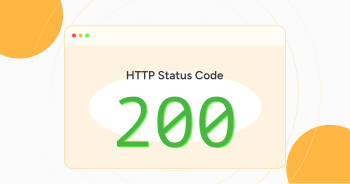
HTTP status code 200 is a status response code a server sends to a client, such as a web browser. When the server processes a request successfully, the client receives this response. The 200 response code reveals that the requested page was found, and the server returned the requested data.
According to this status response code, everything went smoothly, and no problems were found while retrieving the requested information. In this situation, you should note that the response can originate from four HTTP request methods that perform multiple tasks:
- HEAD (this request method shows that headers were provided in the response).
- POST (this request method indicates an outcome of an action and is sent in the message body).
- GET (this request method shows that the server can fetch and provide the resource in the message body).
- TRACE (this request method denotes the message body that contains the request message).
200 Belongs to Success Status Codes Category
The HTTP status code 200 belongs to the success status codes category in the HTTP protocol. We are correct if we say it is one of the common status codes. The HTTP 200 OK response code discloses that a request has succeeded. Furthermore, this successful response code is cacheable by default.
200 OK Response Code As Per SEO

If we examine the significance of the 200 OK response code SEO-wise, it is a crucial status code that highlights that a web page functions well and indicates that all linked pages work fine as expected.
A 200 response code suggests that search engine crawlers can crawl the page. Moreover, this web page will be added to their search index. Besides, this response code greatly favors dynamic content, such as form submissions. A positive form submission signifies a 200 status code, empowering accurate transaction confirmations and real-time updates.
Importance of HTTP Status 200 OK Response Code

Website owners, developers, and marketers should not ignore the significance of the 200 status code. It highlights a crucial request-response relationship between a client and a server. The role of a 200 status response code is handy when developers and admins want to ensure their web pages function correctly. A 200 response code implies uninterrupted server operations.
As for users, this HTTP response code indicates that the requested information is available. It shows that they can browse sites without experiencing issues. Not all HTTP status codes are harmful; the 200 OK response code is a prime example.
Overall, the 200 status code represents successful communication and helps boost user trust and troubleshooting. More importantly, the 200 status response code supports dynamic web applications and SEO. This code allows businesses to offer seamless online experiences to their customers.
Troubleshooting and Resolving Problems with HTTP 200 Status Codes

When managing sites, developers and owners should focus on offering a seamless experience to existing and new visitors. The HTTP 200 status code is one such metric that implies successful content delivery, but this code may have a few critical issues, hampering the performance and display of any webpage.
Let’s discuss its few downsides:
- Empty Response Body.
- Two or More Redirects Between the Requested URL.
- Slow Page Load Times
- Incomplete Page Rendering.
- Outdated Content Appearing.
Empty Response Body
Although the server sends a 200 status response code, indicating a successful HTTP request, the empty response body may cause a webpage to appear blank.
In this scenario, you must ensure that the server-side logic returns accurate content. Therefore, you should go through application logs and server configurations to detect errors. Additionally, you can benefit from developer tools in web browsers when checking network responses.
Two or More Redirects between the requested URL
This issue can still arise despite showing an HTTP 200 status response code. In this issue, the displayed content is not what was expected. Unfortunately, incorrect redirects and caching issues can be the primary reasons why users cannot see the content that was intended in the first place.
Unfortunately, prolonged redirect chains can negatively affect user experience by hindering page load speeds. Therefore, website owners should know how to benefit from redirection tools that help them manage website redirects.
Slow Page Load Times
A 200 status response code can indicate a page load time issue, taking too long to load a web page. This will hurt SEO and user experience, so utilizing specific tools for testing page speed loading time is better. For this purpose, you can use tools like GTmetrix, Pingdom, etc., to analyze the load times of web pages.
Moreover, consider minimizing codes, enhancing images, and leveraging browser caching to improve page load times.
Incomplete Page Rendering
An HTTP status code 200 does not guarantee that the page has been completely rendered. Therefore, you must examine JavaScript errors and CSS issues preventing web pages from fully loading their content. Browser developer tools can help identify missing errors in the JavaScript console.
Outdated Content Appearing
A 200 OK status does not mean that the website content is up-to-date. Users can still see outdated content on sites when visiting them. A caching issue can cause this issue. Therefore, website owners must ensure that their CMS (Content Management System) appropriately updates content.
Apply cache control headers properly. Cache-control headers inform servers and browsers when they need to update content.
Wrapping Up
We expect you to appreciate our blog post expressing the importance of HTTP status code 200. To provide users with seamless browsing experiences, site admins, developers, owners, and other stakeholders should not overlook the importance of a 200 status code.
From an SEO perspective, HTTP status code 200 allows SEO professionals to enhance their sites for SERPs. This allows search engines to crawl and index sites on time.