




















































Controlling who registers and avoiding fake user sign-ups on your WordPress site is crucial. Whether you run a membership site, online course, or private community, open registration can invite problems. That’s where a WordPress user protection plugin like New User Approve helps. It moderates user registration and lets you approve each user before they access your site. Now with version 3.0, it’s faster, easier, and gives you more control.
Here’s what plugin developers have come up with in the latest version.
What’s New in Version 3.0
This update focuses on speed, clarity, and automation. The UI is cleaner. The dashboard of this manual user approval plugin runs on React. And admins get more tools to manage users.
Key highlights:
- Modern dashboard
- Role change request tab
- Better invitation code handling
- Auto-approve settings
- Registration deadline controls
- Zapier triggers
- Email customization improvements
All of this is built into the core plugin. No extra tools required.
Smarter Dashboard for Faster Approvals
The new dashboard gives you a full view of what’s happening. You can see pending, approved, and denied users at a glance.
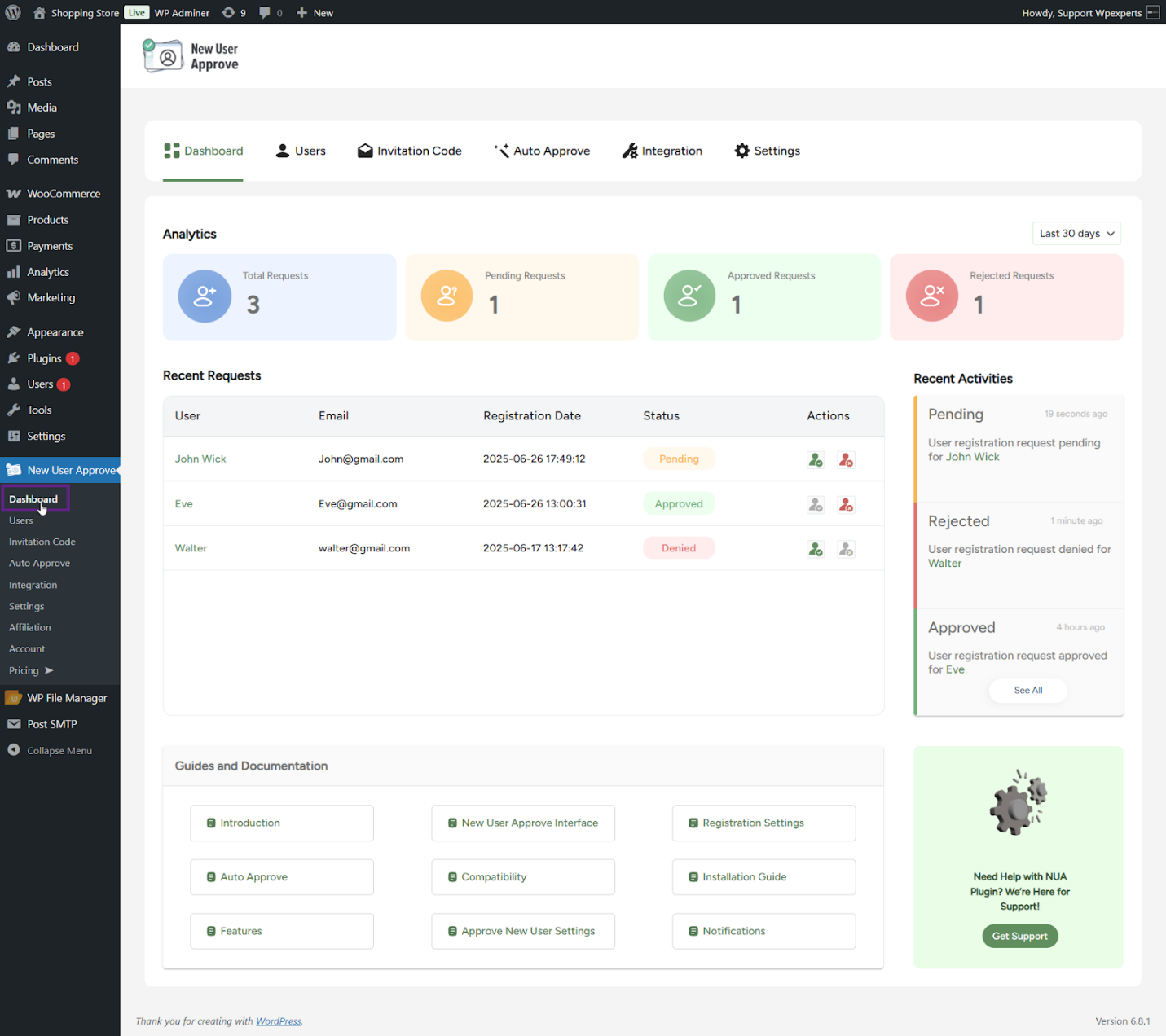
No need to visit multiple pages. You can approve or reject users right from the same screen.
There’s also a “Recent Requests” section. It shows the latest signup activity with quick actions.
Admins also get links to documentation and support inside the dashboard. So if you get stuck, help is one click away.
User Role Change Requests: Now Built-In
Users can now request a different role after registering.
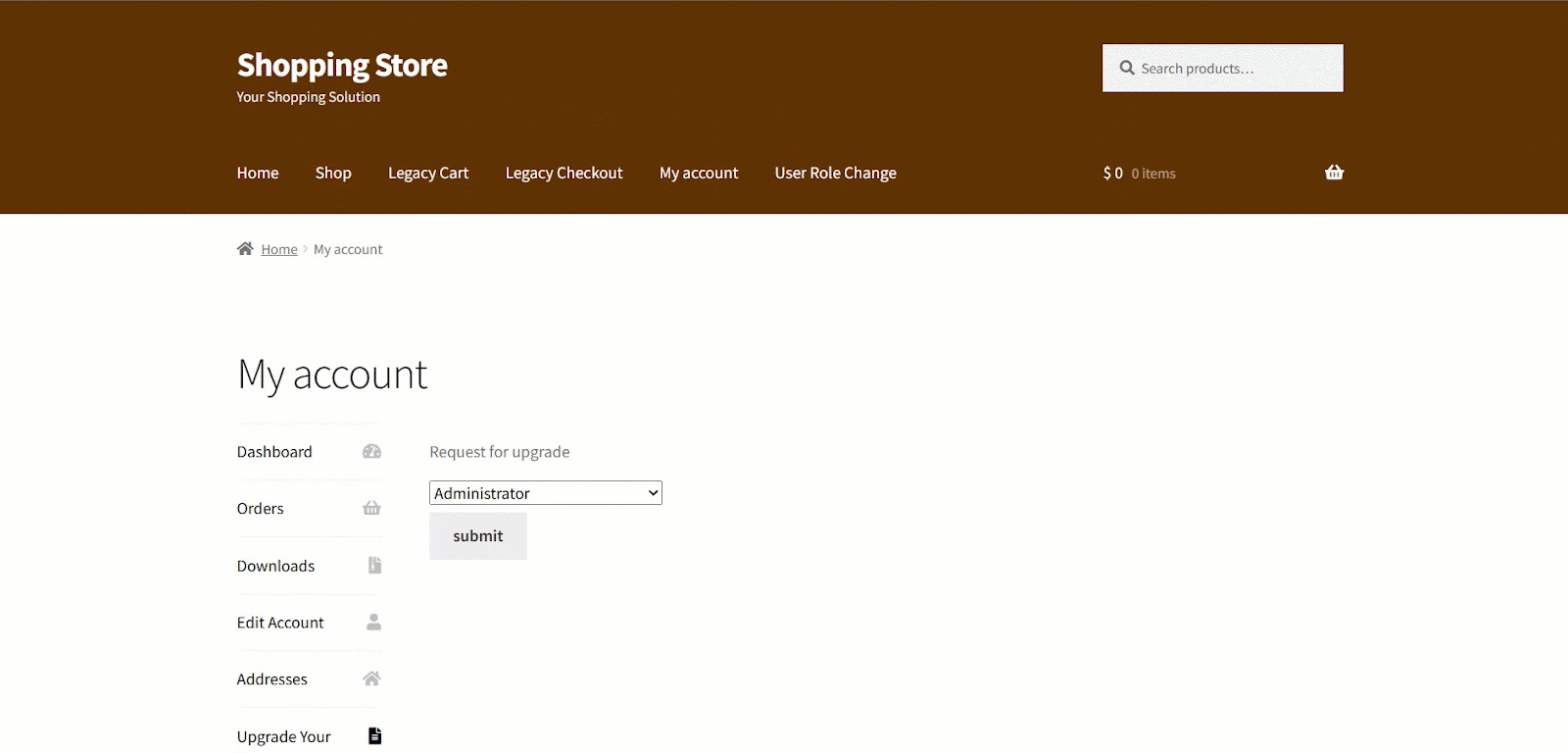
For example, someone signs up as a subscriber but later wants to become an author. They go to their account page and submit a role change request.
Admins see these in a separate tab. You can approve or deny with one click.
There’s also a shortcode: [nua_user_role_request]. You can place this on any page to show the request form.
Invitation-Only Access Made Simple
Want to keep your site private? Use invitation codes.
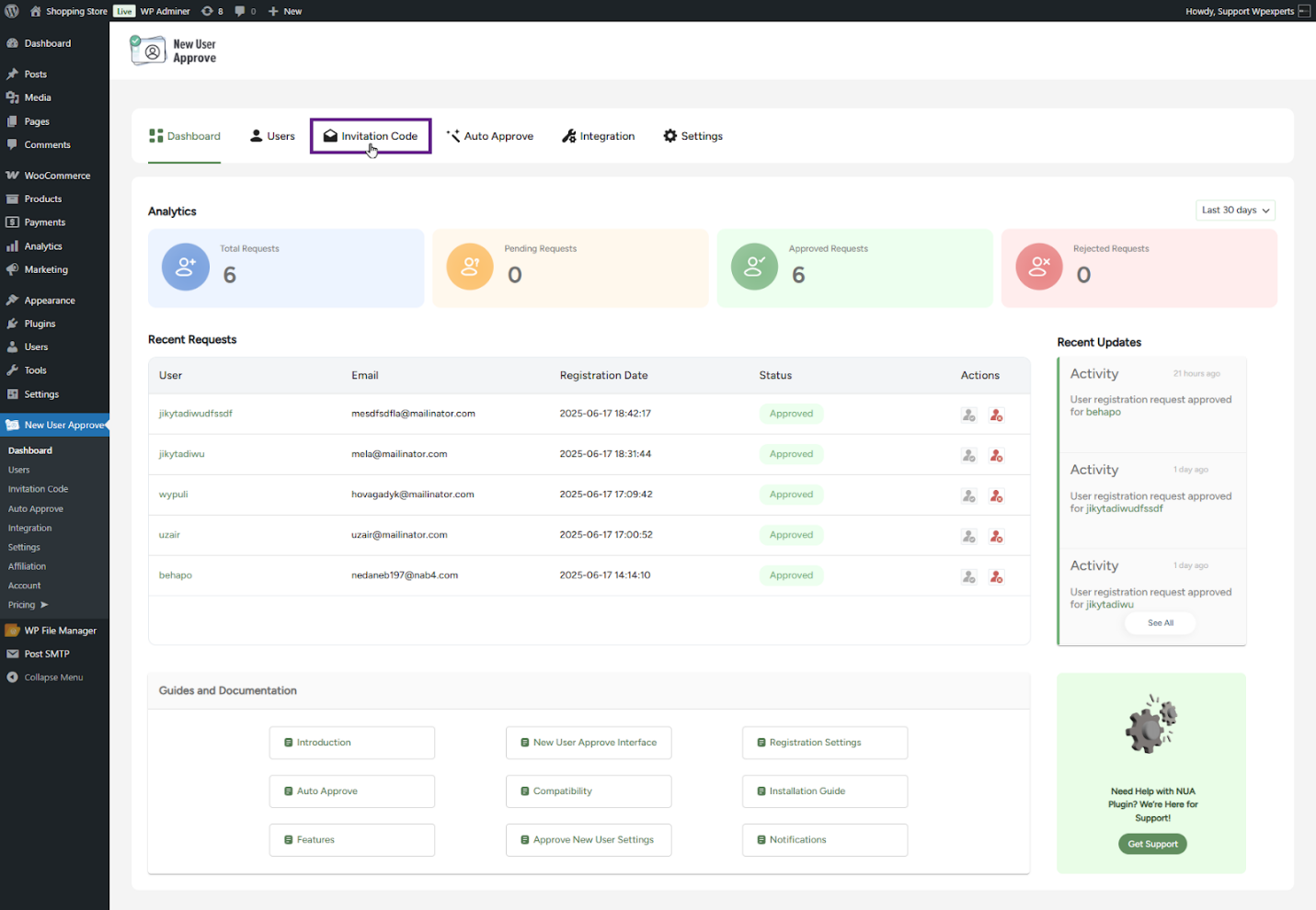
With version 3.0, you can:
- Add codes manually
- Auto-generate them
- Import them via CSV
- Email them to users
You set usage limits and expiry dates.
Anyone registering with a valid code is automatically approved. If the code is wrong or expired, the system blocks the user.
This feature works well for closed beta programs, exclusive communities, or limited-time launches.
Auto-Approval Rules That Work for You
Not every site needs manual approval for all users. That’s why auto-approve is now more flexible.
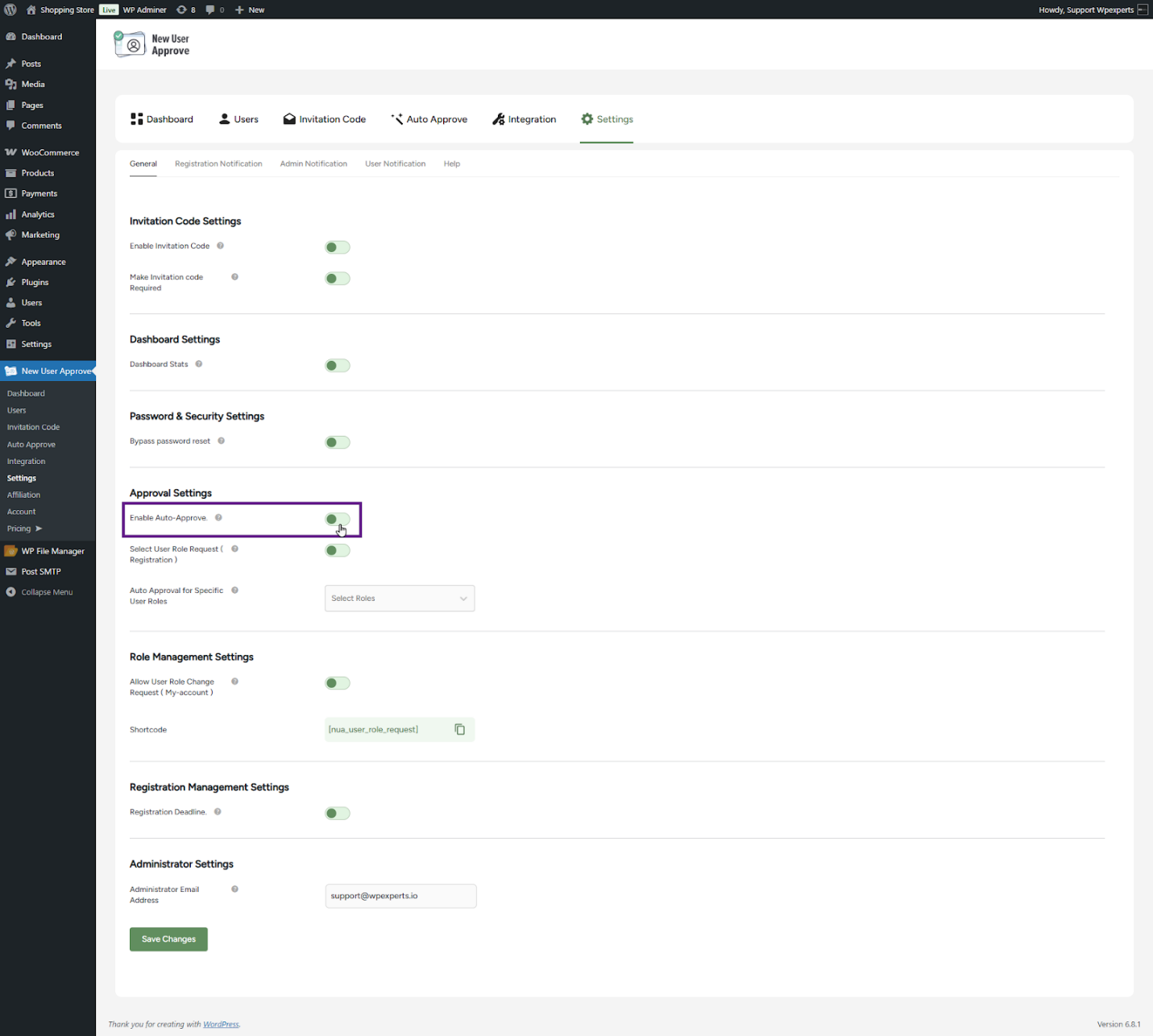
There are two ways to use it:
1. Domain-Based
You can whitelist or blacklist domains.
- Whitelisted domains are approved automatically.
- Blacklisted domains are denied.
This is useful for internal teams or company-based registrations.
2. Role-Based
You can also auto-approve users based on the role they choose.
For example, if someone selects “Subscriber” during registration, they get in automatically. If they pick a role you didn’t whitelist, their request stays pending.
Blacklists override all other settings. So if an email is from a banned domain, the system blocks it no matter what role the user selects.
Registration Deadline Controls
You can now stop new registrations after a certain date or after a fixed number of sign-ups.
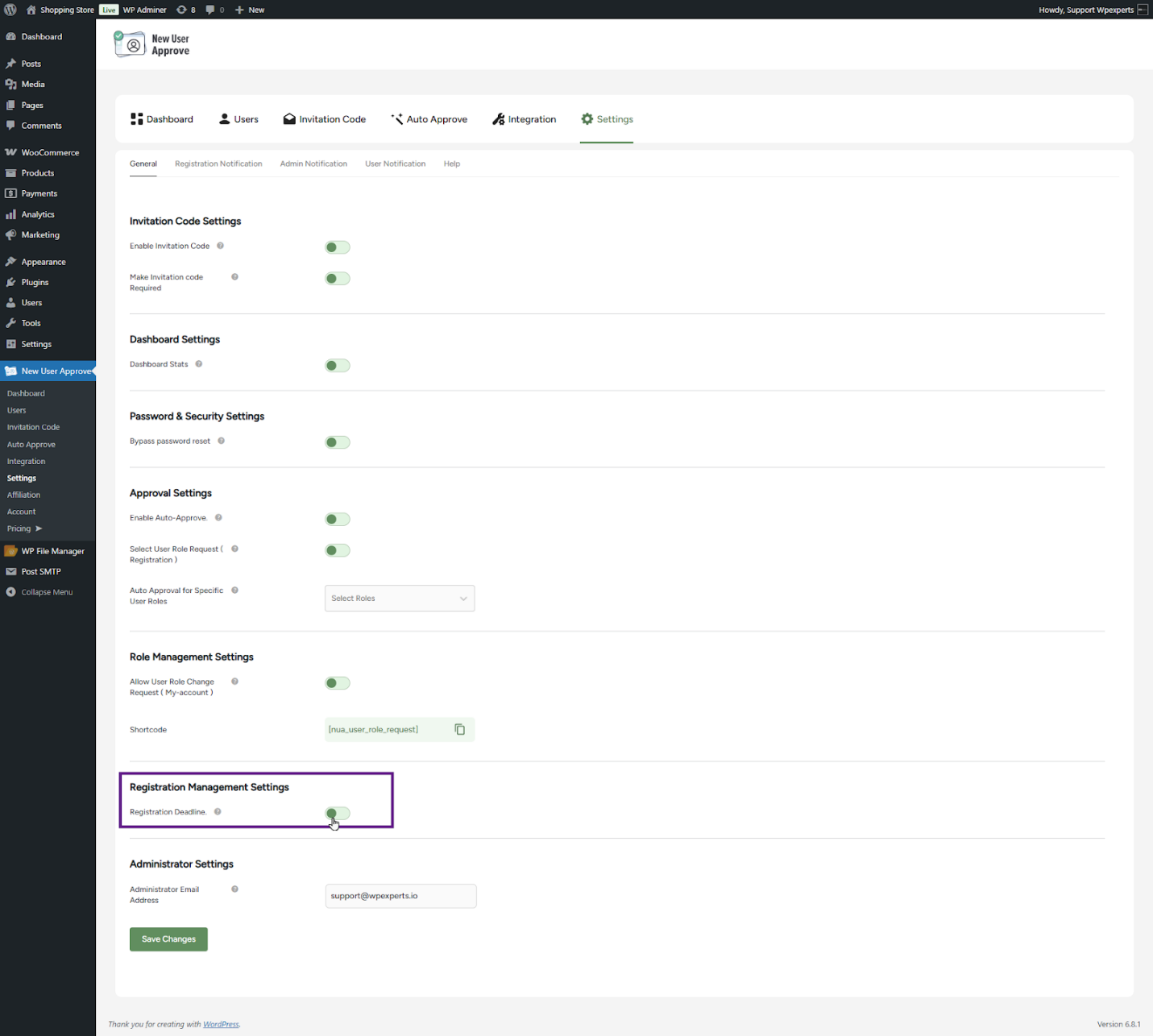
Once the limit is hit, users can’t register, unless they have an invitation code.
You can turn on the option that lets invitation code users bypass the deadline. This is helpful for launches, campaigns, or e-learning platforms.
The error message for blocked registrations can be customized from the settings panel.
Better Notification Settings for Admins and Users
Every new user request status can now trigger an email; i.e., pending, approved, denied, or welcome.
Admins can:
- Send notifications to all site admins
- Exclude certain admins
- Add custom recipients
Users also receive updates about their status. You can customize the subject line, message content, and email format (plain text or HTML).
These templates support tags like {username} and {site_url} for more personal messages.
Zapier Integration for Automating Workflows
Need to connect WordPress to other tools? New User Approve now supports more Zapier triggers.
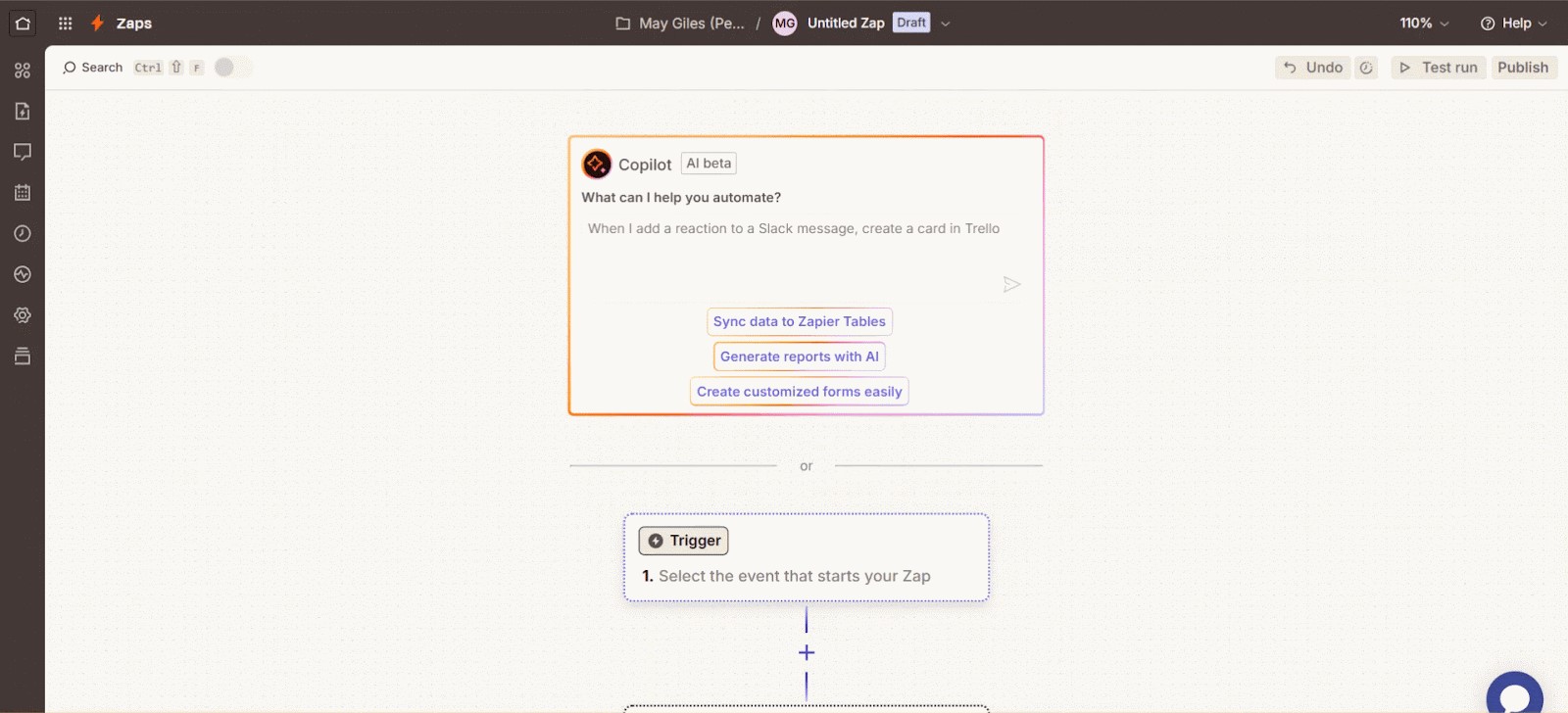
You can automate actions when:
- A user is approved
- A user is denied
- A user registers and is pending
- A user is auto-approved via invitation code
- A user is auto-approved via domain
- A user is auto-approved via role
Example use cases:
- Send approval emails via Gmail
- Add approved users to Google Sheets
- Alert your team in Slack when someone is denied
You only need to paste your site URL and API key into Zapier. Setup is quick and doesn’t require coding.
Why New User Approve 3.0 is Worth Upgrading
If you’re using New User Approve already, version 3.0 brings clear benefits:
- A dashboard that saves time
- Built-in request flows for roles
- Tight control over who joins
- Less manual work thanks to automation
- Simple, clear email flows
Everything runs inside your WordPress dashboard. No external accounts needed except Zapier (optional).
Final Word
New User Approve 3.0 is designed to help you manage users and prevent fake user signups without stress. Whether you’re running a closed community or just want more control, this update gives you the tools.
You can view the full documentation or reach out to support if you need help.
Ready to upgrade? Head to your WordPress dashboard and update the plugin.





