





















































We’re thrilled to announce the launch of Quick Commerce (QCommerce) — a powerful real-time order management plugin for WooCommerce designed to streamline order tracking, enhance backend operations, and deliver an unmatched real-time management experience for fast-paced online businesses.
Whether you’re running a restaurant, grocery delivery service, or any WooCommerce store with frequent orders, QCommerce equips you with the tools you need to handle orders quickly, efficiently, and with complete control.
What is Quick Commerce (QCommerce)?
QCommerce is a comprehensive WooCommerce order tracking and fulfillment management plugin that provides real-time visibility, custom workflow automation, and customer engagement tools for your store.
With QCommerce, admins can view new orders live as they come in, assign roles, track status changes, enable tipping, collect customer feedback, and much more—all from a centralized dashboard.
Key Features of Quick Commerce for WooCommerce
Real-Time Ordering Dashboard
See new orders appear live, with columns displaying Order ID, Customer Information, Payment Status, ETA, Tips, and the assigned Contact Person. No refresh required!
Custom Order Status
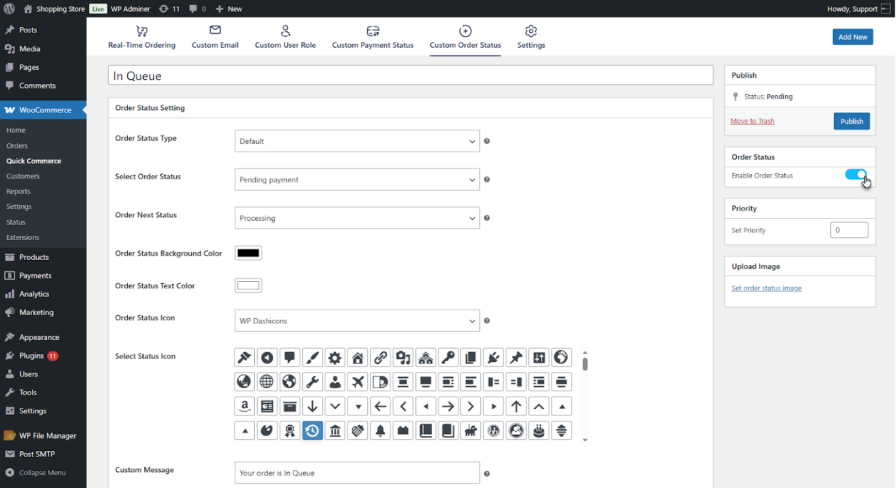
Create and manage unique order statuses with options to define ETA, priority, and next status steps—perfect for tailored workflows.
Custom Payment Status
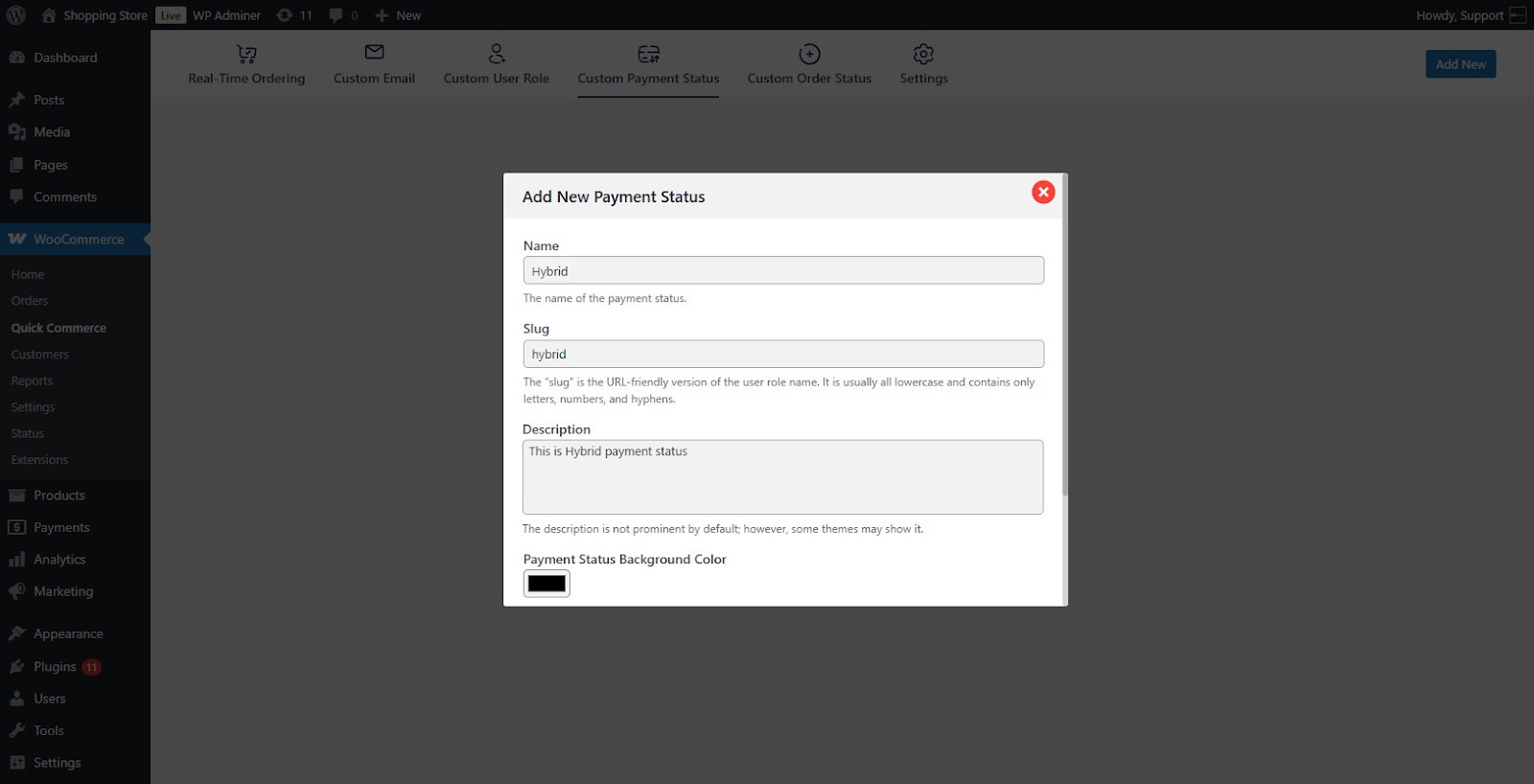
Add payment statuses specific to your business, like “Cash Collected,” “Pending Approval,” or “Partial Payment Received.”
Custom User Roles
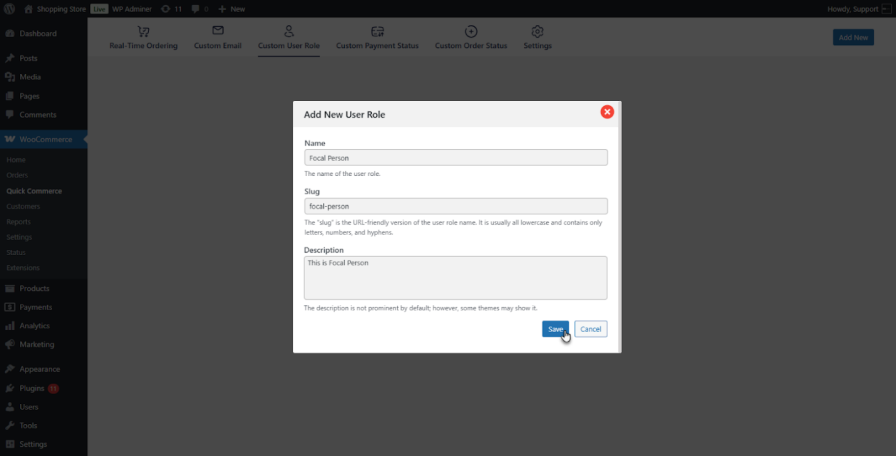
Define specific user roles for your team (e.g., delivery agents, dispatch managers) and control what they can access or manage.
Smart Email Notifications
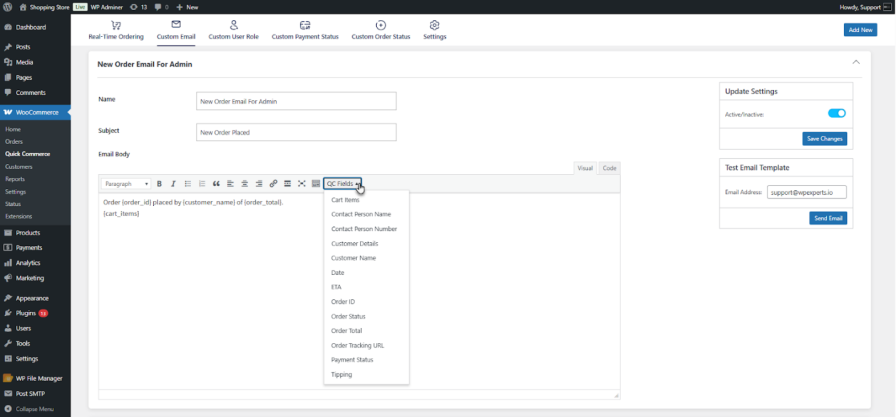
Automatically notify admins, customers, and contact persons with dynamic email templates triggered by order activity.
Tipping and Feedback
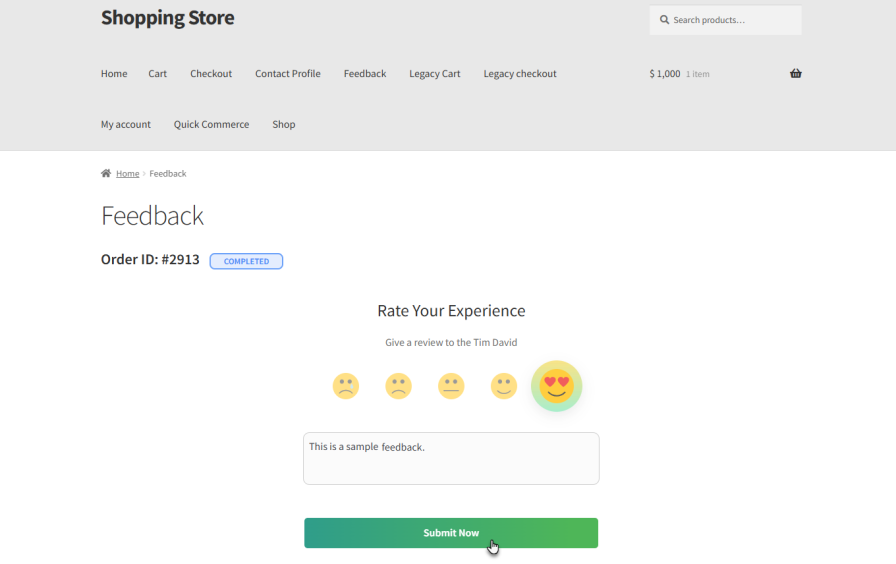
Enable tipping at checkout (optional or forced) and collect post-delivery feedback tied to the contact person’s performance.
Other Noteworthy Features
- Order Tracking Block for customers to view order status on any page
- Contact Profile Dashboard for delivery agents to manage orders, view tips, and feedback
- Admin Notifications for new order alerts
- Custom Email Tags for dynamic email personalization
Why Choose Quick Commerce?
QCommerce isn’t just another order tracking plugin—it’s a complete operational toolkit for WooCommerce stores that rely on speed, structure, and service quality.
Whether you’re managing on-demand deliveries or high-volume orders, QCommerce provides the real-time insights, role-based controls, and customer-focused features you need to run your store with confidence.
Ready to take control of your orders and streamline fulfillment?





