Setting up a website is indeed a big plan from the very start. Choosing the correct platform to develop your virtual identity is the very first step. And there are only two primary names that compete with each other: Squarespace and WordPress.
While both look similar from the wider picture (As a CMS), they actually do not serve the same needs. When comparing Squarespace against WordPress, one must also consider easy of use, customization, functions, and cost to really make well-versed decisions.
In this blog, we will thoroughly discuss why these two platforms are built. We’ll identify their advantages and disadvantages and will compare them on a one v one basis (like WordPress vs Squarespace). At the end of this blog, you should know which of the two works best according to your needs, whether WordPress or Squarespace.
Squarespace vs WordPress: An Overview
Let’s get a comparison and brief overview of both platforms:
| Feature | Squarespace | WordPress |
|---|---|---|
| Free Plan or Trial | 14-day free trial | Free to install |
| Starting Price | $16/month | As low as $2.95/month (hosting) |
| Number of Templates | 185 | 10,000 and more |
| Storage Space | Unlimited | 50GB – Unlimited |
| Apps/Extensions | 40 and more | 58,000 and more free ones |
| Free Custom Domain | Yes | No (Available sometimes with hosting plan) |
Squarespace: A very easy user interface with an attractive template; Squarespace has simplified the website building steps. Perfect for beginners for whom a very simple, hands-off setup is necessary.
WordPress: A powerhouse of customization, WordPress is an open-source system that can build just about any sort of website. It makes it possible to create simple blogs, create complicated e-commerce stores, and, in fact, create almost any other web page. But it takes a little more to get into the process than normal.
WordPress vs Squarespace: A Deep Dive
Let’s take apart these options in a key way so that you know how to choose among them.
Ease of Use
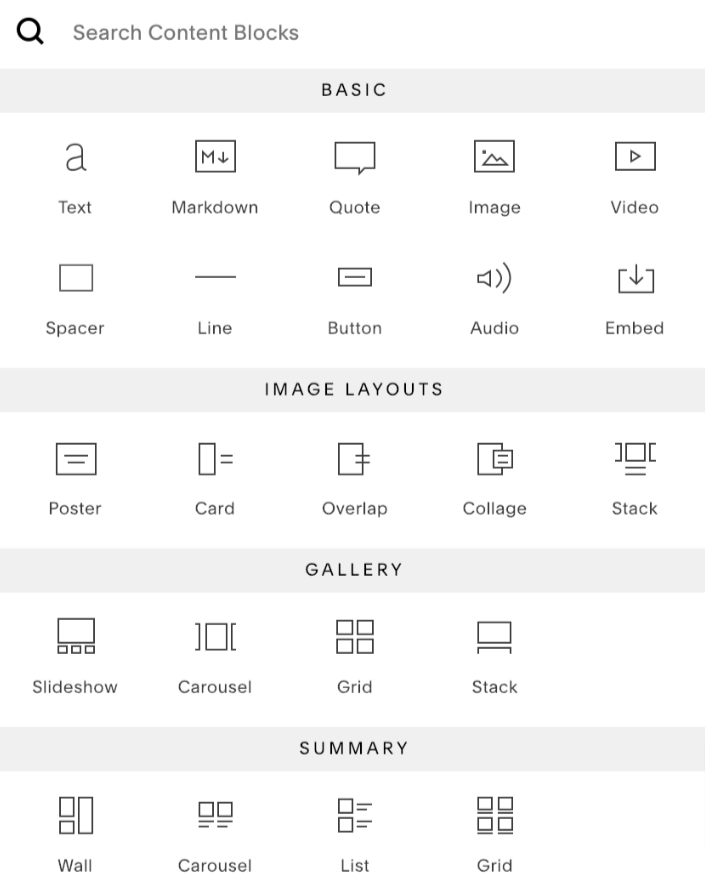
Squarespace offers many easy-to-use facilities, mainly by providing a user-friendly drag-and-drop editor through which any non-tech-savvy person can make impressive and professional websites. Squarespace will definitely be ideal for the needs of anyone wanting to go online very fast with the least hassles.
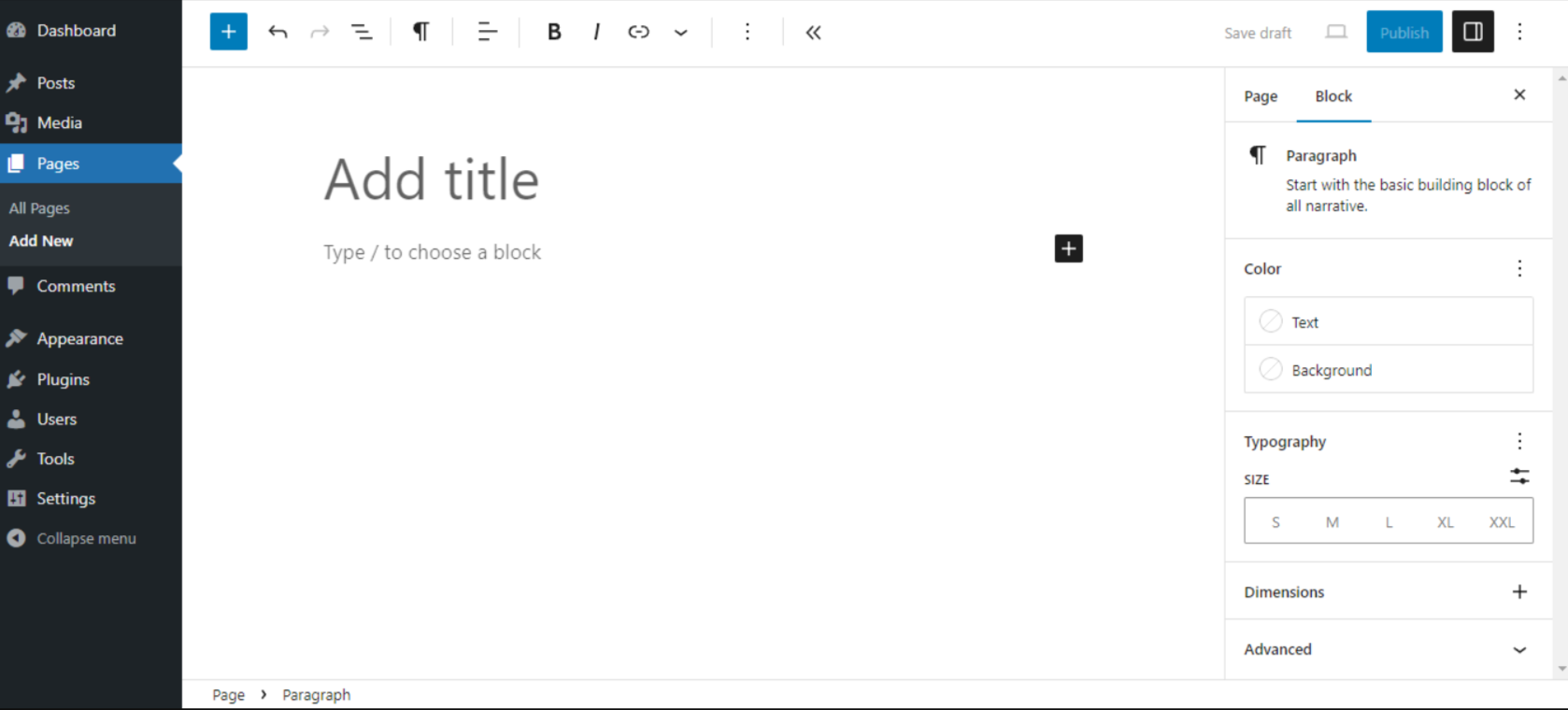
In contrast, you have to learn WordPress. While installing WordPress is straightforward—especially with one-click installers offered by hosts like WP Engine—customizing your site requires more effort. You’ll need to familiarize yourself with plugins, themes, and potentially some coding. However, the effort pays off with limitless customization options.
If you find WordPress intimidating, don’t worry. WordPress experts can handle the technical setup and design for you, ensuring your site is both functional and beautiful.
Customization
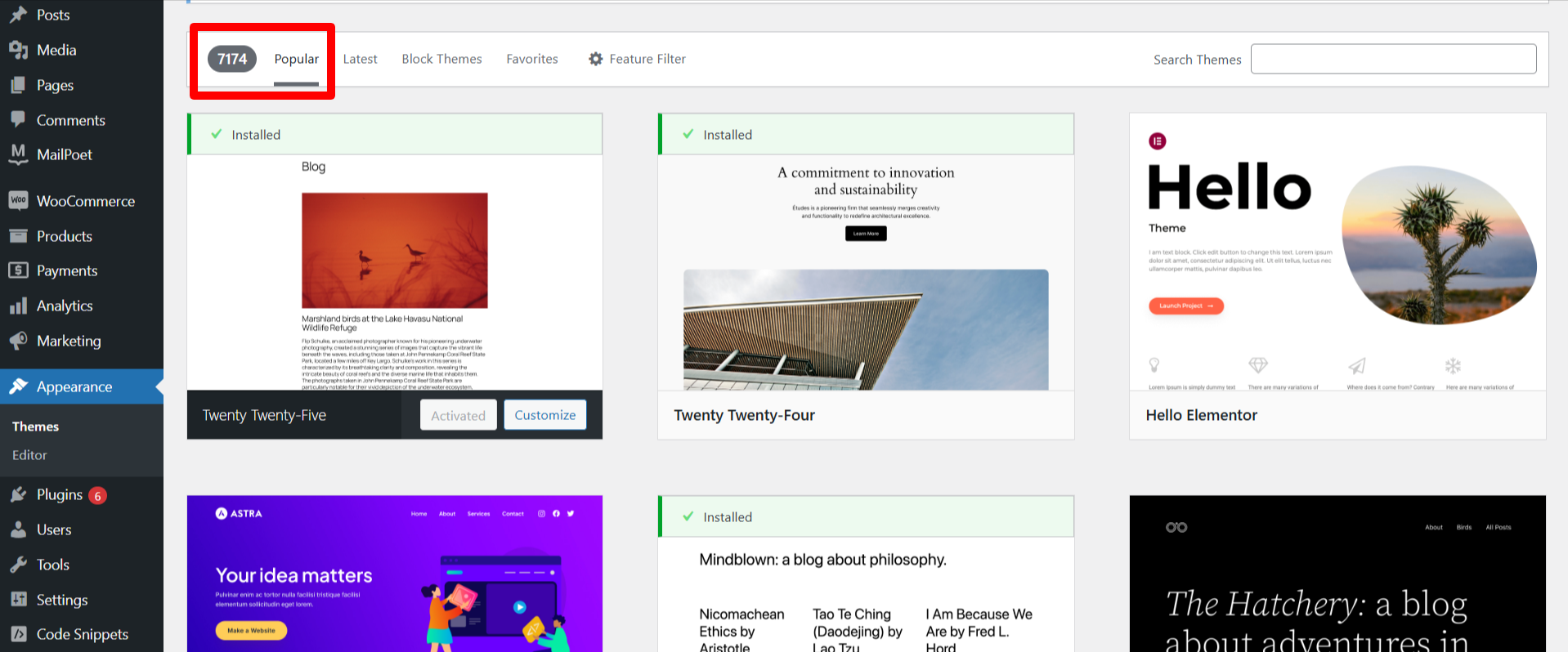
Customizing WordPress is light-years ahead of Squarespace. Open to thousands of free and premium themes that cater to every niche you could ever think of. Whether developing a blog, eCommerce site, or membership platform, WordPress has it all.
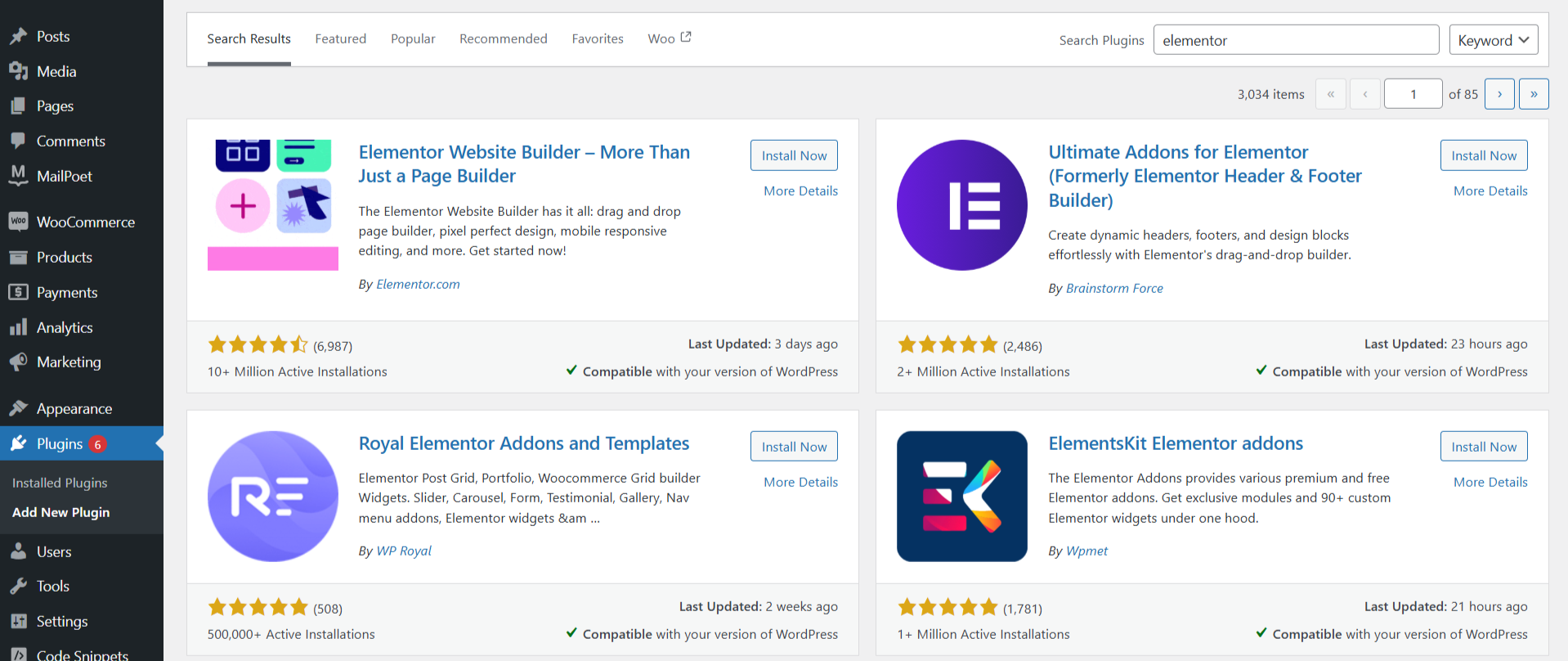
Better still, plugins like Elementor make page designing as intuitive as Squarespace’s drag-and-drop builder. Add to that the multitude of plugins already available for SEO, analytics, eCommerce, etc.
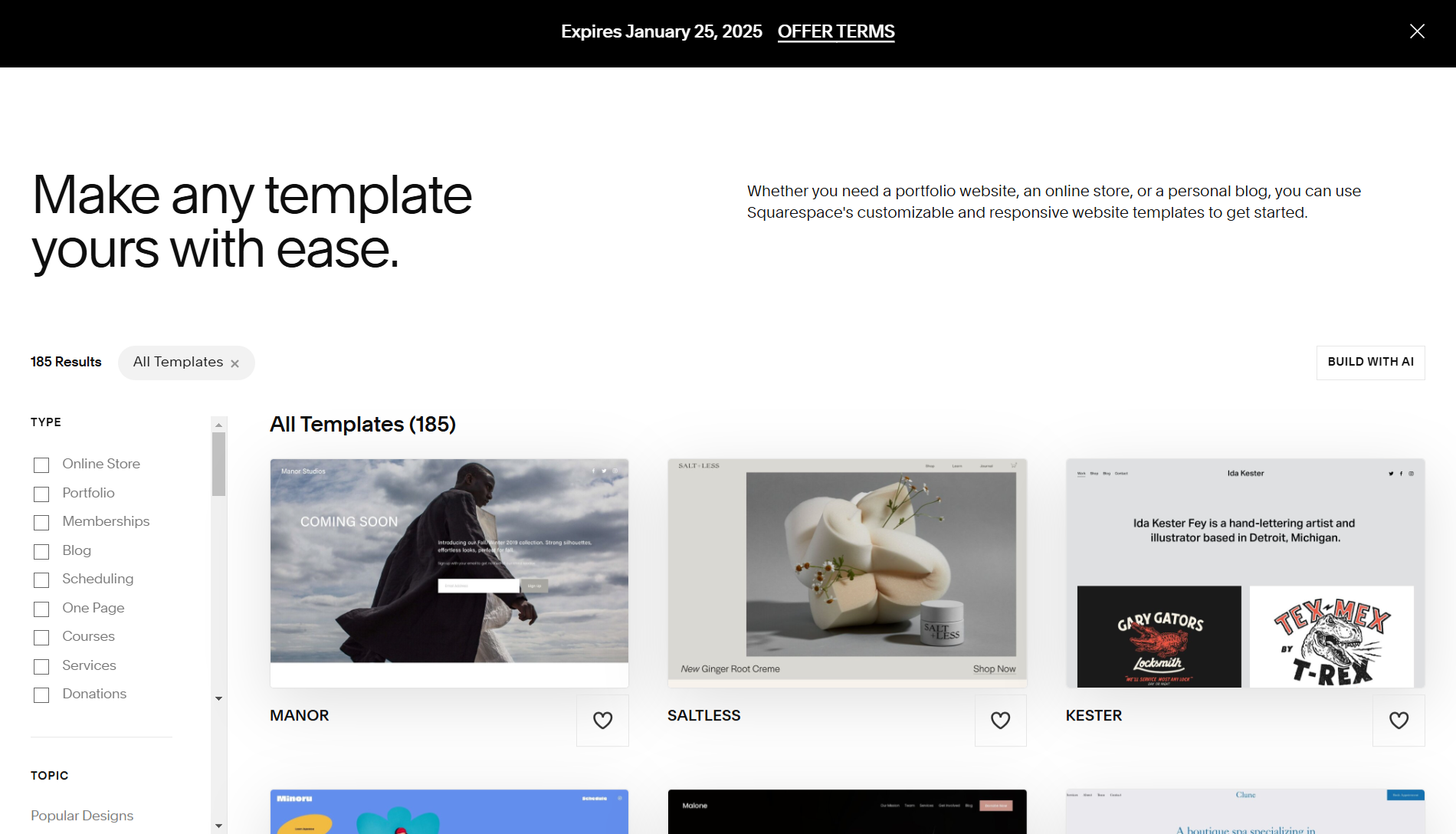
Squarespace will have dazzling templates, but personalization works better on WordPress. The templates look stunning right out of the box but not so great for tweaking them to fit your specific needs. This won’t be much of a problem for users who do not require such advanced customization. However, for power users, this gate is open immediately on WordPress.
Functionality and Scalability
This is suitable for a simple website, like a personal blog or portfolio. Squarespace includes tools specifically geared toward blogging, has a reasonable set of SEO features, and offers basic eCommerce functionality.
But if you require more complex features—like CRM integrations, detailed analytics, or even A/B testing—use WordPress. WordPress reigns over scalability and is perfect for businesses looking to stick around for a long time.
WordPress lets you set up a complete online store with the help of WooCommerce services incorporated in it. WooCommerce, a plugin/extension in WordPress, is one of the world’s most popular platforms for e-commerce store owners. Do you want an area for members to subscribe? You have WordPress membership plugins for that. Interfacing with your preferred CRM or email marketing tool, WordPress has plugins for that as well.
Squarespace can do it, but it won’t be anywhere near such level functionality.
Security and Maintenance
Security is a common issue talked about while discussing WordPress versus Squarespace. Being a closed-source platform, Squarespace takes care of your security. This means updating and backing up both your site and server is no longer your headache. That’s why, for lazily running websites, it is one of the very attractive options.
While WordPress is an open-source project. You are responsible for adequately updating your site, backing it up, and taking care of its security. You have to secure your WordPress yourself. But, if this all seems a bit overwhelming, there are WordPress security services providers that handle it quite well. Also, tools like Cloudflare and plugins like Wordfence are also a solution for you.
Cost
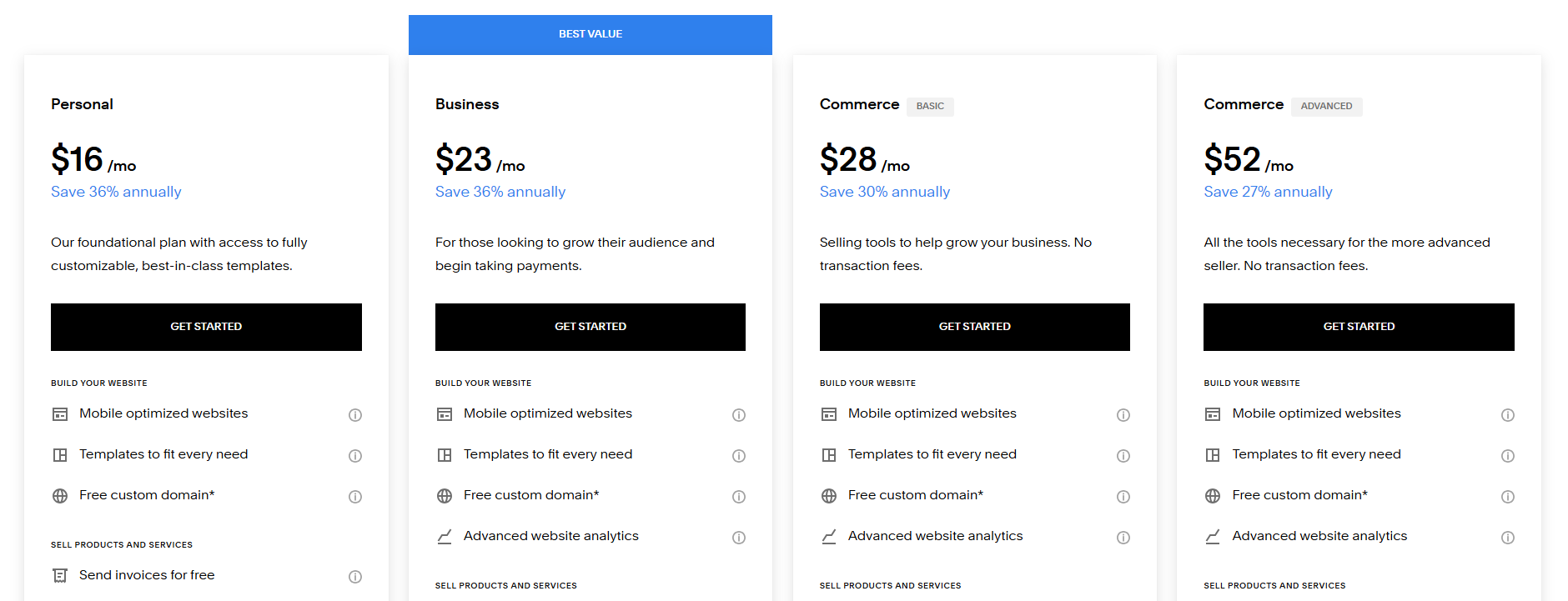
The final point of comparison for Squarespace vs WordPress is cost. Squarespace uses a subscription-based model. It starts at about $16 a month, with hosting, templates, and customer support included in the plan.
WordPress itself is free, but the associated costs vary. You’ll need to pay for hosting ($2.5–$10 per month), buy a domain name ($10–$15 a year), and premium themes or plugins. WordPress is cheap upfront but could become very expensive depending on the services you use.
Look at how much WordPress hosting can cost you.
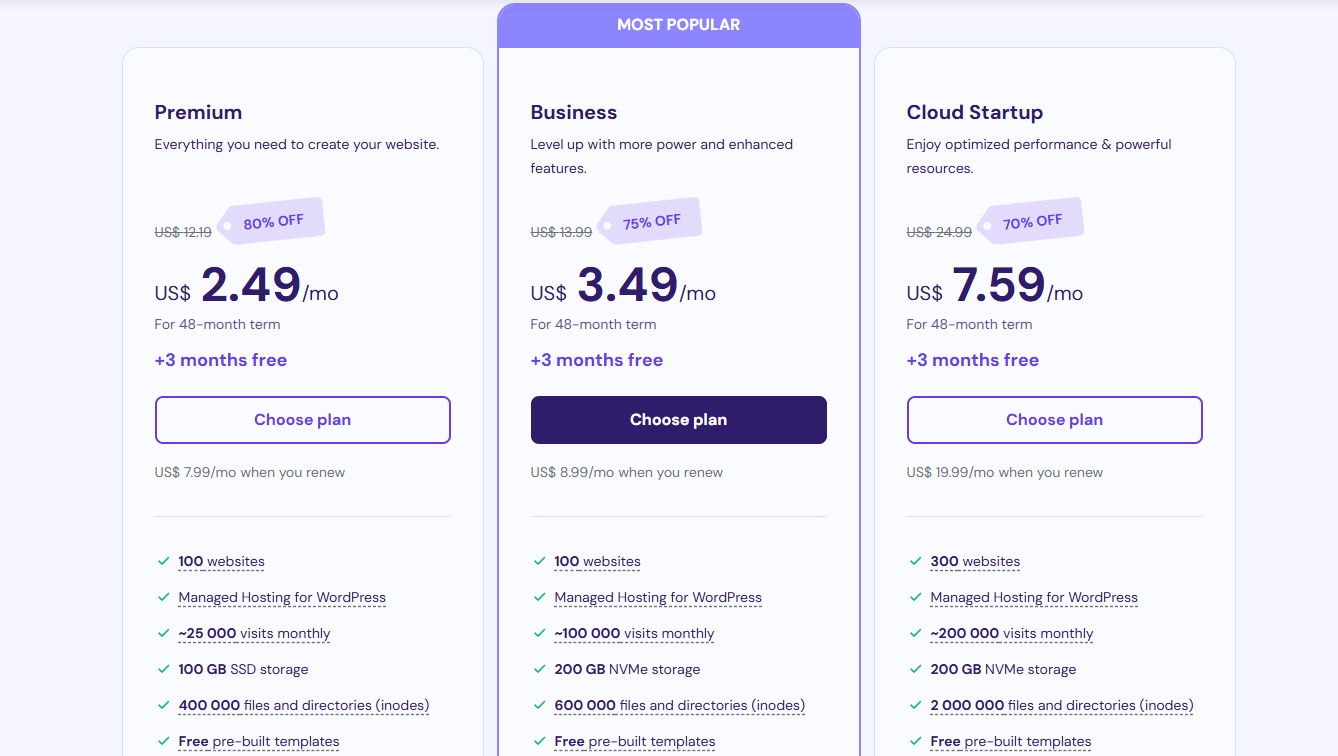
That being said, WordPress provides more flexibility with your expenses. You can begin small and scale up according to your needs, whereas Squarespace’s pricing is fixed.
WordPress vs Squarespace: Now Choose the Right Platform for Your Needs
Who Should Use Squarespace?
Squarespace is ideal for:
- For Small Businesses: Squarespace is apt for simple websites like marketing pages or those destined for local business sites.
- Creative Professionals: Photographers, artists, and designers can showcase their work beautifully using Squarespace’s polished templates.
- Non-Tech Users: For a one-stop solution with the least effort, it is suited for Squarespace.
Who Needs WordPress?
WordPress is suited for:
- Businesses That Are Meant to Grow: It has all the tools and scalability to grow.
- Tech-Savvies: WordPress is the ultimate choice if exploring plugins and customization does not bother you too much.
- E-Commerce Stores: WooCommerce is meant to be yours if your plan is to sell your products in an online e-commerce store.
- Large Feature Functions Seekers: If you want membership systems, online courses, or advanced integrations, WordPress is the way to go.
WordPress vs Squarespace Recommendations
The following chart visually represents who should choose Squarespace and who should go for WordPress.
| Feature/Need | Squarespace | WordPress |
|---|---|---|
| Small Businesses | ✔️ | ✔️ |
| Creative Professionals (Artists, etc.) | ✔️ | ✔️ |
| Ease of Use (Non-Tech Users) | ✔️ | ❌ |
| Scalability for Growing Businesses | ❌ | ✔️ |
| Advanced Customization | ❌ | ✔️ |
| E-Commerce (WooCommerce) | ❌ | ✔️ |
| Membership Systems & Online Courses | ❌ | ✔️ |
| Advanced Integrations/Features | ❌ | ✔️ |
| One-Stop Solution (No Plugins Needed) | ✔️ | ❌ |
| Budget-Friendly for Simple Sites | ✔️ | ✔️ |
Final Ride: WordPress versus Squarespace
It all comes down to which you prefer between Squarespace and WordPress. If simplicity, beauty, and minimal effort needed for maintenance are most important to you, then your choice must be Squarespace. At the same time, WordPress is the winner in terms of customization, scaling, and needing more functionality.
Sure, both solutions offer good things, but which fits you depends entirely on your goals and comfort with technology. With WPExperts, WordPress will turn out to be the best solution for a future-ready website growing with your business.
Remember that your website is an investment in your brand regardless of which platform you choose.
Spend some time thinking about your options before embarking on the journey to online success!
But once you have decided, then stand your chosen platform and win the world with it.