



















































If you’ve ever wondered what Shopify is or asked someone, “Shopify, what is it?”, you’re not alone. It’s one of those names that comes up again and again whenever people talk about starting an online business. Some folks hear Shopify from YouTube ads, others from friends who sell products online, and many from big brands that proudly say, “Our store runs on Shopify.”
But what exactly is a Shopify store? Is it another site builder? Is it an online sales tool? Or is it something else? We’ll break it down for you in terms that you’ll understand easily. Imagine this as an easy walk as we’re taking a look at what Shopify actually does.
We’ll also learn what you can sell on it, how much it costs, and how it works for regular folks like you and me. Without further ado, let’s learn what is Shopify specifically.
Breaking Down Shopify in the Simplest Possible Way
Shopify is a web-based platform that empowers you to create your own ecommerce store. If you’ve ever purchased something online, then you’ve already been to an ecommerce site. Every e-commerce website has some essential pages, like:
- Homepage
- Shop page
- Product pages
- Cart page
- Checkout page
- Guides (some top websites)
- And some other pages
With Shopify, you get the tools to create all that in the easiest of ways.

So, what does Shopify do? To put it simply, it provides you with the whole deal: the “shop building materials,” the payment system, the order tracking tools, and even shipping company connection options. It’s as if you’re moving into a shop facility that already has shelves, a cash register, and a signboard. You just need to bring in your goods and decorate the facility as you prefer.
This is why Shopify is commonly referred to as an all-in-one solution for someone looking for an online e-commerce business. It’s more than just building a website. It’s about operating a business from beginning to end.
What is Shopify Used For?
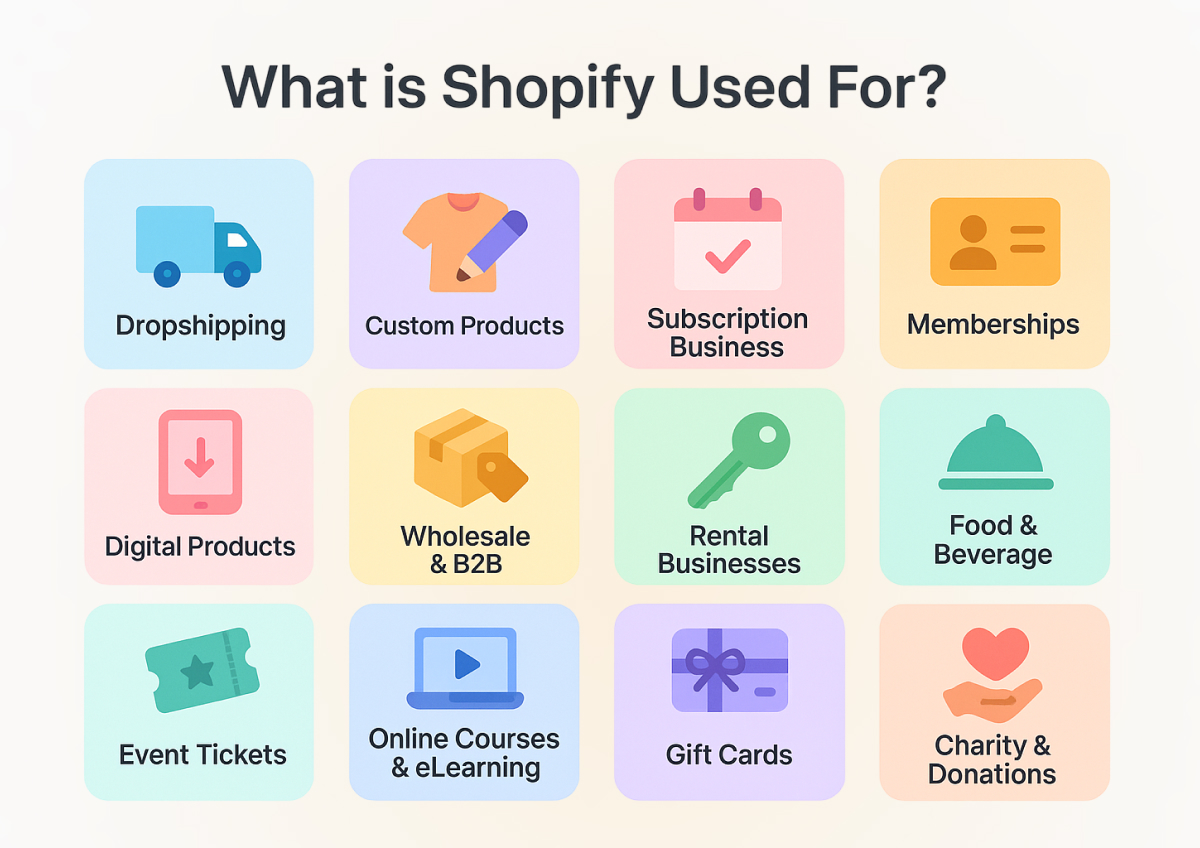
And you may wonder now: what is Shopify for? It is — nearly everything that can be sold. Here, businesses sell physical products such as clothing, footwear, electronics, or furniture. Artists and designers sell intangible products like ebooks, music, or courses. People who deliver services utilize it for booking management, subscription management, or selling tickets.
Some of the biggest global brands like Allbirds, HiutDenim, and Tentree trust Shopify to run their businesses. At the same time, students, part-time hustlers, and small shop owners also use it. That’s the beauty of it — Shopify is built for everyone, whether you’re starting small or aiming for global scale.
How Shopify Functions in the Real World
So, let’s understand how Shopify actually works on a day-to-day basis:
1st Step: Getting Started & Designing Your Storefront
You sign up, select a plan, and within minutes, you can start creating your store. Shopify gives you themes. You can imagine them as pre-designed templates. You pick one, customize it a bit, put on your logo, add pictures of your products, and write your product descriptions. Your store now looks like a real shop.
2nd Step: Setting Up Payment Processing
Instead of struggling with third-party systems, Shopify offers Shopify Payments. It’s a built-in feature that allows you to accept credit cards, debit cards, Apple Pay, and more. If you’re in a country that doesn’t have Shopify Payments, you can always implement services such as PayPal.
3rd Step: Managing Shipping & Fulfillment
After people start buying from you, Shopify takes care of the shipping headaches, too. You can print labels directly from your dashboard, keep track of where packages are, and get decent discounts through UPS, DHL, and other big shipping companies. If you prefer doing things your own way, you can always pack and ship orders yourself or work with a fulfillment service that handles it all for you.
4th Step: Selling Beyond Your Website
And the beauty of it is, Shopify doesn’t limit you to your site. Your products can be connected with Facebook, Instagram, TikTok, Amazon, or eBay. That is to say, your products can be showcased right where people are already spending time.
What Can You Sell on Shopify
This is likely the most frequently asked question: What should I sell on Shopify? The reality is, just about anything — as long as it’s legal and in Shopify’s policies. For your convenience, we’ve listed the top products you can sell on Shopify to give you some inspiration to start.
Some individuals sell physical products such as t-shirts, shoes, furniture, and crafts. Others sell downloadable files such as design templates or music beats. Some sell experiences like coaching sessions, photography sessions, or online courses. You can even create subscription boxes or memberships.
If you have heard of dropshipping, then Shopify allows that as well. You don’t have to stock the items yourself. You do have a supplier who sends the item directly to your customer when someone orders it. Newbies tend to start this way since it reduces the initial cost.
57 Best Product Ideas to Sell on Your Shopify Store
We have already explained to you what is Shopify, and now we are exploring some options to sell on Shopify so you can start selling and earn.
- Mobile phones 📱
- Spectacles 👓
- Flower bouquets 💐
- Handmade jewelry 📿
- Custom t-shirts 👕
- Mobile accessories 🔌
- Customized cakes 🎂
- Phone cases 📱📔
- Natural products 🌿
- Fitness gear 🏋️
- Home décor 🏡
- Art prints 🖼️
- Digital courses 💻
- Ebooks 📖
- Subscription boxes 📦
- Skincare products 🧴
- Makeup kits 💄
- Coffee beans ☕
- Tea blends 🍵
- Pet supplies 🐾
- Dog collars 🐕
- Cat toys 🐈
- Baby clothes 👶
- Baby accessories 🍼
- Kids’ toys 🧸
- Board games 🎲
- Shoes 👟
- Handbags 👜
- Sunglasses 🕶️
- Watches ⌚
- Posters 📌
- Stickers 🏷️
- Stationery ✏️
- Candles 🕯️
- Laptops 💻
- Oils 🪔
- Furniture 🛋️
- Kitchenware 🍳
- Gardening tools 🪴
- Sports equipment 🏀
- Yoga mats 🧘
- Supplements 💊
- Vitamins 🍊
- Computer accessories ⌨️
- Event tickets 🎟️
- Gourmet sauces 🥫
- Online memberships 🌐
- Streaming access 📺
- Graphic templates 🎨
- Fonts 🔤
- Music tracks 🎶
- Photography presets 📸
- Gift cards 🎁
- Donation options 🤝
- Car accessories 🚗
- Rental items 📦
- Party supplies 🎉
What is Shopify Payments
When individuals inquire about what Shopify payments are? They mean the integrated payment system. Shopify has its own payment system for allowing you to receive money online. Rather than registering for an additional service, you simply turn it on in your admin dashboard, where you can set up Shopify payments. Customers may settle via their mobile wallets or credit cards right away.
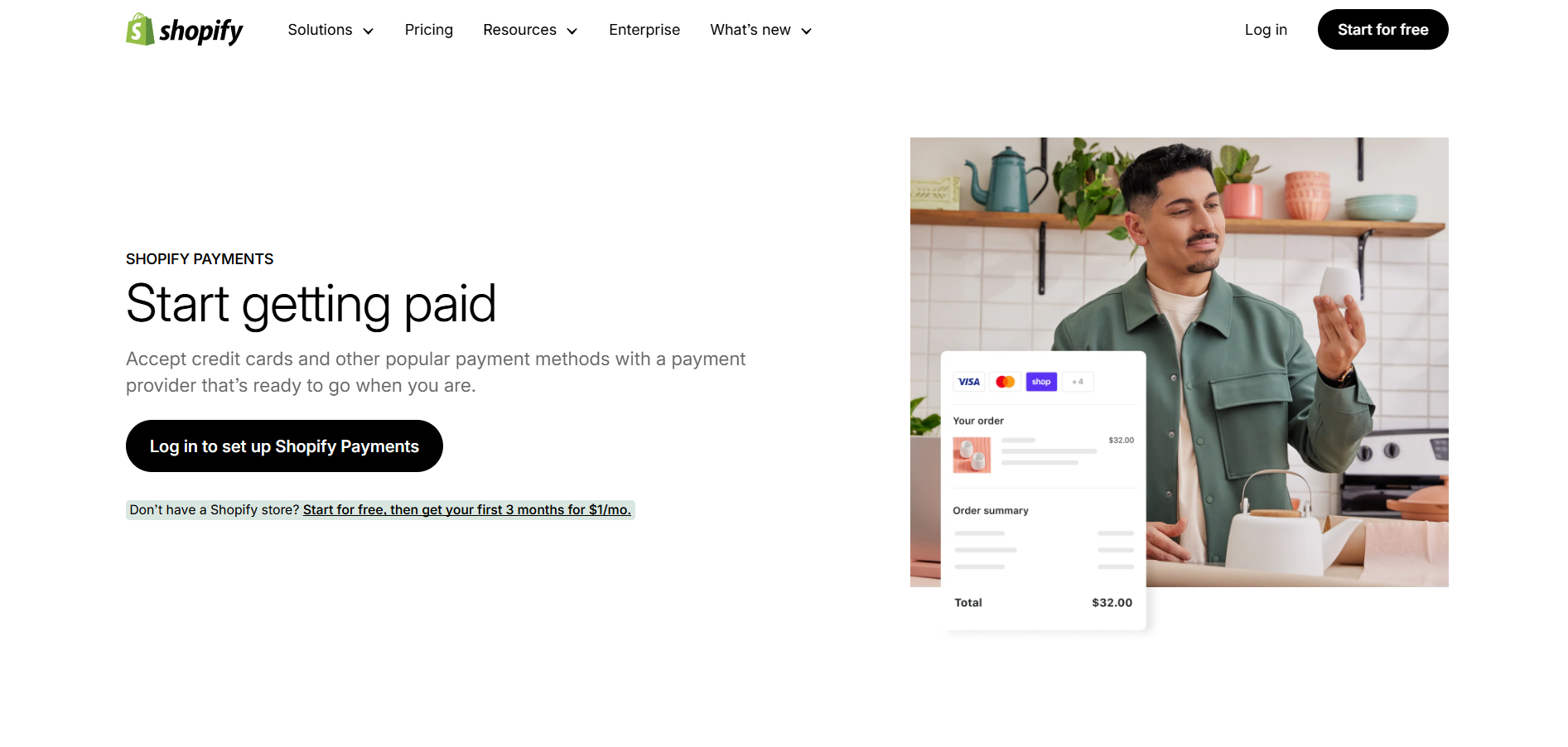
One of the key advantages is that you will not be charged additional transaction fees when settling with Shopify Payments. It’s faster, simpler, and accepted by customers since it’s secure.
What Countries Does Shopify Payments Support?
Shopify Payments supports around 39 countries worldwide. The complete list of them is provided below.
- Australia

- Austria
- Bulgaria
- Belgium
- Canada
- Croatia
- Cyprus
- Czechia
- Estonia
- Denmark
- Finland
- France
- Germany
- Gibraltar
- Greece
- Hong Kong
- Hungary
- Ireland
- Italy
- Japan
- Latvia
- Liechtenstein
- Lithuania
- Luxembourg
- Malta
- Mexico
- Netherlands
- New Zealand
- Norway
- Poland
- Portugal
- Romania
- Singapore
- Slovenia
- Spain
- Sweden
- Switzerland
- United Kingdom
- United States


What is Shopify POS?
Not everyone sells online only. Some sell in physical stores, pop-up stores, or locally at markets. That’s where Shopify POS enters the scene. POS is short for “Point of Sale.” Basically, it’s a system that links your in-store sales with your digital shop sales.
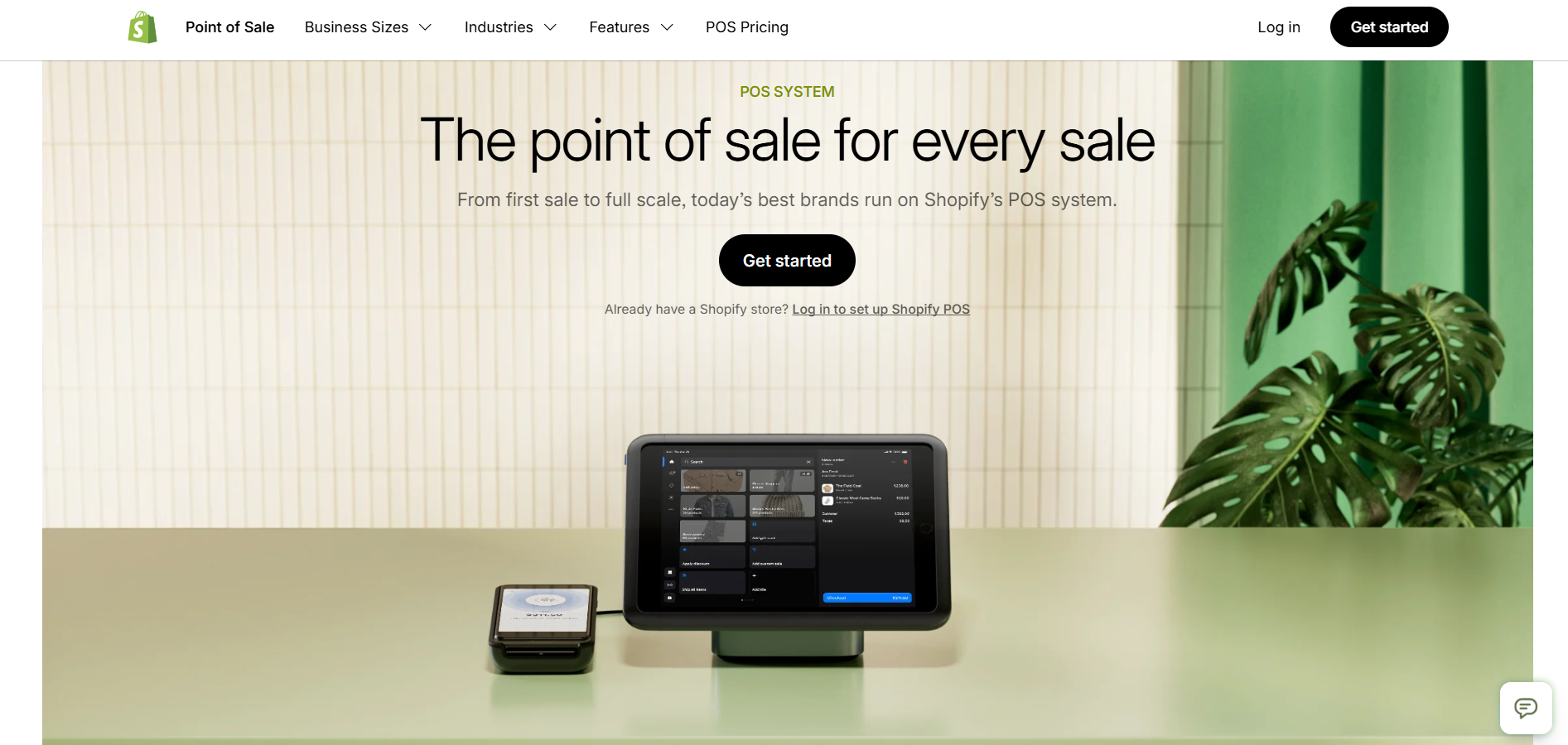
Imagine that you sold a single t-shirt at a weekend bazaar. And your offline and online store is linked together. Now Shopify POS will handle your stock automatically, keeping your online store updated with the right quantity of items left. POS spares you from overselling and keeps your stock level updated automatically.
What is Shopify Plus?
Shopify Plus is no longer a hidden term among tech giants anymore. It’s the enterprise (next-level e-commerce platform) version of Shopify, designed for large businesses and large brands. It provides greater flexibility, improved performance, and more advanced features for businesses managing thousands of orders daily.

Although the majority of small businesses don’t require Shopify Plus initially, it’s a strong resource when you begin to expand. You can visualize it as transitioning from a small store on the corner to an entire shopping mall.
What is Shopify Costing/Pricing?
And now for the real question: how much does Shopify cost? Or what is Shopify pricing? Shopify operates on a subscription basis, so you pay every month.
Shopify pricing differs if you pay once yearly versus if you opt for a monthly pay cycle.
Shopify Pricing if You Pay Yearly
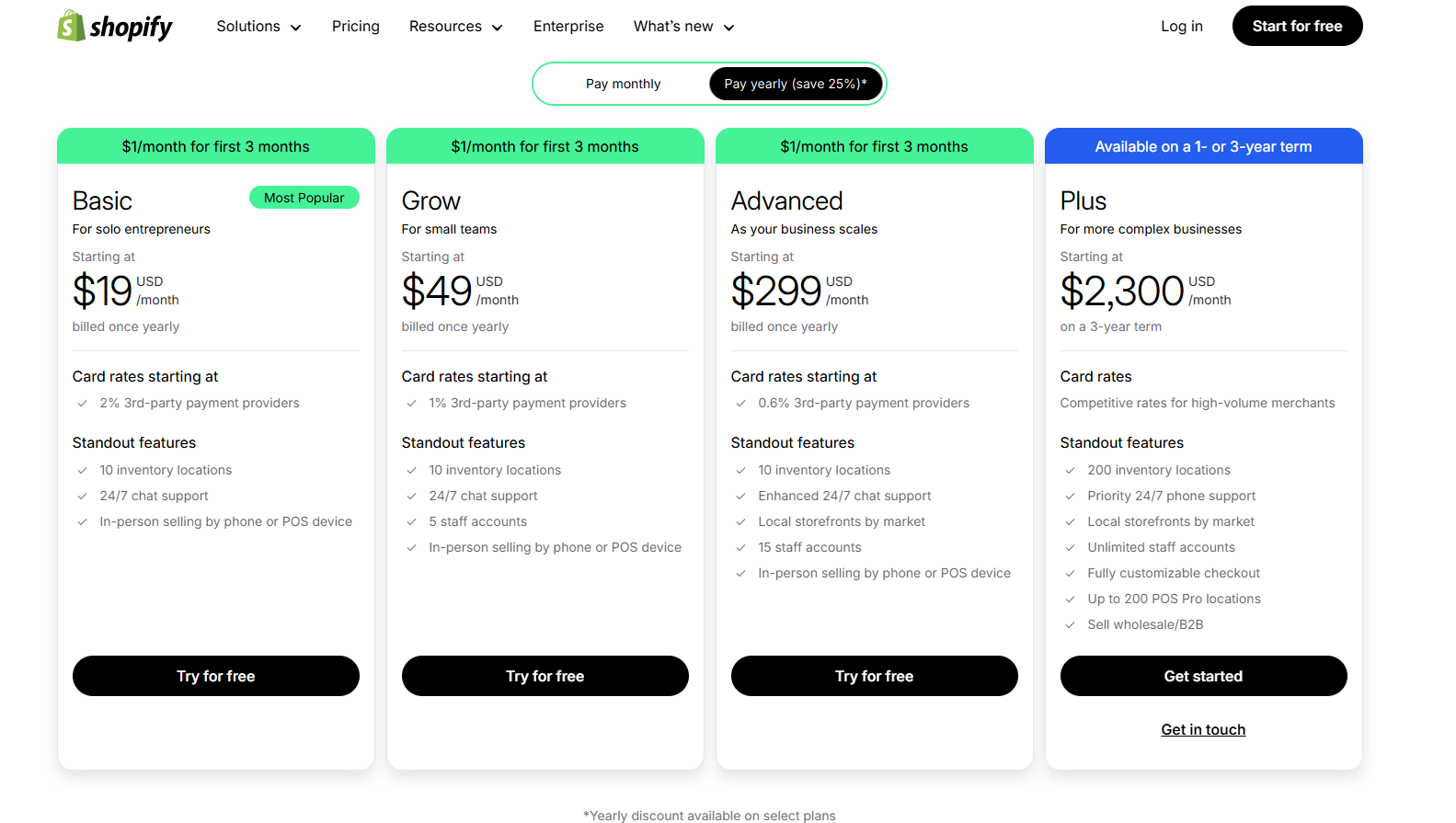
- Basic: $19/month – for individuals and small businesses.
- Grow (Shopify): $49/month – for small teams.
- Advanced: $299/month – for scaling businesses.
- Plus: $2,300/month – for enterprises.
Shopify Pricing if You Pay Monthly
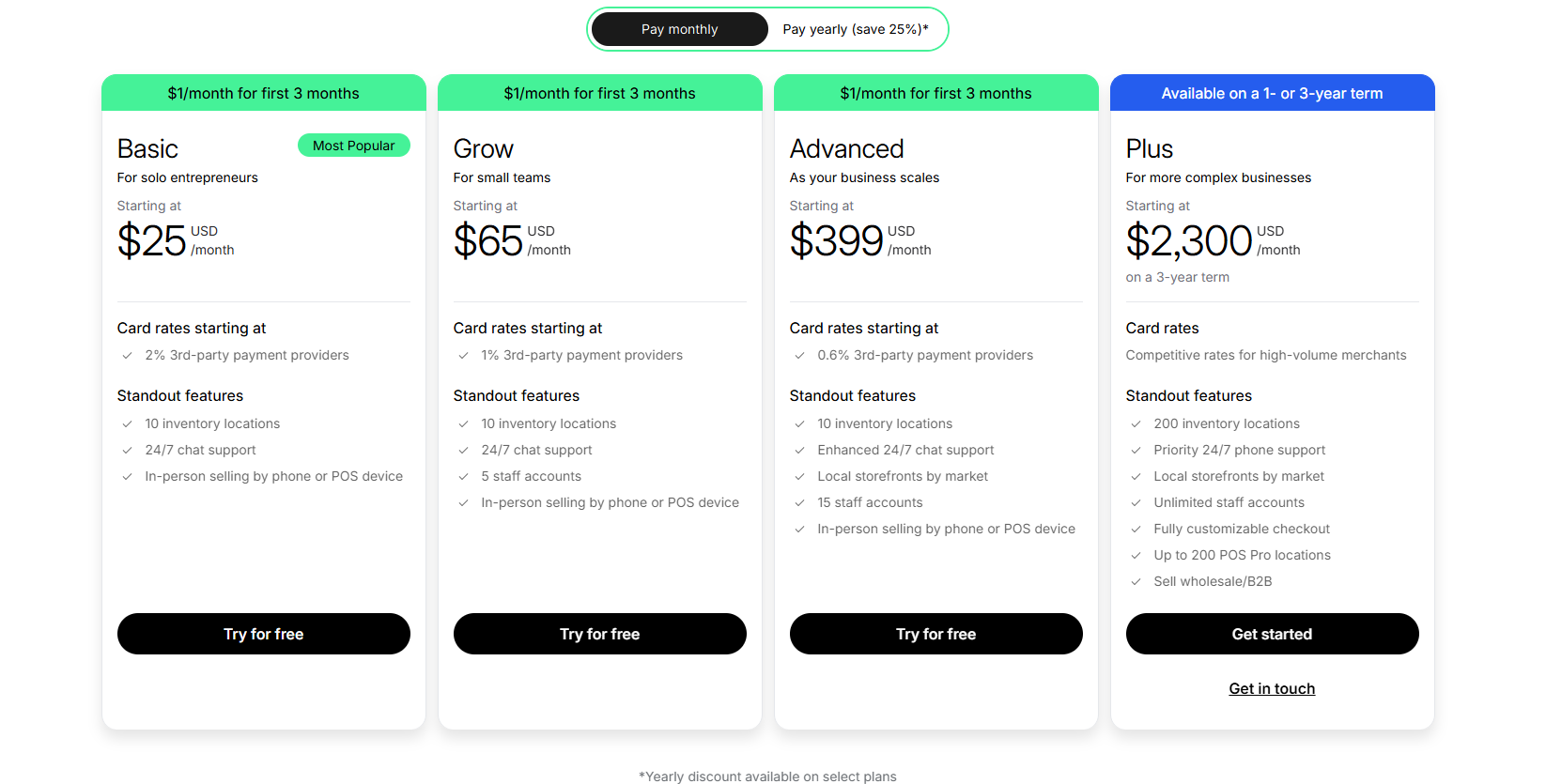
- Basic: $25/month
- Grow (Shopify): $65/month
- Advanced: $399/month
- Plus: $2,300/month
Choosing between monthly and yearly billing depends on your budget and commitment level — yearly plans save money over the long term, while monthly plans provide flexibility to start small.
What are Shopify Fees?
People often ask if there are any additional Shopify fees after paying them a hefty yearly or monthly payment. So the answer is yes. You’ll have to pay extra Shopify fees if you choose a Shopify app that is not paid for. You can also get charged by third-party payment gateways.
- Monthly plan cost.
- Transaction fees if you don’t use Shopify Payments.
- App costs (many apps are free, some are paid).
What is MyShopify?
After selecting your plan, Shopify gives you a free domain that has a “.myshopify.” suffix. I.e, you’ll get a yourstorename.myshopify.com domain for free. That is MyShopify.
You can remove it or you can purchase your own domain, like myownstore.com. But most of us prefer a custom domain because it looks more professional and is required for SEO.
Should I Go for a Custom Domain or Use MyShopify’s Free Domain?
Of course, a custom domain is your business’s real identity. You should invest in a custom domain for the following reasons.
- Professionalism: A custom domain is the real face of your business. It makes your company look authentic and stand out from other brands.
- Branding: Using custom domains lets customers easily recognize your store’s unique online address.
- Trust and SEO: A custom domain is imperative in building customer trust and optimizing your store’s visibility online in search engines.
What is Shopify Protect?
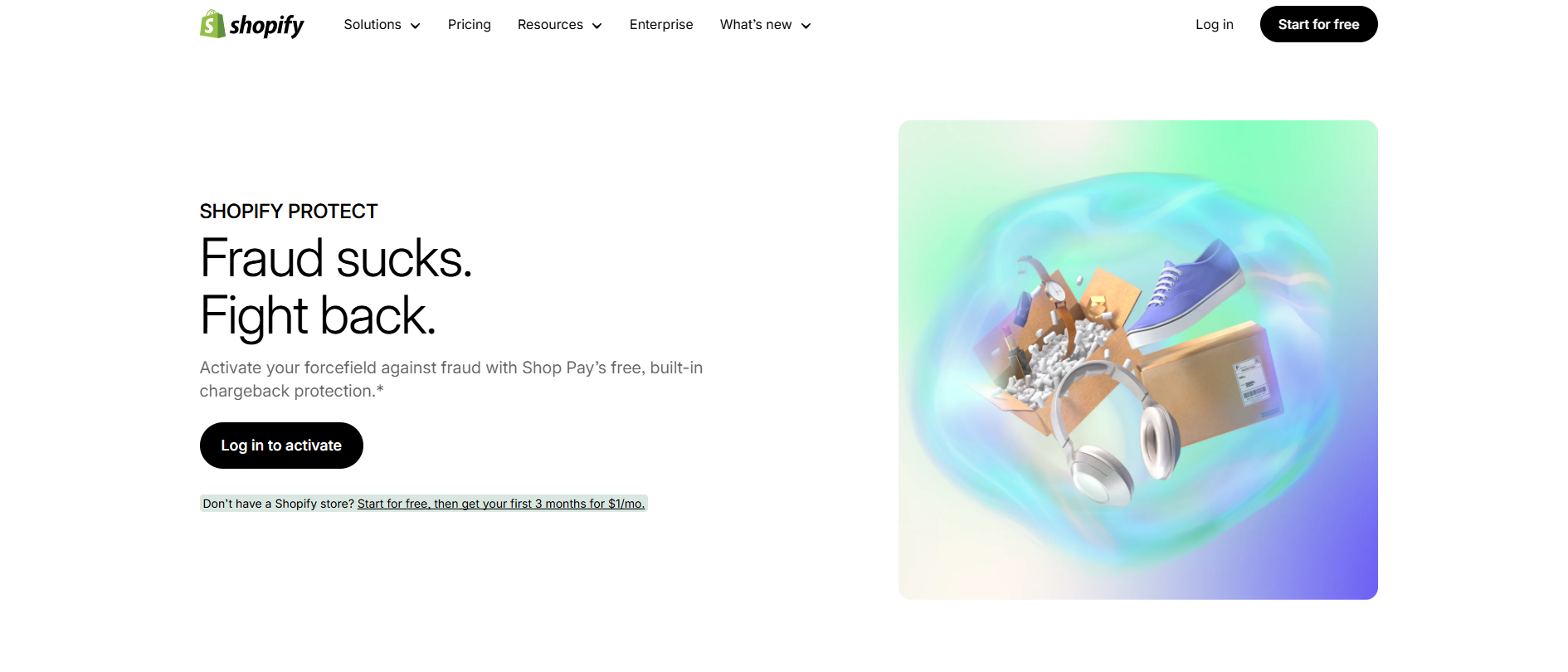
Shopify also offers a protection net named Shopify Protect. It protects sellers from chargebacks and fraud on qualifying orders. When someone makes a payment dispute and it meets the criteria, Shopify pays for it so you don’t lose money unjustly.
Why Do People Choose Shopify?
So, why do millions of individuals prefer Shopify to other platforms? Simple. It makes selling online simple. You don’t have to be a web designer or computer expert. You don’t need to think about servers or security. It takes care of everything for you.
Shopify is also versatile. You can sell in a physical store, online, or on multiple channels at once. You can begin small with one product and expand to thousands later on. You can have a side hustle or a global brand — all on the same platform.
Yes, it costs. Sometimes you will have to pay for premium apps to get additional functionality.
For instance, if you want to offer a discount through displaying pop-ups, you’ll have to buy a pop-up app like Popup and Disclaimer. Without that, you can’t display the necessary pop-up messages to your customers.
That makes the costing compromise worth it because it saves time and energy.
Should You Choose Shopify? (Pros and Cons)
– Pros
- Easy for beginners.
- Sell anywhere (online, offline, social media).
- Secure payments.
- Thousands of apps to expand features.
- Trusted by over 2 million businesses worldwide.
– Cons
- Monthly fees can add up.
- Some advanced features require paid apps.
- Fewer customization options than open-source e-Commerce platforms.
Comparing Shopify vs Other Top Ecommerce Platforms in the World
| Platform | Ease of Use | Hosting Included | Best For | Model | Notable Limitations |
|---|---|---|---|---|---|
| Shopify | Very easy, no coding needed | ✅ Yes, cloud-hosted | Beginners to global brands | Monthly subscription ($39–$399) | Paid apps can increase costs |
| WooCommerce | Medium (requires WordPress skills) | ❌ No (you have to purchase hosting) | Users already on WordPress | Free plugin, but hosting + add-ons cost extra | Setup is technical; plugins can conflict |
| Adobe Commerce | Complex, needs developers | ❌ No (self-hosted or Adobe Cloud) | Massive corporations | Free open-source version; paid enterprise version | Steep learning curve, high dev costs |
| Wix eCommerce | Very beginner-friendly | ✅ Yes | Small shops & personal brands | Monthly plans (starting ~$27) | Limited scalability |
| Squarespace | Easy | ✅ Yes | Creatives like artists, portfolios, & small stores | By monthly costs (starting as low as ~$16) | Fewer advanced ecommerce features |
| BigCommerce | Moderate difficulty | ✅ Yes, cloud-hosted | Growing small-to-mid businesses | Monthly plans ($39–$399) | Less flexible design customization |
Types of Shopify Services You Can Get
Shopify Development Services
Shopify doesn’t offer out-of-the-box solutions for some features. So this leading Shopify service fulfills those gaps by custom coding to add those features. Think special checkout tweaks, connecting your accounting software, or building tools to fit how your business actually works.
Shopify Design Services
These services are very essential in helping you make your store look like yours. A Shopify designer changes colors, layouts, fonts, and images to determine how your website looks. This motivates customers to remember your brand and visit again.
Shopify Store Setup Services
Some experts take care of the boring setup stuff, so you don’t have to think about it all. They hook up your domain, add products, set up shipping rates, and get your payments right the very first time.
Shopify SEO Services
Basically, these services help individuals find your store on Google, without spending on ads. Shopify SEO experts fix page titles, speed up your site, put your products in their proper place, and do the techy things that let Google know to rank you higher.
Shopify Maintenance Services
The regular check-ups of your Shopify website are necessary. It catches problems before customers do. Maintenance services expert updates your pages, finds broken links and fixes them, and optimizes your store to be the fastest.
Shopify Migration Services
Shift your store from any CMS (WooCommerce, BigCommerce, or a custom platform) you started on. They move your products, customer list, and old orders with no data loss and without messing up your Google rankings during the switch.
Shopify App Development Services
You can use Shopify app development services to build custom apps for your store and avoid recurring charges. You might want a specific loyalty program, a unique pricing strategy, or something that integrates with your warehouse software.
Wrapping Up
So, now you know exactly what is Shopify. It’s more than a tool. It’s a business partner for anyone who has something to sell online. It assists you in creating a shop, accepting payments, dispatching products, and expanding your business.
Whether you’re a student wanting to launch a small side business, a creator who wants to sell handmade crafts, or a big business that wants to grow online, Shopify provides you with the platform. From your first sale to large scale, it’s designed to grow with you.
If you’ve been thinking about starting an ecommerce store, maybe now is the time. Sign up for a free trial, test it out, and see how simple it really is. Who knows — your idea could be the next big thing powered by Shopify.
FAQs About What is Shopify
Q1. What is Shopify, and how does it work?
Shopify is a store creator that doesn’t require you to know how to code. You sign up, choose a theme, upload products, and sell. It has payment methods, shipping integration, and even means of linking your shop to social networks or marketplaces like Amazon. Simply, Shopify removes the tech from your head so that you can concentrate on business.
Q2. Is everything sellable on Shopify?
You can sell almost anything legal and not restricted by Shopify policies. That tells physical products like phone accessories, clothing, footwear, or glasses, and non-physical items like ebooks, music, or courses. Some sell services, subscriptions, memberships, and even donations. What you have to do is see what Shopify’s rules say first before you begin.
Q3. How much does Shopify cost monthly?
Shopify offers a few different price options. The Basic option is $19 a month, and the Grow Shopify option is $49 a month. Extra advanced features are available in the $299 package. Shopify Plus is for big brands, with costs starting at $2,300. Your choice is really based on how large your store is and what you require.
Q4. What is Shopify Payments, and do I need it?
Shopify Payments is Shopify’s in-built payment processing solution. It processes your customers’ payments by credit cards, debit cards, Apple Pay, etc., without you needing a third-party processor. Shopify Payments otherwise would be the easiest and best option if it supported your country, as you would not pay additional transaction fees. Otherwise, PayPal or other gateways can be used.
Q5. Why would people use Shopify over other sites?
They like Shopify because it is easy to use, even for a novice. You don’t need to mess around with hosting, security, or complex coding. It’s also versatile — sell online, in-store with Shopify POS, or on platforms like Instagram and TikTok. Sure, there are the monthly fees and sometimes app fees, but the ease of use will typically pardon the compromises.
This is the reason why large brands and millions of small stores worldwide rely on it.




