




















































Creating the perfect B2B e-commerce site is not as difficult as you think. For this purpose, you can use various impressive plugins to create perfect WooCommerce stores. Moreover, you can offer your current and potential customers different features, such as wholesale user roles, and considerably improve their shopping experiences.
This blog post will discuss creating wholesale user roles on the WooCommerce B2B store.
Introducing Wholesale for WooCommerce?
Wholesale for WooCommerce is a robust and intuitive extension that helps you build and manage wholesale prices, several wholesale user roles, user registration forms, product and price visibility, tax, payment, shipment methods, and more.

You can control every aspect you want to sell to your wholesale customers via an extension that enables you to manage your online store’s wholesale pricing, several wholesale user roles, and many more.
Salient Features of Wholesale of WooCommerce
- It is perfect for hybrid B2B+B2C businesses with wholesale products and bulk pricing.
- It helps create a private, wholesale-only WooCommerce store that is password-protected in your wholesale or private members’ area and hides the products from the public.
- It allows you to generate recurring payments from your wholesale customers via the subscription plans.
- It enables you to manage the entire wholesale store settings and configurations.
- This lightweight extension is appropriately documented and optimized for everyday user needs.
- It provides a complete solution for your business needs, tailored with supreme B2B methods and other requirements.
With an extension that can help you build a B2B + B2C hybrid store from the ground up, let’s not forget that you need a checklist of some of the most basic necessities for your store, including creating wholesale user roles.
What are the Advantages of Creating Wholesale User Roles for Your WooCommerce Store?
It’s a prevalent practice to hide wholesale prices from retail customers, and it reduces the confusion about your product costs. Wholesale user roles are an intuitive way to ensure that you can give your B2B customers different advantages from your retail customers, including bulk discounts, tiered pricing, wholesale rates, and tax exemption.
Here are a few advantages of adding wholesale user roles:
WooCommerce Tiered Pricing
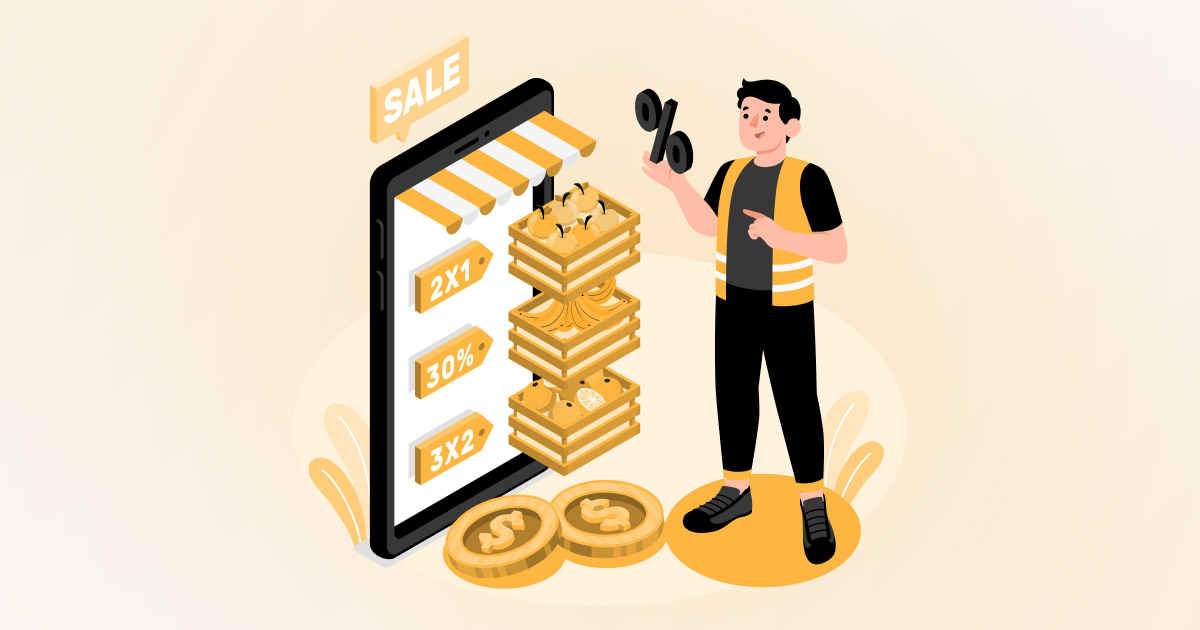
Users can create multiple tiers in their wholesale store and apply them on various levels, i.e., product, category, and global. Each tier has a cost and quantity range, so customers can choose to pay for what they can afford.
It also enables the customers to define the quantity range, i.e., minimum and maximum in each tier rule, along with the discount type it offers, based on fixed or percentage.
Minimum Bulk Pricing
Users can set minimum order requirements on bulk items so that customers can take advantage of wholesale prices once they are sure about the number of items added to the cart.
Compatible with WooCommerce Subscriptions
It enables the wholesaler to earn monthly or yearly recurring payments from its Wholesale customers by charging them with subscription plans for particular wholesale prices.
Provide Shipment & Payment Options to Wholesale Customers
Shipping can be difficult, especially when you talk about bulk orders. It provides unique shipping solutions for your wholesale customers to help you achieve satisfaction in customer ratings.
Multiple payment gateways, such as PayPal, charge transaction fees. You can also decrease the cost of your wholesale business by limiting your buyers to bank transfers or other payment options with a minimum fee.
Provides Tax-Exempt Status to Wholesale Customers
Customers who can easily purchase wholesale to resell would qualify for tax-exempt status. You can honor this with custom user roles for each one of them.
How to Create New Wholesale User Roles?
You can add several wholesale user roles, settings, and configurations. By adding several wholesaler roles, you can offer different discounts to different roles and vice versa.
For example, a 20% discount for Role A and a 25% discount for Role B will make your process more manageable and smoother if you sell in multiple places.
Step 1
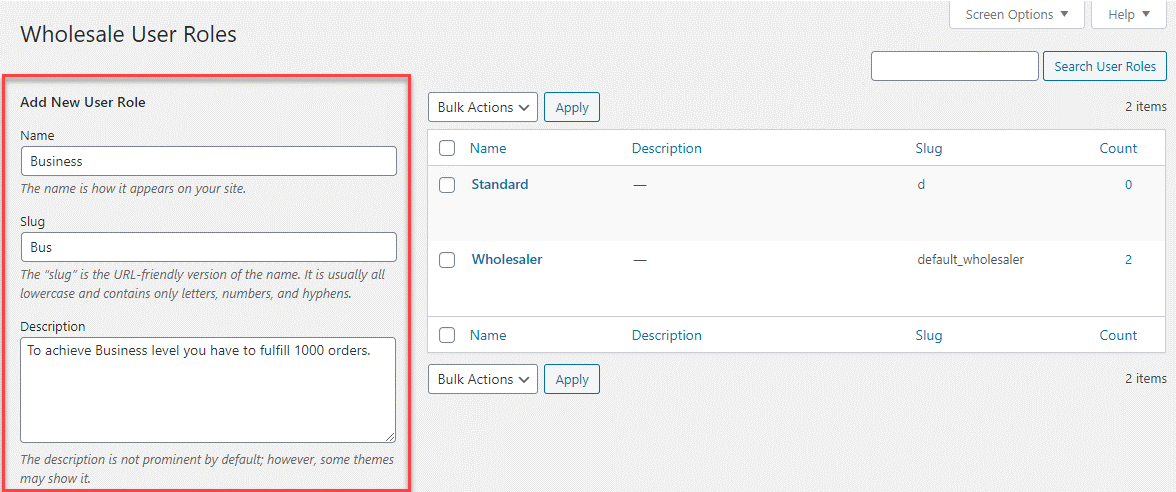
- First, navigate to the wholesale dropdown and click on the user roles
- Enter the name for your Wholesale Role, such as Standard, Premium, & Platinum.
- Enter a slug, which refers to the part of a web page address that appears after the domain name.
- Enter the specific role description, such as standard, which is a basic one, and will provide a 20% discount to the user.
Step 2
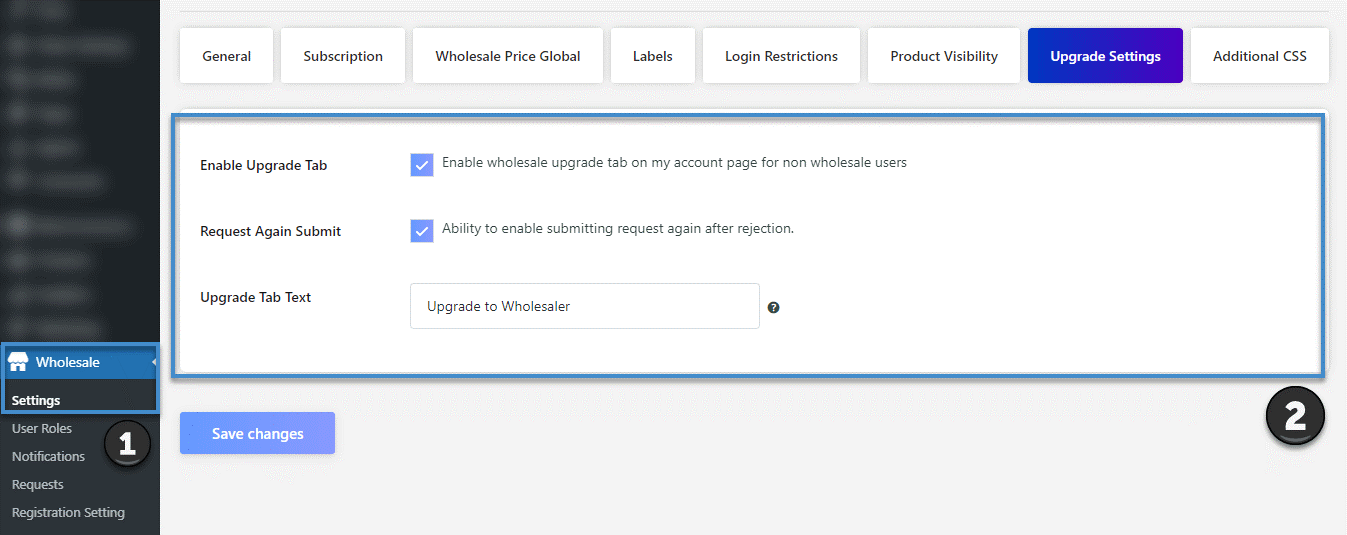
By requesting the admin, you can add the option for retail users to become wholesalers. Also, you can write a custom text that is displayed on the upgrade tab by enabling the following options for this specific tab:
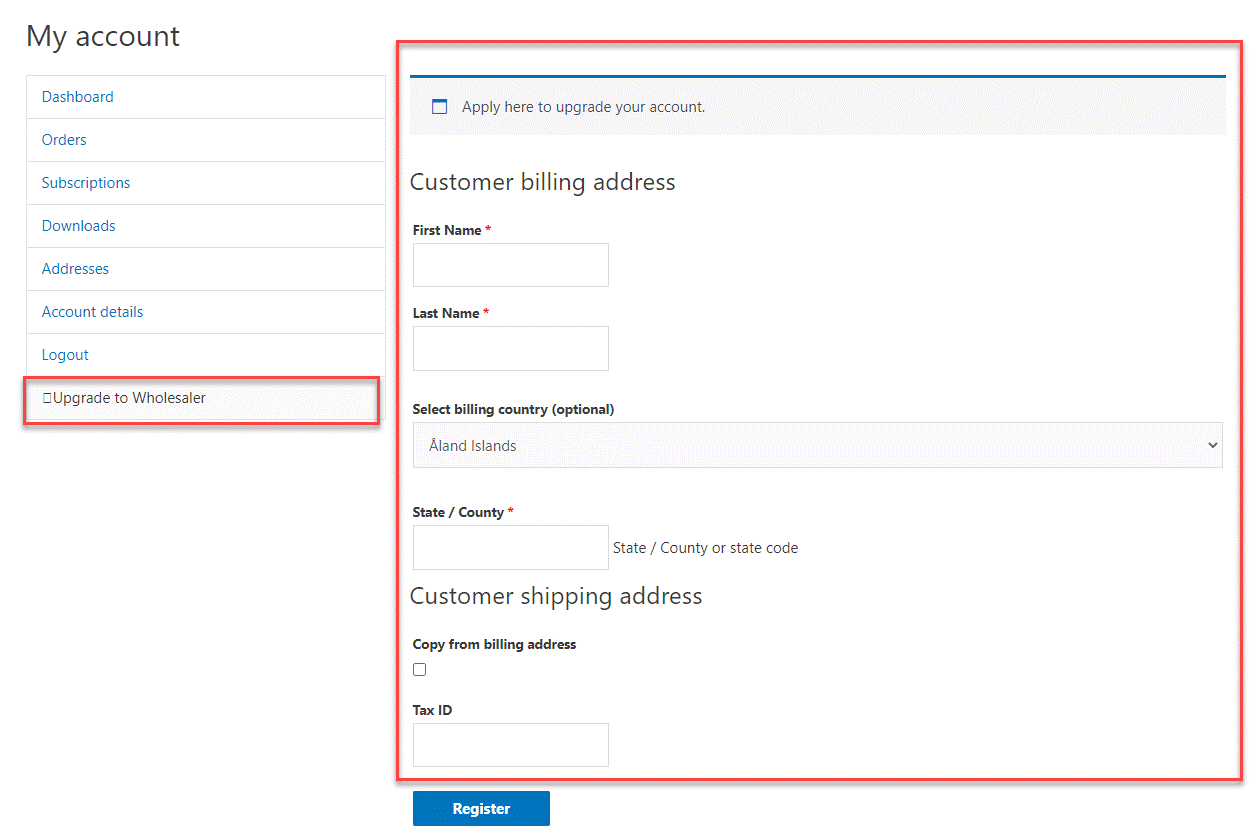
- Upgrade Tab – This tab will be visible to non-wholesaler users using the WooCommerce My Account Page. Users can also fill out the form to submit a request for the wholesaler role. The admin will also approve the request in this way.
- Resubmit Request – This aspect allows users to resubmit their particular request for the overall wholesaler role once their application is limited for the first time.
Front-end Screenshot:
For further information, read the technical documentation.
Wrapping Up
Seemingly, Wholesale for WooCommerce offers seamless aspects for creating user roles and undoubtedly provides a handful of features. For wholesalers, better access to per-role settings in terms of pricing, shipping, and payments can streamline the customer and people management lifecycle.
It also enables you to create discounts for your particular buyers who provide a tax-exempt status and vice versa.





