


















































If you run an online store, you already know one thing — the checkout process can make or break your sales. A slow or confusing checkout, and boom — your customer disappears, leaving their cart behind.
That’s exactly where WooCommerce Cart and Checkout Blocks step in. WooCommerce introduced them to make the shopping experience smoother, faster, and more enjoyable — for you and your customers.
Let’s understand every detail about the WooCommerce Checkout and Cart Block in simple words.

What Are WooCommerce Blocks?
WooCommerce blocks are the new-day substitute for the old shortcode technique. Before, to edit your store’s checkout or cart page, you had to juggle with shortcodes or coding. It worked, but it needed an upgrade to be ahead of the competition.
As we looked back at WooCommerce’s version history, we found that the checkout, cart, and order confirmation blocks became the default in version 8.3.
This new block way of editing WooCommerce Checkout and Cart enables you to design everything with simple drag & drop.
Let us define the three main WooCommerce blocks:
1. WooCommerce Cart Block
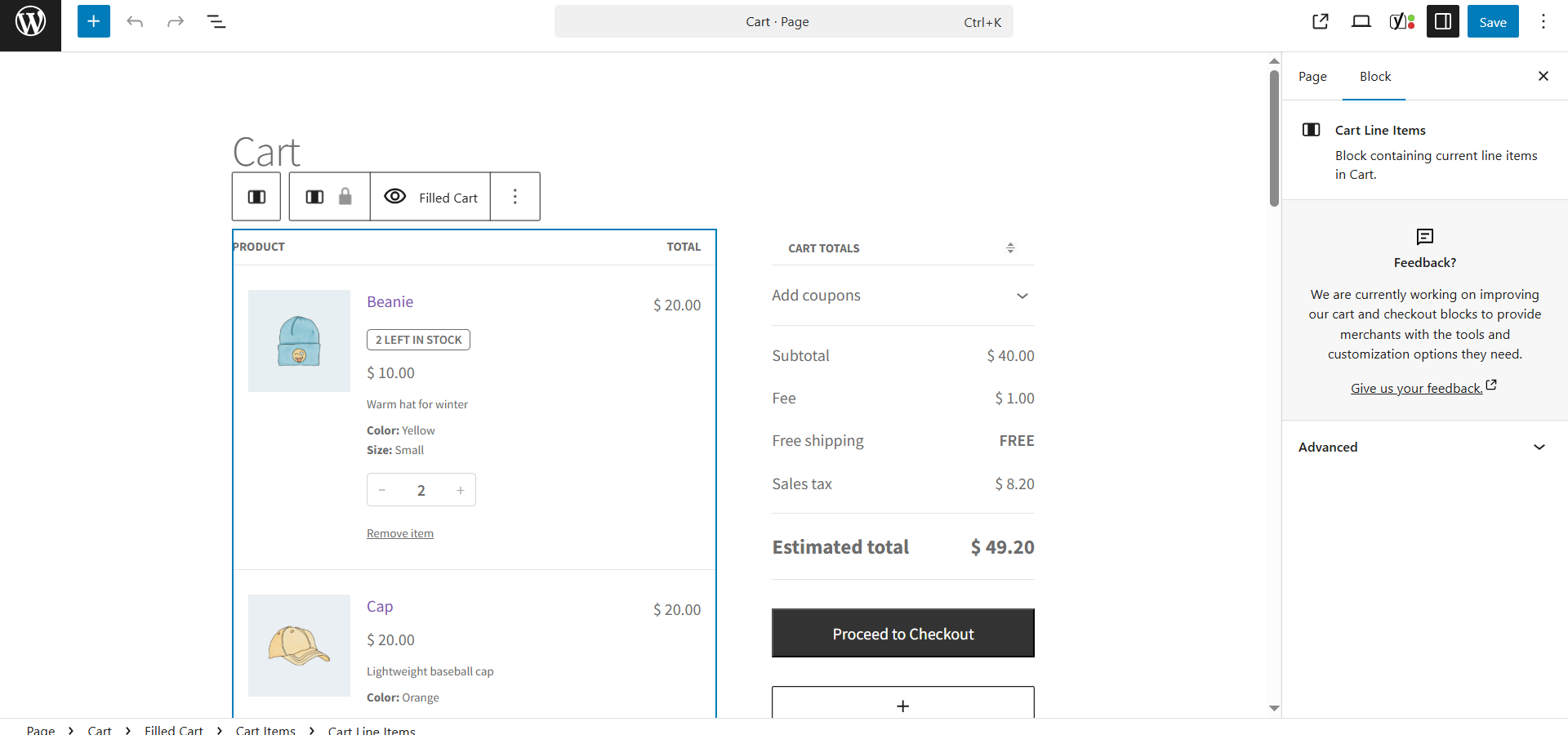
The WooCommerce Cart block is a drag-and-drop feature for the WordPress Block Editor that allows customers to view and organize their selected products before proceeding to checkout.
2. WooCommerce Checkout Block
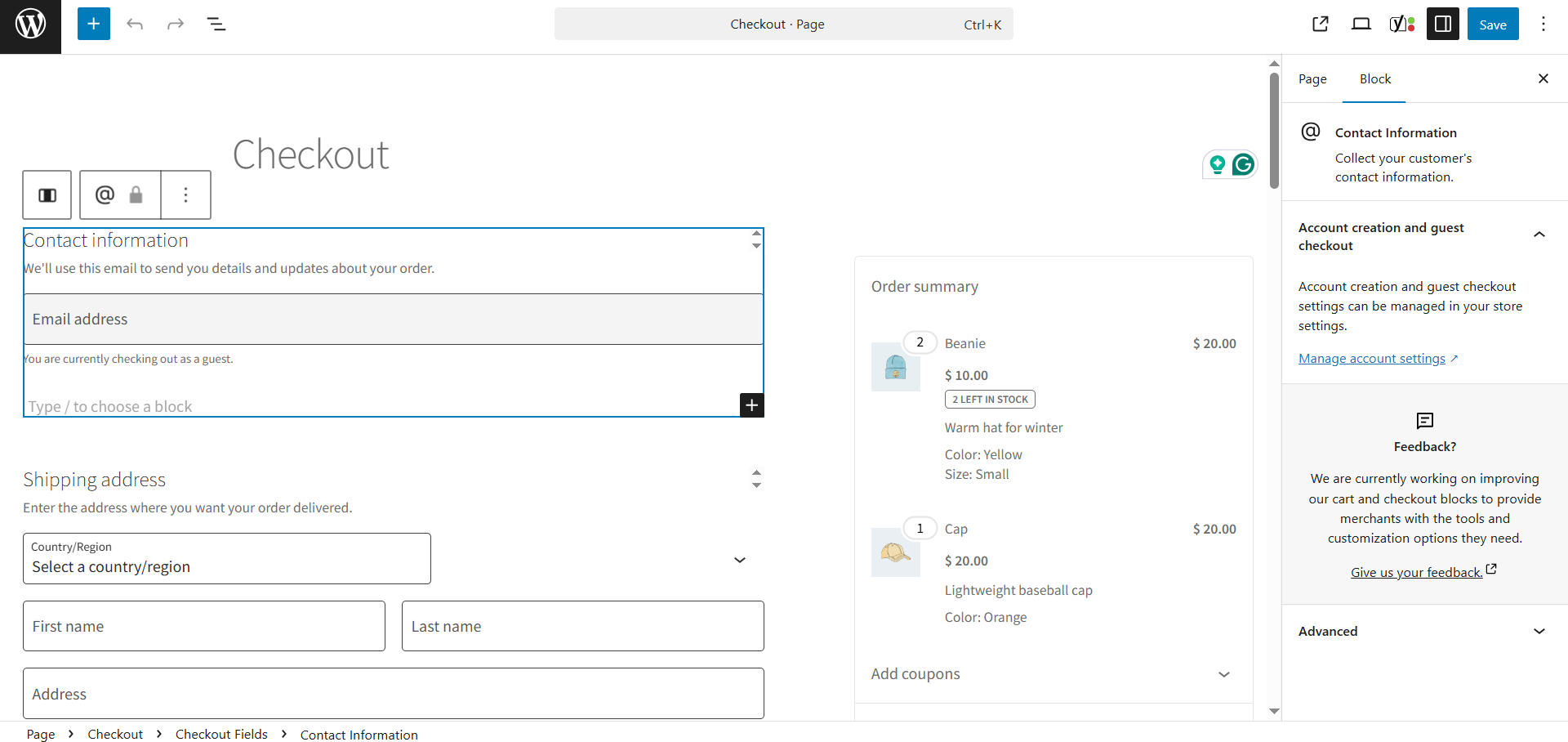
The WooCommerce Checkout block is a new, modern, block-based system for composing and customizing the checkout page through which a customer will finalize their purchase, including shipping and payment information.
3. WooCommerce Mini Cart Block
The small floating cart icon that keeps track of items as customers browse your site.
Disclaimer: Styling, branding, and layout adjustments are pretty straightforward, but integrating custom fields or logic requires coding since this is not a full drag-and-drop page builder.

Advantages of WooCommerce Cart and Checkout Blocks
1. Better Conversions, More Sales
Your checkout page is where real business happens. WooCommerce’s new block checkout is proven to convert better than the classic version. The new WooCommerce checkout loads faster and is trendier, keeping buyers committed to stay until the end; hence, it helps you close more deals.
2. Instant Visible Changes & Updates
With the new cart/checkout blocks, customers see updates immediately. They revise a product quantity or apply a voucher, and the total amount refreshes directly. If they miss a field or enter something wrong, WooCommerce alerts them on the spot.
This kind of instant feedback keeps frustration away and builds trust.
3. Perfect on Mobile Devices
In 2025, mobile shopping is bigger than ever — and WooCommerce knows that. Cart and Checkout Blocks are fully responsive and mobile-friendly. Your customers can easily tap, edit, and pay without having to zoom in or struggle with forms.
That’s a huge win for conversion rates.
4. Customization Made Simple
Here’s the best part — you don’t need to be a developer to make your checkout look great.
Using WordPress’s block editor, you can:
- Add your brand logo
- Change colors and button styles
- Reorder fields
- Include upsells or custom notes
All visually, right from your dashboard.
How the WooCommerce Checkout and Cart Blocks Actually Function
WooCommerce now offers you two main page templates by default:
- Page: Cart
- Page: Checkout
You can edit both directly from Appearance → Editor — no need to open PHP files or install extra plugins.
Each page is made up of smaller, reusable blocks that handle things like:
- Product list and totals
- Billing and shipping details
- Payment methods
- Store notices and error messages
Even the checkout header is simplified by default — it only shows your site name. Why? Because fewer distractions mean more completed orders.

Setting Up Cart and Checkout Blocks (Step-by-Step)
– For New Stores
Suppose you started your WooCommerce journey after November 2023. Good news. You already have the latest WooCommerce Cart and Checkout Blocks. Customize the cart and checkout page designs using blocks to start selling better.
– For Older Stores
If your store still uses shortcodes, switching to blocks is simple:
- Open your Cart or Checkout page in the editor.
- Remove the old shortcode (like [woocommerce_checkout]).
- Add the new Cart or Checkout Block from the block inserter.
- Save and publish.
You’ll instantly notice the difference.
– Reverting to Classic Checkout
Not ready for the change? No concerns. WooCommerce lets you revert to the classic version whenever you desire.
- Go to Pages → Checkout.
- Delete the Checkout Block.
- Add a Shortcode block.
Paste this shortcode inside it:
[woocommerce_checkout]
- Save the page.
This will restore the classic WooCommerce checkout page instantly.
Why Your Store Should Use WooCommerce Cart and Checkout Blocks
|
Reasons to Use WooCommerce Cart & Checkout Blocks |
What It Provides to Your Store |
| Trendy Checkout Design | Gives your store a fresh, professional look that customers trust. |
| Better Modifications | Enables more visitors to spend, resulting in fewer abandoned carts. |
| Mobile-Friendly | Functions perfectly on smartphone devices and tablets, giving your customers a smooth shopping experience. |
| Easy Customization | Change colors, layout, or add your logo — no coding needed. |
| Faster & Simpler | Loads quickly and is easier to manage than the old shortcode system. |
How Cart and Checkout Blocks Help Reduce Cart Abandonment
After all, studies show that 70% of online consumers abandon their carts. One reason could be confusing checkout forms. This can lead you to lose valuable leads landing on your store. The new block-based checkout helps address this problem by reducing unnecessary friction.
- Price transparency: Let your customers clearly see what they pay, including any discounts and shipping costs.
- Smooth updates: These blocks update without a page refresh.
- Trust-building layout: Everything feels more transparent and professional.
When your consumers feel secure and know all the information precisely, they will surely click the “Order Now” button.

Wrapping Up
Look, these Cart and Checkout Blocks aren’t just a shiny new feature. They’re a real solution to a real problem – people abandoning their carts. The setup takes about 15 minutes, but it solves some major issues with the cart and checkout pages.
Try them for two weeks, watch your conversion rates, and see the difference yourself. Your checkout deserves an upgrade, and your sales numbers will prove it. Stop letting clunky checkouts cost you money. Switch to the WooCommerce blocks now.




