














































You will not disagree that the WooCommerce signup page is the first impression customers make of an online store. Besides, an unoptimized registration experience can potentially annoy users, leading to decreased signups. Therefore, you must prioritize the highly optimized signup form for your online store.
This blog post will discuss what WooCommerce is and five common issues store owners make when maintaining WooCommerce signup pages. Moreover, it will also offer simple solutions to these issues and help you enhance the user registration experience.

What Do You Mean By WooCommerce?
WooCommerce is a free plugin that enables businesses of all sizes to create highly optimized, customizable online stores. It allows them to sell products with ease, manage shipping and taxes, accept several payment options, and run a successful online store.
Due to these advantages and the convenience it offers, WooCommerce has become the most sought-after platform for millions of store owners worldwide.
5 Mistakes Store Owners Make with WooCommerce Signup
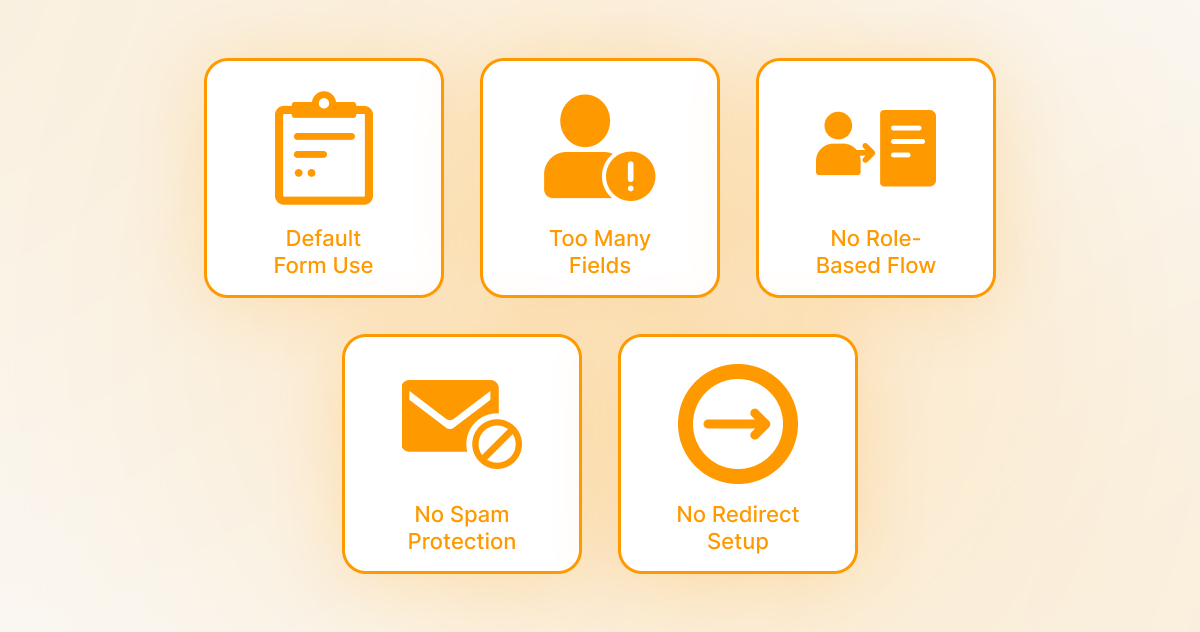
This section will focus on five common mistakes store owners commit while managing WooCommerce signup pages. These mistakes include:
1. Using the Default Registration Form Without Customization
As you may be aware, WooCommerce stores typically use the default registration form, which meets the basic requirements of any online store. That said, the registration form doesn’t align with branding needs or help store owners collect crucial user data.
To address such problems, use a top-notch plugin: User Registration for WooCommerce. With this plugin, you can create customizable signup forms that suit your unique brand’s styling and other requirements.
In short, User Registration for WooCommerce helps store owners gather valuable data, enhancing the user experience and fulfilling the branding needs.
2. Asking for Too Much Too Soon
As an online store owner, you should avoid overwhelming potential users with multiple and unnecessary fields during the signup process. This can lead to increased abandonment rates. Sadly, complicated or long forms don’t motivate users to complete the signup process.
Furthermore, potential users don’t show any interest in providing too much personal information. Thus, you should concentrate on developing simple registration forms that comprise the necessary fields, such as name, password, and email.
You can collect more useful information from their profiles later. Besides, you can benefit from email marketing techniques to gather additional data without fuss.
3. No Role-Based Registration Flow
Undoubtedly, every customer is different and has a dissimilar role. A customer can be a genuine customer, a vendor, an affiliate, or a wholesaler. Hence, you cannot treat all customers the same using a one-size-fits-all approach.
In this scenario, role-based registration forms are a blessing in disguise. Additionally, you should let your customers select their type. For example, they can choose a customer, partner, vendor, or other types tailored to their particular needs.
This will enable you to take the user registration process to the next level, as customers can select their preferred types at registration. You can automatically give them suitable roles and permissions.
4. Lack of Spam Protection or Approval System
Spam registrations can significantly harm your store’s reputation. Unfortunately, bots and other malicious actors can register as authentic users, negatively affecting your admin panel. Similarly, they can affect your database with false users and waste precious resources.
To resolve these issues, you can implement Google reCAPTCHA to authenticate subscribers before you activate their accounts. Moreover, you can add an approval system to your WooCommerce store to ensure the store community remains authentic.
5. No Redirect or Confirmation Customization
As for “no redirect or confirmation customization”, store owners usually make a huge mistake as they don’t respond to users who visit the “My Account” page after registration. They don’t welcome new users with custom thank-you or welcome notes. Additionally, they don’t guide them regarding the next steps.
To rectify such a mistake, one can set up custom redirects based on user actions or roles. In simple words, deliver new customers, vendors, or welcome pages to their dashboard. Moreover, you can personalize confirmation emails to build trust and endorse your brand.
Wrapping Up
Undoubtedly, WooCommerce signup pages help businesses grow their customer base. It not only allows users to subscribe to their preferred products or services, but it also enables businesses to boost conversions and increase sales.
However, avoid committing the above mistakes, as they can ruin users’ signup journeys. Doing so will allow businesses to create a more impactful registration process, build trust, and develop strategic customer relationships.




