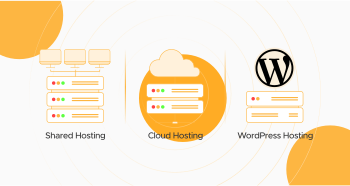
Cloud Hosting vs. Shared Hosting vs. Managed WordPress hosting is no longer a technical choice. It’s an enterprise choice. The WordPress hosting you pick influences everything in your website (from performance to UX and SEO rankings to security). In this digital and modernized world, your hosting and business goals must sync for good traffic and continuous growth.
Are you a blogger, an e-commerce startup, or a WordPress website development agency operating a dozen WordPress websites? You should know the differences between shared hosting, cloud hosting, and managed WordPress Hosting.
This guide is for you if you want to differentiate between the types of web hosting.
- Shared Hosting
- Cloud Hosting
- Managed WordPress Hosting
We promise this guide will help web owners, developers, entrepreneurs, and marketing teams make informed decisions about their next project. We’ll explain everything about shared hosting, cloud hosting, and managed WordPress hosting. And, more importantly, when each one is the right fit.
Let’s dissect it and talk, so you can select the hosting that would best fit your needs.
What is Web Hosting?
Web hosting is the technology that places your website on the Internet. All websites reside on a server, a computer built to serve up content—such as your home page, images, and scripts—to users when they enter your domain.
When you enter a URL, your browser makes contact with the server, attempts to access that server, fetches the content of the site, and shows it to you. That “server” is where hosting enters in.
There are many types of web hosting. Some are basic and shared among hundreds of sites; others are scalable cloud setups or finely tuned environments built just for WordPress. In this article, we’ll focus on the three most important types of modern website hosting: Shared Hosting, Cloud Hosting, and Managed WordPress Hosting.
Shared Hosting – Simplicity at Low Cost
What is Shared Hosting?
Shared Hosting is the lowest-tech and lowest-cost mode of web hosting. Numerous websites reside on a physical server, and every website shares the same resources: memory, processing capability, disk space, and bandwidth.
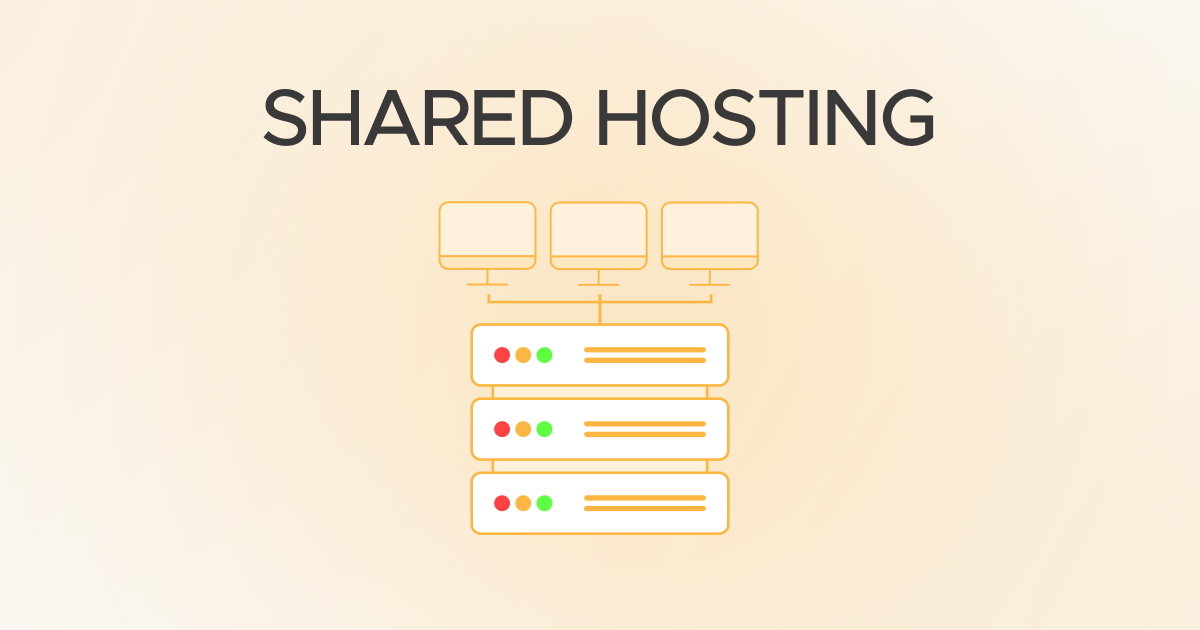
The best real-world example of shared hosting is living in a complex flat system apartment/building. Everybody there shares the same elevator, water supply, parking, and maintenance charges. It looks cheap and basic until some party animal next door starts partying; they all might suffer.
How Shared Hosting Operates
You receive a chunk of a server when you buy a shared hosting account. It is typically outfitted with an easy-to-use control panel such as cPanel, through which you can install WordPress or other content management systems, manage email accounts, and access your files.
Since the resources are shared, your site gets slower when heavy traffic hits your site or the other site on your hosting is experiencing a traffic surge.
Advantages of Shared Hosting
Shared Hosting is a winner when it comes to ease and cost-effectiveness. It’s perfect for novices, with one-click installs and complimentary SSL certificates.
- Cheap: Priced at $2.99–$9.99/month with discounted offers.
- Perfect for newcomers: No rocket science involved
- Fast setup: You can have a site online in minutes
Shared Hosting Cons
But cheap comes at a price. Resource limitations and performance bottlenecks are a burden.
- Limited performance: Shared RAM and CPU
- Lower security: Someone else’s weakness could affect you
- Not scalable: Hard to scale with increasing traffic
Shared Hosting Use Cases
Shared Hosting is perfect for:
- Portfolio sites
- Personal blogs
- Static sites
- Students and hobbyists
- E-commerce startups
- Low-budget startup website/business
Example Providers
Popular choices are Bluehost, HostGator, Hostinger, and Namecheap—all offering Shared Hosting with WordPress features.
Cloud Hosting – Power and Flexibility
What is Cloud Hosting?
Cloud Hosting is a modern, distributed hosting solution in which your site taps into a shared set of servers (the “cloud”) rather than a dedicated physical server. This solution provides dynamic scaling, high availability, and increased reliability.
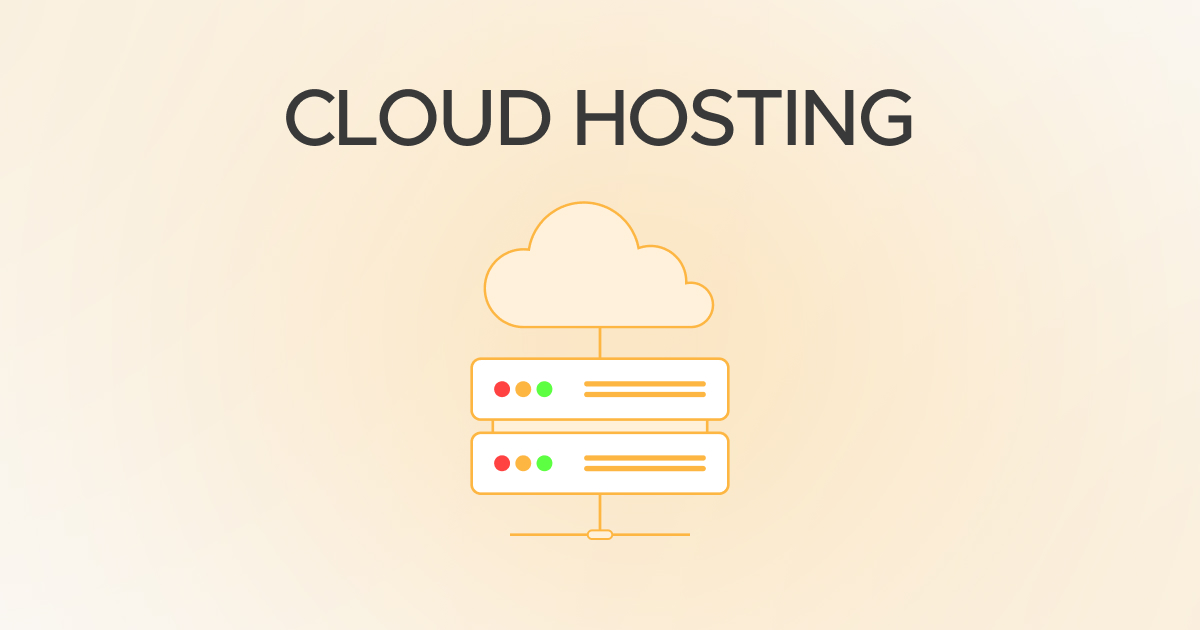
Unlike shared hosting, cloud hosting is unaffected if a server goes down. Another in the cluster replaces it.
How Cloud Hosting Works
Cloud Hosting uses virtualization to create an elastic pool of resources. Your site operates on a virtual server that rents RAM, CPU, and bandwidth from a pool of connected servers.
That makes your hosting configuration strong and resistant to sudden spikes in traffic. That’s why large platforms and eCommerce businesses utilize cloud hosting more.
Advantages of Cloud Hosting
The greatest benefit of Cloud Hosting is its flexibility and reliability.
- Scalable: Automatically scales according to traffic (Source: DigitalOcean)
- Reliable: 99.99% runs smoothly because of the strong architecture
- Customizable: Developers get more control
Disadvantages of Cloud Hosting
Cloud Hosting can be more complex and expensive if not managed carefully.
- Requires technical skill: Root access, CLI, etc.
- Cost can grow: Usage-based pricing may spike
- Setup complexity: Not as plug-and-play
Use Cases for Cloud Hosting
Choose Cloud Hosting if you’re running:
- Online stores (WooCommerce, Shopify alternatives)
- Business-critical apps
- SaaS platforms
- Video-heavy or database-intensive sites
Example Cloud Hosting Providers
Reliable Cloud Hosting alternatives are Cloudways, DigitalOcean, Amazon Lightsail, and Hostinger’s Cloud products.
Managed WordPress Hosting – WordPress Worry-Free
What is Managed WordPress Hosting
Managed WordPress Hosting is a high-end offering where your hosting configuration is optimized specifically for WordPress sites. You receive performance optimization, automatic updates, daily backups, security scans, and expert WordPress technical support.
Picture having a WordPress concierge—behind the scenes, everything is handled so you can focus on publishing, marketing, or selling.
Managed WordPress Hosting Key Features
With Managed WordPress Hosting, the host takes care of all the following:
- Automatic core and plugin updates
- WordPress-specific caching and CDN
- Malware scanning and firewall rules
- Regular backups and 1-click restores
- Dedicated WordPress specialist support
Managed WordPress Hosting Benefits
The main difference factor is that it’s specifically for WordPress users.
- Performance-optimized: Pages load fast, even during traffic
- Secure: Regular scans, DDoS protection
- Convenient: Automatic updates and plugin load reduced
- Expert support: Handcrafted WordPress support
Drawbacks of Managed WordPress Hosting
There are a few cons to keep in mind.
- Only for WordPress: Only for WordPress websites
- Higher cost: $25–$100+/month (Source: WP Engine, Kinsta)
- Less control: You can’t edit server files or add some plugins
Use Cases for Managed WordPress Hosting
Use it when you have:
- High-traffic WP blogs
- Business websites require best-in-class security
- Agencies with a large number of WP clients
- eCommerce sites with WooCommerce
Example Providers of Managed WordPress Hosting
Kinsta, WP Engine, Flywheel, and SiteGround.
Note: For custom and expert-level WordPress services, such as WordPress migration services and WooCommerce website development services, choose WPExperts.
Shared Hosting vs Managed WordPress Hosting Comparison
Shared Hosting vs. Managed WordPress Hosting is the difference between budget-friendly and optimized. Shared Hosting is more appropriate for small websites or those who have just started with minimal traffic and budget. It’s easy and cheap to install, but there isn’t much in performance and security optimization.
Managed WordPress Hosting is particularly designed for WordPress websites. It offers many edges, including automatic software updates, caching, backups, and superior customer support. Although it costs more, it provides better performance, protection, and ease of mind. If you are hosting a business or looking for the best enterprise e-commerce platforms, the extra expense of managed WordPress hosting is worth it.
Pro tip: Learn “what is WooCommerce”. And discover how you can benefit from WooCommerce’s customization capability to provide you with enterprise or mid-level e-commerce platform functionality.
Shared Hosting vs Managed WordPress Hosting: Face-to-Face
| Feature | Shared Hosting | Managed WordPress Hosting |
| Cost | Lower ($2.99–$9.99/month) | Higher ($25–$100+/month) |
| Ease of Use | Basic setup tools | Optimized, fully managed |
| Performance | Shared resources | Tuned for WordPress |
| Security | Basic | Enhanced WP-specific |
| Support | General hosting support | WordPress expert support |
Managed WordPress Hosting vs Cloud Hosting
Managed WordPress Hosting vs. Cloud Hosting is typically a trade-off between ease and flexibility.
Managed WordPress Hosting provides you with an ultra-optimized, WordPress-only environment, with all the technical overhead—security, performance, backups—handled for you.
Cloud Hosting is more adaptable and scalable, but requires technical know-how unless it’s a managed cloud environment.
Recommendations:
If you want a hands-off experience and deal with WordPress only, use Managed WP Hosting. But if you are building a bigger or high-level site, Cloud Hosting allows you to scale beyond WordPress limits.
Managed WordPress Hosting vs Cloud Hosting: Face-to-Face
| Feature | Managed WordPress Hosting | Cloud Hosting |
| CMS Limitation | WordPress only | Any CMS or custom app |
| Control | Limited (hands-off) | Full root/admin access |
| Performance | Optimized for WP | High, scalable |
| Scalability | Good | Excellent |
| Technical Skill | Not required | Moderate to advanced |
Cloud WordPress Hosting vs Shared WordPress Hosting
When it comes to a comparison of Cloud WordPress Hosting and Shared WordPress Hosting, the most significant difference is in infrastructure and availability of resources.
Shared WordPress Hosting is WordPress-friendly but also limited by its shared nature. Performance is slower when another site on your server has high traffic.
Cloud WordPress Hosting runs WordPress on cloud infrastructure, so your site gets more predictable speed, better uptime, and the ability to scale. It’s ideal for growing or high-traffic WordPress websites, while Shared WordPress Hosting is a good choice for beginner blogs or portfolios.
Cloud WordPress Hosting vs Shared WordPress Hosting: Face-to-Face
| Feature | Shared WordPress Hosting | Cloud WordPress Hosting |
| Infrastructure | Single physical server | Cluster of virtual servers |
| Reliability | Can be inconsistent | High redundancy |
| Performance | Moderate | High, consistent |
| Uptime | May vary | 99.9%+ SLA |
| Best For | Beginners | Growing WP websites |
Feature-by-Feature Comparison: Shared Hosting vs. Cloud Hosting vs. Managed WordPress Hosting
| Feature | Shared Hosting | Cloud Hosting | Managed WP Hosting |
| Performance | Basic, limited | High, scalable | Optimized for WordPress |
| Price Range | $2.99–$9.99/month | $10–$40/month+ | $25–$100+/month |
| Scalability | Low | High | Medium to high |
| Security | Basic | Moderate–High | High, WP-specific |
| Maintenance | Manual | Partial | Fully managed |
| Control | Minimal | Full | Moderate |
| Best For | Beginners, portfolios | Growing businesses | WordPress users |
How to Select the Best Hosting for Your WordPress Website in 2025
Consider your budget and your actual needs when choosing between Shared, Cloud, and Managed WordPress hosting.
If you’re new to hosting, Shared Hosting will give you everything you need to get started at an affordable price. If you think you’ll grow or need a dynamic website, Cloud Hosting is a better long-term choice. If you’re totally committed to WordPress and need to make your hosting life easy, Managed WordPress Hosting is the most streamlined choice.
Ask yourself some questions before choosing WordPress hosting:
- Is my website WordPress-based?
- How much traffic can I expect?
- Do I need full control or full support?
- What’s my today budget—and 6 months from today?
Your answers should determine the hosting you use.
Security, Support & Uptime Factors You Should Consider While Choosing the Hosting
Security is not a choice in 2025. Shared Hosting has little protection, but it’s normally reactive, not proactive. Cloud Hosting offers a bit of isolation, and most platforms offer firewalls and malware protection. Managed WordPress Hosting is the champion here—it’s actively hardened with WP-specific rules, automatic updates, and malware scanning.
Support also varies enormously. Shared Hosting support is generally bland and often generic. Cloud Hosting can deliver excellent technical support, particularly if managed (e.g., Cloudways). Managed WordPress hosts are excellent with WP-savvy support teams familiar with the environment backwards and forwards.
99.9% uptime or higher is offered by most Cloud and Managed WP providers, SLA-guaranteed.
That’s more stability and less downtime for your customers.
Final Verdict: What Host Type Should You Opt For?
Shared Hosting vs. Cloud Hosting vs. Managed WordPress is a decision that depends on your objectives.
If you’re creating a simple site on a budget, Shared Hosting is the way to go. Cloud Hosting allows you to scale if you want flexibility and high performance. And if you adore WordPress and don’t care to worry about the technicalities, Managed WordPress Hosting delivers peace of mind and specialized care.
At WPExperts, we assist businesses and agencies in selecting, migrating, and building their sites with the best-of-breed solutions. If you’re unsure how to begin or need assistance with a migration, contact us now—we’ll build the foundation for your success.
FAQs
Is Shared Hosting right for business websites?
Only if you have light traffic and limited requirements will it make sense to begin with Cloud or Managed WP Hosting.
Can I change the host type later?
Yes, you can switch from Shared to Cloud or Managed WordPress Hosting at any time—many hosts even offer free transfers.
Is Managed WordPress Hosting worth paying for?
If you care about speed, security, and uptime—and your website is WordPress—it definitely is.
What is the best WooCommerce hosting?
The best is Managed WordPress Hosting, which is optimized for WooCommerce because it provides fast checkout and plugin support.