














































Do you want to fix HTTP status 302 code error? You have come to the right place. Before describing various possible solutions for this redirect error, understand the HTTP 302 code.
HTTP 302 code allows website developers to redirect site users to a new URL temporarily. That said, if a website returns a 302 redirect as an error, something has unexpectedly happened to it. You should not get restless as you can fix the HTTP status 302 code error provided you know the potential reasons and solutions.
This blog post will describe the HTTP status 302 code error and allow you to fix this annoying redirect issue.
What Do You Mean by HTTP Status 302 Code Error?

Understanding this redirect error is crucial before you fix the HTTP status 302 code error. We explain the 302 code error for your convenience. When a requested resource is shifted to a new location, the HTTP 302 error will likely occur.
As you know, the system redirects users to a new URL containing the resource. That said, the redirection sometimes does not process smoothly, making a site inaccessible.
Possible Variations of HTTP Status Code
You will likely experience different variations of the HTTP status 302 code error, including:
- HTTP 302 Error.
- 302 Status Code.
- HTTP 302 Redirect.
- HTTP Response 302.
- HTTP Error Code 302.
Possible Causes Behind the HTTP Error Code 302
Comprehending various HTTP status codes is better before you fix HTTP status 302 code errors. Similarly, you should understand the underlying reasons behind the HTTP 302 redirect error. For instance, when something is incorrectly configured on a site, it can lead to a 302 code error.
If this is the case, you may experience different issues like:
- A page on your site redirects users to a different location than the desired one.
- A page on your site redirects users to the wrong resource.
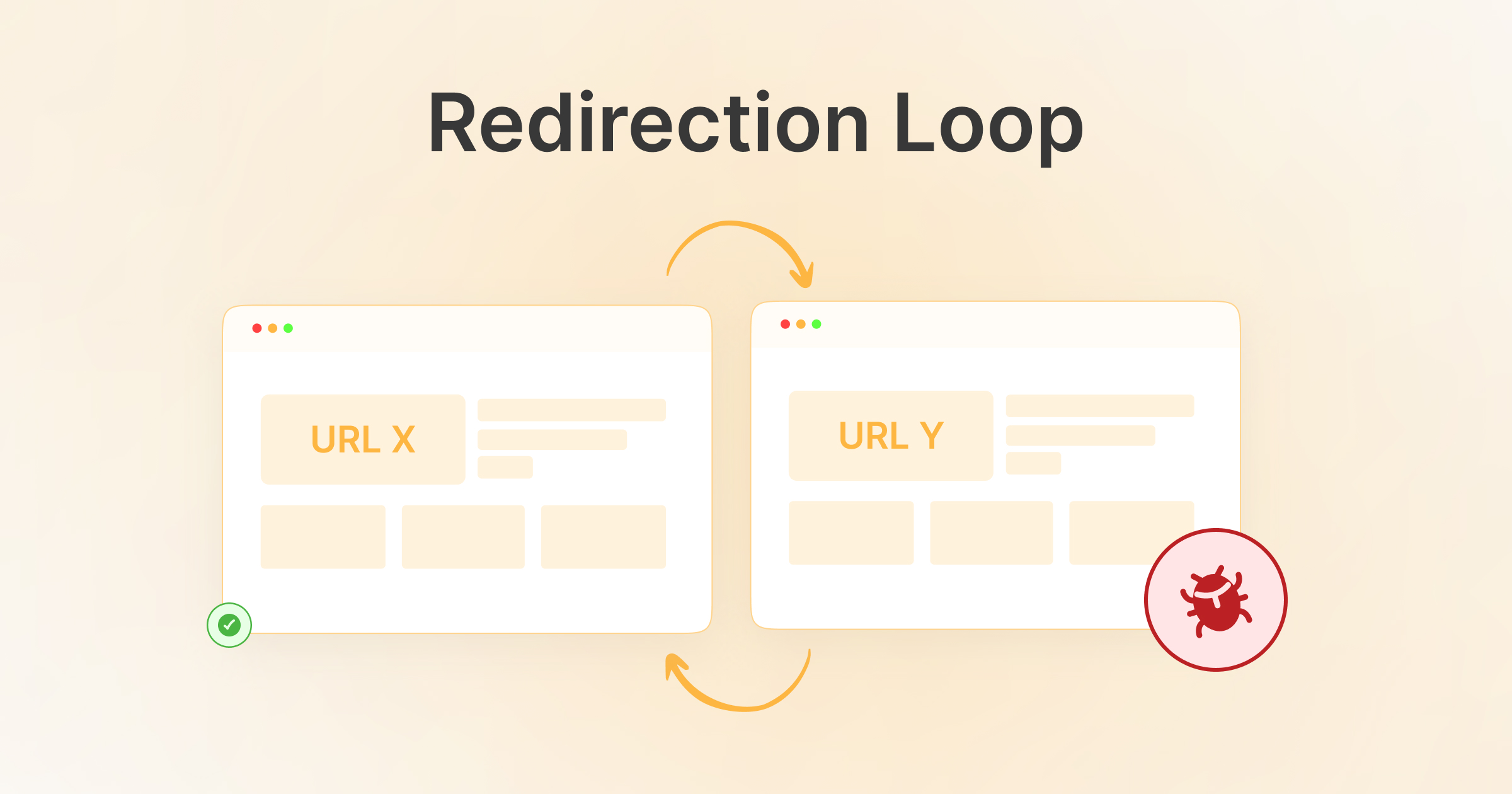
- The redirection loop (also called the ERR_TOO_MANY_REDIRECTS error).
If you use a Chrome browser, a redirection loop error will look like this:
“This page isn’t working.”
xyz.com redirected you too many times.
Try clearing your cookies.
ERR_TOO_MANY_REDIRECTS
Likewise, a redirection loop error will look this on Mozilla Firefox:
“The page isn’t redirecting properly.”
An error occurred during a connection to xyz.com.
• This problem can sometimes be caused by disabling or refusing to accept cookies.
All the above issues likely occur due to a misconfigured .htaccess file, plugin conflict, improper URL settings, and more.
How to Fix HTTP Status 302 Code Error?
You can benefit from multiple potential solutions when tackling the HTTP status 302 code error. This way, you can quickly fix the 302 code error. These various solutions include:
- Recognize the Redirect Loop.
- WordPress Settings Need to be Configured Properly.
- Deactivate Plugins and Themes.
- Contact Your Web Hosting Provider.
– Recognize the Redirect Loop
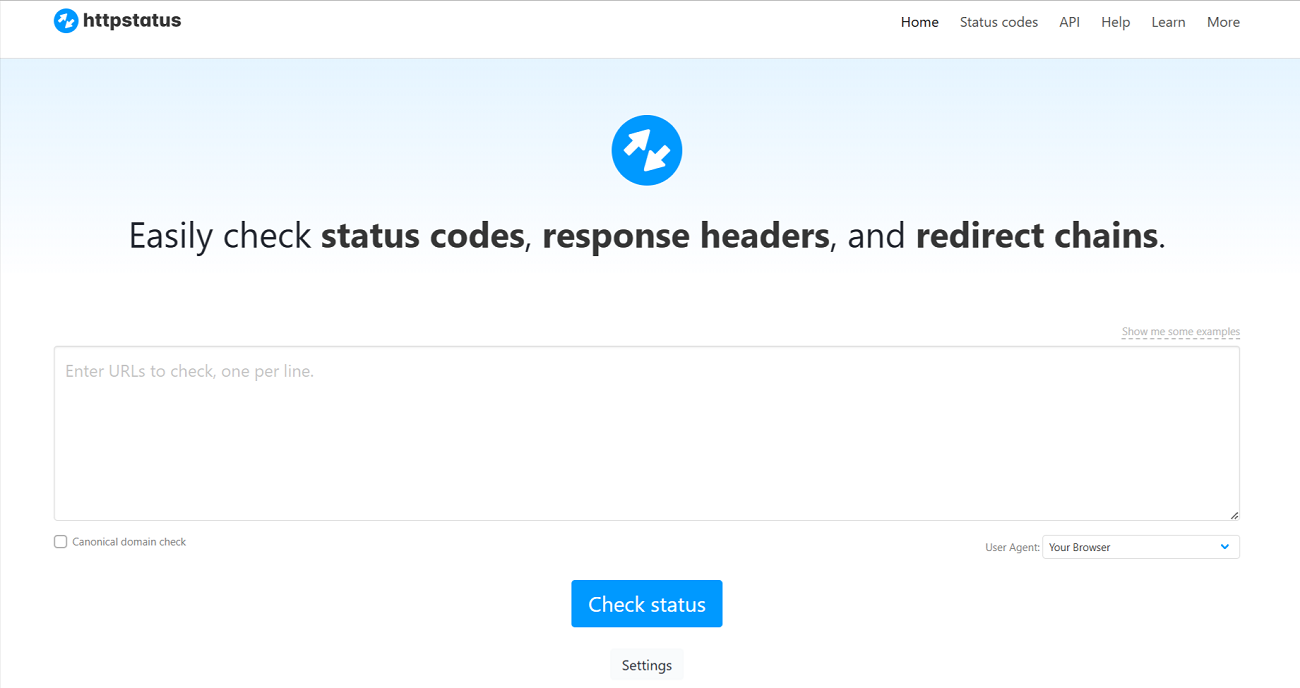
Before you fix HTTP status 302 code error, it is vital to identify the redirect chain that can result in the 302 code error. For this purpose, you can rely on online status code checkers without cost.
These online tools let you write a URL, check its status code, and redirect path. To do this, you can use a notable online status code checker, httpstatus.
You can also depend on browser developer tools in web browsers like Firefox, Chrome, etc. To do this, use the “Network” tab to check individual requests alongside their responses. This will help you detect how many redirect chains are there. Moreover, you should examine the server logs provided by your web hosting service when checking the redirect chains.
– WordPress Settings Need to be Configured Properly
Misconfigured WordPress URL settings can result in the HTTP status 302 code error. Therefore, you must check if your WordPress URL settings are correctly configured. To do this, go to Settings > General. You will see different fields, including a WordPress address (URL) and a Site Address (URL).
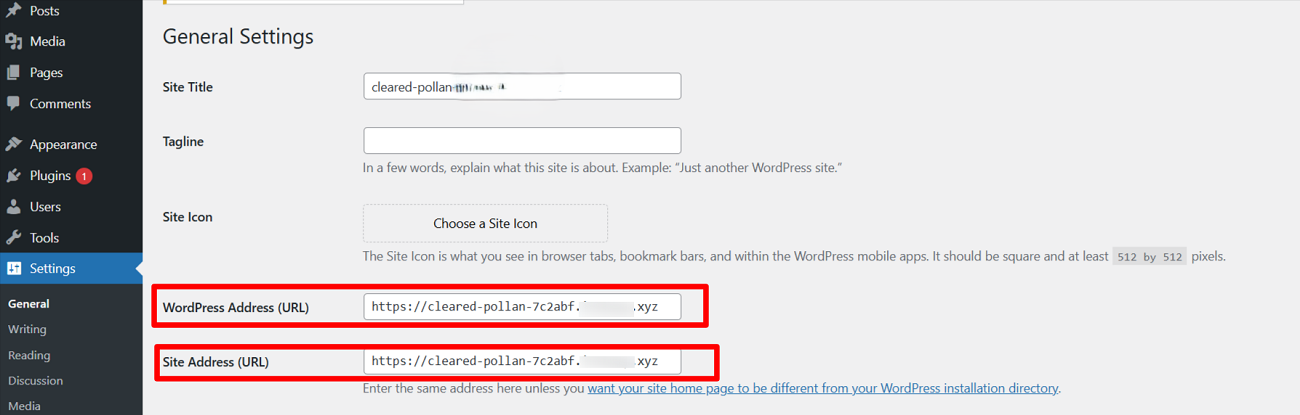
The URLs in these fields must match, so you should ensure they are identical, including the “www” part before the domain name. If they differ, 302 temporary redirect issues can occur. Therefore, update settings to ensure both URLs are the same. Reaccess the page to see if the 302 code error has been removed.
– Deactivate Plugins and Themes
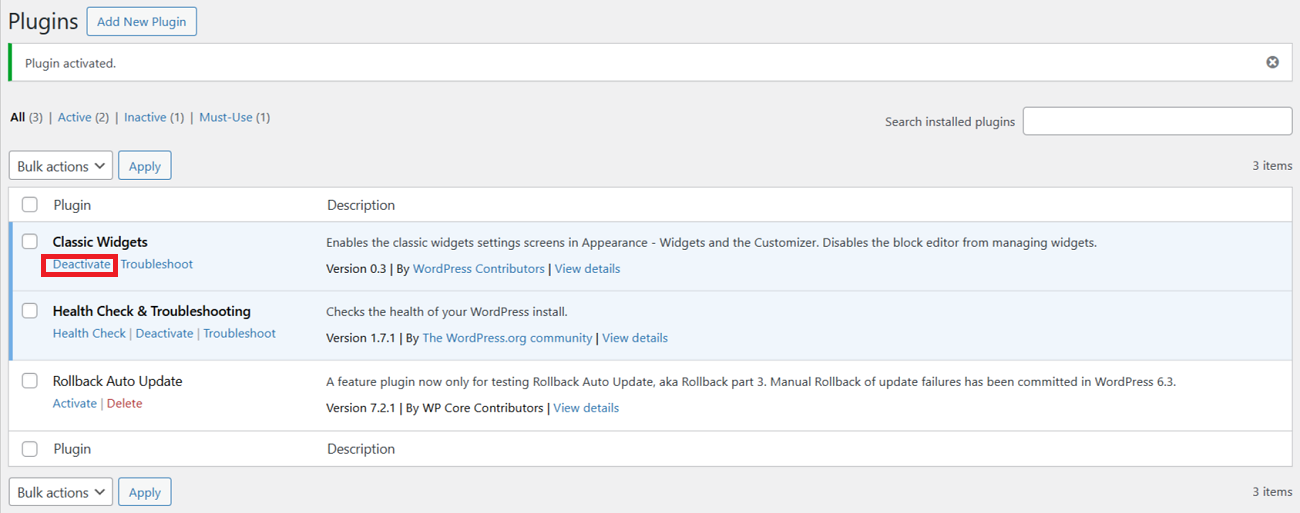
WordPress enables users to deactivate plugins and themes temporarily. Using the WordPress dashboard, you can achieve your objective and find the reason behind the HTTP status 302 code error.
Go to the ‘Plugins’ section through the WordPress dashboard and deactivate each plugin. Once you have deactivated a single plugin, confirm if the 302 code error has vanished.
Sadly, outdated plugins and themes can lead to the 302 redirect temporary issue. Hence, you must update plugins and themes frequently. If you do not do this, outdated components in these plugins and themes can result in various WordPress errors.
Moreover, deactivating plugins helps users bypass the HTTP 429 Too Many Requests error.
– Contact Your Web Hosting Provider
Despite trying the above possible solutions, contact your web hosting provider if you still face the 302 temporary redirect error. It will be difficult for you to resolve this redirect error if you do not have professional expertise in web development. Therefore, you must get assistance from an expert who knows the nitty-gritty of website development and maintenance.
Sometimes, you cannot solve technical issues because of a lack of technical knowledge. Therefore, contacting a web hosting provider seems reasonable because they have in-depth know-how related to the platform. In addition, they can quickly detect numerous problems and resolve them without fuss.
What is 302 Moved Ridrect?
A 302 moved redirect is an HTTP status code that suggests a webpage has been moved temporarily to another URL. That said, it is a temporary redirect issue, which is fixable.
Wrapping Up
We expect you to appreciate our blog post explaining the HTTP status 302 code error in detail. The HTTP status 302 code helps developers redirect site visitors correctly. Developers must apply this code when the resource page is temporarily unavailable.
Web hosting providers sometimes produce an unexpected 302 code error, making sites inaccessible. The above potential solutions will help you bypass the HTTP 302 error.
Continual site maintenance, updating themes and plugins, and thoroughly checking changes after making them live are a few actions to avoid facing the 302 code error.