































 Muhammad Jaffer

Properly tracking your wholesale sales performance can convert your small business into a large one or into an enterprise. Whether you are a small store owner or have a large distribution channel, staying updated on your sales is critical. That is where the Advanced Wholesale Dashboard in the AI-Powered B2B Wholesale for WooCommerce solves your problem easily.

This dashboard provides you with the best view of your B2B and B2C sales in a detailed and straightforward manner. In this article, we will guide you through the advanced dashboard key features and tools. We’ll also demonstrate how to monitor wholesale sales performance and make informed decisions.
[product_banner index=’1′]
Getting Started: How to View the Wholesale Sales Dashboard
Follow these initial steps below to start monitoring your sales.
- Start by going to the WordPress Admin Dashboard.

- Click/hover on Wholesale.
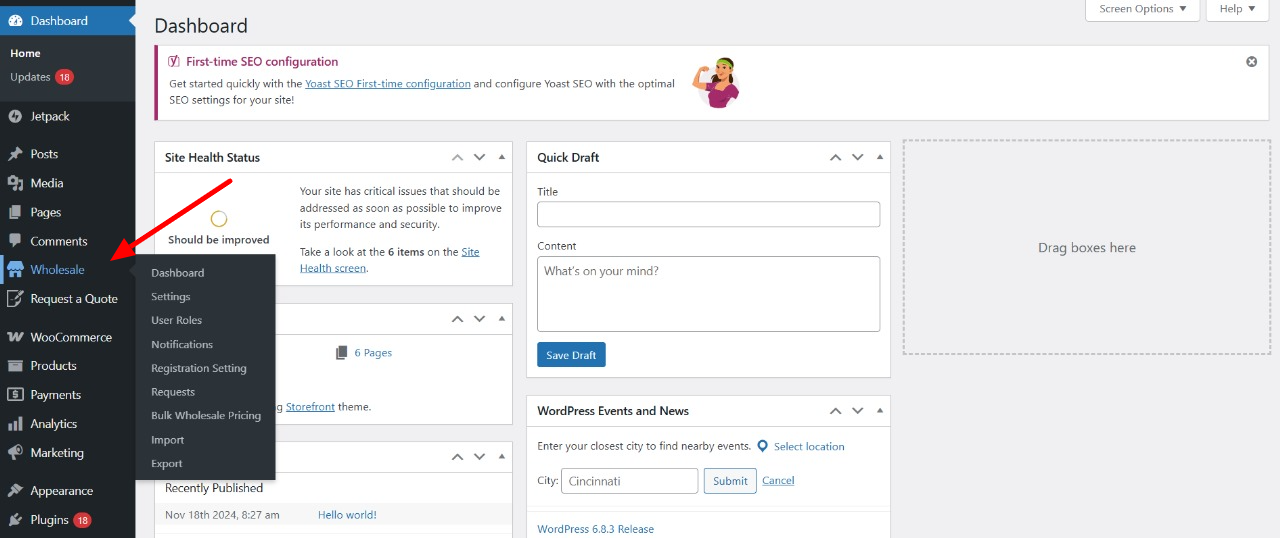
- Click on Dashboard.
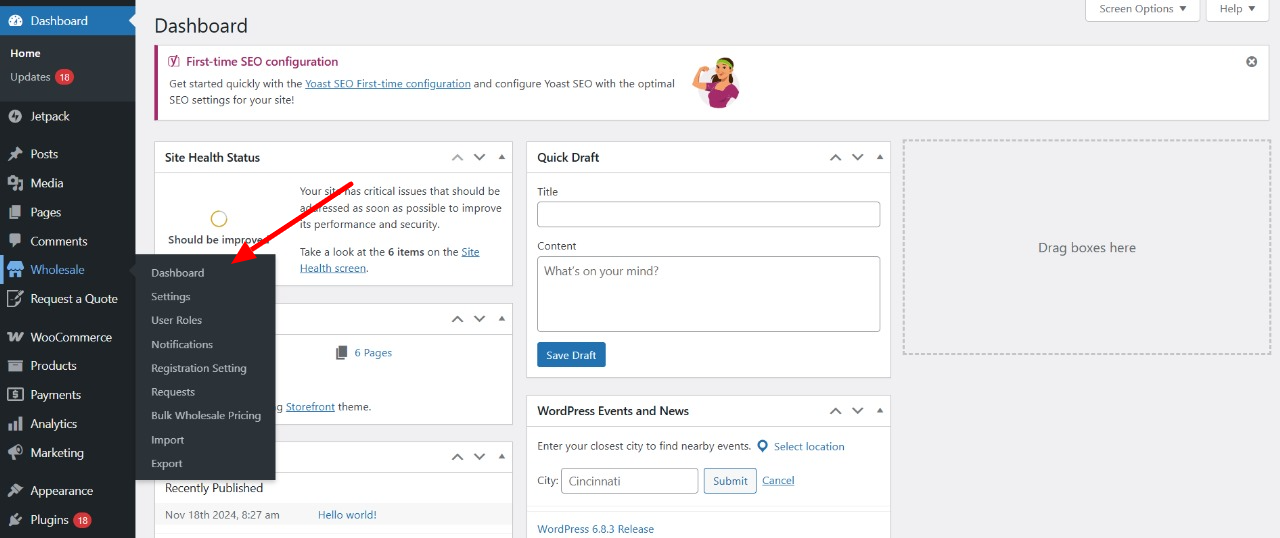
You will be inside, where you will see a user-friendly interface displaying primary statistics, trends, and information about your wholesale enterprise.
B2B and B2C Sales Summary: The Sales Monitoring Basics
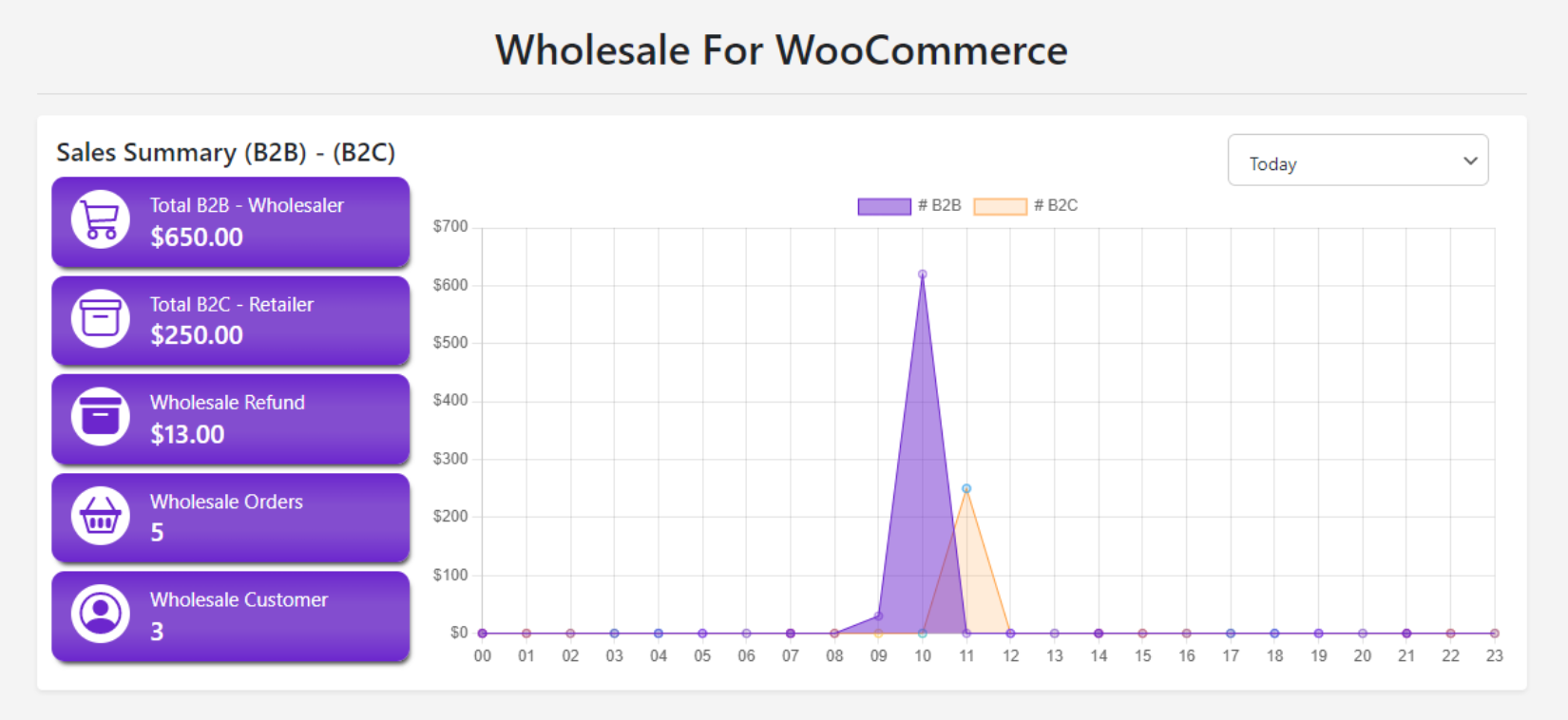
The Sales Summary tab is the hub of your wholesale dashboard. Here, you can view a summary of your sales (B2B & B2C).
What Do B2B – B2C Sales Mean?
- B2B Sales: Selling your company’s goods to another company, typically in quantity. For example, when you sell to retail stores, you sell 100s of your refrigerators to your client, which is a B2B sale.
- B2C Sales: When your company sells products directly to a single consumer. For example, you sell goods to customers who occasionally buy them. That means, regular customers who purchase a refrigerator once every 10 years are considered B2C sales.
[product_banner index=’1′]
What Exactly You’ll See on the Dashboard
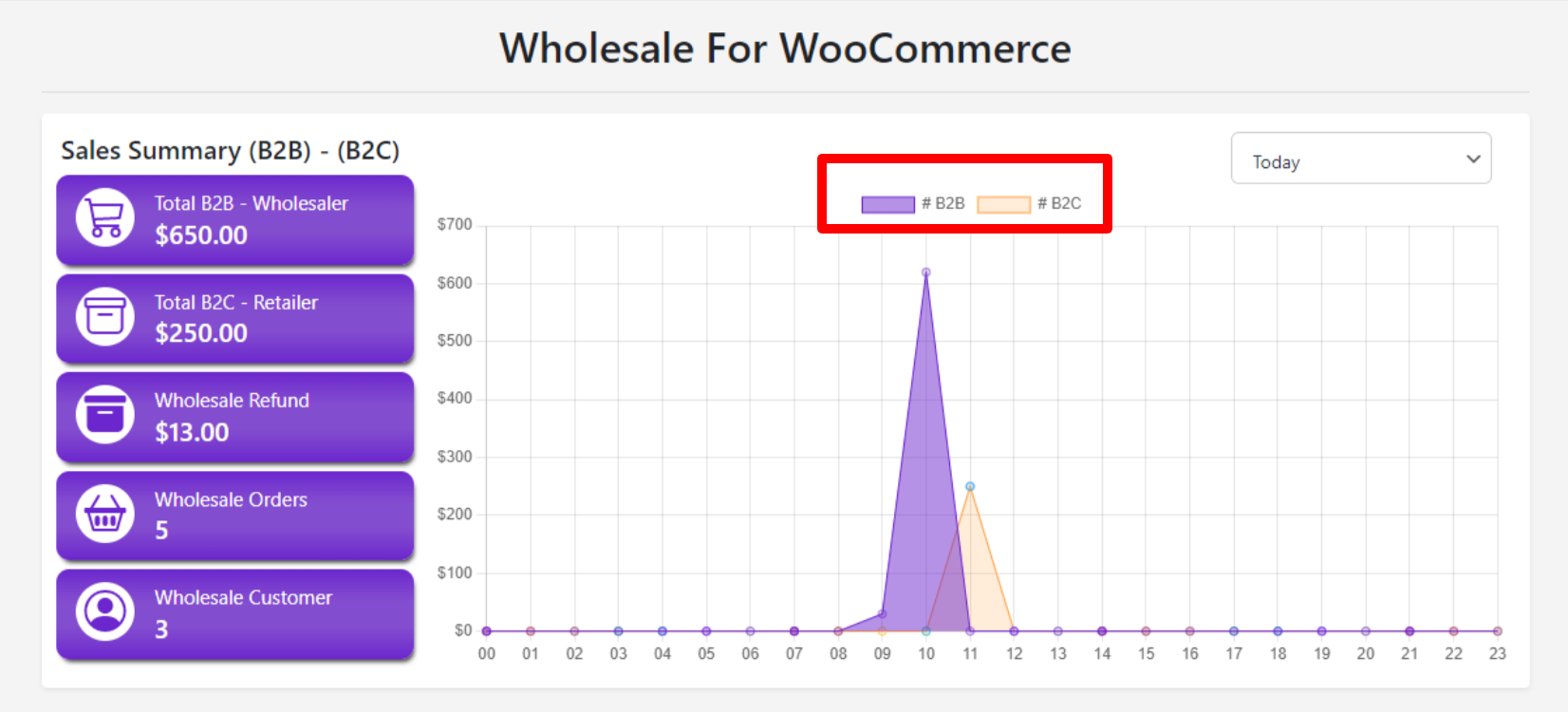
Primarily, your eyes will be drawn to the graphical charts displaying the performance of B2B sales and B2C sales. Two differently colored lines will show the data:
- Purple Lines represent B2B sales.
- Orange Lines represent B2C sales.
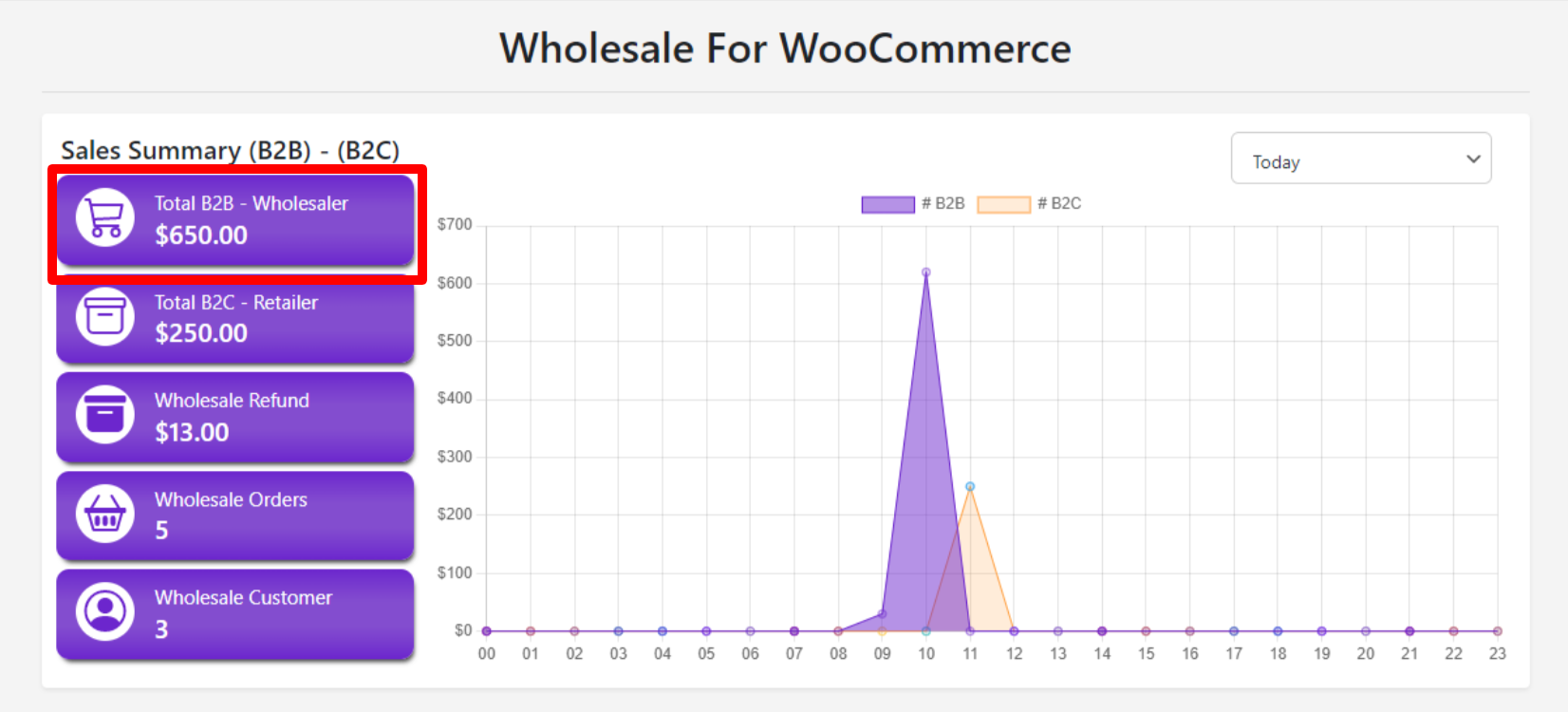
– B2B Sales Amount for Wholesale Orders
This section will show the amount you have earned from your wholesale orders (B2B). It’s a great way of seeing how your bulk orders are performing. The numbers will also be displayed visually on the graph, allowing you to easily see trends over time.
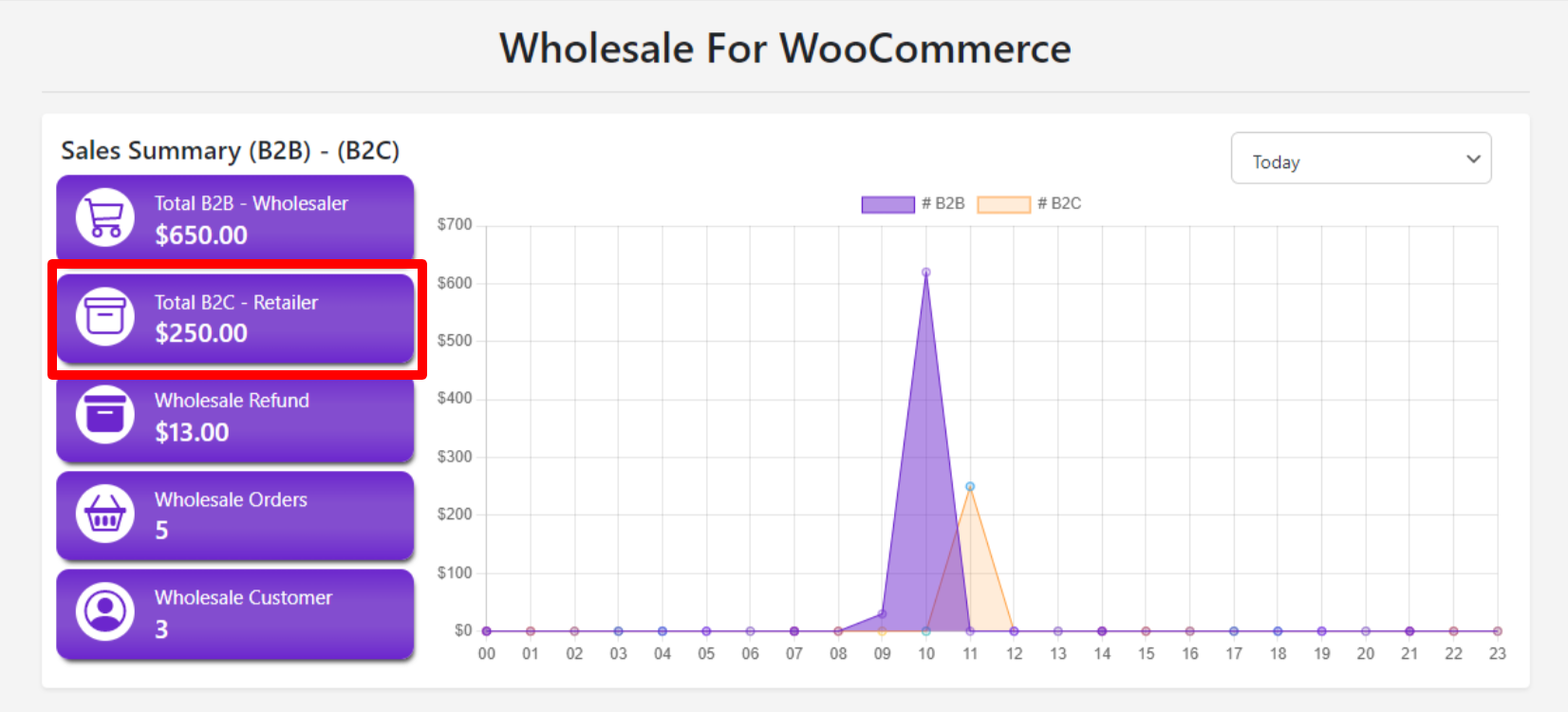
– B2C Sales Amount for Retail Orders
This is how much you have made from retail customers (B2C). This will come in use if you’d like to see B2B vs. B2C performance.
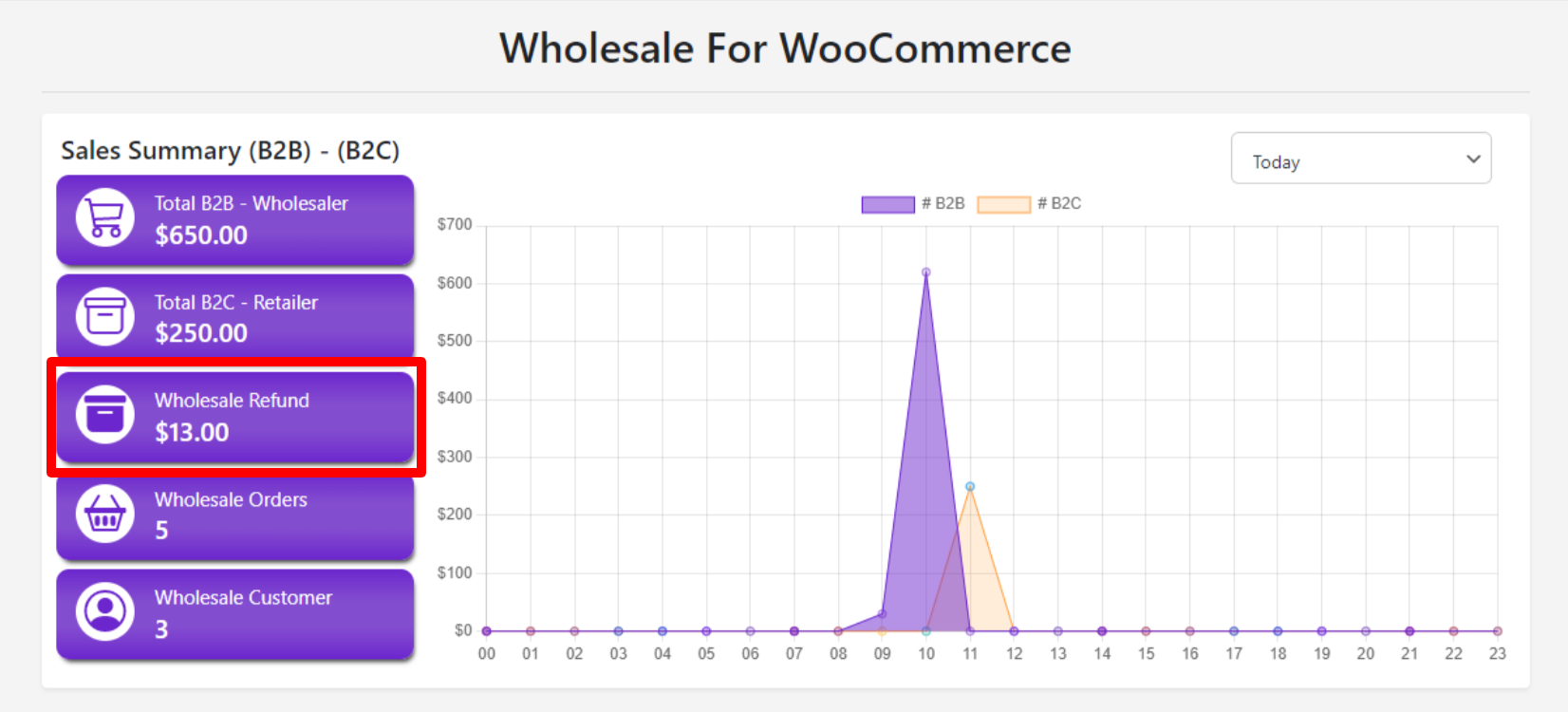
– Refund Amount for Wholesale Orders
If you’re issuing refunds for wholesale orders, then this section is helpful for you. You can view the amount refunded and ensure that your refund process is functioning as intended.
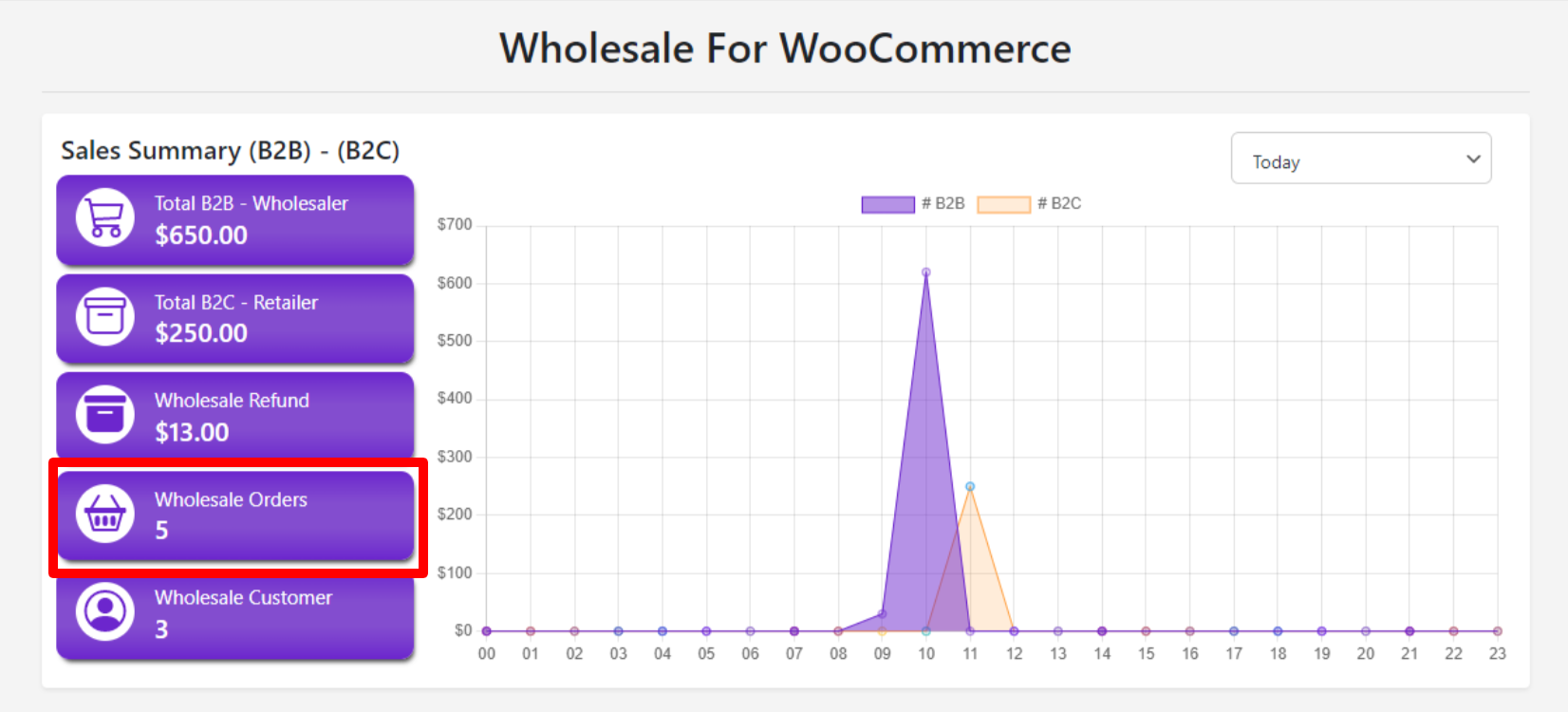
– Wholesale Order Count
This field describes the number of bulk orders. To find out how many wholesale customers have ordered bulk, this number will give you an idea.
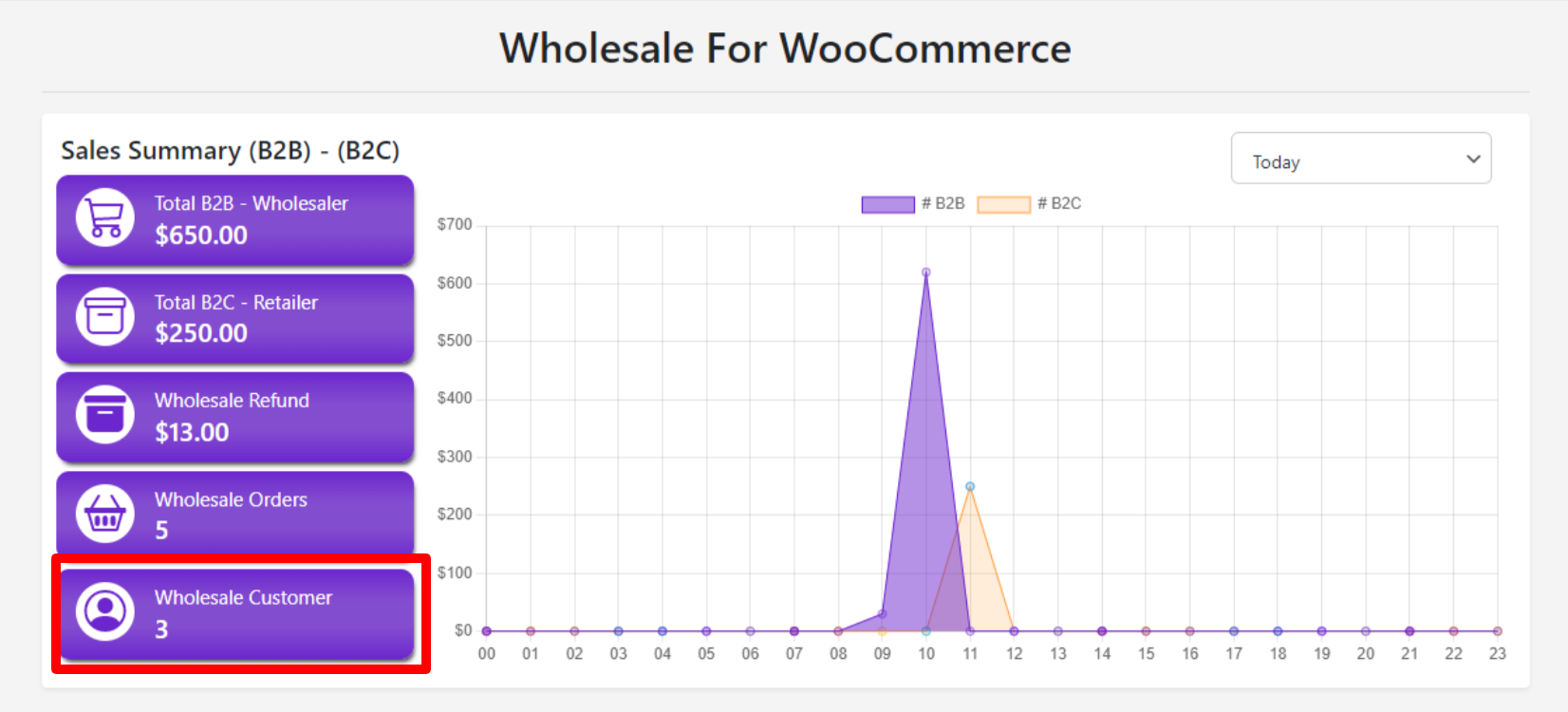
– Wholesale Customer Count
This field describes the number of wholesale customers. It can be helpful while tracking your customer base, especially when planning sales or marketing time comes.
Filtering Data: Get Insights on Specific Time Frames
There may be times when you want to split the sales information into specific time periods to properly track your wholesale sales data. There are a number of filters within the Advanced Wholesale Dashboard that will allow you to do so.
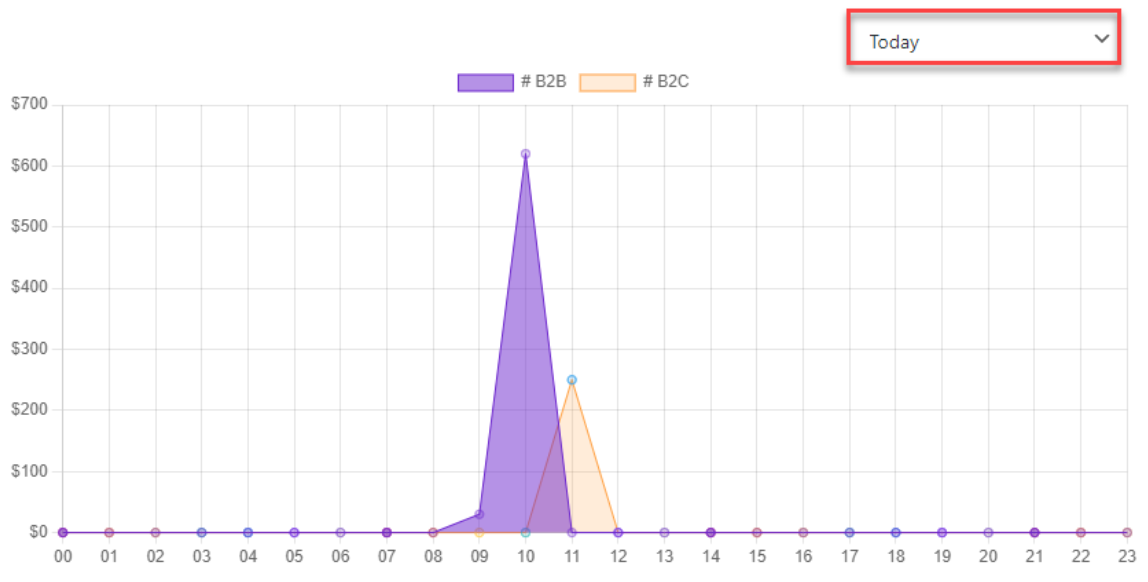
– Today Filter
This allows you to see sales information for today. You are able to see the overall amount, along with how the sales have performed on an hourly basis.
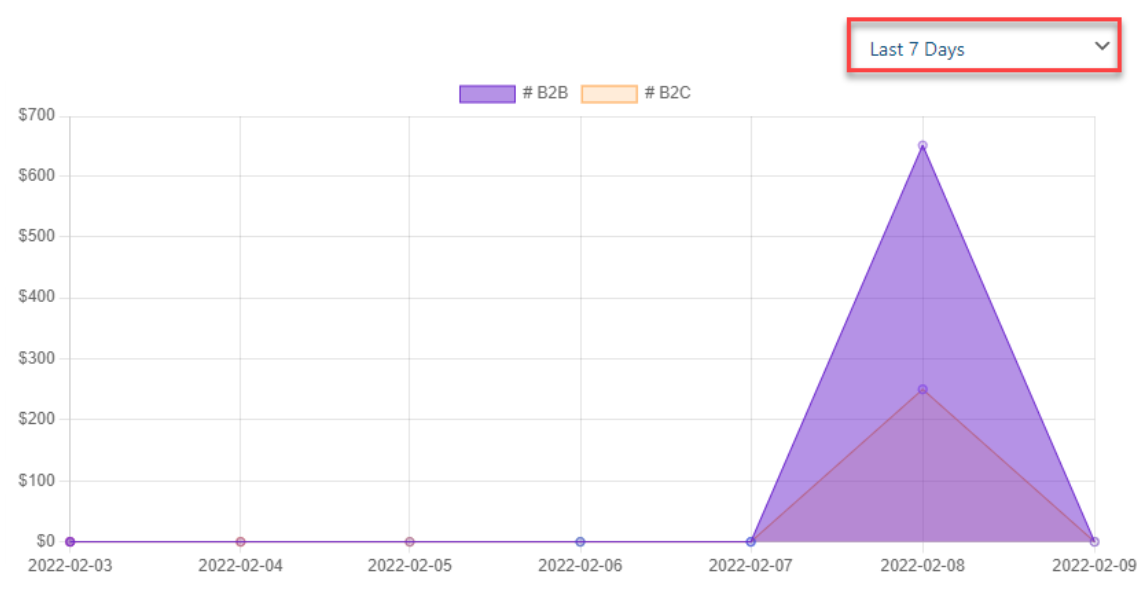
– Last 7 Days Filter
Want to see sales over the previous week? This filter and the chart will show sales values for the past seven days. You will see the total wholesale sales amount on the Y-axis and the date range on the X-axis.
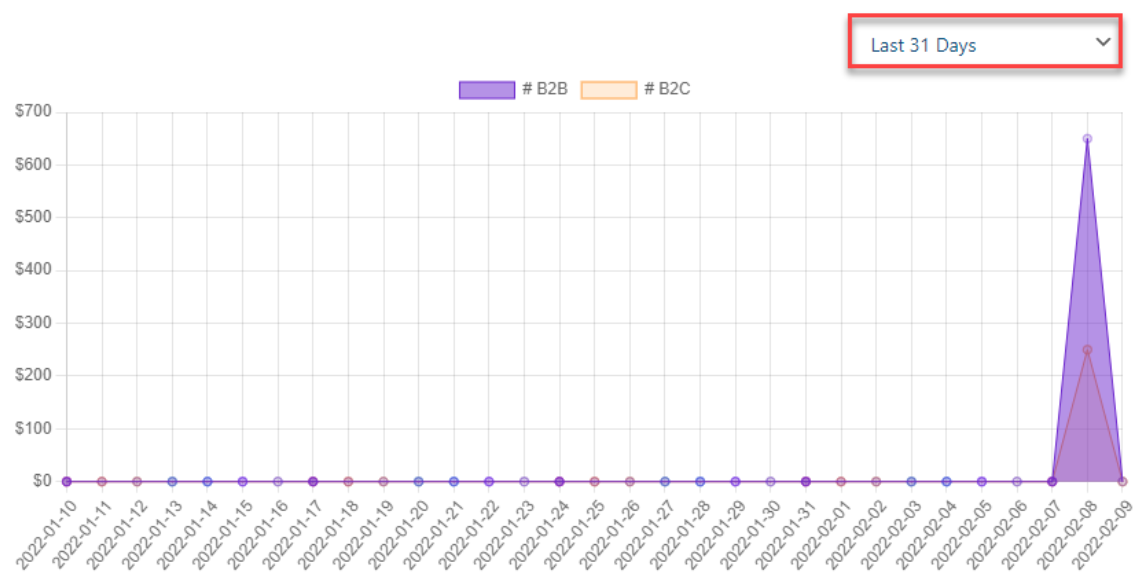
– Last 31 Days Filter
The last 31 days filter is every wholesaler’s favorite. As it shows, how much they have earned in the most recent times or the past month.
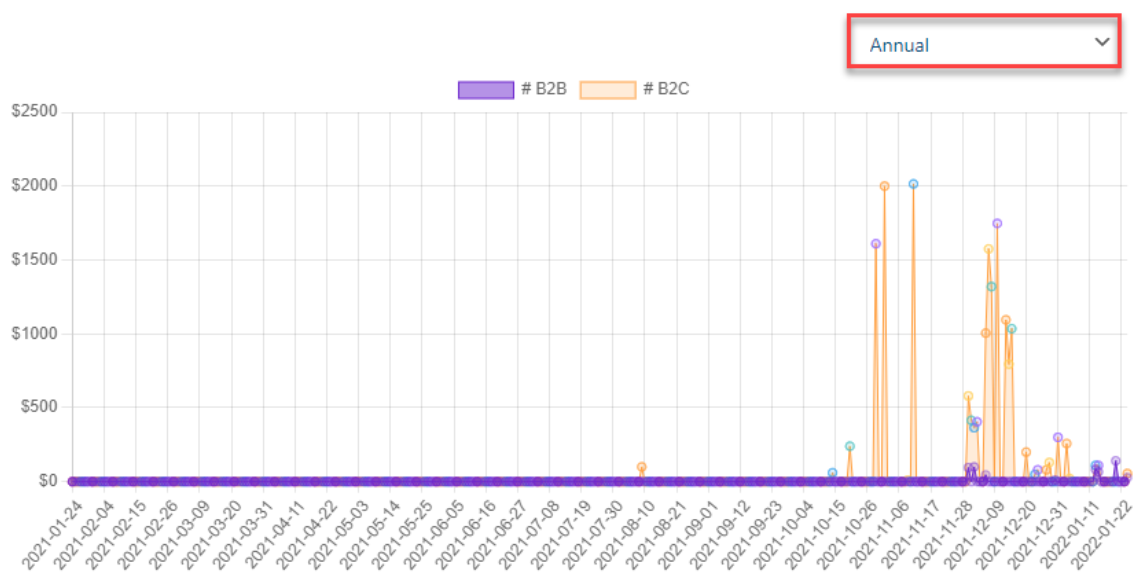
– Annual Filter
If you want to track your sales for the whole year, then the Annual filter will give you sales by the year.
– Custom Filter
It enables you to select a specific range of dates. Just put the start date from which you want to track your wholesale sales, and the end date. This way, you exactly understand how sales were during this custom time.
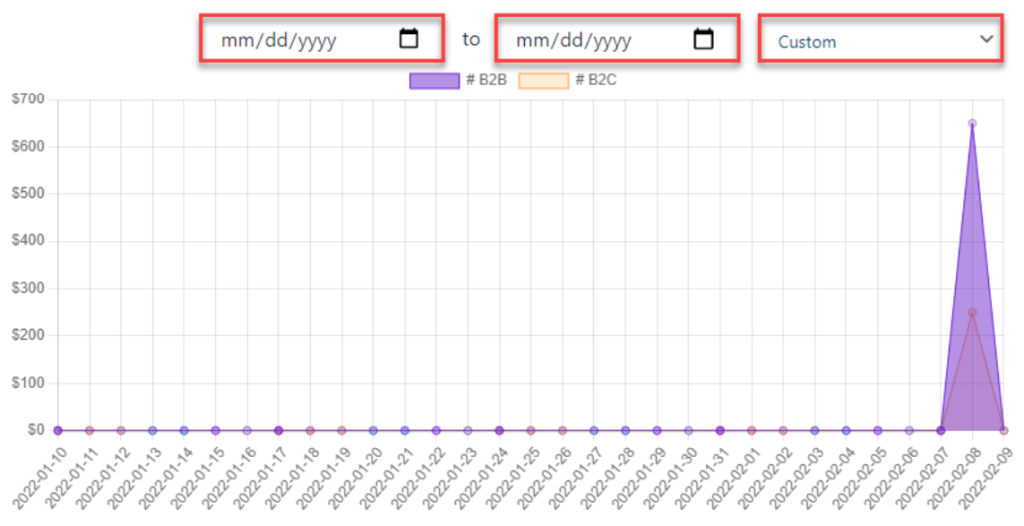
Refine your sales data and gain a clearer view of trends and patterns through these filters. It will help you create better strategies for both B2B and B2C markets.
[product_banner index=’1′]
New Registrations Approval Needed
It enables you to manage new wholesale customer sign-ups. Here you can see all the new registration requests that are made via your Wholesale Registration Form.
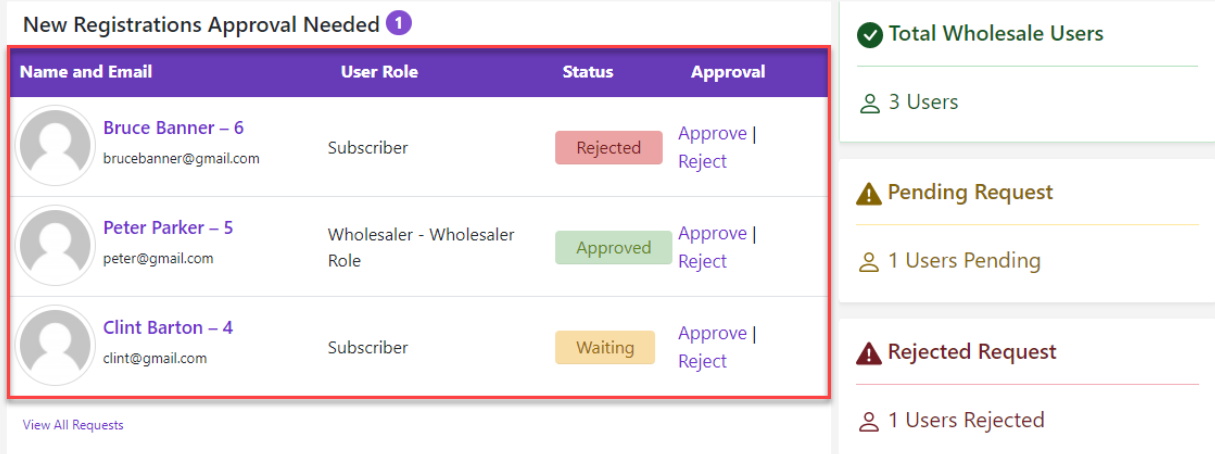
Its working is straightforward:
- This section has 4 columns:
-
- Name and Email
- User Role
- Status
- Approval
- Once you have reviewed the names, email addresses, and user roles they have submitted at a snap, you can easily approve or reject their requests.
The right side of this section shows:
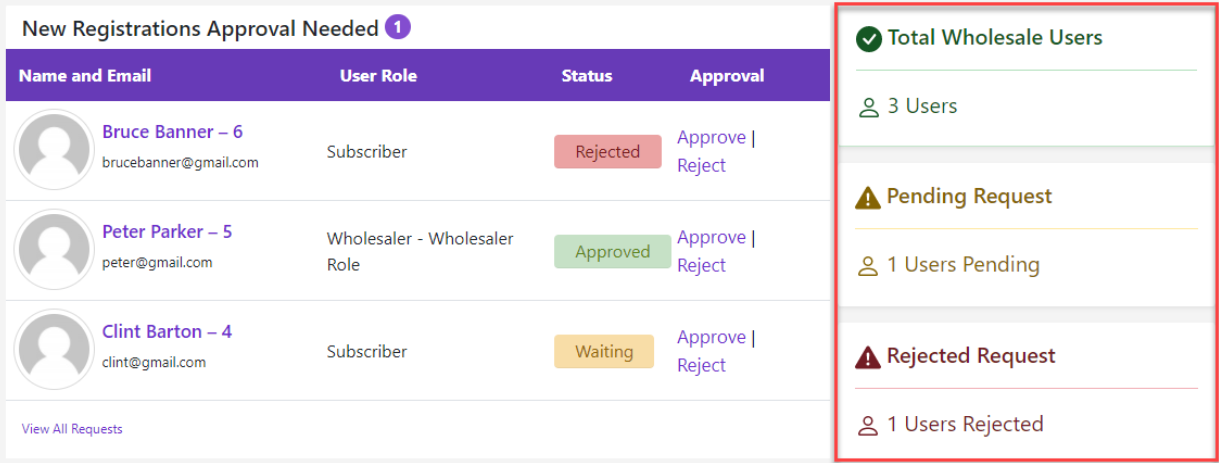
- Your Total Wholesale User List: It represents the total number of wholesale customers currently on your website.
- Pending Requests for Registration: This number represents the customers awaiting your approval.
- Rejected Wholesale Registration Requests: This represents the number of customer applications you have rejected.
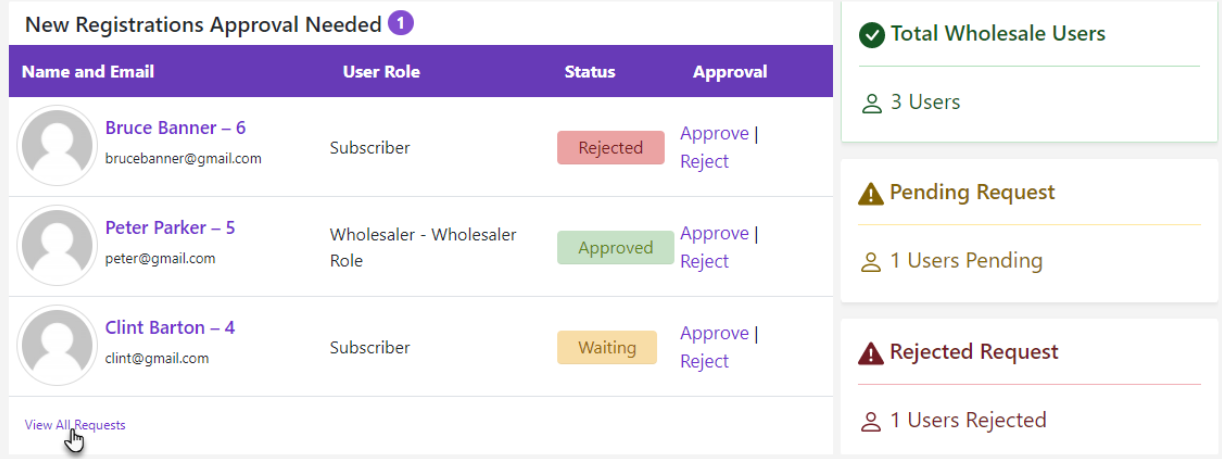
You can also click “View All Requests” to see complete details or approve/reject registrations in bulk.
Recent Wholesale Orders
The Recent Wholesale Orders tab on the advanced wholesale dashboard makes it simpler for users to view all the recent wholesale orders your customers placed. What it indicates:
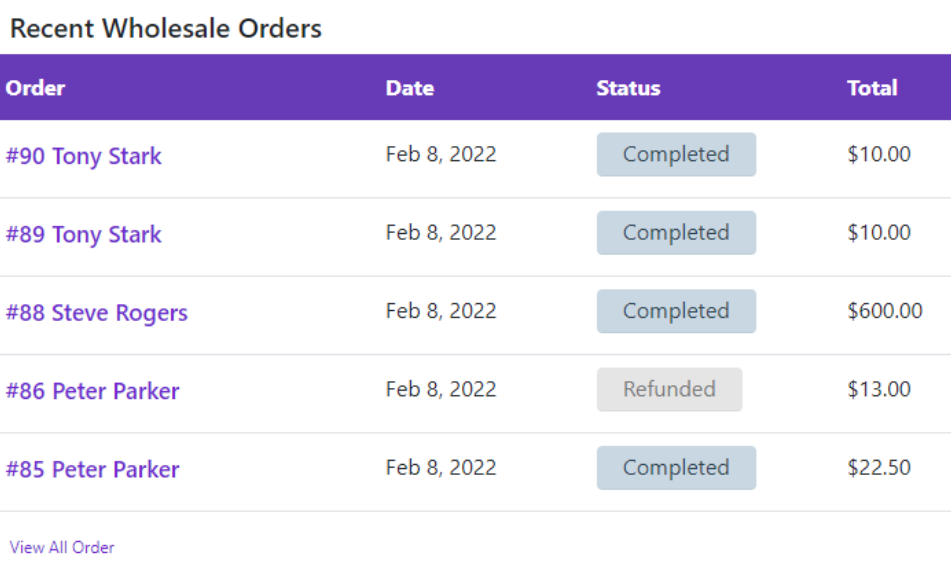
- Order Number: Individual number of each order.
- Date: Date when the order was placed.
- Status: Order status at the present time.
- Total: Order amount.
It is a great method to track new orders and how everything is proceeding very well. Clicking on an order will provide you with additional information regarding that order. Click View All Requests to see the Orders Page and view all recent wholesale orders.
Tracking Wholesale Sales Can Help You Make Data-Driven Decisions
The Advanced Wholesale Dashboard for WooCommerce is a powerful tool of the B2B Wholesale for WooCommerce plugin. It is basically for tracking sales and customer performance. Regularly monitoring your B2B and B2C sales and keeping track of new registrations is a must. It will give you a better and wider understanding of your wholesale business’s performance.
[product_banner index=’1′]
Why You Need an Advanced Wholesale Dashboard to Track Sales Performance
| Reason | Benefit | Use |
|---|---|---|
| Track B2B & B2C Sales | Separate views for business & retail sales | Compare B2B vs. B2C performance to identify growth areas. |
| Monitor Refunds | Keep track of refunded amounts for issues | Spot recurring issues with specific products or customers. |
| Order & Customer Count | View the number of orders and customers | Gauge demand and assess customer base expansion. |
| Visual Trends & Insights | Spot sales trends through graphs | Identify peak seasons and plan for inventory accordingly. |
| Timeframe Filters | View data by day, week, month, or custom periods | Analyze sales performance over different periods to adjust strategies. |
| New Customer Registrations | Approve or reject wholesale sign-ups | Streamline the approval process and reduce registration backlogs. |
| Easy Access to Recent Orders | View recent wholesale orders in one place | Stay updated on order status to prioritize fulfillment. |
| Customer Growth Tracking | Monitor new registrations and growth | Identify market demand and adjust marketing strategies to target new customers. |
Here is What You Should Also Keep in Mind
– Patterns and Trends
You’ve seen how graphs and filters work. Now you can easily track whether your sales are rising, steady, or falling. No employee of yours can fool you about your business; in the end, this wholesale dashboard will help you make better decisions.
– Easy Refund Management
As we discussed, with the wholesale refund tracking tab, you can see the amount you have already refunded. Helping in observing whether there are repeated issues that need to be addressed.
– Customer Growth Analysis
Through the new registration tab, you can keep track of new registrations and customer growth over time. Seeing a lot of pending registrations can be an alarm for you, and it might be time to improve your approval process.
Final Thoughts
The Advanced Wholesale Dashboard for WooCommerce is a must-have tool for anyone serious about managing and growing their wholesale business. With its ease of use and reporting function, you can track B2B sales and B2C, track active orders, and track new wholesale sign-ups of customers.
Having the ability to filter by specific time frames allows you to make decisions and track refunds and customer growth so that you are always aware of business health. Whether you’re just starting out or looking to optimize your existing wholesale operations, this dashboard is the key to unlocking better sales performance and business success.
Ready to track your wholesale sales record? Get B2B Wholesale for WooCommerce by WPExperts now and enter the new era of wholesale management with the advanced dashboard.
For assistance with your WooCommerce store, contact the best WooCommerce development service providers now.


