










































Cart abandonment is one of the most common challenges that WooCommerce store owners usually experience. A cumbersome multi-step checkout process significantly hampers the user experience and prevents customers from purchasing their favorite products online.
In this scenario, one-page checkout product tables come to the rescue. In simple words, store owners can incorporate a product table along with a simplified one-page checkout, making the purchasing process easy, quick, and powerful.
This blog post will discuss how WooCommerce store owners can utilize one-page checkout product tables to boost conversions.
What are Product Tables?
Product tables, as the name suggests, help e-commerce store owners showcase multiple products in a compelling yet structured way. They can play a crucial role in displaying product information in detail. Moreover, store visitors can view various products at once and select their desired ones.
Typically, product tables comprise the following information:
- Product names
- Prices
- Sizes, colors, and other specifications
- Product descriptions
What Do You Mean by One-Page Checkout in Product Tables?
A one-page checkout product tables streamline the multi-step checkout process, which typically involves various pages, transforming it into a single-page checkout for customers’ ease. Additionally, customers, whether new or existing, can view a wide range of products in a structured manner.
Fortunately, a reliable plugin, Bulk Order Form for WooCommerce, offers this feature. This means store managers or owners can easily activate one-page checkout product tables on their WooCommerce stores.

Advantages of One-Page Checkout Tables
The one-page checkout product tables feature, powered by the Bulk Order Form for WooCommerce, offers various advantages to users, including an enhanced user experience, reduced cart abandonment, a speedy checkout process, and improved mobile-friendliness.
1. Enhanced User Experience
A single-page or one-page checkout provides customers with an engaging user experience. They can effortlessly complete their purchases without having to navigate through multiple pages, saving both their time and effort simultaneously.
2. Reduced Cart Abandonment
There is a strong likelihood that multiple-page checkouts significantly annoy both current and potential customers. If they have to browse different pages and update numerous fields, this issue becomes more problematic.
In this situation, a single-page checkout product tables offer the ideal solution. It helps decrease unnecessary steps, simplifying the entire checkout process and resulting in reduced cart abandonment issues.
3. Faster Checkout Process
A single-page or one-page checkout product tables help customers complete their purchases within minutes. It enables them to provide the required information and proceed to payment quickly. In short, a one-page checkout product table streamlines the checkout process, making it faster and increasing the likelihood of conversions.
4. Improved Mobile-Friendliness
A one-page checkout seamlessly works on mobile devices, enabling customers to purchase their preferred products instantly.
How to Use One-Page Checkout Product Tables to Boost Conversions?
If you want to use a product table with a one-page checkout feature, ensure you have already installed and activated the Bulk Order Form for WooCommerce plugin on your e-commerce store.
To use a product table with a one-page checkout feature, follow the steps below:
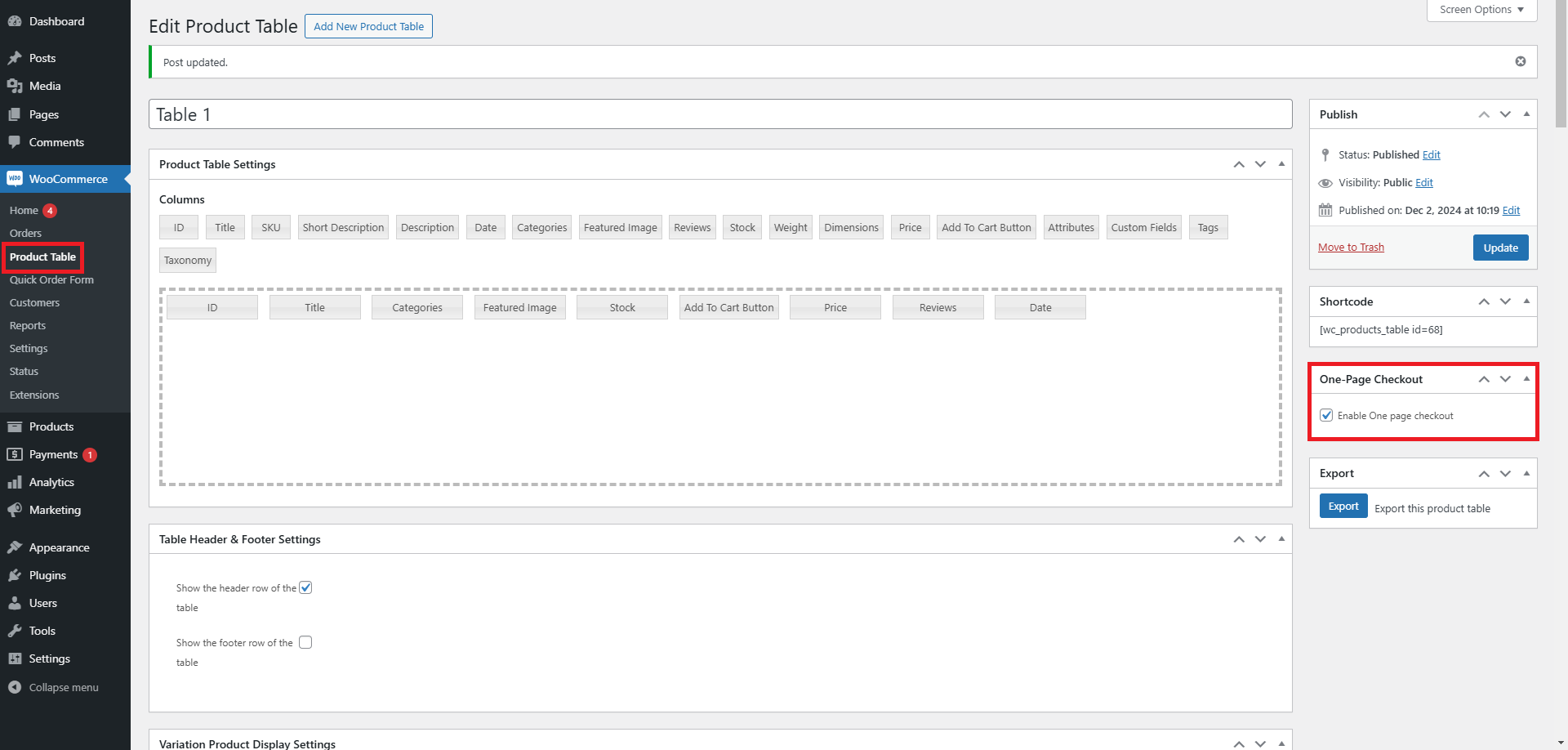
- Go to the Product Table.
- Check the Enable One-Page Checkout checkbox in the One-Page Checkout section.
- When you are done, press the Publish/Update button.
Front-End Impact:
- Through the site, go to the Product Table page.
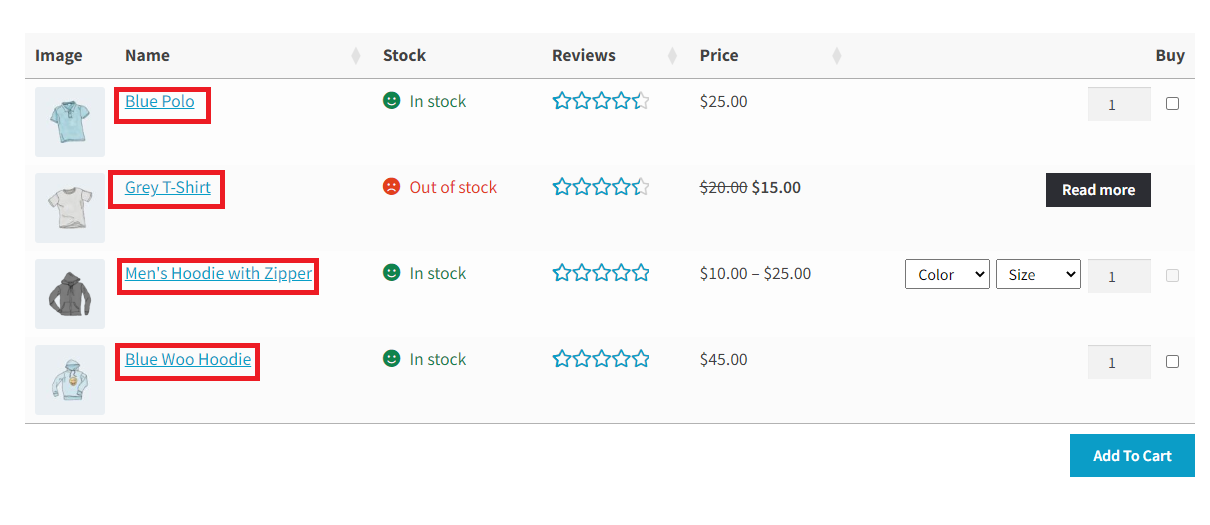
- Choose products depending on your needs and then press the “Add to Cart” button.
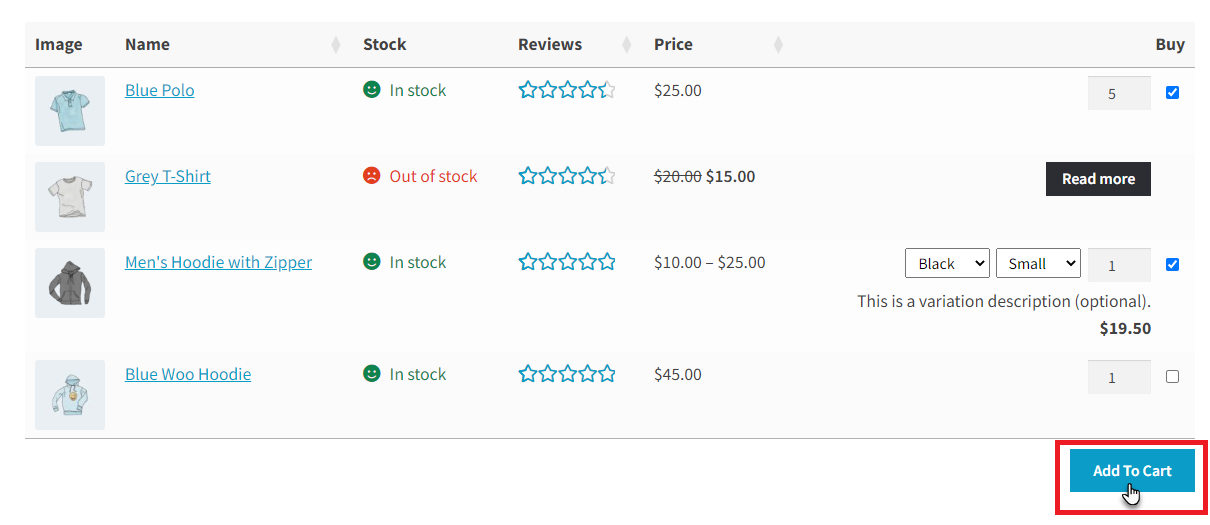
- The page will reload, and the Checkout Page will be shown at the bottom of the Product Table.
NOTE: The Checkout Page will be displayed whenever the user presses the “Add to Cart” button, regardless of its position on the Product Table page. This means the “Add to Cart” button is present for each item in the Product Table or below it.
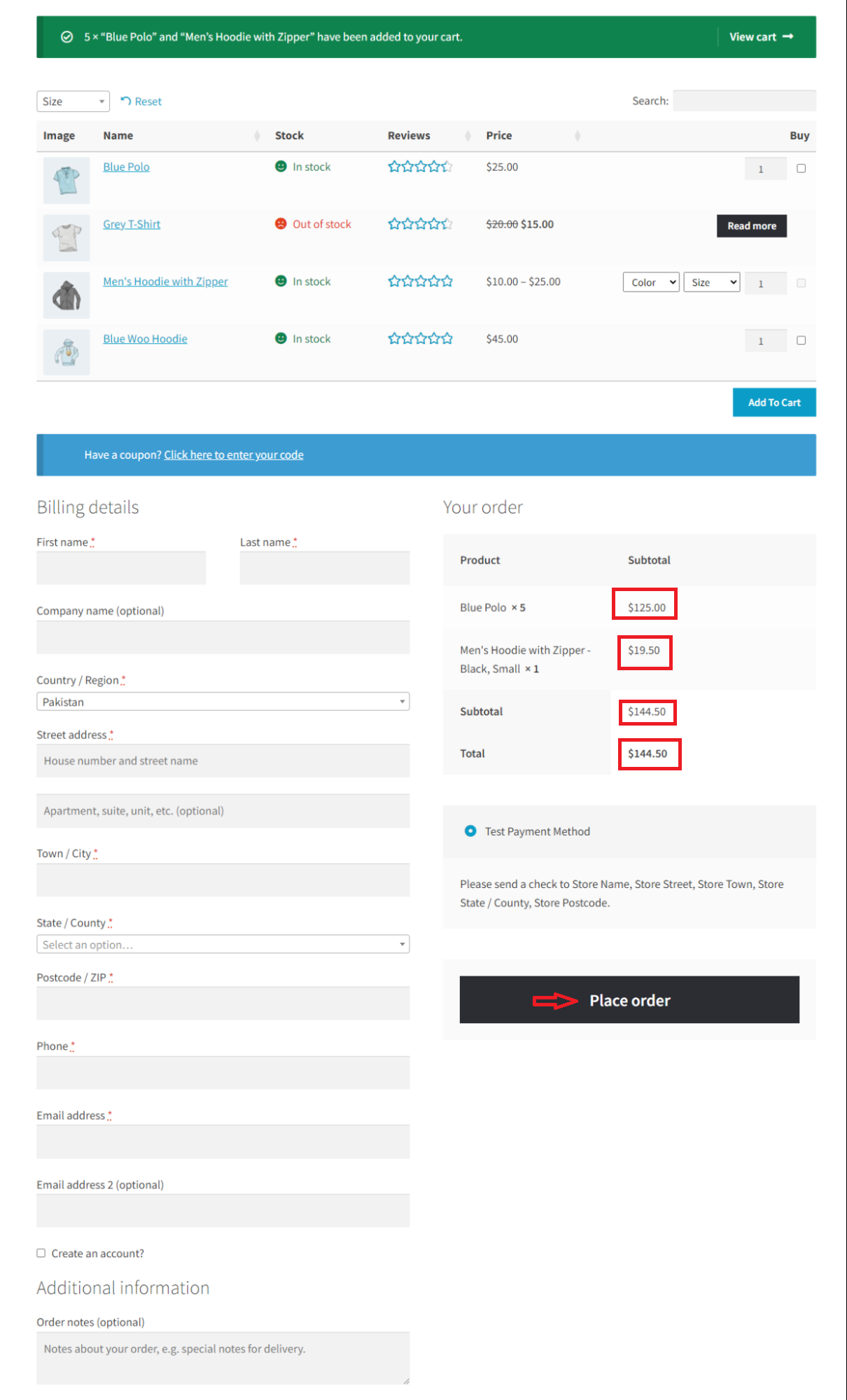
This will enable customers to select their preferred products on a single page and complete their purchases successfully. They will need to add products to their cart to experience the effectiveness of one-page checkout.
Wrapping Up
There is no denying that one-page checkout product tables can significantly enhance the productivity of WooCommerce businesses. A user-centric checkout, alongside improved product visibility, is essential for retaining and expanding customer bases, increasing conversions, and generating revenue.




