







































 Usman Hayat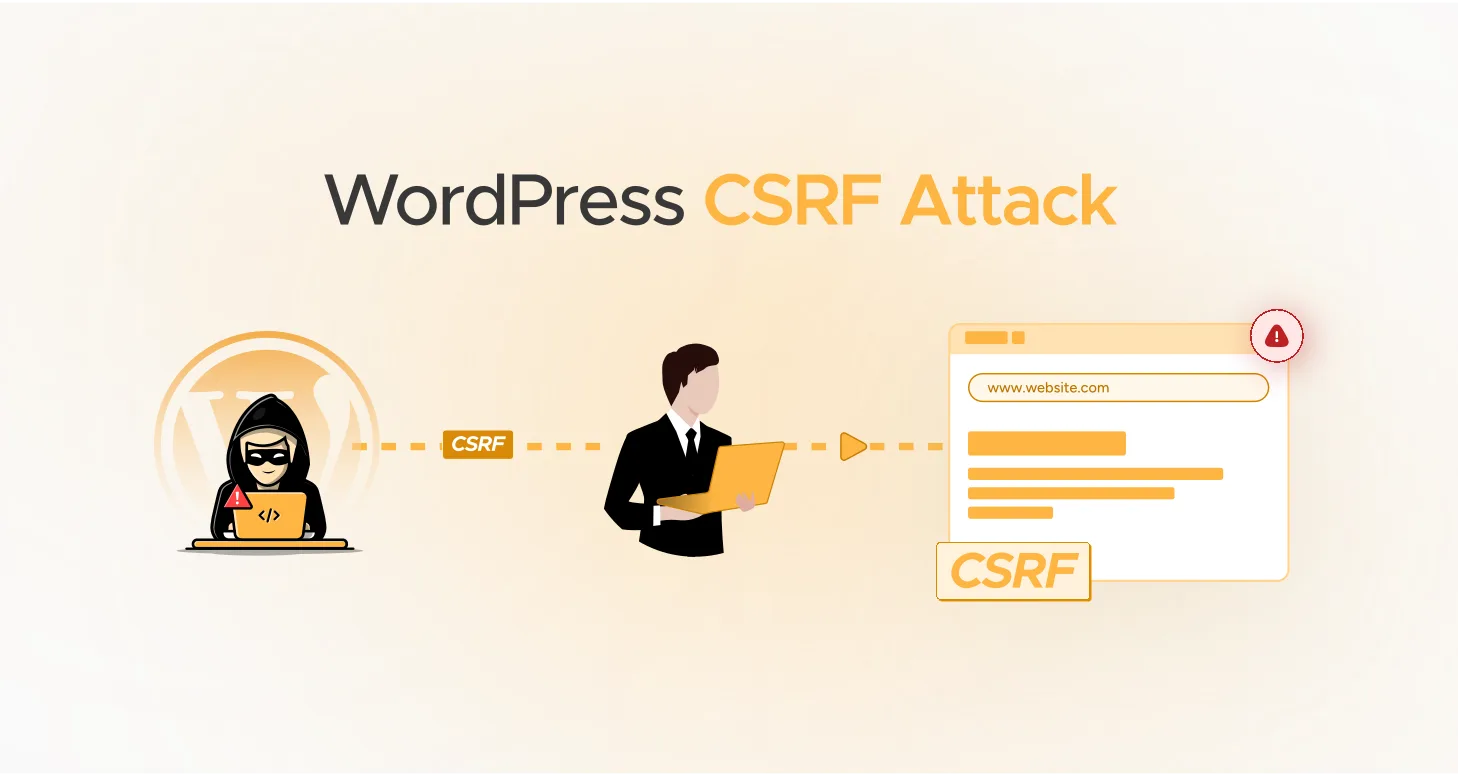
Unfortunately, all kinds of cyberattacks pose a significant threat to a website. However, a WordPress CSRF attack is one of the most damaging ones. It entices a user’s web browser to perform unwanted actions. Besides, a CSRF attack enables a hacker to access a legitimate user’s account, notoriously, allowing them to steal data and change permissions.
Therefore, you should be more careful about CSRF attacks. They reside in plugins and themes, potentially impacting websites’ performance and reputation.
This blog post will describe a WordPress Cross-Site Request Forgery (CSRF) attack and various methods for preventing hackers from exploiting CSRF vulnerabilities.
What Does a WordPress CSRF Attack Mean?
A WordPress CSRF attack, commonly known as Cross-Site Request Forgery (CSRF), prompts a user’s web browser to perform unauthorized actions on another site where the user has already authenticated themselves.
For the sake of your convenience, we explain the CSRF attack below:
- “Cross-site” refers to the exchange of information between various domains.
- “Request” means the user’s browser requests the web server. Technically, we refer to it as a “GET Request.”
- “Forgery” suggests that the hacker creates a fraudulent request to affect the website or the user negatively.
A CSRF attack largely depends on the user’s active session with the target website. In this attack, a hacker benefits from this session by transmitting malicious requests that do not appear suspicious at first glance. These requests originate from genuine users.
Hackers can use a CSRF attack to perform various tasks, including administrative activities, extracting sensitive information, and modifying account settings.
How to Protect Against a WordPress CSRF Attack?
When you want to protect your WordPress website against a CSRF attack, you can follow various methods, including:
- Delete All Unneeded Plugins and Themes.
- Use Unique Nonces to Protect Your Custom Forms.
- Install Security Plugins.
- Be Careful When Clicking Links.
- Log Out Users Automatically.
- Provide Awareness to Your Users.
- Update WordPress Themes and Plugins Regularly.
Delete All Unneeded Plugins and Themes

Plugins or themes can lead to cross-site request forgery (CSRF) vulnerabilities. Therefore, you must remove them to secure your WordPress site. Unfortunately, plugins and themes are easy targets for hackers because they offer them easy entry points. In this situation, uninstall unused plugins and themes as early as possible.
Deleting plugins and themes ensures maximum security for your WordPress website.
Use Unique Nonces to Protect Your Custom Forms
Custom forms help collect crucial information. However, they are prone to security risks, such as CSRF attacks. You can use a nonce (a Number Used Only Once) when securing custom forms. Use the following code to add a nonce to custom forms:
Now, you must authenticate the nonce with each POST request:
if (

isset($_POST['form_nonce']) &&

wp_verify_nonce($_POST['form_nonce'], 'test-nonce') &&

isset($_POST['new_email']) &&

is_user_logged_in()

) {

// Process the form safely

}
By following these steps, you can protect your WordPress site against CSRF attacks.
Install Security Plugins

Install security plugins such as Sucuri, Wordfence, Defender Security, All-In-One Security, and Shield Security. These plugins feature powerful firewall capabilities that help block malicious requests and attacks before they can spread to your website.
Other security features, such as a malware scanner, login page protection, activity logging, and more, allow you to safeguard your site appropriately against CSRF attacks and other risks. Therefore, you must install and activate a security plugin on your website to mitigate the risk of cross-site request forgery (CSRF) attacks.
Be Careful When Clicking Links

You must be cautious when clicking links, as this can trigger numerous security risks, including phishing attacks and CSRF attacks. Therefore, you should not click on unverified or dubious links, regardless of the cost. Moreover, you must verify the authenticity of the source before proceeding.
Writing a URL manually in the address bar can sometimes be more effective than clicking on a link. This may help you avoid facing attacks like CSRF in the future.
Log Out Users Automatically

You should log out users automatically. This will prevent hackers from misusing their accounts. As you are aware, a CSRF attack typically occurs when users are logged into their accounts. However, it is not a comprehensive workaround. Still, it helps add a security level against WordPress cross-site request forgery (CSRF) incidents.
Provide Awareness to Your Users
You should educate current and potential users of your site about the pitfalls of clicking suspicious links. Likewise, you should inform them about the consequences of interacting with illegitimate and unknown sources while they are logged into their accounts.
Update WordPress Themes and Plugins Regularly

Security weaknesses in themes and plugins often lead to hacking and cybersecurity risks. Hence, you must regularly update WordPress themes and plugins to bypass CSRF attacks. Moreover, there is no harm in updating all the content on your website. Otherwise, hackers and other cybercriminals can exploit the security vulnerabilities often found in outdated software.
Therefore, you must regularly update your website’s software, in addition to themes and plugins.
What is the Consequence of a WordPress CSRF Attack?
A WordPress CSRF can hurt users and websites. For instance, it can jeopardize users’ privacy by breaching the trust between a site and a user’s browser, allowing hackers to access their sensitive information.
Furthermore, they entice users to perform suspicious actions that reveal sensitive information. As a result, users can become victims of identity theft and other issues. Lastly, a CSRF attack can seriously hamper users’ digital well-being.
CSRF vulnerabilities can affect a website’s credibility. Cyber thieves can spread malware to a site by exploiting cross-site request forgery (CSRF) vulnerabilities. Hence, they can easily inject malicious scripts and codes and misuse sensitive data.
If you don’t protect your site against CSRF attacks, you may lose users’ confidence, which can hinder the site’s reputation.
Is CSRF Possible with HTTPS?
Unfortunately, it is true. CSRF attacks can happen even if your website utilizes HTTPS (SSL). Although HTTPS’s primary function is to secure data transmission, it does not safeguard the site against CSRF vulnerabilities by default. Therefore, you should implement several protection measures, such as applying a CSRF token.
Are CSRF and XSS (Cross-Site Scripting) the Same?
Both CSRF and XSS are not identical security vulnerabilities or weaknesses. The former motivates users towards wrongdoing, encouraging them to conduct unwanted actions. The latter enables a hacker or other malicious actor to insert malicious scripts into websites to misuse confidential data. You should not take these security vulnerabilities lightly at any cost.
Wrapping Up
CSRF attacks are a longstanding internet security threat that continues to pose a challenge for modern websites. WordPress is a renowned content management system (CMS) worldwide, making it a prime target for hackers who aim to steal sensitive information and financial data. Additionally, hackers frequently attempt to disrupt WordPress’s consistency and effectiveness through WordPress Cross-Site Request Forgery (CSRF) attacks.
Fortunately, you can use various methods to minimize the chances of hackers manipulating your users into undesired actions. With our information, you can smartly safeguard your WordPress site and users from WordPress CSRF attacks.


