









































 Muhammad Jaffer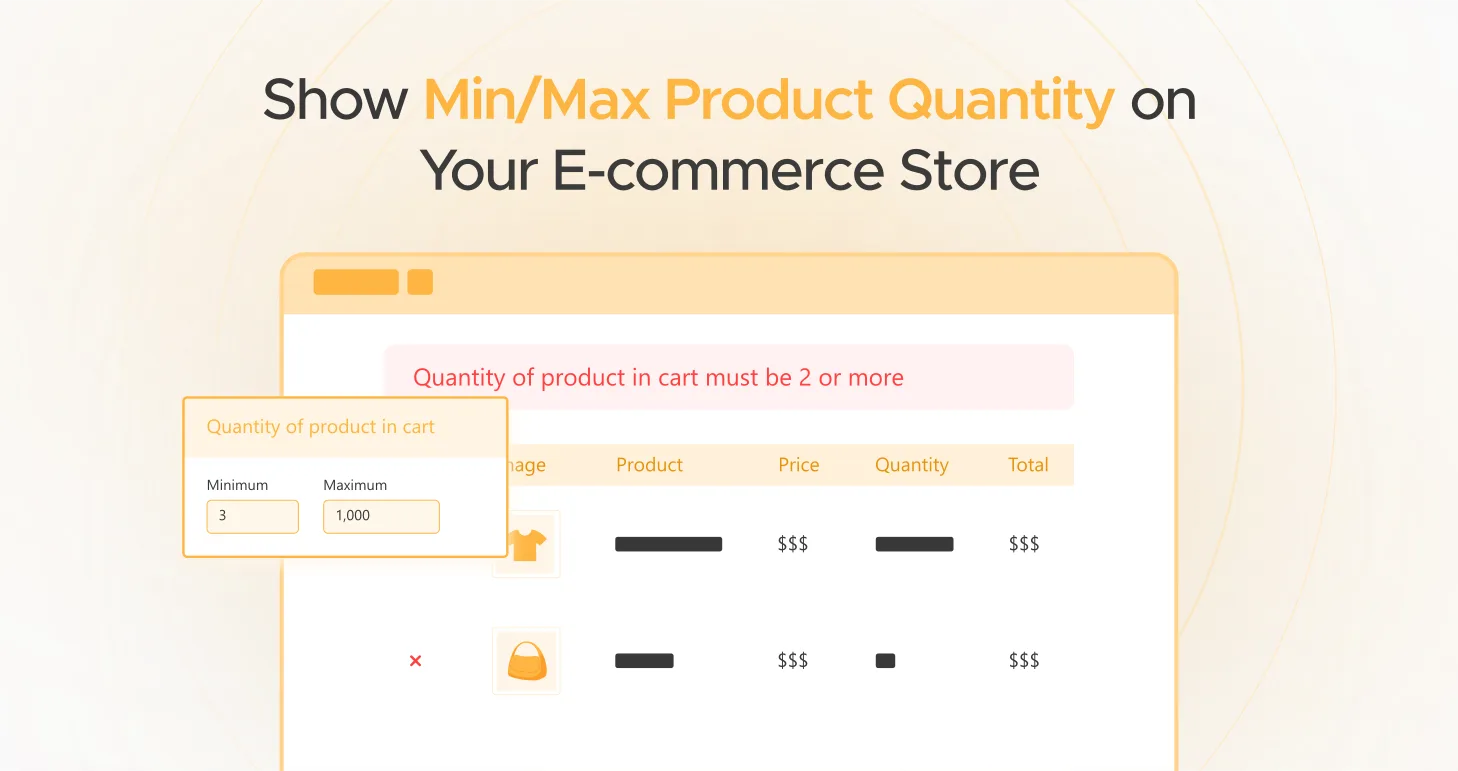
You have an online shop where consumers purchase only one item per transaction—a single pen, t-shirt, or coffee cup. The individual products are cheap, but you’re about to break even after adding shipping, packaging, and payment costs. And in case a huge order hits you, that you have a hard time packing and shipping promptly, which creates stockouts, delays, and unsatisfied consumers.
This is where WooCommerce Min Max Quantities step in. They assist you in managing how many customers can order in one go, so each sale is profitable and manageable.

Whether you own a B2C e-commerce store, a wholesale platform, or a subscription site, having Product Min Max Quantities set for you ensures you have a balanced inventory. Doing this gives you a higher average order value, and your shoppers a trouble-free shopping experience.
In this in-depth tutorial, you’ll discover:
- Why you need Min/Max Quantity Rules for your business.
- The step-by-step process of how to set Order Min Max Quantities in WooCommerce.
- Advanced techniques to boost your Average Order Value (AOV).
- The best-suited WooCommerce plugin to assist you in executing these quantity rules effectively.
By the time you finish reading this tutorial, you’ll be well-versed in exactly how to fine-tune your WooCommerce Min Max Quantities to achieve maximum profit and automate order fulfillment.
Why You Need to Set Min/Max Quantities in WooCommerce
Without min/max quantity restrictions, online stores experience a number of problems:
1. Small, Profitless Orders
With low-value products like office supplies, kitchenware, or small accessories, selling a single product might not be worthwhile. Setting a minimum order quantity can encourage individuals to buy items in bulk, making transactions profitable.
2. Overwhelming Bulk Orders
Concurrently, allowing unlimited quantities of product purchases may cause some problems. If a customer wants to purchase 500 product units, but you have only 300 available. Now, you must cancel part of the order or suspend fulfillment. Imposing maximum quantity limits avoids this problem.
3. Packaging and Shipping Restrictions
Certain products have to be sold in particular pack quantities. If you sell drinks, cosmetics, or small-electronic accessories, you should sell in quantities of 3, 6, or 12. Without quantity rules, customers can purchase in odd quantities, causing inefficient and irregular packaging each time.
4. Stock Management Problems
Granting unlimited orders can cause inventory forecasting issues. How can other customers buy your products if a single customer purchases all the stock? It results in missed sales.
5. Enhanced Customer Experience
Customers may not know that some products need to be purchased in bulk. It can be frustrating if they attempt to purchase one but then discover they need to add more. Having clear Min/Max Quantity Rules avoids this.
Best Applications of Min/Max Quantities for WooCommerce
1. Wholesale and B2B Sales
Wholesalers hope to purchase in bulk. Rather than allowing them to buy a single item, assign a minimum order quantity to encourage them to purchase enough for the sale to be worthwhile.
2. Subscription and Digital Products
Establishing maximum purchase quantities for software, services, or digital goods avoids misuse. A customer shouldn’t be able to purchase 20 software licenses when each license is intended for one user.
3. Seasonal and Perishable Items
Selling perishable items such as fresh food, flowers, or baked items? Minimum order quantities ensure that customers purchase sufficient to make shipping worth it and avoid wastage.
4. Made-to-Order and Custom Products
Businesses offering personalized printing, apparel, or packaging need a minimum order to make the production viable. For instance, a t-shirt custom printer may demand a minimum order of 10 shirts to make the process worthwhile.
5. Low-Cost Products
In the case of low-cost items such as stationery, party decorations, or small equipment, minimum order quantities ensure profitability and prevent selling single low-cost items.
How to Set WooCommerce Min Max Quantities (Step-by-Step Guide)
The simplest method of implementing Product Min Max Quantities in WooCommerce is using the Product Quantity for WooCommerce plugin by WPExperts. It gives you complete control over product purchase limits, step increments, and display settings.
Step 1: Install and Activate Product Quantity for WooCommerce
- Purchase Product Quantity for WooCommerce from WPExperts WooCommerce store page.

- Now Go to WordPress > Plugins > Add New Plugin > Upload Plugin.

- Choose Product Quantity for WooCommerce zip file from downloads and install it.

- Finally, activate the plugin.

Step 2: Enable Min/Max Rules
- Navigate to WooCommerce > Settings > Product Quantity.

- Turn the “Enable On Simple Product” settings on and click save changes.
Step 3: Configure Min/Max Rules for Products
- Go to WooCommerce > Products and add a new product or edit a product.

- Go to Product Data > Product Quantity and enable Product Quantity Restrictions.

- Select a Quantity Type (Default, Fixed, Step, or Custom Quantity).

- Set Minimum and Maximum Quantity limits for the product.

- Click Update to save changes.

Step 4: Set Quantity Rules for Variations
To set quantity rules for variations, first you have to enable it. WooCommerce > Settings > Product Quantity > General Settings.

- In Product Data > Variations, expand a variation and enable Product Quantity.

- Select the Quantity Type and set Min/Max Limits for each variation.

- Click Update to apply the settings.

Step 5: Customize Quantity Display & Notices
- Use input fields like dropdowns or boxes to determine how quantities appear.

- Send error messages to notify customers when they don’t reach/exceed quantity restrictions.
Key Features of Product Quantity for WooCommerce
1. Set Custom Quantity Rules
Set minimum and maximum quantity limits for single products, whole categories, or specific customer roles. If you want to force bulk purchases or avoid excessive orders, these rules will allow customers to purchase within your specified range. By this, you can boost Average Order Value (AOV) and effectively control inventory.
2. Role-Based Quantity Restrictions
Different customers have different purchasing needs. Through role-based quantity settings, you can give unique Min/Max rules to wholesalers, retailers, or guest shoppers. This helps B2B buyers avail themselves of bulk purchasing discounts and makes B2C buying more fluid, creating a personalized buying experience.
3. Support for Decimal Quantity
Selling products by weight, volume, or length? The plugin supports decimal-based quantities (e.g., 0.5kg, 1.2L, 2.5m) and is thus ideal for supermarkets, manufacturing, and textile production. Customers can purchase exact measurements, reducing waste and making accurate purchases.
4. Cart Validation and Real-Time Error Messages
Prevent order mistakes at checkout! The plugin immediately warns customers if their chosen quantity does not align with Min/Max rules. The plugin will display an error message if an order breaks the specified limits.
Advanced Techniques for Defining Min/Max Quantities in WooCommerce
Configuring WooCommerce Min Max Quantities is not simply limiting purchases. Instead, it’s a dynamic feature to enhance revenue, optimize stock, and enhance customer experience. Here are sophisticated strategies to get the best out of Product Min Max Quantities and ensure maximum success for your WooCommerce store.
1. Leverage Min/Max Rules to Promote Bulk Discounts
Customers love discounts, and bulk pricing with quantity limits helps boost AOV. Instead of requiring a minimum purchase, use tiered pricing. Adjust prices based on purchase volume to create better incentives.
- Buy 10+ units → Receive 5% discount
- Buy 25+ units → Receive 10% discount
- Buy 50+ units → Receive 15% discount
This tactic encourages customers to buy in bulk, allowing you to keep larger profit margins and compensate bulk purchasers.
2. Merge Min/Max Rules with Free Shipping Triggers
Lack of free shipping is a common cause of cart abandonment. You can inspire customers to buy more by requiring a minimum purchase quantity or value for free shipping.
Example:
- “Get Free Shipping on Orders Over $50!”
- “Purchase a Minimum of 10 Products and Get Free Delivery”
Merging Product Min Max Quantities with free shipping rewards maximizes cart size and also improves customer satisfaction.
3. Apply Max Purchase Limits on High-Demand or Low Stock Items
Applying a maximum purchase limit for high-demand, seasonal, or low stock items avoids stock depletion by a few customers. This tactic makes products available to more customers, which is excellent for:
- Holiday or Black Friday Sales (don’t let one customer purchase all available stock).
- Limited edition items (guarantee broader distribution).
- Subscription stores (regulate stock flow for regular orders).
Setting maximum purchase quantities also instills a perception of scarcity, making customers more urgent and resulting in more sales.
4. Tailor Min/Max Rules for Customer Segments
All customers do not buy alike. By using role-based Min/Max limits, you can tailor purchase rules to groups:
- Wholesalers: Charge higher minimum order quantities to mandate bulk buys.
- Retail Customers: Enable lower order sizes to support infrequent buyers.
- Guest Users: Charge a higher minimum order amount to prompt sign-ups.
By tailoring purchase limits, you build a more efficient shopping experience while maximizing profitability.
5. Encourage Subscription and Repeat Orders Through Min/Max Rules
If your store sells subscription products (e.g., coffee, pet food, health supplements), Min/Max Quantities can drive retention and repeat revenue.
For instance, make customers:
- Order a minimum of 3-months’ stock at one time.
- Subscribe to a minimum of 2 product deliveries to get discounts.
This ensures steady sales cycles while securing repeat buys.
Conclusion: Take Full Control of Your WooCommerce Store
E-commerce store operation involves its challenges—unprofitable transactions, low-value orders, and stock issues cut into your margins. With WooCommerce Min Max Quantities, you have total control over your customers’ behavior with respect to your stock.
By adopting intelligent Min/Max rules, you can:
- Induce buying in bulk for AOV boosting.
- Guarantee profitability through prevention of low-margin orders.
- Avoid over-buys and stockouts at times of peak demand.
- Increase shipping, packaging, and logistics efficiency.
- Customize purchase limits for customer segments.
The easiest way to have Product Min Max Quantities functionality is by using Product Quantity for WooCommerce. This advanced plugin offers complete control over purchase limits, which means better inventory management, increased sales, and happy customers.
Ready to grow your WooCommerce store to the next level?
Get Product Quantity for WooCommerce today and streamline your store’s sales and stock!


