



































 Muhammad Jaffer
User experience drives all of e-commerce. You can have excellent product offerings and competitive pricing. Still, if international consumers visit your site and find the pricing is not in their currency, then you’ve already lost the battle.
Customers online want a personal experience. They want to shop easily and directly relevant to where they actually are. That’s not too much to demand, but it’s between a sale and an abandoned cart.
Around the world, millions of online stores use the WooCommerce plugin to run their businesses. Some businesses have one store/website that encompasses their entire company’s presence worldwide. Automatic currency detection is the feature that most helps them manage this global reach effectively.
[product_banner index=’1′]
The Currency Switcher for WooCommerce plugin provides just that. With its Currency by Location option, it determines where your customers are viewing from and shows them prices in their local currency. No manual changeover required. No confusion. Just a stress-free, localized online buying experience from the get-go.
Key Takeaways – What This Blog Covers
- Auto Currency Detection Explained: How it works in WooCommerce.
- User Experience Impact: Why local pricing improves satisfaction.
- Trust & Credibility: Building confidence with transparent pricing.
- Conversion Benefits: Turning visitors into confident buyers.
- Set up Tips: Best practices for enabling currency by location.
- Challenges & Solutions: Handling APIs, rates, and legal rules.
What is WooCommerce Currency by Location?
The Currency by Location feature is easy to use. When someone visits your store, the currency switcher add-on for WooCommerce reads their geographic location. Then it shows the price in the local currency. The person from Tokyo will get to see the price in Japanese yen. The person from London will be presented with the pound. The Aussie will be presented with the Australian dollar.
For international stores, the auto currency detection feature is no longer a nice-to-have but a requirement. E-commerce is now global, and shoppers will expect stores to meet all their expectations. Currency Switcher is an add-on that integrates with WooCommerce instantly and works perfectly on the front-end without the customer needing to do anything extra.
Auto Currency Detection Effects on the User Experience
– It Reduces Friction
Think back to the last time you ever shopped on a foreign website. They made you do mental math, estimate currency exchange rates, and cross your fingers that you wouldn’t get hit with hidden charges at checkout. Most people would just give up, hence losing potential sales.
Automatically displaying currency reduces all the friction. So let’s say you’ve got someone coming into your store from Singapore. They immediately see things in Singaporean dollars. They don’t even worry about the conversion. They shop.
– It Promotes Trust
Trust is all when it comes to Internet shopping, particularly when purchasing from a store elsewhere in the world. When customers view prices in their own currency, this communicates to them that you know their market.
– It Creates Personalization Without Effort
Your users get a localized experience with no setup required, no account configuration, and no menus to navigate. The site just understands. This makes your store more relevant and accessible. Customers feel the store is made for them, rather than like strangers navigating unfamiliar purchasing procedures. This comfort translates to more finished sales.
Benefits of the Auto Currency Detection Feature for WooCommerce Store Owners
– Higher Conversions
When the customer doesn’t need to click to switch currencies, they will purchase. Every step within the procedure is an opportunity to rethink. Eliminating the step to choose currency takes away one obstacle.
Studies consistently discover that localized pricing generates the highest conversion rates. As people see the amounts paid in currencies they are comfortable with, they make swifter, more confident decisions.
– Fewer Abandoned Carts
Cart abandonment is the absolute worst-case situation for each online merchant. Unexpected fees at checkout are one of the top reasons why customers leave the cart. When the customer is buying in a non-native currency, they may not know the final cost until the checkout page.
By making the proper currency clear from the beginning, you aren’t springing things on people. Customers aren’t walking around confused about what they pay for during their purchase experience. No confusion about conversion rates. No last-minute assessment fees.
Expert advice: Learn about more ways to reduce abandoned carts in your store and seal more deals.
– Enriched Interactions and Reduced Bouncing Rates
Bounce rates decrease because customers instantly recognize pricing in their native currency. When someone lands on your page and sees that the rates are in their home currency, they are more likely to stay. First impressions matter the most in online shopping. They’ve only seconds to convince someone your site is worth their time.
Showing the right currency tells them your store is international, professional, and developed with them in mind.
Why You Need Auto Currency Detection for Your WooCommerce Store
| Reason | Impact |
|---|---|
| Localized Pricing | Builds trust and relevance instantly |
| No Manual Currency Switching | Smooth, intuitive buying journey |
| Higher Conversion Rates | More completed purchases, less hesitation |
| Reduced Abandonment | Fewer surprises at checkout |
| Improved User Experience | Feels custom-made for every shopper |
| Global Reach | Seamlessly serves international audiences |
Why Geo-Targeted Pricing Establishes Trust
Transparency is the key to the success of e-commerce. Shoppers have experienced frustration multiple times due to hidden fees and unclear pricing. That’s why they have become very cautious, particularly when buying from abroad.
When your customers place an order for items in local currency, the process is transparent. You are giving the customer precisely what they will pay for in a form they can identify with.
This transparency also applies to payment processing. When your customers see their local currency, they think that your store can process payment in a way that makes sense to their location. They feel as though you understand their market and what they can expect.
Foreign transactions become complex. Exchange rates fluctuate. Banks impose fees. With automatic display of the local currency, you minimize that confusion, allowing customers to shop without hesitation.
[product_banner index=’1′]
Best Practices for Implementation of the Auto Currency Detection Feature
– Set your currency options correctly.
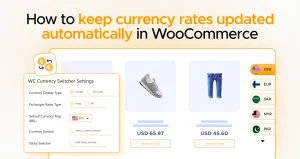
After enabling the Currency by Location feature from the WC Currency Switcher Settings page, ensure that your currency is right. Small mistakes here can cause big problems. When someone in Canada is looking at Mexican pesos, you lose credibility in a flash.
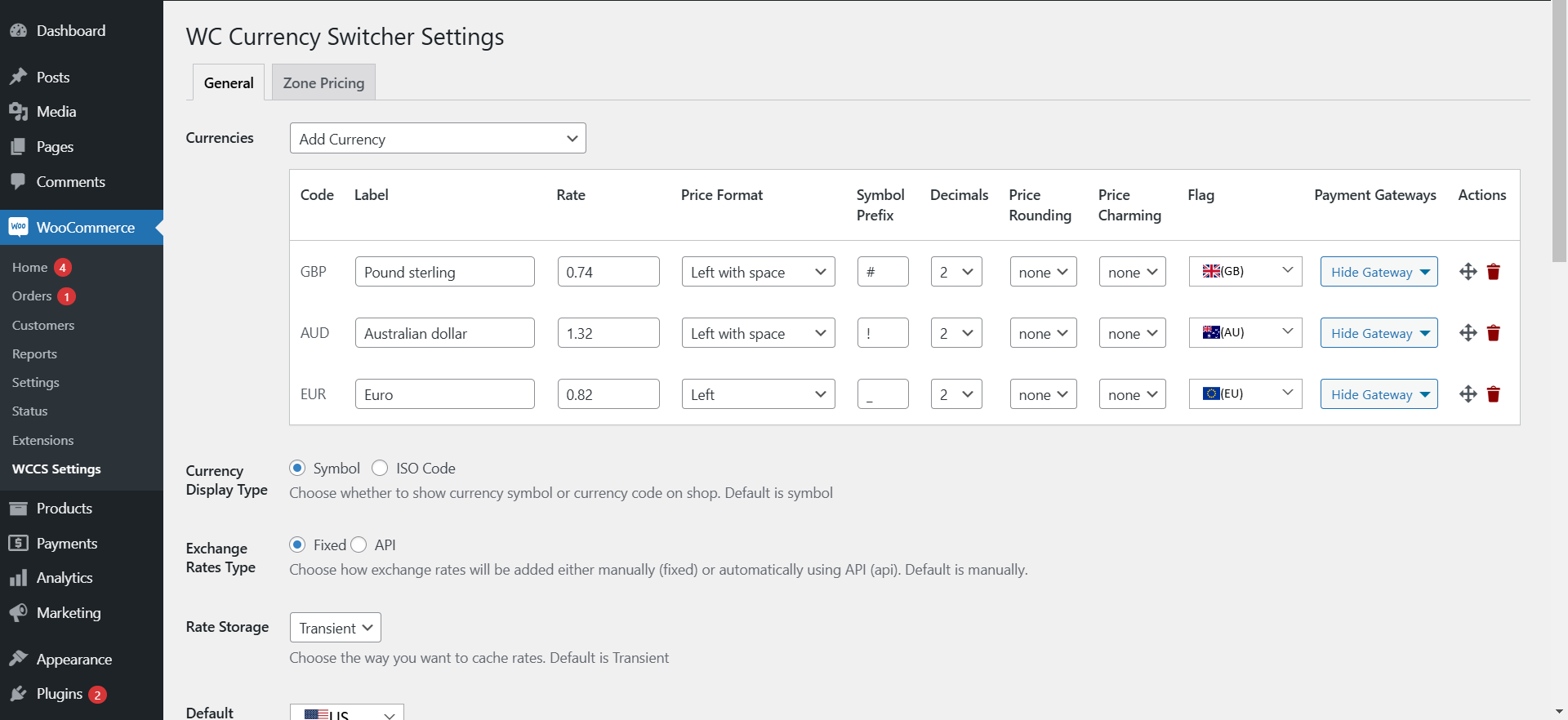
For any assistance setting up, you can refer to the technical documentation of Currency Switcher or contact WPExperts anytime.
– Test Thoroughly
Do not turn the feature on for everyone without testing it yourself. Test it out from various places with the assistance of proxy servers or VPNs. Ensure the proper currency is showing for every region you are in.
Ask international colleagues or friends to look at your page and let you know what they see. Real-world testing catches mistakes that you might not spot.
– Follow the Results
Use the analytics tools to monitor the effect on user behavior of this currency feature. Monitor conversion rates among the international visitors both before and after roll-out. Monitor time on site as well as the bounce rates.
It tells you what is working and what needs to be tweaked. Analytics help continue optimizing the feature over time.
Challenges to Consider with Auto Currency Detection
– API Limits
The majority of the geolocation depends upon the APIs of a third party, e.g., Ipapi. The programs offered for unrestricted use are limited by the number of requests. That’s why if a company is receiving high traffic, it is bound to use a paid program.
– Managing with Multiple Currencies
Handling multiple currencies adds complexity. You need to look at exchange rates, adjust prices, and ensure accurate product pricing in each market. This requires ongoing effort in monitoring.
– Legal Issues
Different countries handle the display of duty, taxes, and prices in various ways. Some show the price plus tax, while others collect the tax at checkout. Make sure your pricing complies with local laws.
Conclusion
E-commerce is worldwide. You have competitors from around the globe. Your customer demands to have local-feeling experiences even if they purchase from stores a thousand miles away.
Currency by Location is no longer a luxury. It is simply a matter of providing a good user experience to global customers. The best thing is that it reduces friction, builds credibility, and makes shopping intuitive.
The Currency Switcher add-on for WooCommerce by WPExperts is easy to integrate. As long as you run a WooCommerce storefront and you sell internationally, automatic currency detection should be on your agenda.
[product_banner index=’1′]


