









































 Usman Hayat
Divi is a powerful, influential multipurpose theme and a drag-and-drop page builder. It helps users create customizable website layouts without coding.
Elegant Themes, a leading themes development company, is the mastermind behind the evolution and popularity of Divi theme and page builder.
This Divi review will explore its performance and impacts from the theme and page builder perspective.
What Do You Mean By Divi?
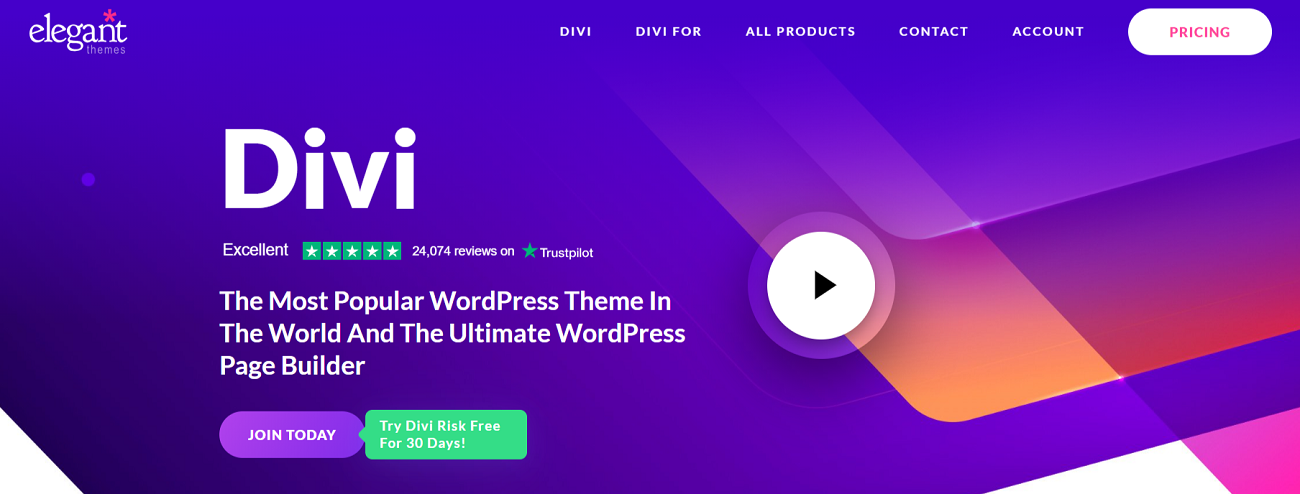
As you might know, Divi is a brainchild of Elegant Themes. With this remarkable theme and page builder, developers can customize and optimize every aspect of a website, including posts, navigations, headers, and more. Consequently, they can develop highly appealing and productive websites for small, medium-sized, and large businesses.
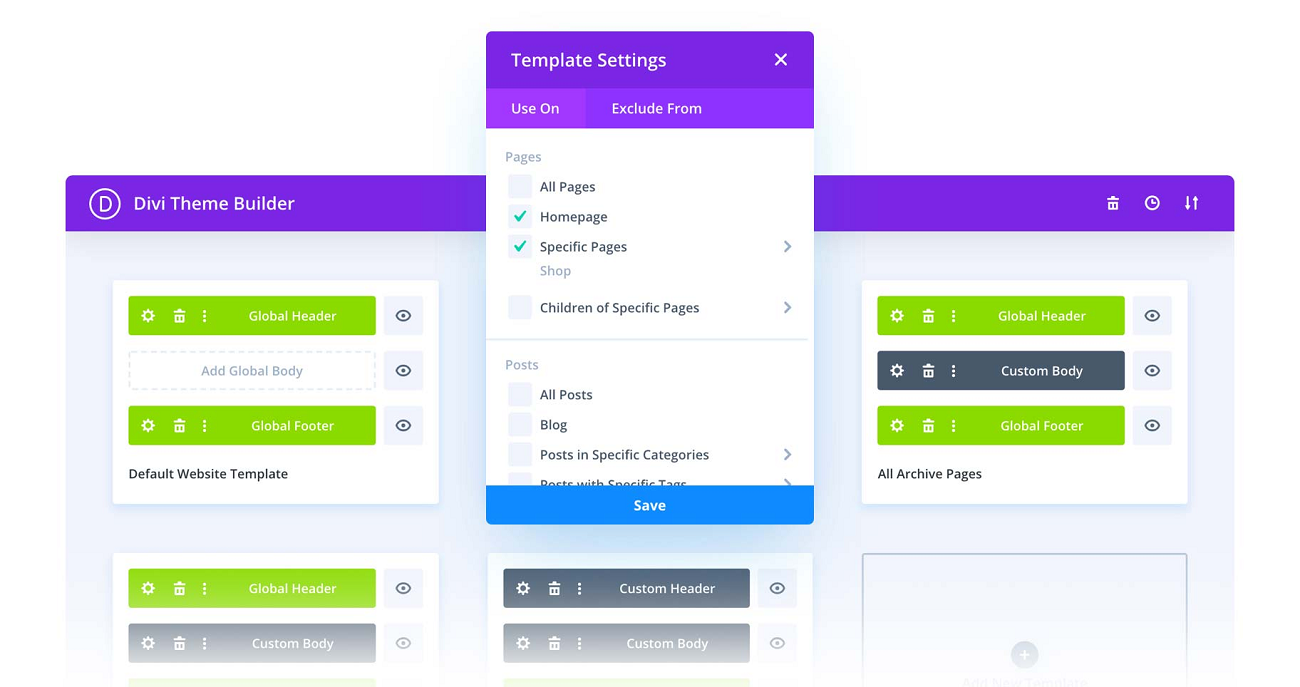
– Divi Theme Builder
The Divi theme builder is an engaging interface within Divi that enables developers to use it fully. It helps users create theme templates and assign them to posts or pages across their themes.
– Email Marketing With Bloom Using Divi
A/B testing is an impactful tool that helps businesses improve their opt-in forms and conversion rates. The story does not end here as Bloom, a leading WordPress email opt-in plugin, allows them to perform A/B tests when determining which form designs and tactics correlate with their target audiences in the best possible way.
– Divi Page Builder
The Divi page builder allows developers to enhance their existing themes using Divi’s page-building features. It also supports numerous WordPress themes, allowing developers to create multiple websites according to their requirements.
However, it works more seamlessly with multipurpose themes in Divi. Therefore, WordPress site owners should remember this aspect.
Furthermore, the page builder lets developers use hundreds of ready-made layouts focusing on various niches and industries, such as e-commerce, hospitality, fitness, and more.
Users can utilize layout options to optimize site pages, such as Build From Scratch, Choose A Premade Layout, and Build With AI. The first option suits users who want to build a page from scratch, but users can benefit from other layout options.

Divi Review – Why Should We Use It in WordPress?
Divi proclaims itself the ultimate WordPress theme and visual page builder; it is up to the mark. Despite having the luxury of using various WordPress themes, website owners sometimes need help building top-notch, highly customized websites.
In this situation, page builders play a crucial role. They let users optimize their WordPress sites using multiple helpful features and functionalities.
Let us check if the Divi theme with a page builder solution is the right choice for your WordPress site.
– Attractive Website Layouts
Divi impresses its existing and potential customers through 2600+ layouts. In addition, it regularly updates the website layouts section with innovative and appealing designs.

This Divi theme review reveals that users can benefit from layout packs and incorporate designs for different site sections, including the homepage, contact page, about us page, and blog section.
Fortunately, they can find layout packs related to different niches and industries. For instance, they can use the SEO Specialist layout to showcase their SEO skills when grabbing the attention of current and prospective customers.
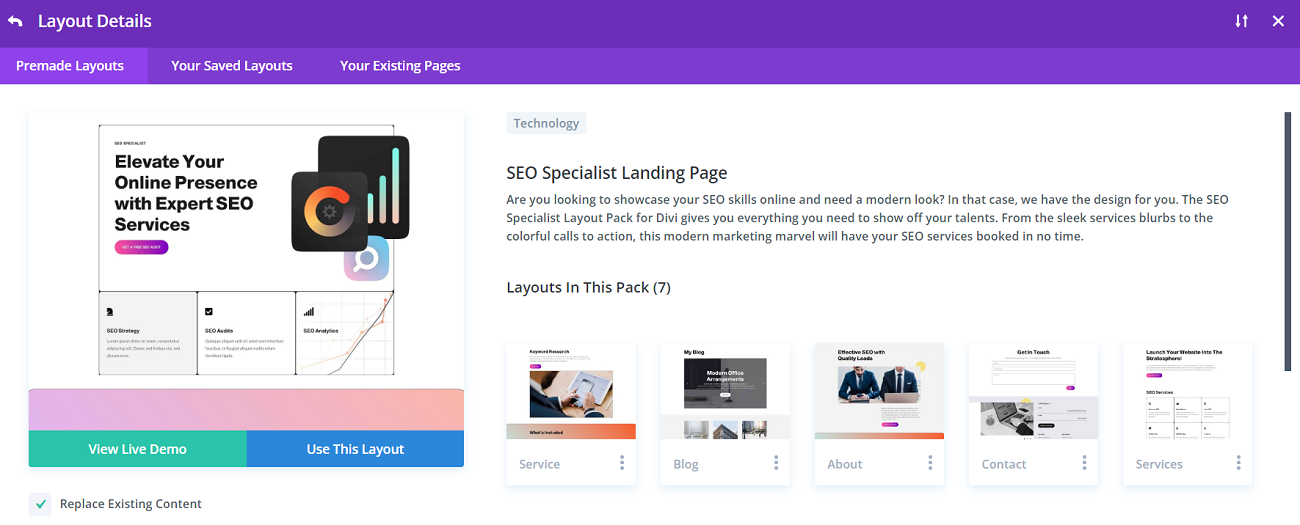
Apart from this, Divi has hundreds of customizable elements and modules, helping users add call-to-action (CTA) buttons, forms, ready-made sliders, social media feeds, pricing tables, testimonials, etc.

– Interactive Drag and Drop Page Builder
Through an interactive drag-and-drop editor, developers can smartly develop top-notch and highly customizable sales pages, custom post layouts, landing pages, and more.
Simply put, the drag-and-drop editor is almost compatible with any WordPress theme. However, it works like a champ with the Divi theme by default.
Moreover, the good thing about this page builder is that it lets you experiment with your website design, enabling different settings to see how they optimize your site overall.
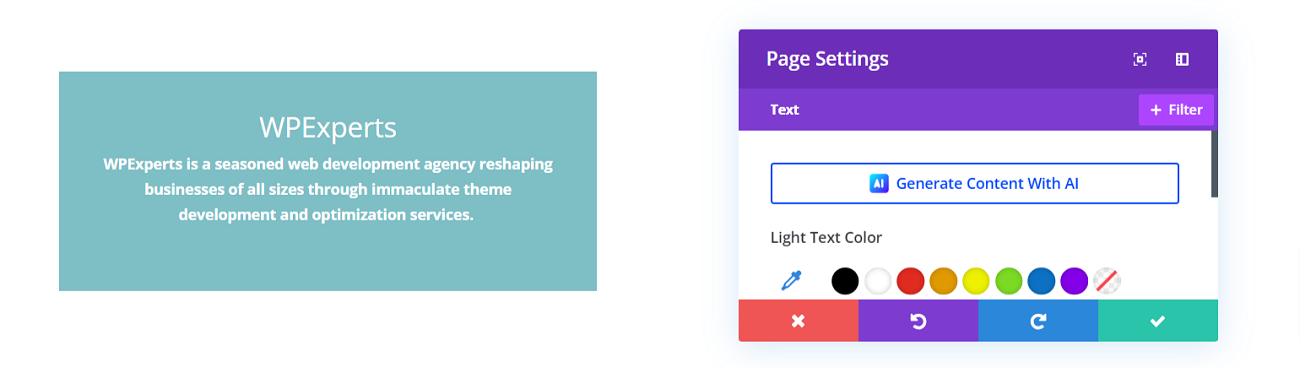
You can change fonts, border options, text color, and more. Likewise, you can easily apply filters and add hover styling.
Divi offers 20-row types and 3 section types, enabling users to organize the web page content efficiently.

– Various Customization Options
Once users have added elements to the page, they can quickly transform them. They can rotate elements on three axes, move them around, and perform advanced activities directly in the Divi page builder.
Users can also benefit from filters when changing the appearance and impact of various elements. They can incorporate the text shadow, box shadow, and border. Users can also apply the Contrast, Saturation, or Sepia filter.
Thus, freelancers, small and large business owners, and online store owners can optimize the available elements and modules to highlight their WordPress themes.
Who Should Use Divi?
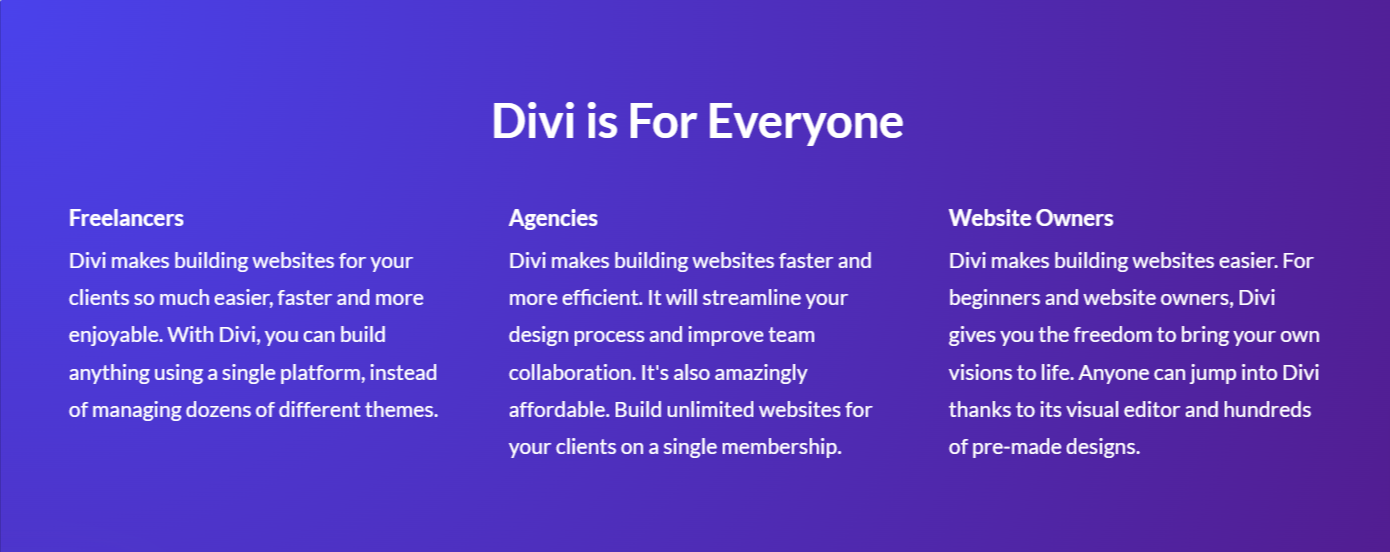
The Divi theme and page builder can benefit anyone. Yes, you have read it correctly. It caters to the specific needs of freelancers, online e-commerce store owners, digital marketing agencies, and small and large businesses, regardless of niches.
How Do Divi Cloud and Divi Teams Help Freelancers and Business Owners?
Divi Cloud is an instant time-saver for freelancers and agencies willing to create various sites according to their needs. When starting new sites, they do not need to search for an option other than Divi Cloud. All their saved Divi layouts and content elements are easily accessible inside the builder, allowing them to build stunning websites effortlessly.
In addition, with Divi Teams, you can easily onboard coworkers and give them access to Divi and its suite of services. This will boost productivity and allow your team to operate comfortably within the Divi ecosystem.
– Inline Text Editing
We cannot undermine the text’s significance, as it is handy for websites, online marketplaces, and blogs. The Divi theme and website builder let users draft their content and experience the impact immediately. For that reason, click any text-supported element and begin writing.
– Export and Import Page Content
The Divi website builder offers a portability tab, enabling users to export page content without fuss and import it instantly. To do this, they must click the Export Divi Builder Layout and Import Divi Builder Layout options.

– Animations
WordPress animations help businesses of various sizes retain and expand their customer bases. They allow users to highlight a page’s content engagingly.
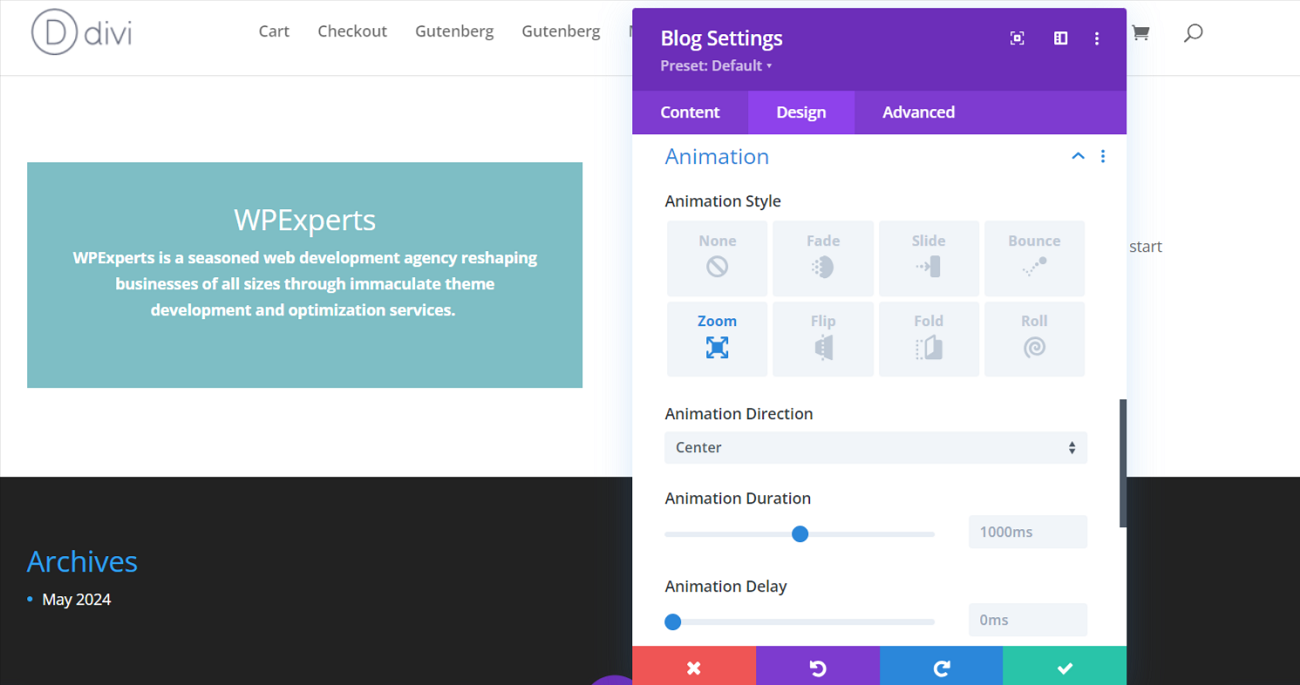
Divi lets you create several animations hassle-free. Various ready-made animations can help you add any element when creating customized animations.
You can also develop motion effects that help users engage with your website page when they move around it. Divi allows you to create dynamic transitions among content blocks.
If you want to make your current and potential WordPress website interactive and results-driven in terms of customer engagement and retention, traffic, sales, and profitability, Divi animations and effects can help.
– Sticky Content
Floating or sticky content sticks to the top of the screen. Therefore, Divi allows WordPress site owners to prominently display the most crucial content of their web pages.
– Divi Cloud
Divi Cloud is an impressive cloud storage service from which Divi users can benefit. It lets them access, store, and manage Divi layouts, rows, modules, sections, and other online content elements.
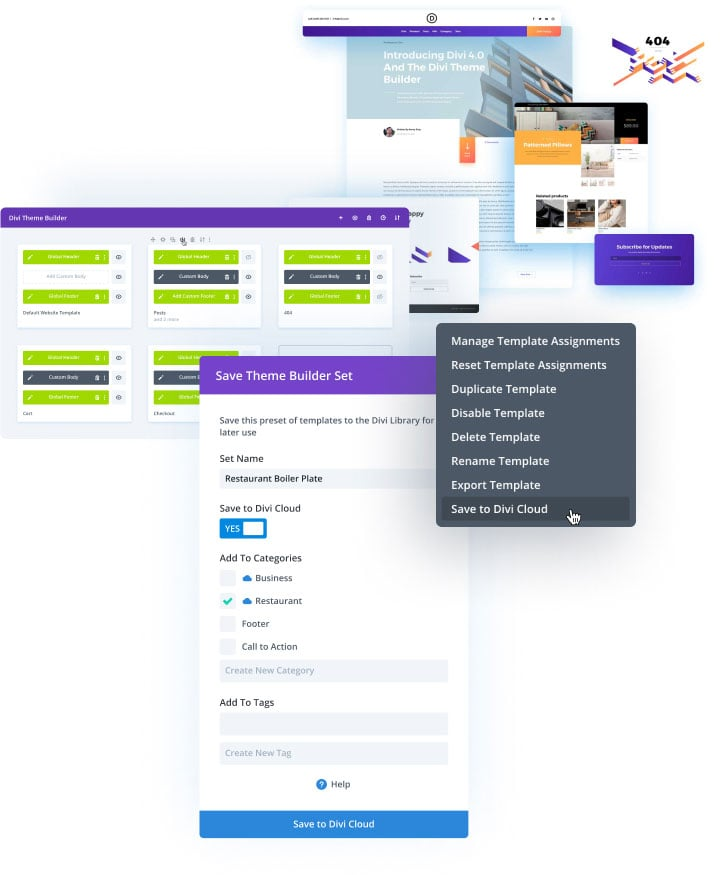
Previously, users manually exported and imported handy layouts from the Divi library. Thus, users can save Divi WordPress theme templates smartly on Divi Cloud. To activate Divi Cloud, they must sign into their Elegant Themes account via pop-up.
– AI to Generate Images and Text
Divi provides users with an impressive artificial tool for quickly generating content. Using Divi AI, users can develop their preferred images and text. Divi AI delivers various content types so users can create post excerpts, call to action, headings, paragraphs, etc.
– Custom CSS Support
Divi lets users utilize a built-in code editor when adding custom codes to their designs. Furthermore, they can optimize their designs using various impactful features with a code editor, such as error reporting, multi-line selection, syntax highlighting, and more.
– Custom Templates Creation
According to this Divi theme review, users can create several custom page layouts smartly. The cherry on top is that they can save them as reusable templates, saving time and effort.
– Performance Optimization
Divi Builder’s strength is its focus on performance optimization. It does not affect your website’s page loading time; it has been created with speed in mind. The page builder reduces bloat and removes resources users do not utilize.
Divi delays the loading of specific resources and cache requests and removes render-blocking assets, which improves your initial page load times.
Elegant Themes has specifically added performance enhancements in various updates, enabling Divi sites to load and run faster. Divi offers various plugins that help users increase the speed of their sites. Freelancers can read their blog post, The Ultimate Guide to Speeding Your Divi Website.
Divi released a crucial performance update to resolve issues and simplify freelancers’ jobs.
As a result, you can offer performance optimization to new and existing customers as a freelancer without doing much, as Divi has got you covered.
– Mobile Optimization
Mobile optimization has gained considerable traction in recent years. Hence, your website should load smoothly on smartphones and tablets, providing an optimum user experience.
In this regard, the Divi WordPress theme has not disappointed us. Divi themes and page builders are mobile-responsive, and you can use the page builder to preview layouts on tablets and mobile phones.
Divi helps businesses build mobile-responsive sites by utilizing several structural features. Besides, they can take advantage of custom responsive settings and enable them for tablets and smartphones for rows, modules, and all sections. This helps them build immaculate, mobile-optimized sites that grab the attention of current and potential customers.
– WordPress Plugins Compatibility
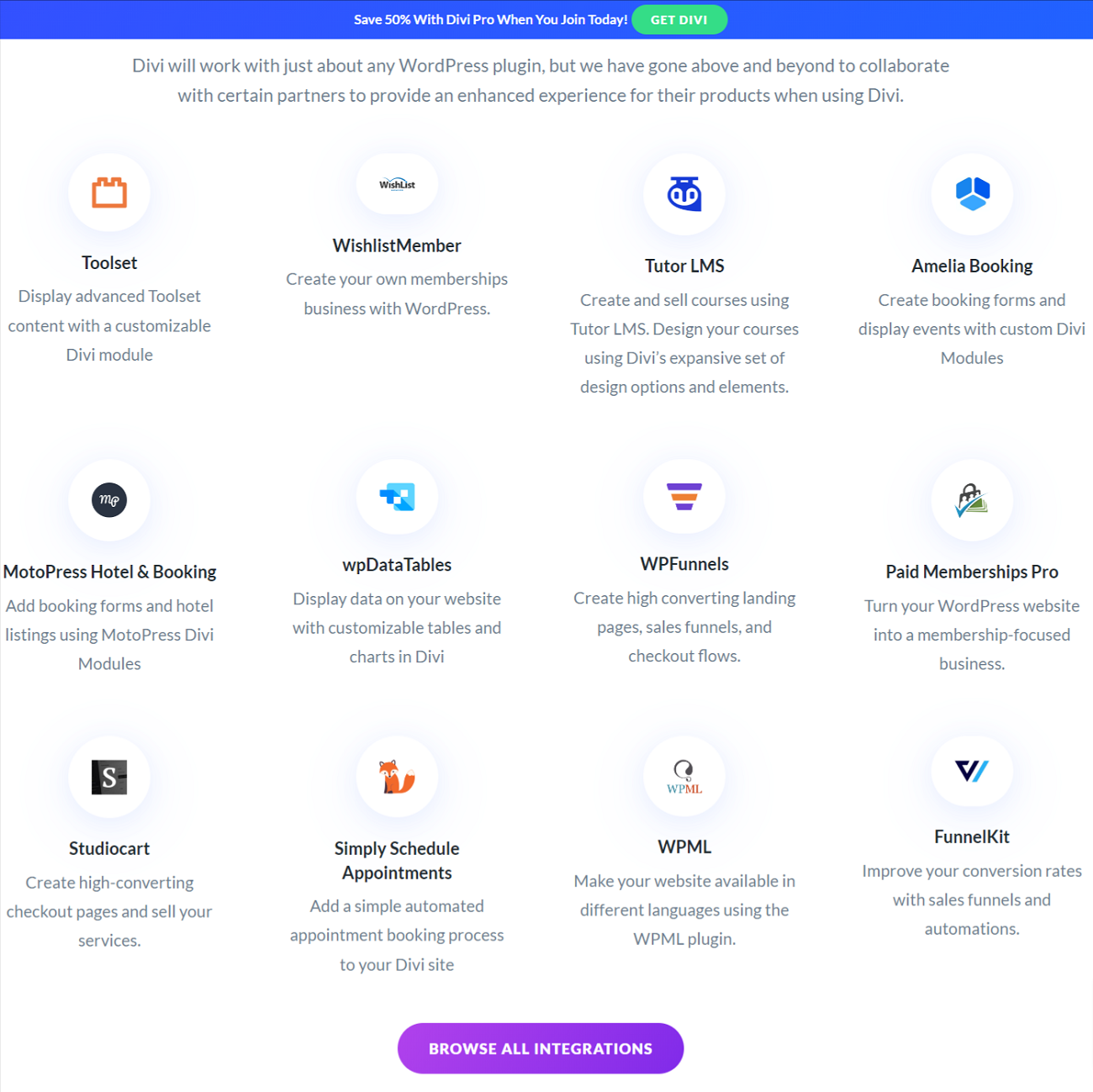
The Divi theme and page builder support various WordPress versions, so you can easily optimize your WordPress sites using highly customizable layouts.
It is also compatible with numerous WordPress plugins, such as Eventin, WPFunnels, Tutor LMS, Amelia Booking, and more.
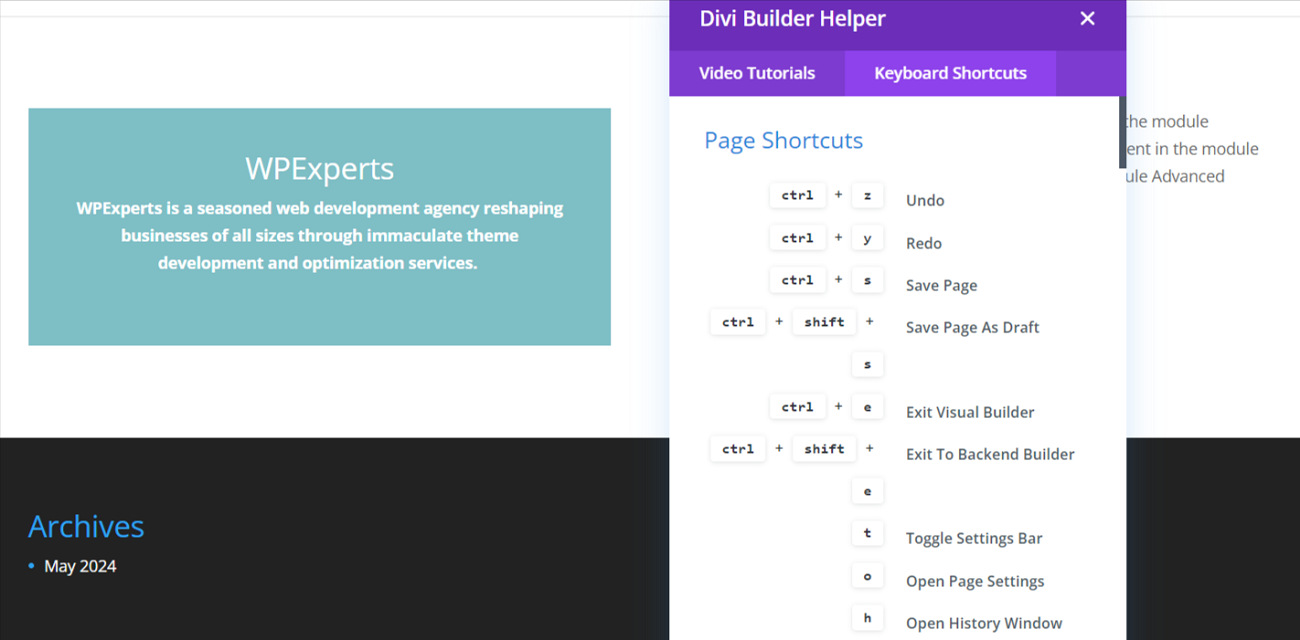
– Divi Builder Shortcuts
Divi builder has handy pages, modules, an inline editor, and modal shortcuts, similar to WordPress keyboard shortcuts for Gutenberg and Classic editors.
Divi Theme and Website Builder Pricing Plans
WordPress site owners can try the Divi theme and website builder for free using its 30-day risk-free money-back guarantee.
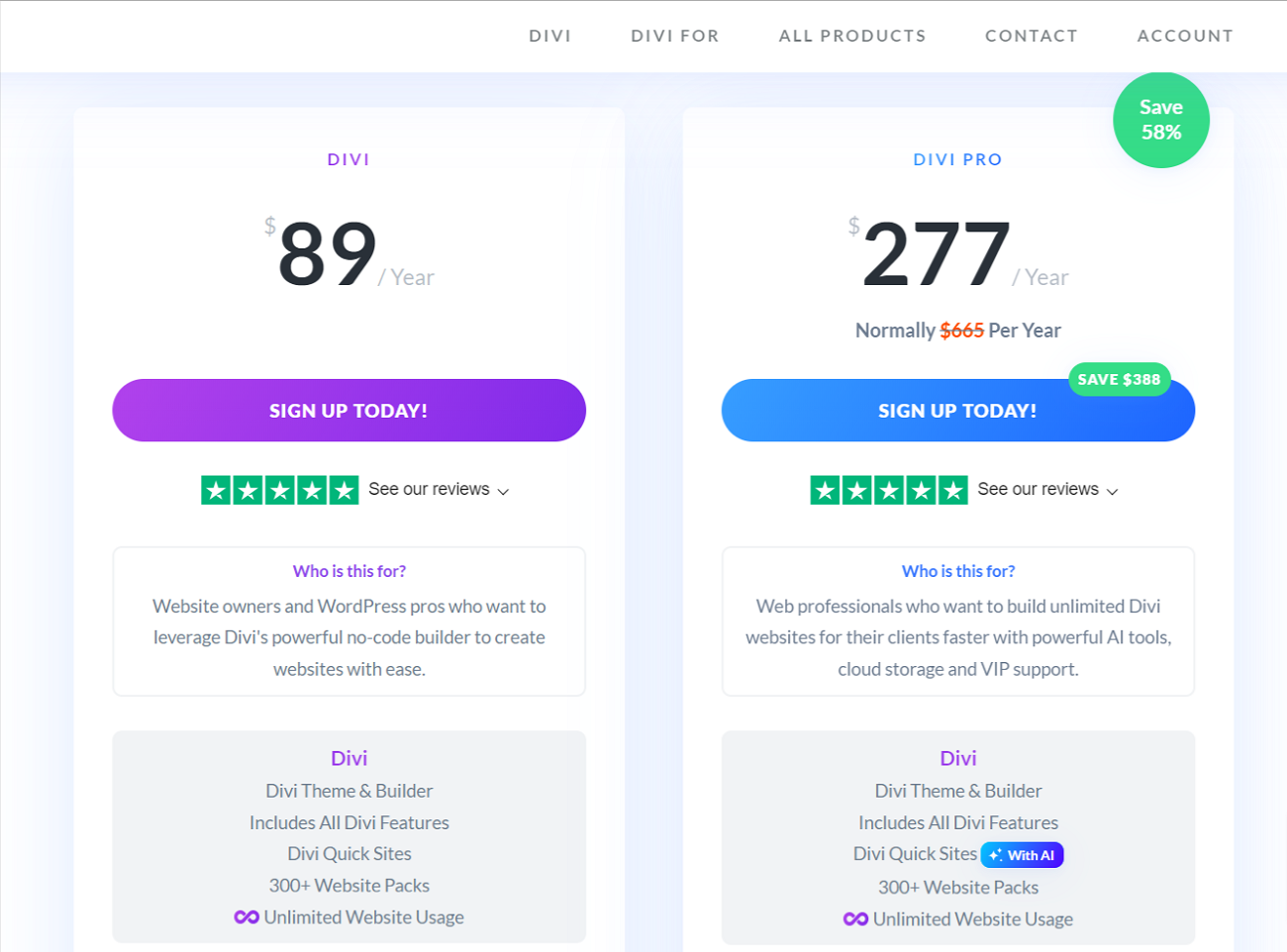
Similarly, depending on the budget, they can subscribe to their desired pricing packages. The pricing packages are divided into two main categories: Divi Yearly and Divi Lifetime.
Divi Yearly
Divi Yearly has two pricing packages, including Divi and Divi Pro. The details of the Divi plan are listed below:
- The Divi package is available for $89 per year.
- You can use this package to avail Divi’s other products like Monarch, Bloom, and more.
- The package comes with 300+ website packs.
Likewise, the details of the Divi Pro package are listed below:
- The Divi package is available for $277 per year.
- You can use this package to get Divi’s features like Divi AI, Divi Cloud, Divi VIP, and more.
- The package allows developers to save their content, such as headers, footers, layouts, templates, etc., to the cloud.
- The package comes with 300+ website packs.
Divi Lifetime
Divi Lifetime has two pricing plans: Divi Lifetime and Divi Lifetime + Pro Services. The details of the Divi Lifetime plan are described below:
- The Divi package is available for $249 (one-time payment).
- The package comes with 300+ website packs and unlimited website usage.
Similarly, the details of the Divi Lifetime + Pro Services package are mentioned below:
- The Divi package is available for $509. This amount includes Pro Services charges, which will be applied each following year.
- The package includes 300+ website packs, unlimited website usage, and all Divi features.
Wrapping Up
We expect you to like our detailed Divi review, which showcases the importance of a popular WordPress theme and page builder. Divi is an impressive yet results-driven WordPress theme and page builder.
If you want to redesign your current site from scratch or launch a new one, Divi is a viable option. This Divi theme review indicates that the famous website-building platform has everything users need when redesigning and optimizing their sites. If you manage your WordPress agency, then Divi theme and page builder should be your preferred choice.
Lastly, we hope this Divi review has helped you decide whether it is a good option for your WordPress site.


