









































 Abdullah Ashraf
Have you ever asked your smart speaker for a local restaurant, a quick recipe, or the fastest route to work, and noticed how effortlessly it delivers an answer? That’s the power of voice search in action. In 2026, voice search isn’t just a futuristic gimmick anymore; it’s shaping how users interact with websites and how search engines rank content. That is why, voice search optimization for WordPress is what you should be working on in 2026.
For WordPress site owners, this shift means adapting your content, technical setup, and SEO strategies to meet the expectations of AI assistants like Google Assistant, Alexa, and Siri. Sites that fail to optimize for voice may miss out on a growing share of search traffic, while those who embrace it will enjoy higher visibility, engagement, and user trust.
In this guide, we’ll explore the why, what, and how of voice search optimization for WordPress in 2026. You’ll learn practical strategies, tools, and best practices to ensure your website not only survives but thrives in this voice-driven landscape.
Why Voice Search Matters in 2026
Voice search has grown exponentially over the last few years. According to industry research, nearly 40% of all online searches are expected to be voice-based by 2026, driven by the proliferation of smart speakers, AI-powered assistants, and voice-enabled mobile devices.
The key reason this trend is critical for WordPress users is simple: search engines are now prioritizing content that answers questions quickly and clearly. Unlike traditional text searches, voice queries tend to be longer and more conversational, often phrased as full questions rather than short keyword strings. For example, instead of typing “best WordPress SEO plugin,” a user might ask, “What is the best WordPress SEO plugin for improving my site ranking in 2026?”
This means your WordPress content must be optimized for natural language queries, structured data, and featured snippets, the results most likely to be read aloud by voice assistants.
Key Differences Between Voice Search and Text Search
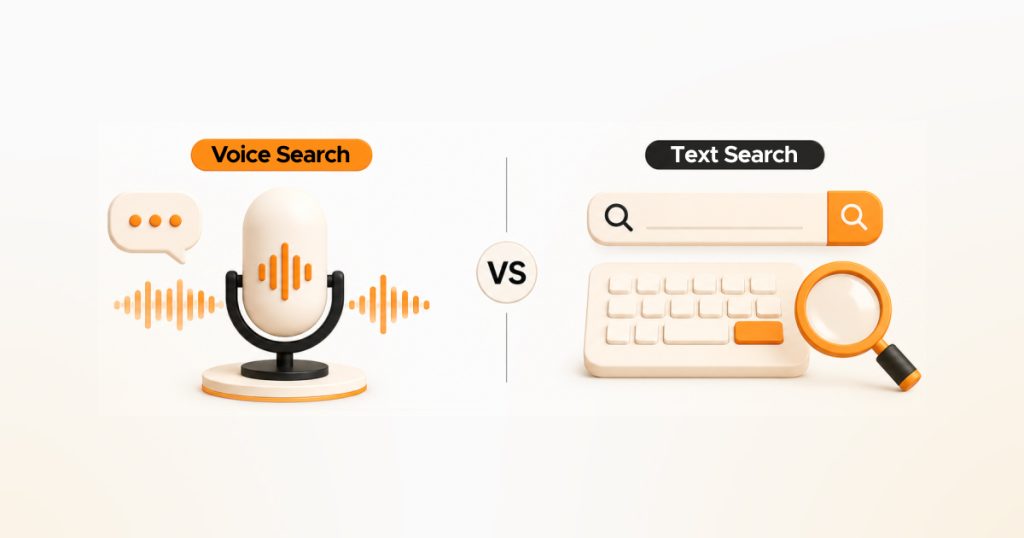
Optimizing for voice search isn’t just about keywords. It requires understanding how users interact differently when speaking compared to typing. Here are the key differences every WordPress site owner should know:
Conversational Queries
Voice searches are naturally longer and more conversational. Users ask full questions like “How can I optimize my WordPress blog for voice search?” rather than typing short phrases like “WordPress voice SEO.” This means your content should mirror the way people speak, using natural language patterns.
Question-Based Format
Most voice searches start with question words like who, what, where, when, why, and how. Structuring your content to answer common questions with clear, concise paragraphs or FAQ blocks increases your chances of being selected as the voice assistant’s response.
Featured Snippets & Quick Answers
Voice assistants often pull answers from featured snippets, Q&A blocks, or structured data rather than displaying traditional search result pages. WordPress sites that leverage proper headings, lists, and schema markup are more likely to be chosen as the spoken answer.
Local Intent is Critical
Many voice searches have a local intent, such as “Where is the nearest WordPress developer in New York?” Optimizing your site for local SEO and Google Business Profiles ensures your business is included in these location-based queries.
Technical Voice SEO for WordPress
Optimizing content alone isn’t enough! Your WordPress site’s technical foundation must support voice search. Here’s how to get started:
Speed and Performance
Voice search results prioritize fast-loading websites. Use caching plugins like WP Rocket or W3 Total Cache, optimize images with Smush or ShortPixel, and choose a high-performance hosting provider. Core Web Vitals scores now directly influence how often your pages are selected for voice search results.
Mobile-First Design
Most voice searches happen on mobile devices. Make sure your WordPress theme is fully responsive, with mobile-optimized menus, buttons, and content blocks. Themes like GeneratePress and Kadence offer lightweight, mobile-first designs that are perfect for voice optimization.
SSL/HTTPS Security
Secure sites are trusted more by search engines and are preferred for voice search responses. Ensure your WordPress site uses a valid SSL certificate and that all pages redirect to HTTPS.
Schema Markup & Structured Data
Voice assistants rely heavily on structured data to pull answers. Implement FAQ, HowTo, Q&A, and LocalBusiness schema on WordPress using plugins like RankMath, Yoast SEO, or Schema Pro. This increases the chance your content is selected as a spoken answer.
Content Strategies for Voice Search
Creating content that ranks for voice search requires a shift in how you write. Here’s how to structure your WordPress content effectively:
Answer Questions Directly
Users want quick answers. Start paragraphs with clear responses to the question you’re targeting. For example, if the question is “How do I optimize WordPress for voice search?”, begin the section with a concise, actionable answer.
Use Natural Language and Conversational Tone
Write in the way people speak. Include phrases like “you should”, “here’s how”, or “the best way is” to mirror conversational queries.
Incorporate Long-Tail Keywords
Voice searches tend to be longer. Optimize for long-tail, question-based keywords, such as “best WordPress plugin for voice search SEO 2026,” rather than single-word keywords.
Structure Content for Readability
Use headings (H2, H3), bullet points, and numbered lists. These are not only easier for humans to scan but also make it easier for voice assistants to extract content.
Leverage FAQ Blocks
WordPress blocks like FAQ are ideal for voice search. Plugins like RankMath or Yoast SEO can help format FAQs in schema-friendly markup, increasing the chances your content is selected for spoken answers.
Optimizing WordPress Plugins & Tools
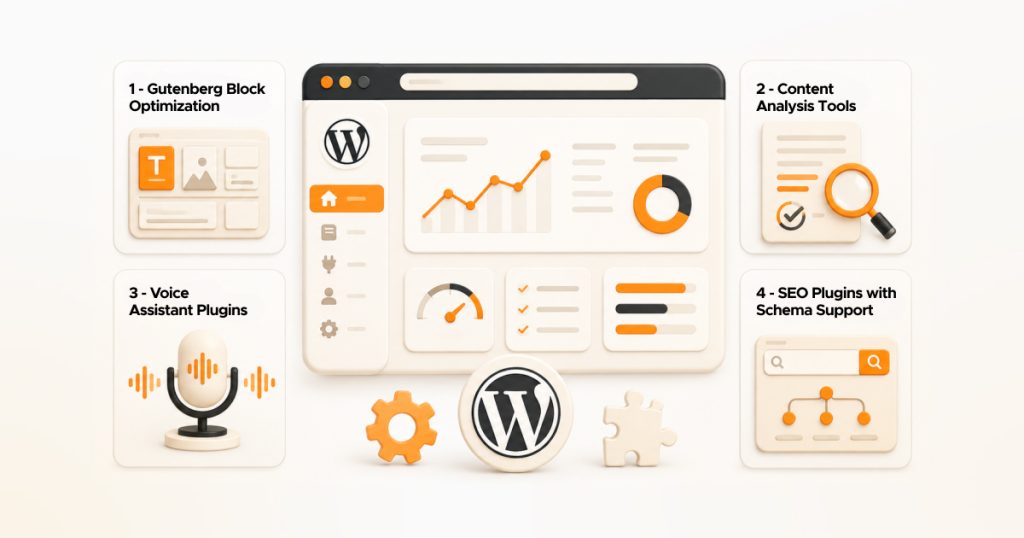
WordPress plugins can greatly improve your voice search SEO when used correctly:
SEO Plugins with Schema Support
Plugins like RankMath, Yoast SEO, or Schema Pro help add structured data to pages and posts, making them easier for voice assistants to read.
Voice Assistant Plugins
Plugins such as WP Speech or Voice Assistant for WordPress can enable voice-enabled navigation or test content for voice-readiness.
Content Analysis Tools
Use AI-powered tools or plugins to evaluate how well your content answers common questions and matches natural language patterns.
Gutenberg Block Optimization
The modern Gutenberg block editor allows FAQ, HowTo, and Q&A blocks that are automatically structured for voice search, improving your chances of getting selected by voice assistants.
Measuring Voice Search Success
Optimizing your WordPress site is only the first step — tracking performance is equally important:
- Google Search Console Insights: Check which queries are driving featured snippets and impressions. Focus on conversational queries to track the impact of voice search.
- Voice Analytics Tools: AI-driven analytics tools can monitor voice-specific user engagement and help you adjust content for better results.
- Adjust Content Strategy Based on Data: Regularly update content to answer new questions and track trends in voice search queries. This ensures your WordPress site remains competitive as AI assistants evolve.
Wrap Up
Voice search is no longer optional, it’s becoming a core part of how users discover content online. In 2026, WordPress site owners who optimize for voice will have a clear advantage, gaining visibility on smart speakers, AI assistants, and mobile devices.
By combining technical SEO, structured data, and conversational content, you can ensure your WordPress site not only ranks higher but also delivers answers users actually want. Start by auditing your site for speed, mobile responsiveness, and schema markup, then create content that answers real questions in a natural, engaging tone.
Adopting these strategies now ensures your website stays ahead of competitors and remains voice-search ready as AI and voice-enabled technologies continue to grow.
FAQs About Voice Search Optimization for WordPress
What is voice search SEO?
Voice search SEO is the practice of optimizing your website so that voice assistants like Google Assistant, Alexa, or Siri can accurately read and answer user queries from your content.
Do I need special plugins for voice search on WordPress?
While not mandatory, plugins like RankMath, Yoast SEO, Schema Pro, and voice testing plugins like WP Speech can simplify structured data implementation and content optimization for voice.
How is voice search different from text search?
Voice search uses longer, conversational queries, often phrased as questions. Optimizing for voice involves natural language, clear answers, and structured content rather than just keywords.
Can voice search improve my local SEO?
Absolutely! Many voice searches are location-based. Optimizing your Google Business Profile, using local keywords, and providing concise, accurate local information can increase visibility for voice searches.
Is voice search optimization worth it in 2026?
Yes. As AI-powered assistants and smart devices become more prevalent, optimizing for voice search increases your site’s reach, engagement, and authority in search results.