









































 Burkhard Berger
eCommerce companies spent years accepting operational exhaustion as part of growth. A bigger store equaled a bigger support team. More sales equaled more pressure. More customers equaled more overhead.
The pattern looked permanent. But the AI chatbot for eCommerce disrupted that cycle by proving that support costs didn’t have to rise every time sales increased.
And that is exactly what we are going to simplify for you. You will see how using an AI chatbot for your eCommerce store helps manage higher volumes without matching increases in spending. We will also share strategies to set it up so you can rewrite the economics of everyday customer support.
What Is An eCommerce AI Chatbot?
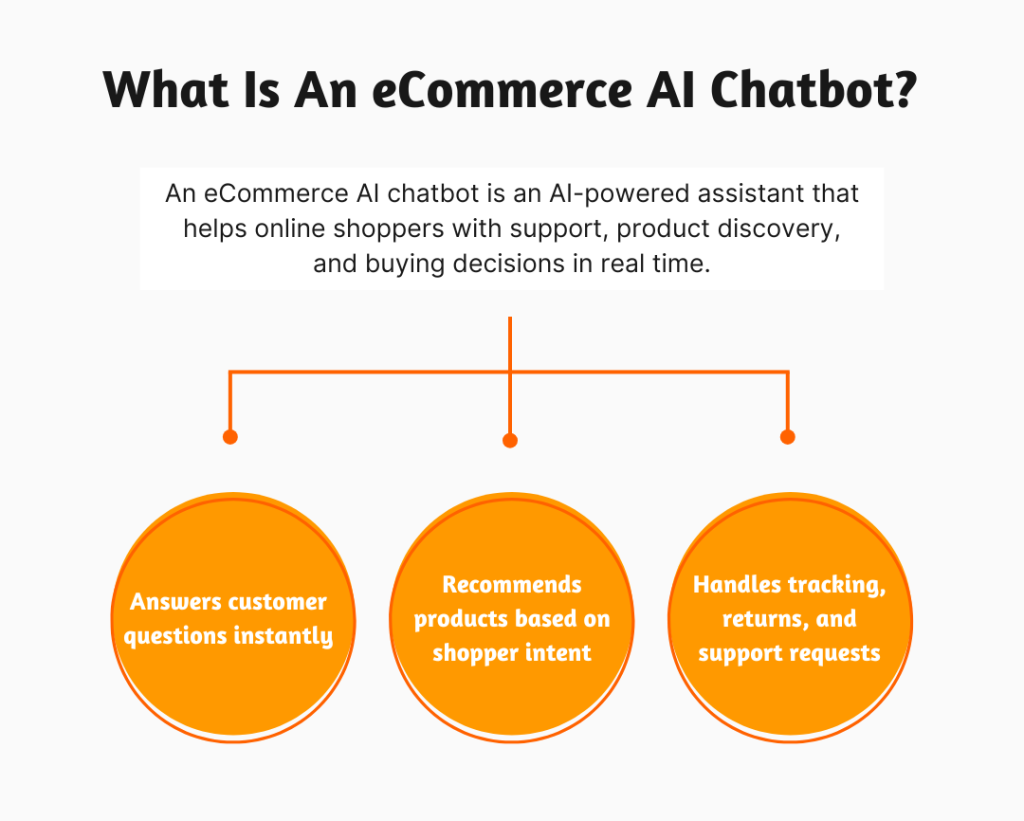
An eCommerce AI chatbot is a software tool that uses artificial intelligence to talk with online shoppers in real time through a website, app, or messaging platform.
Unlike basic rule-based chat widgets that follow fixed scripts, AI chatbots understand customer intent and learn from personalized customer interactions over time. They can handle both simple and complex requests, even when customers phrase questions differently.
In eCommerce, these chatbots are used for:
- Product recommendations
- Customer support
- Order tracking
- FAQ handling
- Upselling and cross-selling
- Cart recovery
- Returns and exchange guidance
- Lead capture and qualification
5 Core Types Of AI Chatbots For eCommerce
Here’s a quick look at the main types of eCommerce AI chatbots and what each one really does for your store.
| Chatbot Type | What It Does | Best Use In eCommerce |
| Rule-Based Chatbots | Follows fixed rules and pre-set flows | – FAQs
– Shipping info – Return policies |
| Natural Language Processing (NLP) Chatbots | Understands user intent from natural language processing capabilities | – Product search
– Order queries |
| Generative AI Chatbots | Creates dynamic responses in real time | – Product guidance
– Detailed support |
| Hybrid Chatbots | Mixes rules with AI understanding | – Checkout help
– Mixed support tasks |
| Recommendation Chatbots | Suggests products based on user behavior to create personalized customer experiences | – Upselling
– Personalized online shopping |
| Transactional Chatbots | Handles backend actions via seamless integrations | – Order tracking
– Returns – Payments |
| Support Chatbots | Manages customer requests | – Ticket handling
– Issue resolution |
| Proactive Chatbots | Starts conversations based on user behavior | – Cart recovery
– Customer engagement prompts |
7 Ways An AI Chatbot For eCommerce Reduces Customer Support Costs
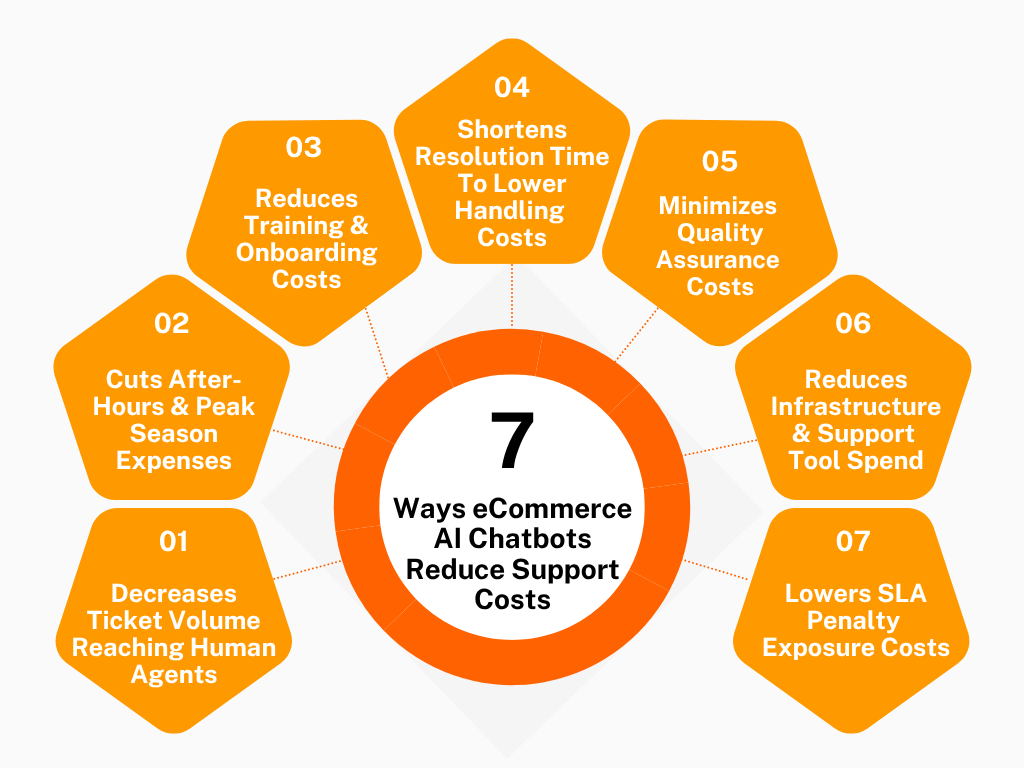
Here are 7 practical ways AI chatbots for eCommerce actually bring those costs down in everyday support operations.
1. Decreases Ticket Volume Reaching Human Agents
A lot of eCommerce support costs come from something painfully simple: customers asking the same thing over and over again.
“Where’s my order?”
“Can I change my size?”
“Why isn’t my discount code working?”
None of these is a difficult question. They are just endless. And that is exactly where support costs explode – not because the problems are complicated, but because humans keep repeating the same answers thousands of times a month.
An AI chatbot cuts that repetition out.
Instead of every customer immediately entering the human support queue, the chatbot intercepts the routine things first. And every avoided ticket is not just “one less conversation.” It is less queue management, less agent workload, less backlog pressure, less follow-up handling, and fewer support hours needed overall.
It also changes customer behavior. When people get an instant response, they usually stop there. But when they wait 6 hours for a response, they send another message. Then another. One small issue becomes three tickets across email and chat. The chatbot prevents that pile-up before it starts.
2. Cuts After-Hours & Peak Season Support Expenses
The expensive part of customer support is not Tuesday afternoon. It is 11:47 PM during a flash sale. It is Black Friday when 4,000 people are asking if orders placed after midnight still qualify for next-day shipping.
That is where support budgets get out of control. Normally, companies handle this by hiring more people – night shifts, overtime pay, temporary hires, outsourced agents, emergency staffing. The problem is, all of that costs money fast, especially during short-term spikes.
An AI chatbot changes the economics completely because it doesn’t care whether it is handling 50 conversations or 5,000. Customers can ask about delayed deliveries at 2 AM and still get immediate answers. They can check refund timelines during holiday weekends without waiting for business hours.
And unlike temp support staff, the chatbot already knows the store policies, shipping rules, promotions, and workflows.
What is interesting is that many e-Commerce brands don’t realize how much they spend simply protecting response times during busy periods. The chatbot removes a huge amount of that pressure because customers are no longer sitting in silence waiting for someone to reply. And that is a much cheaper model.
3. Reduces Training & Onboarding Costs For Support Teams
Training new support agents is one of those costs companies underestimate until they scale. Because teaching someone customer support for an eCommerce platform is not just teaching them how to reply politely.
They need to understand a lot – shipping carriers, refund exceptions, damaged item procedures, order management systems… and about 200 policies customers somehow always ask about. Then, after all that training, many agents still spend most of their day answering “Has my package shipped yet?”
That is an expensive use of human labor. AI chatbots reduce this problem by taking over the repetitive operational knowledge. Instead of needing huge teams trained on every basic customer service request, businesses can keep smaller teams for complex queries and situations that actually require judgment.
And that changes hiring entirely. You don’t need to constantly recruit entry-level agents just to survive volume. The support team becomes more specialized instead of massively staffed.
Another thing that gets overlooked: repetitive support work burns people out fast. Agents leave. New people come in. Training starts again. That turnover cycle alone is expensive. When AI removes the monotonous conversations, human agents spend more time solving real issues. The role becomes less draining, which can actually reduce churn inside support teams.
So the savings are not only in training fewer people. It is also about replacing fewer people.
4. Shortens Resolution Time To Lower Handling Costs
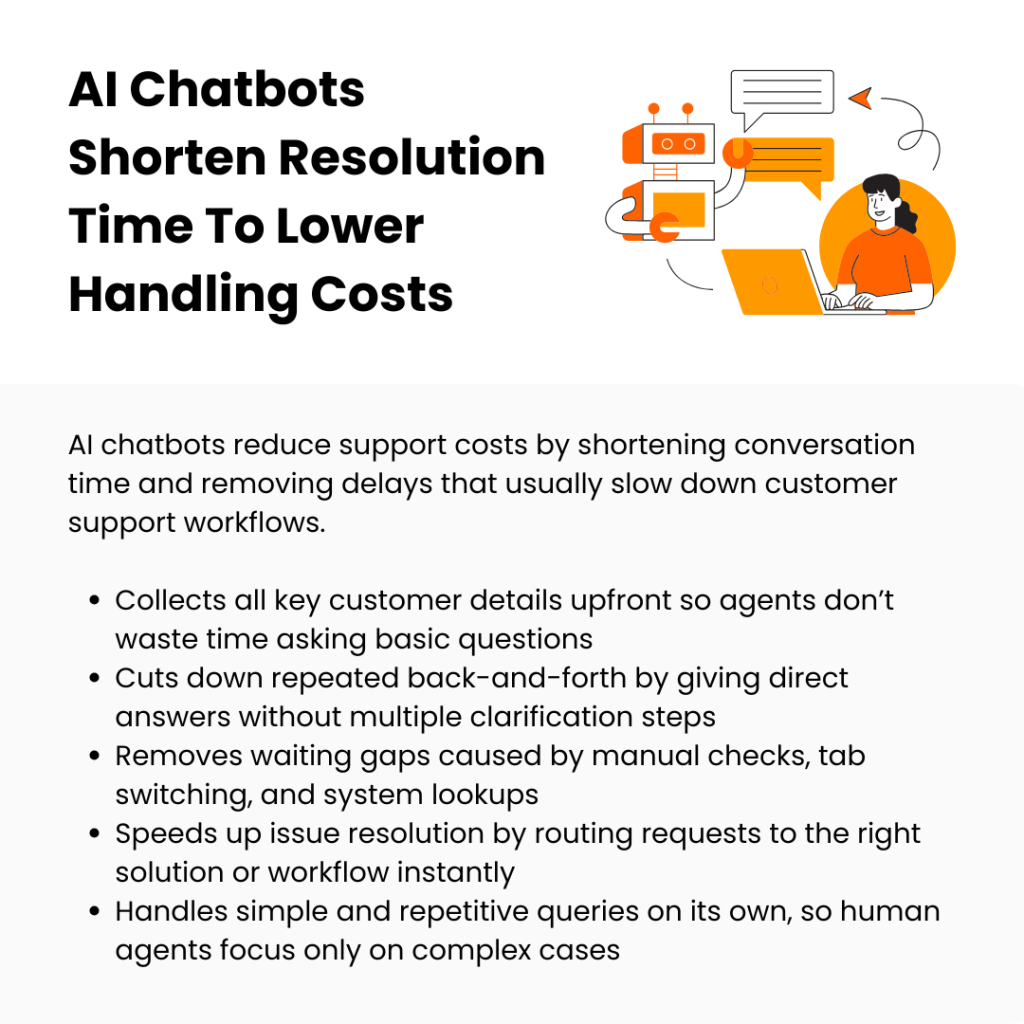
One of the biggest hidden support expenses is conversation length. Not difficult conversations. Long conversations. A customer asks one simple question, but the user interaction somehow turns into waiting, clarification, verification, transfers, and repeated explanations. Ten minutes disappear. Then multiply that by thousands of conversations every month.
AI chatbots cut costs by shrinking those unnecessary support timelines. For example, human agents spend the first part of a conversation gathering information manually. An AI chatbot can collect all of that upfront automatically. So instead of an agent spending 7 minutes figuring out the issue, they start at the actual issue immediately. That changes support efficiency massively.
Another interesting cost reduction comes from eliminating “dead air.” Human support naturally includes pauses – agents checking systems, switching tabs, waiting for pages to load. Customers experience those pauses as slow service. eCommerce businesses experience them as payroll costs.
AI chatbots remove huge parts of that idle interaction time because they retrieve information instantly and engage customers without making them wait. And that boosts customer satisfaction and eventually customer lifetime value.
5. Minimizes Quality Assurance & Supervision Costs
When human support teams get large, companies suddenly need entire layers of management just to keep responses consistent. Someone has to review chats. Someone has to score conversations. That supervision infrastructure becomes its own operational expense.
AI chatbots reduce a surprising amount of it because they don’t improvise. A human agent might explain a policy three different ways depending on stress, experience, mood, or workload. The chatbot gives the same approved answer every time.
And that consistency matters. Especially in eCommerce, where one wrong support response can create refund disputes, customer anger, chargebacks, or social media complaints. AI doesn’t suddenly invent policies mid-conversation. It follows the rules it was trained on.
That means businesses spend less time auditing repetitive customer interactions for accuracy. Supervisors stop micromanaging basic conversations and focus more on unusual edge cases where human judgment actually matters.
Even quality control becomes easier because chatbot conversations are structured automatically. With human-only teams, finding patterns requires manually reviewing piles of conversations. The chatbot creates operational consistency without needing constant oversight to maintain it.
6. Reduces Infrastructure & Support Tool Spend
Customer support software stacks get bloated very quickly. One tool for live chat. Another for ticketing. Another for routing. At some point, companies are paying for an entire ecosystem just to answer customer queries.
AI chatbots can collapse a lot of that sprawl. Instead of customers moving between help center articles and live chat windows, the chatbot becomes the front door for support. It answers questions, collects details, routes issues, tracks orders, starts returns, and handles basic workflows inside one interface. That reduces dependency on multiple disconnected systems.
There is also a staffing infrastructure angle. More human agents mean more software seats,
more laptops, more internal accounts, and more admin overhead. If AI allows a business to run support with a leaner team, all those secondary costs shrink too.
Even outsourcing changes. A lot of eCommerce brands pay external support vendors simply because they can’t handle volume spikes internally. But when AI absorbs most repetitive conversations, fewer tickets need to be pushed to expensive third-party teams.
7. Lowers SLA Penalty Exposure Costs
Some support costs don’t show up until things go wrong. A delayed response can trigger marketplace penalties. A missed SLA can damage seller rankings. A slow refund reply can escalate into a chargeback. These are not “support department problems” anymore at that point. They become revenue problems.
AI chatbots help prevent those situations by making sure customers are never met with silence. That immediate response matters a lot. Even if the issue still needs a human later, customers feel acknowledged instantly. That alone reduces escalation risk and boosts customer engagement dramatically.
This becomes especially important for brands selling on marketplaces or platforms with strict key metrics related to response time. Without automation, queues can become dangerous during high-volume periods. A sudden traffic spike creates delayed replies, delayed replies create angry follow-ups, angry follow-ups create disputes, and suddenly the support issue becomes a financial issue.
A lot of SLA penalties are really workflow breakdown penalties. The chatbot reduces those breakdowns before they become expensive.
How To Set Up An AI Chatbot Solution For eCommerce: 7 Proven Strategies
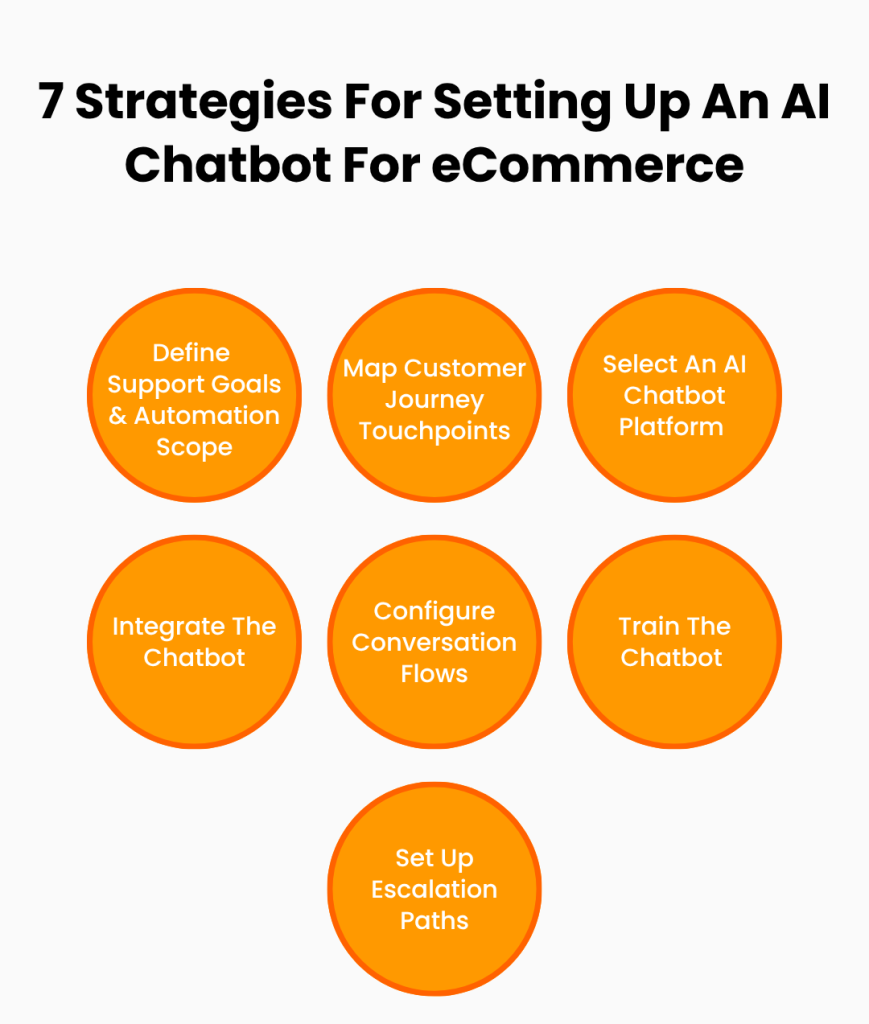
Here are 7 strategies to implement an AI chatbot for eCommerce the right way.
1. Define Support Goals & Automation Scope For The AI Chatbot Setup
A lot of businesses set up AI chatbots backwards. They start with features instead of operational pressure points. That creates a chatbot doing random things moderately well instead of solving one expensive problem properly.
The setup works much better when the chatbot has a clearly defined operational role from the start. Not “improve customer support.” Actual support responsibilities. Actual limits. Actual ownership boundaries.
Do This:
- Pull the top 50 most common support tickets from the last 3 months and identify repetitive customer inquiries with fixed answers.
- Define which conversations must always go to humans, like payment disputes or damaged shipment complaints.
- Set measurable automation goals such as “reduce order-status tickets by 60%.” Track chatbot-related OKRs using the OKRs Tool so all teams stay aligned around response-time reduction, ticket deflection, and automation targets.
- Create separate workflows for pre-purchase questions and post-purchase support instead of mixing both.
2. Map Customer Journey Touchpoints Across The eCommerce Store
A chatbot setup should follow customer hesitation patterns, not website structure. Most online retailers place one generic chat bubble across the entire website and expect it to work everywhere equally. But intent changes depending on the customer journey stage.
The friction inside product discovery is completely different from the friction inside post-purchase support. Treating those moments the same creates shallow conversations that are disconnected from what customers actually need in that exact moment.
Do This:
- Add product-specific chatbot prompts on high-exit product pages with sizing or compatibility confusion.
- Trigger shipping-related chatbot assistance directly on checkout pages during cart abandonment risk moments.
- Place return-policy chatbot flows only inside account/order history sections instead of sitewide.
- Use separate welcome messages for homepage visitors, cart visitors, and existing customers logged into accounts.
3. Select An AI Chatbot Platform Compatible With eCommerce Infrastructure
A chatbot platform is not just a customer communication tool. It becomes part of the store’s operational infrastructure. That means compatibility issues become operational problems very quickly. A lot of businesses choose chatbot software based on AI quality alone, then realize later that the system can’t properly connect with internal workflows or backend operations.
Do This:
- Verify whether the platform integrates seamlessly with WooCommerce, Magento, BigCommerce, or Shopify stores before purchasing.
- Check API limitations for pulling order status, customer data, and shipping updates in real time.
- Test if the eCommerce chatbot supports omnichannel conversations across website chat, WhatsApp, Instagram, Facebook Messenger, email, and messaging apps.
- Confirm that conversation logs can sync automatically into the existing knowledge base or CRM system.
4. Integrate The Chatbot With Product Catalog & Inventory Systems
A disconnected chatbot creates support friction instead of reducing it. Customers expect the chatbot to understand product availability, stock movement, catalog structure, and active inventory conditions in real time.
If the chatbot operates separately from product systems, conversations become delayed and operationally useless. This support strategy is about making the chatbot commercially aware. Not conversationally aware. Commercially aware.
Do This:
- Connect the chatbot directly to advanced inventory management systems rather than uploading manual product spreadsheets.
- Configure product recommendation logic based on categories or customer browsing behavior.
- Enable automatic back-in-stock notifications collected directly through chatbot conversations.
- Set up chatbot responses to display estimated restock dates for unavailable products whenever possible.
5. Configure Return, Refund, & Exchange Conversation Flows
Returns are process-heavy conversations. That is why they overwhelm support teams so easily. Without structured flows, refund-related chats become long and repetitive. Customers provide incomplete information, agents ask follow-up questions manually, and resolution speed slows down immediately.
Do This:
- Build separate workflows for everything – refunds, exchanges, damaged items, missing-item claims.
- Configure automatic eligibility checks based on purchase date and return window policies.
- Generate prepaid shipping label instructions directly inside the chatbot conversation.
- Trigger exchange recommendations instantly when customers report sizing-related returns.
6. Train The Chatbot Using Historical Customer Support Data
Most chatbot training fails because companies train the system using internal language instead of customer language. Customers don’t describe problems the same way support teams document them internally. It is always all over the place – fragmented wording, inconsistent phrasing, emotional language, incomplete descriptions, repetitive shorthand.
A chatbot only becomes operationally effective when it learns the ways customers interact and communicate during real support situations.
Do This:
- Upload previous support transcripts focused on repetitive issues like shipping delays or payment failures.
- Train the chatbot using actual customer phrasing and brand voice instead of formal internal terminology.
- Remove outdated policy responses before importing old conversations into the training dataset.
- Create intent groups based on recurring ticket categories rather than broad generic topics.
7. Set Up Escalation Paths To Human Support Agents
A chatbot setup is incomplete without the escalation architecture. Not escalation availability. Escalation architecture. There is a huge difference.
Most companies treat escalation as a backup option hidden somewhere inside the chatbot. But operationally, escalation should function like a structured transfer system with predefined routing logic, urgency handling, and context continuity.
Do This:
- Configure automatic escalation triggers for refund disputes, angry sentiment, or repeated failed responses.
- Pass the full conversation history to agents so customers never repeat information manually.
- Create department-specific routing for billing, shipping, technical, or loyalty-program issues.
- Add visible “Talk To A Human” options instead of hiding escalation behind multiple chatbot steps.
5 Real Brands That Show The Right Way To Use AI Chatbots In eCommerce
These 5 online stores show how an AI chatbot is used in practice and where it really changes the support load.
1. Performance Lab
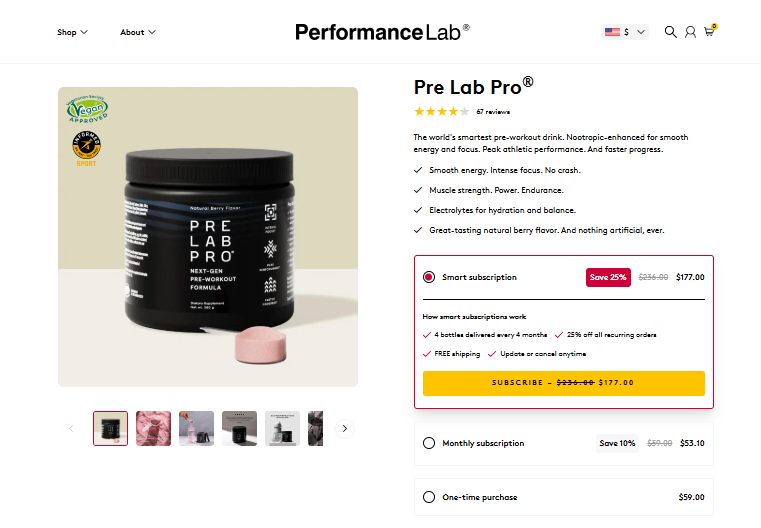
Performance Lab keeps its chatbot tightly focused on the exact hesitation points customers hit while browsing Pre Lab Pro. Instead of opening with generic support prompts, the chatbot immediately routes visitors into product-specific conversation paths like “How it works,” “Ingredients,” and “Quality.”
That structure matters because shoppers on this page are usually deep into comparison mode already. They are reading formulations and validating ingredient standards before buying.
The chatbot absorbs those repetitive education-heavy conversations directly on the product page instead of pushing people toward support tickets or long FAQ searches. Then the flow shifts naturally into operational support, like tracking updates and shipping policy guidance, once the purchase stage begins.
That separation is what makes the setup strong. Product education and operational support are treated as two completely different chatbot environments instead of one mixed conversation funnel. The result feels faster and far less overloaded for the customer.
2. Brondell
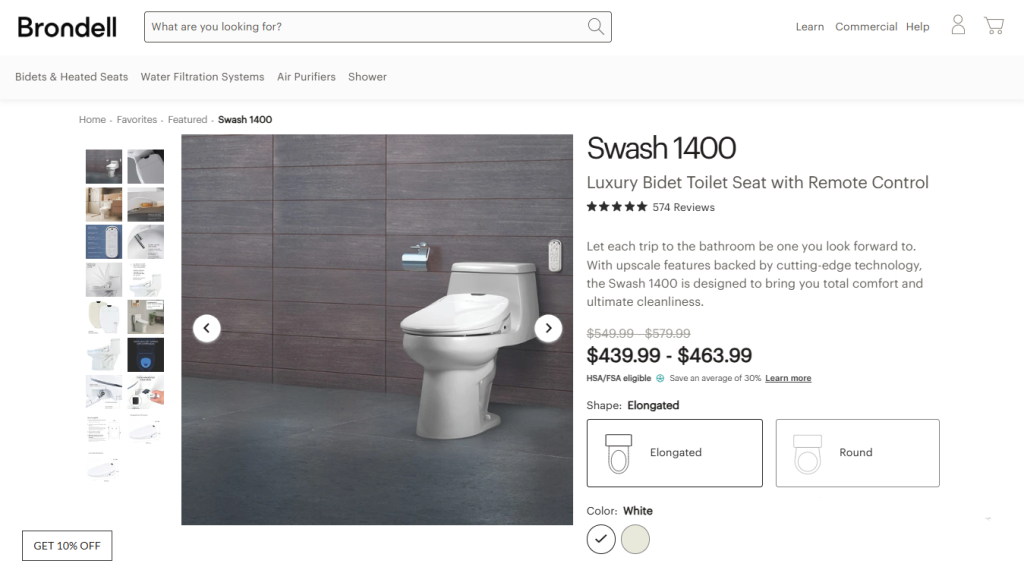
Brondell’s Swash 1400 product line takes a completely different approach. Their AI chatbot behaves less like a traditional sales assistant and more like a live knowledge base connected directly to the store experience.
That distinction becomes important very quickly on products because customers need answers across dozens of categories at once. Installation. Fitment. Water pressure. Seat dimensions. Power requirements. Maintenance. Remote settings. Warranty coverage. Cleaning instructions.
This works especially well for Brondell because bidet shopping creates layered hesitation. Customers don’t just want product specs. They want reassurance during the decision process. The chatbot handles that by turning the entire support database into searchable conversational guidance without making customers dig through menus manually.
Operationally, that removes a huge amount of repetitive support work. The same installation and compatibility questions that normally flood support inboxes get resolved instantly through the knowledge system instead.
So Brondell is not using AI mainly for sales pressure. They are using them to compress information retrieval time inside a very detail-heavy buying experience.
3. Nootropics Depot
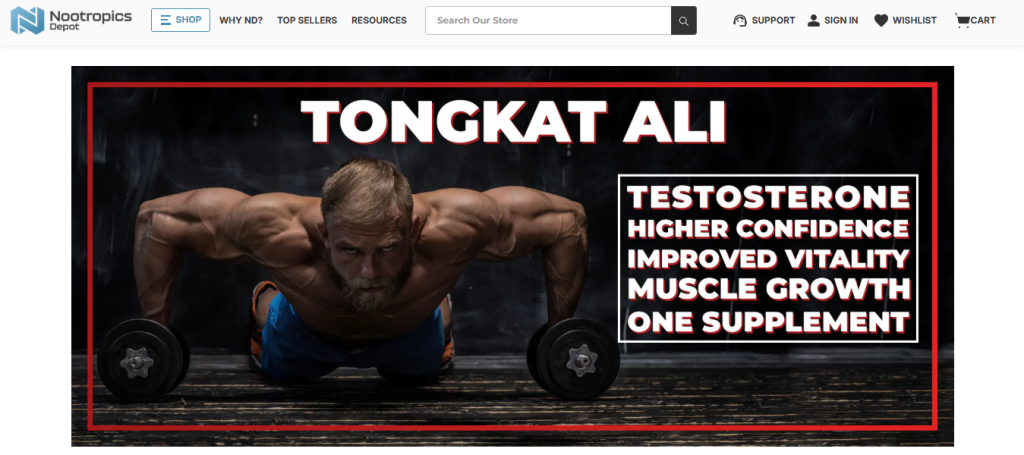
Nootropics Depot’s Tongkat Ali range uses AI chatbot support very differently from most supplement brands because the chatbot is heavily focused on operational precision instead of product hype.
The instant-answer setup handles the exact support categories that create the highest ticket repetition volume in supplement eCommerce. Order cancellations. Order modifications. Shipping timelines. Free shipping eligibility. International customs duties. Product testing questions.
That setup matters because Nootropics Depot attracts highly detail-oriented buyers who constantly request clarification before and after purchase. International buyers especially create huge operational pressure because delivery timing concerns and shipping policy confusion quickly turn into nonstop support threads. The chatbot absorbs those conversations immediately through structured instant-answer flows.
The testing-related flow is especially important because customers in this category actively look for lab validation and product verification before purchasing. The chatbot keeps those information requests structured and immediately accessible instead of turning them into back-and-forth email conversations with support agents.
That dramatically reduces repetitive ticket creation since the chatbot resolves the most common friction points before they ever escalate into email chains or manual intervention.
4. Mannequin Mall
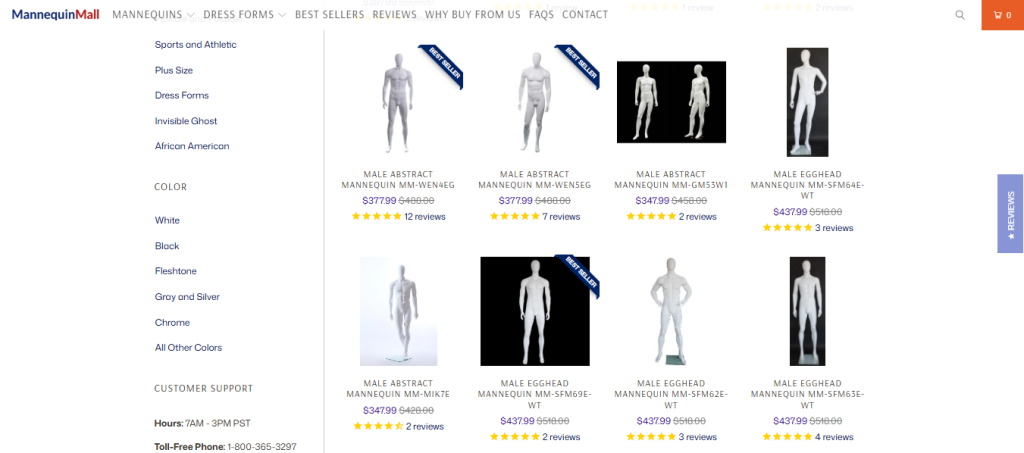
Mannequin Mall uses chatbot support that mirrors how visual merchandising buyers actually shop. Most customers are trying to solve a display problem tied to retail layout, clothing presentation, photography staging, or showroom design.
The chatbot immediately enters those conversations through product filtering and visual-use guidance instead of traditional customer support prompts. Visitors browsing male mannequin collections get routed based on posture styles, finish types, detachable components, or commercial display environments.
The chatbot continuously narrows inventory without forcing customers to manually sort through huge catalog variations themselves. This creates a completely different support structure from standard eCommerce stores. The chatbot is reducing decision fatigue inside a visually overloaded catalog rather than answering operational support tickets afterward.
That distinction helps because stores with large visual inventories carry hidden support costs tied to product-selection assistance. Mannequin Mall reduces that pressure directly inside the browsing experience itself, which is exactly why their chatbot flow feels operationally efficient instead of artificially automated.
5. Golf Cart Tire Supply
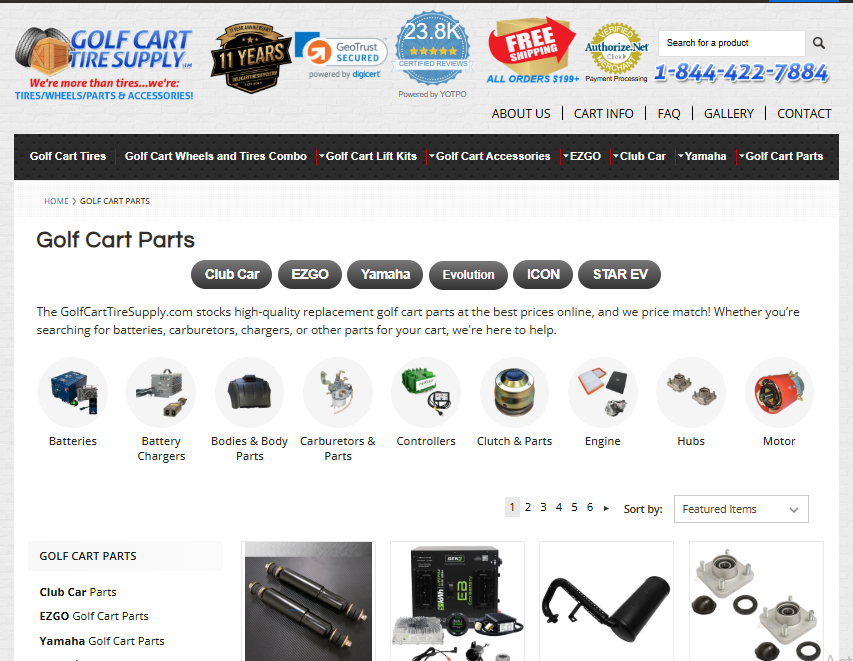
Golf Cart Tire Supply deals with one of the most repetitive support problems in eCommerce: part compatibility verification. Almost every high-intent customer wants confirmation before buying.
– Will these tires rub after installation
– Does this lift kit fit Club Car Precedent models
– Which wheel offset works with non-lifted carts
– What size replaces factory tires
Those conversations create a nonstop manual workload because customers are terrified of ordering the wrong setup.
The chatbot reduces that pressure by turning compatibility checks into guided conversational flows. Customers enter cart model details or wheel size information directly into the chat and receive narrowed recommendations instantly while shopping.
What makes this especially effective is how the chatbot reduces expensive operational mistakes after purchase. Wrong-fit orders create returns, shipping losses, installation complaints, and additional support requests all at once. The store uses conversational guidance earlier in the buying process to reduce that downstream operational mess before checkout happens.
So the chatbot is not just reducing support volume here. It is actively reducing avoidable operational costs tied to incorrect purchases.
Conclusion
Support costs don’t get under control by hiring faster or asking teams to work harder. That approach only stretches the same problem across more people. An AI chatbot for eCommerce is what pulls costs down instead of pushing them up.
So start small, but start where volume is highest. Order tracking, refunds, delivery updates. Let the chatbot own that layer completely before expanding into anything else. That is where the cost reduction actually begins to show up in numbers.
At WPExperts, we work with WooCommerce, Shopify, and custom e-Commerce environments to create chatbot experiences that connect directly with product catalogs, APIs, order systems, payment gateways, and customer workflows.
We have spent over a decade delivering thousands of projects globally and handling everything from custom plugin development to ERP integrations and large-scale eCommerce systems. If you are ready to cut support costs while building a personalized support system for your store, let’s get started.