




































 Usman Hayat
User roles management is one of the most crucial aspects for WooCommerce store owners who wish to provide customers with personalized experiences, exclusive discounts, and access to products and content.
Once they customize user roles at registration, they can improve workflows, enhance customer segmentation, and improve the store’s overall performance.
[product_banner index=’1′]
This blog post will discuss custom user roles in WooCommerce and explain their significance. Additionally, it will help store owners understand how they can create user roles at registration when enhancing their WooCommerce stores.
What Do You Mean by WooCommerce Custom User Roles?
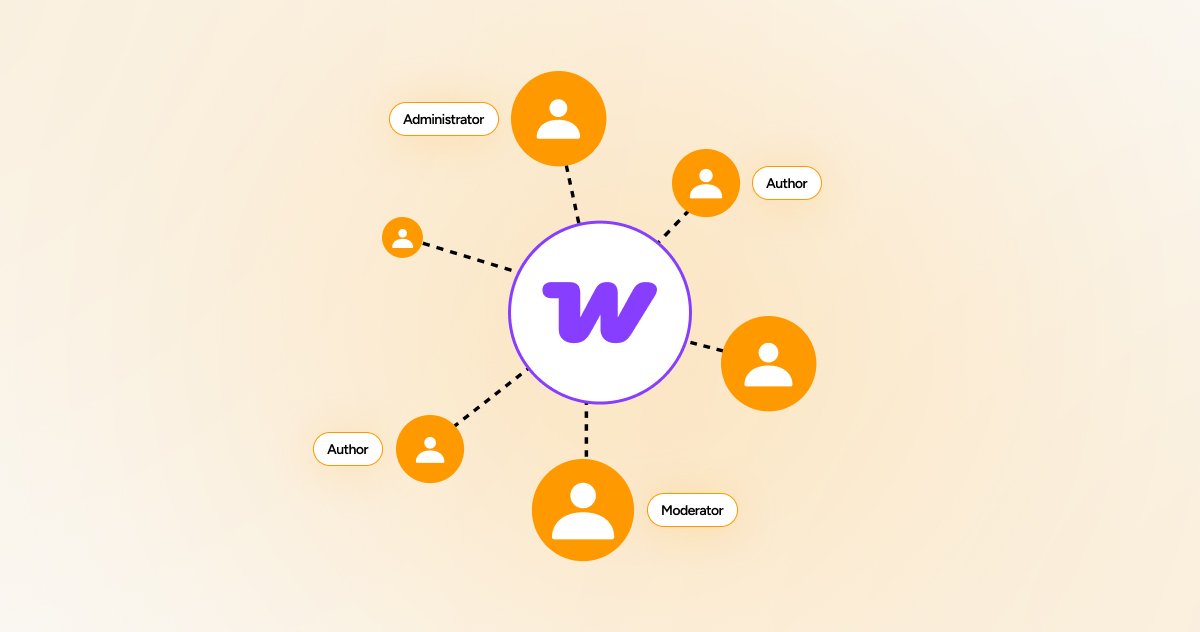
WooCommerce custom user roles are sets of permissions and capabilities store owners can apply to their WordPress sites using the WooCommerce plugin. This will enable them to explain specific responsibilities and access levels beyond the default roles.
As a result, store owners can decide which customers can conduct particular actions, like manage settings, see reports, and more.
Why Should We Create Custom User Roles in WooCommerce?
Creating custom user roles offers many benefits, including:
– Personalized Shopping Experience
WooCommerce store managers or owners can effortlessly assign roles depending on customer type, such as retail, wholesale, and VIP. This way, they can delight them with personalized discounts, pricing, or products.
– Improved Store Management
Custom user roles help store owners enhance their store management capabilities. Once they assign roles, they can overcome issues like unauthorized access and human errors.
– Exclusive Access to Content
Store owners can allow particular users to access premium content, downloads, or products, depending on their given roles.
How to Create Custom User Roles in WooCommerce?
You can smartly create custom user roles in WooCommerce using the User Registration for WooCommerce plugin. To do this, follow the steps below:
[product_banner index=’1′]
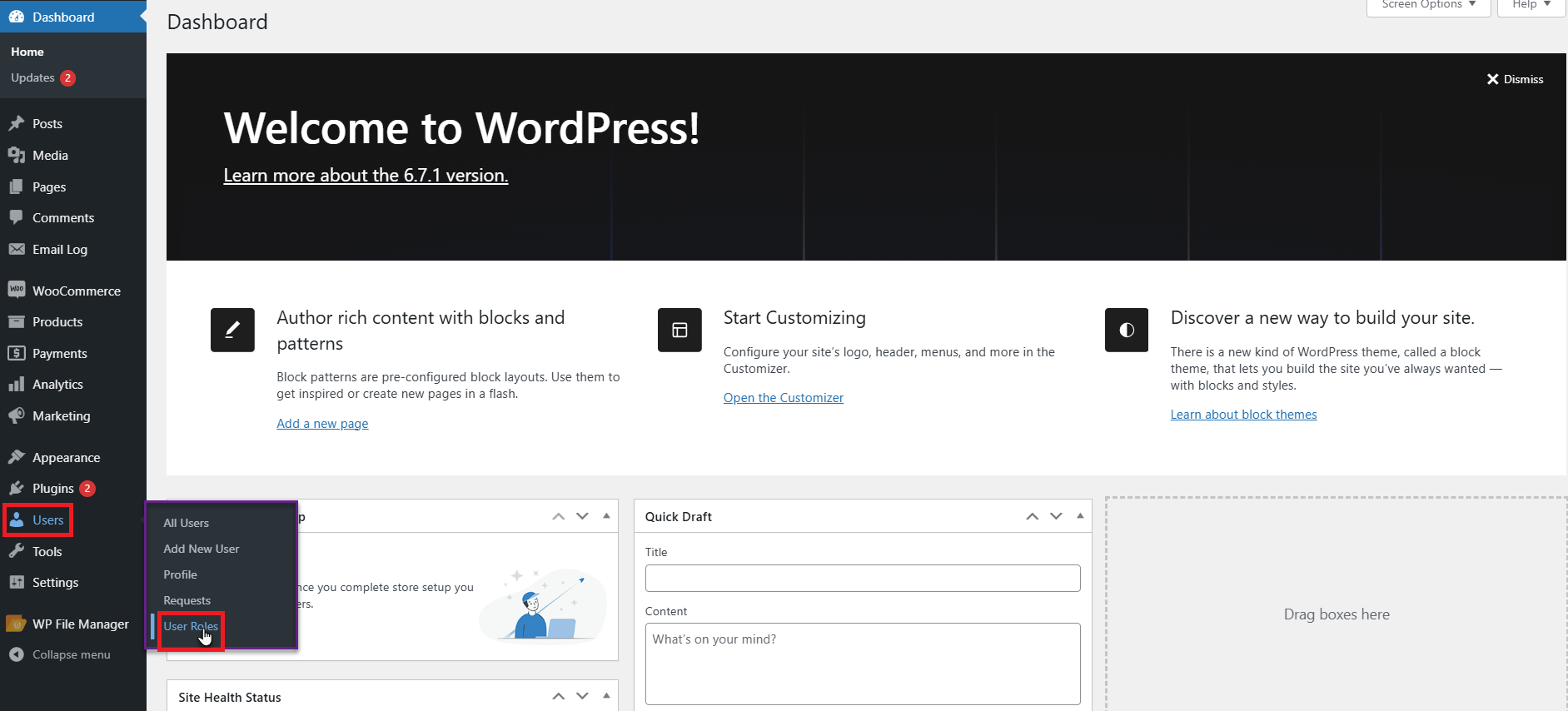
- Go to WordPress Admin Dashboard > Users > User Roles.
- You will find the two sections on the User Roles tab.
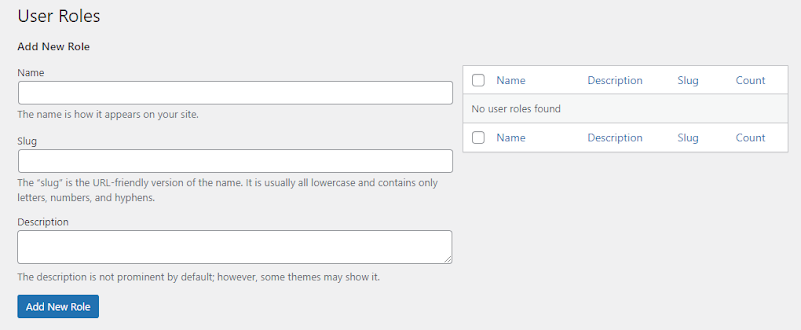
- Through the left side of the menu, you can add a New Role.
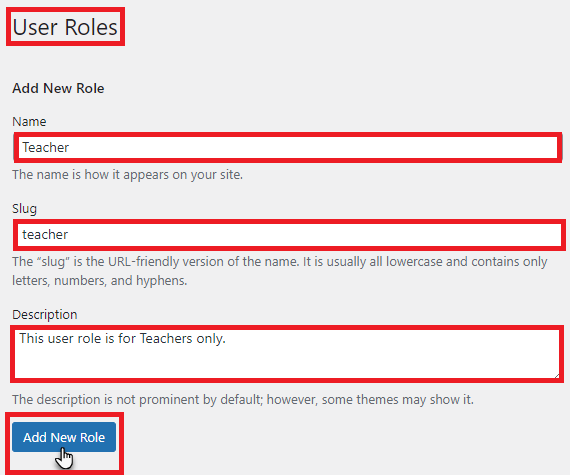
- Write the Name of the user role. Additionally, write the Slug of the user role.
- Write the User Role description. When you are done, hit the Add New Role
- Once the User Role is included, you can see it on the right side of the page.
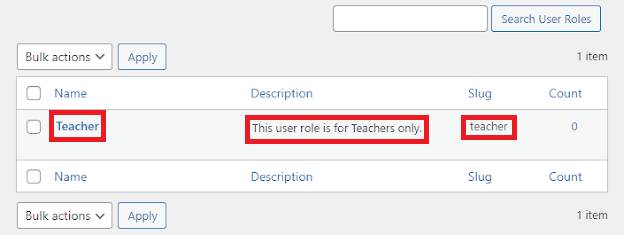
- Hover over the user role to view the suboptions.
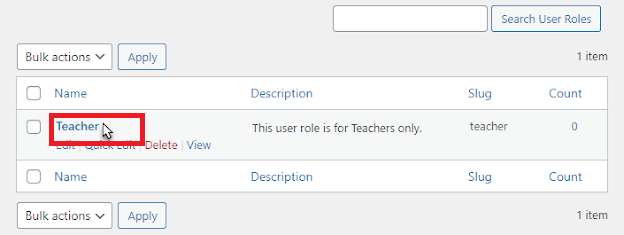
This way, you can smartly create custom user roles in WooCommerce.
Use Cases for WooCommerce Custom User Roles
There are different use cases for WooCommerce custom user roles, such as membership websites and subscription services. Apart from this, other use cases include wholesale stores and multi-vendor marketplaces.
Wrapping Up
We expect you to appreciate our blog post, which helps you create custom user roles in WooCommerce. Once they begin assigning roles at registration, they can simplify user management, customize the shopping experience, and enhance user engagement and sales.
If you manage a WooCommerce wholesale store, subscription business, or membership website, custom user roles enable you to offer customized shopping experiences to different types of customers. Besides, custom user roles benefit store owners by optimizing store operations, improving customer engagement, and driving revenue growth.
[product_banner index=’1′]


