








































 Usman Ul Haq
Nowadays, WooCommerce store owners often ensure that they make their products available globally to users and customers. This seems true for store owners catering to a global target audience. However, the US dollar is still considered a global currency for eCommerce transactions; most customers prefer to deal in their own currency because of transaction issues and currency exchange rates.
The question arises: how can online stores facilitate their customers across the globe? The answer is quite simple! You can easily add a Currency Switcher for WooCommerce that automatically updates the currency exchange rate and shows customers their local currency anywhere on the site. Based on the facts and figures, it encompasses one of the most valuable features any WooCommerce store could offer to its visitors.
More About Currency Switcher for WooCommerce Plugin
Currency Switcher for WooCommerce is a plugin that helps users change their currency for shopping purposes. The currency can be switched at the shop, cart, and checkout pages. Admin can set a list of currencies that can be placed on the shop page as a sticky switcher.
Furthermore, currency switchers can be placed as a menu item from which exchange rates can be visualized against a selected currency. Admin can either manually set the exchange rate of currencies or configure it with the help of APIs.
Installation of Currency Switcher for WooCommerce?
To set up a complete online store, you’ll need the following prerequisites:
[product_banner index=’1′]
Step # 1:
After you have completed the above prerequisite successfully:
- Navigate to WordPress Admin, go to Plugins, click on Add New, and upload the Plugin
- Attach the downloaded file to the “Choose file” option.
- Click on “Install Now.”

- After completing the above step, click on Activate.
Step # 2:
- Hover over the ‘WooCommerce’ tab, then click on the ‘WCCS Settings’ tab.
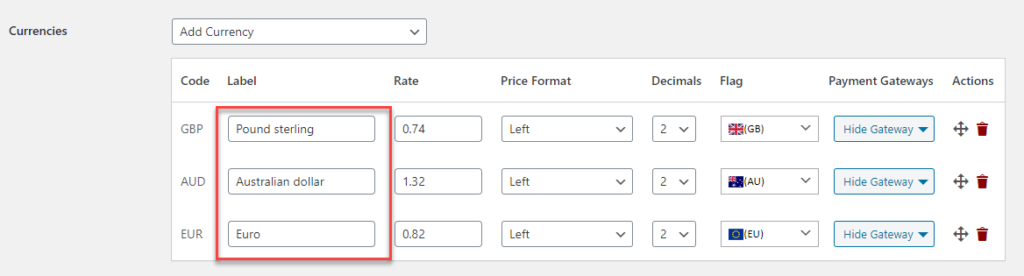
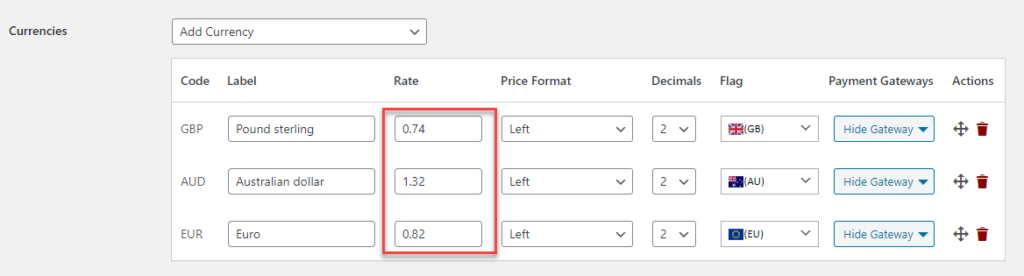
- In the ‘Currencies Section,’ select as many currencies as you need from the dropdown button. After you choose a currency, it gets listed.
Step # 3:
- The user can simply type the ‘Label Name’ for the particular currency.

Step # 4:
- Users can manually adjust each currency’s ‘Exchange Rate’ in a manual order. Moreover, the Exchange Rate will be compared to the value ‘1’ of the default currency of your WordPress dashboard. If the exchange rate has been fetched from the API, that will be automatically displayed.
Step # 5:
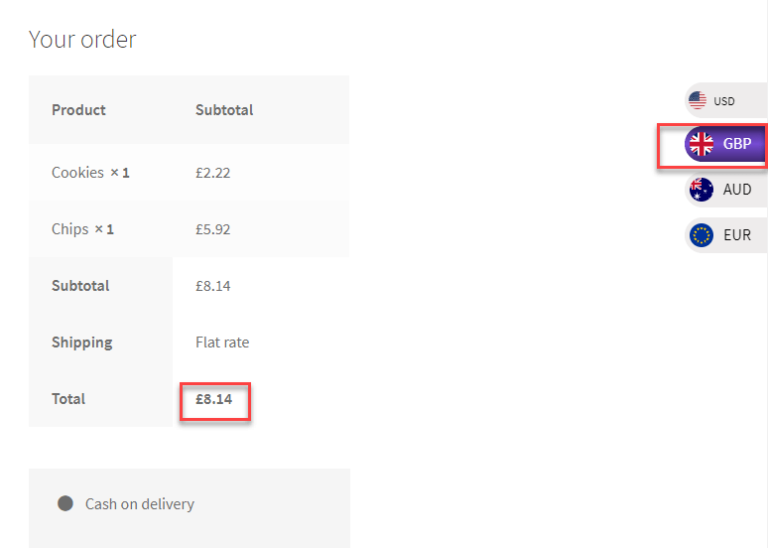
- In the ‘Price Format,’ the user can set the alignment of the currency from the dropdown option.

- The currency value has been placed on the left side after the currency symbol.
Step # 6:
- Users must select the ‘Decimals’ option from the dropdown menu, which refers to how many decimal points they want to display against the exchanged currency.

- Now, the exchanged values of the field will show the results in two decimal values.

Step # 7:
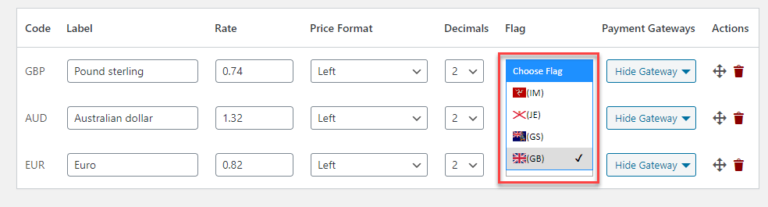
- Users can set the ‘flag’ of their currency from the dropdown list.
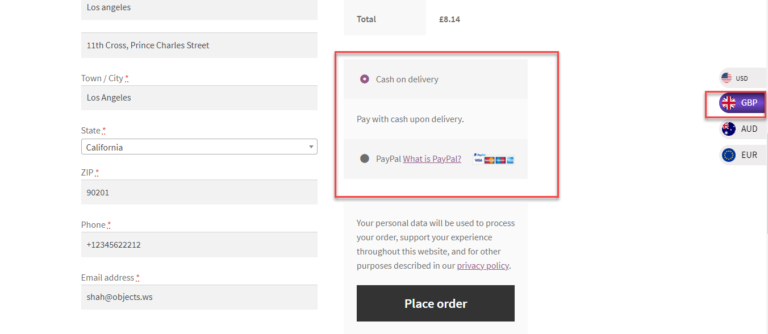
- Enables users to configure the payment gateway option; in the dropdown menu list, you will get multiple options for the installed payment gateways. It allows you to check the options you want to hide for each particular currency.

Step # 8:
- After switching on the GBP, the user can see that there isn’t an option for Direct Bank Transfer at checkout.
- Users can shuffle the currencies in multiple sequences. At the front end, currencies will be displayed in the same order as the default currency.
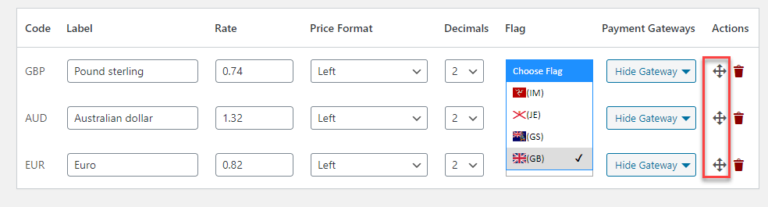
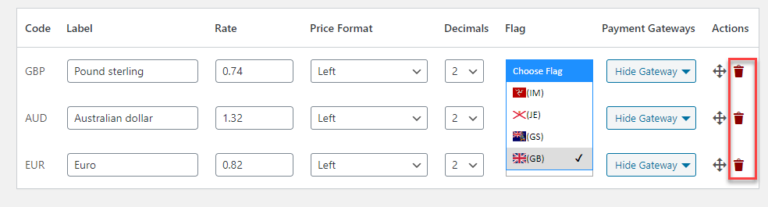
- It enables the user to delete a specific currency accordingly.

- Permits the user to delete a specific currency.
Buy Currency Switcher for WooCommerce Now!
Hence, Currency Switcher for WooCommerce is a powerful and robust multi-currency conversion extension that can easily switch currencies on your WooCommerce website according to users’ preferences. All you need to do is follow the steps below:
- Download and install the extension. Find the installation guide here
- Activate, set up, and configure the extensions
[product_banner index=’1′]


